


Résumé
There are several ways to buy cryptocurrencies online, but what if you have cash? You can resort to the standard scenario – deposit the money to your bank, register on an exchange, complete identity verification, fund your account, wait for the money to be credited and finally make the exchange.
That's a lot of steps, isn't it? If only there were an ATM that exchanged your tickets directly into bitcoin... Good news! This machine exists and it is a bitcoin distributor! In this tutorial, you will learn how to use it.
Introduction
The majority of websites allowing you to purchase Bitcoin will retain your personal information, due to the exchanges' compliance with KYC/AML regulations.
One of the easiest ways to buy Bitcoin (BTC) anonymously is to use a Bitcoin ATM. In this guide we will explain step by step how to buy bitcoins with cash from an ATM.
What is a bitcoin ATM?
A bitcoin ATM (Automated Teller Machine) is a machine similar to a cash dispenser. A regular ATM takes your cash and updates your bank balance by adding an upcoming amount that you can then use to pay other people.
With a bitcoin ATM, your cash is exchanged for bitcoins, which are then directly deposited into your wallet. It is often possible to buy altcoins from bitcoin ATMs. Some even allow you to resell them for cash!
Preparation
Let's get started! You must first set up a wallet in order to receive the bitcoins you purchase. There are a number of wallets available on Android and iOS. In this guide, we will use Trust Wallet, but the steps are more or less similar for other applications.
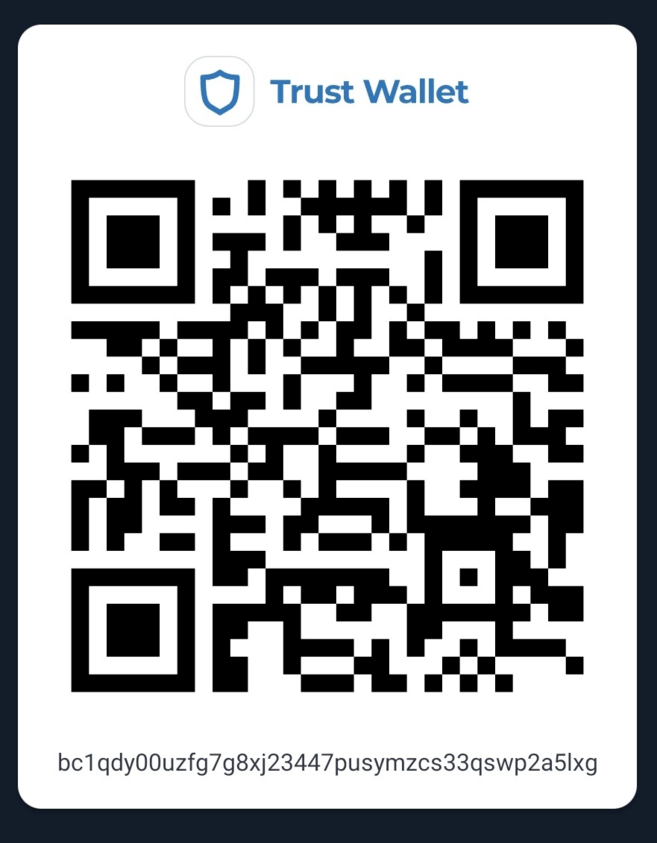
Let's start by finding your public address. Usually, you just need to press the “Receive” Button to get it. For the purposes of this guide, we will use the QR code. If you are using a wallet that supports multiple cryptocurrencies, make sure you have selected the address of the currency you want to purchase (in our case, Bitcoin (BTC)).
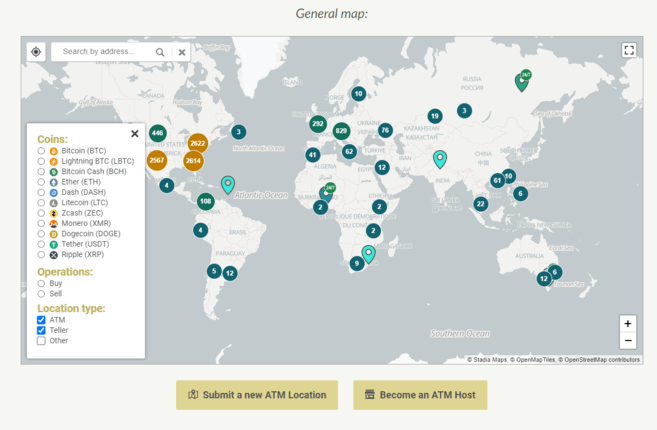
A map listing available bitcoin ATMs. Source: coinatmradar.com
Okay, now let's locate the nearest bitcoin ATM. Luckily for us, there is a simple tool: coinatmradar.com. Finding a bitcoin ATM has never been easier. Enter your location in the search box to view nearby bitcoin ATMs
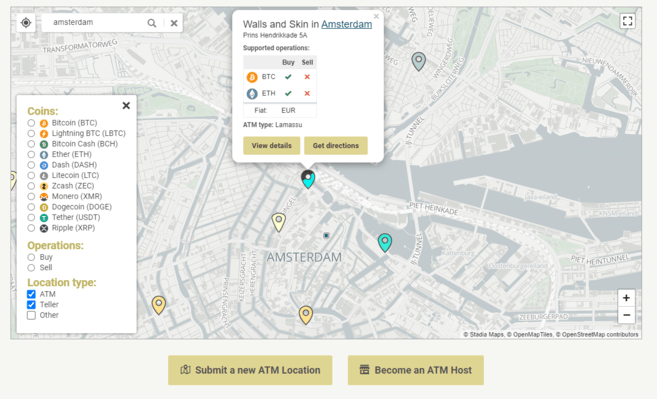
as well as information on bitcoin ATMs. Source: coinatmradar.com
By clicking on one of the pins, you will get the information on the location of the ATM as well as the currencies accepted. If you click on “Show details” you can access usage charges, operator details and of course reviews from other users.
We of course choose a well-rated distributor, which displays the owner's contact details and indicates usage fees. This data is important, it confirms the authenticity of the distributor. Yes, “fake distributors” exist.
Buy your coins

Here we are now in front of the bitcoin ATM, armed with our phone containing our wallet as well as our cash. Before pressing one of the buttons on the dispenser, it is interesting to see how it works. Each machine has its own look and button layout, but the basic functionality remains the same. In this guide we will refer to the machine shown in the photo.
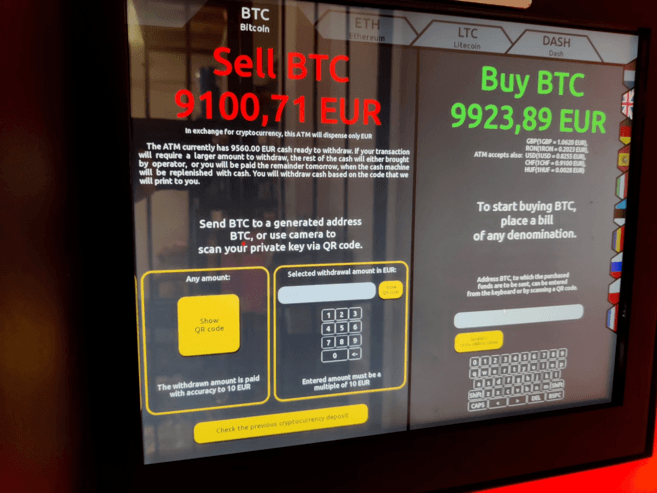
On the right side there is a touchscreen. This provides you with instructions for purchasing or selling bitcoins. The distributor indicates that for him, the price of a Bitcoin for sale is €9,100. The purchase price, for its part, is €9,900. (Note: a quick look at coinmarketcap.com tells us that the price of Bitcoin is €9,600: this price difference represents the operator's margin).
Along the left side are locations for depositing and collecting fiat money, printing a receipt, and a QR code reader for scanning your address.

Using the touchscreen, select the “Buy” option (keep in mind that in our case we want to buy BTC and not altcoins) by tapping on the right side (the Buy part) of the 'screen. Selecting an option is different on each dispenser model, but this is only a visual difference. “Buying bitcoins” in itself remains quite self-explanatory.
Scan your wallet address with QR code reader. It is to this address that your bitcoins will be deposited.
Verify that the alphanumeric address displayed on the screen matches that of your wallet.
Insert the cash into the slot provided for this purpose.
Set the fees for miners you want to pay (note: not all bitcoin ATMs have this feature). The higher the fees, the quicker your operation will be completed.
Complete the transaction by accepting the purchase.
Collect the receipt.
The transaction you just made is now being validated by the Bitcoin network. Once validated, your BTC will be deposited into your wallet. Please note that your bitcoins will not appear in your wallet immediately. These must first be added to a block. Typically, six confirmations are required for the transaction to be validated. For the Bitcoin network, a confirmation requires approximately 10 minutes.
After your purchase
After your purchase, you can track the progress of the transaction using a Bitcoin block explorer (such as Blockchain.com) using your address or transaction ID. Depending on your wallet app, you will be able to see your purchase after 5 to 15 confirmations.
After an hour, at least one confirmation should be made. If you have no confirmation after several hours, contact the owner of the bitcoin ATM immediately to find out the reasons for the delay.
Conclusion
Bitcoin ATMs provide consumers with an easy way to purchase bitcoins with cash. As a bonus, the bitcoins purchased will not be associated with your identity, as the purchase was made using cash.
Just like forex providers do, owners of a bitcoin ATM usually add their margin on the buy/sell price in order to make a profit. Using a mapping tool such as coinatmradar.com makes it easy to find the nearest distributor or one offering the most attractive fees.