


Résumé
MetaMask is a cryptocurrency wallet that can be downloaded on Chrome and Firefox as a browser extension or as an app on iOS and Android devices. It allows users to store and transact cryptocurrencies via a simple interface.
MetaMask allows users to interact with DeFi ecosystems on Ethereum and other blockchain networks, such as Binance Smart Chain, Polygon, and Avalanche. This guide will teach you how to connect your MetaMask to the Avalanche network.
If you already use the Avalanche network, note that only the C-Chain wallet is compatible with MetaMask. So, to transfer AVAX from your Avalanche wallet, your tokens must be in your C-Chain wallet. You can also transfer your AVAX to MetaMask from an exchange wallet that supports C-Chain, such as Binance.
Introduction
To interact with the Avalanche blockchain and DApps, you need a compatible cryptocurrency wallet, such as MetaMask. But before you can use Avalanche tokens on MetaMask, you need to add the Avalanche network to your wallet. This guide will show you how to do it.

Comment configurer MetaMask ?
If you already have a MetaMask wallet, continue to the next section to see how to connect your wallet to Avalanche and add AVAX tokens. If you don't already have a MetaMask wallet, follow these steps to set it up.
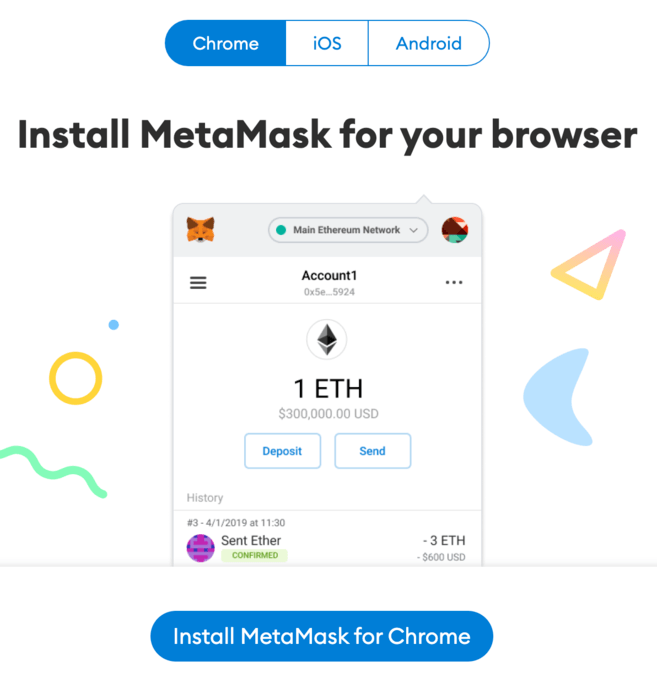
1. Download and install MetaMask extension on Chrome, iOS or Android via MetaMask official website. Make sure you are using the official website before downloading the extension.
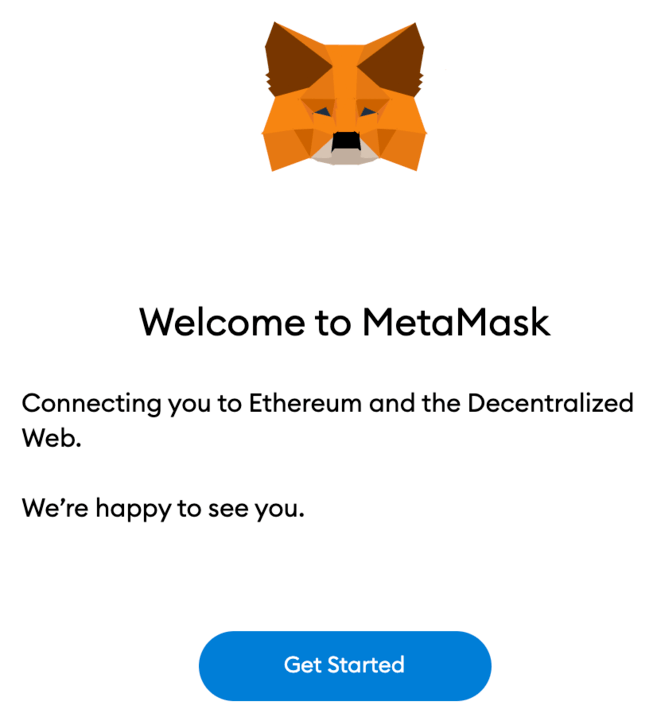
2. You should see the MetaMask fox on the home screen once the installation is complete. Click [Get Started].
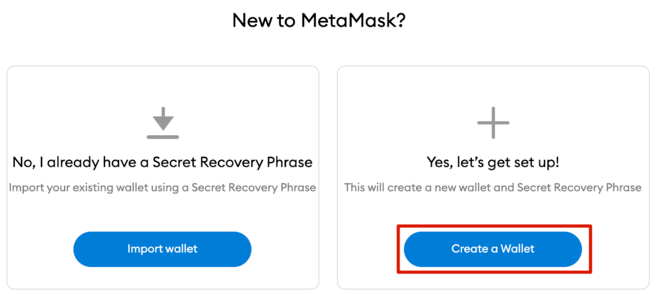
3. Click [Create a Wallet] to create your MetaMask wallet, or click [Import wallet] to import an old wallet using your recovery phrase.
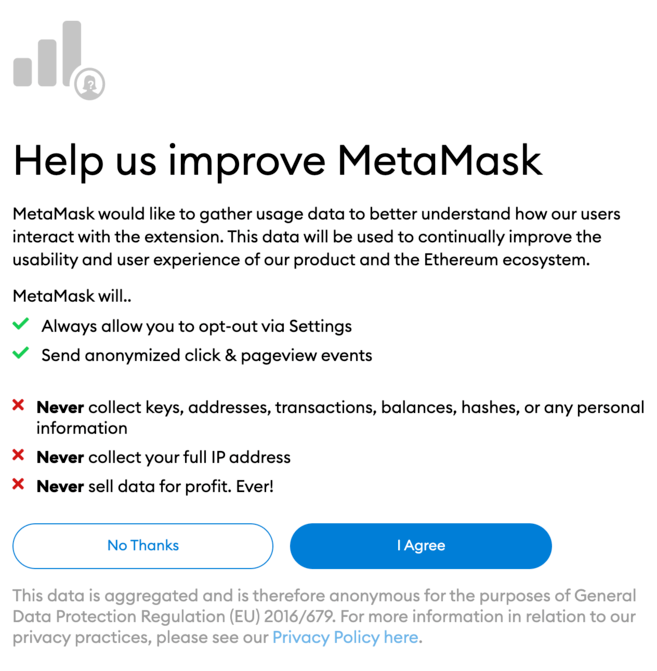
4. You will be asked if you want to share anonymous usage data with MetaMask to help them improve the extension. Whatever you choose, it will not affect your use of MetaMask.
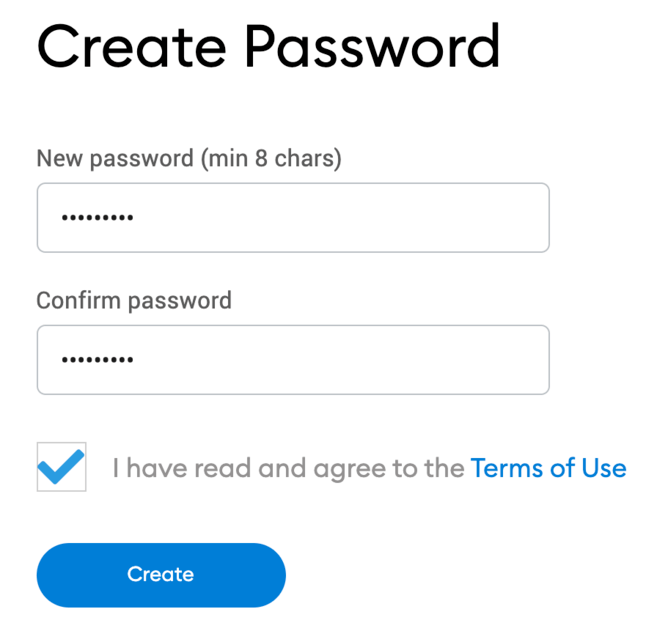
5. Now create a secure password for your wallet.
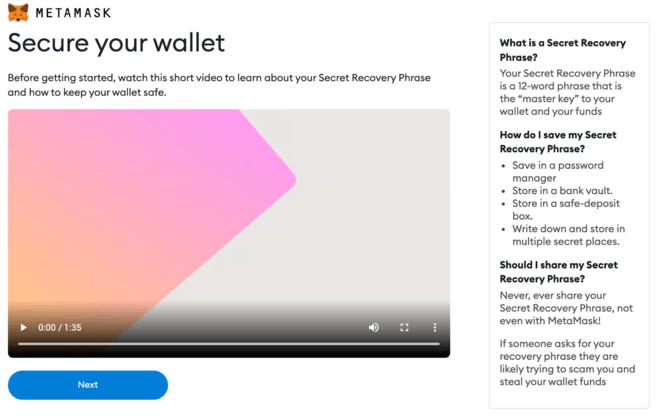
6. Before you begin, you need to backup your wallet recovery phrase. This is what allows you to restore your wallet if you lose access to your device or forget your password. If you are unfamiliar with how a cryptocurrency wallet works, be sure to watch the video and read the information. When you are ready, click [Next].
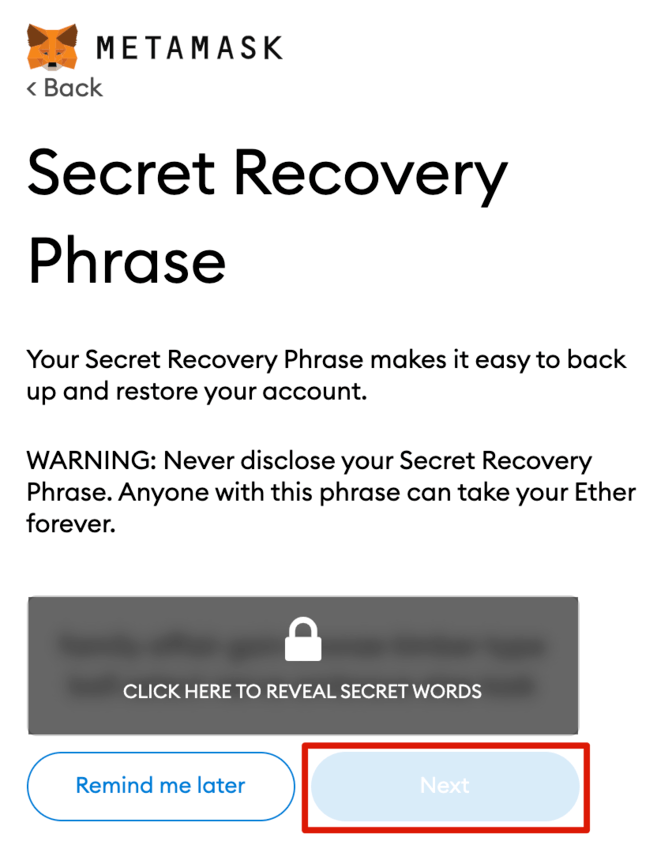
7. Then you will receive your recovery phrase. Click to reveal the words and write them in the correct order. You should keep your recovery phrase in a few secure offline locations and never share it with anyone.
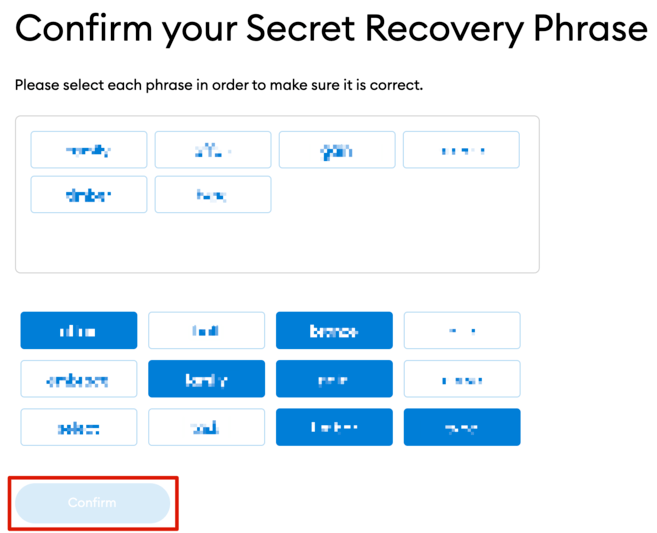
8. To ensure that you have saved the recovery phrase correctly, you need to repeat it by selecting the words in the correct order. Click [Confirm] to continue.
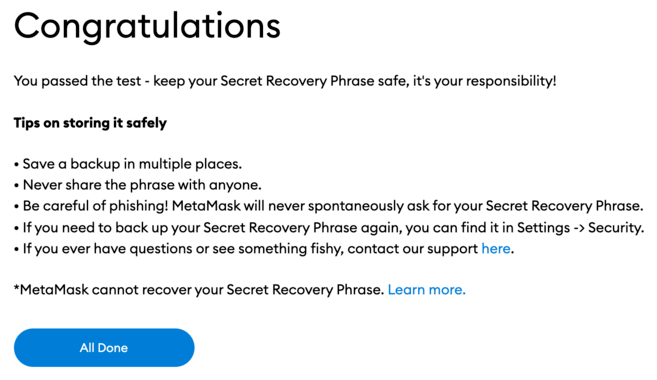
9. Your MetaMask wallet is now ready to use. Click [All Done] to view your portfolio.
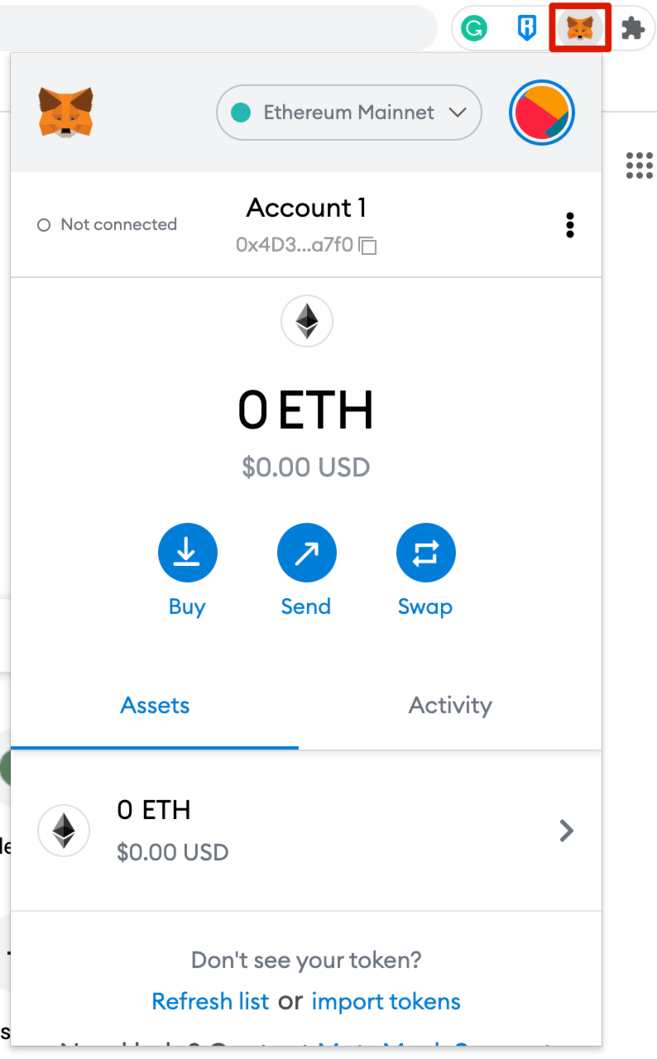
10. You can pin your MetaMask wallet to your Chrome browser for easy access. Click the puzzle icon, then click the pin icon next to [MetaMask] to pin it to the toolbar.
How to add Avalanche to Metamask?
By default, the MetaMask wallet is connected to the Ethereum mainnet. To add Avalanche to your wallet, you need to add its network details to the extension.
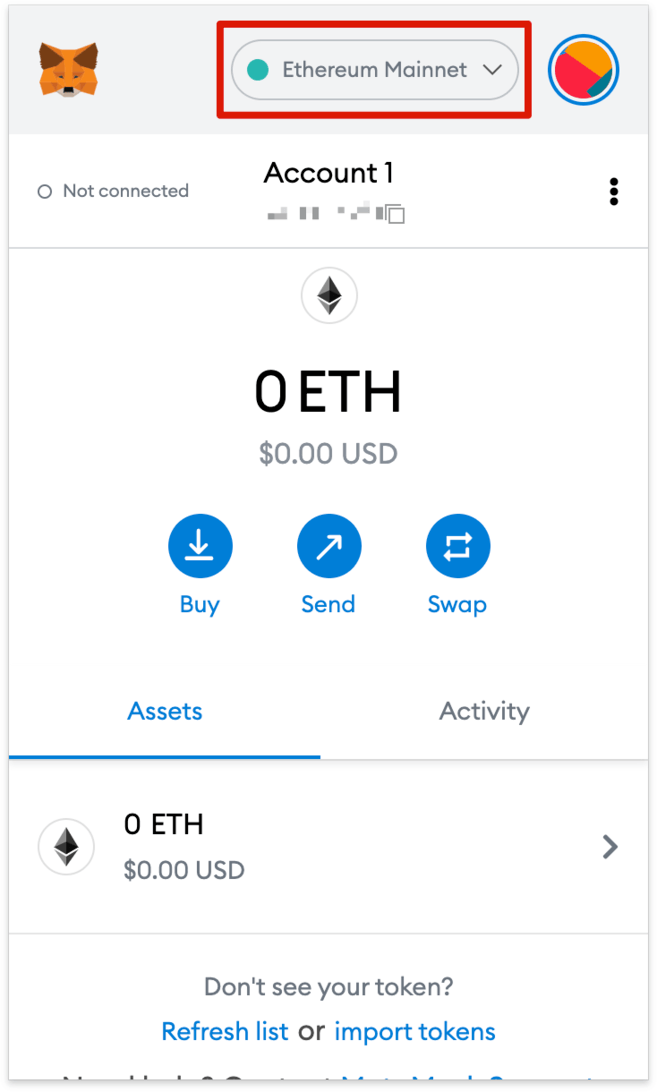
1. Open your wallet extension and click on the network drop-down menu.
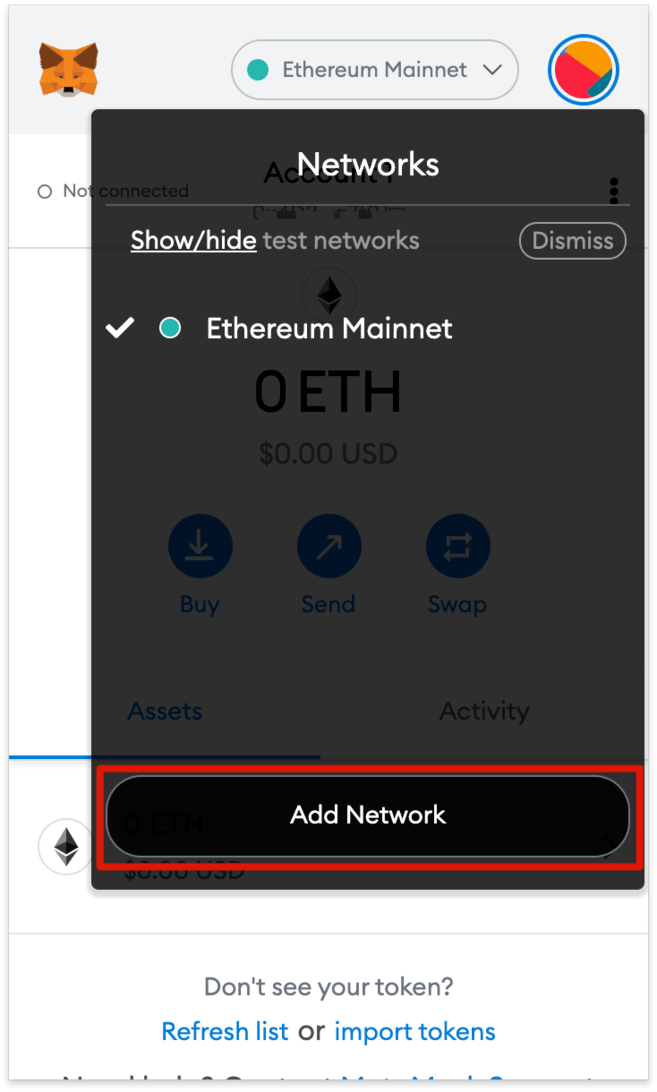
2. Click [Add Network].
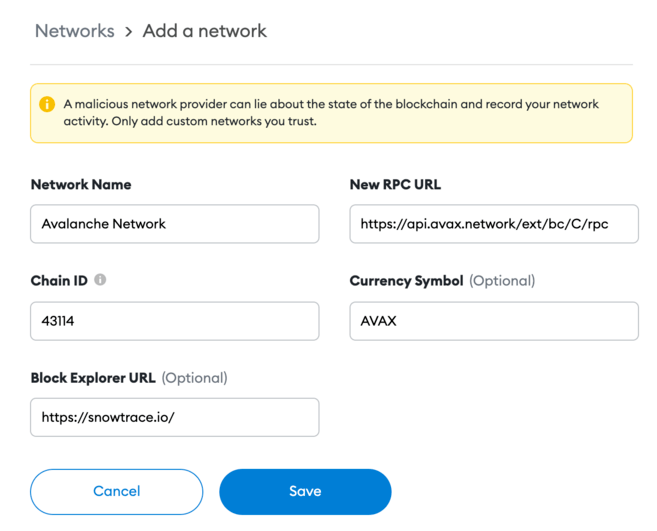
3. You will be redirected to the [Add a network] page. Copy and paste the following details and click the [Save] button.
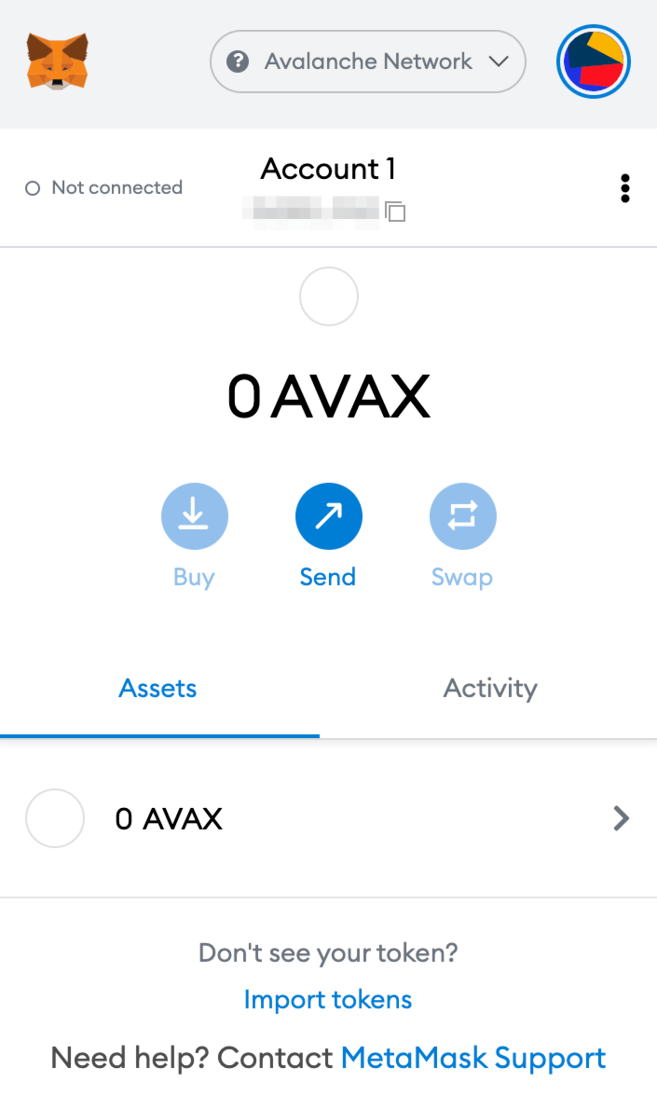
4. Your MetaMask wallet is now connected to the Avalanche network.
How to send AVAX tokens to MetaMask?
After connecting the Avalanche network, you can now send your Avalanche tokens (AVAX) from another Avalanche wallet to MetaMask.
There are 3 blockchains on the Avalanche network: the Exchange Chain (X-Chain), the Contract Chain (C-Chain), and the Platform Chain (P-Chain).
Note that only C-Chain is compatible with MetaMask, which means you can only use C-Chain to transfer AVAX to your MetaMask wallet. Be careful ! If you select the wrong channel, you risk losing your tokens.
1. Log in to your Avalanche wallet and check where your AVAX tokens are located in the [Balance] box at the top.
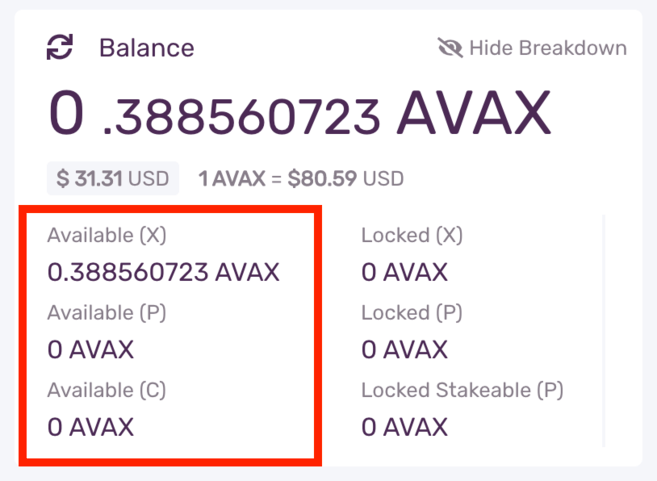
If your AVAX tokens are in your X-Chain wallet, you must transfer them to your C-Chain wallet before you can send them to MetaMask.
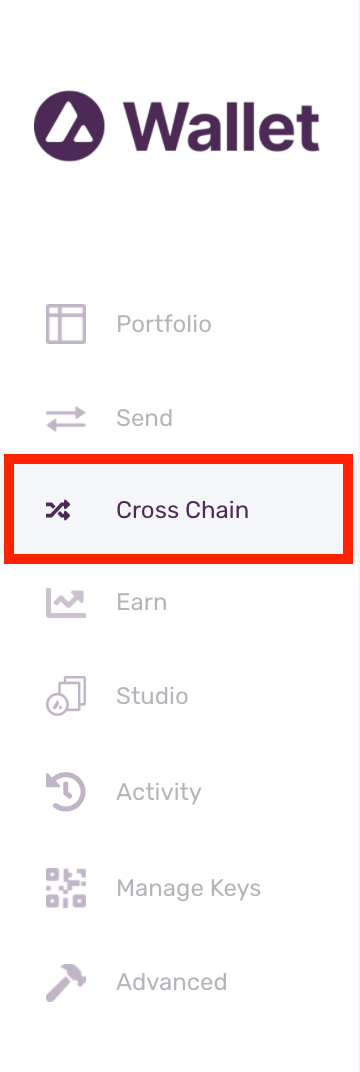
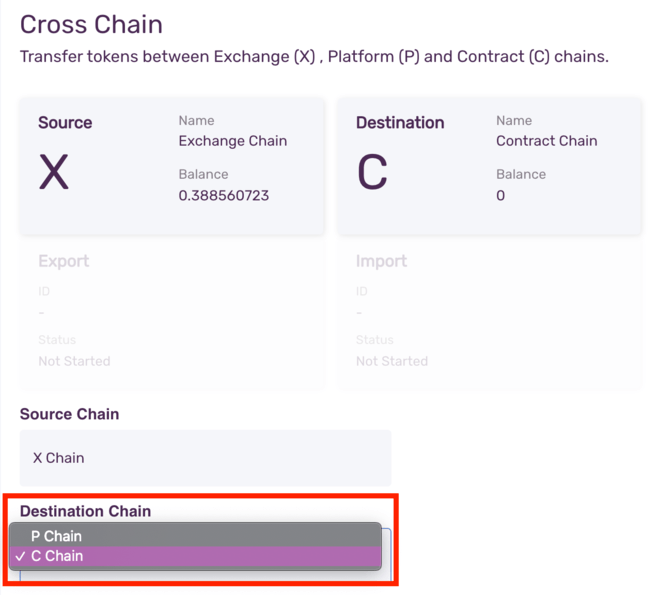
1.1. Click [Cross Chain] in the left menu bar.
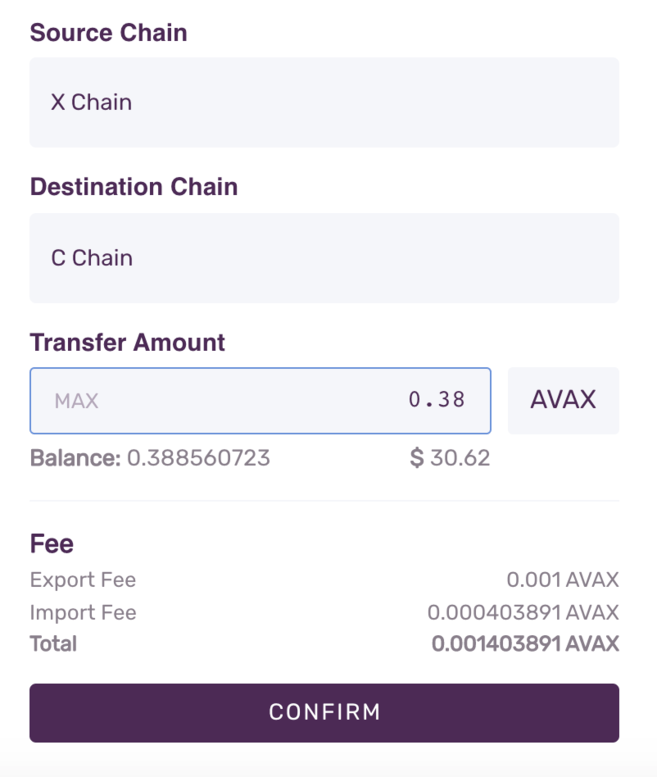
1.2. Select [C-Chain] as the destination channel. Next, enter the amount you want to transfer from your X-Chain wallet and click [Confirm]. Note that you will have to pay a small transaction fee.
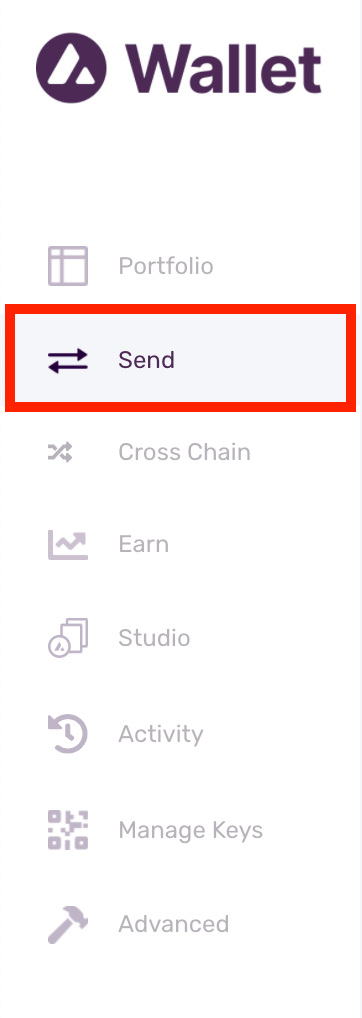
2. Now go to [Send] on the left menu bar.
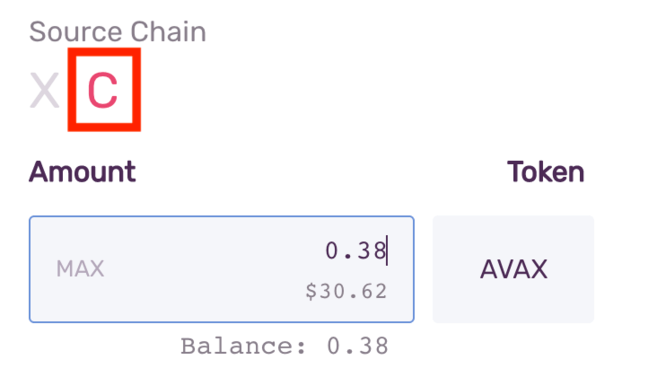
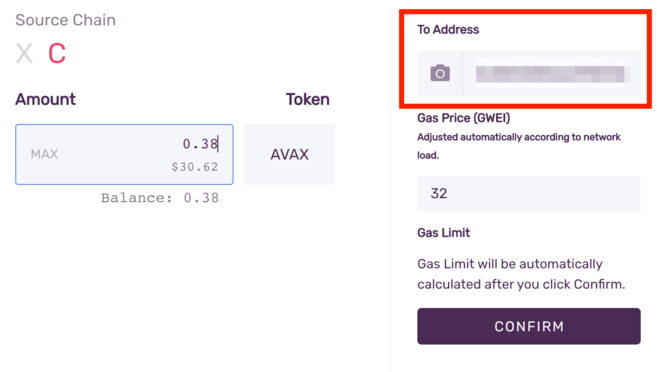
3. Select [C] as the source channel. Enter the amount you want to send to MetaMask.
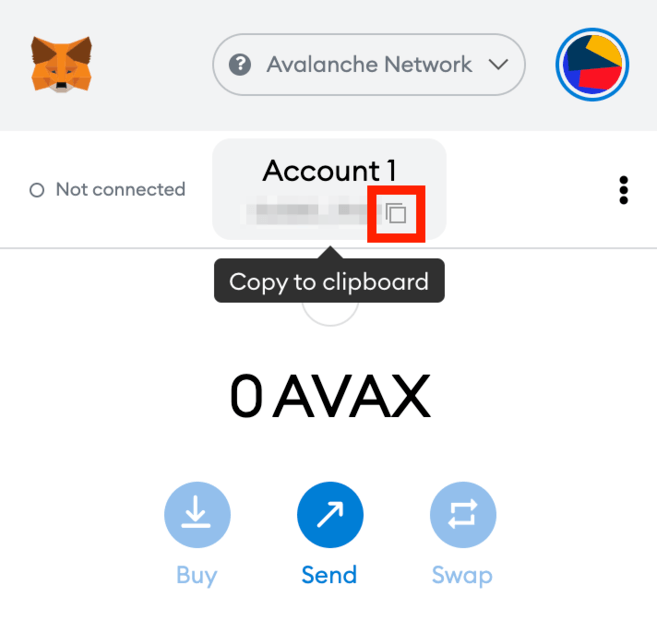
4. Now go to your MetaMask wallet and copy the address.
5. Return to your Avalanche wallet, find the [To Address] field and paste the MetaMask wallet address. Check the gas charges and click [Confirm] to complete the transfer. As soon as the transaction is confirmed, you will see the AVAX in your MetaMask wallet.
How to send AVAX tokens to MetaMask from Binance?
You can also send AVAX from the Binance exchange to MetaMask.
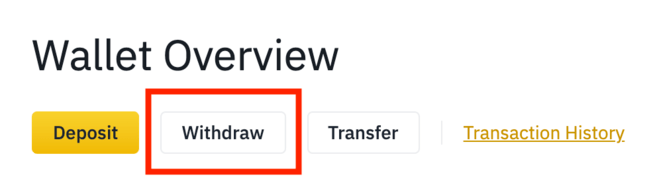
1. Log in to your Binance account and go to [Wallet Overview]. Click [Withdrawal].
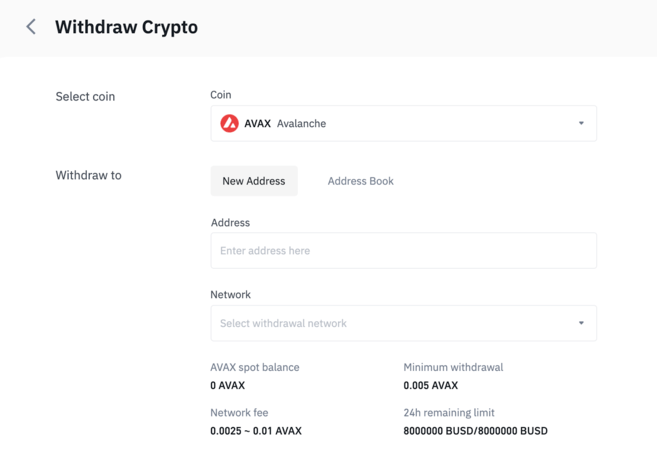
2. Select [AVAX].
3. Go to your MetaMask wallet and copy the address.
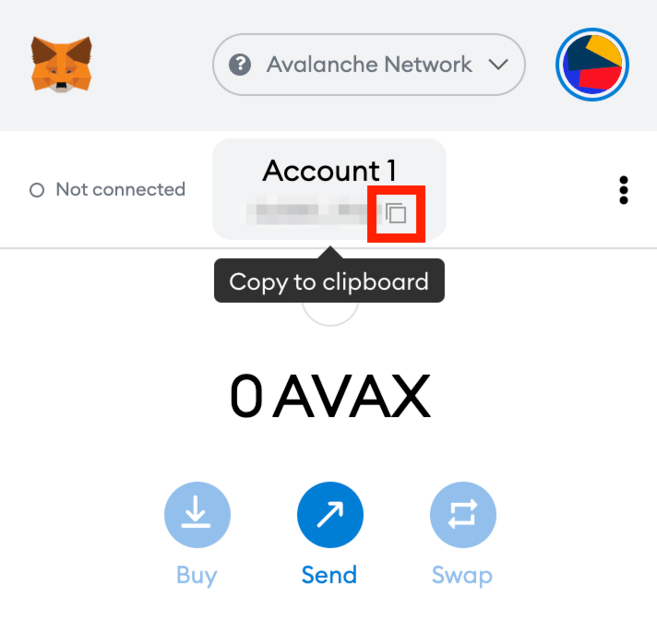
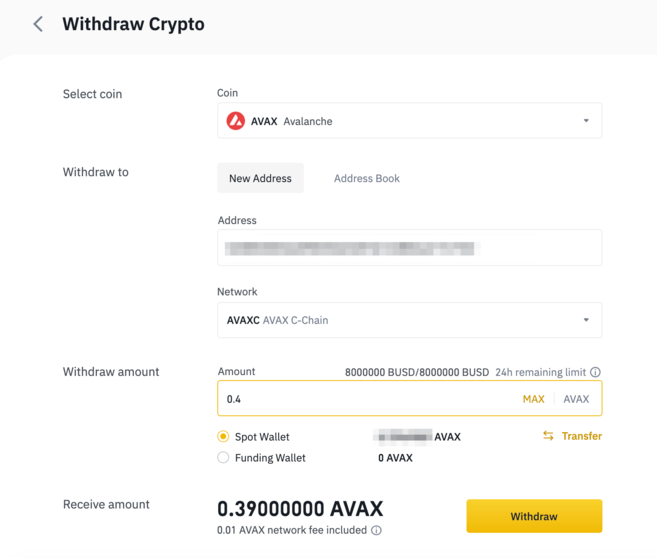
4. Now go back to Binance and paste the MetaMask address into the [Address] field. Next, select the network and enter the amount to withdraw. Make sure you select a compatible network or your assets may be lost. Click [Withdraw] to complete the withdrawal.
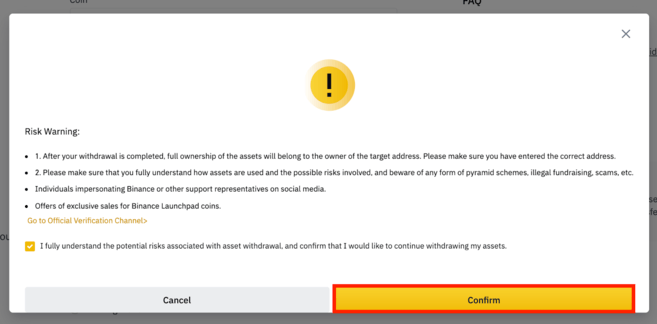
5. You must confirm that you understand the potential risks associated with asset withdrawals before continuing. Read and check the box before clicking the [Confirm] button.
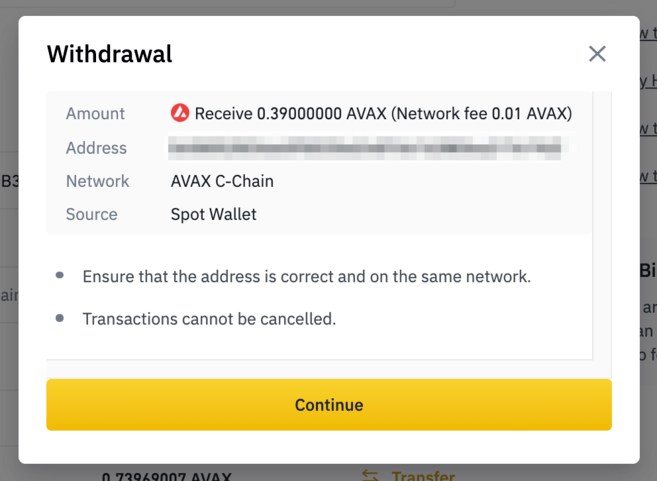
6. You will see a pop-up window with your withdrawal details. You should check the details carefully before proceeding.
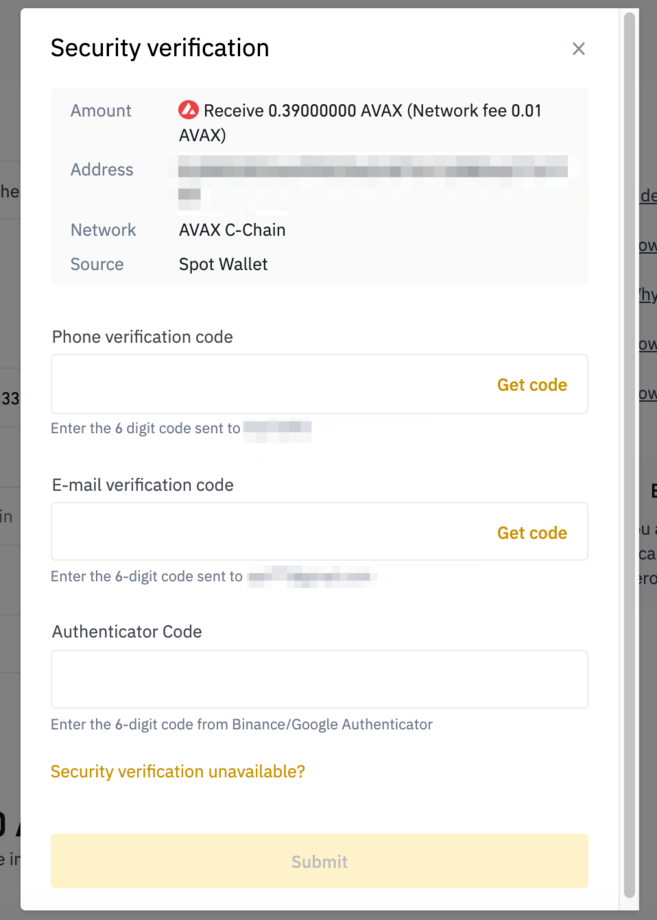
7. Next, you will be asked to verify your transfer with 2FA devices. Click [Send] and your AVAX will be sent to your MetaMask wallet.

To conclude
Although MetaMask was originally designed for Ethereum, you can now use it on multiple blockchain networks, including Avalanche, Binance Smart Chain, Polygon, and others. Learning how to manually add each network will allow you to explore the different DeFi platforms and DApps of each blockchain ecosystem, like PancakeSwap, Uniswap, SushiSwap, and OpenSea.