



What is an Anti-Phishing Code?
The Anti-Phishing Code is a setting offered by Binance that allows users to add an extra layer of security to their accounts. Once you enable it as a setting, the Anti-Phishing Code will be included in all authentic emails that Binance sends you. This code will help you distinguish real emails from phishing emails - thus avoiding falling victim to the latter.
Setting your Anti-Phishing Code
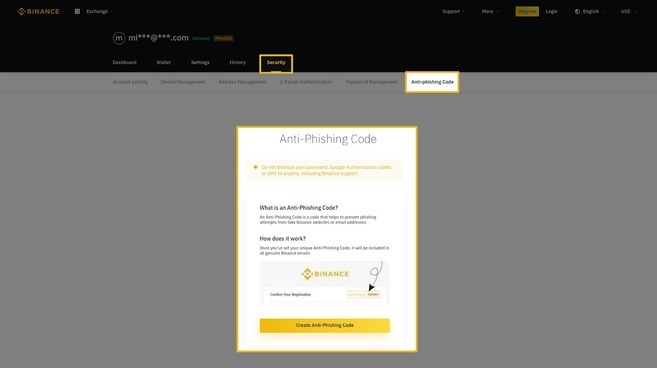
Navigate to your account dashboard. You will find the Anti-Phishing Code configuration section under the Security tab. To begin, click on the “Create Anti-Phishing Code” button.
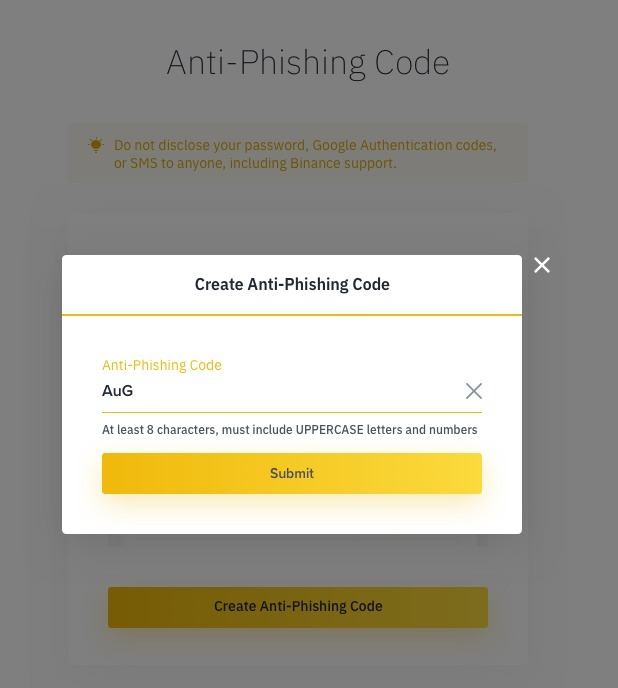
You will be asked to fill out a field with the Anti-Phishing Code you want. The code must contain a minimum of 8 characters and include capital letters and numbers. It is recommended to choose a code that is difficult to guess but easy for you to recognize.
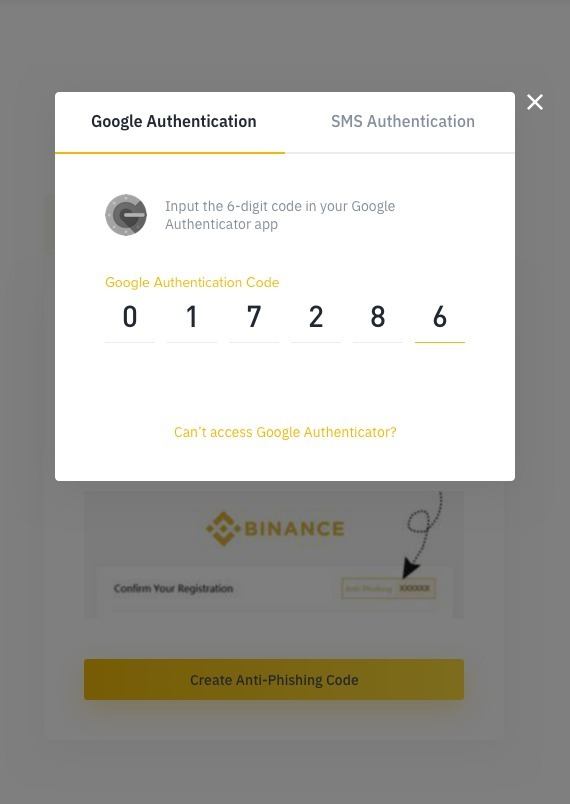
You will then be prompted for your Google or SMS authentication code - depending on the type of 2-factor authentication you have enabled.
Una vez hayas introducido tu código de autenticación de 2 factores, tu Código Anti-Phishing habrá sido creado. A partir de entonces, todos los correos electrónicos de Binance que sean legítimos contendrán el código que hayas establecido.
Consejo: Recomendamos que renueves tu Código Anti-Phishing al menos una vez por mes.
Updating your Anti-Phishing Code
Since it is advisable to regularly update your Anti-Phishing Code to make it as secure as possible, we present the steps to follow to carry out this operation.
Navigate from your account dashboard to the “Anti-Phishing Code” tab in Security, and you will come across the “Change Code” button. To start the process, click on it.
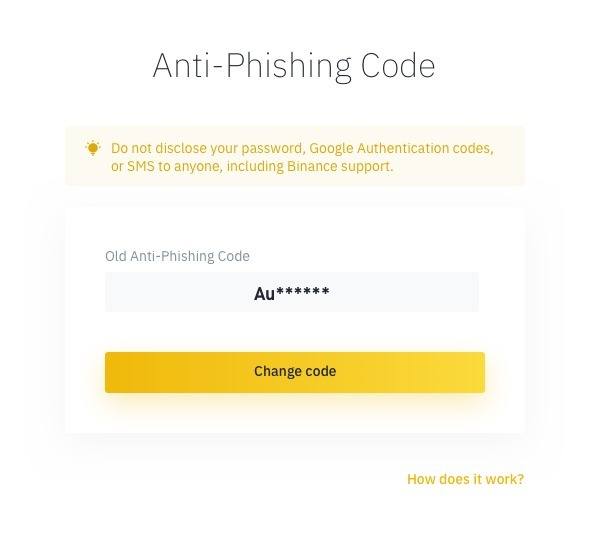
Enter your new Anti-Phishing Code in the field, remembering that it must consist of a minimum of 8 characters and contain at least one capital letter and a number.

You will then be prompted for your Google or SMS authentication code - depending on the type of 2-factor authentication you have enabled.
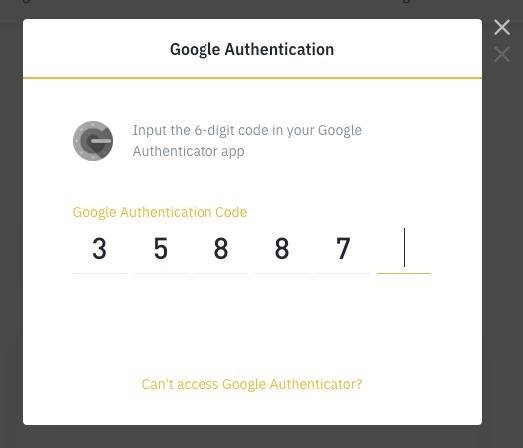
Una vez introducido tú código de autenticación de 2 factores, tu Código Anti-Phishing se habrá actualizado. A partir de entonces, todos los correos electrónicos legítimos que provengan de Binance contendrán el nuevo código que hayas establecido.