


Introduction
Learning how to access BNB Smart Chain is one of the easiest ways to interact with cryptocurrencies and DeFi projects. Trust Wallet is a great way to do this without using a desktop browser, and setting it up only takes a few minutes.
Trust Wallet app is a mobile crypto wallet that requires no registration. It is available for iOS and Android users. Once installed, you can easily connect your wallet to DApps including PancakeSwap, SushiSwap, and Beefy Finance.
Trust Wallet is not just for BSC. It is also compatible with Ethereum, POA Network and Callisto blockchains, to name a few. In this guide, we'll use PancakeSwap as an example, but the process is very similar for most DeFi platforms out there.
Trust Wallet installation and configuration
1. First, go to the Trust Wallet website and click on the link for the operating system you want.

2. Install the app for your specific device. After opening Trust Wallet, select [Create new wallet].

3. Now you will see a seed phrase. This acts as a recovery password in case you lose access to your mobile device or wallet. Keep a copy of this phrase in a secret and safe place.

4. After tapping [Continue], you will be asked to repeat your phrase in the correct order. This step is to ensure that you have copied or written your seed phrase. Once you have entered the words in the correct order, tap [Continue].

5. You should now have your crypto wallet set up correctly and you will be redirected to the [Wallet] tab.

Depositor BNB and Trust Wallet
To use BNB Smart Chain (BSC) DApps, you will need some BNB to pay transaction fees. Every time you send tokens using BSC or interact with smart contracts, you will have to pay gas fees.
1. To use your BNB BEP-20 tokens for gas, your tokens must be sent using the BEP-20 transfer network. If you are withdrawing from Binance, make sure you choose the [BEP-20 (BSC)] option on the withdrawal page.
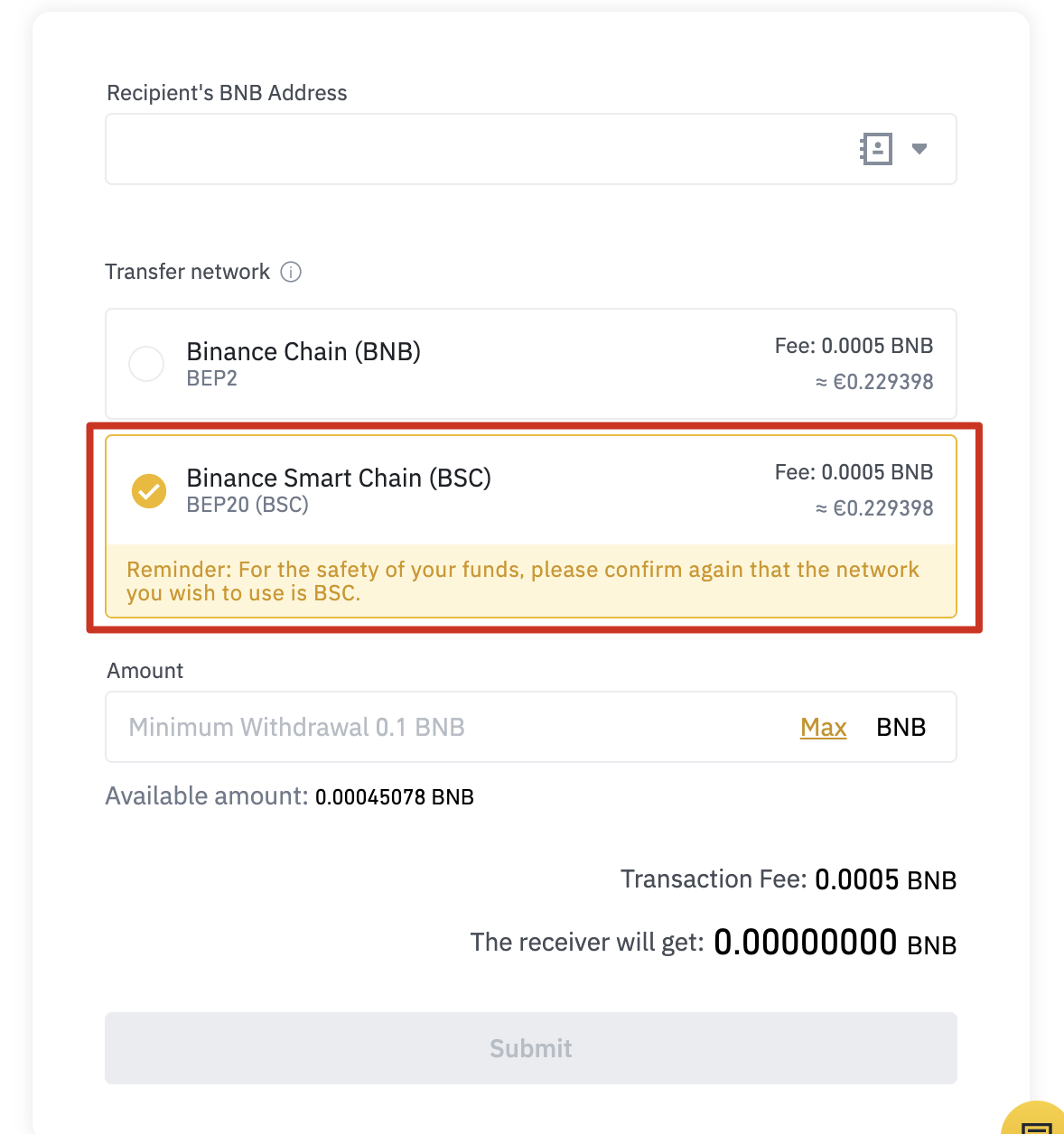
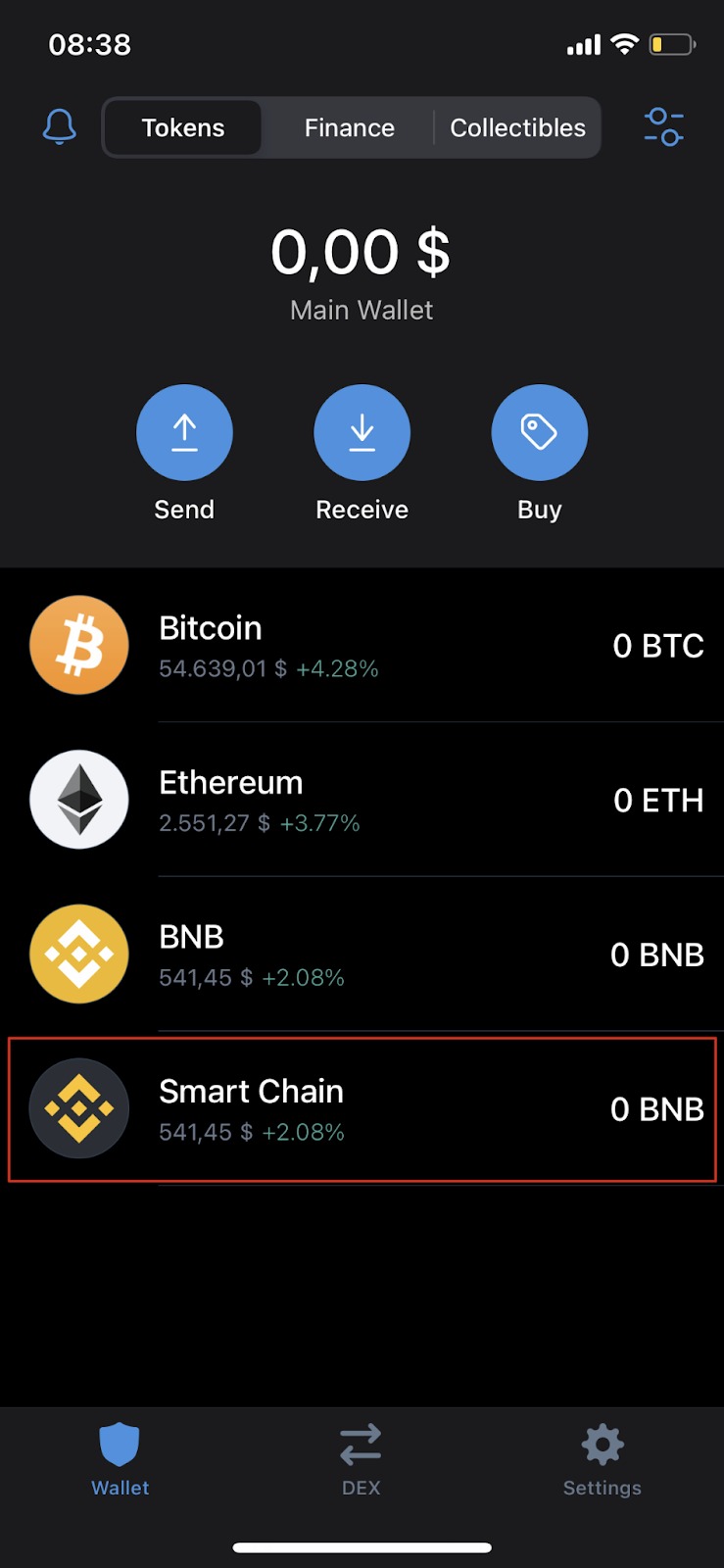
2. To deposit your BNB BEP-20, open the [Wallet] tab in Trust Wallet and select [Smart Chain]. Do not select [BNB]. This option is for BNB BEP-2 on Binance Chain and cannot be used to pay transaction fees on BSC.
3. Tap [Receive] to find your deposit address. You can copy and paste this address into your withdrawal wallet or scan the QR code.

Add new tokens to your Trust Wallet list
After installing Trust Wallet, your default list of tokens and cryptocurrencies is quite small. For example, let's say you want to add CAKE to your list so you can see it in your Trust Wallet.
1. Open the [Wallet] tab and tap the icon in the upper right corner.

2. Find the token you want to add to your list and tap the slider button to turn it green. In this example, we are adding CAKE (BEP-20), which is the PancakeSwap token on the BNB Smart Chain.

3. Ready. You will now see CAKE in the [Wallet] tab and the balance you have (if any).

Conectar Trust Wallet a PancakeSwap
There are a couple of ways you can connect your wallet to PancakeSwap and other DApps. You can connect through Trust Wallet's mobile or desktop browser. They both offer the same functionality, so it depends on your preferences.
Connect with Trust Wallet Browser
1. If you are using the Trust Wallet DApp browser, go to the PancakeSwap website and tap the [Connect] button in the top right corner.
2. Select [Trust Wallet] to connect your wallet to PancakeSwap.

3. If you have successfully logged in, you should see your wallet ID in the top right corner.

Connect with a desktop browser
1. Go to the PancakeSwap desktop website and click [Connect] in the top right corner.
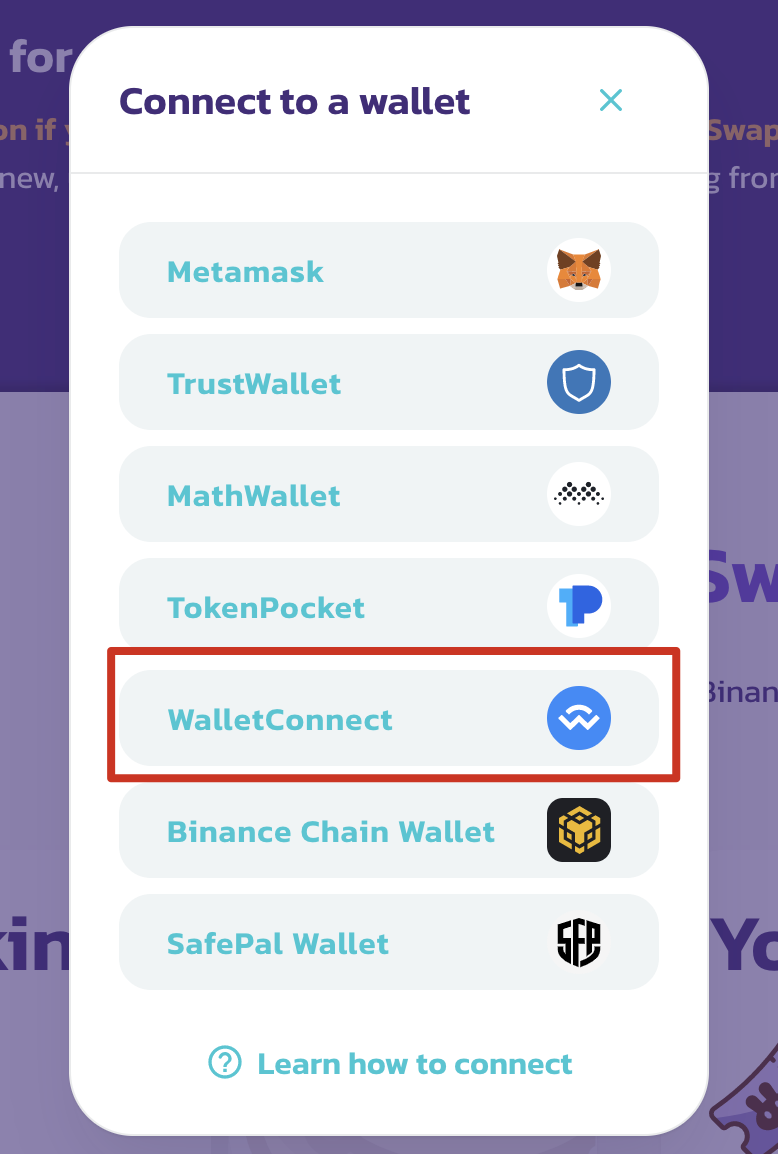
2. Click [WalletConnect] to start the connection process. Currently, the [Trust Wallet] button only works when using the Trust Wallet browser.
3. A QR code will appear, which can be scanned with the Trust Wallet app. Go to the [Settings] tab of the app and tap on [WalletConnect]. Scan the QR code displayed in PancakeSwap and select [Connect] in Trust Wallet.

4. If you have successfully logged in, PancakeSwap should show you the beginning of your wallet ID in the top right corner.

Conclusions
Trust Wallet is one of the most popular mobile apps to use and supports a wide variety of blockchains and tokens. It also acts as a gateway to NFTs and the entire DeFi ecosystem, so it is important to familiarize yourself with it. The steps outlined above also apply to other DApps, so once you understand the process, you'll be truly ready to go.