

With Binance, you can create an account with just a few clicks using your email, mobile phone number, or your Google or Apple account.
Sign up for Binance (20% discount): https://accounts.binance.com/register?ref=A6M7M7YA
In this post, we will provide detailed guidance on how to sign up for Binance, focusing on the Binance app.
If you are using a PC or a browser, you can go directly to the Binance registration page through the link above.
Key Summary
You can choose a sign-up method among email, mobile phone number, Apple account, or Google account.
When you sign up, if you enter the official referral ID/code A6M7M7YA, you can get a 20% fee discount.
After creating your account, it’s strongly recommended that you set up two-factor authentication for security.
Step 1. Install the Binance app
First, you need to install the Binance app on your smartphone. For iPhone users, download it from the App Store; for Android users, search for “Binance” in Google Play and download the app.
Written in a simple and detailed way for Binance beginners. It covers everything from on-screen guidance to important warnings, so please read to the end.
Step 2. Choose a mode (app only)
When you launch the Binance app, you can choose between “Lite Mode” and “Pro Mode.” Lite Mode has a simpler user interface and is suitable for those who are new to virtual assets.
On the other hand, Pro Mode provides charts and various trading features, making it suitable for users with some experience.
If it’s your first time, it’s a good idea to start with “Lite Mode.” You can change this setting later anytime from the menu.
Step 3. Start creating a Binance account
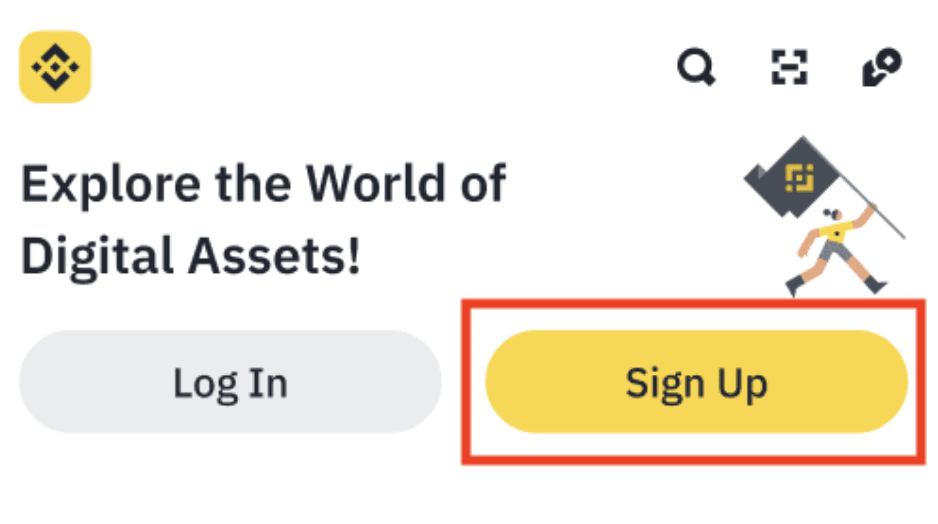
On the main screen, choose the ‘Sign Up’ or ‘Sign up’ button. Depending on the case, this button may be displayed with text such as ‘Sign Up’ or ‘New to Crypto.’
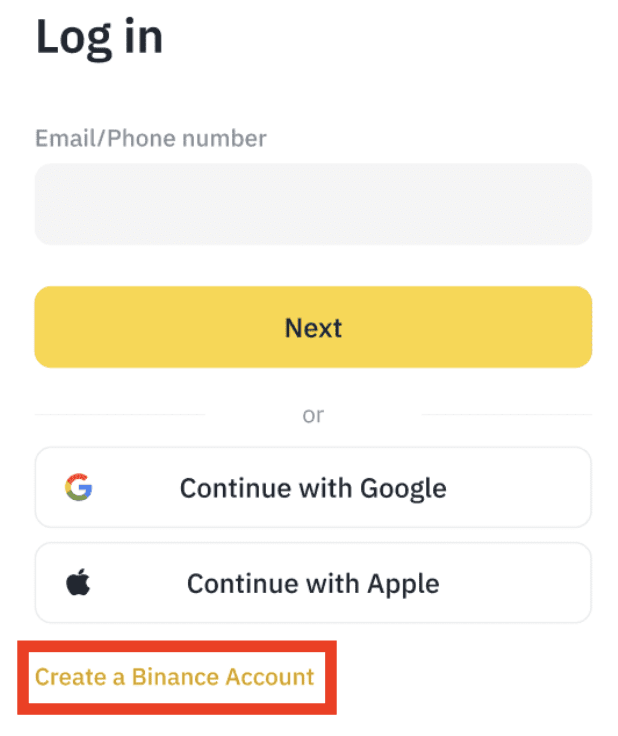
Next, press the “Create a Binance Account” button at the bottom to create a new Binance account.
Step 4. Choose how to sign up
First, you’ll choose the sign-up method you want to use. You can choose either the email address or mobile phone number method, or the method that links your Google or Apple account.
Step 4-1. How to sign up with email or a mobile phone
This is the most common way to sign up. Enter your email address or mobile phone number.
For your mobile phone, you can select Korea (South Korea), and enter the number in a format like +82 1012345678.
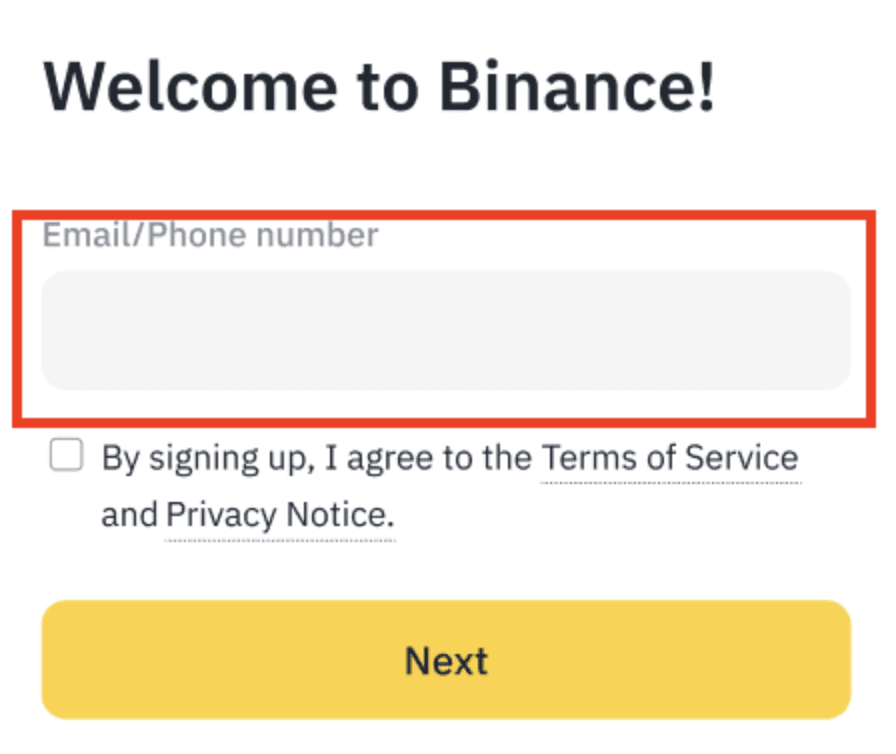
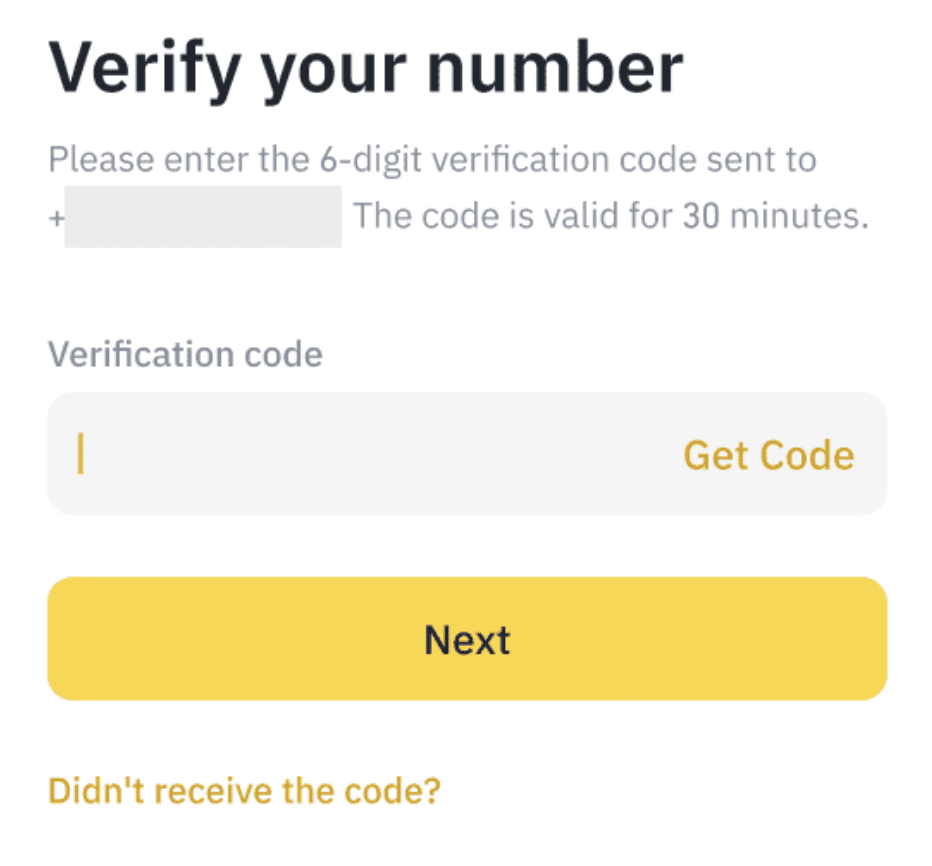
Next, review the Terms of Use and Privacy Policy, then click “Next.” After that, a 6-digit verification code will be sent to the method you entered, and you must enter it within 30 minutes.
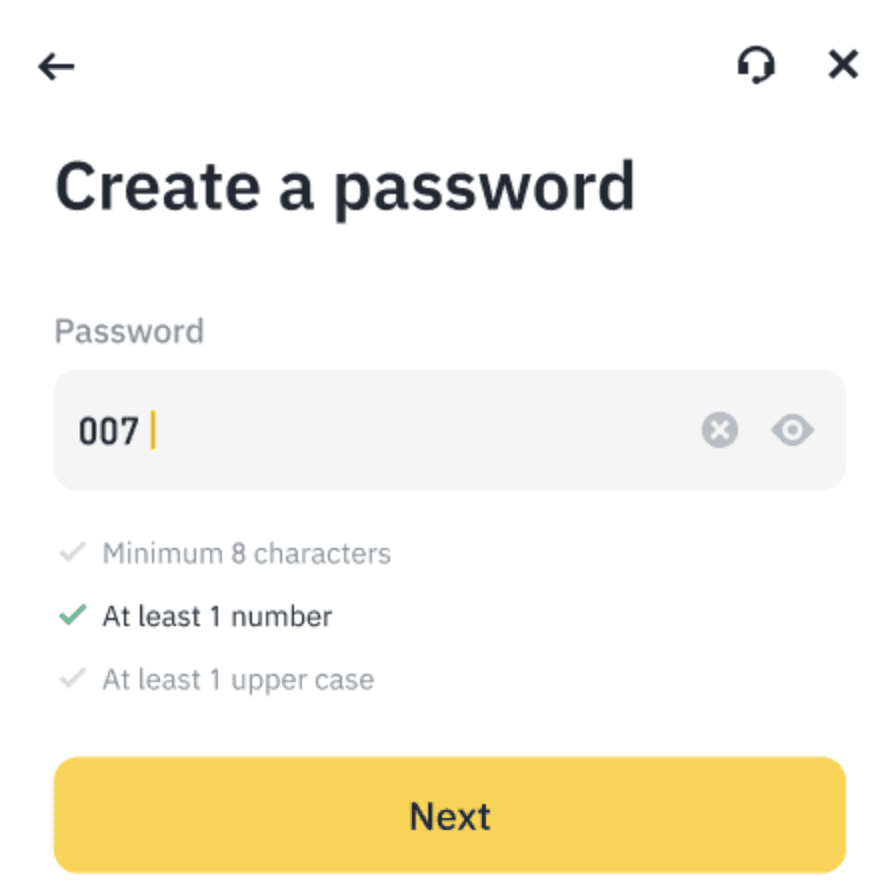
After the verification is completed, you’ll see a screen to set your password. Your password must be at least 8 characters and must include uppercase letters in English and numbers.
Step 5. Enter your referral ID (referral code)
By signing up for Binance and entering a special Binance referral code, you can receive a fee discount.
The referral code that gives you a 20% discount on Binance fees is A6M7M7YA. Enter this referral ID directly when you sign up.
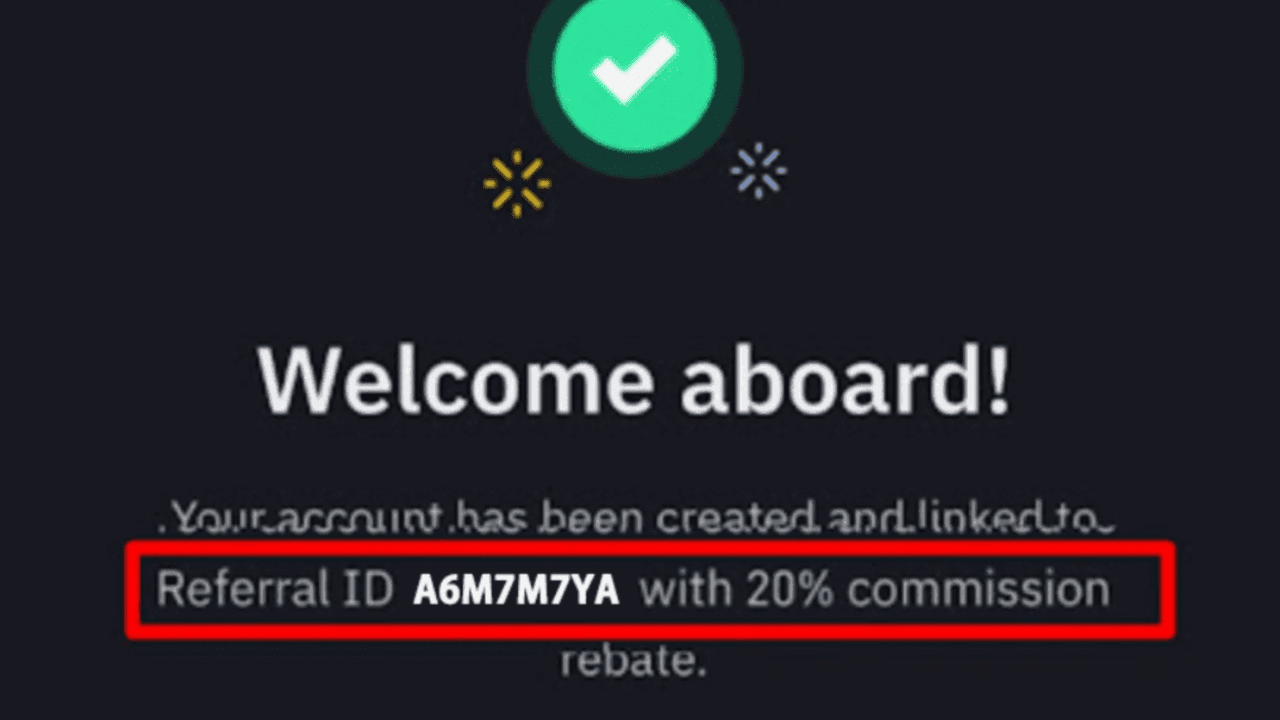
Alternatively, if you sign up for Binance through the link below, the referral code will be applied automatically. At this time, make sure the correct code is entered.
Sign up for Binance (20% discount): https://accounts.binance.com/register?ref=A6M7M7YA
A Binance referral ID is also called a friend invite code or a referral code. The referral code cannot be changed after you sign up, and you can enter it only once. If another code is entered, try again in Incognito/Secret mode.
Step 4-2. How to sign up with a Google or Apple account
If you want to sign up for Binance more easily, you can also sign up by linking a Google or Apple account.
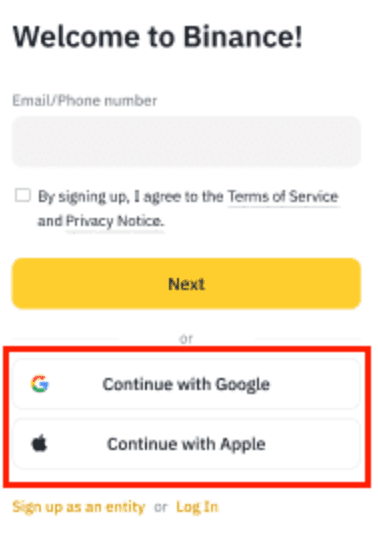
On the sign-up screen, select “Continue with Google” or “Continue with Apple,” then sign in—your Binance account will be created automatically.
After that, the agreement to the terms and the referral code confirmation process will be carried out in the same way as the email/mobile sign-up method explained in Step 5.
This method uses your existing account information without entering a separate verification code, making it suitable for those who want to sign up quickly.
Step 6. After creating the account, complete identity verification (KYC)
After your account is created, you must go through the identity verification process. Only after completing this process can you actually trade virtual assets or withdraw funds.
The following information is needed for identity verification:
Your legal name
Date of birth
Country of residence
ID document (resident registration card, driver’s license, or passport)
Face recognition scan
Verification is done simply within the app, and in most cases it’s completed within a few minutes.
Step 7. Set up two-factor authentication (2FA) for account security
One of the first things you should do after creating your account is to strengthen your security. Binance strongly recommends enabling two-factor authentication (2FA) to protect your assets.
There are the following options for two-factor authentication.
OTP verification via the Google Authenticator app
Enter the SNS verification code sent by SMS to your phone
Click the verification link sent by email
By setting one or more of these options, additional verification steps will be required when logging in or withdrawing funds, helping protect your account even more securely.
Step 8. Essential tasks to do after signing up
Once the account creation is complete, it’s a good idea to proceed with the tasks below in order.
Set up two-factor authentication
Identity verification completed
Make a deposit or purchase virtual assets
Check your assets and set up your wallet
Learn the basics through Binance Academy, etc.
At first, it’s a good idea to start with “Lite Mode” for simplicity. Once you’re comfortable, you can also try switching to “Pro Mode.”
Conclusion
Binance is a virtual asset exchange trusted by many users around the world. However, it’s also important for users to make their own efforts and take responsibility to protect their assets safely.
It’s important to complete security settings and identity verification carefully from the account creation process onward.
Virtual assets are highly volatile. Please approach them carefully at all times, and trade wisely through sufficient learning.
Don’t you have a Binance account yet? Start signing up right now via the Binance sign-up link here.