


In brief
MetaMask is a cryptocurrency wallet that can be downloaded on Chrome and Firefox as a browser extension or as an App on iOS and Android devices. It allows users to store and trade cryptocurrencies through a simple interface.
MetaMask allows users to interact with the DeFi ecosystem on Ethereum and other blockchain networks, such as Binance Smart Chain, Polygon, and Avalanche. This article will show you how to connect your MetaMask wallet to the Avalanche network.
If you are using the Avalanche network, please note that only C-Chain wallets are compatible with MetaMask. So, to transfer AVAX from Avalanche wallet, the tokens need to be in your C-Chain wallet. You can also transfer your AVAX to MetaMask from an exchange wallet that has integrated C-Chain, such as from Binance.
Introduce
To interact with the Avalanche blockchain and DApps, you need a compatible cryptocurrency wallet, such as MetaMask. But before you can use Avalanche tokens on MetaMask, you need to add the Avalanche network to your wallet. This article will show you in detail how to do it.

How to set up MetaMask?
If you already have a MetaMask wallet, move on to the next section to see how to connect your wallet to the Avalanche network and how to add AVAX tokens. If you don't have a MetaMask wallet yet, follow these steps to set it up.
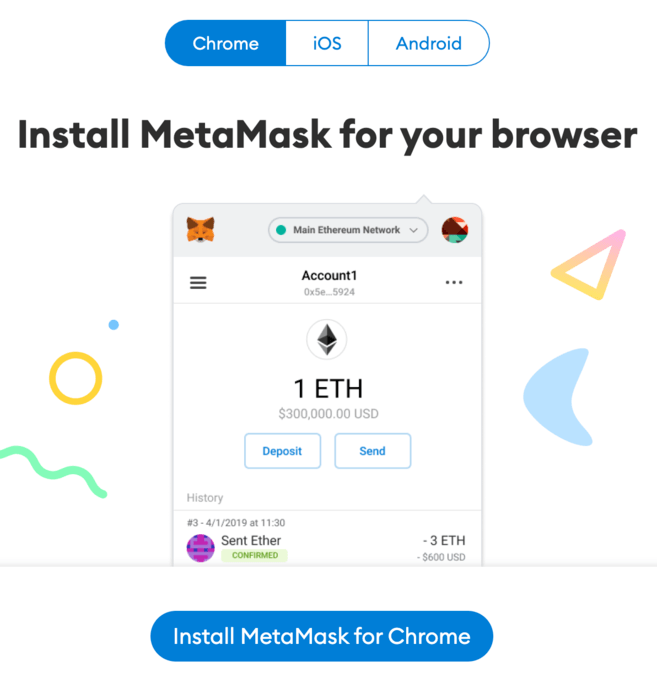
1. Download and install the MetaMask extension on Chrome, iOS or Android via the official MetaMask website. Make sure you visit the official Metamask website before downloading the extension.
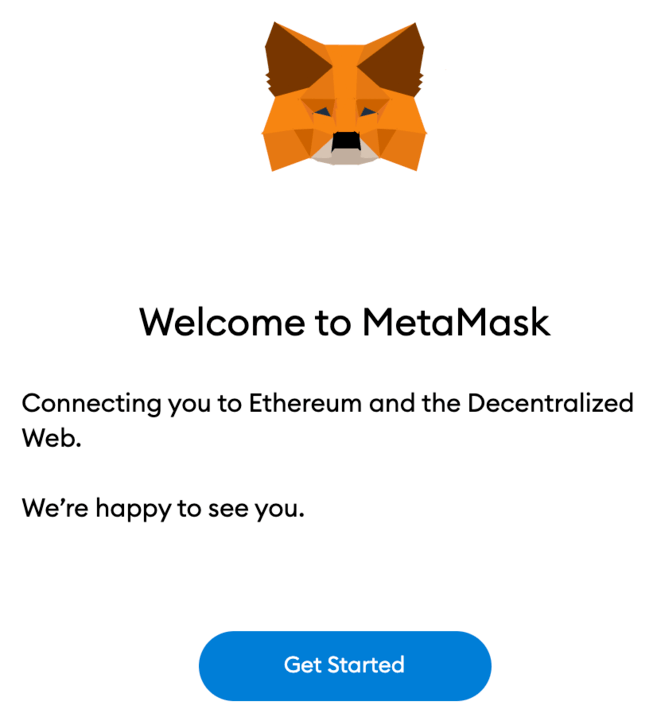
2. You will see the MetaMask fox image on the welcome screen after installation. Click [Get Started].
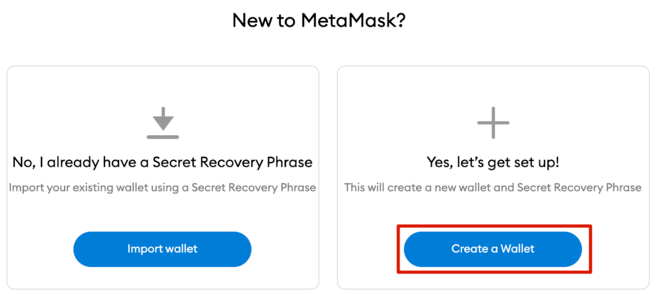
3. Click [Create a Wallet] to create your MetaMask wallet, or click [Import wallet] to import your old wallet with your seed phrase.
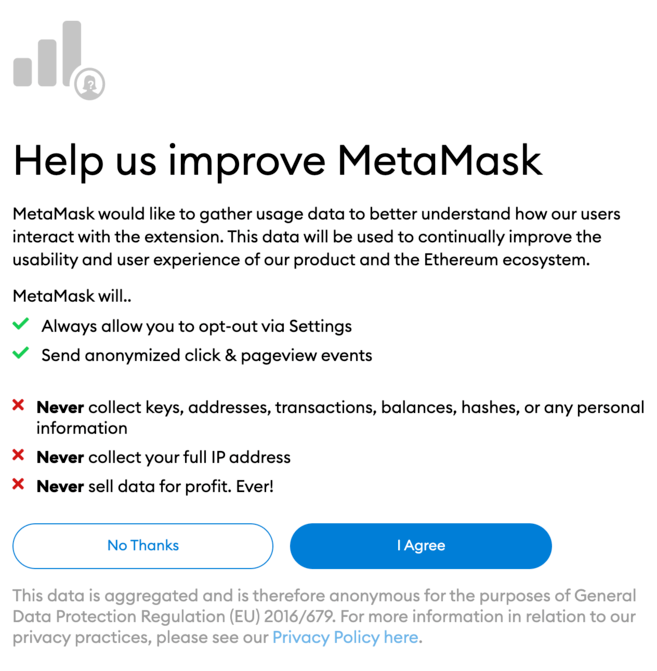
4. You will be asked by MetaMask wallet if you want to share anonymous usage data to help it improve the extension. Regardless of your choice, this will not affect your use of MetaMask.
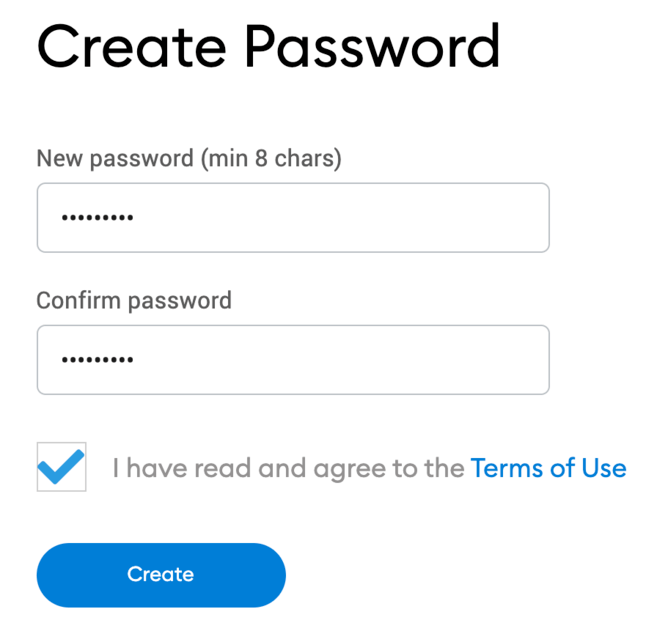
5. Now create a secure password for your wallet.
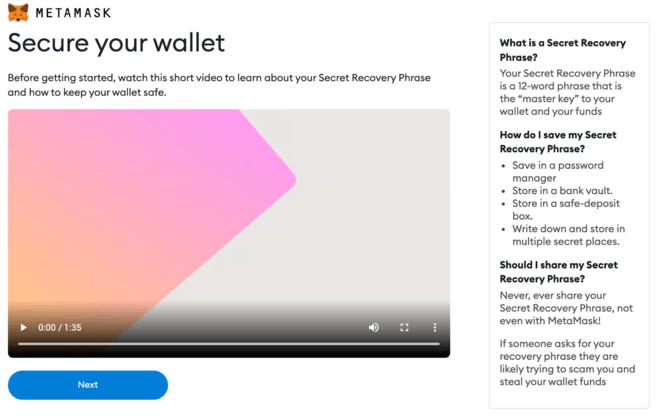
6. Before you begin, you need to backup your wallet's seed phrase. This phrase will help you recover your wallet in case you lose access to your device or forget your password. If you're unfamiliar with how cryptocurrency wallets work, be sure to watch the video and read more information. When you are ready, click [Next].
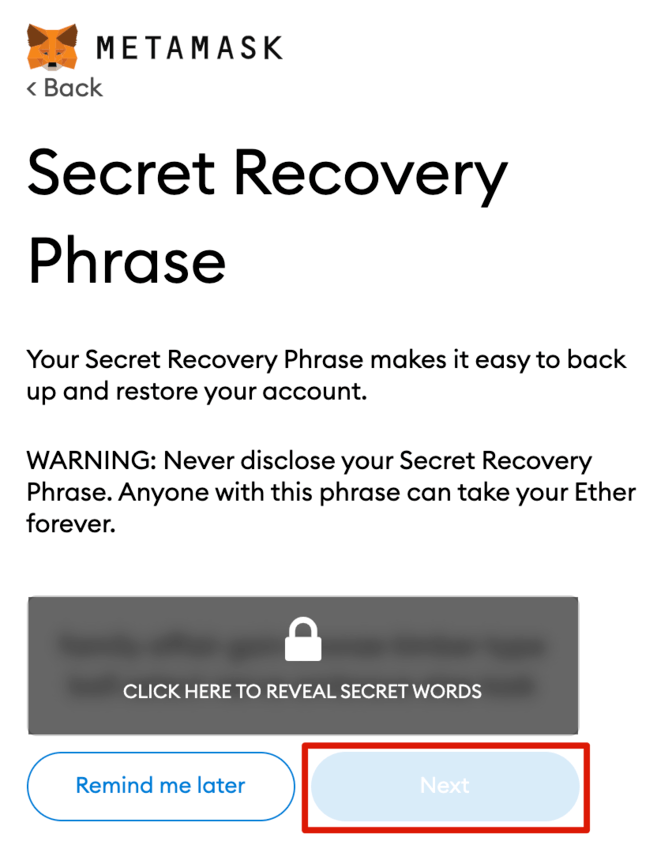
7. Next, you will get your seed phrase. Click to display the words and write them down in the correct order. You should find some safe place outside to keep your seed phrase safe. And don't forget to never share it with anyone.
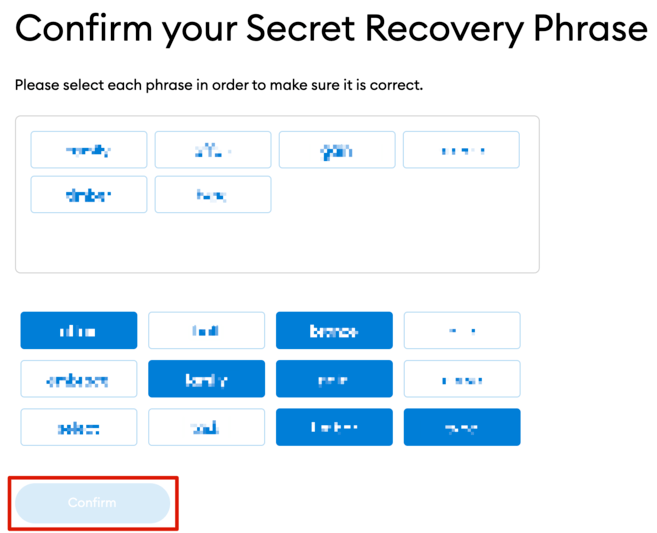
8. To make sure you have backed up the seed phrase correctly, you need to repeat the phrase by selecting the words at the bottom in the correct order. Select [Confirm] to continue.
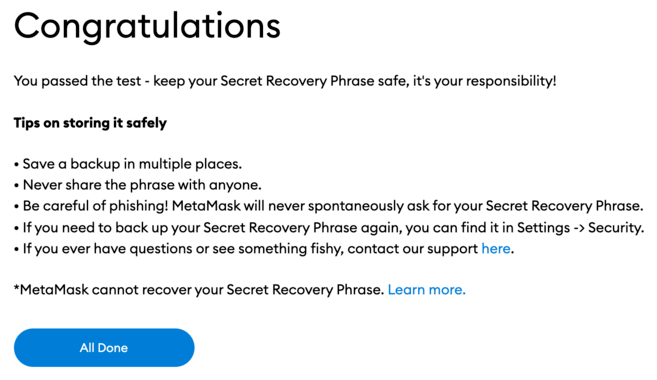
9. Your MetaMask Wallet is now ready to use. Click [All Done] to view your wallet.
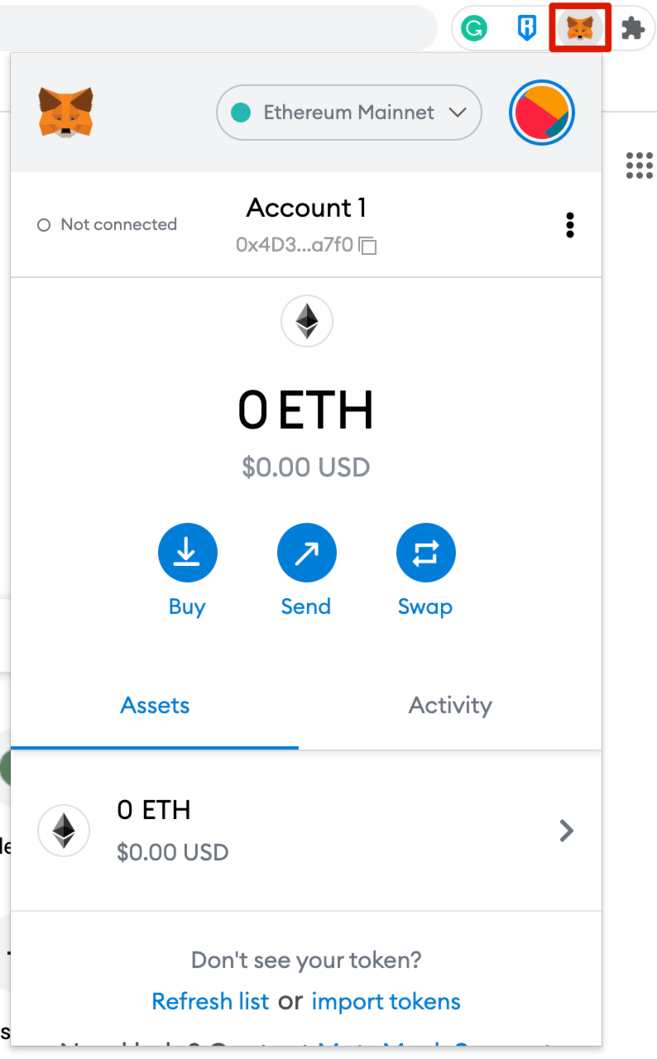
10. You can pin your MetaMask wallet to your Chrome browser for easy access. Click the puzzle piece icon, then click the pin icon next to [MetaMask] to pin it to the toolbar.
How to connect Avalanche network to MetaMask?
By default, the MetaMask wallet is connected to the Ethereum mainnet. To add the Avalanche network to your wallet, you need to add information about the network to the extension.
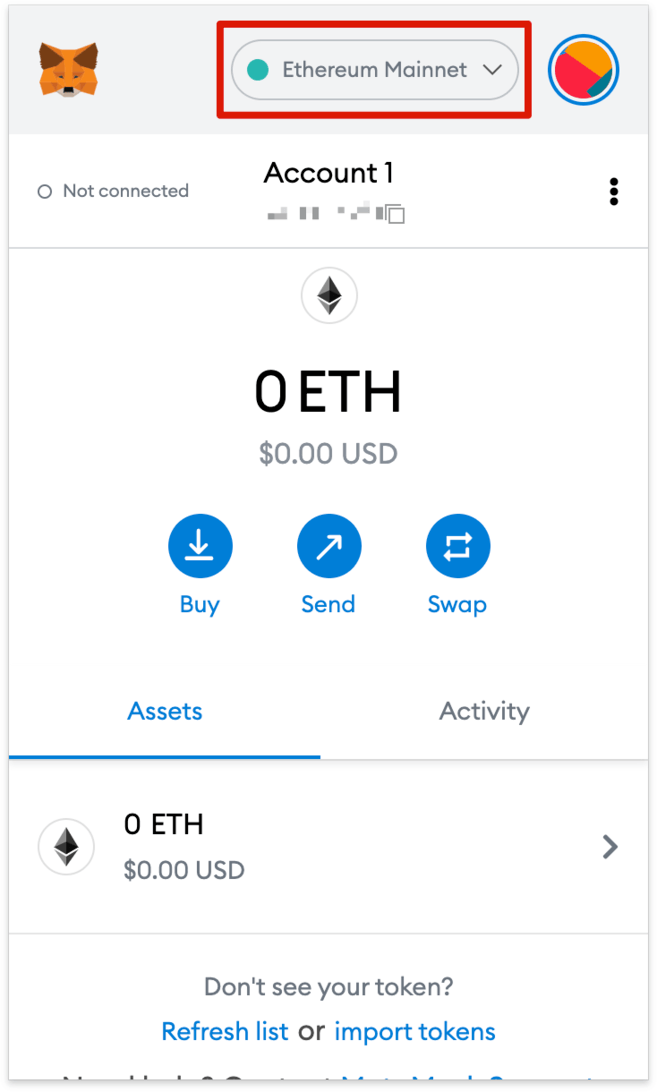
1. Open the extension wallet and click on the network drop-down menu.
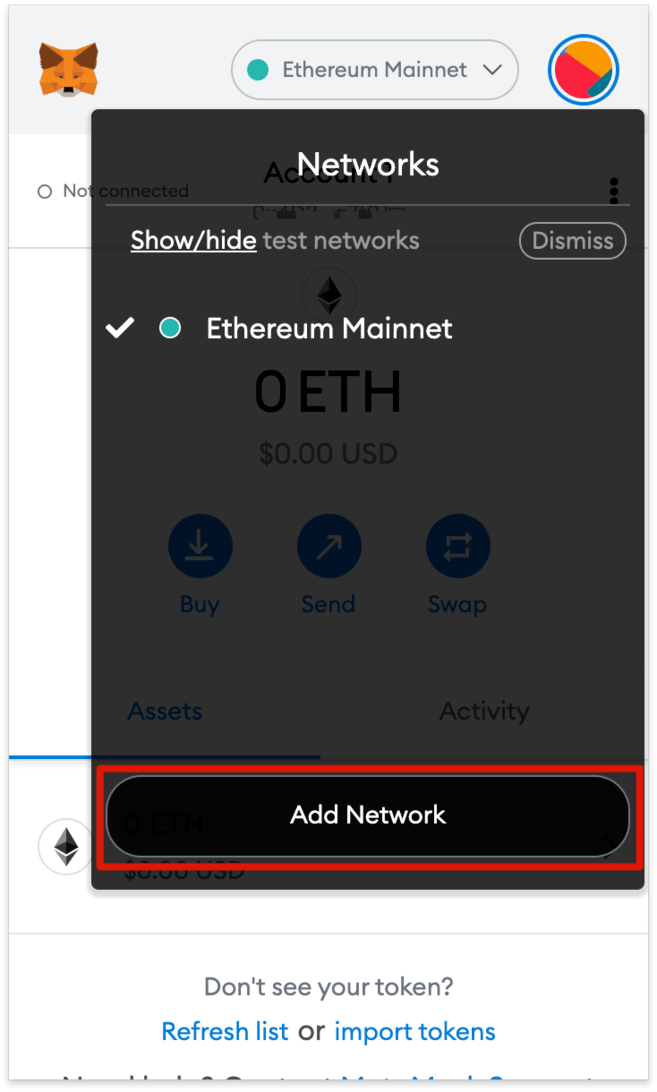
2. Click [Add Network].
3. You will be redirected to the [Add a network] page. Copy and paste the following information and click [Save].
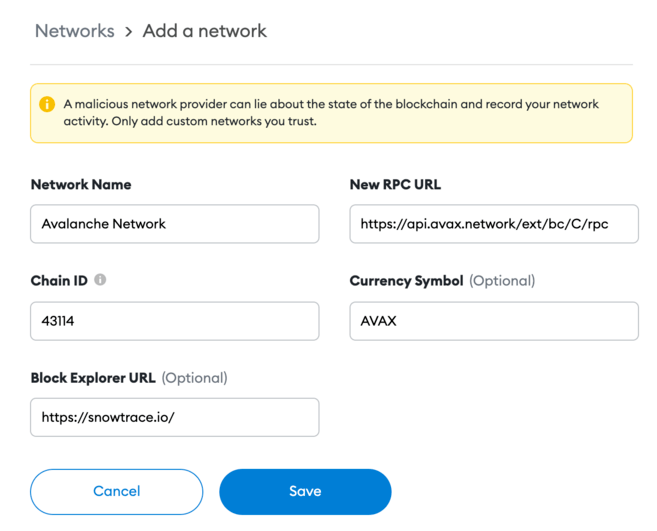
4. Your MetaMask wallet is now connected to the Avalanche network.
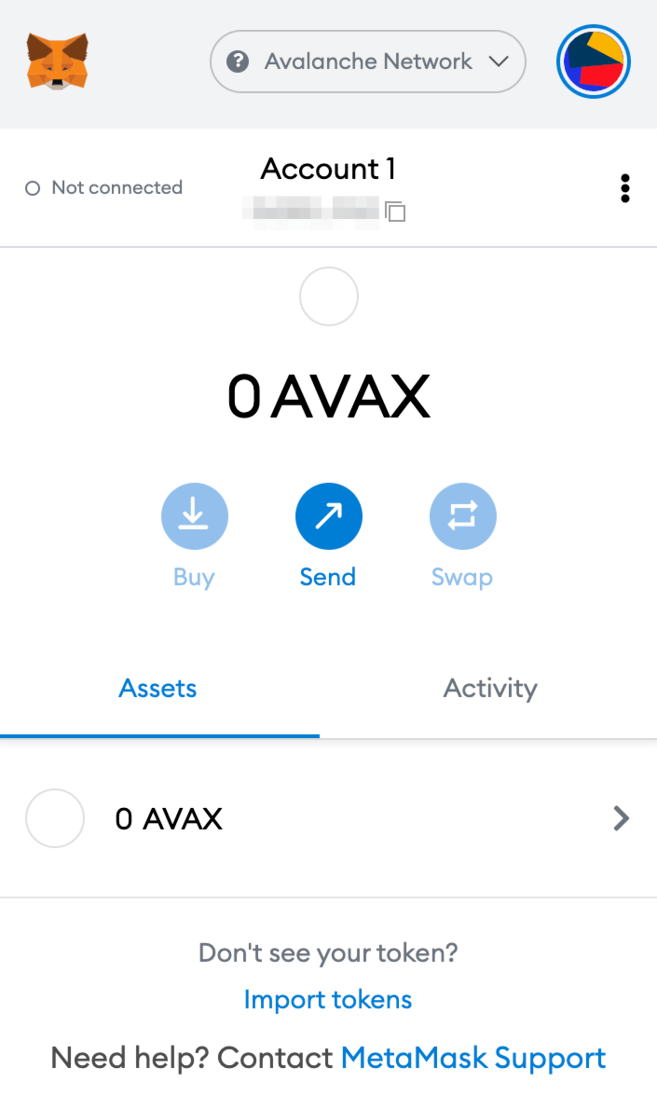
How to send AVAX tokens to MetaMask?
Once connected to the Avalanche network, you can send Avalanche tokens (AVAX) from another Avalanche wallet to the MetaMask wallet.
There are 3 blockchains on the Avalanche network: Exchange Chain (X-Chain), Contract Chain (C-Chain), and Platform Chain (P-Chain).
Of special note, only C-Chain is compatible with MetaMask. Meaning you can just use C-Chain to transfer AVAX to your MetaMask wallet. Be very careful! If you choose the wrong chain, you can lose your tokens.
1. Log in to your Avalanche wallet and check where your AVAX tokens are from the [Balance] box at the top.
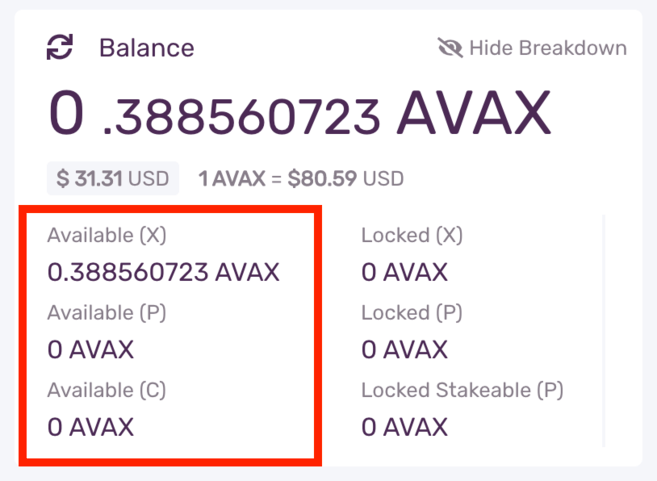
If your AVAX tokens are in an X-Chain wallet, you need to transfer them to a C-Chain wallet before you can send them to MetaMask.
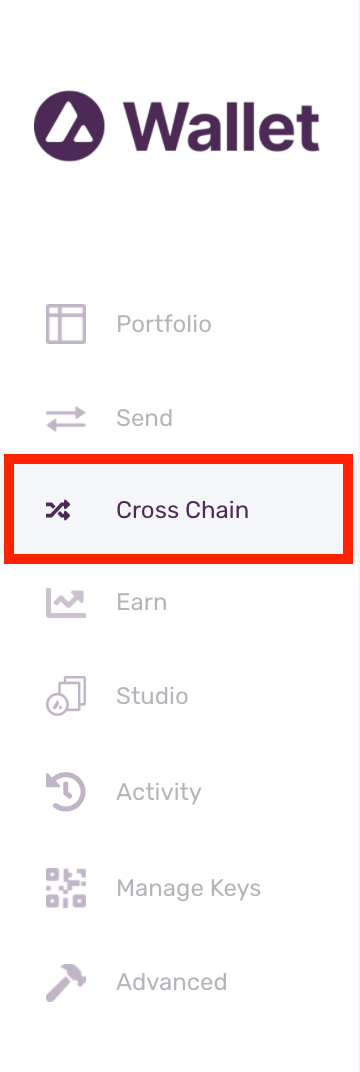
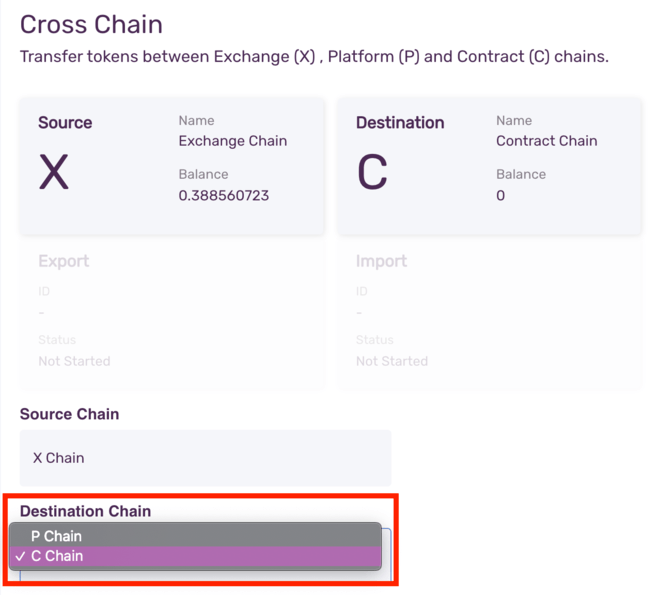
1.1. Click [Cross Chain] on the left menu bar.
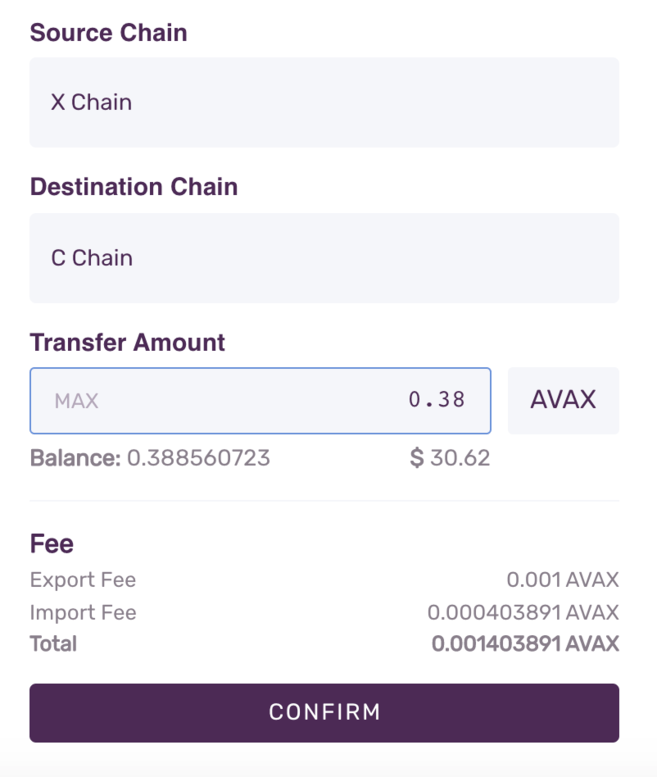
1.2. Select [C Chain] as the target chain. Then, enter the amount you want to transfer from your X-Chain wallet and click [Confirm]. Note, you will need to pay a small transaction fee.
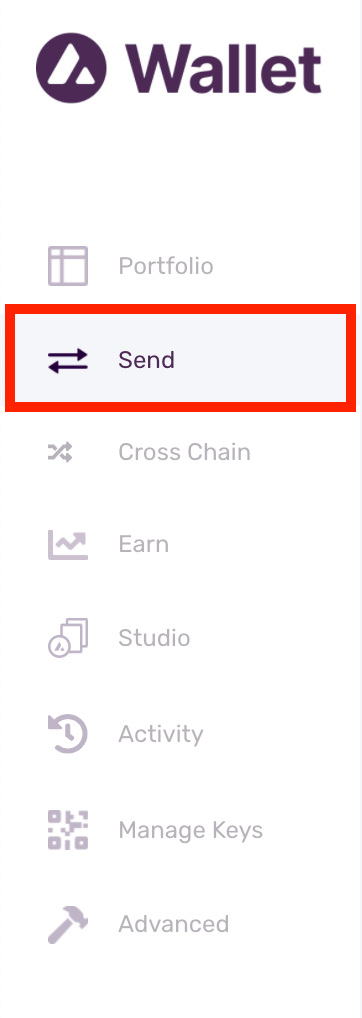
2. Now go to [Send] in the left menu bar.
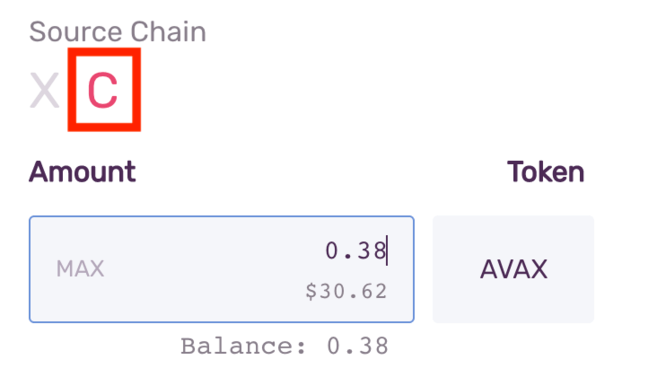
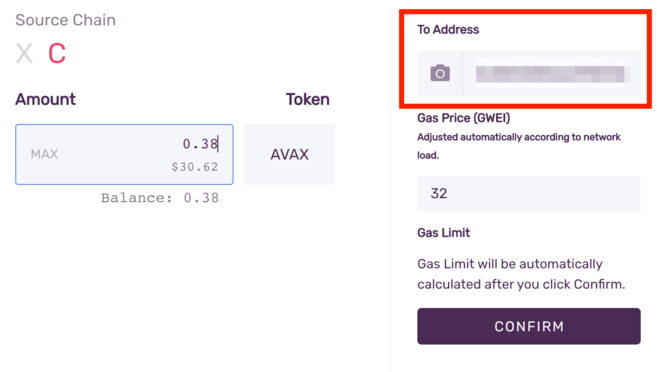
3. Select [C] as the source string. Enter the amount you want to send to MetaMask.
4. Now, go to your MetaMask wallet and copy the address.
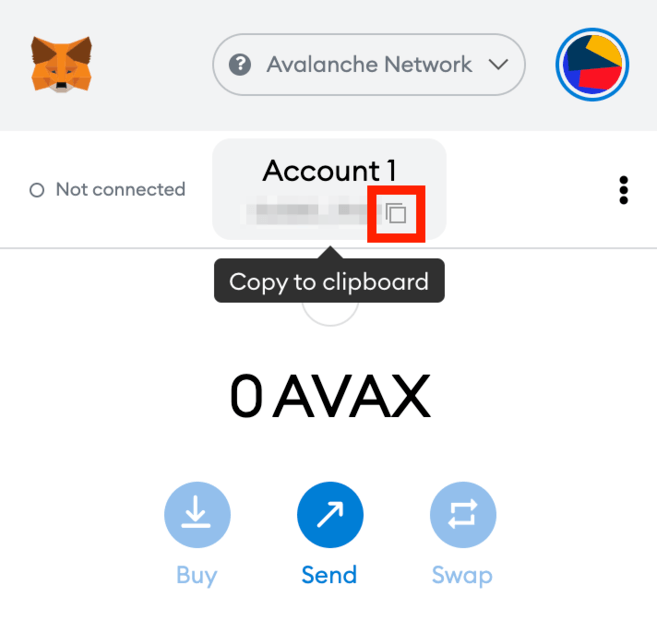
5. Return to your Avalanche wallet, find the [To Address] field and paste the MetaMask wallet address. Check the gas fee and click [Confirm] to transfer. As soon as the transaction is confirmed, you will see AVAX in your MetaMask wallet.
How to send AVAX tokens to MetaMask?
You can also send AVAX from Binance to MetaMask wallet.
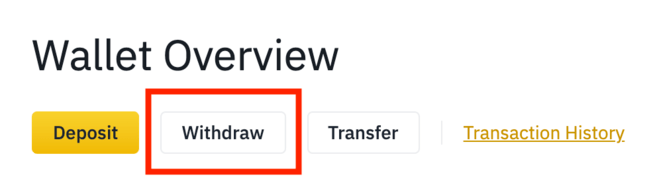
1. Log in to your Binance account and go to [Wallet Overview]. 2. Click [Withdraw].
2. Select [AVAX].
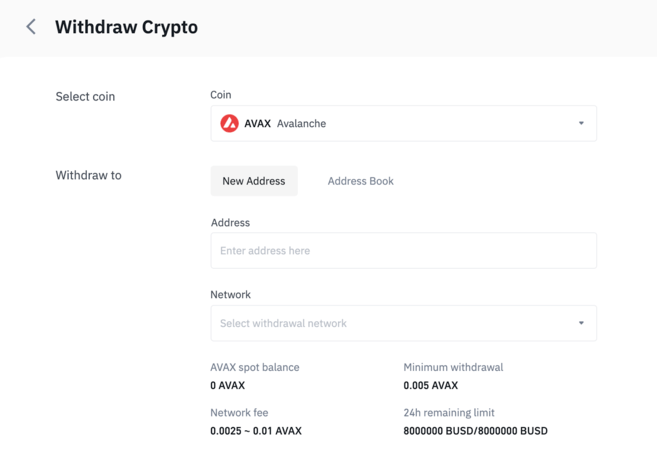
3. Go to your MetaMask wallet and copy the address.
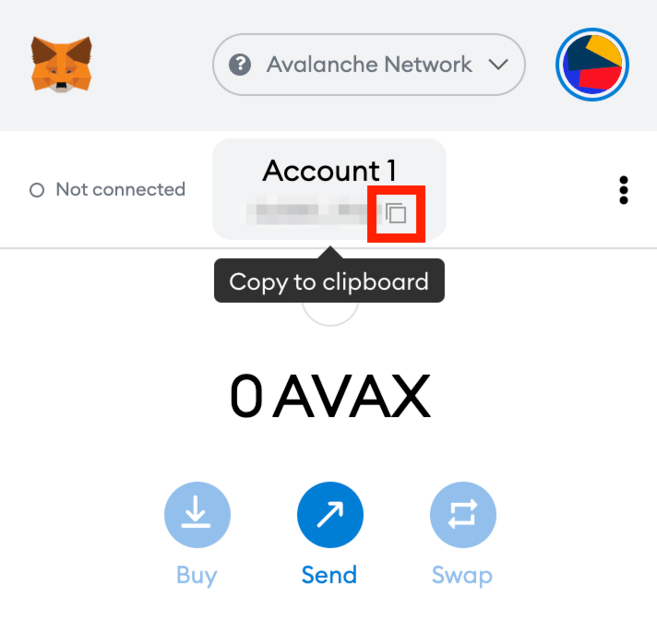
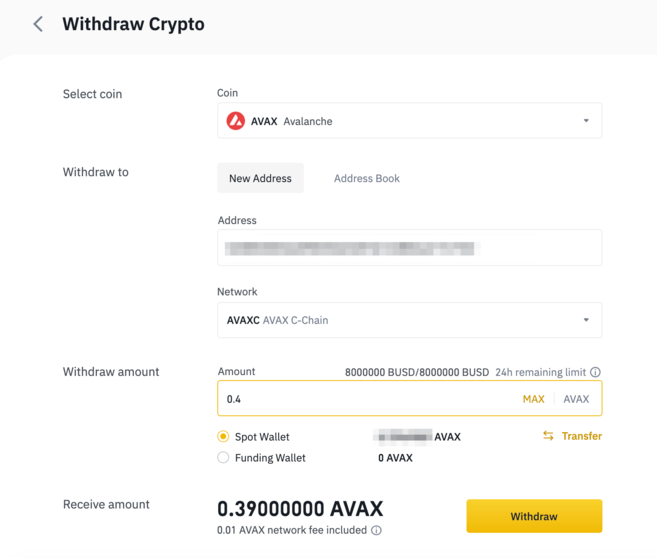
4. Now, go back to Binance and paste the MetaMask address into the [Address] field. Then, select the network and enter the amount you want to transfer. Make sure you have selected a compatible network, or your assets may be lost. Click [Withdraw] to continue.
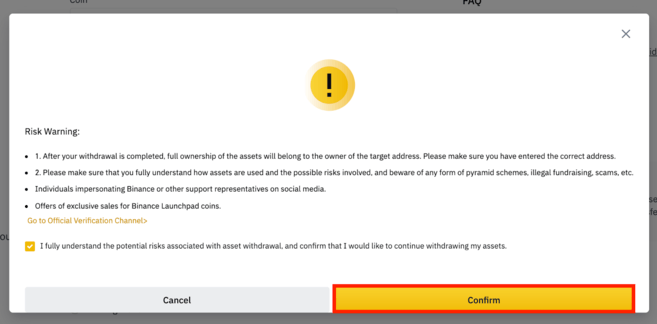
5. You need to confirm that you understand the potential risks involved in withdrawing assets before proceeding. Read and check the box before you click [Confirm].
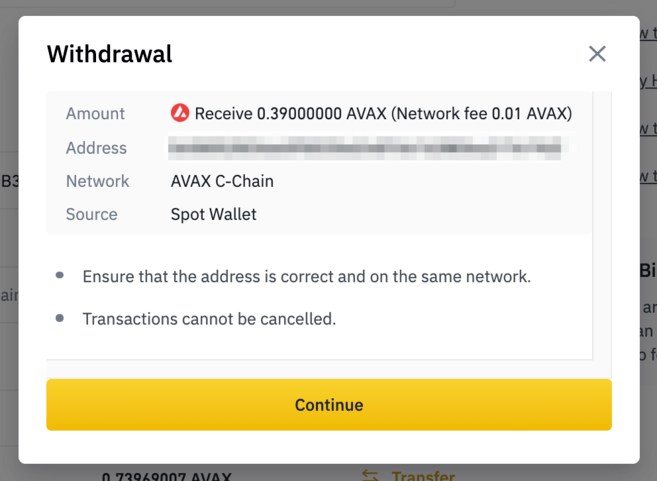
6. You will see a pop-up with details about your withdrawal. You should check the details carefully before proceeding.
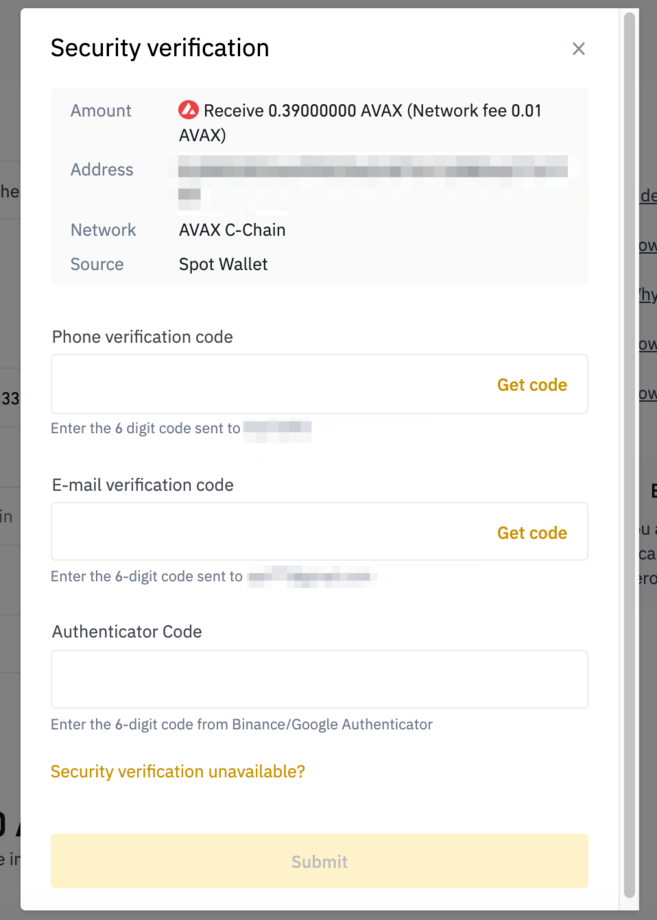
6. Next, you need to verify the transaction using 2FA devices. Click [Submit] and AVAX will be sent to your MetaMask wallet.

summary
While MetaMask was originally built specifically for Ethereum, you can now use it on many different blockchain networks, including Avalanche, Binance Smart Chain, Polygon, and others. Learning how to manually add each network to the Metamask wallet will open the door for you to explore the different DeFi platforms and DApps of each blockchain ecosystem, such as PancakeSwap, Uniswap, SushiSwap, and OpenSea.