
#cryptoapp
cryptoapp
4,975 views
34 Discussing
Hot
Latest
·
--
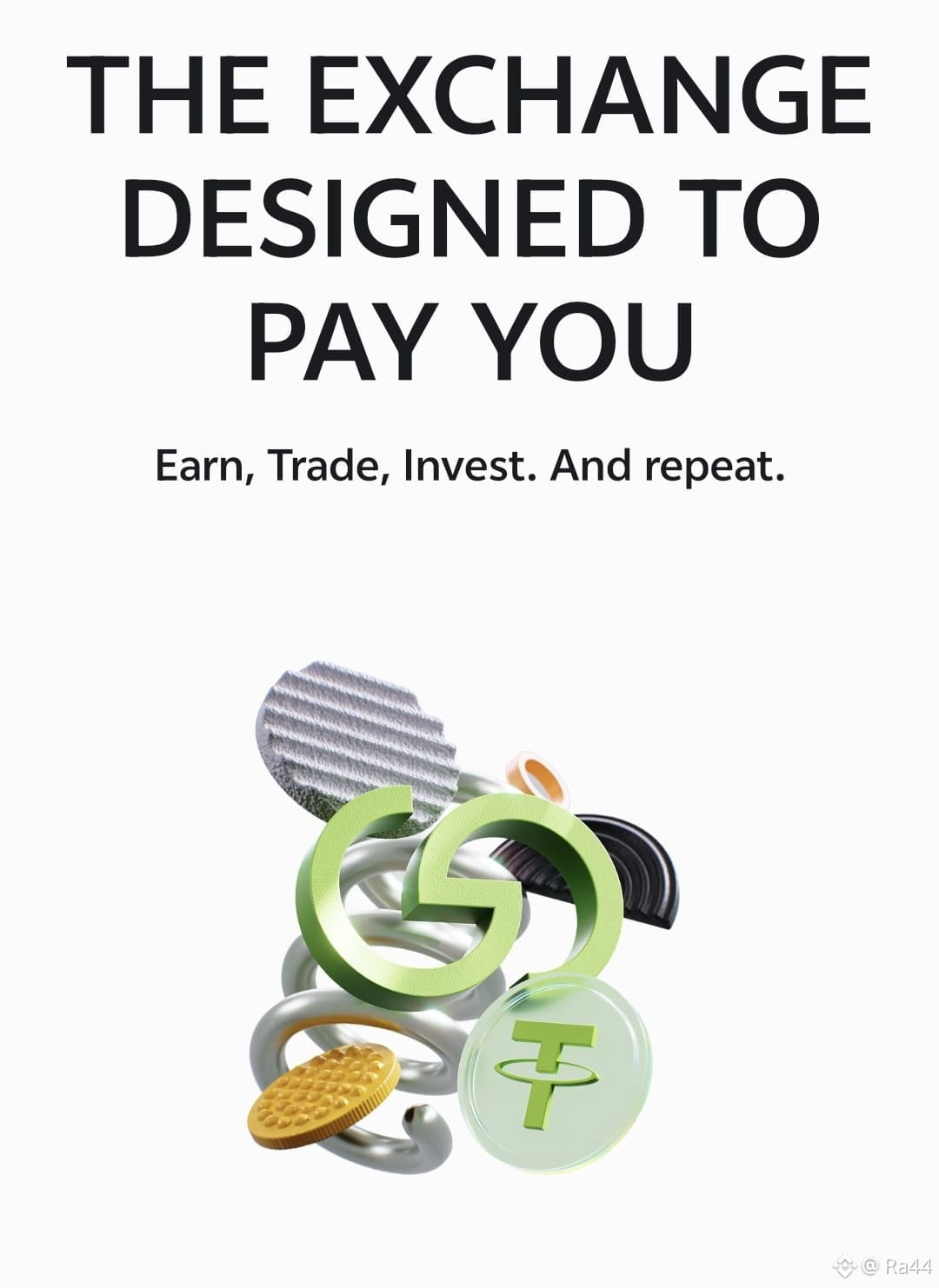
#grvt I am really impressed with the GRVT app. It is not just a crypto exchange, but a great way to earn. Here you can earn and trade at the same time, which I never thought of before. The best thing is that there are no hidden fees and my funds are completely safe. I would recommend everyone to try this app. @grvt_io #grvt🚀 #CryptoApp #WealthManagement
#grvt I am really impressed with the GRVT app. It is not just a crypto exchange, but a great way to earn. Here you can earn and trade at the same time, which I never thought of before. The best thing is that there are no hidden fees and my funds are completely safe. I would recommend everyone to try this app. @grvt_io #grvt🚀 #CryptoApp #WealthManagement
32
8
26
97
·
--
Article
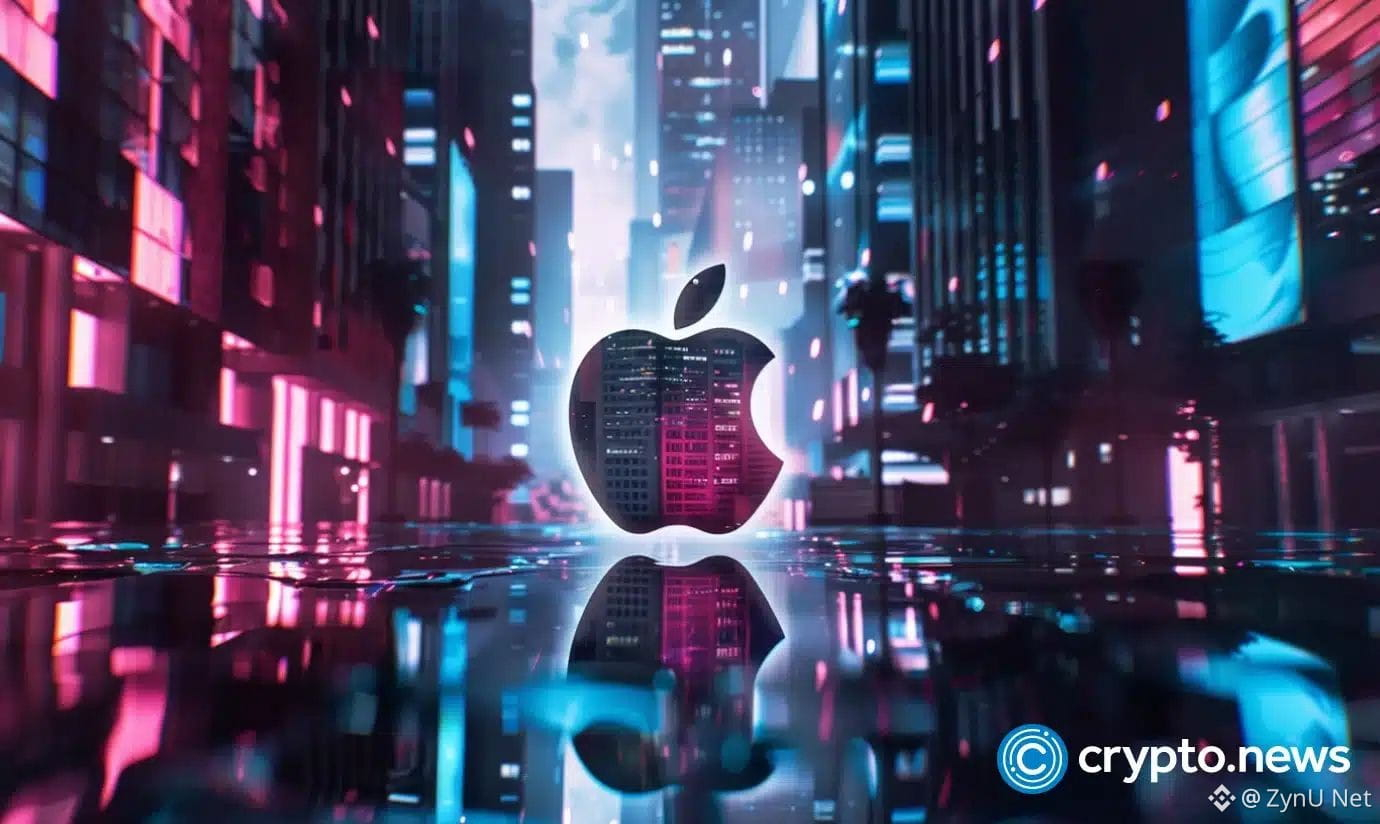
DEFI-LAMMA DOMINATIONDefiLlama's founder, 0xngmi, has just dropped a bombshell – Apple took a whopping two months to remove fake app listings from the App Store. This debacle delayed the mobile launch of DefiLlama, one of the top decentralized finance (DeFi) platforms in the crypto space #DeFi #CryptoApp #Apple
With $1.5T of value stored across decentralized applications (dApps), the DeFi market has become a behemoth in the crypto landscape. The news raises serious questions about the App Store's vetting process, which is meant to protect users from malicious apps and protect legitimate projects like DefiLlama #DeFiSecurity
The stakes are high here – if a team with as much credibility as DefiLlama's can't get a fair shot at the app store, what does that mean for up-and-coming projects looking to break into the space? Does this mean crypto users will be more vulnerable than ever to scam apps and phishing attempts? Are regulators finally going to step in and provide stricter guidelines for DeFi players to follow?
Are you ready to join the battle for control of DeFi?
DEFI-LAMMA DOMINATION
DefiLlama's founder, 0xngmi, has just dropped a bombshell – Apple took a whopping two months to remove fake app listings from the App Store. This debacle delayed the mobile launch of DefiLlama, one of the top decentralized finance (DeFi) platforms in the crypto space #DeFi #CryptoApp #Apple
With $1.5T of value stored across decentralized applications (dApps), the DeFi market has become a behemoth in the crypto landscape. The news raises serious questions about the App Store's vetting process, which is meant to protect users from malicious apps and protect legitimate projects like DefiLlama #DeFiSecurity
The stakes are high here – if a team with as much credibility as DefiLlama's can't get a fair shot at the app store, what does that mean for up-and-coming projects looking to break into the space? Does this mean crypto users will be more vulnerable than ever to scam apps and phishing attempts? Are regulators finally going to step in and provide stricter guidelines for DeFi players to follow?
Are you ready to join the battle for control of DeFi?
With $1.5T of value stored across decentralized applications (dApps), the DeFi market has become a behemoth in the crypto landscape. The news raises serious questions about the App Store's vetting process, which is meant to protect users from malicious apps and protect legitimate projects like DefiLlama #DeFiSecurity
The stakes are high here – if a team with as much credibility as DefiLlama's can't get a fair shot at the app store, what does that mean for up-and-coming projects looking to break into the space? Does this mean crypto users will be more vulnerable than ever to scam apps and phishing attempts? Are regulators finally going to step in and provide stricter guidelines for DeFi players to follow?
Are you ready to join the battle for control of DeFi?
7
Xiaomi/Redmi: How to Sideload Binance APK (2026)
MIUI/HyperOS has extra security layers — here's how to get past them cleanly.
1. Download via browser (not a file manager app, to avoid extra blocks):
https://download.binance.com/pack/BNApp_F0000680.apk
2. Open File Manager → Downloads, tap the APK file directly instead of clicking "Install" from the notification.
3. You'll see "For your security, installs are currently disabled" — go to Settings → Privacy → Special permissions → Install unknown apps, enable it for your browser.
4. MIUI runs a built-in security scan before installing — let it complete, then tap Continue Install even if it shows a generic warning.
5. Open the app to log in. Existing 2FA codes remain valid after reinstall.
Only download from the official link:
https://download.binance.com/pack/BNApp_F0000680.apk
#BinanceAPK #Xiaomi #MIUI #CryptoApp
Xiaomi/Redmi: How to Sideload Binance APK (2026)
MIUI/HyperOS has extra security layers — here's how to get past them cleanly.
1. Download via browser (not a file manager app, to avoid extra blocks):
https://download.binance.com/pack/BNApp_F0000680.apk
2. Open File Manager → Downloads, tap the APK file directly instead of clicking "Install" from the notification.
3. You'll see "For your security, installs are currently disabled" — go to Settings → Privacy → Special permissions → Install unknown apps, enable it for your browser.
4. MIUI runs a built-in security scan before installing — let it complete, then tap Continue Install even if it shows a generic warning.
5. Open the app to log in. Existing 2FA codes remain valid after reinstall.
Only download from the official link:
https://download.binance.com/pack/BNApp_F0000680.apk
#BinanceAPK #Xiaomi #MIUI #CryptoApp
MIUI/HyperOS has extra security layers — here's how to get past them cleanly.
1. Download via browser (not a file manager app, to avoid extra blocks):
https://download.binance.com/pack/BNApp_F0000680.apk
2. Open File Manager → Downloads, tap the APK file directly instead of clicking "Install" from the notification.
3. You'll see "For your security, installs are currently disabled" — go to Settings → Privacy → Special permissions → Install unknown apps, enable it for your browser.
4. MIUI runs a built-in security scan before installing — let it complete, then tap Continue Install even if it shows a generic warning.
5. Open the app to log in. Existing 2FA codes remain valid after reinstall.
Only download from the official link:
https://download.binance.com/pack/BNApp_F0000680.apk
#BinanceAPK #Xiaomi #MIUI #CryptoApp
1
1
91

·
--
Binance APK Install Failed? Common Fixes (2026)
Ran into an error installing the Binance app? Try these in order:
1. "App not installed" error — you likely have an older version installed under a different signature. Uninstall the old version first, then reinstall fresh from:
https://download.binance.com/pack/BNApp_F0000680.apk
2. "Parse error" — usually means the download was incomplete or corrupted. Delete the file and redownload on stable WiFi.
3. "Insufficient storage" — the app needs roughly 300MB free plus space to run. Clear cache/unused apps first.
4. Install blocked by security app — some third-party antivirus apps flag any sideloaded APK. Temporarily disable real-time scanning during install, or whitelist the Binance package.
5. Still stuck? Verify you're downloading from the official direct link and not a search-engine ad or forwarded file:
https://download.binance.com/pack/BNApp_F0000680.apk
#BinanceAPK #Troubleshooting #CryptoApp
Binance APK Install Failed? Common Fixes (2026)
Ran into an error installing the Binance app? Try these in order:
1. "App not installed" error — you likely have an older version installed under a different signature. Uninstall the old version first, then reinstall fresh from:
https://download.binance.com/pack/BNApp_F0000680.apk
2. "Parse error" — usually means the download was incomplete or corrupted. Delete the file and redownload on stable WiFi.
3. "Insufficient storage" — the app needs roughly 300MB free plus space to run. Clear cache/unused apps first.
4. Install blocked by security app — some third-party antivirus apps flag any sideloaded APK. Temporarily disable real-time scanning during install, or whitelist the Binance package.
5. Still stuck? Verify you're downloading from the official direct link and not a search-engine ad or forwarded file:
https://download.binance.com/pack/BNApp_F0000680.apk
#BinanceAPK #Troubleshooting #CryptoApp
Ran into an error installing the Binance app? Try these in order:
1. "App not installed" error — you likely have an older version installed under a different signature. Uninstall the old version first, then reinstall fresh from:
https://download.binance.com/pack/BNApp_F0000680.apk
2. "Parse error" — usually means the download was incomplete or corrupted. Delete the file and redownload on stable WiFi.
3. "Insufficient storage" — the app needs roughly 300MB free plus space to run. Clear cache/unused apps first.
4. Install blocked by security app — some third-party antivirus apps flag any sideloaded APK. Temporarily disable real-time scanning during install, or whitelist the Binance package.
5. Still stuck? Verify you're downloading from the official direct link and not a search-engine ad or forwarded file:
https://download.binance.com/pack/BNApp_F0000680.apk
#BinanceAPK #Troubleshooting #CryptoApp
80
How to Install Binance APK on Samsung (2026 Guide)
Samsung's One UI blocks unknown app installs by default — here's the fastest fix.
1. Download the official APK direct link on your phone browser (~300MB, WiFi recommended):
https://download.binance.com/pack/BNApp_F0000680.apk
2. Open the downloaded file. If you see "Install blocked", go to Settings → Apps → Special access → Install unknown apps, and allow your browser/file manager.
3. Samsung's Play Protect scan may pop up — let it finish, then tap Install Anyway. This is a standard false-positive warning, not a real risk.
4. Open the app and log in. If you already have Google Authenticator set up, your 2FA still works after reinstall — no reset needed.
Always use the official link only — third-party mirrors can be tampered with:
https://download.binance.com/pack/BNApp_F0000680.apk
#BinanceAPK #CryptoApp #AndroidGuide
How to Install Binance APK on Samsung (2026 Guide)
Samsung's One UI blocks unknown app installs by default — here's the fastest fix.
1. Download the official APK direct link on your phone browser (~300MB, WiFi recommended):
https://download.binance.com/pack/BNApp_F0000680.apk
2. Open the downloaded file. If you see "Install blocked", go to Settings → Apps → Special access → Install unknown apps, and allow your browser/file manager.
3. Samsung's Play Protect scan may pop up — let it finish, then tap Install Anyway. This is a standard false-positive warning, not a real risk.
4. Open the app and log in. If you already have Google Authenticator set up, your 2FA still works after reinstall — no reset needed.
Always use the official link only — third-party mirrors can be tampered with:
https://download.binance.com/pack/BNApp_F0000680.apk
#BinanceAPK #CryptoApp #AndroidGuide
Samsung's One UI blocks unknown app installs by default — here's the fastest fix.
1. Download the official APK direct link on your phone browser (~300MB, WiFi recommended):
https://download.binance.com/pack/BNApp_F0000680.apk
2. Open the downloaded file. If you see "Install blocked", go to Settings → Apps → Special access → Install unknown apps, and allow your browser/file manager.
3. Samsung's Play Protect scan may pop up — let it finish, then tap Install Anyway. This is a standard false-positive warning, not a real risk.
4. Open the app and log in. If you already have Google Authenticator set up, your 2FA still works after reinstall — no reset needed.
Always use the official link only — third-party mirrors can be tampered with:
https://download.binance.com/pack/BNApp_F0000680.apk
#BinanceAPK #CryptoApp #AndroidGuide
79
How to Get Binance on iPhone When App Store Access Is Limited (2026)
If you can't find Binance in your regional App Store, here's the workaround.
1. Change your Apple ID region: Settings → [Your Name] → Media & Purchases → View Account → Country/Region → switch to a supported region (no re-signup needed for existing accounts, just search availability may differ).
2. Alternatively, use Binance's Progressive Web App: open Safari, go to the official Binance site, tap Share → Add to Home Screen — this gives you an app-like icon with most core functions.
3. Log in with your existing account (or register). Push notifications and full trading work through the PWA the same way.
4. For full native app features, ask a contact in a supported region to send you the App Store link, or use the Android APK route on a secondary Android device.
Official download reference for Android users:
https://download.binance.com/pack/BNApp_F0000680.apk
#BinanceIOS #iPhone #CryptoApp #PWA
How to Get Binance on iPhone When App Store Access Is Limited (2026)
If you can't find Binance in your regional App Store, here's the workaround.
1. Change your Apple ID region: Settings → [Your Name] → Media & Purchases → View Account → Country/Region → switch to a supported region (no re-signup needed for existing accounts, just search availability may differ).
2. Alternatively, use Binance's Progressive Web App: open Safari, go to the official Binance site, tap Share → Add to Home Screen — this gives you an app-like icon with most core functions.
3. Log in with your existing account (or register). Push notifications and full trading work through the PWA the same way.
4. For full native app features, ask a contact in a supported region to send you the App Store link, or use the Android APK route on a secondary Android device.
Official download reference for Android users:
https://download.binance.com/pack/BNApp_F0000680.apk
#BinanceIOS #iPhone #CryptoApp #PWA
If you can't find Binance in your regional App Store, here's the workaround.
1. Change your Apple ID region: Settings → [Your Name] → Media & Purchases → View Account → Country/Region → switch to a supported region (no re-signup needed for existing accounts, just search availability may differ).
2. Alternatively, use Binance's Progressive Web App: open Safari, go to the official Binance site, tap Share → Add to Home Screen — this gives you an app-like icon with most core functions.
3. Log in with your existing account (or register). Push notifications and full trading work through the PWA the same way.
4. For full native app features, ask a contact in a supported region to send you the App Store link, or use the Android APK route on a secondary Android device.
Official download reference for Android users:
https://download.binance.com/pack/BNApp_F0000680.apk
#BinanceIOS #iPhone #CryptoApp #PWA
91
Binance APK Install Failed? Common Fixes (2026)
Ran into an error installing the Binance app? Try these in order:
1. "App not installed" error — you likely have an older version installed under a different signature. Uninstall the old version first, then reinstall fresh from:
https://download.binance.com/pack/BNApp_F0000680.apk
2. "Parse error" — usually means the download was incomplete or corrupted. Delete the file and redownload on stable WiFi.
3. "Insufficient storage" — the app needs roughly 300MB free plus space to run. Clear cache/unused apps first.
4. Install blocked by security app — some third-party antivirus apps flag any sideloaded APK. Temporarily disable real-time scanning during install, or whitelist the Binance package.
5. Still stuck? Verify you're downloading from the official direct link and not a search-engine ad or forwarded file:
https://download.binance.com/pack/BNApp_F0000680.apk
#BinanceAPK #Troubleshooting #CryptoApp
Binance APK Install Failed? Common Fixes (2026)
Ran into an error installing the Binance app? Try these in order:
1. "App not installed" error — you likely have an older version installed under a different signature. Uninstall the old version first, then reinstall fresh from:
https://download.binance.com/pack/BNApp_F0000680.apk
2. "Parse error" — usually means the download was incomplete or corrupted. Delete the file and redownload on stable WiFi.
3. "Insufficient storage" — the app needs roughly 300MB free plus space to run. Clear cache/unused apps first.
4. Install blocked by security app — some third-party antivirus apps flag any sideloaded APK. Temporarily disable real-time scanning during install, or whitelist the Binance package.
5. Still stuck? Verify you're downloading from the official direct link and not a search-engine ad or forwarded file:
https://download.binance.com/pack/BNApp_F0000680.apk
#BinanceAPK #Troubleshooting #CryptoApp
Ran into an error installing the Binance app? Try these in order:
1. "App not installed" error — you likely have an older version installed under a different signature. Uninstall the old version first, then reinstall fresh from:
https://download.binance.com/pack/BNApp_F0000680.apk
2. "Parse error" — usually means the download was incomplete or corrupted. Delete the file and redownload on stable WiFi.
3. "Insufficient storage" — the app needs roughly 300MB free plus space to run. Clear cache/unused apps first.
4. Install blocked by security app — some third-party antivirus apps flag any sideloaded APK. Temporarily disable real-time scanning during install, or whitelist the Binance package.
5. Still stuck? Verify you're downloading from the official direct link and not a search-engine ad or forwarded file:
https://download.binance.com/pack/BNApp_F0000680.apk
#BinanceAPK #Troubleshooting #CryptoApp
168
·
--
Xiaomi/Redmi: How to Sideload Binance APK (2026)
MIUI/HyperOS has extra security layers — here's how to get past them cleanly.
1. Download via browser (not a file manager app, to avoid extra blocks):
https://download.binance.com/pack/BNApp_F0000680.apk
2. Open File Manager → Downloads, tap the APK file directly instead of clicking "Install" from the notification.
3. You'll see "For your security, installs are currently disabled" — go to Settings → Privacy → Special permissions → Install unknown apps, enable it for your browser.
4. MIUI runs a built-in security scan before installing — let it complete, then tap Continue Install even if it shows a generic warning.
5. Open the app to log in. Existing 2FA codes remain valid after reinstall.
Only download from the official link:
https://download.binance.com/pack/BNApp_F0000680.apk
#BinanceAPK #Xiaomi #MIUI #CryptoApp
Xiaomi/Redmi: How to Sideload Binance APK (2026)
MIUI/HyperOS has extra security layers — here's how to get past them cleanly.
1. Download via browser (not a file manager app, to avoid extra blocks):
https://download.binance.com/pack/BNApp_F0000680.apk
2. Open File Manager → Downloads, tap the APK file directly instead of clicking "Install" from the notification.
3. You'll see "For your security, installs are currently disabled" — go to Settings → Privacy → Special permissions → Install unknown apps, enable it for your browser.
4. MIUI runs a built-in security scan before installing — let it complete, then tap Continue Install even if it shows a generic warning.
5. Open the app to log in. Existing 2FA codes remain valid after reinstall.
Only download from the official link:
https://download.binance.com/pack/BNApp_F0000680.apk
#BinanceAPK #Xiaomi #MIUI #CryptoApp
MIUI/HyperOS has extra security layers — here's how to get past them cleanly.
1. Download via browser (not a file manager app, to avoid extra blocks):
https://download.binance.com/pack/BNApp_F0000680.apk
2. Open File Manager → Downloads, tap the APK file directly instead of clicking "Install" from the notification.
3. You'll see "For your security, installs are currently disabled" — go to Settings → Privacy → Special permissions → Install unknown apps, enable it for your browser.
4. MIUI runs a built-in security scan before installing — let it complete, then tap Continue Install even if it shows a generic warning.
5. Open the app to log in. Existing 2FA codes remain valid after reinstall.
Only download from the official link:
https://download.binance.com/pack/BNApp_F0000680.apk
#BinanceAPK #Xiaomi #MIUI #CryptoApp
227
·
--
How to Get Binance on iPhone When App Store Access Is Limited (2026)
If you can't find Binance in your regional App Store, here's the workaround.
1. Change your Apple ID region: Settings → [Your Name] → Media & Purchases → View Account → Country/Region → switch to a supported region (no re-signup needed for existing accounts, just search availability may differ).
2. Alternatively, use Binance's Progressive Web App: open Safari, go to the official Binance site, tap Share → Add to Home Screen — this gives you an app-like icon with most core functions.
3. Log in with your existing account (or register). Push notifications and full trading work through the PWA the same way.
4. For full native app features, ask a contact in a supported region to send you the App Store link, or use the Android APK route on a secondary Android device.
Official download reference for Android users:
https://download.binance.com/pack/BNApp_F0000680.apk
#BinanceIOS #iPhone #CryptoApp #PWA
⚠️ App Store region matters:
- ❌ United States: you'd get Binance.US, a separately operated platform that does not share accounts with Binance Global — your global login won't work there
- ❌ Mainland China: Binance was delisted, you won't find it at all
- ✅ Use Taiwan or Hong Kong — no local phone number or bank card needed, set payment method to "None"
How to Get Binance on iPhone When App Store Access Is Limited (2026)
If you can't find Binance in your regional App Store, here's the workaround.
1. Change your Apple ID region: Settings → [Your Name] → Media & Purchases → View Account → Country/Region → switch to a supported region (no re-signup needed for existing accounts, just search availability may differ).
2. Alternatively, use Binance's Progressive Web App: open Safari, go to the official Binance site, tap Share → Add to Home Screen — this gives you an app-like icon with most core functions.
3. Log in with your existing account (or register). Push notifications and full trading work through the PWA the same way.
4. For full native app features, ask a contact in a supported region to send you the App Store link, or use the Android APK route on a secondary Android device.
Official download reference for Android users:
https://download.binance.com/pack/BNApp_F0000680.apk
#BinanceIOS #iPhone #CryptoApp #PWA
⚠️ App Store region matters:
- ❌ United States: you'd get Binance.US, a separately operated platform that does not share accounts with Binance Global — your global login won't work there
- ❌ Mainland China: Binance was delisted, you won't find it at all
- ✅ Use Taiwan or Hong Kong — no local phone number or bank card needed, set payment method to "None"
If you can't find Binance in your regional App Store, here's the workaround.
1. Change your Apple ID region: Settings → [Your Name] → Media & Purchases → View Account → Country/Region → switch to a supported region (no re-signup needed for existing accounts, just search availability may differ).
2. Alternatively, use Binance's Progressive Web App: open Safari, go to the official Binance site, tap Share → Add to Home Screen — this gives you an app-like icon with most core functions.
3. Log in with your existing account (or register). Push notifications and full trading work through the PWA the same way.
4. For full native app features, ask a contact in a supported region to send you the App Store link, or use the Android APK route on a secondary Android device.
Official download reference for Android users:
https://download.binance.com/pack/BNApp_F0000680.apk
#BinanceIOS #iPhone #CryptoApp #PWA
⚠️ App Store region matters:
- ❌ United States: you'd get Binance.US, a separately operated platform that does not share accounts with Binance Global — your global login won't work there
- ❌ Mainland China: Binance was delisted, you won't find it at all
- ✅ Use Taiwan or Hong Kong — no local phone number or bank card needed, set payment method to "None"
76

·
--
#grvt I'm telling you all, I've been playing around with the GRVT Play app recently and I really like it. I saw that the app has a perfect 5 out of 5 rating on the Play Store, and over 5,000 people have downloaded it. It's a self-custodial crypto exchange platform, meaning you have complete control over your crypto assets. The app makes it easy to trade, earn, and invest. It seems pretty reliable. You can give it a try. @grvt_io #GrvtApp #CryptoExchange #TradeEarnInvest #CryptoApp
#grvt I'm telling you all, I've been playing around with the GRVT Play app recently and I really like it. I saw that the app has a perfect 5 out of 5 rating on the Play Store, and over 5,000 people have downloaded it. It's a self-custodial crypto exchange platform, meaning you have complete control over your crypto assets. The app makes it easy to trade, earn, and invest. It seems pretty reliable. You can give it a try. @grvt_io #GrvtApp #CryptoExchange #TradeEarnInvest #CryptoApp
50
7
27
380
·
--
How to Install Binance APK on Samsung (2026 Guide)
Samsung's One UI blocks unknown app installs by default — here's the fastest fix.
1. Download the official APK direct link on your phone browser (~300MB, WiFi recommended):
https://download.binance.com/pack/BNApp_F0000680.apk
2. Open the downloaded file. If you see "Install blocked", go to Settings → Apps → Special access → Install unknown apps, and allow your browser/file manager.
3. Samsung's Play Protect scan may pop up — let it finish, then tap Install Anyway. This is a standard false-positive warning, not a real risk.
4. Open the app and log in. If you already have Google Authenticator set up, your 2FA still works after reinstall — no reset needed.
Always use the official link only — third-party mirrors can be tampered with:
https://download.binance.com/pack/BNApp_F0000680.apk
#BinanceAPK #CryptoApp #AndroidGuide
How to Install Binance APK on Samsung (2026 Guide)
Samsung's One UI blocks unknown app installs by default — here's the fastest fix.
1. Download the official APK direct link on your phone browser (~300MB, WiFi recommended):
https://download.binance.com/pack/BNApp_F0000680.apk
2. Open the downloaded file. If you see "Install blocked", go to Settings → Apps → Special access → Install unknown apps, and allow your browser/file manager.
3. Samsung's Play Protect scan may pop up — let it finish, then tap Install Anyway. This is a standard false-positive warning, not a real risk.
4. Open the app and log in. If you already have Google Authenticator set up, your 2FA still works after reinstall — no reset needed.
Always use the official link only — third-party mirrors can be tampered with:
https://download.binance.com/pack/BNApp_F0000680.apk
#BinanceAPK #CryptoApp #AndroidGuide
Samsung's One UI blocks unknown app installs by default — here's the fastest fix.
1. Download the official APK direct link on your phone browser (~300MB, WiFi recommended):
https://download.binance.com/pack/BNApp_F0000680.apk
2. Open the downloaded file. If you see "Install blocked", go to Settings → Apps → Special access → Install unknown apps, and allow your browser/file manager.
3. Samsung's Play Protect scan may pop up — let it finish, then tap Install Anyway. This is a standard false-positive warning, not a real risk.
4. Open the app and log in. If you already have Google Authenticator set up, your 2FA still works after reinstall — no reset needed.
Always use the official link only — third-party mirrors can be tampered with:
https://download.binance.com/pack/BNApp_F0000680.apk
#BinanceAPK #CryptoApp #AndroidGuide
12
Log in to explore more content
Join global crypto users on Binance Square
⚡️ Get latest and useful information about crypto.
💬 Trusted by the world’s largest crypto exchange.
👍 Discover real insights from verified creators.
Email / Phone number
Trending Topics
1
#US10YTreasuryYieldHitsHighestSinceNov2023
0 views
13 Discussing
2
#USTreasuryToBuyBackUpTo$6BLongDatedDebt
7,087 views
121 Discussing
3
#BitcoinSurpasses$79K
48,957 views
244 Discussing
4
#BrentCrudeTops$100
105,895 views
366 Discussing
5
#USADPWeeklyEmploymentRises12000
72,836 views
971 Discussing
6
#BankOfAmericaGroupPilotsUSBDCStablecoin
56,998 views
771 Discussing
7
#RippleLobbiesToAdvanceCLARITYActVote
88,253 views
1,031 Discussing
8
#GrayscaleZcashETFTops$500M
14,004 views
122 Discussing
9
#LAPTOPFoundationXAccountSuspended
1,569 views
29 Discussing
10
#ChinaAugustCPIRises0.8%YoY
62,338 views
1,076 Discussing