
#tradingfee
tradingfee
6,987 views
24 Discussing
Hot
Latest
·
--
How to Use a Binance Trading Fee Rebate Voucher
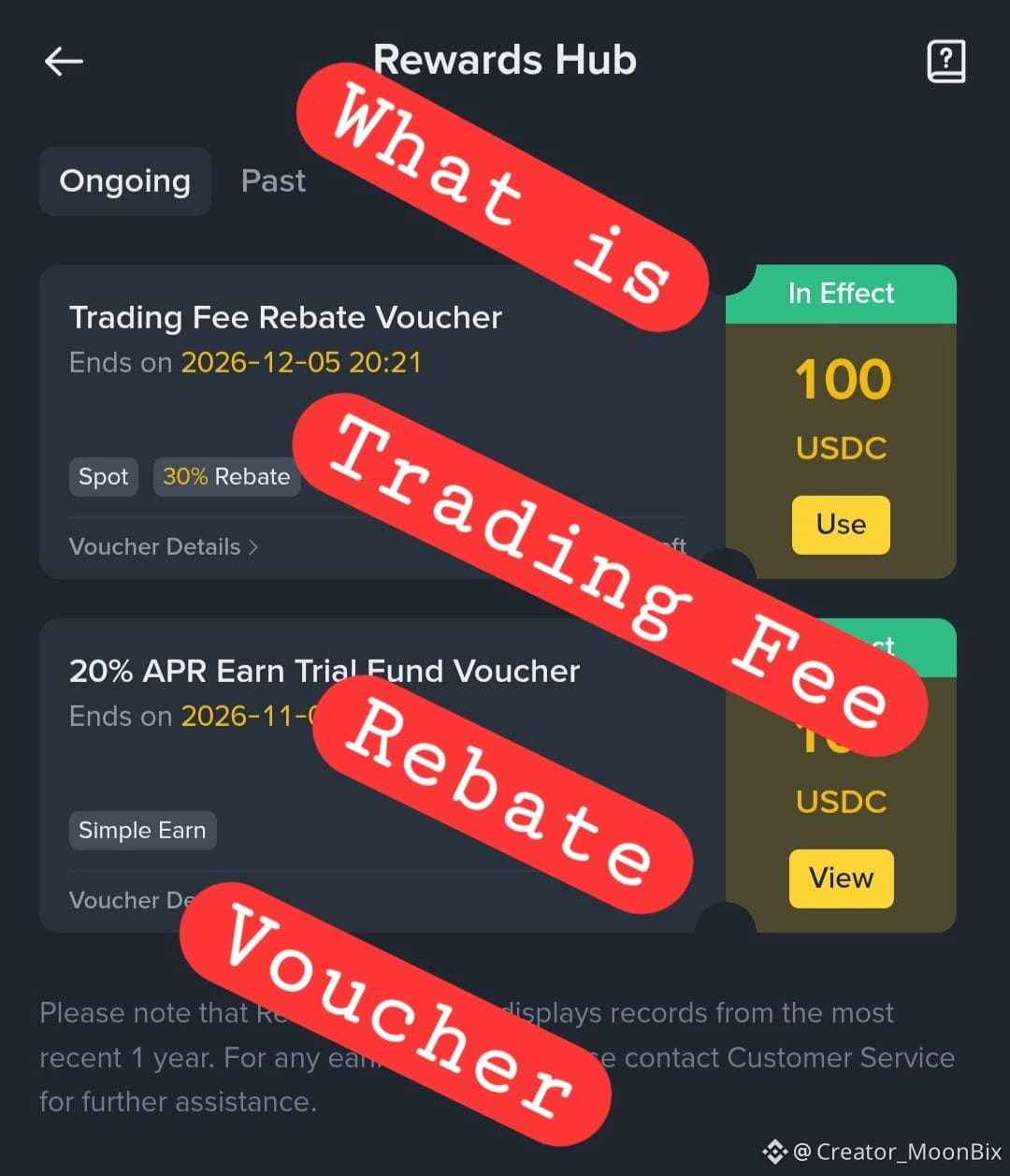
A Trading Fee Rebate Voucher helps refund eligible trading fees you pay on Binance. Before using it, you first need to find it in the Rewards Hub,this is where Binance keeps vouchers and campaign rewards.
Here’s the full step-by-step guide:
Log in to your Binance account.
Go to your Profile
Tap the profile icon in the top-left corner of the Binance app.
Open Rewards Hub
Find and tap Rewards Hub. This is where you can view rewards you have received or claimed.
Tap “My Vouchers”
You’ll see all available rewards and vouchers linked to your account.
Find your Trading Fee Rebate Voucher
Under the Ongoing tab, scroll until you find the voucher.
Check the voucher details first
Tap the [i] icon to review:
Eligible product: Spot, Margin, or Futures
Trade-back percentage
Remaining voucher balance
Maximum rebate amount
Expiry date
Terms and conditions
Tap “Use”
Select Use on the voucher you want to activate.
Open the required trading account if prompted
For example, if it is a Futures fee rebate voucher and you have not opened a Futures account, Binance will guide you to open one first.
Confirm by tapping “Use Reward”
Your Trading Fee Rebate Voucher is now activated.
Trade on the eligible product before the voucher expires
Only fees generated after activation count. The voucher applies to its specified product and does not cover referral commissions, liquidation fees, Futures delivery fees, or Alpha trades.
Receive your fee rebate the next day
Eligible trading-fee rebates are credited to your Spot Wallet in USDT, USDC, or BNB. Distribution is usually from 06:00 UTC the next day and may arrive any time before 23:59:59 UTC.
Check your rebate history
Go to Wallet → Transaction History → Distribution to view received rebates. You can also tap Detail on the voucher to track its remaining balance and usage.
Let's all check our rewards hub and use what #Binance gave us by appreciating us.
#TradingFee #vouchers #RewardsHub $BNB
How to Use a Binance Trading Fee Rebate Voucher
A Trading Fee Rebate Voucher helps refund eligible trading fees you pay on Binance. Before using it, you first need to find it in the Rewards Hub,this is where Binance keeps vouchers and campaign rewards.
Here’s the full step-by-step guide:
Log in to your Binance account.
Go to your Profile
Tap the profile icon in the top-left corner of the Binance app.
Open Rewards Hub
Find and tap Rewards Hub. This is where you can view rewards you have received or claimed.
Tap “My Vouchers”
You’ll see all available rewards and vouchers linked to your account.
Find your Trading Fee Rebate Voucher
Under the Ongoing tab, scroll until you find the voucher.
Check the voucher details first
Tap the [i] icon to review:
Eligible product: Spot, Margin, or Futures
Trade-back percentage
Remaining voucher balance
Maximum rebate amount
Expiry date
Terms and conditions
Tap “Use”
Select Use on the voucher you want to activate.
Open the required trading account if prompted
For example, if it is a Futures fee rebate voucher and you have not opened a Futures account, Binance will guide you to open one first.
Confirm by tapping “Use Reward”
Your Trading Fee Rebate Voucher is now activated.
Trade on the eligible product before the voucher expires
Only fees generated after activation count. The voucher applies to its specified product and does not cover referral commissions, liquidation fees, Futures delivery fees, or Alpha trades.
Receive your fee rebate the next day
Eligible trading-fee rebates are credited to your Spot Wallet in USDT, USDC, or BNB. Distribution is usually from 06:00 UTC the next day and may arrive any time before 23:59:59 UTC.
Check your rebate history
Go to Wallet → Transaction History → Distribution to view received rebates. You can also tap Detail on the voucher to track its remaining balance and usage.
Let's all check our rewards hub and use what #Binance gave us by appreciating us.
#TradingFee #vouchers #RewardsHub $BNB
A Trading Fee Rebate Voucher helps refund eligible trading fees you pay on Binance. Before using it, you first need to find it in the Rewards Hub,this is where Binance keeps vouchers and campaign rewards.
Here’s the full step-by-step guide:
Log in to your Binance account.
Go to your Profile
Tap the profile icon in the top-left corner of the Binance app.
Open Rewards Hub
Find and tap Rewards Hub. This is where you can view rewards you have received or claimed.
Tap “My Vouchers”
You’ll see all available rewards and vouchers linked to your account.
Find your Trading Fee Rebate Voucher
Under the Ongoing tab, scroll until you find the voucher.
Check the voucher details first
Tap the [i] icon to review:
Eligible product: Spot, Margin, or Futures
Trade-back percentage
Remaining voucher balance
Maximum rebate amount
Expiry date
Terms and conditions
Tap “Use”
Select Use on the voucher you want to activate.
Open the required trading account if prompted
For example, if it is a Futures fee rebate voucher and you have not opened a Futures account, Binance will guide you to open one first.
Confirm by tapping “Use Reward”
Your Trading Fee Rebate Voucher is now activated.
Trade on the eligible product before the voucher expires
Only fees generated after activation count. The voucher applies to its specified product and does not cover referral commissions, liquidation fees, Futures delivery fees, or Alpha trades.
Receive your fee rebate the next day
Eligible trading-fee rebates are credited to your Spot Wallet in USDT, USDC, or BNB. Distribution is usually from 06:00 UTC the next day and may arrive any time before 23:59:59 UTC.
Check your rebate history
Go to Wallet → Transaction History → Distribution to view received rebates. You can also tap Detail on the voucher to track its remaining balance and usage.
Let's all check our rewards hub and use what #Binance gave us by appreciating us.
#TradingFee #vouchers #RewardsHub $BNB
100

·
--
Bearish
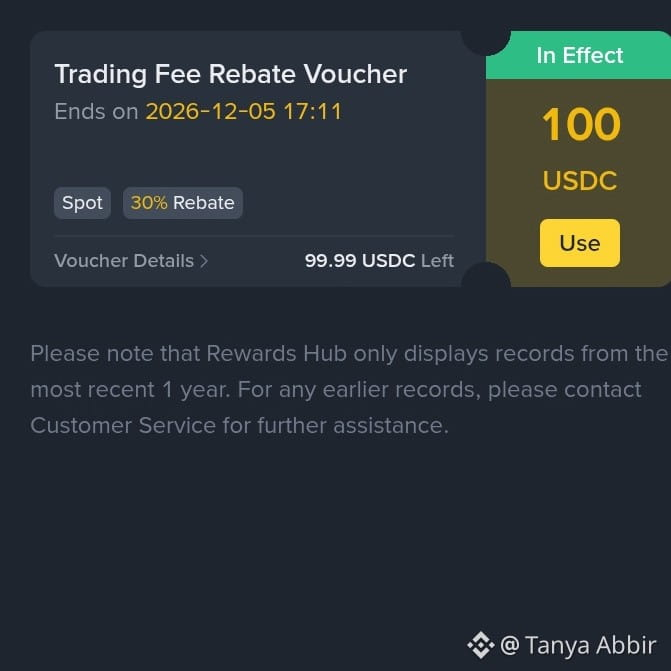
Is trading rebate voucher will give you crypto assets? 👇
No, these vouchers will cover your trading fees. not giving real crypto for your wallet. most of the users think they will get some money. this is for reduce your trading fees.
#tradingfee #binance $BNB
Is trading rebate voucher will give you crypto assets? 👇
No, these vouchers will cover your trading fees. not giving real crypto for your wallet. most of the users think they will get some money. this is for reduce your trading fees.
#tradingfee #binance $BNB
No, these vouchers will cover your trading fees. not giving real crypto for your wallet. most of the users think they will get some money. this is for reduce your trading fees.
#tradingfee #binance $BNB
127


·
--
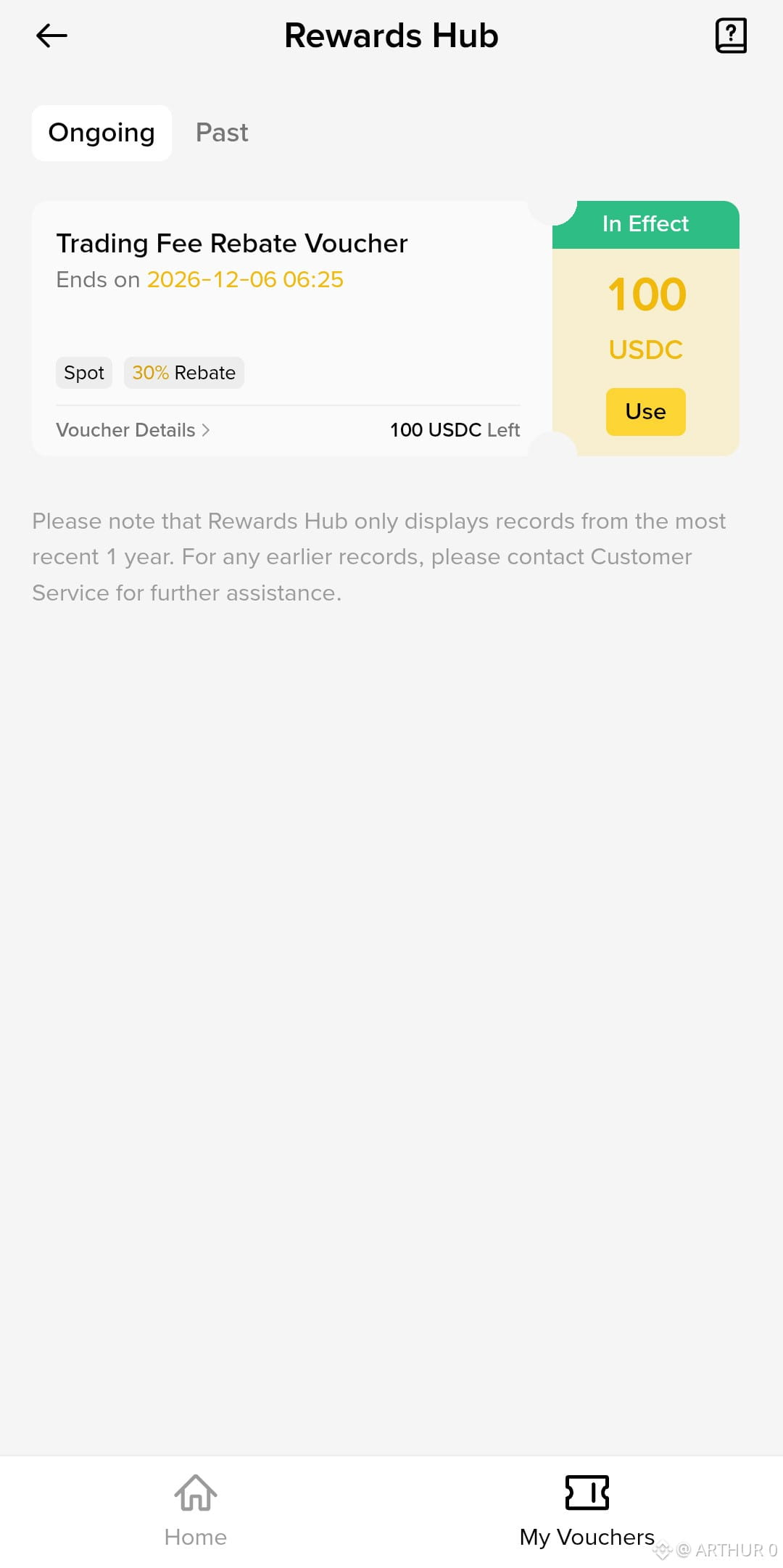
30% Trading Fee Rebate Voucher
Get up to 100 USDC in Trading Fee Rebates on Spot Trading.
Rebate: 30%
Voucher Amount: 100 USDC
Expiry: 6 December 2026, 06:25
Use your voucher before it expires and save on trading fees.
#Crypto #SpotTrading #USDC #TradingFee #CryptoRewards
30% Trading Fee Rebate Voucher
Get up to 100 USDC in Trading Fee Rebates on Spot Trading.
Rebate: 30%
Voucher Amount: 100 USDC
Expiry: 6 December 2026, 06:25
Use your voucher before it expires and save on trading fees.
#Crypto #SpotTrading #USDC #TradingFee #CryptoRewards
Get up to 100 USDC in Trading Fee Rebates on Spot Trading.
Rebate: 30%
Voucher Amount: 100 USDC
Expiry: 6 December 2026, 06:25
Use your voucher before it expires and save on trading fees.
#Crypto #SpotTrading #USDC #TradingFee #CryptoRewards
1
78

SECTION,KEY FOCUS & EARNING TIPS,CASHTAGS/KEYWORDS
Introduction,The Hook: Explain that $BNB is more than just a coin; it's the fuel for the world's largest crypto ecosystem. Emphasize its utility over mere speculation.,#BNB #BinanceCoin #UtilityToken
1. Primary Power: Launchpad & Launchpool Access,"Focus: This is the biggest draw. Explain that holding $BNB is the only way to get early, guaranteed access to new, highly-anticipated projects (earning free tokens!). This drives constant buying pressure.",$BNB #LaunchpoolReward
2. Primary Power: Trading Fee Discounts,"Focus: Appeal directly to traders. Point out the significant trading fee reductions (often 25%) when using $BNB, making it essential for frequent traders.",#TradingFee #BNBUtility
3. Primary Power: The Power of $BNB Chain Growth,Focus: Discuss the constant development on the BNB Chain (formerly BSC). More traffic and transactions on the chain equal more utility and value accrual for the coin.,#BNBChain #DeFi
4. Primary Power: Token Burn Mechanism,"Focus: Briefly mention the quarterly token burn mechanism, which actively reduces supply and supports long-term price appreciation.",#TokenBurn
Conclusion & CTA,"Call-to-Action (CTA): State clearly that for anyone active on Binance, $BNB is a must-have. ""To maximize your earnings on the exchange, holding $BNB is a necessity, not an option. Start staking today.""",#Write2Earn
SECTION,KEY FOCUS & EARNING TIPS,CASHTAGS/KEYWORDS
Introduction,The Hook: Explain that $BNB is more than just a coin; it's the fuel for the world's largest crypto ecosystem. Emphasize its utility over mere speculation.,#BNB #BinanceCoin #UtilityToken
1. Primary Power: Launchpad & Launchpool Access,"Focus: This is the biggest draw. Explain that holding $BNB is the only way to get early, guaranteed access to new, highly-anticipated projects (earning free tokens!). This drives constant buying pressure.",$BNB #LaunchpoolReward
2. Primary Power: Trading Fee Discounts,"Focus: Appeal directly to traders. Point out the significant trading fee reductions (often 25%) when using $BNB, making it essential for frequent traders.",#TradingFee #BNBUtility
3. Primary Power: The Power of $BNB Chain Growth,Focus: Discuss the constant development on the BNB Chain (formerly BSC). More traffic and transactions on the chain equal more utility and value accrual for the coin.,#BNBChain #DeFi
4. Primary Power: Token Burn Mechanism,"Focus: Briefly mention the quarterly token burn mechanism, which actively reduces supply and supports long-term price appreciation.",#TokenBurn
Conclusion & CTA,"Call-to-Action (CTA): State clearly that for anyone active on Binance, $BNB is a must-have. ""To maximize your earnings on the exchange, holding $BNB is a necessity, not an option. Start staking today.""",#Write2Earn
Introduction,The Hook: Explain that $BNB is more than just a coin; it's the fuel for the world's largest crypto ecosystem. Emphasize its utility over mere speculation.,#BNB #BinanceCoin #UtilityToken
1. Primary Power: Launchpad & Launchpool Access,"Focus: This is the biggest draw. Explain that holding $BNB is the only way to get early, guaranteed access to new, highly-anticipated projects (earning free tokens!). This drives constant buying pressure.",$BNB #LaunchpoolReward
2. Primary Power: Trading Fee Discounts,"Focus: Appeal directly to traders. Point out the significant trading fee reductions (often 25%) when using $BNB, making it essential for frequent traders.",#TradingFee #BNBUtility
3. Primary Power: The Power of $BNB Chain Growth,Focus: Discuss the constant development on the BNB Chain (formerly BSC). More traffic and transactions on the chain equal more utility and value accrual for the coin.,#BNBChain #DeFi
4. Primary Power: Token Burn Mechanism,"Focus: Briefly mention the quarterly token burn mechanism, which actively reduces supply and supports long-term price appreciation.",#TokenBurn
Conclusion & CTA,"Call-to-Action (CTA): State clearly that for anyone active on Binance, $BNB is a must-have. ""To maximize your earnings on the exchange, holding $BNB is a necessity, not an option. Start staking today.""",#Write2Earn
1
26
Log in to explore more content
Join global crypto users on Binance Square
⚡️ Get latest and useful information about crypto.
💬 Trusted by the world’s largest crypto exchange.
👍 Discover real insights from verified creators.
Email / Phone number
Trending Topics
1
#BinanceReopensWithdrawalsForMoreAssets
1.1M views
5,887 Discussing
2
#$2TWipedOutHedgeFundsFaceLiquidation
859 views
33 Discussing
3
#AnthropicIPOValuationDoubts
16,906 views
430 Discussing
4
#RussiaInvestigativeCommitteeProposesAddingCryptoToAMLSystem
0 views
0 Discussing
5
#SouthKoreaDelaysCryptoTaxationUntil2029
2,098 views
70 Discussing
6
#HongKongPlansTaxIncentivesCoveringDigitalAssets
2,140 views
47 Discussing
7
#ECBTargetsDigitalEuroIssuanceIn2029
1,966 views
58 Discussing
8
#ChainalysisBreachExposedPasswordHashesAndLiveTokens
296 views
12 Discussing
9
#UkraineCentralBankOpposesCurrentCryptoAssetBill
2,756 views
77 Discussing
10
#CoreScientificExpectsToExitBitcoinMiningByYearEnd2026
377 views
13 Discussing