Limit orders are orders you place on the order book with a specific limit price. They’ll only be executed if the market price reaches your limit price (or better). You may use limit orders to buy an asset at a lower price or sell at a higher price than the market price.
For a more detailed explanation, please visit What are Market Order and Limit Order, and How to Place Them.
Limit orders will only be filled when the following 3 conditions are met:
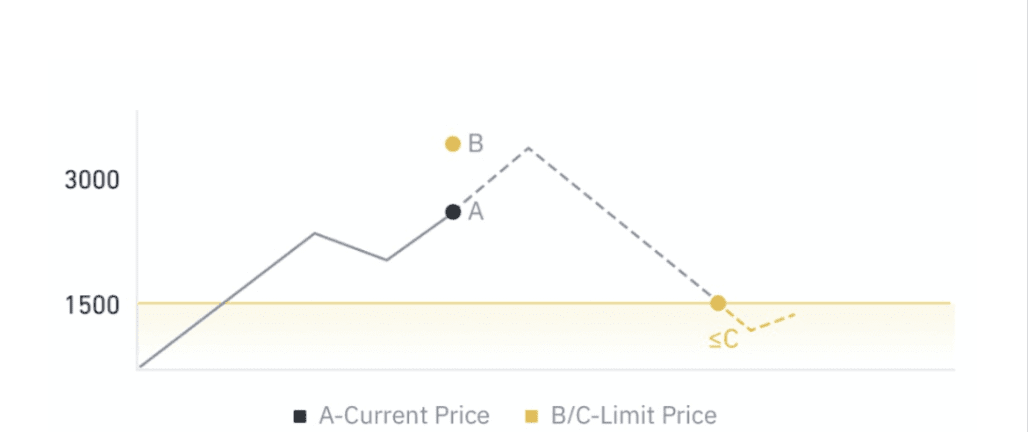
Let’s use a limit buy order as an example. The market price is at $2,400 (A) and you place a limit buy order at $1,500 (C). The limit buy order will only be executed when the market price falls to $1,500 (C) or below. At the end, your limit buy order is executed at $1,490, which is a better price than the limit price you set.
When the market price is at $1,500 (C), but there aren’t any sell orders, the buy order won’t be executed. However, please note that an order can also be partially filled if the liquidity satisfies part of the order.
During periods of high volatility, your order may not be able to reach the end of the order book for execution, even if the market price reaches your limit price.
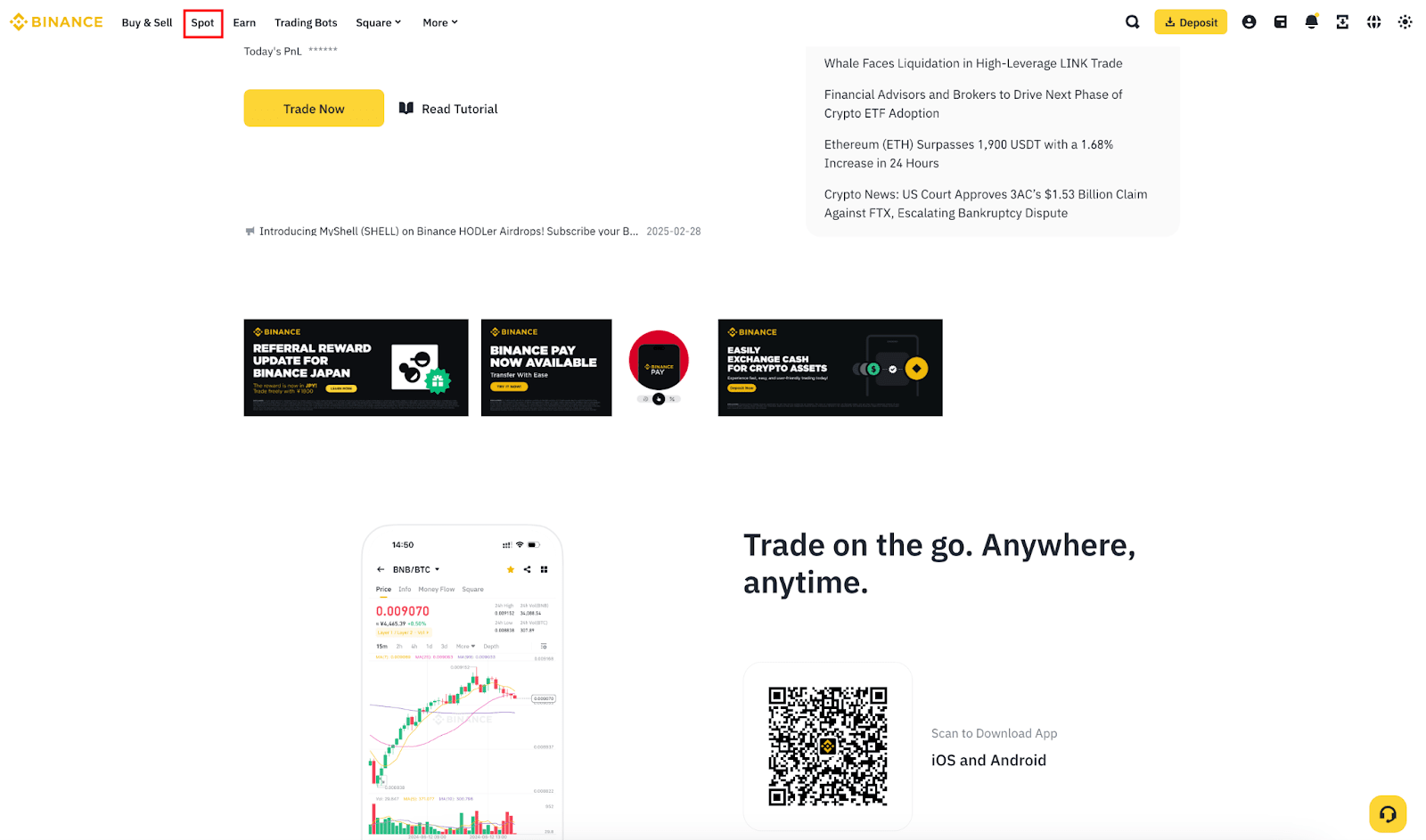
1. Log in to your Binance account and go to [Spot]
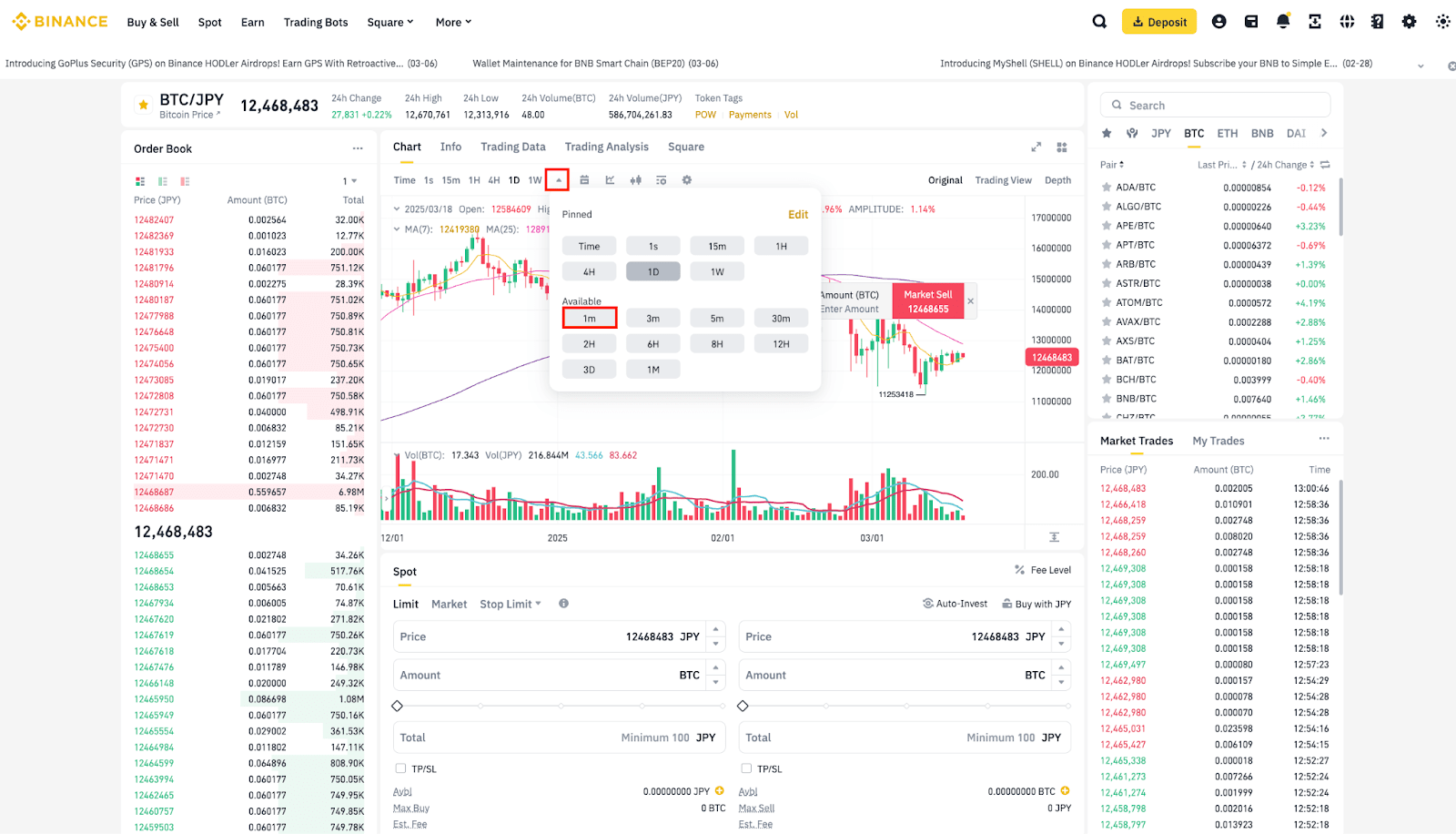
2. Select the trading pair you wish to check from the right, for example, BTC/JPY. Then, customize the time period to [1m]. Setting the time period to 1 minute allows you to better visualize the price.
3. You can now draw the parameters of your order. Let's use the following parameters:
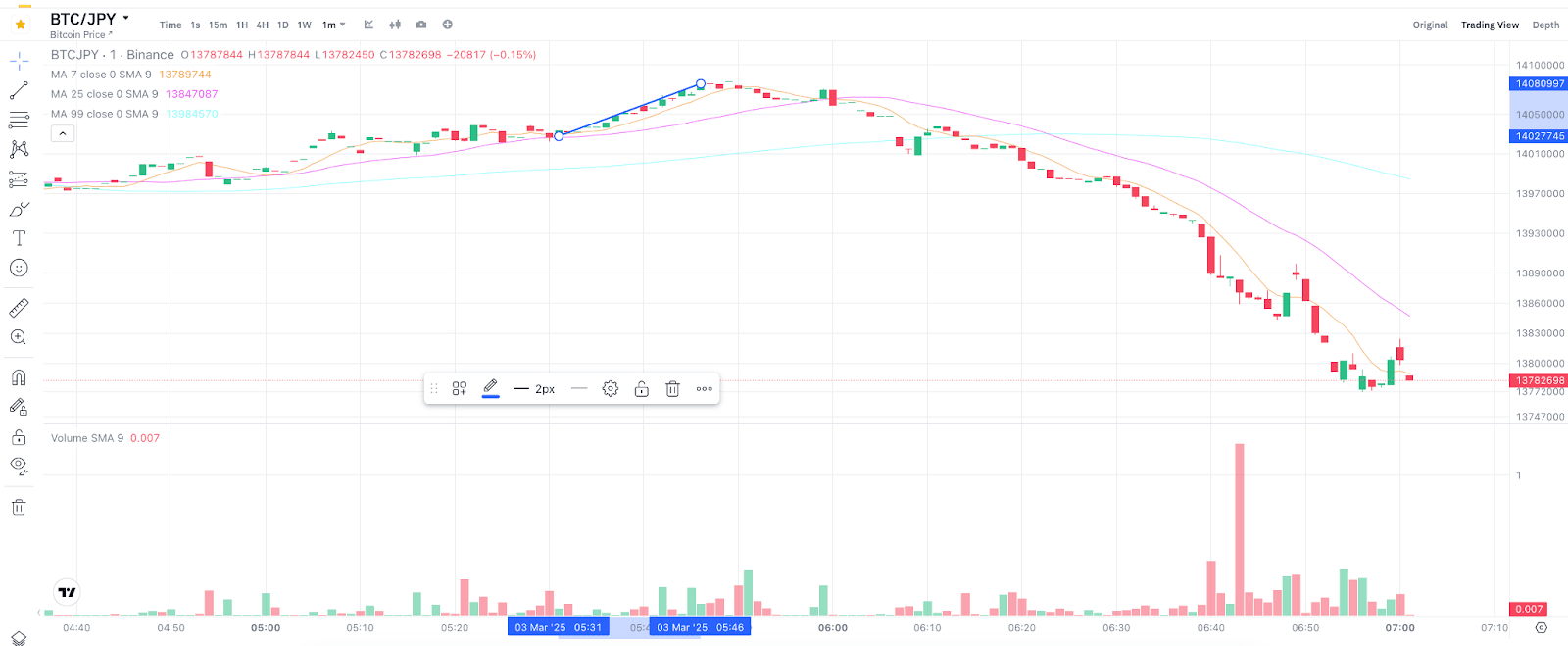
After the order was placed, BTC price went above the stop price and triggered the order. This means that the order was sent to the order book once the BTC price reached the stop price of 14,027,745 JPY. However, it wasn’t executed as it didn’t reach the limit price you set (14,081,000 JPY).
Take a closer look at the 1-minute trading chart and you can see that the BTC price only reached 14,080,997 JPY. Thus, your order wasn’t filled as it is lower than your expected selling price (the limit price of 14,081,000 JPY).
Please note that even if the market price touched the limit price, your order may not be executed if the liquidity of the trading pair is insufficient.
To understand why your trailing stop order is not being executed, you need to understand the parameters that have been set:
Let’s look at the following examples:
Example 1 Trailing Stop Buy Order on ETH/JPY
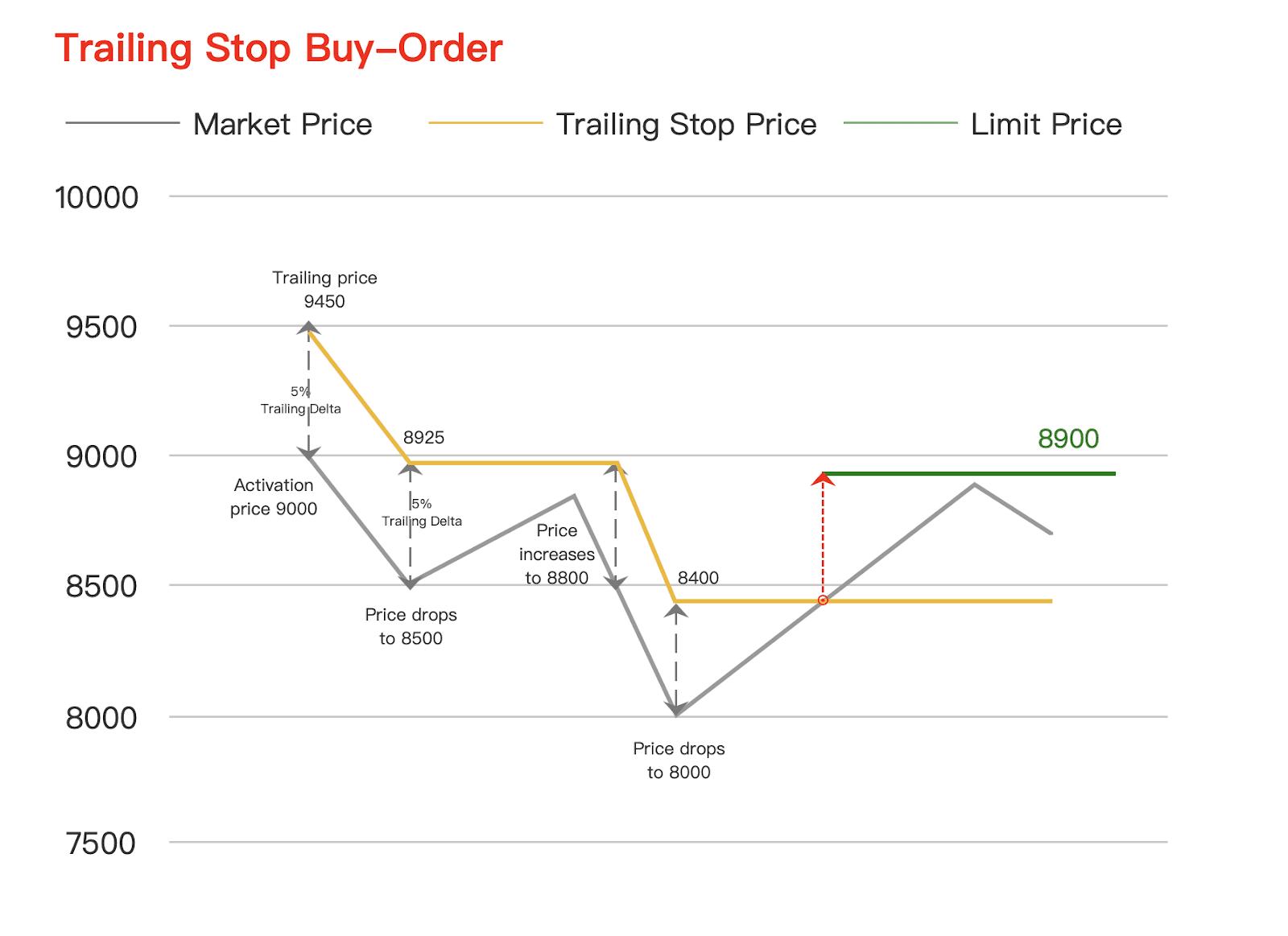
The market price of ETH/JPY is 9,000 JPY and you place a trailing stop order with the following parameters:
The trailing stop price is 9,450 JPY and the last price is 9,000 JPY. The trailing price reaches 8,925 JPY [Last Price* (1 + trailing delta)] when the price drops to 8,500 JPY.
The trailing price will stop when the price rises. When the price moves to its lowest price at 8,000 JPY, the trailing price will be 8,400 JPY. When the price rises, the trailing price stops again. Only when the price moves up by more than 5%, reaching or exceeding the trailing price of 8,400 JPY, a buy order (8,900 JPY) will be issued to the order book.
#2 Trailing Stop Sell Order on BTC/JPY
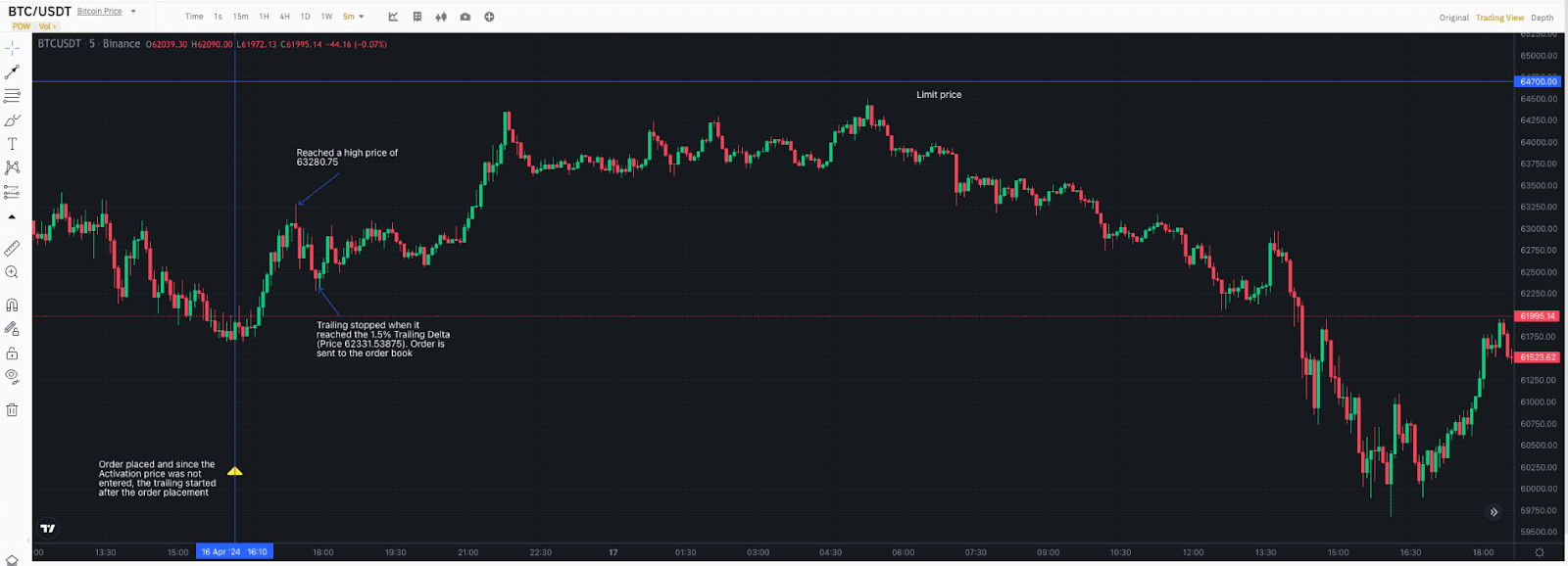
As no Activation Price was entered, trailing started after the order placement. The price then rose to a high of 63,280.75 and declined. With the 1.5% Trailing Delta, trailing would stop at the price of 62,331.53875 and the order was sent to the order book. However, the limit price of this order was 64,700 and since it was a sell order, it couldn’t be executed below 64,700, so the order wasn’t executed.