You can reset the Google Authenticator you use for two-factor authentication (2FA) by following the step-by-step guide below.
In order to protect your account, withdrawals will be disabled for 24 hours after changing your authenticator.
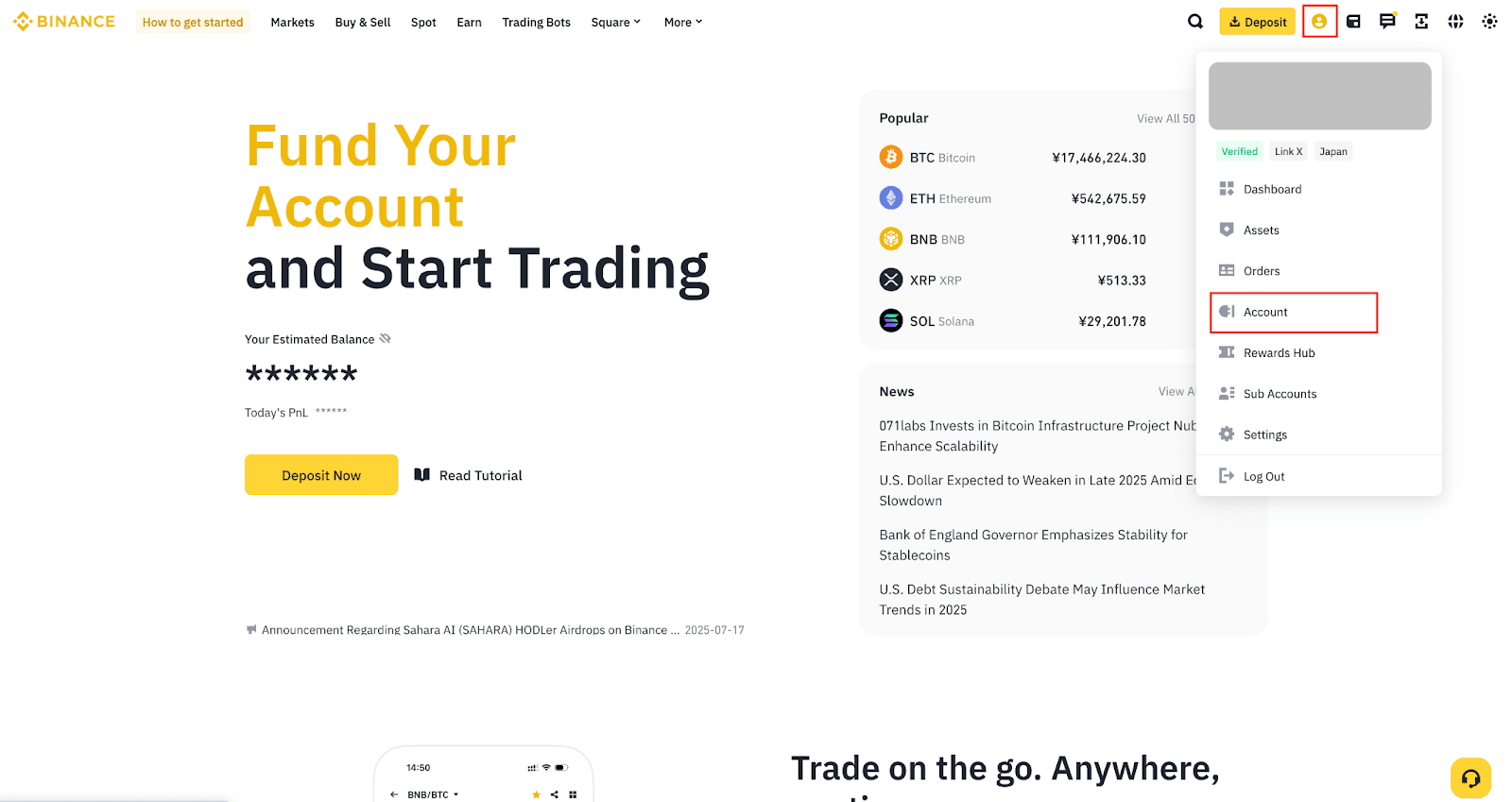
1. Log into your Binance account and hover over the [Profile] icon. Click [Account].
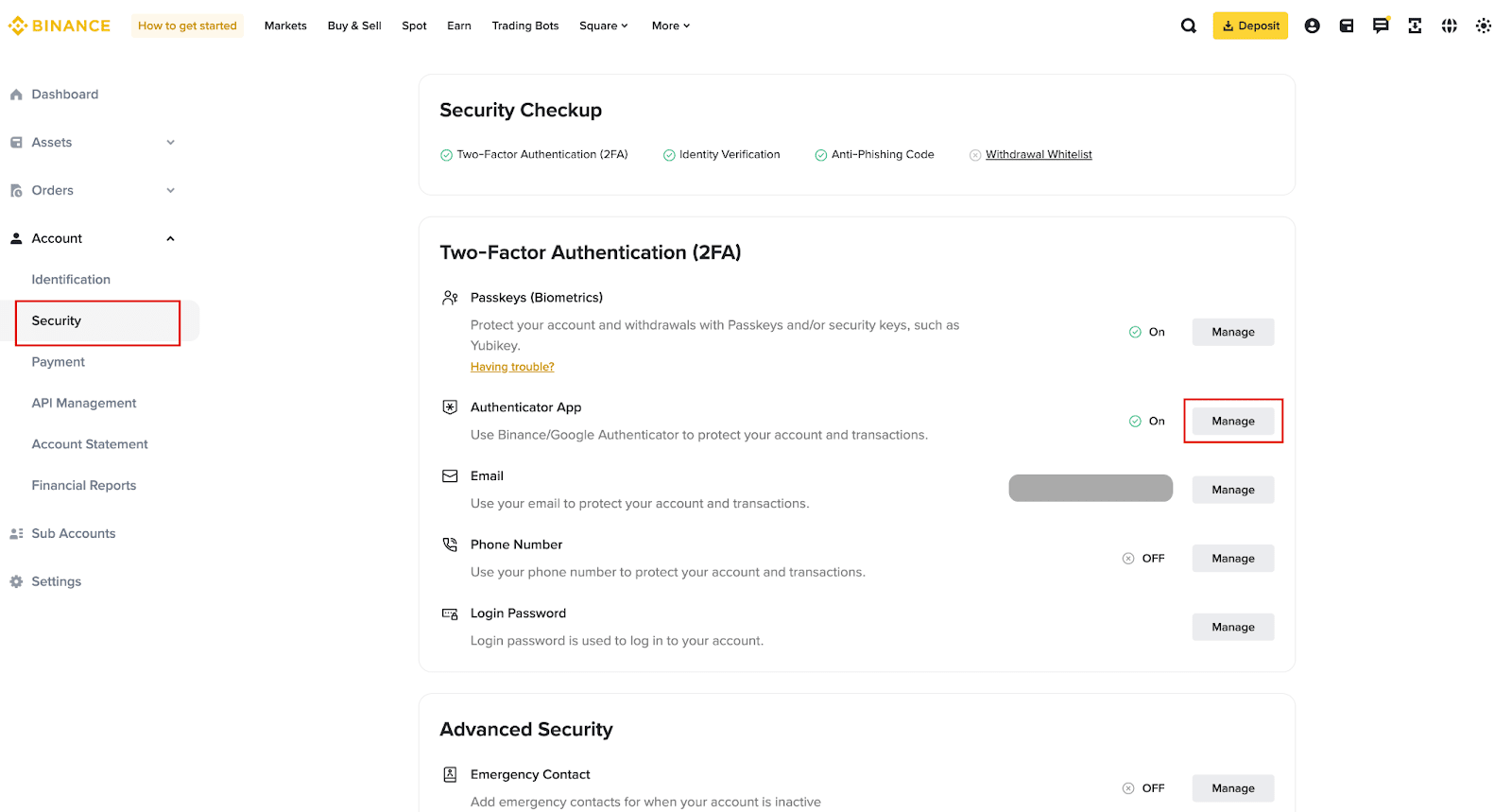
2. Go to [Security]. Click [Manage] next to [Authenticator App].
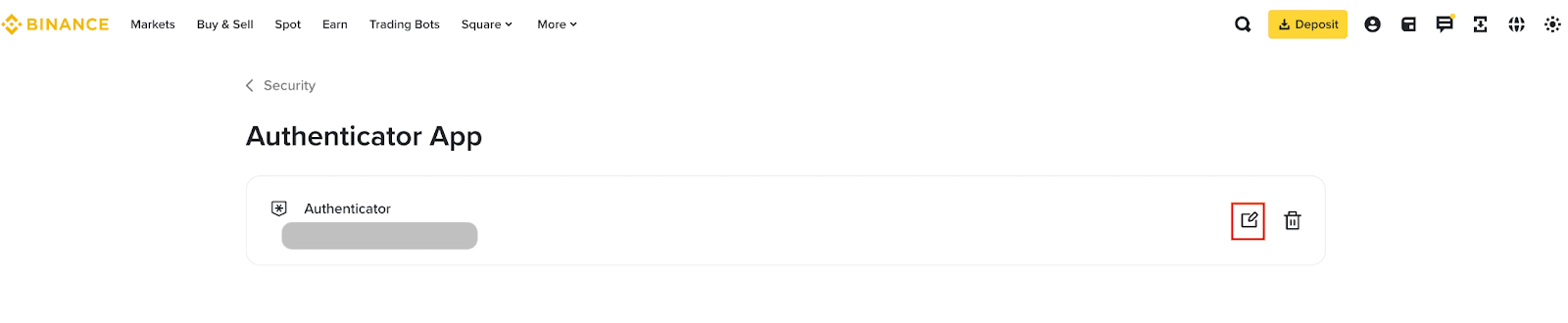
3. Click the edit icon next to the Google Authenticator you want to change.
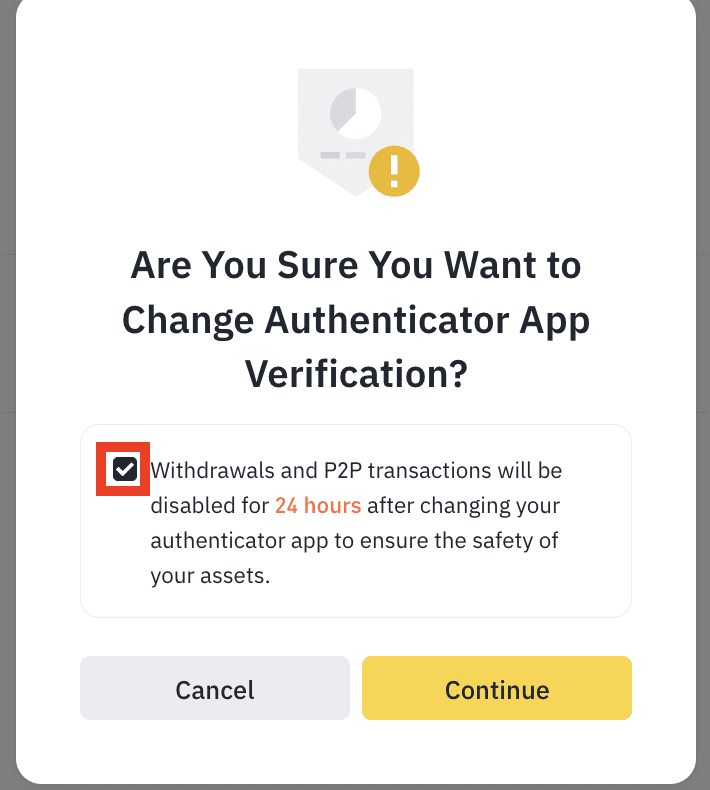
4. Read the notes carefully before clicking [Continue].
Please note that withdrawals will be disabled for 24 hours after changing your authenticator.
5. Complete 2FA to continue.
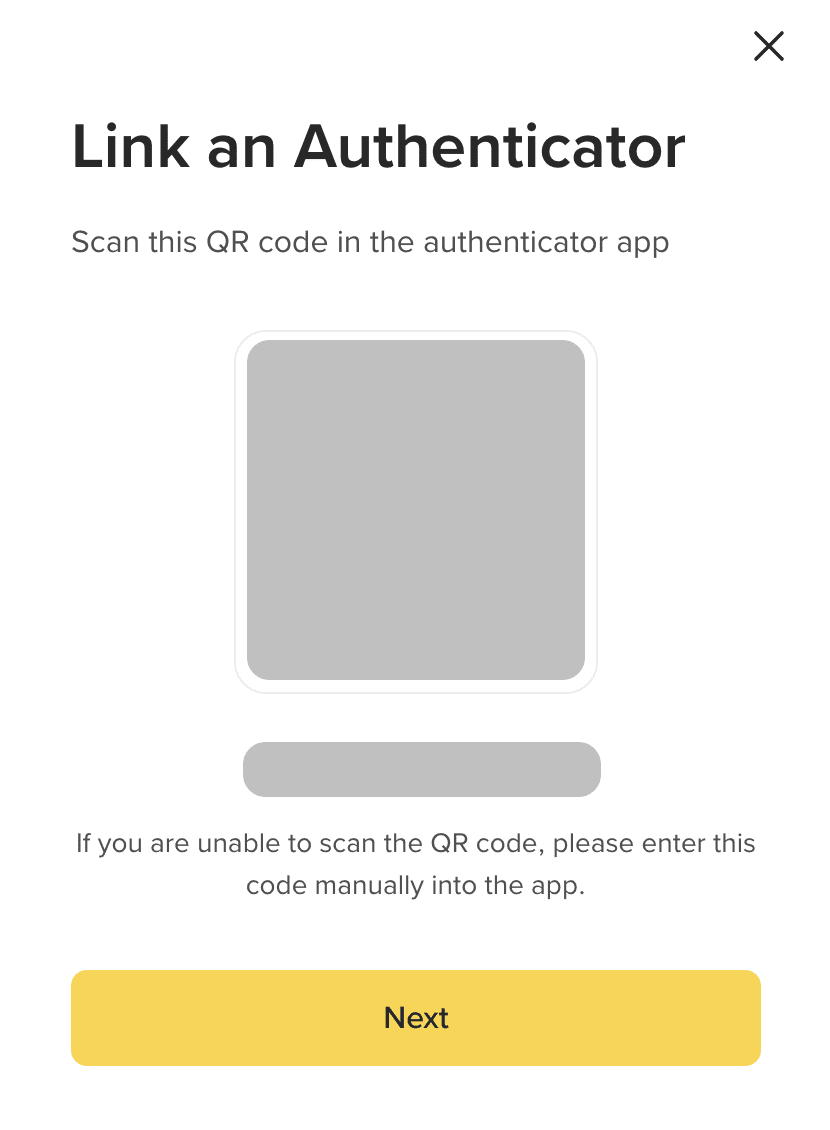
6. You’ll see a QR code and a 16-digit code. Scan the QR code with your Google Authenticator or enter the 16-digit code manually. Please make sure you’ve completed this step in your Google Authenticator before clicking [Next].
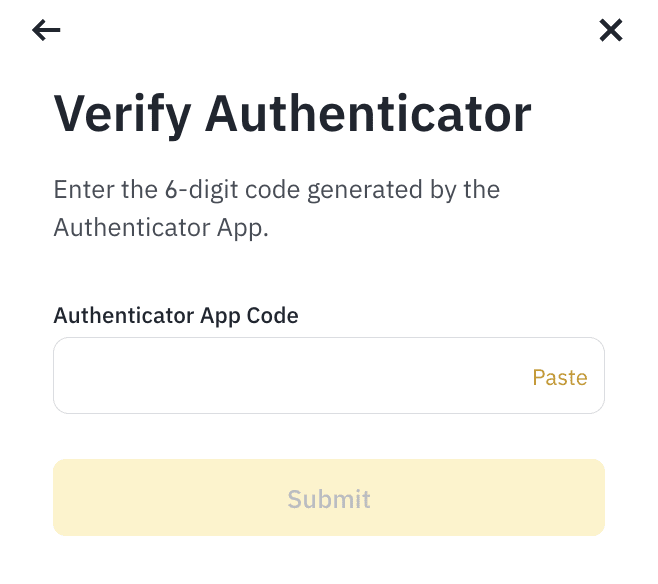
7. Enter the 6-digit code from your Google Authenticator and click [Submit].
8. Your Google Authenticator has been reset. Please note that withdrawals will be disabled for 24 hours after changing your authenticator.
