

ChainSector
49 Posts

ChainSector
Report
Block User
BP-C65692134790
21 Following
25 Followers
64 Liked
Posts
All
Quotes
·
--
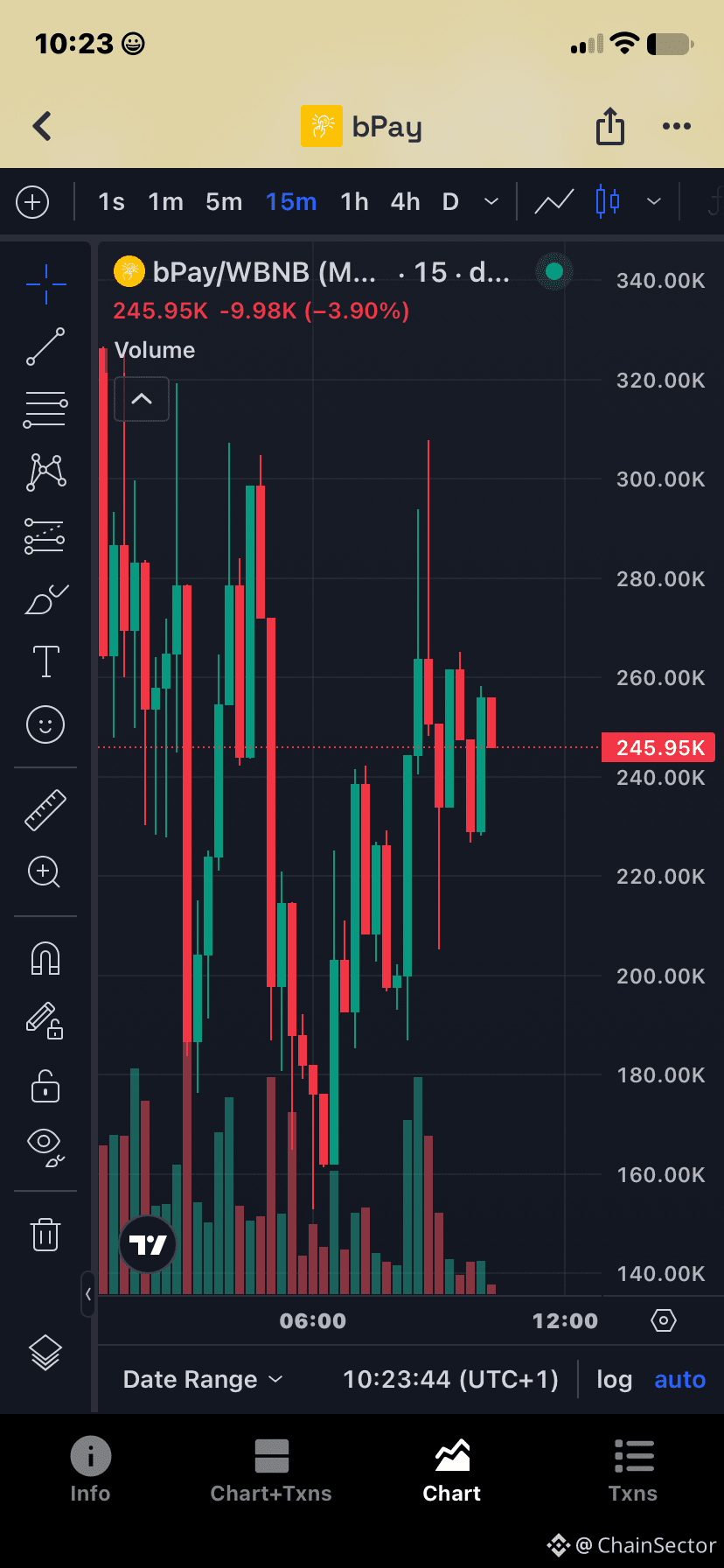
I’ve been taking a closer look at bPay on BNB Chain.
What caught my attention is the project itself, so I’m exploring the details and checking everything before interacting. If you’re researching bPay too, make sure to verify the contract address and do your own research.
CA: 0xb13003bf44de426dd2a3aae3df9c3400de0a7777
Code: BP-C65692134790
#bPay
I’ve been taking a closer look at bPay on BNB Chain.
What caught my attention is the project itself, so I’m exploring the details and checking everything before interacting. If you’re researching bPay too, make sure to verify the contract address and do your own research.
CA: 0xb13003bf44de426dd2a3aae3df9c3400de0a7777
Code: BP-C65692134790
#bPay
What caught my attention is the project itself, so I’m exploring the details and checking everything before interacting. If you’re researching bPay too, make sure to verify the contract address and do your own research.
CA: 0xb13003bf44de426dd2a3aae3df9c3400de0a7777
Code: BP-C65692134790
#bPay
59
·
--
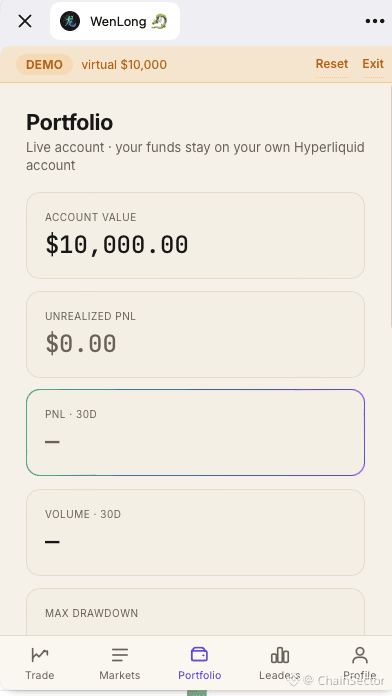
A New Way for EVM Products to Reach TON Users
The latest STON.fi integration example isn't just another cross-chain swap demo.
It's a Telegram Mini App architecture showing how an EVM-native product can become accessible to TON users.
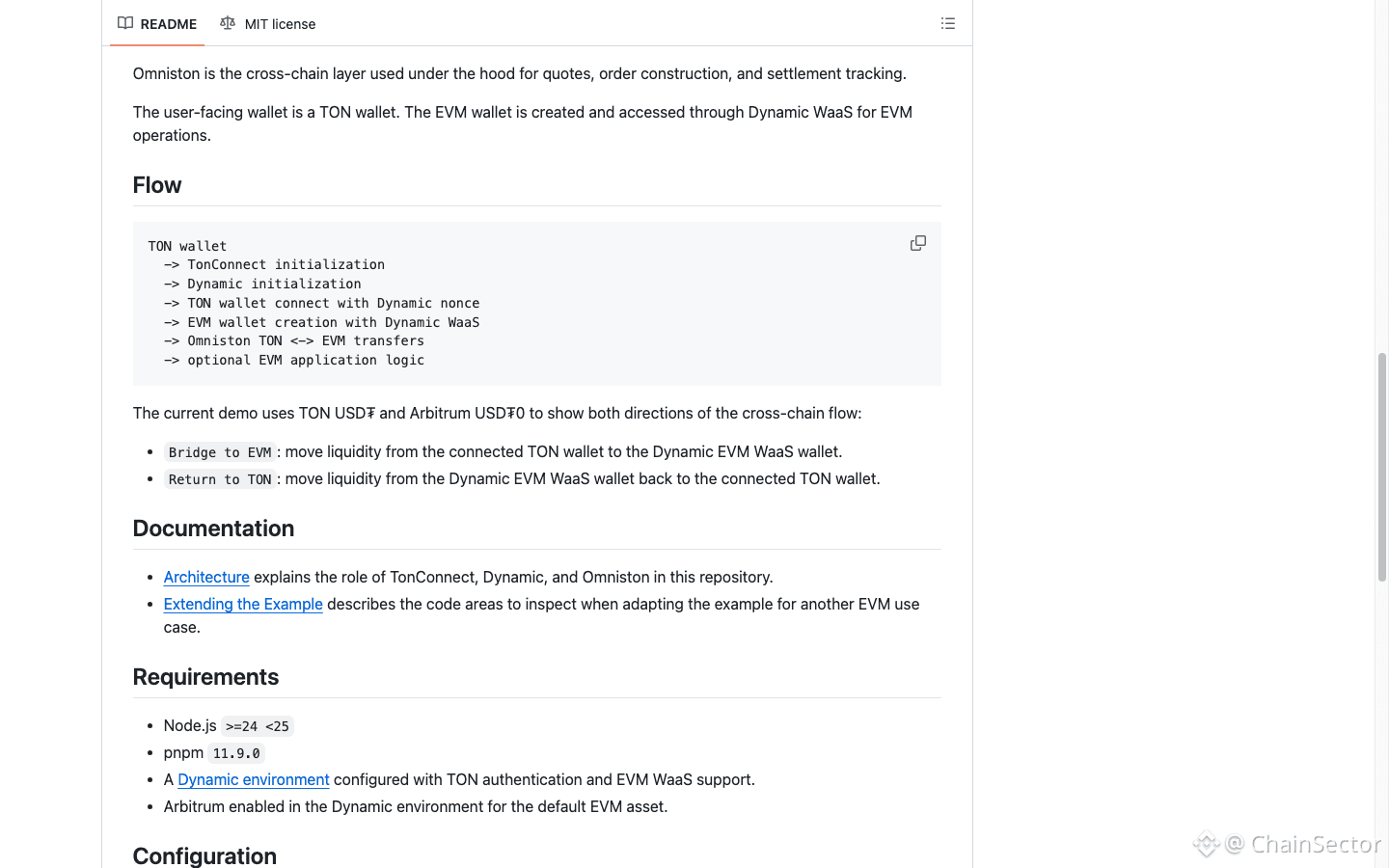
The example combines:
TonConnect → TON wallet
Dynamic → embedded EVM wallet
Omniston → cross-chain execution
The example route is:
TON USDT ↔ Arbitrum USDT0
Why does that matter?
Because an EVM-native product doesn't necessarily need to rebuild itself as a TON-native application just to serve TON users.
The cross-chain layer can sit between the two ecosystems.
And putting the experience inside a Telegram Mini App makes the whole flow even more interesting.
For builders, I think the open-source part is the biggest takeaway.
Instead of just reading about the architecture, developers can inspect the implementation and use it as a reference for their own TON ↔ EVM Mini App.
That's a much more practical starting point.
[GitHub example](https://github.com/ston-fi/omniston-ton-evm-miniapp-example?utm_source=chatgpt.com)
A New Way for EVM Products to Reach TON Users
The latest STON.fi integration example isn't just another cross-chain swap demo.
It's a Telegram Mini App architecture showing how an EVM-native product can become accessible to TON users.
The example combines:
TonConnect → TON wallet
Dynamic → embedded EVM wallet
Omniston → cross-chain execution
The example route is:
TON USDT ↔ Arbitrum USDT0
Why does that matter?
Because an EVM-native product doesn't necessarily need to rebuild itself as a TON-native application just to serve TON users.
The cross-chain layer can sit between the two ecosystems.
And putting the experience inside a Telegram Mini App makes the whole flow even more interesting.
For builders, I think the open-source part is the biggest takeaway.
Instead of just reading about the architecture, developers can inspect the implementation and use it as a reference for their own TON ↔ EVM Mini App.
That's a much more practical starting point.
GitHub example
The latest STON.fi integration example isn't just another cross-chain swap demo.
It's a Telegram Mini App architecture showing how an EVM-native product can become accessible to TON users.
The example combines:
TonConnect → TON wallet
Dynamic → embedded EVM wallet
Omniston → cross-chain execution
The example route is:
TON USDT ↔ Arbitrum USDT0
Why does that matter?
Because an EVM-native product doesn't necessarily need to rebuild itself as a TON-native application just to serve TON users.
The cross-chain layer can sit between the two ecosystems.
And putting the experience inside a Telegram Mini App makes the whole flow even more interesting.
For builders, I think the open-source part is the biggest takeaway.
Instead of just reading about the architecture, developers can inspect the implementation and use it as a reference for their own TON ↔ EVM Mini App.
That's a much more practical starting point.
GitHub example
68
·
--
Bullish
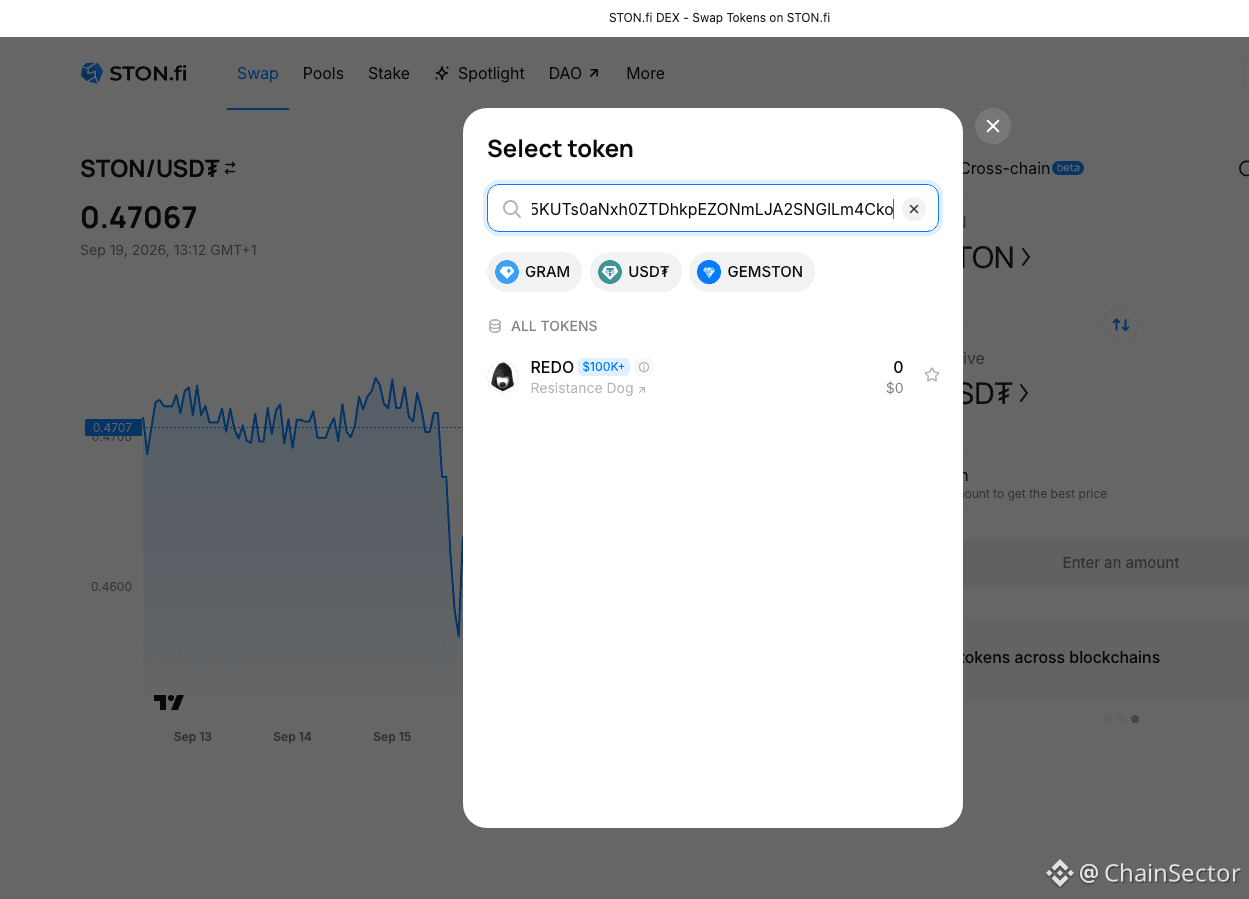
How to Swap a TON Token by Contract Address on STON.fi
Not every TON token is easy to find by simply searching its name.
If I already have the official contract address, I can use that address directly on STON.fi.
Here's the process I follow:
1. Open the Ston_fi.
2. Open the token selector.
3. Paste the token's official contract address into the search field.
4. Check the detected name, symbol and decimals.
5. Import the token.
6. Enter the amount and review the swap details before confirming.
STON.fi's current documentation specifically recommends verifying the official contract address because scam tokens can copy popular token names.
That's the part I wouldn't skip.
A familiar name or logo isn't enough for me when dealing with an unfamiliar token.
I want to confirm the contract → token details → swap details before interacting with it.
STON.fi also has interface flags for certain risky tokens, including Fake, Honeypot and Taxable classifications.
So if you're trying to swap a less familiar TON token, the contract address can be a much more precise starting point than searching by name alone.
@ston_fi
How to Swap a TON Token by Contract Address on STON.fi
Not every TON token is easy to find by simply searching its name.
If I already have the official contract address, I can use that address directly on STON.fi.
Here's the process I follow:
1. Open the Ston_fi.
2. Open the token selector.
3. Paste the token's official contract address into the search field.
4. Check the detected name, symbol and decimals.
5. Import the token.
6. Enter the amount and review the swap details before confirming.
STON.fi's current documentation specifically recommends verifying the official contract address because scam tokens can copy popular token names.
That's the part I wouldn't skip.
A familiar name or logo isn't enough for me when dealing with an unfamiliar token.
I want to confirm the contract → token details → swap details before interacting with it.
STON.fi also has interface flags for certain risky tokens, including Fake, Honeypot and Taxable classifications.
So if you're trying to swap a less familiar TON token, the contract address can be a much more precise starting point than searching by name alone.
@ston_fi
Not every TON token is easy to find by simply searching its name.
If I already have the official contract address, I can use that address directly on STON.fi.
Here's the process I follow:
1. Open the Ston_fi.
2. Open the token selector.
3. Paste the token's official contract address into the search field.
4. Check the detected name, symbol and decimals.
5. Import the token.
6. Enter the amount and review the swap details before confirming.
STON.fi's current documentation specifically recommends verifying the official contract address because scam tokens can copy popular token names.
That's the part I wouldn't skip.
A familiar name or logo isn't enough for me when dealing with an unfamiliar token.
I want to confirm the contract → token details → swap details before interacting with it.
STON.fi also has interface flags for certain risky tokens, including Fake, Honeypot and Taxable classifications.
So if you're trying to swap a less familiar TON token, the contract address can be a much more precise starting point than searching by name alone.
@ston_fi
138
·
--
How to Swap USDT on TON to USDT on Ethereum
If you have USDT on TON and need USDT on Ethereum, you can use STON.fi's cross-chain swap flow.
The process is:
USDT (TON) → USDT (Ethereum)
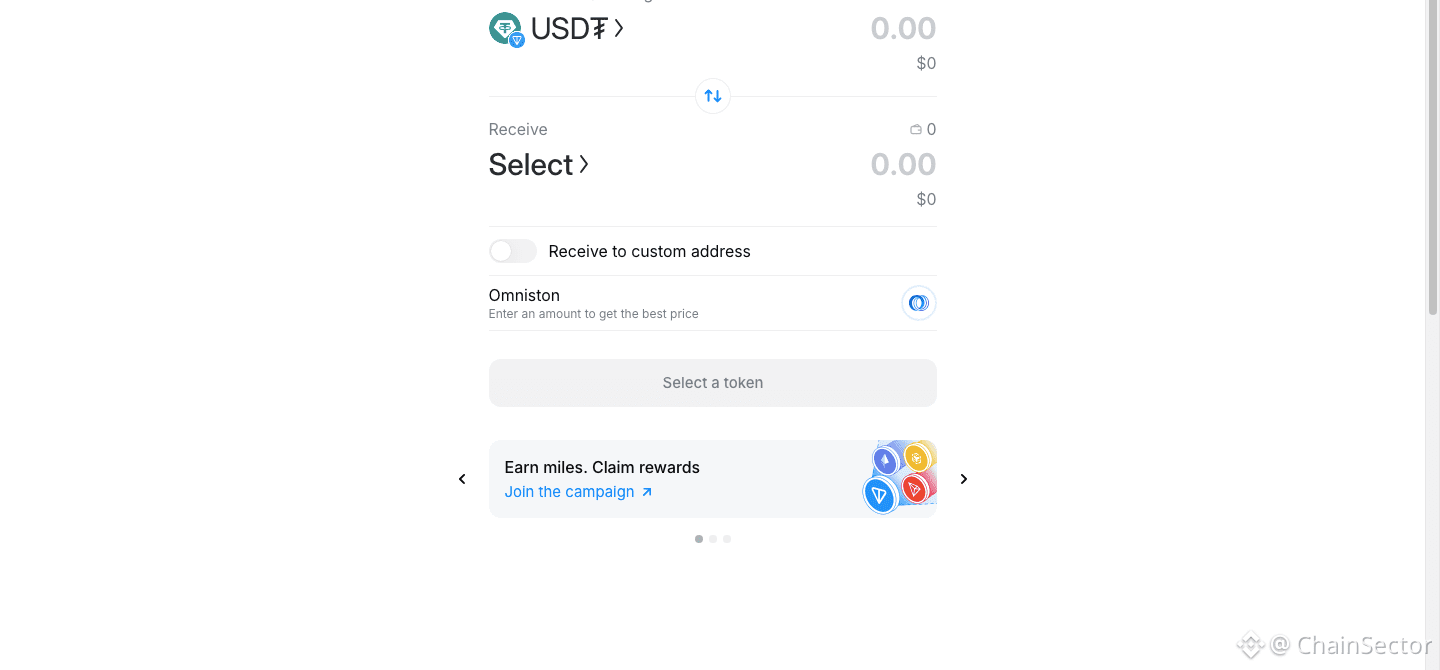
Open the STON.fi cross-chain interface and select USDT on TON as the asset you're sending.
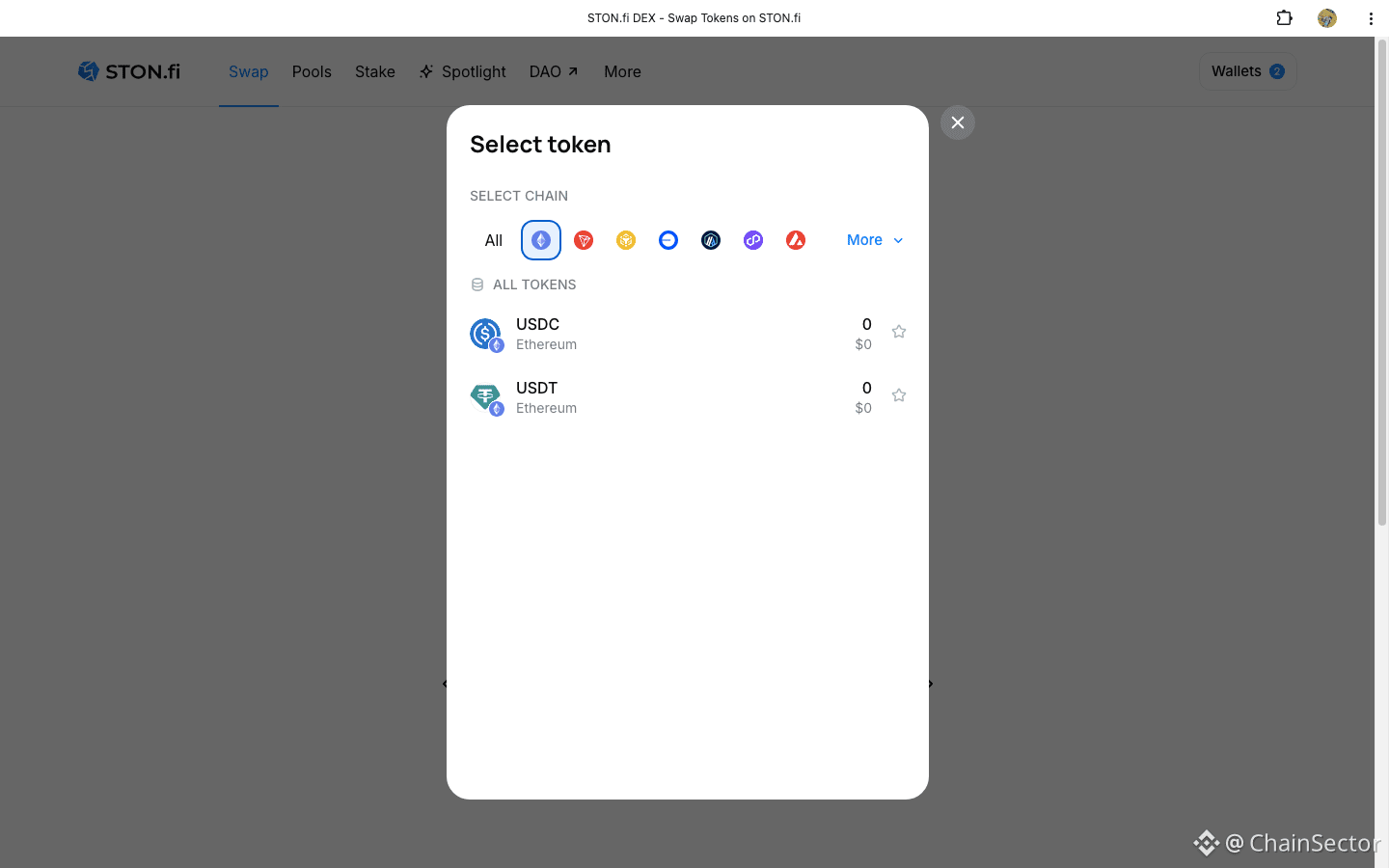
Then select Ethereum as the destination network and USDT as the receiving asset.
Before confirming, check the actual receive amount, fees, route and other swap details.
STON.fi's current cross-chain interface supports Ethereum alongside TON and several other networks, with Omniston handling the cross-chain execution layer.
The important thing is not to treat the two USDTs as if they're on the same network.
USDT on TON ≠ USDT on Ethereum.
The network selection on the receiving side is therefore something I would always verify before confirming.
How to Swap USDT on TON to USDT on Ethereum
If you have USDT on TON and need USDT on Ethereum, you can use STON.fi's cross-chain swap flow.
The process is:
USDT (TON) → USDT (Ethereum)
Open the STON.fi cross-chain interface and select USDT on TON as the asset you're sending.
Then select Ethereum as the destination network and USDT as the receiving asset.
Before confirming, check the actual receive amount, fees, route and other swap details.
STON.fi's current cross-chain interface supports Ethereum alongside TON and several other networks, with Omniston handling the cross-chain execution layer.
The important thing is not to treat the two USDTs as if they're on the same network.
USDT on TON ≠ USDT on Ethereum.
The network selection on the receiving side is therefore something I would always verify before confirming.
If you have USDT on TON and need USDT on Ethereum, you can use STON.fi's cross-chain swap flow.
The process is:
USDT (TON) → USDT (Ethereum)
Open the STON.fi cross-chain interface and select USDT on TON as the asset you're sending.
Then select Ethereum as the destination network and USDT as the receiving asset.
Before confirming, check the actual receive amount, fees, route and other swap details.
STON.fi's current cross-chain interface supports Ethereum alongside TON and several other networks, with Omniston handling the cross-chain execution layer.
The important thing is not to treat the two USDTs as if they're on the same network.
USDT on TON ≠ USDT on Ethereum.
The network selection on the receiving side is therefore something I would always verify before confirming.

86
·
--
I Tried Looking at Cross-Chain Swaps From the User Side
When a new chain gets added to a cross-chain system, it's easy to focus on the announcement and forget about the actual user experience.
So I looked at it differently.
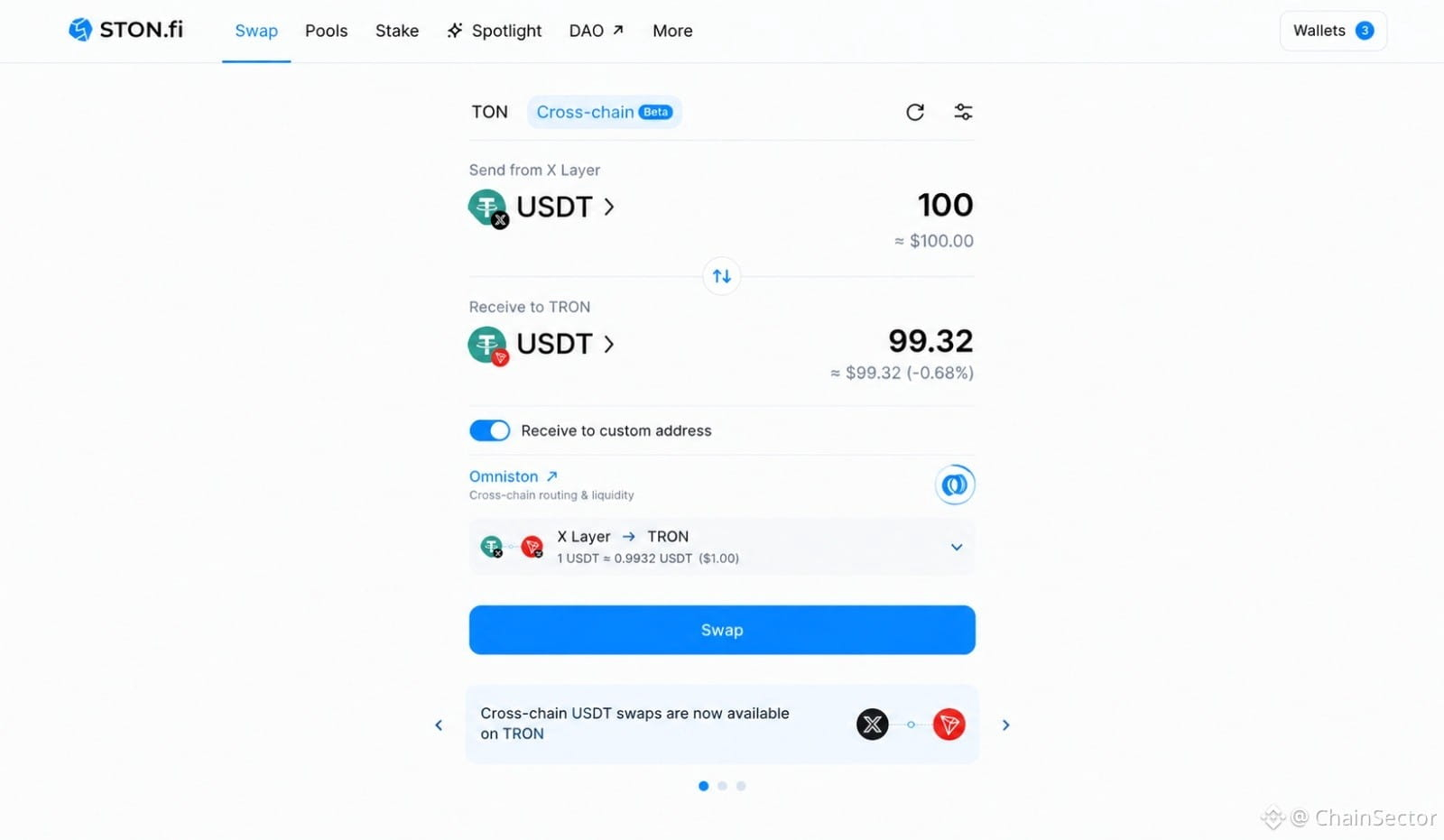
I wanted to see what it feels like to move USDT from X Layer to TRON through STON.fi.
The interesting part is that Omniston is working underneath the interface.
Instead of manually figuring out how to connect the two networks, the user gets a single swap flow where the route and expected output can be reviewed before confirming.
That's the part I think matters as more networks get connected.
More chains shouldn't necessarily mean more complexity for users.
Ideally, it should mean more destinations from the same simple interface.
That's the direction STON.fi appears to be pushing with Omniston.
Try the cross-chain swap:
STON.fi Cross-Chain Swap
I Tried Looking at Cross-Chain Swaps From the User Side
When a new chain gets added to a cross-chain system, it's easy to focus on the announcement and forget about the actual user experience.
So I looked at it differently.
I wanted to see what it feels like to move USDT from X Layer to TRON through STON.fi.
The interesting part is that Omniston is working underneath the interface.
Instead of manually figuring out how to connect the two networks, the user gets a single swap flow where the route and expected output can be reviewed before confirming.
That's the part I think matters as more networks get connected.
More chains shouldn't necessarily mean more complexity for users.
Ideally, it should mean more destinations from the same simple interface.
That's the direction STON.fi appears to be pushing with Omniston.
Try the cross-chain swap:
STON.fi Cross-Chain Swap
When a new chain gets added to a cross-chain system, it's easy to focus on the announcement and forget about the actual user experience.
So I looked at it differently.
I wanted to see what it feels like to move USDT from X Layer to TRON through STON.fi.
The interesting part is that Omniston is working underneath the interface.
Instead of manually figuring out how to connect the two networks, the user gets a single swap flow where the route and expected output can be reviewed before confirming.
That's the part I think matters as more networks get connected.
More chains shouldn't necessarily mean more complexity for users.
Ideally, it should mean more destinations from the same simple interface.
That's the direction STON.fi appears to be pushing with Omniston.
Try the cross-chain swap:
STON.fi Cross-Chain Swap
69
·
--
I Tried STON.fi's DeFi Simulator Before Using Real Funds
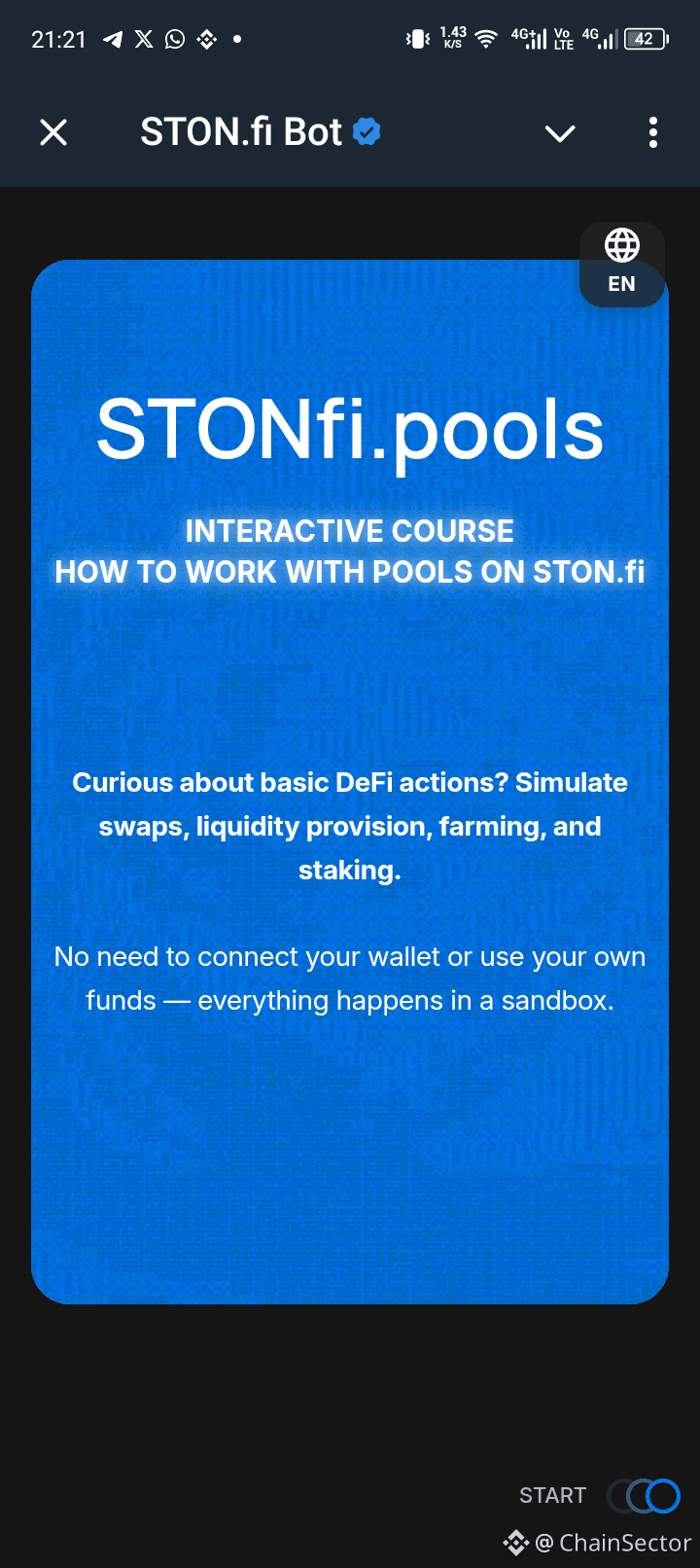
I recently came across the STONfi.pools interactive course and decided to try it.
What made me interested was pretty simple:
I didn't need to connect my wallet.
Everything happens inside a simulator, so I could explore the process without using my own funds.
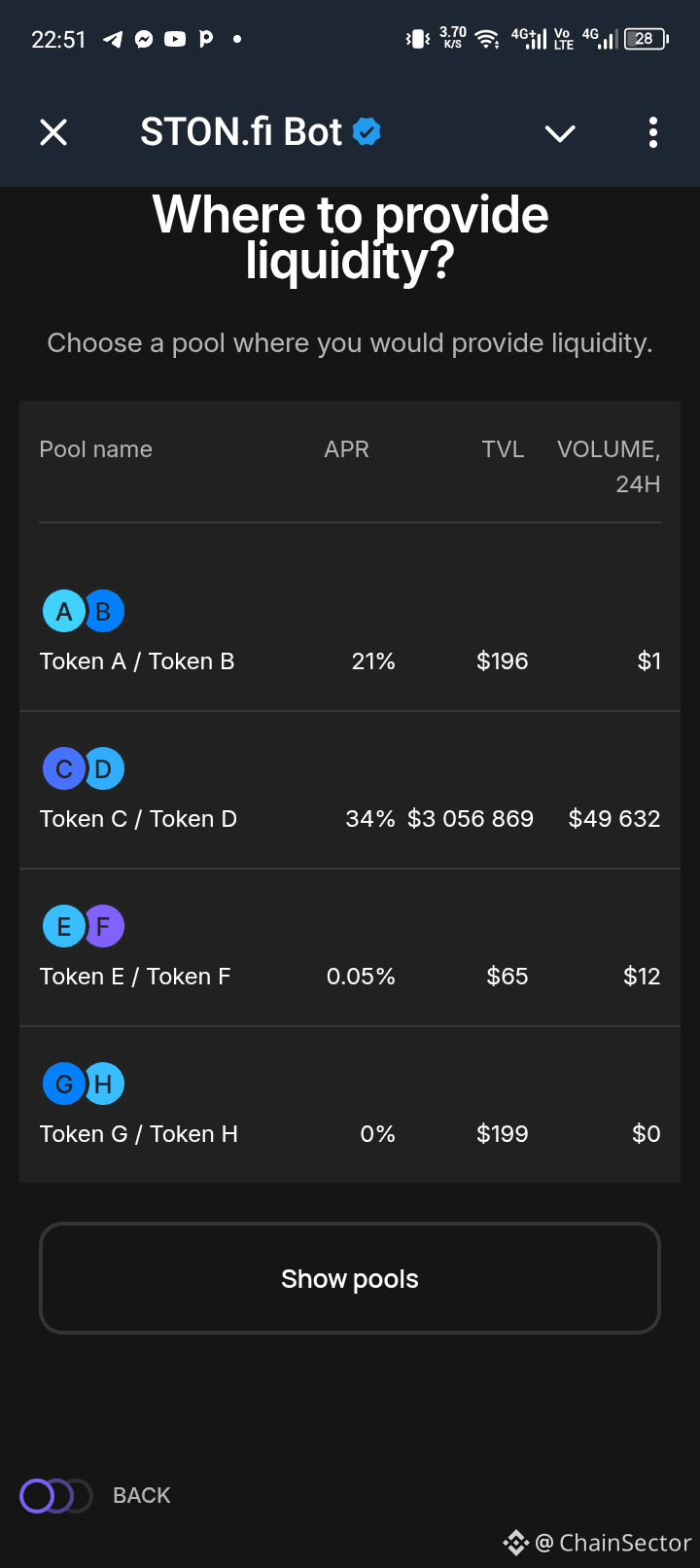
The course lets you practice:
• Swaps
• Providing liquidity
• Farming
• Staking
I found the approach useful because DeFi can feel very different once you're actually looking at the interface.
You can understand what a liquidity pool is, for example, but still hesitate when you're seeing the actual buttons and steps for the first time.
The simulator gives you somewhere to get familiar with that process.
And if you make a mistake?
You haven't lost anything.
You can simply try again.
Of course, I'd still do proper research before using real funds. A simulator doesn't remove the risks involved in real DeFi.
But as a learning tool, I think the idea makes sense:
Get comfortable with the process before putting money behind it.
@ston_fi
I Tried STON.fi's DeFi Simulator Before Using Real Funds
I recently came across the STONfi.pools interactive course and decided to try it.
What made me interested was pretty simple:
I didn't need to connect my wallet.
Everything happens inside a simulator, so I could explore the process without using my own funds.
The course lets you practice:
• Swaps
• Providing liquidity
• Farming
• Staking
I found the approach useful because DeFi can feel very different once you're actually looking at the interface.
You can understand what a liquidity pool is, for example, but still hesitate when you're seeing the actual buttons and steps for the first time.
The simulator gives you somewhere to get familiar with that process.
And if you make a mistake?
You haven't lost anything.
You can simply try again.
Of course, I'd still do proper research before using real funds. A simulator doesn't remove the risks involved in real DeFi.
But as a learning tool, I think the idea makes sense:
Get comfortable with the process before putting money behind it.
@ston_fi
I recently came across the STONfi.pools interactive course and decided to try it.
What made me interested was pretty simple:
I didn't need to connect my wallet.
Everything happens inside a simulator, so I could explore the process without using my own funds.
The course lets you practice:
• Swaps
• Providing liquidity
• Farming
• Staking
I found the approach useful because DeFi can feel very different once you're actually looking at the interface.
You can understand what a liquidity pool is, for example, but still hesitate when you're seeing the actual buttons and steps for the first time.
The simulator gives you somewhere to get familiar with that process.
And if you make a mistake?
You haven't lost anything.
You can simply try again.
Of course, I'd still do proper research before using real funds. A simulator doesn't remove the risks involved in real DeFi.
But as a learning tool, I think the idea makes sense:
Get comfortable with the process before putting money behind it.
@ston_fi
1
75
·
--
This STON.fi Feature Makes More Sense After Trying It
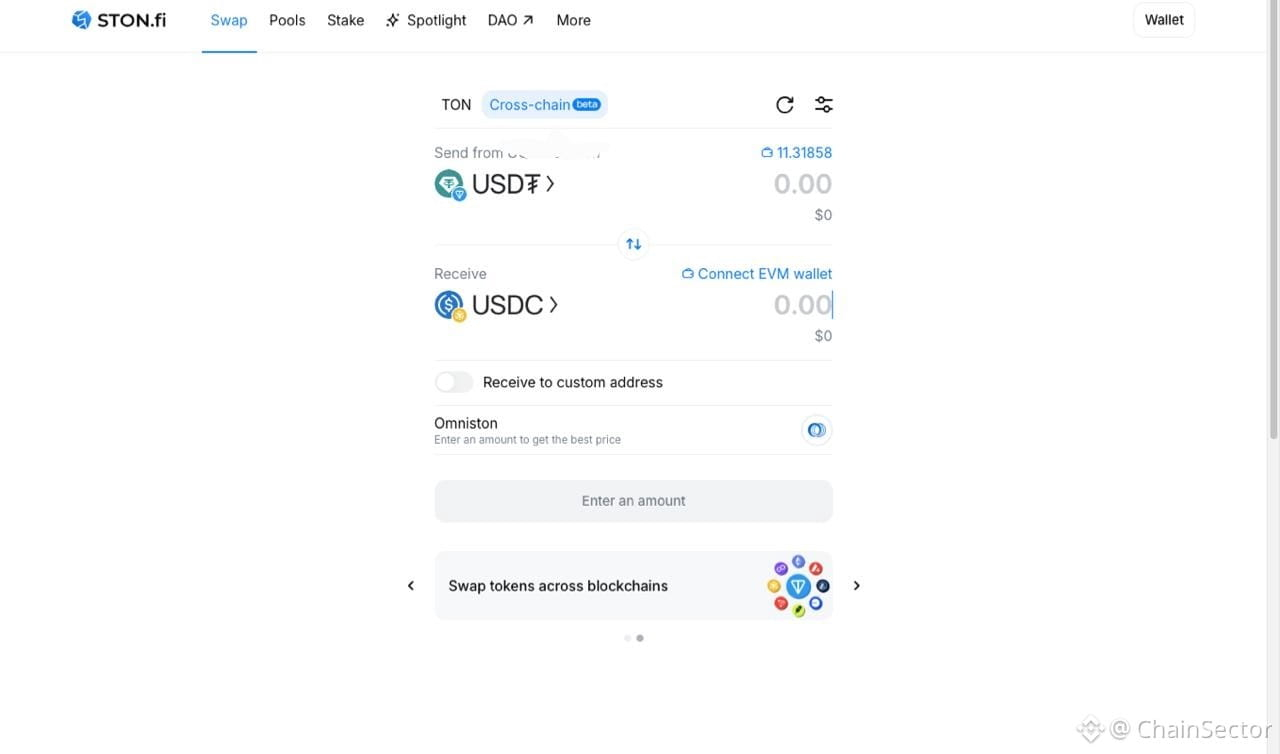
I tried STON.fi’s new custom-address option today.
Instead of connecting a wallet on both sides of the swap, I kept my source wallet connected and entered a different wallet as the destination.
That means you can swap from one wallet while having the resulting tokens sent somewhere else.
I think that’s useful if you separate your trading and holding wallets, or simply need to send the output to another address.
The only part I’d slow down on is the final check. When you’re entering a destination address yourself, make sure the address and network are correct before confirming.
Small feature, but a useful one.
@ston_fi
#STONfi #TON #CrossChain
This STON.fi Feature Makes More Sense After Trying It
I tried STON.fi’s new custom-address option today.
Instead of connecting a wallet on both sides of the swap, I kept my source wallet connected and entered a different wallet as the destination.
That means you can swap from one wallet while having the resulting tokens sent somewhere else.
I think that’s useful if you separate your trading and holding wallets, or simply need to send the output to another address.
The only part I’d slow down on is the final check. When you’re entering a destination address yourself, make sure the address and network are correct before confirming.
Small feature, but a useful one.
@ston_fi
#STONfi #TON #CrossChain
I tried STON.fi’s new custom-address option today.
Instead of connecting a wallet on both sides of the swap, I kept my source wallet connected and entered a different wallet as the destination.
That means you can swap from one wallet while having the resulting tokens sent somewhere else.
I think that’s useful if you separate your trading and holding wallets, or simply need to send the output to another address.
The only part I’d slow down on is the final check. When you’re entering a destination address yourself, make sure the address and network are correct before confirming.
Small feature, but a useful one.
@ston_fi
#STONfi #TON #CrossChain
1
77
·
--
I Tested STON.fi’s Three New DeFi Tools Before Looking at Liquidity Pools
Whenever I look at liquidity pools, my first instinct is usually to compare APR.
This time I decided to slow down and test STON.fi’s three new DeFi tools first.
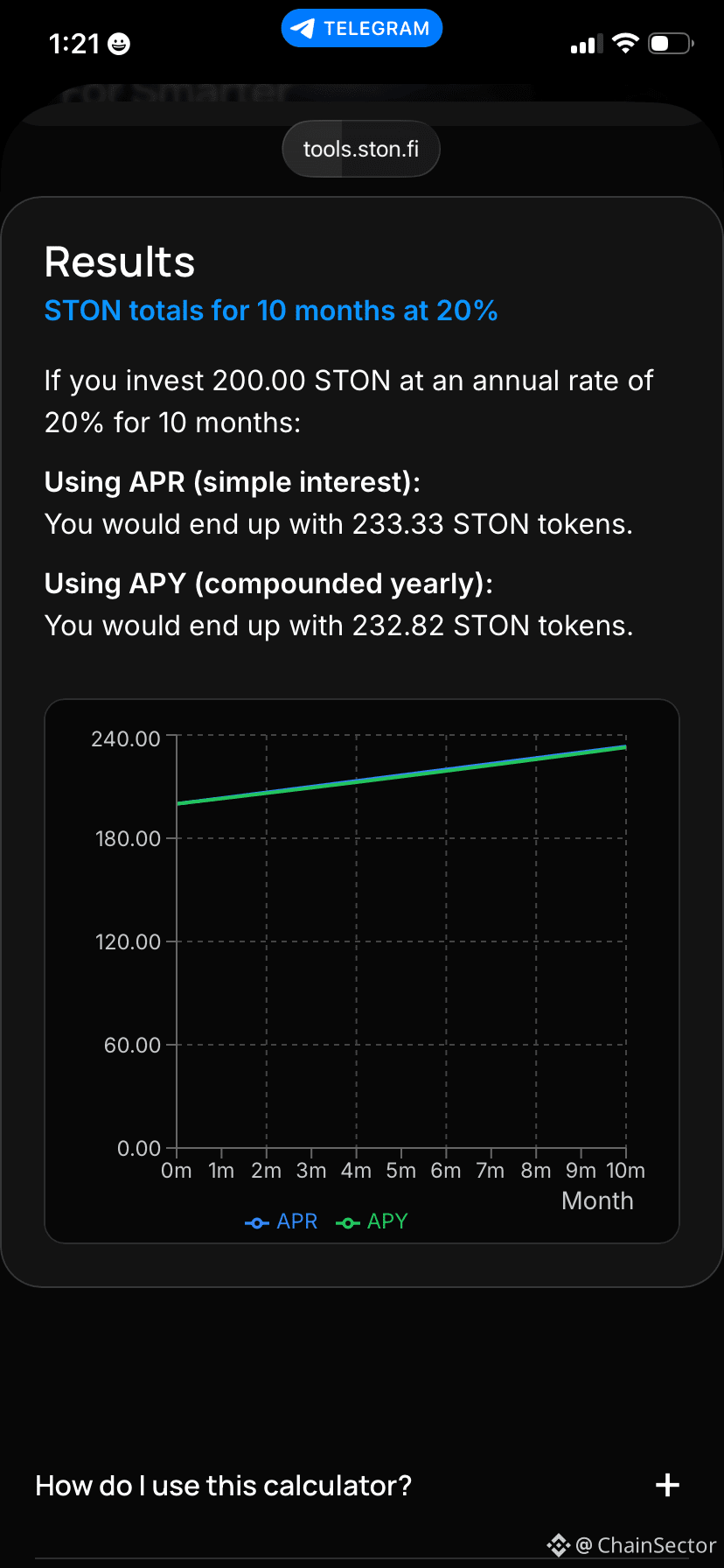
I started with the APR Calculator, changing deposit amounts, APR values and investment duration to see how different scenarios affected projected returns.
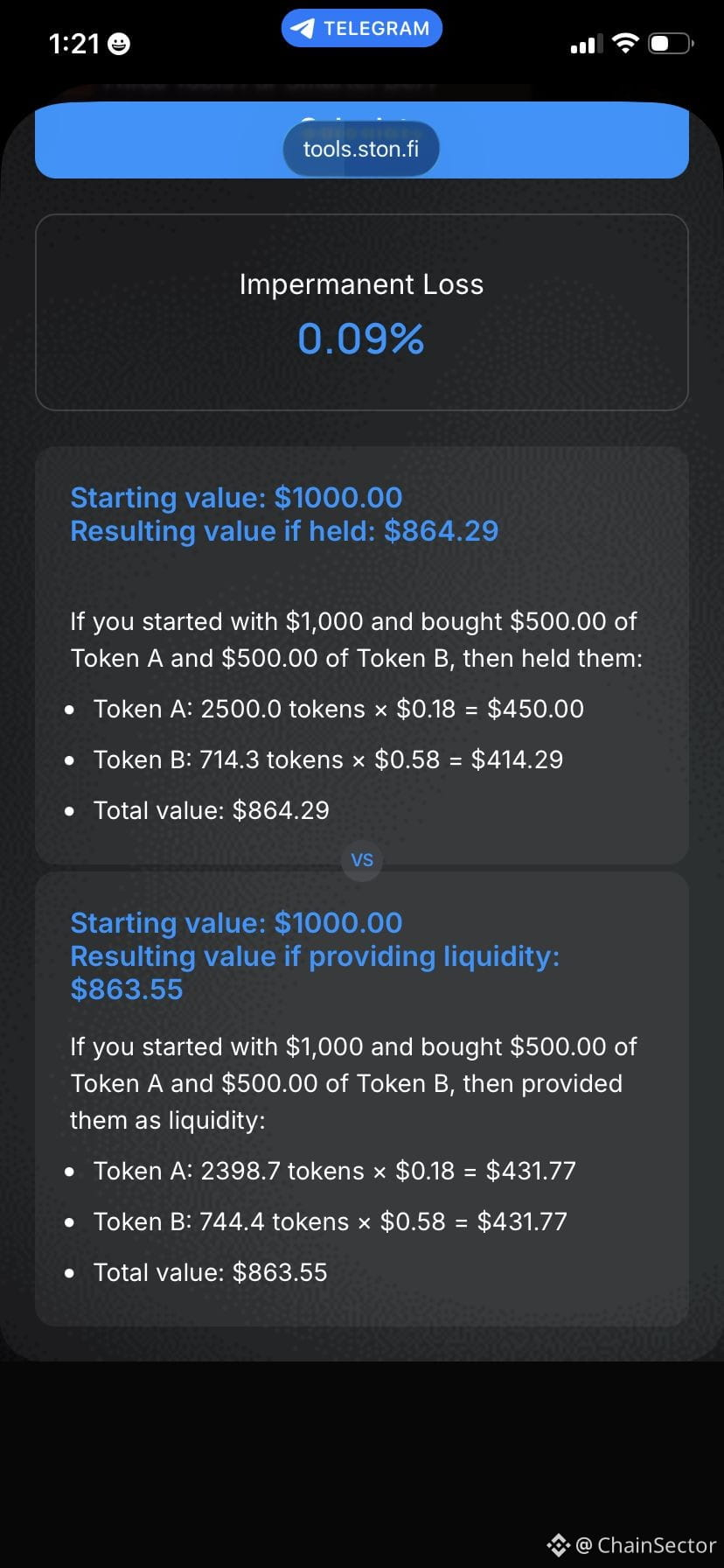
After that I moved to the Impermanent Loss Calculator.
What I found most useful wasn’t the impermanent loss percentage itself, but the comparison between simply holding the assets and providing them as liquidity.
Seeing both outcomes together made the concept much easier to understand.
Finally, I joined the STON.fi Pools Updates channel.
Instead of opening different pools every day, it keeps me informed through regular APR updates.
After using all three tools together, I don’t think of them as separate features anymore.
They’ve become part of my own process before evaluating liquidity opportunities.
They’re not investment advice, but they’re definitely useful for making more informed decisions.
@ston_fi
#STONfi #TON #DeFi
I Tested STON.fi’s Three New DeFi Tools Before Looking at Liquidity Pools
Whenever I look at liquidity pools, my first instinct is usually to compare APR.
This time I decided to slow down and test STON.fi’s three new DeFi tools first.
I started with the APR Calculator, changing deposit amounts, APR values and investment duration to see how different scenarios affected projected returns.
After that I moved to the Impermanent Loss Calculator.
What I found most useful wasn’t the impermanent loss percentage itself, but the comparison between simply holding the assets and providing them as liquidity.
Seeing both outcomes together made the concept much easier to understand.
Finally, I joined the STON.fi Pools Updates channel.
Instead of opening different pools every day, it keeps me informed through regular APR updates.
After using all three tools together, I don’t think of them as separate features anymore.
They’ve become part of my own process before evaluating liquidity opportunities.
They’re not investment advice, but they’re definitely useful for making more informed decisions.
@ston_fi
#STONfi #TON #DeFi
Whenever I look at liquidity pools, my first instinct is usually to compare APR.
This time I decided to slow down and test STON.fi’s three new DeFi tools first.
I started with the APR Calculator, changing deposit amounts, APR values and investment duration to see how different scenarios affected projected returns.
After that I moved to the Impermanent Loss Calculator.
What I found most useful wasn’t the impermanent loss percentage itself, but the comparison between simply holding the assets and providing them as liquidity.
Seeing both outcomes together made the concept much easier to understand.
Finally, I joined the STON.fi Pools Updates channel.
Instead of opening different pools every day, it keeps me informed through regular APR updates.
After using all three tools together, I don’t think of them as separate features anymore.
They’ve become part of my own process before evaluating liquidity opportunities.
They’re not investment advice, but they’re definitely useful for making more informed decisions.
@ston_fi
#STONfi #TON #DeFi
2
58
·
--
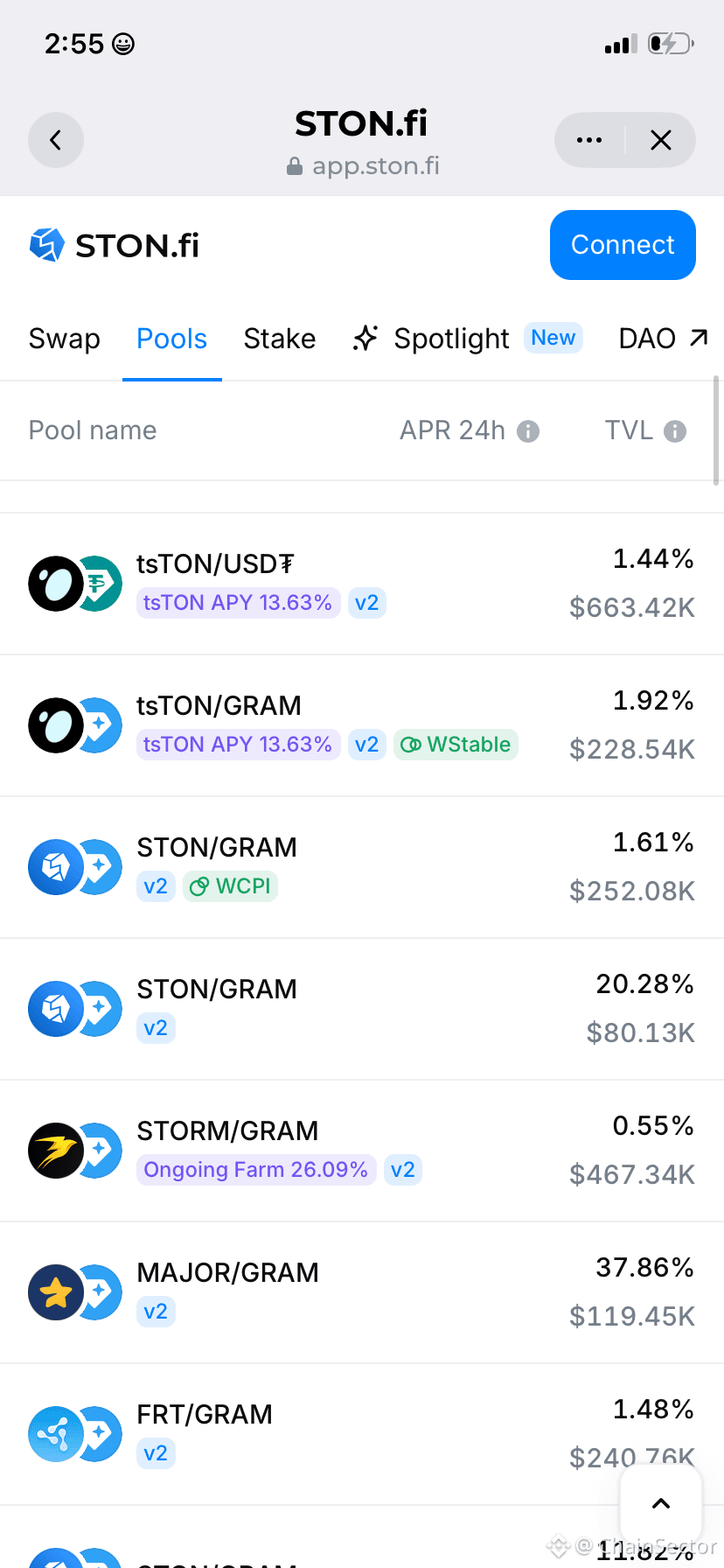
Today I compared two liquidity pools on STON.fi just to see how they differed.
It wasn’t about choosing one immediately.
It was about learning how different projects appear across the platform and becoming more familiar with the interface.
Sometimes spending a few extra minutes exploring teaches more than rushing straight into a transaction.
Today I compared two liquidity pools on STON.fi just to see how they differed.
It wasn’t about choosing one immediately.
It was about learning how different projects appear across the platform and becoming more familiar with the interface.
Sometimes spending a few extra minutes exploring teaches more than rushing straight into a transaction.
It wasn’t about choosing one immediately.
It was about learning how different projects appear across the platform and becoming more familiar with the interface.
Sometimes spending a few extra minutes exploring teaches more than rushing straight into a transaction.
2
167
·
--
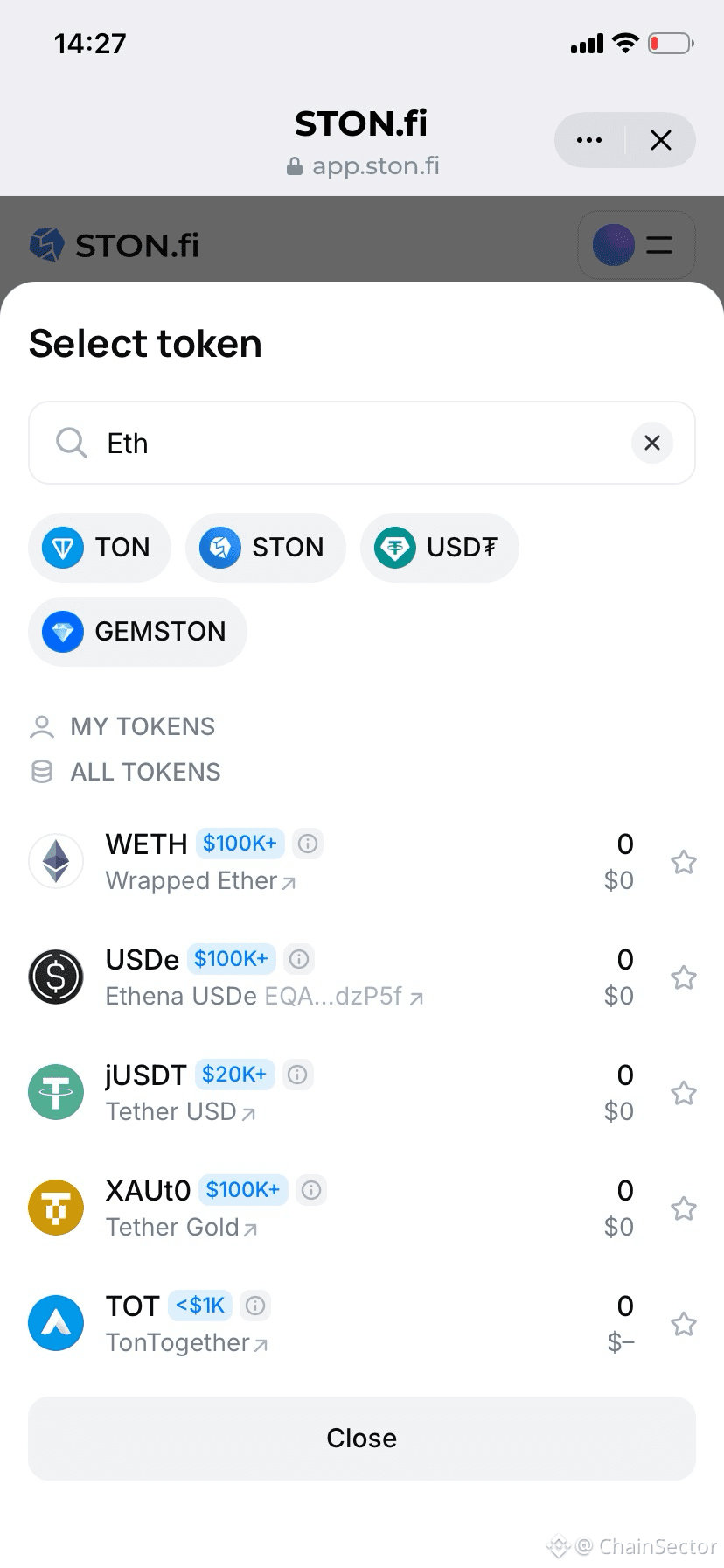
Exploring different assets on Ston_fi has made me realize that discovery inside a DEX doesn’t always feel intentional.
Sometimes you open the interface just to perform a simple swap, and end up noticing completely different tokens and activity you weren’t initially looking for.
That small shift is interesting because it turns the platform from a simple tool into something closer to an exploration environment.
Even when you’re not actively researching, you still end up learning something new about the ecosystem just by interacting with it.
That’s something I didn’t expect when I first started using it.
Exploring different assets on Ston_fi has made me realize that discovery inside a DEX doesn’t always feel intentional.
Sometimes you open the interface just to perform a simple swap, and end up noticing completely different tokens and activity you weren’t initially looking for.
That small shift is interesting because it turns the platform from a simple tool into something closer to an exploration environment.
Even when you’re not actively researching, you still end up learning something new about the ecosystem just by interacting with it.
That’s something I didn’t expect when I first started using it.
Sometimes you open the interface just to perform a simple swap, and end up noticing completely different tokens and activity you weren’t initially looking for.
That small shift is interesting because it turns the platform from a simple tool into something closer to an exploration environment.
Even when you’re not actively researching, you still end up learning something new about the ecosystem just by interacting with it.
That’s something I didn’t expect when I first started using it.
1
118
·
--
Bullish
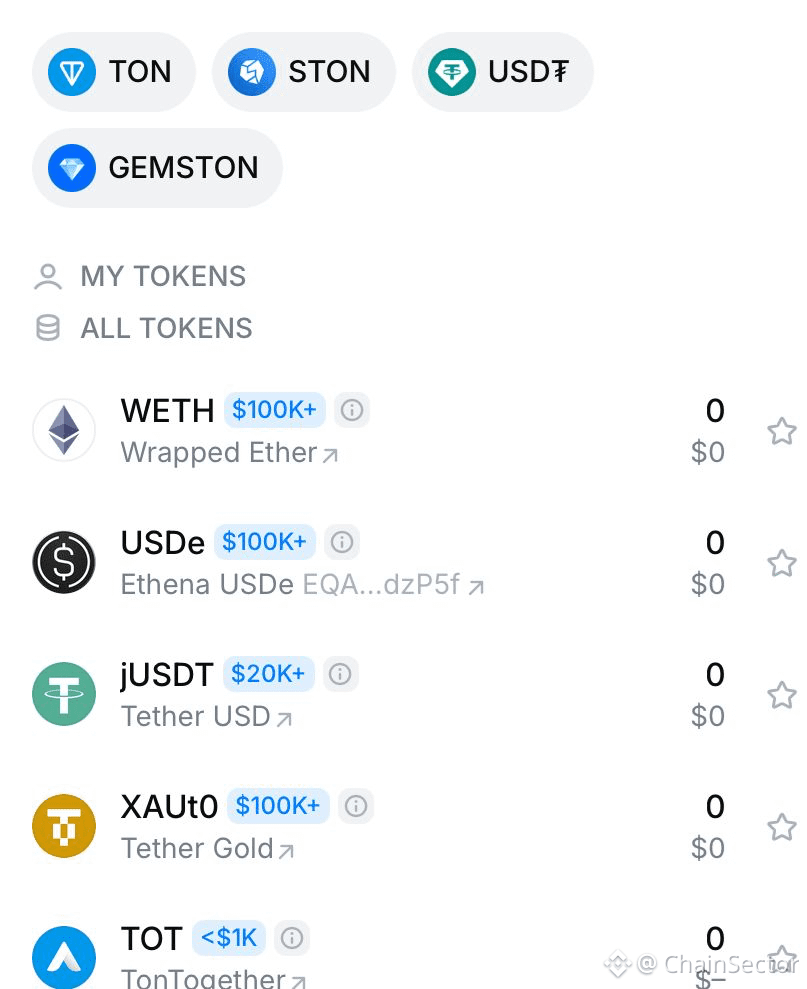
Communities Behind Tokens
One thing I didn’t expect when exploring assets on STON.fi was how much I would end up learning from the communities behind them.
Every token seems to attract a different type of audience.
Watching those differences has been a surprisingly interesting part of exploring the TON ecosystem.
Not every lesson comes from charts.
Sometimes it comes from the people building and supporting projects.
Communities Behind Tokens
One thing I didn’t expect when exploring assets on STON.fi was how much I would end up learning from the communities behind them.
Every token seems to attract a different type of audience.
Watching those differences has been a surprisingly interesting part of exploring the TON ecosystem.
Not every lesson comes from charts.
Sometimes it comes from the people building and supporting projects.
One thing I didn’t expect when exploring assets on STON.fi was how much I would end up learning from the communities behind them.
Every token seems to attract a different type of audience.
Watching those differences has been a surprisingly interesting part of exploring the TON ecosystem.
Not every lesson comes from charts.
Sometimes it comes from the people building and supporting projects.
1
85
·
--
Bullish
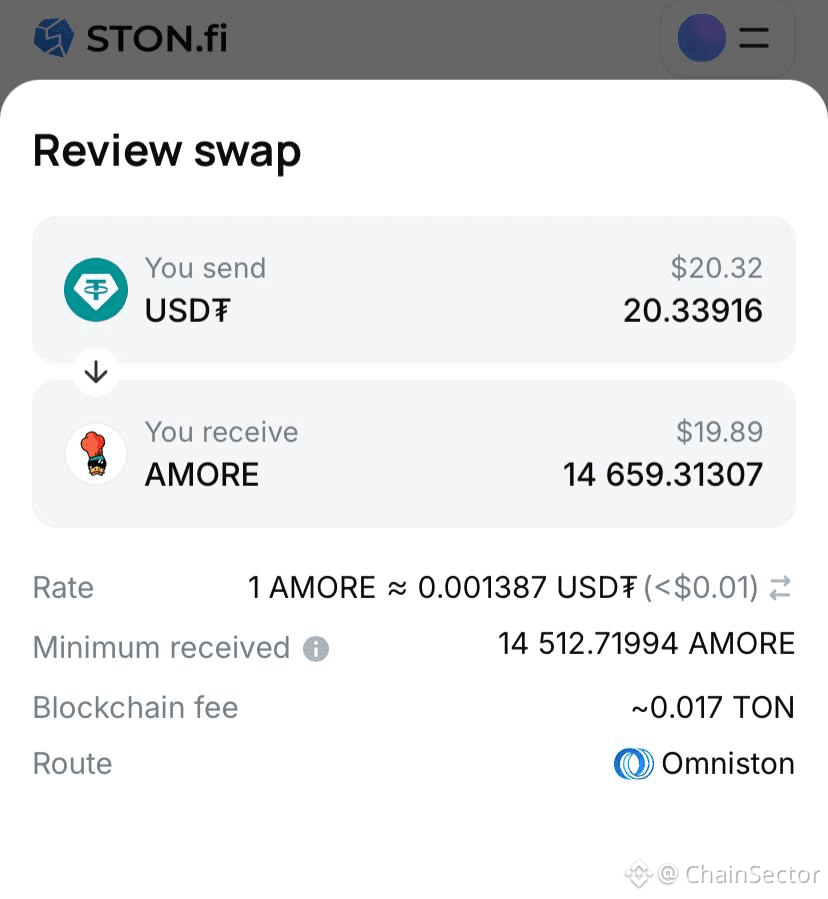
One thing I enjoy about browsing STON.fi is that it occasionally leads to unexpected discoveries.
You start by searching for one asset.
A few minutes later you’re reading about projects you’ve never encountered before.
That’s one of the underrated benefits of a growing ecosystem.
Exploration becomes part of the experience.
And honestly, learning what different communities are building on TON has been just as interesting as the transactions themselves.
One thing I enjoy about browsing STON.fi is that it occasionally leads to unexpected discoveries.
You start by searching for one asset.
A few minutes later you’re reading about projects you’ve never encountered before.
That’s one of the underrated benefits of a growing ecosystem.
Exploration becomes part of the experience.
And honestly, learning what different communities are building on TON has been just as interesting as the transactions themselves.
You start by searching for one asset.
A few minutes later you’re reading about projects you’ve never encountered before.
That’s one of the underrated benefits of a growing ecosystem.
Exploration becomes part of the experience.
And honestly, learning what different communities are building on TON has been just as interesting as the transactions themselves.
1
169
·
--
Bullish
One thing I didn’t expect while using STON.fi repeatedly:
How much repeated interaction naturally reduces hesitation over time.
At first I was carefully rechecking almost every step before confirming actions.
Now a lot of the interaction flow feels much more comfortable and predictable.
One thing I didn’t expect while using STON.fi repeatedly:
How much repeated interaction naturally reduces hesitation over time.
At first I was carefully rechecking almost every step before confirming actions.
Now a lot of the interaction flow feels much more comfortable and predictable.
How much repeated interaction naturally reduces hesitation over time.
At first I was carefully rechecking almost every step before confirming actions.
Now a lot of the interaction flow feels much more comfortable and predictable.
1
253
·
--
Bullish
One thing I didn’t expect while spending more time around STON.fi:
How much smoother navigation changes the overall feeling of interaction.
At first I barely thought about it.
But repeated use made me realize simpler movement around the platform reduces hesitation a lot more than I originally expected.
One thing I didn’t expect while spending more time around STON.fi:
How much smoother navigation changes the overall feeling of interaction.
At first I barely thought about it.
But repeated use made me realize simpler movement around the platform reduces hesitation a lot more than I originally expected.
How much smoother navigation changes the overall feeling of interaction.
At first I barely thought about it.
But repeated use made me realize simpler movement around the platform reduces hesitation a lot more than I originally expected.
1
175
·
--
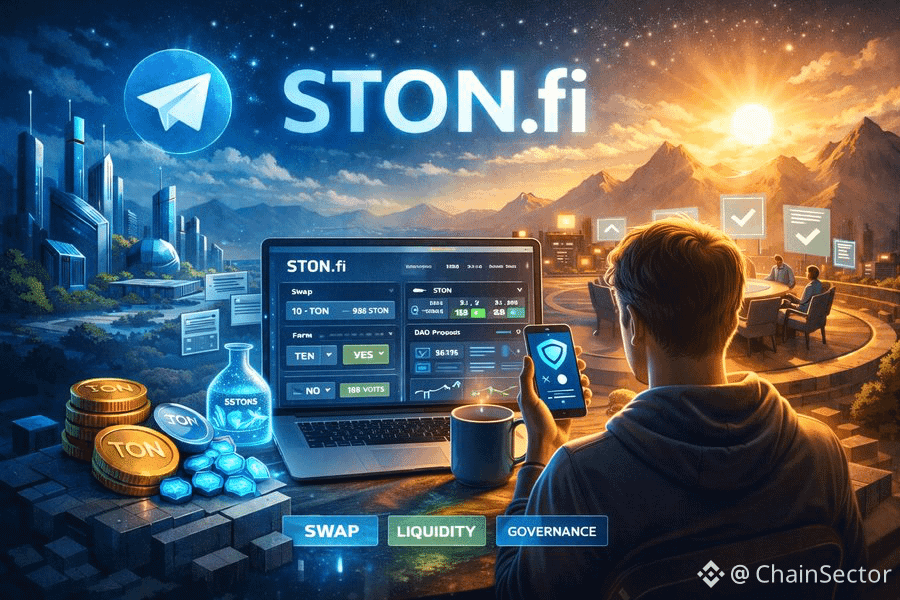
Something I appreciated after using STON.fi more consistently:
The interaction flow starts feeling smoother the more familiar you become with it.
Small usability details matter more over time than they do during the first visit.
Something I appreciated after using STON.fi more consistently:
The interaction flow starts feeling smoother the more familiar you become with it.
Small usability details matter more over time than they do during the first visit.
The interaction flow starts feeling smoother the more familiar you become with it.
Small usability details matter more over time than they do during the first visit.
1
147
·
--
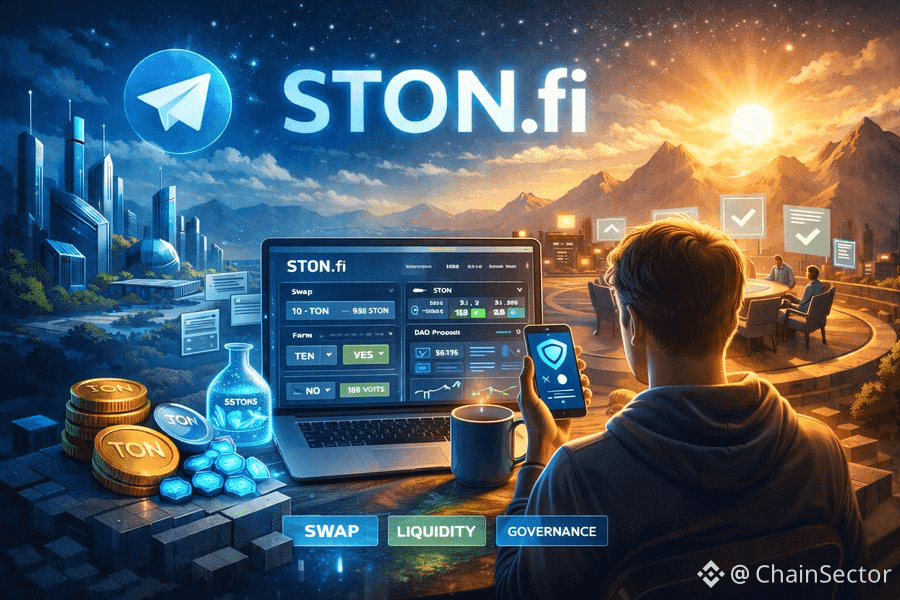
One thing I didn’t expect while using STON.fi repeatedly:
How much more comfortable everything starts feeling over time.
Not because DeFi suddenly becomes easy…
But because repeated interaction slowly removes hesitation.#
One thing I didn’t expect while using STON.fi repeatedly:
How much more comfortable everything starts feeling over time.
Not because DeFi suddenly becomes easy…
But because repeated interaction slowly removes hesitation.#
How much more comfortable everything starts feeling over time.
Not because DeFi suddenly becomes easy…
But because repeated interaction slowly removes hesitation.#
1
1
103
·
--
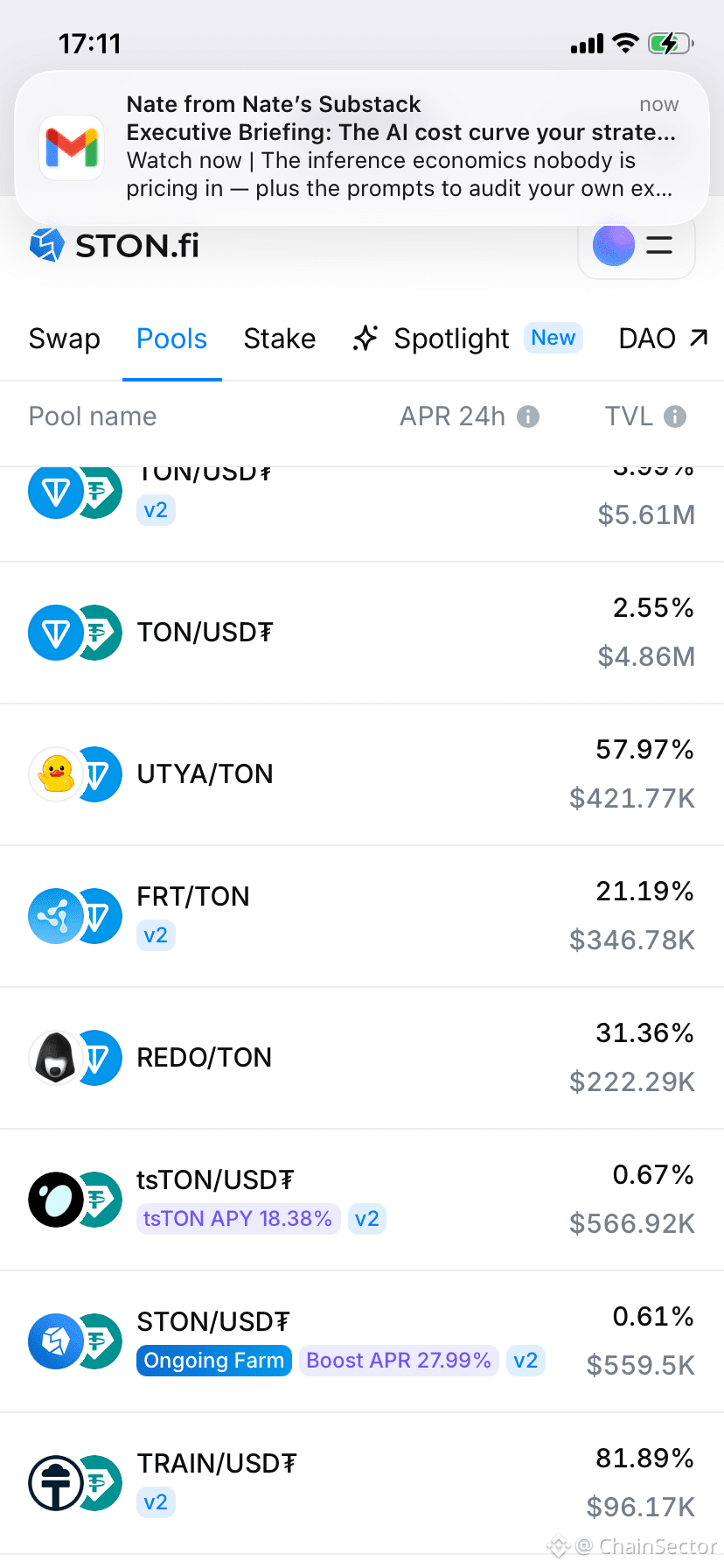
Something I noticed while using STON.fi:
At first, most pools looked the same to me.
But after using it more, I started seeing small differences in how they behave.
Some feel more stable.
Some change more over time.
It’s subtle… but once you notice it, you start approaching things differently.
Something I noticed while using STON.fi:
At first, most pools looked the same to me.
But after using it more, I started seeing small differences in how they behave.
Some feel more stable.
Some change more over time.
It’s subtle… but once you notice it, you start approaching things differently.
At first, most pools looked the same to me.
But after using it more, I started seeing small differences in how they behave.
Some feel more stable.
Some change more over time.
It’s subtle… but once you notice it, you start approaching things differently.
1
1
312
·
--
Bullish
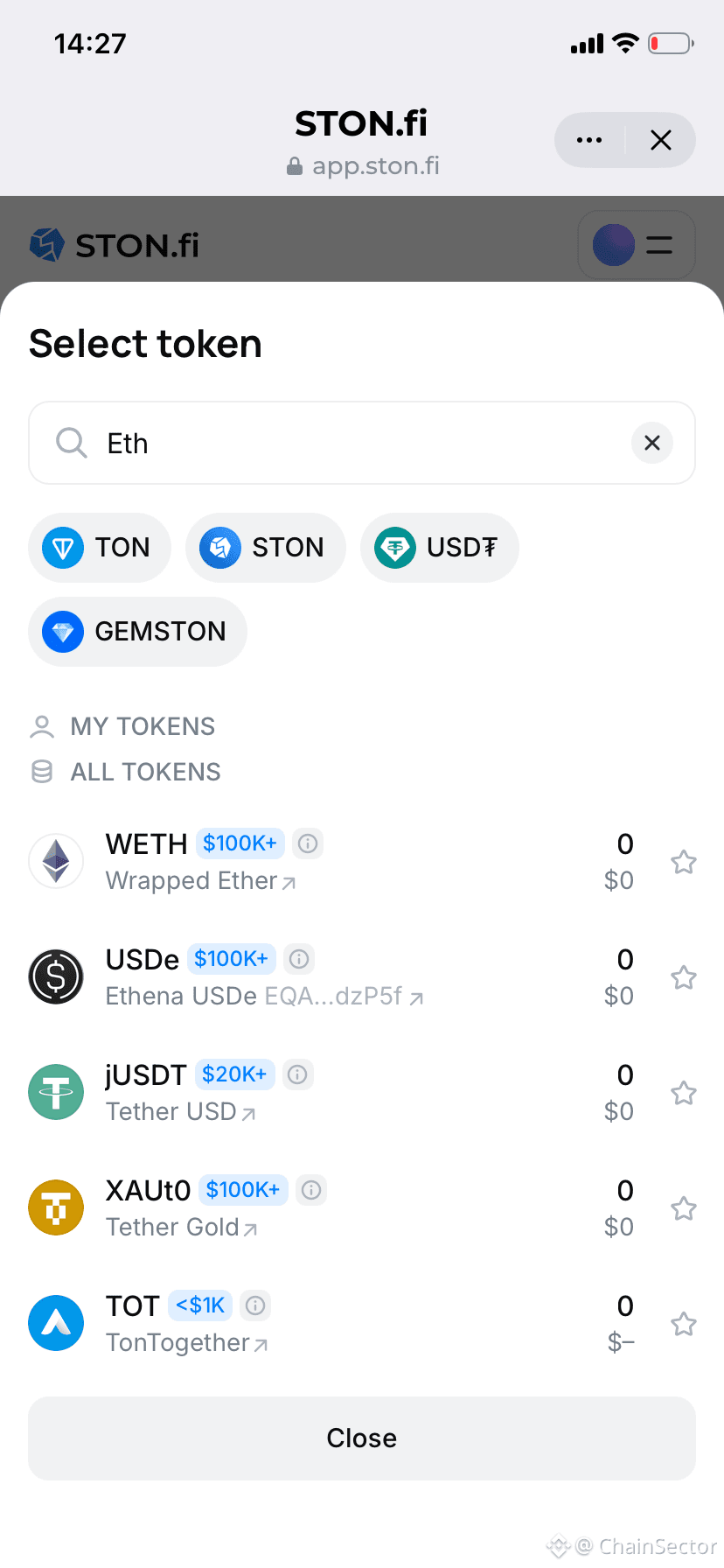
One thing I noticed while using STON.fi:
Everything feels simple on the surface.
You just pick tokens and swap.
But the more you use it, the more you realize:
There’s a lot happening underneath that you don’t even think about.
That balance between simplicity and depth is actually underrated.
One thing I noticed while using STON.fi:
Everything feels simple on the surface.
You just pick tokens and swap.
But the more you use it, the more you realize:
There’s a lot happening underneath that you don’t even think about.
That balance between simplicity and depth is actually underrated.
Everything feels simple on the surface.
You just pick tokens and swap.
But the more you use it, the more you realize:
There’s a lot happening underneath that you don’t even think about.
That balance between simplicity and depth is actually underrated.
1
239
·
--
Bullish
While using STON.fi recently, I noticed something interesting.
Smaller swaps actually revealed more than larger ones.
You start seeing:
• How output changes
• How liquidity responds
• How smooth execution really is
It’s subtle, but it changes how you approach everything.
Not every lesson in DeFi comes from going big.
While using STON.fi recently, I noticed something interesting.
Smaller swaps actually revealed more than larger ones.
You start seeing:
• How output changes
• How liquidity responds
• How smooth execution really is
It’s subtle, but it changes how you approach everything.
Not every lesson in DeFi comes from going big.
Smaller swaps actually revealed more than larger ones.
You start seeing:
• How output changes
• How liquidity responds
• How smooth execution really is
It’s subtle, but it changes how you approach everything.
Not every lesson in DeFi comes from going big.
2
75
·
--
Something interesting I noticed on STON.fi:
Swapping the same tokens at different times doesn’t always feel identical.
Nothing obvious changes…
but execution sometimes feels smoother or slightly different.
It made me realize:
DeFi isn’t just about the action, timing matters too.
Something interesting I noticed on STON.fi:
Swapping the same tokens at different times doesn’t always feel identical.
Nothing obvious changes…
but execution sometimes feels smoother or slightly different.
It made me realize:
DeFi isn’t just about the action, timing matters too.
Swapping the same tokens at different times doesn’t always feel identical.
Nothing obvious changes…
but execution sometimes feels smoother or slightly different.
It made me realize:
DeFi isn’t just about the action, timing matters too.
ChainSector
·
--
BullishOne thing I didn’t expect while using STON.fi:
Smaller swaps taught me more than bigger ones.
When the size is small, you start noticing:
• How output changes
• How liquidity reacts
• How smooth (or not) execution feels
It’s subtle, but it changes how you approach everything.
Not every lesson in DeFi comes from going big.
Smaller swaps taught me more than bigger ones.
When the size is small, you start noticing:
• How output changes
• How liquidity reacts
• How smooth (or not) execution feels
It’s subtle, but it changes how you approach everything.
Not every lesson in DeFi comes from going big.
1
117
Log in to explore more content
Join global crypto users on Binance Square
⚡️ Get latest and useful information about crypto.
💬 Trusted by the world’s largest crypto exchange.
👍 Discover real insights from verified creators.
Email / Phone number
Trending Topics
ZcashETFPostsFirstWeeklyOutflow$93.6M
38,110 views
129 Discussing
#ZcashETFPostsFirstWeeklyOutflow$93.6M
🚨🚨🚨🚨🚨🚨🚨🚨🚨🚨🚨🚨🚨🚨✅ 🚨 ZCASH ETF FLOWS TURN NEGATIVE FOR THE FIRST TIME! 📉
$ZEC is facing a notable shift in institutional fund flows, with Zcash investment products recording their first weekly net outflow since launching in August.
According to fund-flow data, around $93.6M was withdrawn from Zcash products during the latest week, while ZEC price action also cooled significantly.
📊 WHAT HAPPENED?
• Weekly Zcash ETF outflow: $93.6M
• September 30 daily outflow: $30.25M
• ZCSH previously attracted around $98.2M in one week
• ZEC is trading near $1,300
• Recent high: around $1,690
• Weekly decline: roughly 17%+
🔍 LEVELS TO WATCH
🟢 Support: $1,280–$1,300
🔴 Resistance: $1,450–$1,500
The key question now is whether the $1,300 area can hold and attract fresh buyers.
Institutional flows will also be important. A return of consistent positive inflows could signal renewed confidence, while continued outflows may keep pressure on $ZEC .
👀 Is this simply profit-taking after ZEC’s huge rally, or could we see another deeper pullback before buyers return?
Share your view below. 👇
#Zcash #ZEC #ZcashETF #Crypto
#analysis
owhggwiohsjowve
·0 Likes
·176 views
GreekPoliceBustCryptoScamRingArrest17
88,602 views
747 Discussing
BitcoinRejectedAt$87K
128,369 views
185 Discussing