All new and existing Binance users residing in Brazil who have completed Identity Verification with a valid national ID (Carteira de Identidade/Registro Geral/Registro Nacional de Estrangeiro), a valid driving license (Carteira Nacional de Habilitação), a valid passport or resident’s permit can apply for the Binance Brazil Card.
With the Binance Brazil Card, you can convert and spend cryptocurrencies at more than 90 million online and offline merchants worldwide. Follow these steps to order your Binance Brazil Card today.
Start by registering for a Binance account, then complete identity verification (KYC).
To order a Binance Brazil Card, please refer to the instructions from How to Order My Binance Brazil Card.
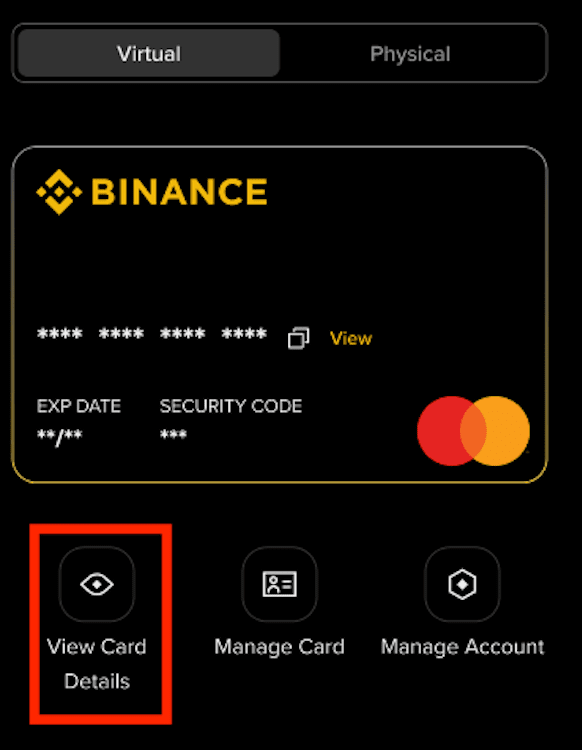
3.1 When you apply for a card, your virtual card will be issued first and made available for immediate use. Your physical card will be shipped to you separately, which may take additional time depending on delivery.. To view your card details, such as the card number, CVV code, and expiry date, tap [View Card Details] below the image of the card on the Card Dashboard and complete security verification. You can also bind your card to your digital wallet for instant spending.
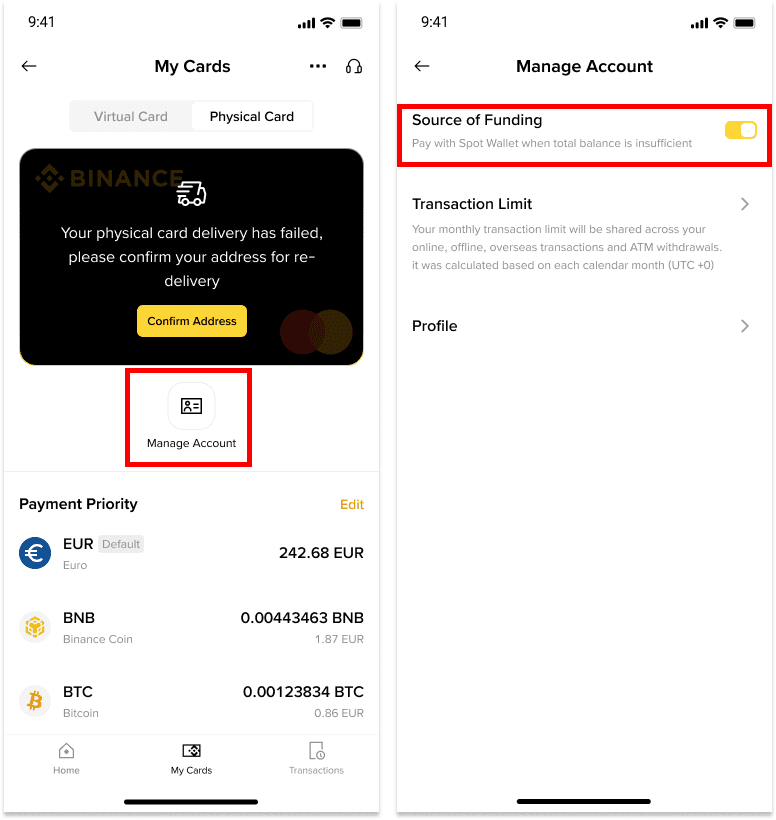
To start using your card, ensure that you have assets in your Funding Account or your Spot Account (provided Spot Account is enabled as Source of Funding). For more information, check out our guide on Using Spot Account as a Backup Source of Funding on Binance Brazil Card.
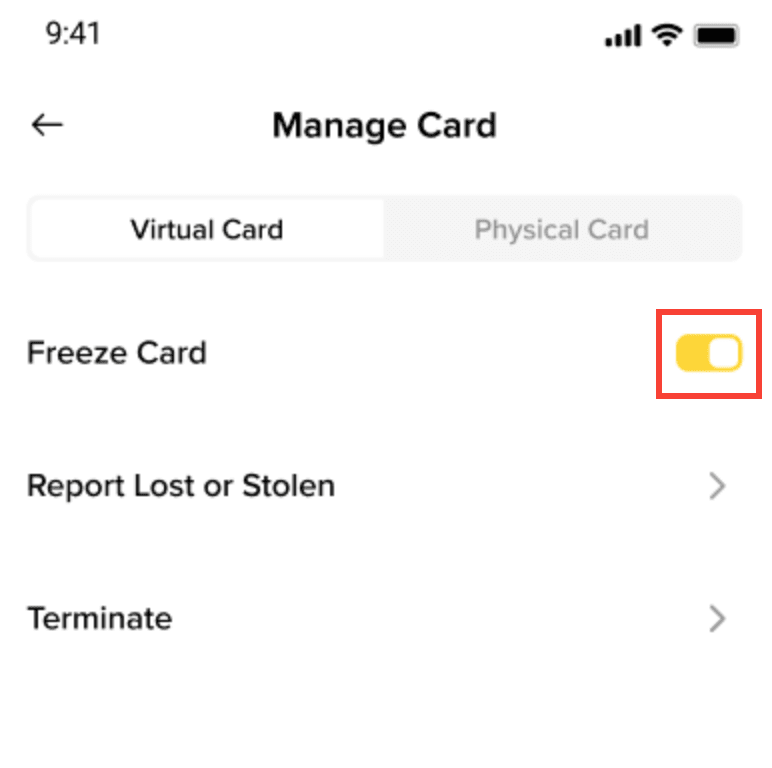
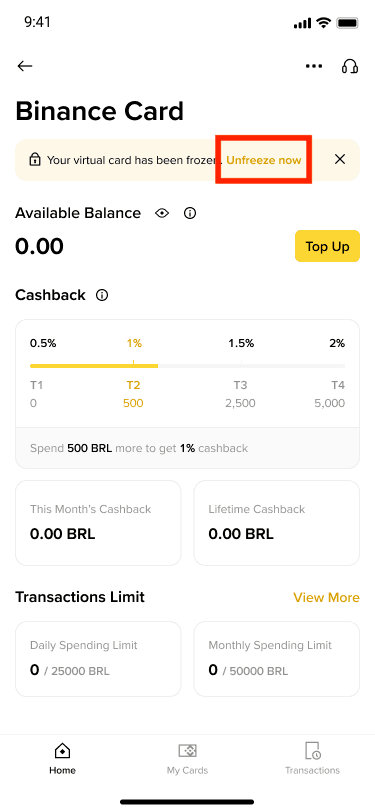
3.3 To temporarily freeze your virtual or physical card, turn on the [Freeze Card] option for the respective card.
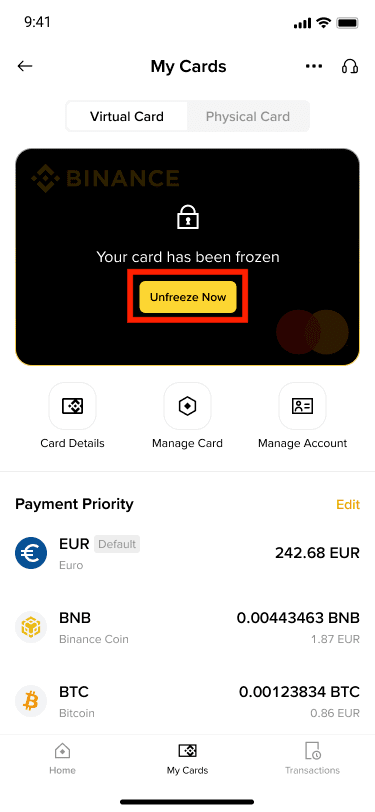
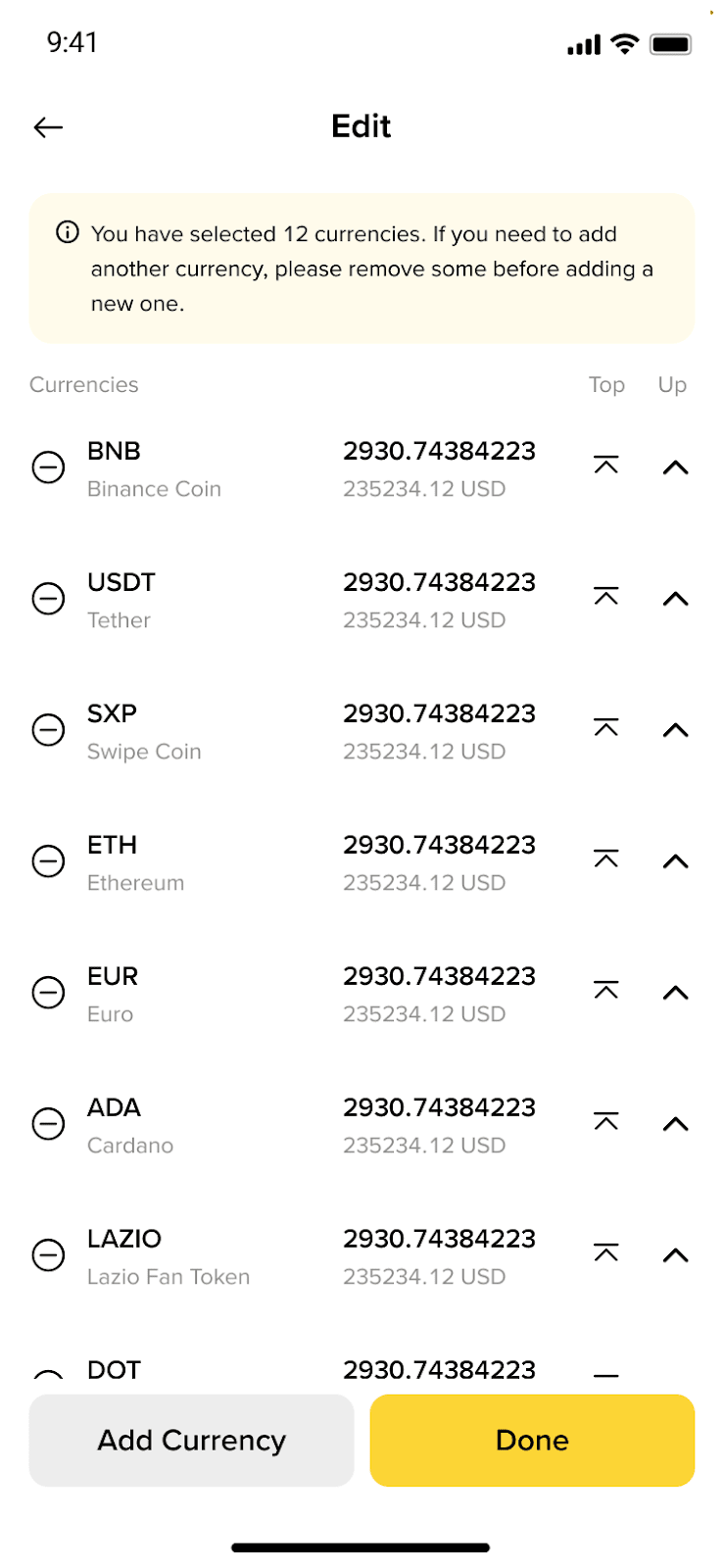
3.4 To adjust the sequence of spending currencies, tap the [Edit] icon under [Payment Priority], then simply reorder the cryptocurrency based on your preference. The system will follow the payment priority when you make a purchase with your Binance Brazil Card. Please note that you must have a minimum of 3 cryptocurrencies in your Payment Priority list, and a maximum of 12 cryptocurrencies can be selected.
For details, please refer to How to Make Payments with Binance Brazil Card.
Binance Brazil Card offers a tiered cashback program ranging from 0.5% to 2%, based on your total spending within each calendar month. As your monthly spending increases, you qualify for higher cashback rates, which are then applied retroactively to all transactions made during that month.
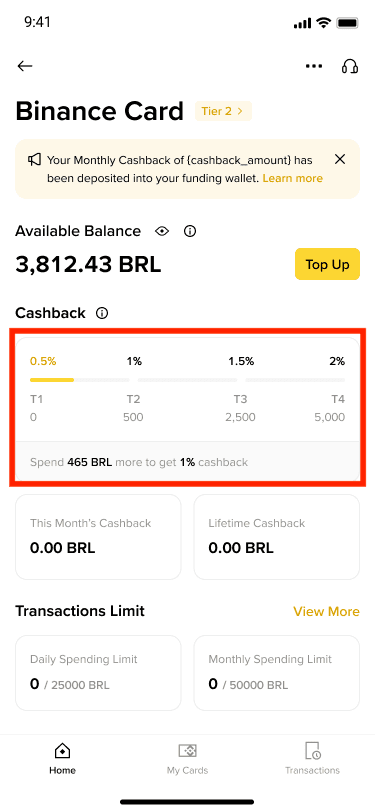
For example, if you spend 2,500 BRL equivalent in a month, you will receive 1.5% cashback on your total spending for that period.
Your current spending and cashback tier status are visible in the Card Dashboard or app, allowing you to monitor your progress and aim for the next tier. Cashback rewards are calculated on all completed transactions and credited to your account on the 10th of the following month. Cashback is capped at 120 BRL per month. Please note that cashback tiers and spending totals reset on the first day of every month.
