

#binancesecurity
binancesecurity
1.5M views
695 Discussing
Hot
Latest

*Title: Proactive Security Wins: Why PROTECT is Always Better Than RECOVER*
Everyone celebrates SECURITY after they get hacked. Smart users celebrate it before.
This week's WOTD theme is *"Proactive Security Wins"* and it hit home. In crypto, we always talk about profits, but 90% of losses aren't from bad trades — they're from bad security habits.
*3 Rules I now live by on Binance:*
*1. PREVENT > DEFENSE*
Don't wait for an ALERT. Use PASSKEY + AUTH + PIN. Turn on Anti-Phishing code. Whitelist your withdrawal addresses. It takes 2 minutes.
*2. VERIFY Everything*
That DM from "Binance Support"? FAKE. That link that looks like http://binance.com? Check it. Always VERIFY inside the official app. SAFETY starts with one click.
*3. FREEZE & AUDIT*
If something feels off, FREEZE your withdrawals immediately. Then AUDIT your API keys, devices, and active sessions. TRUST your gut, not the stranger promising 2x returns.
I used *PROTECT* for my WOTD today and it’s literally the strategy.
Remember: Your PASSWORD is not your security. Your habits are.
Stay SAFE, stay SECURE, stay PROACTIVE.
#WOTD #ProactiveSecurityWins #Binancesecurity ity #SAFU #CryptoSafety
*Title: Proactive Security Wins: Why PROTECT is Always Better Than RECOVER*
Everyone celebrates SECURITY after they get hacked. Smart users celebrate it before.
This week's WOTD theme is *"Proactive Security Wins"* and it hit home. In crypto, we always talk about profits, but 90% of losses aren't from bad trades — they're from bad security habits.
*3 Rules I now live by on Binance:*
*1. PREVENT > DEFENSE*
Don't wait for an ALERT. Use PASSKEY + AUTH + PIN. Turn on Anti-Phishing code. Whitelist your withdrawal addresses. It takes 2 minutes.
*2. VERIFY Everything*
That DM from "Binance Support"? FAKE. That link that looks like http://binance.com? Check it. Always VERIFY inside the official app. SAFETY starts with one click.
*3. FREEZE & AUDIT*
If something feels off, FREEZE your withdrawals immediately. Then AUDIT your API keys, devices, and active sessions. TRUST your gut, not the stranger promising 2x returns.
I used *PROTECT* for my WOTD today and it’s literally the strategy.
Remember: Your PASSWORD is not your security. Your habits are.
Stay SAFE, stay SECURE, stay PROACTIVE.
#WOTD #ProactiveSecurityWins #Binancesecurity ity #SAFU #CryptoSafety
Everyone celebrates SECURITY after they get hacked. Smart users celebrate it before.
This week's WOTD theme is *"Proactive Security Wins"* and it hit home. In crypto, we always talk about profits, but 90% of losses aren't from bad trades — they're from bad security habits.
*3 Rules I now live by on Binance:*
*1. PREVENT > DEFENSE*
Don't wait for an ALERT. Use PASSKEY + AUTH + PIN. Turn on Anti-Phishing code. Whitelist your withdrawal addresses. It takes 2 minutes.
*2. VERIFY Everything*
That DM from "Binance Support"? FAKE. That link that looks like http://binance.com? Check it. Always VERIFY inside the official app. SAFETY starts with one click.
*3. FREEZE & AUDIT*
If something feels off, FREEZE your withdrawals immediately. Then AUDIT your API keys, devices, and active sessions. TRUST your gut, not the stranger promising 2x returns.
I used *PROTECT* for my WOTD today and it’s literally the strategy.
Remember: Your PASSWORD is not your security. Your habits are.
Stay SAFE, stay SECURE, stay PROACTIVE.
#WOTD #ProactiveSecurityWins #Binancesecurity ity #SAFU #CryptoSafety
75

·
--
Bullish
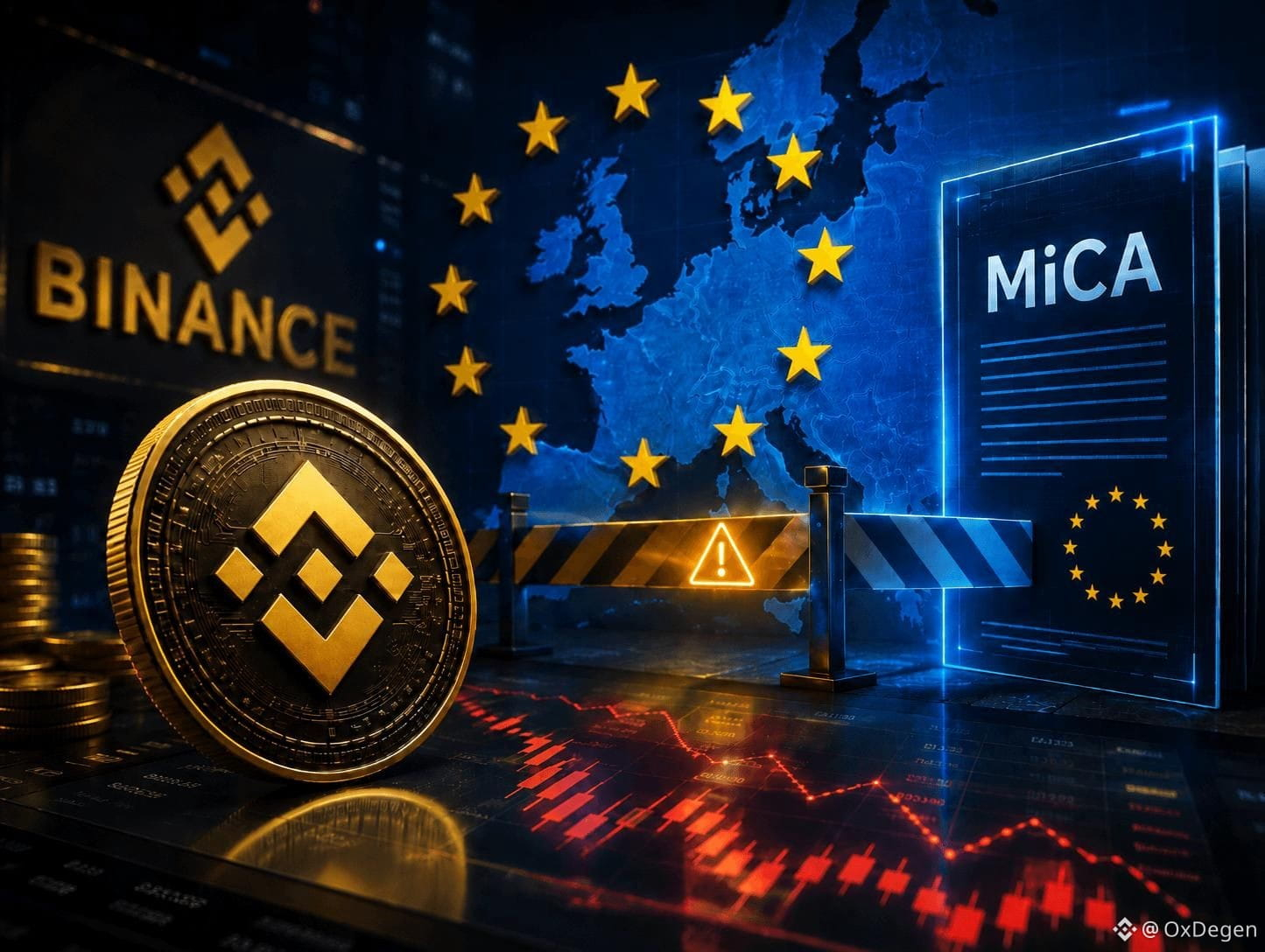
Reuters reports that EU regulatory authorities are looking into whether Binance’s continued provision of services in the EU market is an issue. The main controversy centers on whether the legal route of “reverse solicitation” has been overused. Binance says its operations comply with requirements and continues to push forward with EU authorization.
Two viewpoints:
One side: The stricter the regulation, the more beneficial it will be in the long run for compliance.
The other side: The stricter the rules, the smaller the overseas services space for large exchanges.
Observation point: The focus is not on the price of a specific number like $BNB , but on whether new service restrictions, fines, or license progress emerge afterward.
Direction: Event-driven—continue to wait for regulatory updates and do not reach conclusions in advance.
{future}(BTCUSDT)
{future}(ETHUSDT)
{future}(BNBUSDT)
#Binance #Binancesecurity #何一
Reuters reports that EU regulatory authorities are looking into whether Binance’s continued provision of services in the EU market is an issue. The main controversy centers on whether the legal route of “reverse solicitation” has been overused. Binance says its operations comply with requirements and continues to push forward with EU authorization.
Two viewpoints:
One side: The stricter the regulation, the more beneficial it will be in the long run for compliance.
The other side: The stricter the rules, the smaller the overseas services space for large exchanges.
Observation point: The focus is not on the price of a specific number like $BNB , but on whether new service restrictions, fines, or license progress emerge afterward.
Direction: Event-driven—continue to wait for regulatory updates and do not reach conclusions in advance.
#Binance #Binancesecurity #何一
Two viewpoints:
One side: The stricter the regulation, the more beneficial it will be in the long run for compliance.
The other side: The stricter the rules, the smaller the overseas services space for large exchanges.
Observation point: The focus is not on the price of a specific number like $BNB , but on whether new service restrictions, fines, or license progress emerge afterward.
Direction: Event-driven—continue to wait for regulatory updates and do not reach conclusions in advance.
#Binance #Binancesecurity #何一
582
·
--
Article
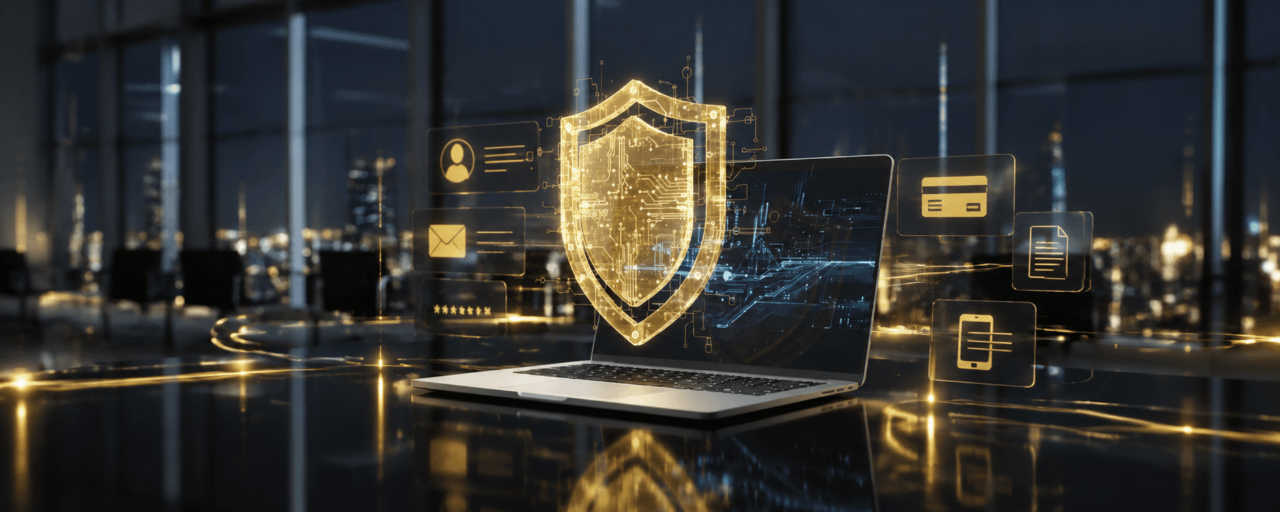
How to Check If Your Data Was Leaked — and What to Do NextIn today’s digital world, Data Breaches can happen to anyone. Personal information such as email addresses, passwords, phone numbers, and account details may be exposed without your knowledge and could be used for phishing, scams, or unauthorized access.
Taking a few simple security steps can help reduce risks and better protect your accounts and digital assets.
🔍 How to Check If Your Data Was Leaked
✅ Check whether your email has appeared in known data breaches.
✅ Review your account activity for unfamiliar logins or suspicious changes.
✅ Monitor your financial and crypto transactions regularly.
🛡️ What to Do If Your Data Was Leaked
🔑 Change your passwords
Use strong, unique passwords and avoid reusing the same password across multiple accounts.
🔐 Enable 2FA and Passkeys
Adding an extra layer of security helps protect your accounts even if your password is compromised.
🚨 Stay alert against phishing
Scammers may use leaked information to create convincing fake messages. Never share your Password, OTP, or Seed Phrase.
🔒 Binance Security Tips
For Binance users, remember to:
✅ Enable Anti-Phishing Code
✅ Enable 2FA / Passkey
✅ Check Security Activity regularly
✅ Remove unknown devices from your account
Data security starts with small actions. Take a few minutes today to review your security settings and protect your digital assets. 🔐
#Binance #BinanceSecurity #CryptoSecurity #DataBreach #Web3Security
How to Check If Your Data Was Leaked — and What to Do Next
In today’s digital world, Data Breaches can happen to anyone. Personal information such as email addresses, passwords, phone numbers, and account details may be exposed without your knowledge and could be used for phishing, scams, or unauthorized access.
Taking a few simple security steps can help reduce risks and better protect your accounts and digital assets.
🔍 How to Check If Your Data Was Leaked
✅ Check whether your email has appeared in known data breaches.
✅ Review your account activity for unfamiliar logins or suspicious changes.
✅ Monitor your financial and crypto transactions regularly.
🛡️ What to Do If Your Data Was Leaked
🔑 Change your passwords
Use strong, unique passwords and avoid reusing the same password across multiple accounts.
🔐 Enable 2FA and Passkeys
Adding an extra layer of security helps protect your accounts even if your password is compromised.
🚨 Stay alert against phishing
Scammers may use leaked information to create convincing fake messages. Never share your Password, OTP, or Seed Phrase.
🔒 Binance Security Tips
For Binance users, remember to:
✅ Enable Anti-Phishing Code
✅ Enable 2FA / Passkey
✅ Check Security Activity regularly
✅ Remove unknown devices from your account
Data security starts with small actions. Take a few minutes today to review your security settings and protect your digital assets. 🔐
#Binance #BinanceSecurity #CryptoSecurity #DataBreach #Web3Security
Taking a few simple security steps can help reduce risks and better protect your accounts and digital assets.
🔍 How to Check If Your Data Was Leaked
✅ Check whether your email has appeared in known data breaches.
✅ Review your account activity for unfamiliar logins or suspicious changes.
✅ Monitor your financial and crypto transactions regularly.
🛡️ What to Do If Your Data Was Leaked
🔑 Change your passwords
Use strong, unique passwords and avoid reusing the same password across multiple accounts.
🔐 Enable 2FA and Passkeys
Adding an extra layer of security helps protect your accounts even if your password is compromised.
🚨 Stay alert against phishing
Scammers may use leaked information to create convincing fake messages. Never share your Password, OTP, or Seed Phrase.
🔒 Binance Security Tips
For Binance users, remember to:
✅ Enable Anti-Phishing Code
✅ Enable 2FA / Passkey
✅ Check Security Activity regularly
✅ Remove unknown devices from your account
Data security starts with small actions. Take a few minutes today to review your security settings and protect your digital assets. 🔐
#Binance #BinanceSecurity #CryptoSecurity #DataBreach #Web3Security
78
·
--
Article
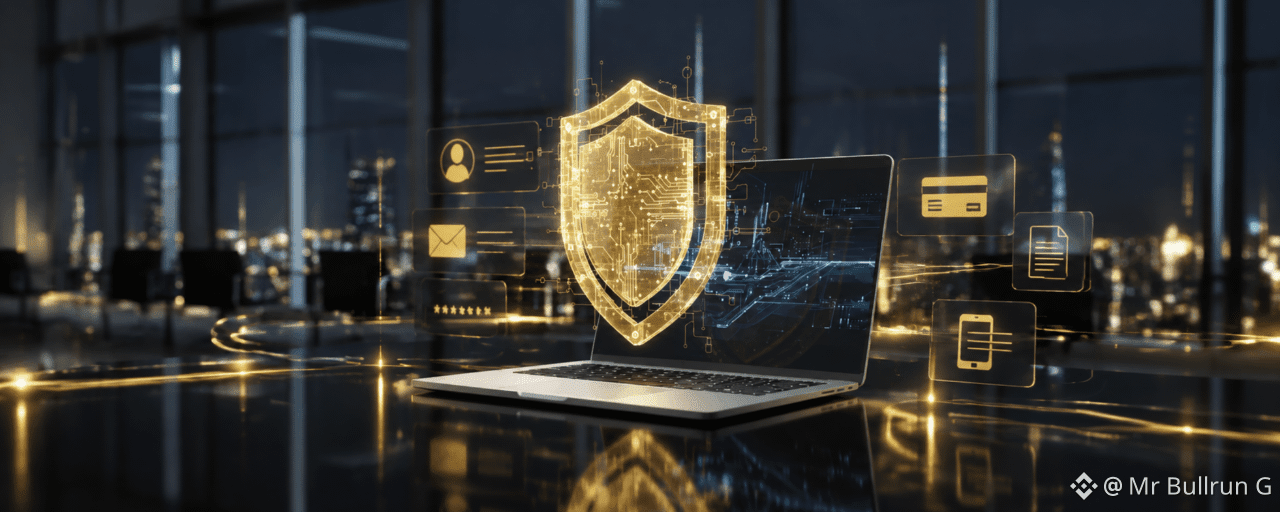
How to Check If Your Data Was Leaked — and What to Do NextIn the digital world every day, data breaches can happen to anyone. Personal information such as email, passwords, phone numbers, and account details may be exposed without you knowing, and may be used for phishing, scams, or unauthorized access to accounts.
How to Check If Your Data Was Leaked — and What to Do Next
In the digital world every day, data breaches can happen to anyone. Personal information such as email, passwords, phone numbers, and account details may be exposed without you knowing, and may be used for phishing, scams, or unauthorized access to accounts.
102

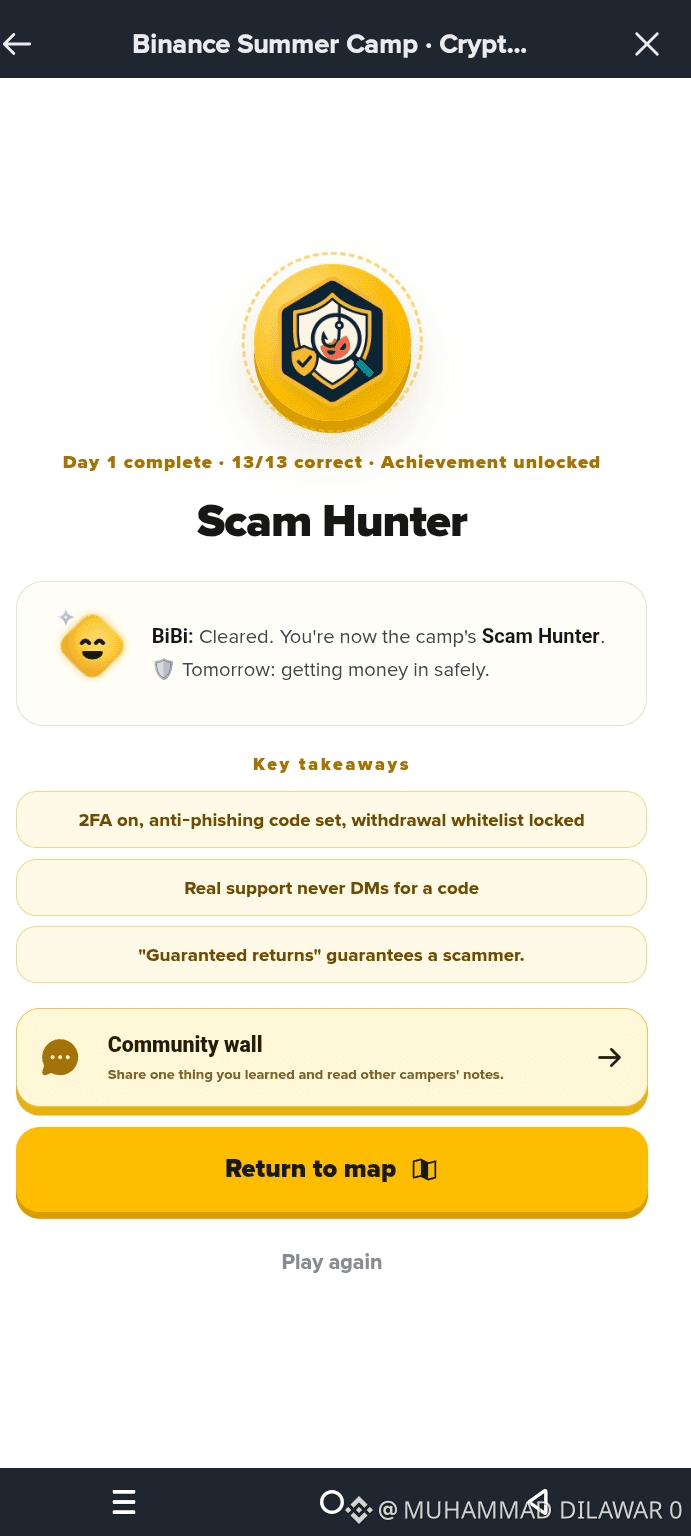
Excited to join the #BinanceSummerCamp ⛺️
Successfully completed Day 1: Scam Hunter module! 🛡️ Crypto security is super important, and today’s lesson was a great refresher on protecting our accounts
#BinanceSummerCamp #Binance #Binancesecurity #ScamHunter
Excited to join the #BinanceSummerCamp ⛺️
Successfully completed Day 1: Scam Hunter module! 🛡️ Crypto security is super important, and today’s lesson was a great refresher on protecting our accounts
#BinanceSummerCamp #Binance #Binancesecurity #ScamHunter
Successfully completed Day 1: Scam Hunter module! 🛡️ Crypto security is super important, and today’s lesson was a great refresher on protecting our accounts
#BinanceSummerCamp #Binance #Binancesecurity #ScamHunter
70

·
--
⚠️ SCAM ALERT: Binance Square Fraud
Phishing giveaways, fake contests & personal data requests detected! 🚨
🛑 Never share:
• Telegram contacts
• Third-party links
• Account information
📌 Only official Binance giveaways happen on Binance Square!
Spotted suspicious content? Use the "X" button or report to Community Guidelines.
Stay safe, stay vigilant! 🛡️
#Binancesecurity #BİNANCESQUARE #CryptoSafety
⚠️ SCAM ALERT: Binance Square Fraud
Phishing giveaways, fake contests & personal data requests detected! 🚨
🛑 Never share:
• Telegram contacts
• Third-party links
• Account information
📌 Only official Binance giveaways happen on Binance Square!
Spotted suspicious content? Use the "X" button or report to Community Guidelines.
Stay safe, stay vigilant! 🛡️
#Binancesecurity #BİNANCESQUARE #CryptoSafety
Phishing giveaways, fake contests & personal data requests detected! 🚨
🛑 Never share:
• Telegram contacts
• Third-party links
• Account information
📌 Only official Binance giveaways happen on Binance Square!
Spotted suspicious content? Use the "X" button or report to Community Guidelines.
Stay safe, stay vigilant! 🛡️
#Binancesecurity #BİNANCESQUARE #CryptoSafety


Binance Square Official
·
--
Safety Alert and Enforcement Update | Aug 31–Sep 6, 2026
To help you stay safe, we’ve highlighted some of the violations we identified last week. If you come across any of the following, stay alert and take steps to protect your funds:
1. Multiple accounts promoting the same referral code
Repeated promotion does not mean that an offer is trustworthy or officially endorsed by Binance.
2. Giveaways that redirect you to a third-party platform
Giveaways may be used to lead users to unverified websites or communities, where they could be asked to provide personal information, connect a wallet, or transfer funds.
3. Requests for off-platform contact information
Moving a conversation off Binance Square may make it more difficult to verify the other person’s identity or report suspicious activity.
In response to the above violations, we have taken corresponding enforcement actions against the involved accounts.
Interacting with someone through a third-party platform may expose you to scams and potential financial loss. Be especially cautious if someone asks you to leave Binance Square, share sensitive information, connect your wallet, or transfer funds.
If you encounter content involving off-platform redirection, false or misleading claims, fraud, solicitation, or repeated spam, please use the “X” or “…” option in the upper-right corner of the content to submit a report. We will review the report and take appropriate action in accordance with the Binance Square Community Guidelines.
Additionally, some accounts that post large volumes of templated content at a high frequency will be considered as traffic manipulation. As a result, their content will be deprioritized and will no longer receive additional distribution beyond their existing followers. For details on what constitutes traffic manipulation, please refer to [[link]](https://www.binance.com/en/square/post/347778039426337).
Thank you for helping us keep Binance Square safe and trustworthy. For questions about publishing rules, comment moderation, or enforcement appeals, please refer to the Community Guidelines or contact Customer Support.
1. Multiple accounts promoting the same referral code
Repeated promotion does not mean that an offer is trustworthy or officially endorsed by Binance.
2. Giveaways that redirect you to a third-party platform
Giveaways may be used to lead users to unverified websites or communities, where they could be asked to provide personal information, connect a wallet, or transfer funds.
3. Requests for off-platform contact information
Moving a conversation off Binance Square may make it more difficult to verify the other person’s identity or report suspicious activity.
In response to the above violations, we have taken corresponding enforcement actions against the involved accounts.
Interacting with someone through a third-party platform may expose you to scams and potential financial loss. Be especially cautious if someone asks you to leave Binance Square, share sensitive information, connect your wallet, or transfer funds.
If you encounter content involving off-platform redirection, false or misleading claims, fraud, solicitation, or repeated spam, please use the “X” or “…” option in the upper-right corner of the content to submit a report. We will review the report and take appropriate action in accordance with the Binance Square Community Guidelines.
Additionally, some accounts that post large volumes of templated content at a high frequency will be considered as traffic manipulation. As a result, their content will be deprioritized and will no longer receive additional distribution beyond their existing followers. For details on what constitutes traffic manipulation, please refer to [[link]](https://www.binance.com/en/square/post/347778039426337).
Thank you for helping us keep Binance Square safe and trustworthy. For questions about publishing rules, comment moderation, or enforcement appeals, please refer to the Community Guidelines or contact Customer Support.
6
111
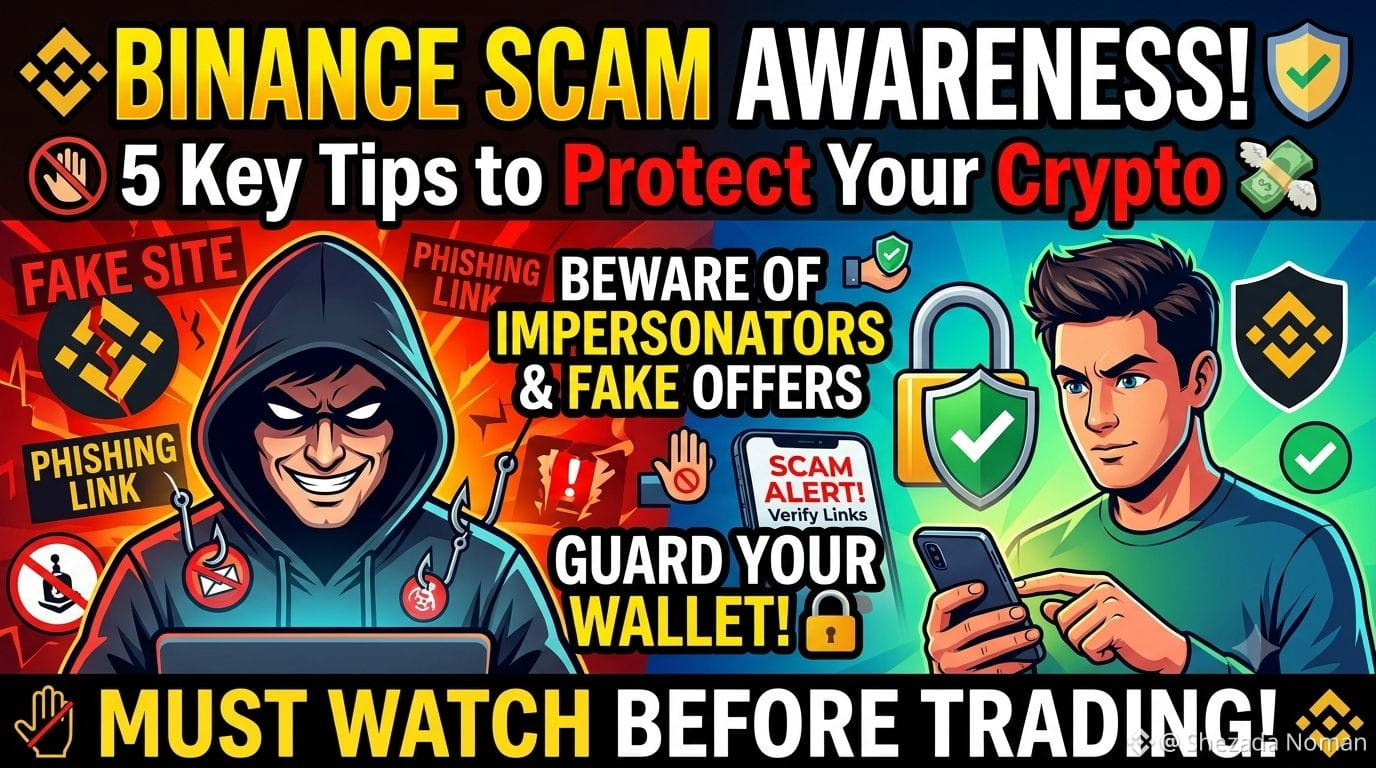
🚨 Stay Alert: Protect Your Crypto from Scams! 🛡️
As crypto adoption grows, scammers are constantly refining their tactics to steal your hard-earned funds 💸. Staying informed is your best line of defense! Here are key security practices every trader must follow:$SAGA
Fake Support & Impersonators ⚠️: Official Binance staff will never message you first on Telegram, WhatsApp, or social media asking for passwords, seed phrases, or private keys 🔑. Always double-check official links via Binance Verify.$VTHO
Phishing Links 🌐: Always check domain URLs before logging in or linking your wallet. Fraudulent sites clone real interfaces to steal your credentials 🎣.$ZEC
"Guaranteed Return" Promises 🚫: If an investment group or platform promises fixed daily profits or zero-risk high yields, it is almost certainly a scam ❌.
Guard Your 2FA 🔒: Never share 2FA codes, SMS OTPs, or passwords with anyone under any circumstances!
Stay vigilant, double-check every step, and protect your assets! 💪✨
#scamriskwarning #ScamAwareness #Binancesecurity
🚨 Stay Alert: Protect Your Crypto from Scams! 🛡️
As crypto adoption grows, scammers are constantly refining their tactics to steal your hard-earned funds 💸. Staying informed is your best line of defense! Here are key security practices every trader must follow:$SAGA
Fake Support & Impersonators ⚠️: Official Binance staff will never message you first on Telegram, WhatsApp, or social media asking for passwords, seed phrases, or private keys 🔑. Always double-check official links via Binance Verify.$VTHO
Phishing Links 🌐: Always check domain URLs before logging in or linking your wallet. Fraudulent sites clone real interfaces to steal your credentials 🎣.$ZEC
"Guaranteed Return" Promises 🚫: If an investment group or platform promises fixed daily profits or zero-risk high yields, it is almost certainly a scam ❌.
Guard Your 2FA 🔒: Never share 2FA codes, SMS OTPs, or passwords with anyone under any circumstances!
Stay vigilant, double-check every step, and protect your assets! 💪✨
#scamriskwarning #ScamAwareness #Binancesecurity
As crypto adoption grows, scammers are constantly refining their tactics to steal your hard-earned funds 💸. Staying informed is your best line of defense! Here are key security practices every trader must follow:$SAGA
Fake Support & Impersonators ⚠️: Official Binance staff will never message you first on Telegram, WhatsApp, or social media asking for passwords, seed phrases, or private keys 🔑. Always double-check official links via Binance Verify.$VTHO
Phishing Links 🌐: Always check domain URLs before logging in or linking your wallet. Fraudulent sites clone real interfaces to steal your credentials 🎣.$ZEC
"Guaranteed Return" Promises 🚫: If an investment group or platform promises fixed daily profits or zero-risk high yields, it is almost certainly a scam ❌.
Guard Your 2FA 🔒: Never share 2FA codes, SMS OTPs, or passwords with anyone under any circumstances!
Stay vigilant, double-check every step, and protect your assets! 💪✨
#scamriskwarning #ScamAwareness #Binancesecurity
234
·
--
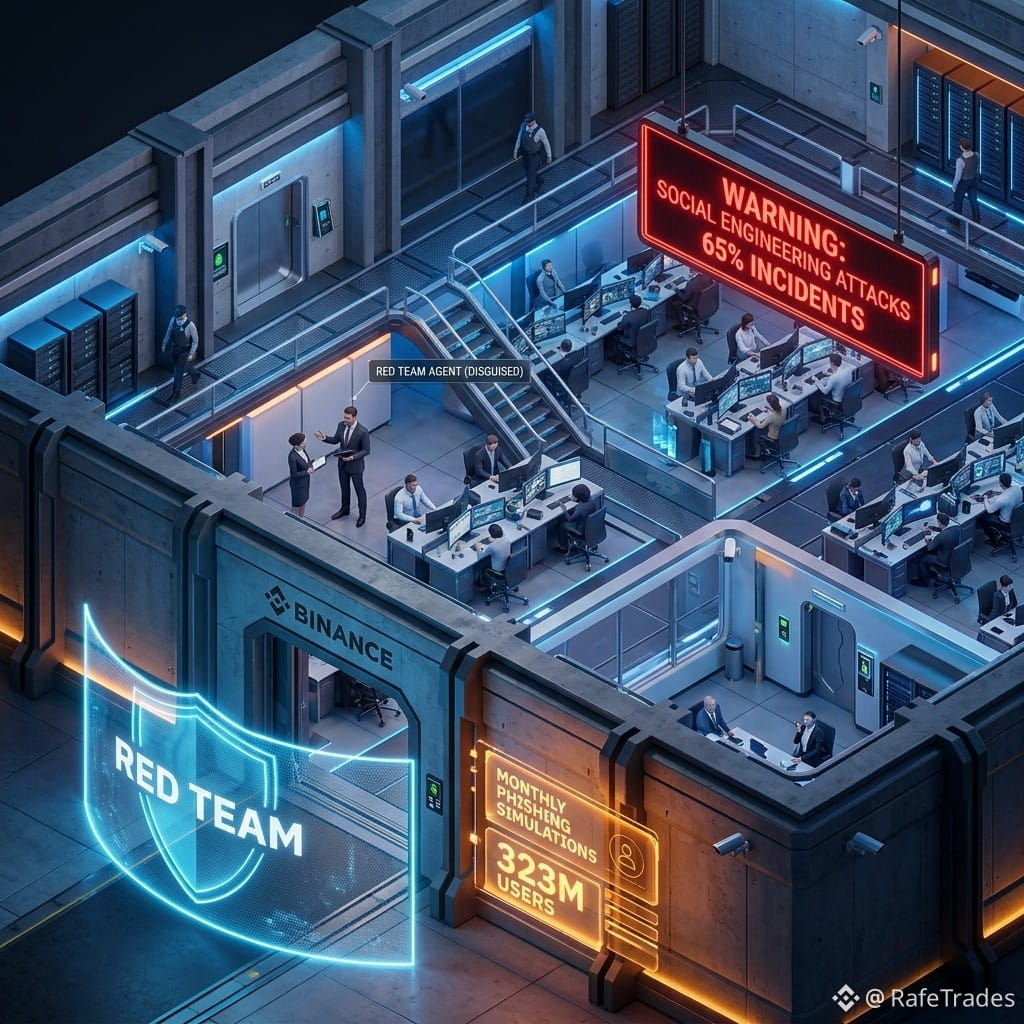
Binance runs monthly "red team" phishing simulations against its own staff, with repeated failures risking termination. This is the gold standard of operational security: internal ethical hackers test employees via fake job offers, conference invites, and partnership lures—the same social engineering tactics that caused 65% of 2025 crypto incidents.
The CSO Jimmy Su notes security hygiene has "improved significantly" after 3-4 years of continuous testing. This matters because exchanges are the primary custodians of retail and institutional capital. The $137.7B in assets and 323M users demand this level of vigilance. Social engineering attacks (like the $285M Drift Protocol hack) are the industry's weakest link—and Binance's approach is a template for the sector. The CLARITY/GENIUS regulatory frameworks will likely demand similar standards for licensed entities.
#RafeTrades #Binancesecurity
"CLICK HERE👇👇👇 TO TRACK THE LIVE CHART & TRADE"
$BNB
{spot}(BNBUSDT)
Binance runs monthly "red team" phishing simulations against its own staff, with repeated failures risking termination. This is the gold standard of operational security: internal ethical hackers test employees via fake job offers, conference invites, and partnership lures—the same social engineering tactics that caused 65% of 2025 crypto incidents.
The CSO Jimmy Su notes security hygiene has "improved significantly" after 3-4 years of continuous testing. This matters because exchanges are the primary custodians of retail and institutional capital. The $137.7B in assets and 323M users demand this level of vigilance. Social engineering attacks (like the $285M Drift Protocol hack) are the industry's weakest link—and Binance's approach is a template for the sector. The CLARITY/GENIUS regulatory frameworks will likely demand similar standards for licensed entities.
#RafeTrades #Binancesecurity
"CLICK HERE👇👇👇 TO TRACK THE LIVE CHART & TRADE"
$BNB
The CSO Jimmy Su notes security hygiene has "improved significantly" after 3-4 years of continuous testing. This matters because exchanges are the primary custodians of retail and institutional capital. The $137.7B in assets and 323M users demand this level of vigilance. Social engineering attacks (like the $285M Drift Protocol hack) are the industry's weakest link—and Binance's approach is a template for the sector. The CLARITY/GENIUS regulatory frameworks will likely demand similar standards for licensed entities.
#RafeTrades #Binancesecurity
"CLICK HERE👇👇👇 TO TRACK THE LIVE CHART & TRADE"
$BNB
28
🚨 Fake Support, Real Scam: 3 Red Flags to Watch For
When technical attacks fail, scammers target the human layer by pretending to be helpful, high-pressure support agents. They create panic, push urgency, and try to trick users into handing over access or funds.
⚠️ Remember: Binance staff will never message you first on Telegram to ask for funds, passwords, codes, or account credentials.
3 red flags to watch for:
🔴 Urgency: “Your account will be permanently banned in 1 hour!”
🔴 Upfront fees: asking for “gas fees” or a “temporary security deposit” to unlock your balance
🔴 Screen-sharing requests: telling you to install apps so they can “help” view your account
If someone pressures you to act fast, pay first, or share your screen, pause and verify before taking any action.
#Binancesecurity
🚨 Fake Support, Real Scam: 3 Red Flags to Watch For
When technical attacks fail, scammers target the human layer by pretending to be helpful, high-pressure support agents. They create panic, push urgency, and try to trick users into handing over access or funds.
⚠️ Remember: Binance staff will never message you first on Telegram to ask for funds, passwords, codes, or account credentials.
3 red flags to watch for:
🔴 Urgency: “Your account will be permanently banned in 1 hour!”
🔴 Upfront fees: asking for “gas fees” or a “temporary security deposit” to unlock your balance
🔴 Screen-sharing requests: telling you to install apps so they can “help” view your account
If someone pressures you to act fast, pay first, or share your screen, pause and verify before taking any action.
#Binancesecurity
When technical attacks fail, scammers target the human layer by pretending to be helpful, high-pressure support agents. They create panic, push urgency, and try to trick users into handing over access or funds.
⚠️ Remember: Binance staff will never message you first on Telegram to ask for funds, passwords, codes, or account credentials.
3 red flags to watch for:
🔴 Urgency: “Your account will be permanently banned in 1 hour!”
🔴 Upfront fees: asking for “gas fees” or a “temporary security deposit” to unlock your balance
🔴 Screen-sharing requests: telling you to install apps so they can “help” view your account
If someone pressures you to act fast, pay first, or share your screen, pause and verify before taking any action.
#Binancesecurity
4
303

·
--
Binance's Secret War Against Phishing Threats Revealed: What This Means for Security-Conscious Traders
Did you know that Binance is testing its staff with regular fake phishing attacks - and some of its employees are failing? According to recent reports, the exchange is not only identifying vulnerabilities but also aggressively addressing them, potentially dismissing repeat offenders in the process.
THE SIGNAL: Binance's phishing drills are occurring monthly, showcasing the exchange's proactive approach to combat growing social engineering threats. #BinanceSecurity #PhishingDrills #CryptoCompliance
THE INTERPRETATION: This heightened focus on internal security reflects Binance's broader commitment to safeguarding user assets and fostering trust within the crypto ecosystem. Such efforts can reassure users, potentially drawing more capital into the market and increasing demand for Binance's native cryptocurrencies.
THE WATCH LIST: Track the upcoming phishing drill schedules announced by Binance, as they may signal increased emphasis on security and potentially drive adoption. Keep an eye on any changes to their security posture and user protection measures, such as enhanced two-factor authentication #BinanceSecurityUpdates
Can Binance's unwavering commitment to security continue to set the bar for the rest of the industry?
Binance's Secret War Against Phishing Threats Revealed: What This Means for Security-Conscious Traders
Did you know that Binance is testing its staff with regular fake phishing attacks - and some of its employees are failing? According to recent reports, the exchange is not only identifying vulnerabilities but also aggressively addressing them, potentially dismissing repeat offenders in the process.
THE SIGNAL: Binance's phishing drills are occurring monthly, showcasing the exchange's proactive approach to combat growing social engineering threats. #BinanceSecurity #PhishingDrills #CryptoCompliance
THE INTERPRETATION: This heightened focus on internal security reflects Binance's broader commitment to safeguarding user assets and fostering trust within the crypto ecosystem. Such efforts can reassure users, potentially drawing more capital into the market and increasing demand for Binance's native cryptocurrencies.
THE WATCH LIST: Track the upcoming phishing drill schedules announced by Binance, as they may signal increased emphasis on security and potentially drive adoption. Keep an eye on any changes to their security posture and user protection measures, such as enhanced two-factor authentication #BinanceSecurityUpdates
Can Binance's unwavering commitment to security continue to set the bar for the rest of the industry?
Did you know that Binance is testing its staff with regular fake phishing attacks - and some of its employees are failing? According to recent reports, the exchange is not only identifying vulnerabilities but also aggressively addressing them, potentially dismissing repeat offenders in the process.
THE SIGNAL: Binance's phishing drills are occurring monthly, showcasing the exchange's proactive approach to combat growing social engineering threats. #BinanceSecurity #PhishingDrills #CryptoCompliance
THE INTERPRETATION: This heightened focus on internal security reflects Binance's broader commitment to safeguarding user assets and fostering trust within the crypto ecosystem. Such efforts can reassure users, potentially drawing more capital into the market and increasing demand for Binance's native cryptocurrencies.
THE WATCH LIST: Track the upcoming phishing drill schedules announced by Binance, as they may signal increased emphasis on security and potentially drive adoption. Keep an eye on any changes to their security posture and user protection measures, such as enhanced two-factor authentication #BinanceSecurityUpdates
Can Binance's unwavering commitment to security continue to set the bar for the rest of the industry?
33

🔒🛡️ STAY SAFE: 5 Must-Have Steps to Secure Your Binance Account Today
In the crypto ecosystem, security is your best investment strategy. Strong passwords, two-factor authentication, and a bit of caution are fundamental to safeguarding your assets from modern fraud tactics. Implement these 5 essential settings in your profile: 📊🚨
* 1. Enable Passkeys: Forget about traditional passwords that are prone to leaks. Use your device's biometric recognition (Face ID or Touch ID) for a secure, encrypted login that's protected against phishing.
* 2. Say Goodbye to SMS, Hello to Authenticator: SMS is vulnerable to SIM card cloning (Sim-Swapping). Immediately migrate your 2FA to the Binance Authenticator or Microsoft Authenticator to generate codes locally on your hardware. 💸❌
* 3. Withdrawal Whitelist: Set up this option to authorize withdrawals only to your previously approved addresses. If someone breaches your account, they won't be able to transfer funds to external wallets.
* 4. Anti-Phishing Code: Create a personalized passphrase in your settings. If an email from "Binance" does not include it in the top corner, it’s a fraudulent impersonation. 🔒
* 5. Device Management: Periodically review and remove open sessions on old devices or computers you no longer use, maintaining full control over your access.
⚠️ Extra OpSec Alert: If you transfer capital to your Web3 Wallet to diversify your funds, always check the addresses character by character manually to completely negate wallet poisoning attacks (Address Poisoning). Don’t rush your trades.
Have you set up these 5 defenses in your account or are you missing any? I’m reading your comments below! 👇
#Binancesecurity #StaySafe #CryptoSafety #AntiFraud
🔒🛡️ STAY SAFE: 5 Must-Have Steps to Secure Your Binance Account Today
In the crypto ecosystem, security is your best investment strategy. Strong passwords, two-factor authentication, and a bit of caution are fundamental to safeguarding your assets from modern fraud tactics. Implement these 5 essential settings in your profile: 📊🚨
* 1. Enable Passkeys: Forget about traditional passwords that are prone to leaks. Use your device's biometric recognition (Face ID or Touch ID) for a secure, encrypted login that's protected against phishing.
* 2. Say Goodbye to SMS, Hello to Authenticator: SMS is vulnerable to SIM card cloning (Sim-Swapping). Immediately migrate your 2FA to the Binance Authenticator or Microsoft Authenticator to generate codes locally on your hardware. 💸❌
* 3. Withdrawal Whitelist: Set up this option to authorize withdrawals only to your previously approved addresses. If someone breaches your account, they won't be able to transfer funds to external wallets.
* 4. Anti-Phishing Code: Create a personalized passphrase in your settings. If an email from "Binance" does not include it in the top corner, it’s a fraudulent impersonation. 🔒
* 5. Device Management: Periodically review and remove open sessions on old devices or computers you no longer use, maintaining full control over your access.
⚠️ Extra OpSec Alert: If you transfer capital to your Web3 Wallet to diversify your funds, always check the addresses character by character manually to completely negate wallet poisoning attacks (Address Poisoning). Don’t rush your trades.
Have you set up these 5 defenses in your account or are you missing any? I’m reading your comments below! 👇
#Binancesecurity #StaySafe #CryptoSafety #AntiFraud
In the crypto ecosystem, security is your best investment strategy. Strong passwords, two-factor authentication, and a bit of caution are fundamental to safeguarding your assets from modern fraud tactics. Implement these 5 essential settings in your profile: 📊🚨
* 1. Enable Passkeys: Forget about traditional passwords that are prone to leaks. Use your device's biometric recognition (Face ID or Touch ID) for a secure, encrypted login that's protected against phishing.
* 2. Say Goodbye to SMS, Hello to Authenticator: SMS is vulnerable to SIM card cloning (Sim-Swapping). Immediately migrate your 2FA to the Binance Authenticator or Microsoft Authenticator to generate codes locally on your hardware. 💸❌
* 3. Withdrawal Whitelist: Set up this option to authorize withdrawals only to your previously approved addresses. If someone breaches your account, they won't be able to transfer funds to external wallets.
* 4. Anti-Phishing Code: Create a personalized passphrase in your settings. If an email from "Binance" does not include it in the top corner, it’s a fraudulent impersonation. 🔒
* 5. Device Management: Periodically review and remove open sessions on old devices or computers you no longer use, maintaining full control over your access.
⚠️ Extra OpSec Alert: If you transfer capital to your Web3 Wallet to diversify your funds, always check the addresses character by character manually to completely negate wallet poisoning attacks (Address Poisoning). Don’t rush your trades.
Have you set up these 5 defenses in your account or are you missing any? I’m reading your comments below! 👇
#Binancesecurity #StaySafe #CryptoSafety #AntiFraud
3
237
·
--
Article
The Quiet Differentiator: How Binance Security Works Behind the ScenesExplore how Binance security works behind the scenes through proactive threat detection, asset recovery, financial crime prevention, and new protections for emerging technologies.
In crypto, security often gets the most attention when something goes wrong—a hack, stolen assets, or an attack on a platform. But effective security is often the work users never see.
For Binance, the goal is not only to respond to incidents. It is to detect, prevent, and stop threats before they can impact users.
Binance Security Goes Beyond Account Protection
Crypto exchange security is no longer limited to passwords, 2FA, or account takeover protection.
Throughout 2026, Binance has continued strengthening its security infrastructure across multiple areas, including asset recovery, transaction monitoring, threat detection, and emerging technologies.
One notable example is the recovery of approximately $145.9 million in assets through the Ledger Zero-Dollar Vulnerability Program.
Binance has also worked to disrupt money-laundering activity linked to the DPRK, showing how blockchain monitoring and transaction analysis can play an important role in combating financial crime.
These efforts demonstrate that modern exchange security operates at both the user level and ecosystem level.
From Reactive to Proactive Security
Another important part of Binance’s approach is proactive security.
Instead of waiting for an attack to happen, security teams aim to identify suspicious activity early and intervene before significant damage occurs.
This includes efforts to prevent governance-related attacks and detect unusual transaction patterns before they develop into larger security incidents.
The idea is simple: the best security incident may be the one users never experience.
Preparing for AI and New Crypto Risks
As AI becomes increasingly connected with crypto, new security risks are also emerging.
Binance has been developing Security Guardrails for AI Agent Wallets, designed to establish protections around automated wallet activity.
As AI agents become capable of performing actions such as sending, swapping, or managing assets, security systems will need to protect users from malicious instructions, manipulation, and other new attack vectors.
This represents a more forward-looking approach to crypto security—preparing not only for today's threats, but also for risks that may emerge in the future.
Making Security the Baseline
Binance’s security approach can be summarized across four areas:
Protect users and assets from existing threats.
Detect suspicious behavior before it causes damage.
Respond and Recover when incidents occur.
Prepare for emerging technologies and new attack vectors.
Much of this work happens quietly in the background.
That is why security can become a quiet differentiator between crypto exchanges.
In the long term, security should not be measured only by what an exchange claims. It should also be reflected in how effectively the platform detects threats, prevents attacks, protects assets, and prepares for future risks.
The goal is not to make noise about security. It is to make security the baseline.
#BinanceSecurity #CryptoSecurity #AISecurity #RiskManagement #BinanceSquare
{spot}(BTCUSDT)
{spot}(BNBUSDT)
The Quiet Differentiator: How Binance Security Works Behind the Scenes
Explore how Binance security works behind the scenes through proactive threat detection, asset recovery, financial crime prevention, and new protections for emerging technologies.
In crypto, security often gets the most attention when something goes wrong—a hack, stolen assets, or an attack on a platform. But effective security is often the work users never see.
For Binance, the goal is not only to respond to incidents. It is to detect, prevent, and stop threats before they can impact users.
Binance Security Goes Beyond Account Protection
Crypto exchange security is no longer limited to passwords, 2FA, or account takeover protection.
Throughout 2026, Binance has continued strengthening its security infrastructure across multiple areas, including asset recovery, transaction monitoring, threat detection, and emerging technologies.
One notable example is the recovery of approximately $145.9 million in assets through the Ledger Zero-Dollar Vulnerability Program.
Binance has also worked to disrupt money-laundering activity linked to the DPRK, showing how blockchain monitoring and transaction analysis can play an important role in combating financial crime.
These efforts demonstrate that modern exchange security operates at both the user level and ecosystem level.
From Reactive to Proactive Security
Another important part of Binance’s approach is proactive security.
Instead of waiting for an attack to happen, security teams aim to identify suspicious activity early and intervene before significant damage occurs.
This includes efforts to prevent governance-related attacks and detect unusual transaction patterns before they develop into larger security incidents.
The idea is simple: the best security incident may be the one users never experience.
Preparing for AI and New Crypto Risks
As AI becomes increasingly connected with crypto, new security risks are also emerging.
Binance has been developing Security Guardrails for AI Agent Wallets, designed to establish protections around automated wallet activity.
As AI agents become capable of performing actions such as sending, swapping, or managing assets, security systems will need to protect users from malicious instructions, manipulation, and other new attack vectors.
This represents a more forward-looking approach to crypto security—preparing not only for today's threats, but also for risks that may emerge in the future.
Making Security the Baseline
Binance’s security approach can be summarized across four areas:
Protect users and assets from existing threats.
Detect suspicious behavior before it causes damage.
Respond and Recover when incidents occur.
Prepare for emerging technologies and new attack vectors.
Much of this work happens quietly in the background.
That is why security can become a quiet differentiator between crypto exchanges.
In the long term, security should not be measured only by what an exchange claims. It should also be reflected in how effectively the platform detects threats, prevents attacks, protects assets, and prepares for future risks.
The goal is not to make noise about security. It is to make security the baseline.
#BinanceSecurity #CryptoSecurity #AISecurity #RiskManagement #BinanceSquare
In crypto, security often gets the most attention when something goes wrong—a hack, stolen assets, or an attack on a platform. But effective security is often the work users never see.
For Binance, the goal is not only to respond to incidents. It is to detect, prevent, and stop threats before they can impact users.
Binance Security Goes Beyond Account Protection
Crypto exchange security is no longer limited to passwords, 2FA, or account takeover protection.
Throughout 2026, Binance has continued strengthening its security infrastructure across multiple areas, including asset recovery, transaction monitoring, threat detection, and emerging technologies.
One notable example is the recovery of approximately $145.9 million in assets through the Ledger Zero-Dollar Vulnerability Program.
Binance has also worked to disrupt money-laundering activity linked to the DPRK, showing how blockchain monitoring and transaction analysis can play an important role in combating financial crime.
These efforts demonstrate that modern exchange security operates at both the user level and ecosystem level.
From Reactive to Proactive Security
Another important part of Binance’s approach is proactive security.
Instead of waiting for an attack to happen, security teams aim to identify suspicious activity early and intervene before significant damage occurs.
This includes efforts to prevent governance-related attacks and detect unusual transaction patterns before they develop into larger security incidents.
The idea is simple: the best security incident may be the one users never experience.
Preparing for AI and New Crypto Risks
As AI becomes increasingly connected with crypto, new security risks are also emerging.
Binance has been developing Security Guardrails for AI Agent Wallets, designed to establish protections around automated wallet activity.
As AI agents become capable of performing actions such as sending, swapping, or managing assets, security systems will need to protect users from malicious instructions, manipulation, and other new attack vectors.
This represents a more forward-looking approach to crypto security—preparing not only for today's threats, but also for risks that may emerge in the future.
Making Security the Baseline
Binance’s security approach can be summarized across four areas:
Protect users and assets from existing threats.
Detect suspicious behavior before it causes damage.
Respond and Recover when incidents occur.
Prepare for emerging technologies and new attack vectors.
Much of this work happens quietly in the background.
That is why security can become a quiet differentiator between crypto exchanges.
In the long term, security should not be measured only by what an exchange claims. It should also be reflected in how effectively the platform detects threats, prevents attacks, protects assets, and prepares for future risks.
The goal is not to make noise about security. It is to make security the baseline.
#BinanceSecurity #CryptoSecurity #AISecurity #RiskManagement #BinanceSquare
84
Article
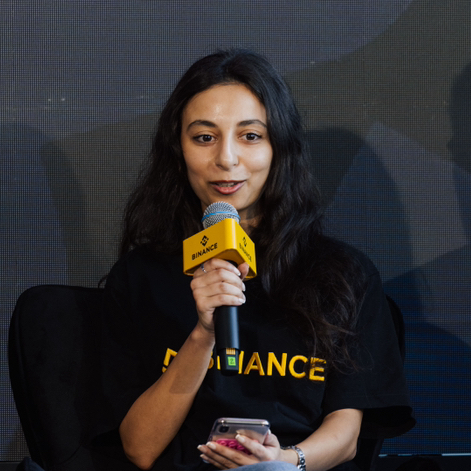
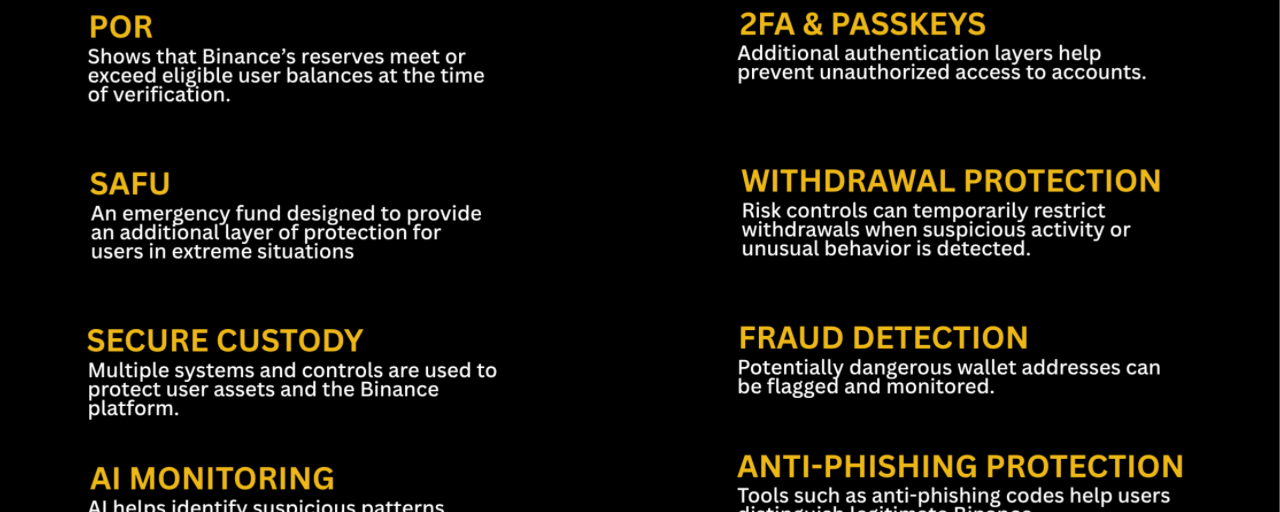
How Does Binance Protect User Funds in MENA in 2026?Binance protects user funds in MENA in 2026 through multiple layers of security, including Proof of Reserves, the Secure Asset Fund for Users (SAFU), secure custody systems, AI-powered risk monitoring and account-level protection tools. But when we talk about “security” in crypto, I think it is important to understand that there is no single button that makes funds safe. Security is a system made of multiple layers, and each layer is designed to address a different type of risk.
For a user in the MENA region, that distinction matters. Whether you are holding your first 50$ of Bitcoin, actively trading, or keeping a larger portfolio on an exchange, protecting your assets involves both the infrastructure of the platform and the security decisions you make yourself. Binance's approach combines platform-level controls, transparency mechanisms, emergency reserves, automated monitoring and tools that users can activate directly on their accounts.
How Does Binance Protect User Funds?
The first layer is risk control. [Binance](https://www.binance.com/en-in) monitors activity across its platform to identify patterns that could indicate scams, account takeovers or other suspicious behavior. This can include unusual login activity, suspicious transactions, abnormal withdrawal behavior and other signals that may require additional verification or intervention.
The important part is that these systems are designed to act before a potential loss becomes irreversible. Crypto withdrawals are particularly sensitive because once assets leave an exchange and are transferred on-chain, recovering them can be significantly more difficult. Binance therefore uses controls such as suspicious-address monitoring, withdrawal restrictions in certain risk scenarios, user questionnaires and other interventions designed to slow down potentially fraudulent transactions.
There is also a human element behind the technology. Automated systems can identify patterns at enormous scale, but higher-risk cases can be escalated for human review. Binance has reported that its risk operations use AI across more than 80% of anti-fraud and anti-scam decision-making workflows, illustrating how machine-based detection and human judgment increasingly work together.
For MENA users, another important consideration is that Binance operates through different regulated entities and services depending on the jurisdiction. Availability, products and regulatory protections can therefore differ between countries. Users should always check the Binance services and legal terms applicable to their specific country rather than assuming that every Binance feature is available under identical conditions throughout the region.
What Is Proof of Reserves and Why Does It Matter?
Proof of Reserves, commonly called PoR, answers one of the most basic questions a centralized crypto platform should be able to address: does the platform actually hold the assets corresponding to its users' balances?
Think about it this way. If 100 people each deposit 1 BTC, the platform should be able to demonstrate that it holds at least the corresponding amount of BTC in its reserves. Proof of Reserves provides a cryptographic and auditable framework for demonstrating that relationship rather than asking users to simply trust a statement.
Binance's PoR process uses cryptographic structures such as Merkle trees. Without getting unnecessarily technical, a Merkle tree allows large amounts of user balance information to be combined into a cryptographic structure that users can verify without exposing everyone else's private financial information. Independent verification can then be used to compare user liabilities with the assets held in relevant on-chain wallets. Binance has also adopted zero-knowledge proof technology to improve privacy during this verification process.
This is particularly important because transparency and security are not the same thing. Proof of Reserves provides evidence about asset backing, but it is not a guarantee that an exchange can never experience a security incident or that every aspect of its financial position is risk-free. PoR is also a point-in-time snapshot and does not, by itself, establish all off-chain liabilities.
That is why I see Proof of Reserves as one layer of confidence, not the entire security system. Binance users can independently check their inclusion in the PoR process through the official Proof of Reserves system.
What Is Binance's SAFU and How Does It Protect Users?
Now imagine that despite all the preventive security measures, an extreme platform-level incident happens. This is where another layer comes into the picture: SAFU, the Secure Asset Fund for Users.
Binance established SAFU in 2018 as an emergency reserve designed to provide an additional layer of protection for users in extreme situations. Unlike Proof of Reserves, which focuses on demonstrating asset backing, SAFU is designed as a contingency mechanism that may be used to help protect affected users if a qualifying security incident results in losses.
As of 2026, Binance's published information describes SAFU as a reserve of approximately 1 billion US$, held in Bitcoin, with custody and management arrangements that include regulated infrastructure in the Abu Dhabi Global Market.
The distinction is worth remembering: PoR is about transparency; SAFU is about an emergency reserve; risk controls are about prevention. They solve different problems.
And SAFU should not be interpreted as unlimited insurance or a guarantee that every possible loss will automatically be reimbursed. It is an additional protection mechanism within Binance's broader security framework.
How Does Binance Secure User Assets and Its Platform?
Security doesn't stop at the blockchain addresses holding assets. A major threat in crypto is the attacker who doesn't break the exchange itself but instead gets access to your account.
That is why Binance provides multiple account-level protections. Two-factor authentication adds another verification layer beyond the password, while passkeys and authenticator-based methods can reduce reliance on SMS-based authentication. Binance also supports withdrawal-address whitelisting, which allows users to restrict withdrawals to approved addresses. A new address can be subject to a security waiting period, giving the account owner an opportunity to detect an unauthorized change before funds can be transferred.
There are also anti-phishing codes and account alerts. An anti-phishing code is particularly simple but useful: after you set your unique code, you can use it to distinguish legitimate Binance communications from messages attempting to impersonate Binance. If someone sends you a message claiming to be from Binance but cannot provide the expected verification signal, that should immediately raise suspicion.
API users have another security consideration. API keys can provide third-party applications with access to parts of an account, so restricting permissions and using IP whitelisting can reduce the damage if an API credential is exposed. Binance's security guidance specifically recommends limiting API permissions and using IP restrictions where appropriate.
This is where I always come back to one simple point: the strongest security system in the world cannot compensate for a user voluntarily handing their password, authentication code or private key to a scammer. Platform security and personal security have to work together.
How Does Binance Use AI to Detect Fraud and Suspicious Activity?
Crypto scams are becoming more sophisticated, and AI is now being used on both sides of the fight. Attackers can use artificial intelligence to create convincing impersonations, deepfakes, synthetic identities and highly personalized scams. That means security systems also need to become more adaptive.
Binance has significantly expanded its use of AI in compliance and risk operations. According to Binance's 2026 reporting, the company operates more than 24 AI initiatives and 100 AI models, with AI supporting more than 80% of anti-fraud and anti-scam decision-making workflows and assisting around 45% of human review processes.
The goal isn't simply to replace humans with algorithms. AI can process enormous amounts of information, identify relationships between seemingly unrelated activities, prioritize suspicious cases and help route higher-risk situations to human specialists. That allows human investigators to concentrate on cases where judgment and context are particularly important.
AI is also used in identity security. Binance reports that approximately 80% of attacks it encounters involve KYC-related fraud, which is why systems such as Face Attack Detection and Liveness Detection are continually updated to address increasingly sophisticated attempts to manipulate identity verification.
The bigger picture is that crypto security is becoming an adaptive process. A security rule created yesterday may not be enough against a scam created tomorrow. AI allows risk systems to analyze new patterns at scale while human teams provide oversight and decision-making.
What Security Tools Can Binance Users Activate?
There is a lot users can do themselves, and these tools should not be treated as optional extras.
Start with 2FA or a passkey and use a strong, unique password. Then activate your anti-phishing code so you have an additional way to verify Binance communications. Enable relevant account notifications so you know when important activity occurs.
If you frequently withdraw crypto, consider withdrawal address whitelisting. It creates an additional barrier against unauthorized transfers because funds cannot simply be sent to an unapproved address.
If you use APIs, review your permissions carefully. Don't give an application withdrawal access if it doesn't need withdrawal access, and consider IP whitelisting for additional protection.
And perhaps the most underrated security tool is education. Learn how phishing works, understand how fake support accounts operate, verify suspicious messages and never assume that someone contacting you privately is a Binance employee simply because they know information about your account. Binance Verify can also be used to check whether certain Binance contact details are officially associated with Binance.
In other words, security isn't just something Binance does for you. It is something Binance and the user have to do together.
Is Binance Safe and Trustworthy in MENA?
There is no responsible way to describe any crypto platform as completely risk-free. Cryptocurrency itself carries market, technology, counterparty and operational risks, and regulatory frameworks differ across MENA countries.
What can be evaluated is the security framework. Binance combines Proof of Reserves, SAFU, risk monitoring, account protections, custody controls, AI-supported fraud detection, compliance operations and user security tools. Its regional presence also includes regulated entities in specific MENA jurisdictions. For example, Binance's Bahrain entity is licensed by the Central Bank of Bahrain, while Binance FZE is licensed by Dubai's VARA for specified virtual-asset activities.
That does not mean a user should blindly trust any platform, including Binance. Quite the opposite. I think the healthier approach is to understand why the platform uses each security layer, what that layer can protect you from, and what it cannot.
If you are keeping funds on an exchange, don't just ask, “Is it safe?” Ask better questions: Are user assets transparently accounted for? What happens in an extreme incident? What account protections can I activate? How are suspicious transactions detected? What regulatory framework applies to my country? And what am I personally doing to protect my account?
Those are much better questions to ask before trusting any platform with your money.
Binance User Fund Protection in MENA: A Summary
Binance protects user funds in MENA through a layered security and risk-management framework that includes Proof of Reserves, SAFU, secure custody and platform infrastructure, AI-supported fraud and compliance systems, transaction monitoring, identity verification, and user-controlled account protections such as 2FA, passkeys, anti-phishing codes, withdrawal-address whitelisting and security alerts. Proof of Reserves provides transparency into the relationship between user balances and reserves, while SAFU provides an additional emergency reserve for qualifying extreme incidents. The exact services, regulatory protections and availability can vary by MENA country, so users should check the Binance entity and terms applicable to their jurisdiction.
Binance Security in Lebanon
For users in Lebanon, the same core security principles apply: protecting your crypto starts with both the platform’s infrastructure and your own account habits. Binance uses multiple layers of protection, including Proof of Reserves, risk monitoring, account security controls, and tools designed to detect suspicious activity. For Lebanese users in particular, where crypto users may rely on different local and international payment methods, it is important to remember that how you access and move your funds matters just as much as where you hold them. Before making a deposit, withdrawal, or peer-to-peer transaction, always verify the payment details and the recipient, and be especially cautious of anyone claiming to represent Binance.
Security also becomes particularly important when using Binance P2P. P2P transactions involve interactions with other users, so users should keep communication and transactions within Binance’s designated process, carefully check payment information, and never release crypto simply because someone sends a screenshot or claims that a payment has been completed. If something feels unusual, stop the transaction and contact Binance Support rather than trying to resolve it privately.
Ultimately, being a Binance user in Lebanon does not eliminate the normal risks associated with crypto. Platform-level protections can help detect suspicious behavior, prevent certain unauthorized withdrawals, and respond to scams, but they cannot replace good personal security practices. Enabling strong two-factor authentication or a passkey, activating anti-phishing protections, reviewing account alerts, and carefully verifying every transaction remain some of the simplest and most effective steps a Lebanese user can take to protect their funds.
FAQ
Does Binance hold user assets 1:1? Binance's Proof of Reserves system is designed to demonstrate that the assets held in its reserves meet or exceed the corresponding user liabilities for the assets covered by the PoR report. Users can independently verify their inclusion in the PoR process. However, Proof of Reserves is a point-in-time verification and does not by itself establish every aspect of an exchange's financial position or off-chain liabilities.
What is SAFU? SAFU, or the Secure Asset Fund for Users, is an emergency reserve established by Binance in 2018 to provide an additional layer of protection for users in extreme security incidents. As of 2026, Binance describes the fund as approximately 1 billion US$ in Bitcoin.
Can Binance prevent every crypto scam? No platform can guarantee that every scam will be prevented. Binance uses risk monitoring, automated detection, AI-supported systems, suspicious-address controls, user warnings and human investigations to identify and disrupt suspicious activity, but users also play a critical role in protecting their accounts.
What is the most important thing I can do to protect my Binance account? Start with the basics: use a unique strong password, enable 2FA or a passkey, activate an anti-phishing code, review security alerts, and consider withdrawal-address whitelisting. Never share your password, authentication codes or private keys with anyone. Binance's own security guidance recommends combining these controls rather than relying on a single protection.
Does Binance's security framework apply identically across MENA? Not necessarily. Binance operates through different entities and regulatory frameworks in different jurisdictions, and product availability, legal terms and protections can vary by country. MENA users should always verify the Binance entity and services applicable to their own jurisdiction before using a particular product.
My biggest takeaway? Security in crypto should never be reduced to one word like “SAFU” or one feature like Proof of Reserves. It is a chain of protection: transparency to verify reserves, technology to detect threats, controls to stop suspicious activity, emergency mechanisms for extreme situations, and responsible behavior from the user. The stronger each link becomes, the stronger the overall security picture becomes.
#Binancesecurity #ProofOfReserves #safu #CryptoSecurity #binancemena
How Does Binance Protect User Funds in MENA in 2026?
Binance protects user funds in MENA in 2026 through multiple layers of security, including Proof of Reserves, the Secure Asset Fund for Users (SAFU), secure custody systems, AI-powered risk monitoring and account-level protection tools. But when we talk about “security” in crypto, I think it is important to understand that there is no single button that makes funds safe. Security is a system made of multiple layers, and each layer is designed to address a different type of risk.
For a user in the MENA region, that distinction matters. Whether you are holding your first 50$ of Bitcoin, actively trading, or keeping a larger portfolio on an exchange, protecting your assets involves both the infrastructure of the platform and the security decisions you make yourself. Binance's approach combines platform-level controls, transparency mechanisms, emergency reserves, automated monitoring and tools that users can activate directly on their accounts.
How Does Binance Protect User Funds?
The first layer is risk control. Binance monitors activity across its platform to identify patterns that could indicate scams, account takeovers or other suspicious behavior. This can include unusual login activity, suspicious transactions, abnormal withdrawal behavior and other signals that may require additional verification or intervention.
The important part is that these systems are designed to act before a potential loss becomes irreversible. Crypto withdrawals are particularly sensitive because once assets leave an exchange and are transferred on-chain, recovering them can be significantly more difficult. Binance therefore uses controls such as suspicious-address monitoring, withdrawal restrictions in certain risk scenarios, user questionnaires and other interventions designed to slow down potentially fraudulent transactions.
There is also a human element behind the technology. Automated systems can identify patterns at enormous scale, but higher-risk cases can be escalated for human review. Binance has reported that its risk operations use AI across more than 80% of anti-fraud and anti-scam decision-making workflows, illustrating how machine-based detection and human judgment increasingly work together.
For MENA users, another important consideration is that Binance operates through different regulated entities and services depending on the jurisdiction. Availability, products and regulatory protections can therefore differ between countries. Users should always check the Binance services and legal terms applicable to their specific country rather than assuming that every Binance feature is available under identical conditions throughout the region.
What Is Proof of Reserves and Why Does It Matter?
Proof of Reserves, commonly called PoR, answers one of the most basic questions a centralized crypto platform should be able to address: does the platform actually hold the assets corresponding to its users' balances?
Think about it this way. If 100 people each deposit 1 BTC, the platform should be able to demonstrate that it holds at least the corresponding amount of BTC in its reserves. Proof of Reserves provides a cryptographic and auditable framework for demonstrating that relationship rather than asking users to simply trust a statement.
Binance's PoR process uses cryptographic structures such as Merkle trees. Without getting unnecessarily technical, a Merkle tree allows large amounts of user balance information to be combined into a cryptographic structure that users can verify without exposing everyone else's private financial information. Independent verification can then be used to compare user liabilities with the assets held in relevant on-chain wallets. Binance has also adopted zero-knowledge proof technology to improve privacy during this verification process.
This is particularly important because transparency and security are not the same thing. Proof of Reserves provides evidence about asset backing, but it is not a guarantee that an exchange can never experience a security incident or that every aspect of its financial position is risk-free. PoR is also a point-in-time snapshot and does not, by itself, establish all off-chain liabilities.
That is why I see Proof of Reserves as one layer of confidence, not the entire security system. Binance users can independently check their inclusion in the PoR process through the official Proof of Reserves system.
What Is Binance's SAFU and How Does It Protect Users?
Now imagine that despite all the preventive security measures, an extreme platform-level incident happens. This is where another layer comes into the picture: SAFU, the Secure Asset Fund for Users.
Binance established SAFU in 2018 as an emergency reserve designed to provide an additional layer of protection for users in extreme situations. Unlike Proof of Reserves, which focuses on demonstrating asset backing, SAFU is designed as a contingency mechanism that may be used to help protect affected users if a qualifying security incident results in losses.
As of 2026, Binance's published information describes SAFU as a reserve of approximately 1 billion US$, held in Bitcoin, with custody and management arrangements that include regulated infrastructure in the Abu Dhabi Global Market.
The distinction is worth remembering: PoR is about transparency; SAFU is about an emergency reserve; risk controls are about prevention. They solve different problems.
And SAFU should not be interpreted as unlimited insurance or a guarantee that every possible loss will automatically be reimbursed. It is an additional protection mechanism within Binance's broader security framework.
How Does Binance Secure User Assets and Its Platform?
Security doesn't stop at the blockchain addresses holding assets. A major threat in crypto is the attacker who doesn't break the exchange itself but instead gets access to your account.
That is why Binance provides multiple account-level protections. Two-factor authentication adds another verification layer beyond the password, while passkeys and authenticator-based methods can reduce reliance on SMS-based authentication. Binance also supports withdrawal-address whitelisting, which allows users to restrict withdrawals to approved addresses. A new address can be subject to a security waiting period, giving the account owner an opportunity to detect an unauthorized change before funds can be transferred.
There are also anti-phishing codes and account alerts. An anti-phishing code is particularly simple but useful: after you set your unique code, you can use it to distinguish legitimate Binance communications from messages attempting to impersonate Binance. If someone sends you a message claiming to be from Binance but cannot provide the expected verification signal, that should immediately raise suspicion.
API users have another security consideration. API keys can provide third-party applications with access to parts of an account, so restricting permissions and using IP whitelisting can reduce the damage if an API credential is exposed. Binance's security guidance specifically recommends limiting API permissions and using IP restrictions where appropriate.
This is where I always come back to one simple point: the strongest security system in the world cannot compensate for a user voluntarily handing their password, authentication code or private key to a scammer. Platform security and personal security have to work together.
How Does Binance Use AI to Detect Fraud and Suspicious Activity?
Crypto scams are becoming more sophisticated, and AI is now being used on both sides of the fight. Attackers can use artificial intelligence to create convincing impersonations, deepfakes, synthetic identities and highly personalized scams. That means security systems also need to become more adaptive.
Binance has significantly expanded its use of AI in compliance and risk operations. According to Binance's 2026 reporting, the company operates more than 24 AI initiatives and 100 AI models, with AI supporting more than 80% of anti-fraud and anti-scam decision-making workflows and assisting around 45% of human review processes.
The goal isn't simply to replace humans with algorithms. AI can process enormous amounts of information, identify relationships between seemingly unrelated activities, prioritize suspicious cases and help route higher-risk situations to human specialists. That allows human investigators to concentrate on cases where judgment and context are particularly important.
AI is also used in identity security. Binance reports that approximately 80% of attacks it encounters involve KYC-related fraud, which is why systems such as Face Attack Detection and Liveness Detection are continually updated to address increasingly sophisticated attempts to manipulate identity verification.
The bigger picture is that crypto security is becoming an adaptive process. A security rule created yesterday may not be enough against a scam created tomorrow. AI allows risk systems to analyze new patterns at scale while human teams provide oversight and decision-making.
What Security Tools Can Binance Users Activate?
There is a lot users can do themselves, and these tools should not be treated as optional extras.
Start with 2FA or a passkey and use a strong, unique password. Then activate your anti-phishing code so you have an additional way to verify Binance communications. Enable relevant account notifications so you know when important activity occurs.
If you frequently withdraw crypto, consider withdrawal address whitelisting. It creates an additional barrier against unauthorized transfers because funds cannot simply be sent to an unapproved address.
If you use APIs, review your permissions carefully. Don't give an application withdrawal access if it doesn't need withdrawal access, and consider IP whitelisting for additional protection.
And perhaps the most underrated security tool is education. Learn how phishing works, understand how fake support accounts operate, verify suspicious messages and never assume that someone contacting you privately is a Binance employee simply because they know information about your account. Binance Verify can also be used to check whether certain Binance contact details are officially associated with Binance.
In other words, security isn't just something Binance does for you. It is something Binance and the user have to do together.
Is Binance Safe and Trustworthy in MENA?
There is no responsible way to describe any crypto platform as completely risk-free. Cryptocurrency itself carries market, technology, counterparty and operational risks, and regulatory frameworks differ across MENA countries.
What can be evaluated is the security framework. Binance combines Proof of Reserves, SAFU, risk monitoring, account protections, custody controls, AI-supported fraud detection, compliance operations and user security tools. Its regional presence also includes regulated entities in specific MENA jurisdictions. For example, Binance's Bahrain entity is licensed by the Central Bank of Bahrain, while Binance FZE is licensed by Dubai's VARA for specified virtual-asset activities.
That does not mean a user should blindly trust any platform, including Binance. Quite the opposite. I think the healthier approach is to understand why the platform uses each security layer, what that layer can protect you from, and what it cannot.
If you are keeping funds on an exchange, don't just ask, “Is it safe?” Ask better questions: Are user assets transparently accounted for? What happens in an extreme incident? What account protections can I activate? How are suspicious transactions detected? What regulatory framework applies to my country? And what am I personally doing to protect my account?
Those are much better questions to ask before trusting any platform with your money.
Binance User Fund Protection in MENA: A Summary
Binance protects user funds in MENA through a layered security and risk-management framework that includes Proof of Reserves, SAFU, secure custody and platform infrastructure, AI-supported fraud and compliance systems, transaction monitoring, identity verification, and user-controlled account protections such as 2FA, passkeys, anti-phishing codes, withdrawal-address whitelisting and security alerts. Proof of Reserves provides transparency into the relationship between user balances and reserves, while SAFU provides an additional emergency reserve for qualifying extreme incidents. The exact services, regulatory protections and availability can vary by MENA country, so users should check the Binance entity and terms applicable to their jurisdiction.
Binance Security in Lebanon
For users in Lebanon, the same core security principles apply: protecting your crypto starts with both the platform’s infrastructure and your own account habits. Binance uses multiple layers of protection, including Proof of Reserves, risk monitoring, account security controls, and tools designed to detect suspicious activity. For Lebanese users in particular, where crypto users may rely on different local and international payment methods, it is important to remember that how you access and move your funds matters just as much as where you hold them. Before making a deposit, withdrawal, or peer-to-peer transaction, always verify the payment details and the recipient, and be especially cautious of anyone claiming to represent Binance.
Security also becomes particularly important when using Binance P2P. P2P transactions involve interactions with other users, so users should keep communication and transactions within Binance’s designated process, carefully check payment information, and never release crypto simply because someone sends a screenshot or claims that a payment has been completed. If something feels unusual, stop the transaction and contact Binance Support rather than trying to resolve it privately.
Ultimately, being a Binance user in Lebanon does not eliminate the normal risks associated with crypto. Platform-level protections can help detect suspicious behavior, prevent certain unauthorized withdrawals, and respond to scams, but they cannot replace good personal security practices. Enabling strong two-factor authentication or a passkey, activating anti-phishing protections, reviewing account alerts, and carefully verifying every transaction remain some of the simplest and most effective steps a Lebanese user can take to protect their funds.
FAQ
Does Binance hold user assets 1:1? Binance's Proof of Reserves system is designed to demonstrate that the assets held in its reserves meet or exceed the corresponding user liabilities for the assets covered by the PoR report. Users can independently verify their inclusion in the PoR process. However, Proof of Reserves is a point-in-time verification and does not by itself establish every aspect of an exchange's financial position or off-chain liabilities.
What is SAFU? SAFU, or the Secure Asset Fund for Users, is an emergency reserve established by Binance in 2018 to provide an additional layer of protection for users in extreme security incidents. As of 2026, Binance describes the fund as approximately 1 billion US$ in Bitcoin.
Can Binance prevent every crypto scam? No platform can guarantee that every scam will be prevented. Binance uses risk monitoring, automated detection, AI-supported systems, suspicious-address controls, user warnings and human investigations to identify and disrupt suspicious activity, but users also play a critical role in protecting their accounts.
What is the most important thing I can do to protect my Binance account? Start with the basics: use a unique strong password, enable 2FA or a passkey, activate an anti-phishing code, review security alerts, and consider withdrawal-address whitelisting. Never share your password, authentication codes or private keys with anyone. Binance's own security guidance recommends combining these controls rather than relying on a single protection.
Does Binance's security framework apply identically across MENA? Not necessarily. Binance operates through different entities and regulatory frameworks in different jurisdictions, and product availability, legal terms and protections can vary by country. MENA users should always verify the Binance entity and services applicable to their own jurisdiction before using a particular product.
My biggest takeaway? Security in crypto should never be reduced to one word like “SAFU” or one feature like Proof of Reserves. It is a chain of protection: transparency to verify reserves, technology to detect threats, controls to stop suspicious activity, emergency mechanisms for extreme situations, and responsible behavior from the user. The stronger each link becomes, the stronger the overall security picture becomes.
#Binancesecurity #ProofOfReserves #safu #CryptoSecurity #binancemena
For a user in the MENA region, that distinction matters. Whether you are holding your first 50$ of Bitcoin, actively trading, or keeping a larger portfolio on an exchange, protecting your assets involves both the infrastructure of the platform and the security decisions you make yourself. Binance's approach combines platform-level controls, transparency mechanisms, emergency reserves, automated monitoring and tools that users can activate directly on their accounts.
How Does Binance Protect User Funds?
The first layer is risk control. Binance monitors activity across its platform to identify patterns that could indicate scams, account takeovers or other suspicious behavior. This can include unusual login activity, suspicious transactions, abnormal withdrawal behavior and other signals that may require additional verification or intervention.
The important part is that these systems are designed to act before a potential loss becomes irreversible. Crypto withdrawals are particularly sensitive because once assets leave an exchange and are transferred on-chain, recovering them can be significantly more difficult. Binance therefore uses controls such as suspicious-address monitoring, withdrawal restrictions in certain risk scenarios, user questionnaires and other interventions designed to slow down potentially fraudulent transactions.
There is also a human element behind the technology. Automated systems can identify patterns at enormous scale, but higher-risk cases can be escalated for human review. Binance has reported that its risk operations use AI across more than 80% of anti-fraud and anti-scam decision-making workflows, illustrating how machine-based detection and human judgment increasingly work together.
For MENA users, another important consideration is that Binance operates through different regulated entities and services depending on the jurisdiction. Availability, products and regulatory protections can therefore differ between countries. Users should always check the Binance services and legal terms applicable to their specific country rather than assuming that every Binance feature is available under identical conditions throughout the region.
What Is Proof of Reserves and Why Does It Matter?
Proof of Reserves, commonly called PoR, answers one of the most basic questions a centralized crypto platform should be able to address: does the platform actually hold the assets corresponding to its users' balances?
Think about it this way. If 100 people each deposit 1 BTC, the platform should be able to demonstrate that it holds at least the corresponding amount of BTC in its reserves. Proof of Reserves provides a cryptographic and auditable framework for demonstrating that relationship rather than asking users to simply trust a statement.
Binance's PoR process uses cryptographic structures such as Merkle trees. Without getting unnecessarily technical, a Merkle tree allows large amounts of user balance information to be combined into a cryptographic structure that users can verify without exposing everyone else's private financial information. Independent verification can then be used to compare user liabilities with the assets held in relevant on-chain wallets. Binance has also adopted zero-knowledge proof technology to improve privacy during this verification process.
This is particularly important because transparency and security are not the same thing. Proof of Reserves provides evidence about asset backing, but it is not a guarantee that an exchange can never experience a security incident or that every aspect of its financial position is risk-free. PoR is also a point-in-time snapshot and does not, by itself, establish all off-chain liabilities.
That is why I see Proof of Reserves as one layer of confidence, not the entire security system. Binance users can independently check their inclusion in the PoR process through the official Proof of Reserves system.
What Is Binance's SAFU and How Does It Protect Users?
Now imagine that despite all the preventive security measures, an extreme platform-level incident happens. This is where another layer comes into the picture: SAFU, the Secure Asset Fund for Users.
Binance established SAFU in 2018 as an emergency reserve designed to provide an additional layer of protection for users in extreme situations. Unlike Proof of Reserves, which focuses on demonstrating asset backing, SAFU is designed as a contingency mechanism that may be used to help protect affected users if a qualifying security incident results in losses.
As of 2026, Binance's published information describes SAFU as a reserve of approximately 1 billion US$, held in Bitcoin, with custody and management arrangements that include regulated infrastructure in the Abu Dhabi Global Market.
The distinction is worth remembering: PoR is about transparency; SAFU is about an emergency reserve; risk controls are about prevention. They solve different problems.
And SAFU should not be interpreted as unlimited insurance or a guarantee that every possible loss will automatically be reimbursed. It is an additional protection mechanism within Binance's broader security framework.
How Does Binance Secure User Assets and Its Platform?
Security doesn't stop at the blockchain addresses holding assets. A major threat in crypto is the attacker who doesn't break the exchange itself but instead gets access to your account.
That is why Binance provides multiple account-level protections. Two-factor authentication adds another verification layer beyond the password, while passkeys and authenticator-based methods can reduce reliance on SMS-based authentication. Binance also supports withdrawal-address whitelisting, which allows users to restrict withdrawals to approved addresses. A new address can be subject to a security waiting period, giving the account owner an opportunity to detect an unauthorized change before funds can be transferred.
There are also anti-phishing codes and account alerts. An anti-phishing code is particularly simple but useful: after you set your unique code, you can use it to distinguish legitimate Binance communications from messages attempting to impersonate Binance. If someone sends you a message claiming to be from Binance but cannot provide the expected verification signal, that should immediately raise suspicion.
API users have another security consideration. API keys can provide third-party applications with access to parts of an account, so restricting permissions and using IP whitelisting can reduce the damage if an API credential is exposed. Binance's security guidance specifically recommends limiting API permissions and using IP restrictions where appropriate.
This is where I always come back to one simple point: the strongest security system in the world cannot compensate for a user voluntarily handing their password, authentication code or private key to a scammer. Platform security and personal security have to work together.
How Does Binance Use AI to Detect Fraud and Suspicious Activity?
Crypto scams are becoming more sophisticated, and AI is now being used on both sides of the fight. Attackers can use artificial intelligence to create convincing impersonations, deepfakes, synthetic identities and highly personalized scams. That means security systems also need to become more adaptive.
Binance has significantly expanded its use of AI in compliance and risk operations. According to Binance's 2026 reporting, the company operates more than 24 AI initiatives and 100 AI models, with AI supporting more than 80% of anti-fraud and anti-scam decision-making workflows and assisting around 45% of human review processes.
The goal isn't simply to replace humans with algorithms. AI can process enormous amounts of information, identify relationships between seemingly unrelated activities, prioritize suspicious cases and help route higher-risk situations to human specialists. That allows human investigators to concentrate on cases where judgment and context are particularly important.
AI is also used in identity security. Binance reports that approximately 80% of attacks it encounters involve KYC-related fraud, which is why systems such as Face Attack Detection and Liveness Detection are continually updated to address increasingly sophisticated attempts to manipulate identity verification.
The bigger picture is that crypto security is becoming an adaptive process. A security rule created yesterday may not be enough against a scam created tomorrow. AI allows risk systems to analyze new patterns at scale while human teams provide oversight and decision-making.
What Security Tools Can Binance Users Activate?
There is a lot users can do themselves, and these tools should not be treated as optional extras.
Start with 2FA or a passkey and use a strong, unique password. Then activate your anti-phishing code so you have an additional way to verify Binance communications. Enable relevant account notifications so you know when important activity occurs.
If you frequently withdraw crypto, consider withdrawal address whitelisting. It creates an additional barrier against unauthorized transfers because funds cannot simply be sent to an unapproved address.
If you use APIs, review your permissions carefully. Don't give an application withdrawal access if it doesn't need withdrawal access, and consider IP whitelisting for additional protection.
And perhaps the most underrated security tool is education. Learn how phishing works, understand how fake support accounts operate, verify suspicious messages and never assume that someone contacting you privately is a Binance employee simply because they know information about your account. Binance Verify can also be used to check whether certain Binance contact details are officially associated with Binance.
In other words, security isn't just something Binance does for you. It is something Binance and the user have to do together.
Is Binance Safe and Trustworthy in MENA?
There is no responsible way to describe any crypto platform as completely risk-free. Cryptocurrency itself carries market, technology, counterparty and operational risks, and regulatory frameworks differ across MENA countries.
What can be evaluated is the security framework. Binance combines Proof of Reserves, SAFU, risk monitoring, account protections, custody controls, AI-supported fraud detection, compliance operations and user security tools. Its regional presence also includes regulated entities in specific MENA jurisdictions. For example, Binance's Bahrain entity is licensed by the Central Bank of Bahrain, while Binance FZE is licensed by Dubai's VARA for specified virtual-asset activities.
That does not mean a user should blindly trust any platform, including Binance. Quite the opposite. I think the healthier approach is to understand why the platform uses each security layer, what that layer can protect you from, and what it cannot.
If you are keeping funds on an exchange, don't just ask, “Is it safe?” Ask better questions: Are user assets transparently accounted for? What happens in an extreme incident? What account protections can I activate? How are suspicious transactions detected? What regulatory framework applies to my country? And what am I personally doing to protect my account?
Those are much better questions to ask before trusting any platform with your money.
Binance User Fund Protection in MENA: A Summary
Binance protects user funds in MENA through a layered security and risk-management framework that includes Proof of Reserves, SAFU, secure custody and platform infrastructure, AI-supported fraud and compliance systems, transaction monitoring, identity verification, and user-controlled account protections such as 2FA, passkeys, anti-phishing codes, withdrawal-address whitelisting and security alerts. Proof of Reserves provides transparency into the relationship between user balances and reserves, while SAFU provides an additional emergency reserve for qualifying extreme incidents. The exact services, regulatory protections and availability can vary by MENA country, so users should check the Binance entity and terms applicable to their jurisdiction.
Binance Security in Lebanon
For users in Lebanon, the same core security principles apply: protecting your crypto starts with both the platform’s infrastructure and your own account habits. Binance uses multiple layers of protection, including Proof of Reserves, risk monitoring, account security controls, and tools designed to detect suspicious activity. For Lebanese users in particular, where crypto users may rely on different local and international payment methods, it is important to remember that how you access and move your funds matters just as much as where you hold them. Before making a deposit, withdrawal, or peer-to-peer transaction, always verify the payment details and the recipient, and be especially cautious of anyone claiming to represent Binance.
Security also becomes particularly important when using Binance P2P. P2P transactions involve interactions with other users, so users should keep communication and transactions within Binance’s designated process, carefully check payment information, and never release crypto simply because someone sends a screenshot or claims that a payment has been completed. If something feels unusual, stop the transaction and contact Binance Support rather than trying to resolve it privately.
Ultimately, being a Binance user in Lebanon does not eliminate the normal risks associated with crypto. Platform-level protections can help detect suspicious behavior, prevent certain unauthorized withdrawals, and respond to scams, but they cannot replace good personal security practices. Enabling strong two-factor authentication or a passkey, activating anti-phishing protections, reviewing account alerts, and carefully verifying every transaction remain some of the simplest and most effective steps a Lebanese user can take to protect their funds.
FAQ
Does Binance hold user assets 1:1? Binance's Proof of Reserves system is designed to demonstrate that the assets held in its reserves meet or exceed the corresponding user liabilities for the assets covered by the PoR report. Users can independently verify their inclusion in the PoR process. However, Proof of Reserves is a point-in-time verification and does not by itself establish every aspect of an exchange's financial position or off-chain liabilities.
What is SAFU? SAFU, or the Secure Asset Fund for Users, is an emergency reserve established by Binance in 2018 to provide an additional layer of protection for users in extreme security incidents. As of 2026, Binance describes the fund as approximately 1 billion US$ in Bitcoin.
Can Binance prevent every crypto scam? No platform can guarantee that every scam will be prevented. Binance uses risk monitoring, automated detection, AI-supported systems, suspicious-address controls, user warnings and human investigations to identify and disrupt suspicious activity, but users also play a critical role in protecting their accounts.
What is the most important thing I can do to protect my Binance account? Start with the basics: use a unique strong password, enable 2FA or a passkey, activate an anti-phishing code, review security alerts, and consider withdrawal-address whitelisting. Never share your password, authentication codes or private keys with anyone. Binance's own security guidance recommends combining these controls rather than relying on a single protection.
Does Binance's security framework apply identically across MENA? Not necessarily. Binance operates through different entities and regulatory frameworks in different jurisdictions, and product availability, legal terms and protections can vary by country. MENA users should always verify the Binance entity and services applicable to their own jurisdiction before using a particular product.
My biggest takeaway? Security in crypto should never be reduced to one word like “SAFU” or one feature like Proof of Reserves. It is a chain of protection: transparency to verify reserves, technology to detect threats, controls to stop suspicious activity, emergency mechanisms for extreme situations, and responsible behavior from the user. The stronger each link becomes, the stronger the overall security picture becomes.
#Binancesecurity #ProofOfReserves #safu #CryptoSecurity #binancemena
3
545
Article
Binance Security Review 2026: Is Binance Safe to UseTL;DR: This Binance security review breaks down the account-level protections, exchange-level safeguards, and common mistakes that actually determine whether your funds are safe — not marketing claims. Binance is generally considered safe when users enable every layer of protection (2FA, anti-phishing code, withdrawal whitelist) and understand what the exchange controls versus what users control.
◆ Why "Is Binance Safe" Is the Wrong First Question
Most binance security review content asks a binary question: safe or not safe. That framing misses how exchange security actually works. Binance safety features exist in layers — some are on by default, some require manual setup, and a meaningful share of account compromises happen not because Binance was hacked, but because a user skipped a setup step or fell for a phishing link. A useful security review treats safety as a checklist you control, not a verdict you passively receive.
◆ Account-Level Protections You Have to Turn On Yourself
Binance ships with security tools that only work if you activate them:
· Two-factor authentication (2FA) — app-based authenticator, not SMS. SIM-swap attacks can intercept text codes; an authenticator app cannot be redirected that way.
· Anti-phishing code — a custom string you set that appears in every genuine Binance email. If an email claiming to be from Binance is missing your code, it is fake, full stop.
· Withdrawal address whitelist — locks outgoing transfers to addresses you pre-approve. Even if credentials leak, funds cannot leave to an unknown address without an additional cooldown/verification step.
· Device management — lets you see and revoke every device with active login access, useful after using a shared or public computer.
None of these are optional extras. Skipping any one of them is the single biggest reason "my account got hacked" posts show up in crypto forums.
◆ Exchange-Level Safeguards Binance Maintains
On the platform side, Binance maintains a Secure Asset Fund for Users (SAFU), an emergency insurance fund built from a portion of trading fees, designed to cover user losses in extreme security incidents. Binance also publishes periodic Proof of Reserves data so users can independently verify that customer assets held on the platform are backed. The majority of user funds sit in cold storage, wallets disconnected from the internet, with only a small operating balance kept in hot wallets for daily withdrawal liquidity. This structure limits how much any single breach could expose.
◆ Common Mistakes That Undermine Good Security
Even with strong platform-level tools, the weakest link is almost always user behavior:
· Reusing a password from another breached site
· Clicking withdrawal or "verify your account" links from email instead of typing the URL directly
· Storing 2FA backup codes as a screenshot in cloud photo storage
· Approving unknown browser extensions or wallet-connect requests without reading what permission is being granted
· Trusting unsolicited DMs offering high returns or investment management — this is the most common vector for social-engineering scams, not a platform vulnerability
A security review that only evaluates the exchange and ignores these user-side habits is incomplete.
◆ How to Download and Register Binance Safely
Since fake apps and phishing clones are a real risk category, source matters as much as setup:
· Download the official Android APK directly: https://download.binance.com/pack/BNApp_F0000680.apk — verify the file is signed by Binance before installing, and avoid third-party download sites or links shared in group chats.
· Register only through the official domain: https://www.binance.com/register?ref=BNAPP
· After registration, immediately complete KYC verification, enable an authenticator-app-based 2FA, set your anti-phishing code, and add a withdrawal whitelist before depositing any funds. Doing this before your first deposit, not after, closes the window where a new, unprotected account is most exposed.
◆ FAQ
Q: Is Binance safe for beginners?
A: Yes, when the account-level protections above are configured correctly. Binance itself has extensive safeguards (SAFU fund, cold storage, proof of reserves), but a beginner account with no 2FA and no withdrawal whitelist is genuinely at higher risk than the platform's baseline security implies.
Q: What is the single most important Binance security feature to enable first?
A: App-based two-factor authentication. It blocks the most common account-takeover method, credential stuffing plus SMS interception, more effectively than any other single setting.
Q: Can Binance security features prevent phishing scams?
A: The anti-phishing code and official-domain-only login habits significantly reduce risk, but phishing ultimately targets user judgment, not platform code. No exchange feature can override a user manually approving a malicious request.
Q: Does downloading the APK directly instead of through a mobile marketplace affect account security?
A: No, security depends on downloading the file from the official domain download.binance.com rather than the source channel. The core risk with unofficial APKs is tampered installers, not the download method itself.
Q: How often should I review my Binance account security settings?
A: After any device change, after reusing a password elsewhere, and at minimum a full audit every few months, checking active devices, API key permissions, and withdrawal whitelist entries.
This binance security review focused on what is actually controllable: the layered protections available for $BNB and other assets held on the platform, the institutional safeguards behind the exchange, and the behavioral habits that determine real-world outcomes. #BinanceSecurity #CryptoSafety
Official registration: https://www.binance.com/register?ref=BNAPP
Official APK download: https://download.binance.com/pack/BNApp_F0000680.apk
Binance Security Review 2026: Is Binance Safe to Use
TL;DR: This Binance security review breaks down the account-level protections, exchange-level safeguards, and common mistakes that actually determine whether your funds are safe — not marketing claims. Binance is generally considered safe when users enable every layer of protection (2FA, anti-phishing code, withdrawal whitelist) and understand what the exchange controls versus what users control.
◆ Why "Is Binance Safe" Is the Wrong First Question
Most binance security review content asks a binary question: safe or not safe. That framing misses how exchange security actually works. Binance safety features exist in layers — some are on by default, some require manual setup, and a meaningful share of account compromises happen not because Binance was hacked, but because a user skipped a setup step or fell for a phishing link. A useful security review treats safety as a checklist you control, not a verdict you passively receive.
◆ Account-Level Protections You Have to Turn On Yourself
Binance ships with security tools that only work if you activate them:
· Two-factor authentication (2FA) — app-based authenticator, not SMS. SIM-swap attacks can intercept text codes; an authenticator app cannot be redirected that way.
· Anti-phishing code — a custom string you set that appears in every genuine Binance email. If an email claiming to be from Binance is missing your code, it is fake, full stop.
· Withdrawal address whitelist — locks outgoing transfers to addresses you pre-approve. Even if credentials leak, funds cannot leave to an unknown address without an additional cooldown/verification step.
· Device management — lets you see and revoke every device with active login access, useful after using a shared or public computer.
None of these are optional extras. Skipping any one of them is the single biggest reason "my account got hacked" posts show up in crypto forums.
◆ Exchange-Level Safeguards Binance Maintains
On the platform side, Binance maintains a Secure Asset Fund for Users (SAFU), an emergency insurance fund built from a portion of trading fees, designed to cover user losses in extreme security incidents. Binance also publishes periodic Proof of Reserves data so users can independently verify that customer assets held on the platform are backed. The majority of user funds sit in cold storage, wallets disconnected from the internet, with only a small operating balance kept in hot wallets for daily withdrawal liquidity. This structure limits how much any single breach could expose.
◆ Common Mistakes That Undermine Good Security
Even with strong platform-level tools, the weakest link is almost always user behavior:
· Reusing a password from another breached site
· Clicking withdrawal or "verify your account" links from email instead of typing the URL directly
· Storing 2FA backup codes as a screenshot in cloud photo storage
· Approving unknown browser extensions or wallet-connect requests without reading what permission is being granted
· Trusting unsolicited DMs offering high returns or investment management — this is the most common vector for social-engineering scams, not a platform vulnerability
A security review that only evaluates the exchange and ignores these user-side habits is incomplete.
◆ How to Download and Register Binance Safely
Since fake apps and phishing clones are a real risk category, source matters as much as setup:
· Download the official Android APK directly: https://download.binance.com/pack/BNApp_F0000680.apk — verify the file is signed by Binance before installing, and avoid third-party download sites or links shared in group chats.
· Register only through the official domain: https://www.binance.com/register?ref=BNAPP
· After registration, immediately complete KYC verification, enable an authenticator-app-based 2FA, set your anti-phishing code, and add a withdrawal whitelist before depositing any funds. Doing this before your first deposit, not after, closes the window where a new, unprotected account is most exposed.
◆ FAQ
Q: Is Binance safe for beginners?
A: Yes, when the account-level protections above are configured correctly. Binance itself has extensive safeguards (SAFU fund, cold storage, proof of reserves), but a beginner account with no 2FA and no withdrawal whitelist is genuinely at higher risk than the platform's baseline security implies.
Q: What is the single most important Binance security feature to enable first?
A: App-based two-factor authentication. It blocks the most common account-takeover method, credential stuffing plus SMS interception, more effectively than any other single setting.
Q: Can Binance security features prevent phishing scams?
A: The anti-phishing code and official-domain-only login habits significantly reduce risk, but phishing ultimately targets user judgment, not platform code. No exchange feature can override a user manually approving a malicious request.
Q: Does downloading the APK directly instead of through a mobile marketplace affect account security?
A: No, security depends on downloading the file from the official domain download.binance.com rather than the source channel. The core risk with unofficial APKs is tampered installers, not the download method itself.
Q: How often should I review my Binance account security settings?
A: After any device change, after reusing a password elsewhere, and at minimum a full audit every few months, checking active devices, API key permissions, and withdrawal whitelist entries.
This binance security review focused on what is actually controllable: the layered protections available for $BNB and other assets held on the platform, the institutional safeguards behind the exchange, and the behavioral habits that determine real-world outcomes. #BinanceSecurity #CryptoSafety
Official registration: https://www.binance.com/register?ref=BNAPP
Official APK download: https://download.binance.com/pack/BNApp_F0000680.apk
◆ Why "Is Binance Safe" Is the Wrong First Question
Most binance security review content asks a binary question: safe or not safe. That framing misses how exchange security actually works. Binance safety features exist in layers — some are on by default, some require manual setup, and a meaningful share of account compromises happen not because Binance was hacked, but because a user skipped a setup step or fell for a phishing link. A useful security review treats safety as a checklist you control, not a verdict you passively receive.
◆ Account-Level Protections You Have to Turn On Yourself
Binance ships with security tools that only work if you activate them:
· Two-factor authentication (2FA) — app-based authenticator, not SMS. SIM-swap attacks can intercept text codes; an authenticator app cannot be redirected that way.
· Anti-phishing code — a custom string you set that appears in every genuine Binance email. If an email claiming to be from Binance is missing your code, it is fake, full stop.
· Withdrawal address whitelist — locks outgoing transfers to addresses you pre-approve. Even if credentials leak, funds cannot leave to an unknown address without an additional cooldown/verification step.
· Device management — lets you see and revoke every device with active login access, useful after using a shared or public computer.
None of these are optional extras. Skipping any one of them is the single biggest reason "my account got hacked" posts show up in crypto forums.
◆ Exchange-Level Safeguards Binance Maintains
On the platform side, Binance maintains a Secure Asset Fund for Users (SAFU), an emergency insurance fund built from a portion of trading fees, designed to cover user losses in extreme security incidents. Binance also publishes periodic Proof of Reserves data so users can independently verify that customer assets held on the platform are backed. The majority of user funds sit in cold storage, wallets disconnected from the internet, with only a small operating balance kept in hot wallets for daily withdrawal liquidity. This structure limits how much any single breach could expose.
◆ Common Mistakes That Undermine Good Security
Even with strong platform-level tools, the weakest link is almost always user behavior:
· Reusing a password from another breached site
· Clicking withdrawal or "verify your account" links from email instead of typing the URL directly
· Storing 2FA backup codes as a screenshot in cloud photo storage
· Approving unknown browser extensions or wallet-connect requests without reading what permission is being granted
· Trusting unsolicited DMs offering high returns or investment management — this is the most common vector for social-engineering scams, not a platform vulnerability
A security review that only evaluates the exchange and ignores these user-side habits is incomplete.
◆ How to Download and Register Binance Safely
Since fake apps and phishing clones are a real risk category, source matters as much as setup:
· Download the official Android APK directly: https://download.binance.com/pack/BNApp_F0000680.apk — verify the file is signed by Binance before installing, and avoid third-party download sites or links shared in group chats.
· Register only through the official domain: https://www.binance.com/register?ref=BNAPP
· After registration, immediately complete KYC verification, enable an authenticator-app-based 2FA, set your anti-phishing code, and add a withdrawal whitelist before depositing any funds. Doing this before your first deposit, not after, closes the window where a new, unprotected account is most exposed.
◆ FAQ
Q: Is Binance safe for beginners?
A: Yes, when the account-level protections above are configured correctly. Binance itself has extensive safeguards (SAFU fund, cold storage, proof of reserves), but a beginner account with no 2FA and no withdrawal whitelist is genuinely at higher risk than the platform's baseline security implies.
Q: What is the single most important Binance security feature to enable first?
A: App-based two-factor authentication. It blocks the most common account-takeover method, credential stuffing plus SMS interception, more effectively than any other single setting.
Q: Can Binance security features prevent phishing scams?
A: The anti-phishing code and official-domain-only login habits significantly reduce risk, but phishing ultimately targets user judgment, not platform code. No exchange feature can override a user manually approving a malicious request.
Q: Does downloading the APK directly instead of through a mobile marketplace affect account security?
A: No, security depends on downloading the file from the official domain download.binance.com rather than the source channel. The core risk with unofficial APKs is tampered installers, not the download method itself.
Q: How often should I review my Binance account security settings?
A: After any device change, after reusing a password elsewhere, and at minimum a full audit every few months, checking active devices, API key permissions, and withdrawal whitelist entries.
This binance security review focused on what is actually controllable: the layered protections available for $BNB and other assets held on the platform, the institutional safeguards behind the exchange, and the behavioral habits that determine real-world outcomes. #BinanceSecurity #CryptoSafety
Official registration: https://www.binance.com/register?ref=BNAPP
Official APK download: https://download.binance.com/pack/BNApp_F0000680.apk
1
390
Article
Telegram Security | A “Verified-Looking” Profile Can Still Be FakeThink about this scenario:
You ask a question in a public crypto Telegram group. Within seconds, you receive a direct message from someone who appears to be “Binance Support.” The account has an official-looking Binance logo, a professional title, and even a “verified” badge in the profile picture.
📧The message claims your account is facing a temporary restriction and urges you to act quickly.
Everything looks legitimate. But the moment you follow the instructions, your wallet is drained.☠️
This is not a platform breach or a wallet exploit. It is a form of social engineering based on visual spoofing, an increasingly common scam tactic targeting crypto users.
🔍 The “Bio Trap”
On Telegram, scammers often rely on a simple fact: display names and profile bios are not verified identities. Anyone can write:
• “Official Binance Support”
• “Binance Security Team”
They can also add verification emojis, copied logos, and corporate branding to appear authentic.
However, display names, bios, and profile pictures can all be manipulated. ⚠️Users should carefully inspect the actual @username, which is a more reliable identifier.
🧬 The “Blnance” Trick
Sophisticated impersonation groups often use lookalike usernames designed to fool users at a glance.
Examples:
• Real: BINANCE 👉(Capital "I")
• Fake: BlNANCE 👉(Lowercase "L")
This technique is known as a homograph attack, a visual deception method that exploits similar-looking characters to mimic legitimate identities.
⚠️ Important Reminder
Binance staff will never contact users first on Telegram to:
• Request funds
• Ask for passwords or 2FA codes
• Instruct users to transfer assets for “verification”
Any unsolicited request involving urgency, account restrictions, or asset transfers should be treated with extreme caution.
🔐 Final Thoughts
Attackers no longer just hack systems — they impersonate trusted identities convincingly enough to make users lower their guard. Take a moment to verify the username, question the urgency, and confirm through official channels. A few extra seconds of caution can prevent irreversible loss.
Follow us, stay alert, stay SAFU.
#Binancesecurity #Telegram
Telegram Security | A “Verified-Looking” Profile Can Still Be Fake
Think about this scenario:
You ask a question in a public crypto Telegram group. Within seconds, you receive a direct message from someone who appears to be “Binance Support.” The account has an official-looking Binance logo, a professional title, and even a “verified” badge in the profile picture.
📧The message claims your account is facing a temporary restriction and urges you to act quickly.
Everything looks legitimate. But the moment you follow the instructions, your wallet is drained.☠️
This is not a platform breach or a wallet exploit. It is a form of social engineering based on visual spoofing, an increasingly common scam tactic targeting crypto users.
🔍 The “Bio Trap”
On Telegram, scammers often rely on a simple fact: display names and profile bios are not verified identities. Anyone can write:
• “Official Binance Support”
• “Binance Security Team”
They can also add verification emojis, copied logos, and corporate branding to appear authentic.
However, display names, bios, and profile pictures can all be manipulated. ⚠️Users should carefully inspect the actual @username, which is a more reliable identifier.
🧬 The “Blnance” Trick
Sophisticated impersonation groups often use lookalike usernames designed to fool users at a glance.
Examples:
• Real: BINANCE 👉(Capital "I")
• Fake: BlNANCE 👉(Lowercase "L")
This technique is known as a homograph attack, a visual deception method that exploits similar-looking characters to mimic legitimate identities.
⚠️ Important Reminder
Binance staff will never contact users first on Telegram to:
• Request funds
• Ask for passwords or 2FA codes
• Instruct users to transfer assets for “verification”
Any unsolicited request involving urgency, account restrictions, or asset transfers should be treated with extreme caution.
🔐 Final Thoughts
Attackers no longer just hack systems — they impersonate trusted identities convincingly enough to make users lower their guard. Take a moment to verify the username, question the urgency, and confirm through official channels. A few extra seconds of caution can prevent irreversible loss.
Follow us, stay alert, stay SAFU.
#Binancesecurity #Telegram
You ask a question in a public crypto Telegram group. Within seconds, you receive a direct message from someone who appears to be “Binance Support.” The account has an official-looking Binance logo, a professional title, and even a “verified” badge in the profile picture.
📧The message claims your account is facing a temporary restriction and urges you to act quickly.
Everything looks legitimate. But the moment you follow the instructions, your wallet is drained.☠️
This is not a platform breach or a wallet exploit. It is a form of social engineering based on visual spoofing, an increasingly common scam tactic targeting crypto users.
🔍 The “Bio Trap”
On Telegram, scammers often rely on a simple fact: display names and profile bios are not verified identities. Anyone can write:
• “Official Binance Support”
• “Binance Security Team”
They can also add verification emojis, copied logos, and corporate branding to appear authentic.
However, display names, bios, and profile pictures can all be manipulated. ⚠️Users should carefully inspect the actual @username, which is a more reliable identifier.
🧬 The “Blnance” Trick
Sophisticated impersonation groups often use lookalike usernames designed to fool users at a glance.
Examples:
• Real: BINANCE 👉(Capital "I")
• Fake: BlNANCE 👉(Lowercase "L")
This technique is known as a homograph attack, a visual deception method that exploits similar-looking characters to mimic legitimate identities.
⚠️ Important Reminder
Binance staff will never contact users first on Telegram to:
• Request funds
• Ask for passwords or 2FA codes
• Instruct users to transfer assets for “verification”
Any unsolicited request involving urgency, account restrictions, or asset transfers should be treated with extreme caution.
🔐 Final Thoughts
Attackers no longer just hack systems — they impersonate trusted identities convincingly enough to make users lower their guard. Take a moment to verify the username, question the urgency, and confirm through official channels. A few extra seconds of caution can prevent irreversible loss.
Follow us, stay alert, stay SAFU.
#Binancesecurity #Telegram
3
399
·
--
A staggering 95% of industry breaches are caused by social engineering, and Binance is taking drastic measures to stay ahead of hackers.
In a move that showcases its commitment to security, Binance 'red teams' its own employees every month, simulating real-world attacks to test their defenses. This rigorous testing procedure helps Binance identify vulnerabilities, strengthen its security posture, and keep hackers at bay.
As smart money takes notice of this proactive approach, expect increased adoption of Binance's security features and services. In the next 7-10 days, watch for a potential 20%+ move in BNB, as traders pile in on this secure haven. #SecuringTheFuture #BinanceSecurity #BNBOnTheRise
A staggering 95% of industry breaches are caused by social engineering, and Binance is taking drastic measures to stay ahead of hackers.
In a move that showcases its commitment to security, Binance 'red teams' its own employees every month, simulating real-world attacks to test their defenses. This rigorous testing procedure helps Binance identify vulnerabilities, strengthen its security posture, and keep hackers at bay.
As smart money takes notice of this proactive approach, expect increased adoption of Binance's security features and services. In the next 7-10 days, watch for a potential 20%+ move in BNB, as traders pile in on this secure haven. #SecuringTheFuture #BinanceSecurity #BNBOnTheRise
In a move that showcases its commitment to security, Binance 'red teams' its own employees every month, simulating real-world attacks to test their defenses. This rigorous testing procedure helps Binance identify vulnerabilities, strengthen its security posture, and keep hackers at bay.
As smart money takes notice of this proactive approach, expect increased adoption of Binance's security features and services. In the next 7-10 days, watch for a potential 20%+ move in BNB, as traders pile in on this secure haven. #SecuringTheFuture #BinanceSecurity #BNBOnTheRise
27

Article
How does Binance protect user funds in Mexico in 2026?Binance protects funds through four layers: the SAFU emergency fund, verifiable Proof of Reserves, security tools you can enable from your account, and automated fraud detection systems.
This guide explains how to use them: what backs SAFU today, how to verify your own balance, and how to configure the protections that depend on you in five minutes.
Because the most effective part of this system isn’t operated by Binance. You enable it.
Quick summary
Not much time? This is the essential:
How does Binance protect user funds in Mexico in 2026?
Binance protects funds through four layers: the SAFU emergency fund, verifiable Proof of Reserves, security tools you can enable from your account, and automated fraud detection systems.
This guide explains how to use them: what backs SAFU today, how to verify your own balance, and how to configure the protections that depend on you in five minutes.
Because the most effective part of this system isn’t operated by Binance. You enable it.
Quick summary
Not much time? This is the essential:
This guide explains how to use them: what backs SAFU today, how to verify your own balance, and how to configure the protections that depend on you in five minutes.
Because the most effective part of this system isn’t operated by Binance. You enable it.
Quick summary
Not much time? This is the essential:
2
151

·
--
Bullish
🚨 Fake Binance SMS are getting smarter.
Don’t panic. Don’t click. 👀
Verify first, then act.
One careless click can cost your crypto.
#BinanceSecurity #SAFU #Binance $MUBARAK
{spot}(MUBARAKUSDT)
$AKE $AVA
{spot}(AVAUSDT)
{future}(AKEUSDT)
🚨 Fake Binance SMS are getting smarter.
Don’t panic. Don’t click. 👀
Verify first, then act.
One careless click can cost your crypto.
#BinanceSecurity #SAFU #Binance $MUBARAK
$AKE $AVA
Don’t panic. Don’t click. 👀
Verify first, then act.
One careless click can cost your crypto.
#BinanceSecurity #SAFU #Binance $MUBARAK
$AKE $AVA
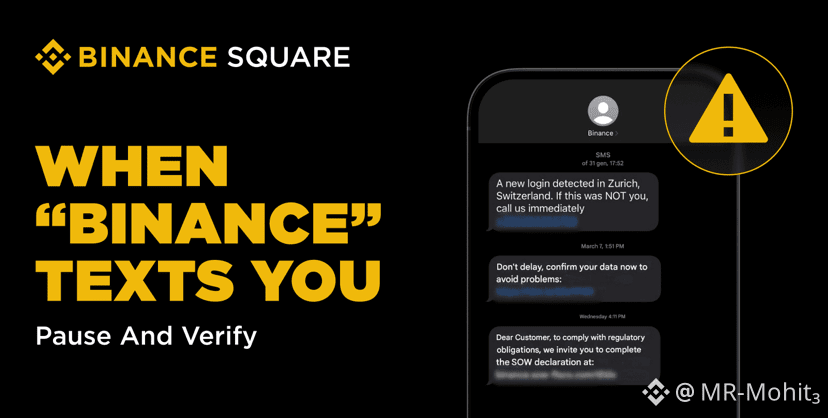
2
589
📩 Phishing emails are not always sent from fake or suspicious-looking infrastructure. Today, attackers often abuse real platforms and trusted services to make malicious emails appear more legitimate.
❓ Which of the following best describes this growing phishing tactic?
A. Attackers only rely on obviously fake domains and suspicious servers to send phishing emails.
B. Attackers increasingly abuse legitimate cloud, notification, or automation platforms to deliver malicious emails that may still pass authentication checks.
C. Attackers can only succeed if SPF, DKIM, and DMARC are completely missing.
Vote below 🗳️ Follow us and check the comments for the correct answer 👇
#Binancesecurity
📩 Phishing emails are not always sent from fake or suspicious-looking infrastructure. Today, attackers often abuse real platforms and trusted services to make malicious emails appear more legitimate.
❓ Which of the following best describes this growing phishing tactic?
A. Attackers only rely on obviously fake domains and suspicious servers to send phishing emails.
B. Attackers increasingly abuse legitimate cloud, notification, or automation platforms to deliver malicious emails that may still pass authentication checks.
C. Attackers can only succeed if SPF, DKIM, and DMARC are completely missing.
Vote below 🗳️ Follow us and check the comments for the correct answer 👇
#Binancesecurity
❓ Which of the following best describes this growing phishing tactic?
A. Attackers only rely on obviously fake domains and suspicious servers to send phishing emails.
B. Attackers increasingly abuse legitimate cloud, notification, or automation platforms to deliver malicious emails that may still pass authentication checks.
C. Attackers can only succeed if SPF, DKIM, and DMARC are completely missing.
Vote below 🗳️ Follow us and check the comments for the correct answer 👇
#Binancesecurity
A
33%
B
67%
C
0%
3 votes • Voting closed
11
1
36
65.4k
🟡 Your daily security check starts now. #Binancesecurity
🟡 Your daily security check starts now. #Binancesecurity
4
501
Log in to explore more content
Join global crypto users on Binance Square
⚡️ Get latest and useful information about crypto.
💬 Trusted by the world’s largest crypto exchange.
👍 Discover real insights from verified creators.
Email / Phone number
Trending Topics
1
#FedMinutesFocusOnOctoberPause
73,743 views
880 Discussing
2
#BinanceLaunchesBinanceIntelligence
1M views
6,139 Discussing
3
#EvernorthDelaysNasdaqDebutToOct12
3,884 views
162 Discussing
4
#RobinhoodAdds$25MInBitcoinToBalanceSheet
2,023 views
55 Discussing
5
#SP500AndNasdaqHitRecordHighs
11,429 views
350 Discussing
6
#USMortgageRatesRiseTo7.49%
13,213 views
302 Discussing
7
#BTCFallsBelow$84K
96,599 views
217 Discussing
8
#DubaiVARAIssuesReserveAssetAuditCircular
37,773 views
887 Discussing
9
#SECApproves3XBitcoinETF
35,493 views
719 Discussing
10
#WinklevossFilesSpotZcashETFApplication
44,025 views
828 Discussing