
Trust Wallet Re-poster
481 Posts
Trust Wallet Re-poster
Report
Block User
The #1 crypto wallet, trusted by 220+ million people. Predictions are LIVE in-app.
0 Following
36 Followers
16 Liked
Posts
All
Videos
We have updated the appearance of your settings page. All essential options are now consolidated onto a single screen and neatly categorized, allowing you to reach what you need in fewer taps. Take a look below.
We have updated the appearance of your settings page. All essential options are now consolidated onto a single screen and neatly categorized, allowing you to reach what you need in fewer taps. Take a look below.
67
Managing more than one wallet is now easier than ever. You can transition between your different accounts from any screen within the application. Accessing the sidebar requires just a quick swipe from any tab, bringing your wallets, settings, and support options together in a single convenient hub.
Managing more than one wallet is now easier than ever. You can transition between your different accounts from any screen within the application. Accessing the sidebar requires just a quick swipe from any tab, bringing your wallets, settings, and support options together in a single convenient hub.
80
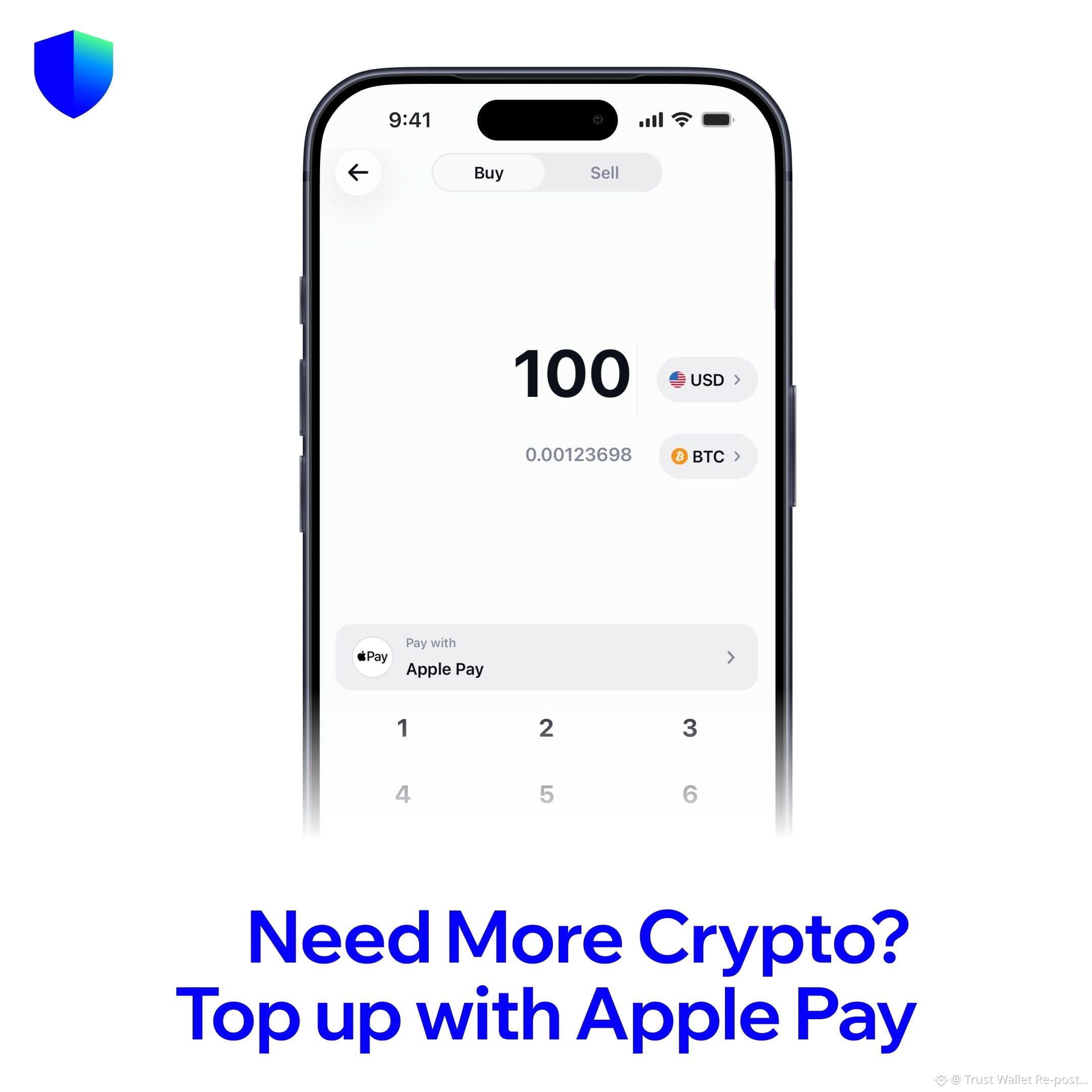
You can easily add funds to your account with Apple Pay directly inside Trust Wallet whenever your balance is getting low.
You can easily add funds to your account with Apple Pay directly inside Trust Wallet whenever your balance is getting low.
68
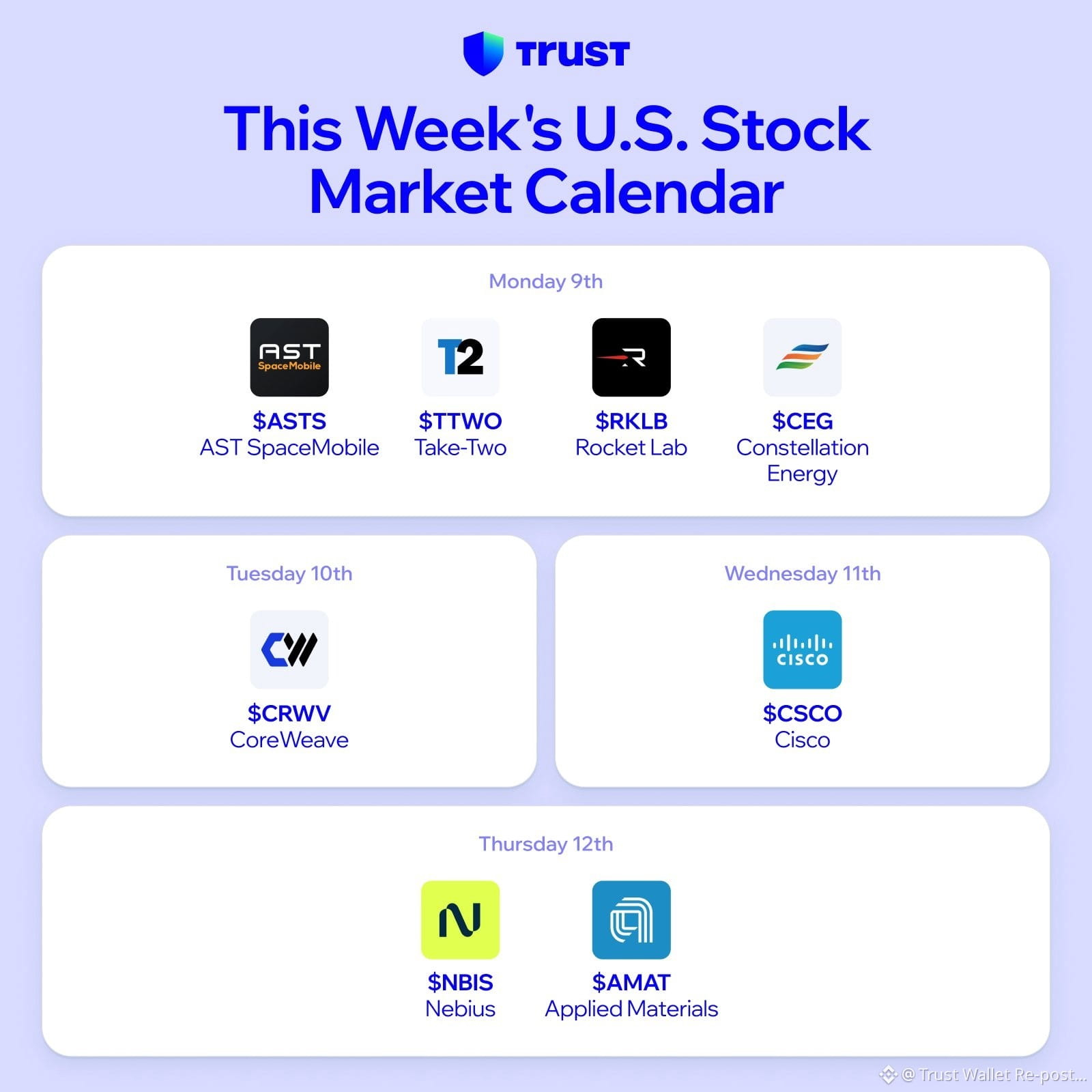
As a new week gets underway, a fresh selection of reports is arriving. Which items are currently on your watchlist?
As a new week gets underway, a fresh selection of reports is arriving. Which items are currently on your watchlist?
74
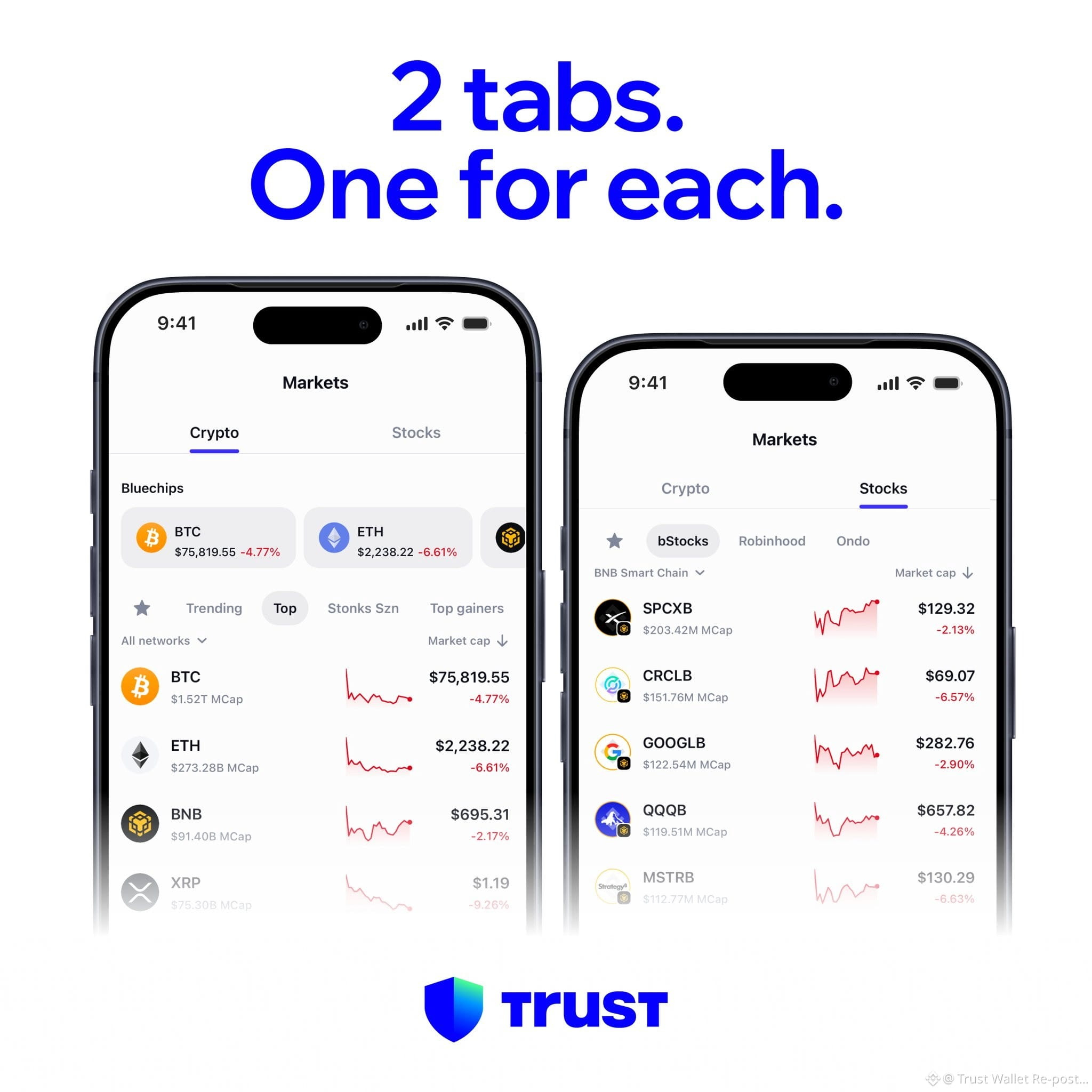
If you actively manage both equities and digital assets, transitioning between these markets has now been made much simpler for you.
If you actively manage both equities and digital assets, transitioning between these markets has now been made much simpler for you.
65
I find myself wondering when we might see the arrival of a five-day weekend, as my efforts to monitor market charts face continuous disruptions.
I find myself wondering when we might see the arrival of a five-day weekend, as my efforts to monitor market charts face continuous disruptions.
76
Market charts take on an entirely unique dynamic over the weekend.
Market charts take on an entirely unique dynamic over the weekend.

62
Good morning to everyone in the Crypto Twitter community.
Good morning to everyone in the Crypto Twitter community.
71
Strengthening Your Wallet Protection by Keeping iOS Updated
Because your digital wallet operates directly within your mobile device, maintaining a secure operating system is essential to safeguarding your assets. Apple consistently patches system vulnerabilities through regular software releases, meaning that smartphones running outdated firmware remain susceptible to documented security threats.
Security specialists have recently discovered a pair of exploit kits named Coruna and DarkSword that actively target unpatched iOS versions. These threats operate by exploiting flaws native to the Apple platform itself rather than vulnerabilities within specific wallet applications. Nonetheless, if an attacker successfully infiltrates the phone, any stored wallet credentials and information become accessible.
Details on the impacted software versions include:
Coruna applies to iOS 13.0–17.2.1. This kit employs compromised web destinations to capitalize on system weaknesses, giving attackers access to private records and wallet contents.
DarkSword impacts iOS 18.4–18.7. It similarly relies on deceptive websites to sidestep native iOS defenses and extract confidential files.
Practical measures to protect your assets:
First, install the latest iOS release offered for your specific device.
Second, activate Lockdown Mode to establish a stronger defensive barrier if you cannot install an update immediately.
Third, avoid browsing suspicious, unverified, or unfamiliar web domains.
Fourth, refrain from saving private keys or secret recovery phrases within screenshots or digital memo applications.
Strengthening Your Wallet Protection by Keeping iOS Updated
Because your digital wallet operates directly within your mobile device, maintaining a secure operating system is essential to safeguarding your assets. Apple consistently patches system vulnerabilities through regular software releases, meaning that smartphones running outdated firmware remain susceptible to documented security threats.
Security specialists have recently discovered a pair of exploit kits named Coruna and DarkSword that actively target unpatched iOS versions. These threats operate by exploiting flaws native to the Apple platform itself rather than vulnerabilities within specific wallet applications. Nonetheless, if an attacker successfully infiltrates the phone, any stored wallet credentials and information become accessible.
Details on the impacted software versions include:
Coruna applies to iOS 13.0–17.2.1. This kit employs compromised web destinations to capitalize on system weaknesses, giving attackers access to private records and wallet contents.
DarkSword impacts iOS 18.4–18.7. It similarly relies on deceptive websites to sidestep native iOS defenses and extract confidential files.
Practical measures to protect your assets:
First, install the latest iOS release offered for your specific device.
Second, activate Lockdown Mode to establish a stronger defensive barrier if you cannot install an update immediately.
Third, avoid browsing suspicious, unverified, or unfamiliar web domains.
Fourth, refrain from saving private keys or secret recovery phrases within screenshots or digital memo applications.
Because your digital wallet operates directly within your mobile device, maintaining a secure operating system is essential to safeguarding your assets. Apple consistently patches system vulnerabilities through regular software releases, meaning that smartphones running outdated firmware remain susceptible to documented security threats.
Security specialists have recently discovered a pair of exploit kits named Coruna and DarkSword that actively target unpatched iOS versions. These threats operate by exploiting flaws native to the Apple platform itself rather than vulnerabilities within specific wallet applications. Nonetheless, if an attacker successfully infiltrates the phone, any stored wallet credentials and information become accessible.
Details on the impacted software versions include:
Coruna applies to iOS 13.0–17.2.1. This kit employs compromised web destinations to capitalize on system weaknesses, giving attackers access to private records and wallet contents.
DarkSword impacts iOS 18.4–18.7. It similarly relies on deceptive websites to sidestep native iOS defenses and extract confidential files.
Practical measures to protect your assets:
First, install the latest iOS release offered for your specific device.
Second, activate Lockdown Mode to establish a stronger defensive barrier if you cannot install an update immediately.
Third, avoid browsing suspicious, unverified, or unfamiliar web domains.
Fourth, refrain from saving private keys or secret recovery phrases within screenshots or digital memo applications.
59
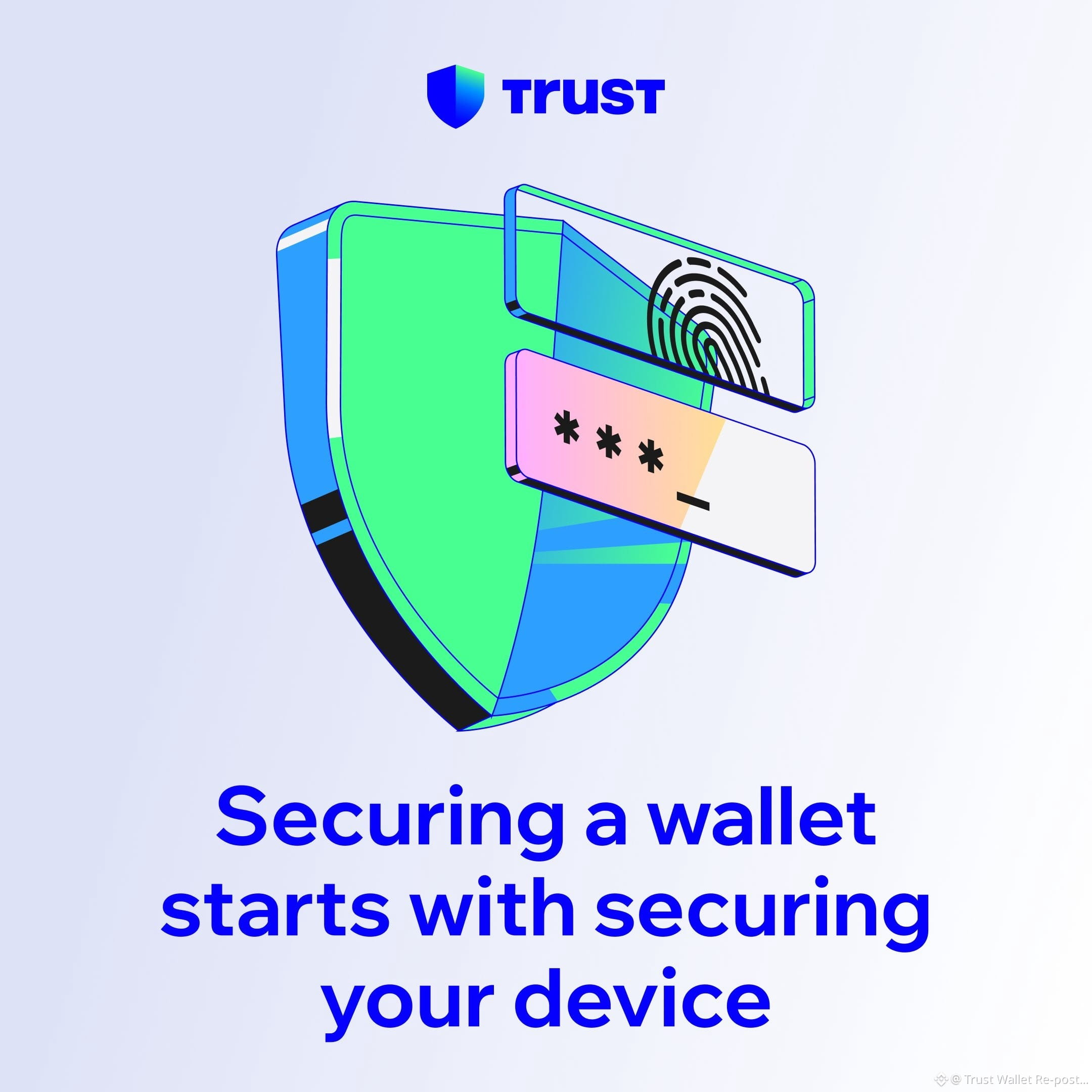
Safeguarding your crypto assets fundamentally begins with protecting the device you use every day. Practicing consistent, cautious habits can make an enormous impact on your overall safety.
To strengthen your defense immediately, ensure that both iOS and your Trust Wallet application are updated to the latest builds. If you manage substantial balances, enabling Lockdown Mode is a sensible precaution. Regularly inspect and cancel any token permissions that appear unfamiliar. Never store your seed phrase digitally, keeping it entirely free from camera screenshots, notes apps, and cloud storage services. Furthermore, take the time to inspect entire destination addresses and confirm web domain authenticity before finalizing any transaction.
You can review the complete guide and recommendations at the link below:
https://trustwallet.com/blog/security/crypto-self-custody-security-checklist
Safeguarding your crypto assets fundamentally begins with protecting the device you use every day. Practicing consistent, cautious habits can make an enormous impact on your overall safety.
To strengthen your defense immediately, ensure that both iOS and your Trust Wallet application are updated to the latest builds. If you manage substantial balances, enabling Lockdown Mode is a sensible precaution. Regularly inspect and cancel any token permissions that appear unfamiliar. Never store your seed phrase digitally, keeping it entirely free from camera screenshots, notes apps, and cloud storage services. Furthermore, take the time to inspect entire destination addresses and confirm web domain authenticity before finalizing any transaction.
You can review the complete guide and recommendations at the link below:
https://trustwallet.com/blog/security/crypto-self-custody-security-checklist
To strengthen your defense immediately, ensure that both iOS and your Trust Wallet application are updated to the latest builds. If you manage substantial balances, enabling Lockdown Mode is a sensible precaution. Regularly inspect and cancel any token permissions that appear unfamiliar. Never store your seed phrase digitally, keeping it entirely free from camera screenshots, notes apps, and cloud storage services. Furthermore, take the time to inspect entire destination addresses and confirm web domain authenticity before finalizing any transaction.
You can review the complete guide and recommendations at the link below:
https://trustwallet.com/blog/security/crypto-self-custody-security-checklist
57
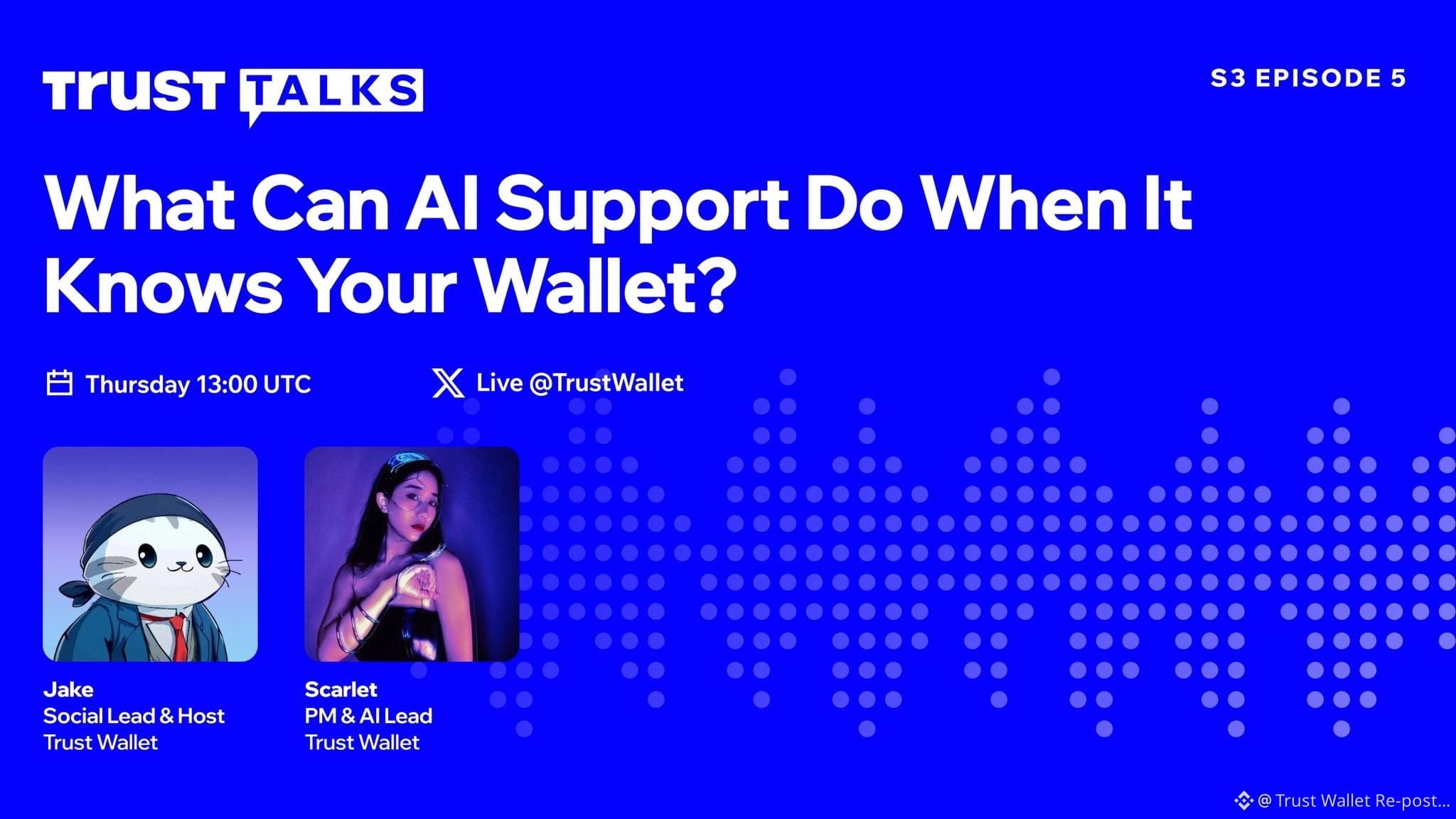
Tune in tomorrow for the live video broadcast of Trust Talks S3.E5, scheduled for Thursday 5th Nov at 1PM UTC.
Hosted by @J2Trappy_, this session will explore what AI support can accomplish when it understands your wallet. Joining the discussion as our featured guest is @xiaohangzhang7, AI Lead at @TrustWallet.
Tune in tomorrow for the live video broadcast of Trust Talks S3.E5, scheduled for Thursday 5th Nov at 1PM UTC.
Hosted by @J2Trappy_, this session will explore what AI support can accomplish when it understands your wallet. Joining the discussion as our featured guest is @xiaohangzhang7, AI Lead at @TrustWallet.
Hosted by @J2Trappy_, this session will explore what AI support can accomplish when it understands your wallet. Joining the discussion as our featured guest is @xiaohangzhang7, AI Lead at @TrustWallet.
75
The provided submission consists entirely of a graphical illustration rendered in Braille characters, displaying a solid shield or rounded contour. Because the input does not contain any written statements, data, proper nouns, conclusions, or hashtags, there is no textual content available to edit or rewrite.
The provided submission consists entirely of a graphical illustration rendered in Braille characters, displaying a solid shield or rounded contour. Because the input does not contain any written statements, data, proper nouns, conclusions, or hashtags, there is no textual content available to edit or rewrite.
59
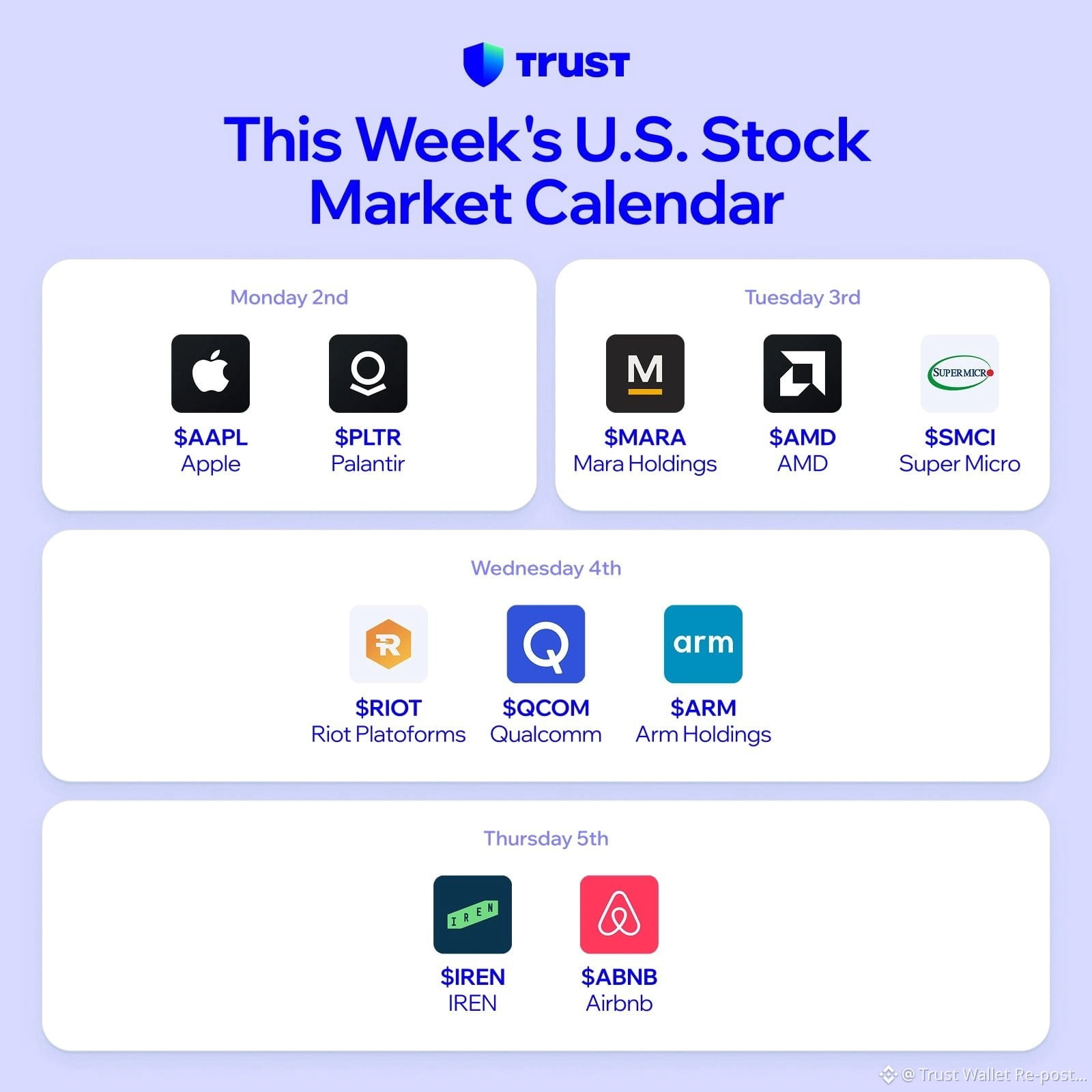
A massive wave of corporate financial reports is scheduled for release over the coming days. Which companies are you monitoring most closely this week?
A massive wave of corporate financial reports is scheduled for release over the coming days. Which companies are you monitoring most closely this week?
46
Are you fascinated by the world of Web3 and self-custody? We are eager to connect with you. Trust Wallet is currently accepting applications for our newly launched Graduate Leadership Programme.
This one-year, entirely remote initiative serves as a direct stepping stone into a permanent position. It is specifically designed for driven individuals who are ready to take ownership of actual projects right from the start, while simultaneously acquiring valuable insights from our senior leaders. We look forward to learning more about you and your career aspirations.
Are you fascinated by the world of Web3 and self-custody? We are eager to connect with you. Trust Wallet is currently accepting applications for our newly launched Graduate Leadership Programme.
This one-year, entirely remote initiative serves as a direct stepping stone into a permanent position. It is specifically designed for driven individuals who are ready to take ownership of actual projects right from the start, while simultaneously acquiring valuable insights from our senior leaders. We look forward to learning more about you and your career aspirations.
This one-year, entirely remote initiative serves as a direct stepping stone into a permanent position. It is specifically designed for driven individuals who are ready to take ownership of actual projects right from the start, while simultaneously acquiring valuable insights from our senior leaders. We look forward to learning more about you and your career aspirations.
34
Experience seamless multitasking with the latest feature currently available on Trust Wallet. You are now able to pause your activity within a dApp to handle other matters and easily return whenever you are ready. By simply swiping downward, you can minimize the active dApp into a convenient pill icon on your screen. This gives you the freedom to send funds, review your balances, or take care of any other necessary actions. Once you finish, just a quick tap on the pill will bring you exactly back to the point where you paused your session.
Experience seamless multitasking with the latest feature currently available on Trust Wallet. You are now able to pause your activity within a dApp to handle other matters and easily return whenever you are ready. By simply swiping downward, you can minimize the active dApp into a convenient pill icon on your screen. This gives you the freedom to send funds, review your balances, or take care of any other necessary actions. Once you finish, just a quick tap on the pill will bring you exactly back to the point where you paused your session.
58
As the anticipated uptober market rally unfortunately failed to materialize recently, one can only hope that we might be generously rewarded with a spectacular moonvember instead.
As the anticipated uptober market rally unfortunately failed to materialize recently, one can only hope that we might be generously rewarded with a spectacular moonvember instead.
71
Enhancing the safety of your wallet begins with keeping track of the permissions you have granted. You can fortify your digital security simply by overseeing your token approvals.
When you authorize token approvals, you are granting dApps the ability to access the funds stored in your wallet. It is essential to remove permissions you are no longer utilizing, as malicious contracts can take advantage of outdated or unrestricted access to empty your balance.
You can easily remove an authorization by following this process. First, navigate to Settings and open the Security menu. Next, tap on Approvals. From there, select an approval, and finally, tap Revoke Approval.
Dedicating just a few moments to review your current permissions is a highly effective way to ensure your assets remain protected.
Enhancing the safety of your wallet begins with keeping track of the permissions you have granted. You can fortify your digital security simply by overseeing your token approvals.
When you authorize token approvals, you are granting dApps the ability to access the funds stored in your wallet. It is essential to remove permissions you are no longer utilizing, as malicious contracts can take advantage of outdated or unrestricted access to empty your balance.
You can easily remove an authorization by following this process. First, navigate to Settings and open the Security menu. Next, tap on Approvals. From there, select an approval, and finally, tap Revoke Approval.
Dedicating just a few moments to review your current permissions is a highly effective way to ensure your assets remain protected.
When you authorize token approvals, you are granting dApps the ability to access the funds stored in your wallet. It is essential to remove permissions you are no longer utilizing, as malicious contracts can take advantage of outdated or unrestricted access to empty your balance.
You can easily remove an authorization by following this process. First, navigate to Settings and open the Security menu. Next, tap on Approvals. From there, select an approval, and finally, tap Revoke Approval.
Dedicating just a few moments to review your current permissions is a highly effective way to ensure your assets remain protected.
40
Wishing a pleasant good morning to everyone who is stepping away from their screens to spend some time outdoors today.
Wishing a pleasant good morning to everyone who is stepping away from their screens to spend some time outdoors today.
49
Observing Bitcoin Whitepaper Day is undoubtedly a much greater and more exciting occasion than celebrating Halloween.
Observing Bitcoin Whitepaper Day is undoubtedly a much greater and more exciting occasion than celebrating Halloween.
64
Wishing you a very good morning. We warmly invite you to return the greeting.
Wishing you a very good morning. We warmly invite you to return the greeting.
84
Log in to explore more content
Join global crypto users on Binance Square
⚡️ Get latest and useful information about crypto.
💬 Trusted by the world’s largest crypto exchange.
👍 Discover real insights from verified creators.
Email / Phone number
Trending Topics
HotCPIDecemberHikePriced
79,251 views
945 Discussing
CPI Market Watch | US CPI Rises 0.4% in October, Hotter Than 0.3% Forecast
Binance News
·26 Likes
·41.1k views
AnthropicRejectsIPODelayValuationinQuestion
207,280 views
1,730 Discussing
NvidiaInvestigatesAfterHuang’sAffairApology
494,629 views
3,142 Discussing