

Visionary Financial
5.1k Beiträge

Visionary Financial
 Square Verified+
Melden
Nutzer blockieren
Global News & PR Agency - Covering Emerging Projects In Crypto, Blockchain, Web3, & NFT.
0 Following
25.6K+ Follower
13.7K+ Like gegeben
Beiträge
Artikel
Übersetzung ansehen
Why Does My Solana Wallet Show Multiple Accounts?If your Solana wallet shows multiple accounts, it usually means the wallet is managing more than one Solana address. This is normal and can happen when you create additional accounts, import another wallet, restore a wallet, connect a hardware wallet, or use different account types.
Seeing multiple accounts does not automatically mean your wallet has been hacked or that your funds have been duplicated. Each account can have its own Solana address, balance, transaction history, and recovery method.
Why Does My Solana Wallet Show Multiple Accounts?
Your Solana wallet may show multiple accounts because you have created or imported more than one account.
Common reasons include:
You created an additional Solana account.
Your wallet generated multiple accounts from a recovery phrase.
You imported another wallet.
You imported a private key.
You connected a Ledger or another hardware wallet.
You added a watch-only address.
You restored an existing wallet and additional accounts became available.
For example, wallet applications can allow several accounts to be managed from one interface even though each account has a different Solana address.
Can One Solana Wallet Have Multiple Accounts?
Yes. One wallet application can manage multiple Solana accounts.
For example:
Wallet app → Account 1 → Solana address A
Wallet app → Account 2 → Solana address B
Wallet app → Account 3 → Solana address C
Although the accounts appear together inside the same wallet application, they are separate blockchain addresses.
This means that SOL sent to Account 1 does not automatically appear in Account 2.
Why Does My Solana Wallet Have Multiple Addresses?
Each Solana account has its own public address.
When a wallet creates additional accounts, those accounts can have different addresses. This allows users to keep assets and activities separated.
For example, you might use:
One account for holding SOL
One account for trading
One account for NFTs
One account for testing decentralized applications
Having multiple addresses can therefore be a normal wallet-management feature rather than a security problem.
Can Multiple Solana Accounts Use the Same Recovery Phrase?
Yes, depending on how the wallet generates its accounts.
A recovery phrase can be used by some wallet applications to derive multiple accounts. Each derived account can have a different Solana address while being associated with the same recovery phrase.
This is why restoring a wallet can sometimes result in multiple accounts appearing.
However, you should not assume that every account visible inside your wallet is controlled by the same recovery phrase.
An account could instead have been imported using a private key or connected through a hardware wallet.
Why Do I See Multiple Solana Accounts After Restoring My Wallet?
When you restore a wallet, the application may make previously generated or associated accounts available again.
This can be confusing if you only remember using one account.
For example, you may have created another account months ago and forgotten about it. When you restore your wallet, that account may appear again.
The important thing to check is the Solana address associated with each account.
If the address matches an account you previously used, the account is likely one you already had access to.
Why Does One Solana Account Have SOL and Another Has Nothing?
Each Solana account has its own balance.
Suppose your wallet shows:
Account SOL Balance Account 1 2 SOL Account 2 0 SOL Account 3 0.5 SOL
The 2 SOL in Account 1 does not belong to Account 2 or Account 3.
Each account is associated with its own address and blockchain balance.
This is why you should always check which account is selected before sending or receiving SOL.
Is It Normal to Have Multiple Solana Accounts?
Yes. Multiple accounts are a normal feature supported by many crypto wallets.
Users may create separate accounts to organize their crypto activity or separate funds.
For example, someone might keep long-term holdings in one account while using another account for interacting with decentralized applications.
Using separate accounts can also make it easier to identify where specific assets or transactions are located.
Why Does My Solana Wallet Show an Account I Don’t Remember Creating?
There are several possible explanations.
You may have:
Created the account previously and forgotten about it.
Imported an account from another wallet.
Restored a recovery phrase containing additional accounts.
Imported a private key.
Connected a hardware wallet.
Added a watch-only address.
An unfamiliar account appearing in your wallet does not automatically prove that someone has accessed your wallet.
First, check the account’s public address and transaction history.
If the address has transactions you recognize, it may simply be an old account you forgot about.
If the account contains unexpected activity, investigate the account and connected applications carefully.
Can Multiple Solana Accounts Have Different Recovery Methods?
Yes.
This is an important distinction because two accounts displayed in the same wallet application may not necessarily have the same backup method.
For example:
Account A may come from a recovery phrase.
Account B may have been imported using a private key.
Account C may belong to a hardware wallet.
Account D may simply be a watch-only address.
Therefore, backing up one recovery phrase does not necessarily mean every account displayed in your wallet can be restored from that recovery phrase.
Why Does My Ledger Show Multiple Solana Accounts?
A hardware wallet such as Ledger can be used with wallet applications to manage multiple blockchain accounts.
Depending on the wallet software and account configuration, you may see more than one Solana account associated with the hardware device.
If you’re looking for an old Solana address, make sure you’re checking the correct account configuration rather than assuming every account will use the same address.
Your hardware wallet’s recovery method and account configuration are important when restoring access.
Do Multiple Solana Accounts Share the Same Balance?
No.
Each Solana address has its own balance.
For example:
Account A: 1.2 SOL
Account B: 0 SOL
Account C: 4 SOL
The accounts do not share a combined 5.2 SOL balance. The blockchain records the assets separately according to their respective addresses.
If you want to move funds between accounts, you need to make a transaction from one address to another.
Can I Send SOL Between My Solana Accounts?
Yes.
You can generally send SOL from one Solana account to another just like sending SOL to another wallet address.
For example:
Account A → Account B
The transaction transfers SOL from the first account’s address to the second account’s address.
Before confirming the transaction, always verify the destination address and network because blockchain transactions generally cannot simply be reversed after confirmation.
Can I Remove an Extra Solana Account?
In many wallet applications, you can remove or hide an account from the wallet interface.
However, removing an account from the application does not necessarily mean the blockchain address has been permanently deleted.
The address can still exist on the Solana blockchain, and you may be able to regain access later if you have the correct recovery phrase, private key, or hardware wallet.
Before removing an account, make sure you know how it was created and how it can be recovered.
What Happens If I Remove a Solana Account With Funds?
Be careful when removing an account that contains assets.
Removing an account from a wallet interface may only remove it from the application. It does not necessarily transfer or destroy the funds.
If you remove an account without knowing how to restore it, you could make it difficult to access those assets later.
Before removing it, verify:
The account’s Solana address
Its SOL balance
Any tokens or NFTs it holds
Its recovery method
Whether you have the required recovery credentials
Never delete or discard a recovery phrase or private key simply because an account is no longer visible in your wallet.
Are Multiple Solana Accounts Safe?
Having multiple Solana accounts is not inherently unsafe.
The important security issue is how those accounts are controlled and what applications you connect them to.
For example, you can reduce unnecessary risk by:
Keeping recovery phrases private.
Never sharing private keys.
Verifying addresses before sending funds.
Being careful when connecting to unknown decentralized applications.
Using separate accounts for different activities when appropriate.
Keeping valuable long-term holdings separated from accounts used for frequent application interactions.
A wallet showing multiple accounts by itself is not evidence that your wallet has been compromised.
Why Does My Solana Wallet Show Multiple Accounts With the Same Name?
Wallet applications may use generic names such as “Account 1,” “Account 2,” or similar labels.
The account name is simply a way to organize what you see in the wallet interface. The more important identifier is the actual Solana public address.
If two accounts have different addresses, they are separate blockchain accounts even if their displayed names look similar.
You can usually rename accounts within supported wallet applications to make them easier to identify.
How Do I Know Which Solana Account Is Mine?
The easiest way is to compare the public address with an address you have previously used.
You can check:
Your previous transaction records.
Deposit records from exchanges.
Saved wallet addresses.
Blockchain explorers.
Your previous screenshots or account records.
Do not share your recovery phrase or private key while trying to verify an account.
A public Solana address can generally be used to check transaction history and balances without revealing the private credentials needed to control the account.
Why Does My Solana Wallet Show Multiple Accounts After Importing From Another Wallet?
Different wallet applications can organize accounts differently.
When you import or restore a wallet, the new application may display accounts that were previously created or associated with your wallet setup.
The number and appearance of accounts can therefore differ between wallet applications.
If you’re moving from one wallet to another, compare the public Solana addresses rather than relying only on account names.
Does Having Multiple Solana Accounts Mean My Wallet Was Hacked?
No, not by itself.
Multiple accounts can appear for completely normal reasons, including account creation, wallet restoration, importing, hardware-wallet connections, or different account types.
A stronger indication of a security problem would be unexpected transactions or unauthorized activity associated with an account you control.
If you see an unfamiliar transaction, identify the affected address and review what happened before taking further action.
What Should I Do If I Don’t Recognize a Solana Account?
If you see an account you don’t recognize, don’t immediately enter your recovery phrase into another website or give your private key to someone claiming they can help.
Instead:
Record the account’s public address.
Check its transaction history.
Determine whether you previously imported or created it.
Check whether it is connected to a hardware wallet.
Review connected applications if necessary.
Check whether the account holds any assets.
Keep your recovery phrase and private keys completely private.
If you find unauthorized transactions, treat the situation as a potential security issue and avoid interacting with suspicious links or applications.
Bottom Line
If your Solana wallet shows multiple accounts, it is usually because the wallet application is managing multiple Solana addresses. This can happen through additional account creation, wallet restoration, imports, private keys, hardware wallets, or other supported account types.
The most important thing is to remember that each Solana account can have a separate address and balance. Multiple accounts appearing in one wallet interface does not mean your funds are duplicated or that your wallet has automatically been compromised.
Before sending, removing, or restoring an account, check its public address and make sure you understand how that account is backed up.
The post Why Does My Solana Wallet Show Multiple Accounts? appeared first on Visionary Financial.
Why Does My Solana Wallet Show Multiple Accounts?
If your Solana wallet shows multiple accounts, it usually means the wallet is managing more than one Solana address. This is normal and can happen when you create additional accounts, import another wallet, restore a wallet, connect a hardware wallet, or use different account types.
Seeing multiple accounts does not automatically mean your wallet has been hacked or that your funds have been duplicated. Each account can have its own Solana address, balance, transaction history, and recovery method.
Why Does My Solana Wallet Show Multiple Accounts?
Your Solana wallet may show multiple accounts because you have created or imported more than one account.
Common reasons include:
You created an additional Solana account.
Your wallet generated multiple accounts from a recovery phrase.
You imported another wallet.
You imported a private key.
You connected a Ledger or another hardware wallet.
You added a watch-only address.
You restored an existing wallet and additional accounts became available.
For example, wallet applications can allow several accounts to be managed from one interface even though each account has a different Solana address.
Can One Solana Wallet Have Multiple Accounts?
Yes. One wallet application can manage multiple Solana accounts.
For example:
Wallet app → Account 1 → Solana address A
Wallet app → Account 2 → Solana address B
Wallet app → Account 3 → Solana address C
Although the accounts appear together inside the same wallet application, they are separate blockchain addresses.
This means that SOL sent to Account 1 does not automatically appear in Account 2.
Why Does My Solana Wallet Have Multiple Addresses?
Each Solana account has its own public address.
When a wallet creates additional accounts, those accounts can have different addresses. This allows users to keep assets and activities separated.
For example, you might use:
One account for holding SOL
One account for trading
One account for NFTs
One account for testing decentralized applications
Having multiple addresses can therefore be a normal wallet-management feature rather than a security problem.
Can Multiple Solana Accounts Use the Same Recovery Phrase?
Yes, depending on how the wallet generates its accounts.
A recovery phrase can be used by some wallet applications to derive multiple accounts. Each derived account can have a different Solana address while being associated with the same recovery phrase.
This is why restoring a wallet can sometimes result in multiple accounts appearing.
However, you should not assume that every account visible inside your wallet is controlled by the same recovery phrase.
An account could instead have been imported using a private key or connected through a hardware wallet.
Why Do I See Multiple Solana Accounts After Restoring My Wallet?
When you restore a wallet, the application may make previously generated or associated accounts available again.
This can be confusing if you only remember using one account.
For example, you may have created another account months ago and forgotten about it. When you restore your wallet, that account may appear again.
The important thing to check is the Solana address associated with each account.
If the address matches an account you previously used, the account is likely one you already had access to.
Why Does One Solana Account Have SOL and Another Has Nothing?
Each Solana account has its own balance.
Suppose your wallet shows:
Account SOL Balance Account 1 2 SOL Account 2 0 SOL Account 3 0.5 SOL
The 2 SOL in Account 1 does not belong to Account 2 or Account 3.
Each account is associated with its own address and blockchain balance.
This is why you should always check which account is selected before sending or receiving SOL.
Is It Normal to Have Multiple Solana Accounts?
Yes. Multiple accounts are a normal feature supported by many crypto wallets.
Users may create separate accounts to organize their crypto activity or separate funds.
For example, someone might keep long-term holdings in one account while using another account for interacting with decentralized applications.
Using separate accounts can also make it easier to identify where specific assets or transactions are located.
Why Does My Solana Wallet Show an Account I Don’t Remember Creating?
There are several possible explanations.
You may have:
Created the account previously and forgotten about it.
Imported an account from another wallet.
Restored a recovery phrase containing additional accounts.
Imported a private key.
Connected a hardware wallet.
Added a watch-only address.
An unfamiliar account appearing in your wallet does not automatically prove that someone has accessed your wallet.
First, check the account’s public address and transaction history.
If the address has transactions you recognize, it may simply be an old account you forgot about.
If the account contains unexpected activity, investigate the account and connected applications carefully.
Can Multiple Solana Accounts Have Different Recovery Methods?
Yes.
This is an important distinction because two accounts displayed in the same wallet application may not necessarily have the same backup method.
For example:
Account A may come from a recovery phrase.
Account B may have been imported using a private key.
Account C may belong to a hardware wallet.
Account D may simply be a watch-only address.
Therefore, backing up one recovery phrase does not necessarily mean every account displayed in your wallet can be restored from that recovery phrase.
Why Does My Ledger Show Multiple Solana Accounts?
A hardware wallet such as Ledger can be used with wallet applications to manage multiple blockchain accounts.
Depending on the wallet software and account configuration, you may see more than one Solana account associated with the hardware device.
If you’re looking for an old Solana address, make sure you’re checking the correct account configuration rather than assuming every account will use the same address.
Your hardware wallet’s recovery method and account configuration are important when restoring access.
Do Multiple Solana Accounts Share the Same Balance?
No.
Each Solana address has its own balance.
For example:
Account A: 1.2 SOL
Account B: 0 SOL
Account C: 4 SOL
The accounts do not share a combined 5.2 SOL balance. The blockchain records the assets separately according to their respective addresses.
If you want to move funds between accounts, you need to make a transaction from one address to another.
Can I Send SOL Between My Solana Accounts?
Yes.
You can generally send SOL from one Solana account to another just like sending SOL to another wallet address.
For example:
Account A → Account B
The transaction transfers SOL from the first account’s address to the second account’s address.
Before confirming the transaction, always verify the destination address and network because blockchain transactions generally cannot simply be reversed after confirmation.
Can I Remove an Extra Solana Account?
In many wallet applications, you can remove or hide an account from the wallet interface.
However, removing an account from the application does not necessarily mean the blockchain address has been permanently deleted.
The address can still exist on the Solana blockchain, and you may be able to regain access later if you have the correct recovery phrase, private key, or hardware wallet.
Before removing an account, make sure you know how it was created and how it can be recovered.
What Happens If I Remove a Solana Account With Funds?
Be careful when removing an account that contains assets.
Removing an account from a wallet interface may only remove it from the application. It does not necessarily transfer or destroy the funds.
If you remove an account without knowing how to restore it, you could make it difficult to access those assets later.
Before removing it, verify:
The account’s Solana address
Its SOL balance
Any tokens or NFTs it holds
Its recovery method
Whether you have the required recovery credentials
Never delete or discard a recovery phrase or private key simply because an account is no longer visible in your wallet.
Are Multiple Solana Accounts Safe?
Having multiple Solana accounts is not inherently unsafe.
The important security issue is how those accounts are controlled and what applications you connect them to.
For example, you can reduce unnecessary risk by:
Keeping recovery phrases private.
Never sharing private keys.
Verifying addresses before sending funds.
Being careful when connecting to unknown decentralized applications.
Using separate accounts for different activities when appropriate.
Keeping valuable long-term holdings separated from accounts used for frequent application interactions.
A wallet showing multiple accounts by itself is not evidence that your wallet has been compromised.
Why Does My Solana Wallet Show Multiple Accounts With the Same Name?
Wallet applications may use generic names such as “Account 1,” “Account 2,” or similar labels.
The account name is simply a way to organize what you see in the wallet interface. The more important identifier is the actual Solana public address.
If two accounts have different addresses, they are separate blockchain accounts even if their displayed names look similar.
You can usually rename accounts within supported wallet applications to make them easier to identify.
How Do I Know Which Solana Account Is Mine?
The easiest way is to compare the public address with an address you have previously used.
You can check:
Your previous transaction records.
Deposit records from exchanges.
Saved wallet addresses.
Blockchain explorers.
Your previous screenshots or account records.
Do not share your recovery phrase or private key while trying to verify an account.
A public Solana address can generally be used to check transaction history and balances without revealing the private credentials needed to control the account.
Why Does My Solana Wallet Show Multiple Accounts After Importing From Another Wallet?
Different wallet applications can organize accounts differently.
When you import or restore a wallet, the new application may display accounts that were previously created or associated with your wallet setup.
The number and appearance of accounts can therefore differ between wallet applications.
If you’re moving from one wallet to another, compare the public Solana addresses rather than relying only on account names.
Does Having Multiple Solana Accounts Mean My Wallet Was Hacked?
No, not by itself.
Multiple accounts can appear for completely normal reasons, including account creation, wallet restoration, importing, hardware-wallet connections, or different account types.
A stronger indication of a security problem would be unexpected transactions or unauthorized activity associated with an account you control.
If you see an unfamiliar transaction, identify the affected address and review what happened before taking further action.
What Should I Do If I Don’t Recognize a Solana Account?
If you see an account you don’t recognize, don’t immediately enter your recovery phrase into another website or give your private key to someone claiming they can help.
Instead:
Record the account’s public address.
Check its transaction history.
Determine whether you previously imported or created it.
Check whether it is connected to a hardware wallet.
Review connected applications if necessary.
Check whether the account holds any assets.
Keep your recovery phrase and private keys completely private.
If you find unauthorized transactions, treat the situation as a potential security issue and avoid interacting with suspicious links or applications.
Bottom Line
If your Solana wallet shows multiple accounts, it is usually because the wallet application is managing multiple Solana addresses. This can happen through additional account creation, wallet restoration, imports, private keys, hardware wallets, or other supported account types.
The most important thing is to remember that each Solana account can have a separate address and balance. Multiple accounts appearing in one wallet interface does not mean your funds are duplicated or that your wallet has automatically been compromised.
Before sending, removing, or restoring an account, check its public address and make sure you understand how that account is backed up.
The post Why Does My Solana Wallet Show Multiple Accounts? appeared first on Visionary Financial.
Seeing multiple accounts does not automatically mean your wallet has been hacked or that your funds have been duplicated. Each account can have its own Solana address, balance, transaction history, and recovery method.
Why Does My Solana Wallet Show Multiple Accounts?
Your Solana wallet may show multiple accounts because you have created or imported more than one account.
Common reasons include:
You created an additional Solana account.
Your wallet generated multiple accounts from a recovery phrase.
You imported another wallet.
You imported a private key.
You connected a Ledger or another hardware wallet.
You added a watch-only address.
You restored an existing wallet and additional accounts became available.
For example, wallet applications can allow several accounts to be managed from one interface even though each account has a different Solana address.
Can One Solana Wallet Have Multiple Accounts?
Yes. One wallet application can manage multiple Solana accounts.
For example:
Wallet app → Account 1 → Solana address A
Wallet app → Account 2 → Solana address B
Wallet app → Account 3 → Solana address C
Although the accounts appear together inside the same wallet application, they are separate blockchain addresses.
This means that SOL sent to Account 1 does not automatically appear in Account 2.
Why Does My Solana Wallet Have Multiple Addresses?
Each Solana account has its own public address.
When a wallet creates additional accounts, those accounts can have different addresses. This allows users to keep assets and activities separated.
For example, you might use:
One account for holding SOL
One account for trading
One account for NFTs
One account for testing decentralized applications
Having multiple addresses can therefore be a normal wallet-management feature rather than a security problem.
Can Multiple Solana Accounts Use the Same Recovery Phrase?
Yes, depending on how the wallet generates its accounts.
A recovery phrase can be used by some wallet applications to derive multiple accounts. Each derived account can have a different Solana address while being associated with the same recovery phrase.
This is why restoring a wallet can sometimes result in multiple accounts appearing.
However, you should not assume that every account visible inside your wallet is controlled by the same recovery phrase.
An account could instead have been imported using a private key or connected through a hardware wallet.
Why Do I See Multiple Solana Accounts After Restoring My Wallet?
When you restore a wallet, the application may make previously generated or associated accounts available again.
This can be confusing if you only remember using one account.
For example, you may have created another account months ago and forgotten about it. When you restore your wallet, that account may appear again.
The important thing to check is the Solana address associated with each account.
If the address matches an account you previously used, the account is likely one you already had access to.
Why Does One Solana Account Have SOL and Another Has Nothing?
Each Solana account has its own balance.
Suppose your wallet shows:
Account SOL Balance Account 1 2 SOL Account 2 0 SOL Account 3 0.5 SOL
The 2 SOL in Account 1 does not belong to Account 2 or Account 3.
Each account is associated with its own address and blockchain balance.
This is why you should always check which account is selected before sending or receiving SOL.
Is It Normal to Have Multiple Solana Accounts?
Yes. Multiple accounts are a normal feature supported by many crypto wallets.
Users may create separate accounts to organize their crypto activity or separate funds.
For example, someone might keep long-term holdings in one account while using another account for interacting with decentralized applications.
Using separate accounts can also make it easier to identify where specific assets or transactions are located.
Why Does My Solana Wallet Show an Account I Don’t Remember Creating?
There are several possible explanations.
You may have:
Created the account previously and forgotten about it.
Imported an account from another wallet.
Restored a recovery phrase containing additional accounts.
Imported a private key.
Connected a hardware wallet.
Added a watch-only address.
An unfamiliar account appearing in your wallet does not automatically prove that someone has accessed your wallet.
First, check the account’s public address and transaction history.
If the address has transactions you recognize, it may simply be an old account you forgot about.
If the account contains unexpected activity, investigate the account and connected applications carefully.
Can Multiple Solana Accounts Have Different Recovery Methods?
Yes.
This is an important distinction because two accounts displayed in the same wallet application may not necessarily have the same backup method.
For example:
Account A may come from a recovery phrase.
Account B may have been imported using a private key.
Account C may belong to a hardware wallet.
Account D may simply be a watch-only address.
Therefore, backing up one recovery phrase does not necessarily mean every account displayed in your wallet can be restored from that recovery phrase.
Why Does My Ledger Show Multiple Solana Accounts?
A hardware wallet such as Ledger can be used with wallet applications to manage multiple blockchain accounts.
Depending on the wallet software and account configuration, you may see more than one Solana account associated with the hardware device.
If you’re looking for an old Solana address, make sure you’re checking the correct account configuration rather than assuming every account will use the same address.
Your hardware wallet’s recovery method and account configuration are important when restoring access.
Do Multiple Solana Accounts Share the Same Balance?
No.
Each Solana address has its own balance.
For example:
Account A: 1.2 SOL
Account B: 0 SOL
Account C: 4 SOL
The accounts do not share a combined 5.2 SOL balance. The blockchain records the assets separately according to their respective addresses.
If you want to move funds between accounts, you need to make a transaction from one address to another.
Can I Send SOL Between My Solana Accounts?
Yes.
You can generally send SOL from one Solana account to another just like sending SOL to another wallet address.
For example:
Account A → Account B
The transaction transfers SOL from the first account’s address to the second account’s address.
Before confirming the transaction, always verify the destination address and network because blockchain transactions generally cannot simply be reversed after confirmation.
Can I Remove an Extra Solana Account?
In many wallet applications, you can remove or hide an account from the wallet interface.
However, removing an account from the application does not necessarily mean the blockchain address has been permanently deleted.
The address can still exist on the Solana blockchain, and you may be able to regain access later if you have the correct recovery phrase, private key, or hardware wallet.
Before removing an account, make sure you know how it was created and how it can be recovered.
What Happens If I Remove a Solana Account With Funds?
Be careful when removing an account that contains assets.
Removing an account from a wallet interface may only remove it from the application. It does not necessarily transfer or destroy the funds.
If you remove an account without knowing how to restore it, you could make it difficult to access those assets later.
Before removing it, verify:
The account’s Solana address
Its SOL balance
Any tokens or NFTs it holds
Its recovery method
Whether you have the required recovery credentials
Never delete or discard a recovery phrase or private key simply because an account is no longer visible in your wallet.
Are Multiple Solana Accounts Safe?
Having multiple Solana accounts is not inherently unsafe.
The important security issue is how those accounts are controlled and what applications you connect them to.
For example, you can reduce unnecessary risk by:
Keeping recovery phrases private.
Never sharing private keys.
Verifying addresses before sending funds.
Being careful when connecting to unknown decentralized applications.
Using separate accounts for different activities when appropriate.
Keeping valuable long-term holdings separated from accounts used for frequent application interactions.
A wallet showing multiple accounts by itself is not evidence that your wallet has been compromised.
Why Does My Solana Wallet Show Multiple Accounts With the Same Name?
Wallet applications may use generic names such as “Account 1,” “Account 2,” or similar labels.
The account name is simply a way to organize what you see in the wallet interface. The more important identifier is the actual Solana public address.
If two accounts have different addresses, they are separate blockchain accounts even if their displayed names look similar.
You can usually rename accounts within supported wallet applications to make them easier to identify.
How Do I Know Which Solana Account Is Mine?
The easiest way is to compare the public address with an address you have previously used.
You can check:
Your previous transaction records.
Deposit records from exchanges.
Saved wallet addresses.
Blockchain explorers.
Your previous screenshots or account records.
Do not share your recovery phrase or private key while trying to verify an account.
A public Solana address can generally be used to check transaction history and balances without revealing the private credentials needed to control the account.
Why Does My Solana Wallet Show Multiple Accounts After Importing From Another Wallet?
Different wallet applications can organize accounts differently.
When you import or restore a wallet, the new application may display accounts that were previously created or associated with your wallet setup.
The number and appearance of accounts can therefore differ between wallet applications.
If you’re moving from one wallet to another, compare the public Solana addresses rather than relying only on account names.
Does Having Multiple Solana Accounts Mean My Wallet Was Hacked?
No, not by itself.
Multiple accounts can appear for completely normal reasons, including account creation, wallet restoration, importing, hardware-wallet connections, or different account types.
A stronger indication of a security problem would be unexpected transactions or unauthorized activity associated with an account you control.
If you see an unfamiliar transaction, identify the affected address and review what happened before taking further action.
What Should I Do If I Don’t Recognize a Solana Account?
If you see an account you don’t recognize, don’t immediately enter your recovery phrase into another website or give your private key to someone claiming they can help.
Instead:
Record the account’s public address.
Check its transaction history.
Determine whether you previously imported or created it.
Check whether it is connected to a hardware wallet.
Review connected applications if necessary.
Check whether the account holds any assets.
Keep your recovery phrase and private keys completely private.
If you find unauthorized transactions, treat the situation as a potential security issue and avoid interacting with suspicious links or applications.
Bottom Line
If your Solana wallet shows multiple accounts, it is usually because the wallet application is managing multiple Solana addresses. This can happen through additional account creation, wallet restoration, imports, private keys, hardware wallets, or other supported account types.
The most important thing is to remember that each Solana account can have a separate address and balance. Multiple accounts appearing in one wallet interface does not mean your funds are duplicated or that your wallet has automatically been compromised.
Before sending, removing, or restoring an account, check its public address and make sure you understand how that account is backed up.
The post Why Does My Solana Wallet Show Multiple Accounts? appeared first on Visionary Financial.
107
Artikel
Übersetzung ansehen
Why Does My Solana Wallet Have Empty Token Accounts?If your Solana wallet shows empty token accounts, it usually means token accounts were created for specific tokens but currently hold zero tokens. This is normal and does not necessarily mean there is a problem with your wallet.
On Solana, a wallet address and a token account are not the same thing. A token account is associated with a specific token mint and stores the balance of that token. Solana’s Associated Token Account program can create a dedicated token account for a wallet and a particular token.
What Is an Empty Token Account on Solana?
An empty token account is a Solana token account whose token balance is currently zero.
For example, your wallet might show:
USDC token account — 0 USDC
USDT token account — 0 USDT
Token A account — 0 tokens
Token B account — 0 tokens
These accounts can still exist on the blockchain even though they contain no tokens.
A token account is linked to a specific token mint, meaning it is designed to hold that particular token.
Why Does My Solana Wallet Have Empty Token Accounts?
There are several reasons your wallet might contain empty token accounts.
The most common are:
You previously held the token and transferred it out.
A token account was created to receive a token but no tokens were ultimately deposited.
A decentralized application created or used a token account.
You swapped or sold the tokens and the balance became zero.
Your wallet application is displaying existing token accounts associated with your address.
An account was created for a token that you no longer use.
Having an empty token account is therefore not unusual.
Why Does Solana Need Token Accounts?
Solana uses token accounts to keep track of token balances.
Your main wallet address does not simply contain every SPL token balance directly. Instead, token accounts are associated with particular token mints and owners.
For example:
Your wallet address
→ USDC token account → USDT token account → Token A account → Token B account
Each token account keeps track of the amount of its associated token.
Solana’s documentation describes a token account as an account associated with a specific mint and owner, while an Associated Token Account provides a standard address for a wallet and token combination.
Why Do I Have Empty Token Accounts If I Never Owned Those Tokens?
A token account can exist even if you don’t currently hold the token.
For example, an account may have been created in preparation for receiving a token. If the token is never sent to you, the account can remain at a zero balance.
Your wallet interface may still display it because the account exists on-chain.
This is one reason you should not assume that every token account displayed in your wallet represents a token you currently own.
Do Empty Token Accounts Mean My Wallet Was Hacked?
Usually, no.
An empty token account by itself is not evidence that your wallet has been compromised.
Token accounts can be created for legitimate reasons, including receiving tokens, interacting with applications, or holding a token that was later transferred away.
If you’re concerned about security, look at your wallet’s transaction history and check for transactions that you don’t recognize.
An empty token account is different from an unauthorized transaction.
Why Does My Solana Wallet Show 0 Tokens?
Your wallet may show a token account with a balance of zero because the account exists but currently contains no tokens.
For example, suppose you previously received 50 USDC and later sent all 50 USDC to another address.
The USDC token account may remain visible even though its token balance is now:
0 USDC
The token account and the token balance are two different things.
The account can exist while its token balance is zero.
Can an Empty Solana Token Account Receive Tokens?
Yes.
If the token account is valid for the relevant token mint, it can be used to hold tokens of that mint.
For example, a USDC token account is designed to hold USDC associated with that particular mint.
When tokens are transferred to a wallet, the appropriate token account may already exist or may need to be created.
Solana’s Associated Token Program provides a standard way to create an associated token account for a wallet and a specific token mint.
Why Do I Have Multiple Empty Token Accounts?
You can have multiple empty token accounts because your wallet may have interacted with multiple tokens over time.
For example:
Token account Balance USDC 0 USDT 0 Token A 0 Token B 0 Token C 0
Each account is associated with a particular token mint.
You might have received some of those tokens previously, attempted to receive them, traded them, or interacted with an application that created the accounts.
Can I Delete Empty Solana Token Accounts?
In many cases, yes.
Solana supports closing token accounts when their token balance is zero. Closing the account removes the token account and transfers its lamports to a destination account.
This is different from simply hiding an account in your wallet application.
Closing an on-chain token account is an actual blockchain transaction.
Do Empty Token Accounts Contain SOL?
They can contain lamports used for the account’s on-chain storage requirements.
This is important because an empty token account can still have an associated SOL-denominated account balance even when its token balance is zero.
Solana documentation explains that closing an empty token account can return its lamports, including the minimum storage balance, to a specified destination.
So an account showing 0 tokens does not necessarily mean it contains zero SOL-denominated lamports.
Can I Get SOL Back From an Empty Token Account?
Potentially, yes.
If the token account is eligible to be closed and its token balance is zero, closing it can return its lamports to a destination account.
The amount recovered depends on the account’s balance and the applicable account structure.
However, the account that originally paid to create the token account does not automatically have to be the recipient of the recovered lamports. The close instruction specifies the destination.
Why Does Closing an Empty Token Account Return SOL?
Solana accounts require lamports to maintain on-chain storage.
When an eligible token account is closed, the account is removed and its remaining lamports can be transferred to another account.
This means the SOL you may recover is not a reward for closing the account. It is the account’s remaining lamport balance being returned as part of the closure process.
Can I Close an Empty Token Account With 0 Balance?
Generally, a standard token account must have a zero token balance before it can be closed.
The Solana Token Program provides a
CloseAccount
instruction for this purpose.
There is a special case for Wrapped SOL token accounts, which can be closed to recover the underlying SOL.
What Happens If I Close an Empty Token Account?
When an eligible token account is closed:
The token account is removed.
Its remaining lamports are transferred to the specified destination.
The token account’s on-chain data is cleared.
The account can no longer be used in its previous form.
The Solana documentation describes the
CloseAccount
instruction as transferring the account’s lamports to a destination and removing the source account.
Is It Safe to Close Empty Token Accounts?
Generally, closing a genuinely empty token account is a normal Solana operation.
However, you should verify the account before closing it.
Check:
Token balance
Token mint
Account owner
Recent transaction history
Whether the account is associated with a token you still use
Whether your wallet supports closing the account safely
Be especially careful when using third-party websites that claim they can automatically clean up your wallet.
Never give a website your recovery phrase or private key to close token accounts.
Why Does My Wallet Keep Creating Empty Token Accounts?
Your wallet or a decentralized application may create token accounts when you interact with certain tokens or services.
For example, an application may need a token account to receive or hold a particular SPL token.
The account can remain even after the token balance later returns to zero.
Whether an account is created automatically depends on the wallet, application, token, and transaction being performed.
What Is the Difference Between a Wallet Address and a Token Account?
This is one of the most important concepts to understand.
Your wallet address is the address you generally use to identify your wallet.
A token account is an on-chain account associated with a particular token mint and owner.
For example:
Wallet address
→ Token Account for USDC → Token Account for USDT → Token Account for another SPL token
The token accounts are not simply different names for your wallet address. They are separate on-chain accounts used to track token balances.
Why Does My Solana Wallet Have Empty Accounts After Sending All My Tokens?
This commonly happens because sending the entire token balance does not necessarily close the token account.
For example:
Before: 100 tokens
Send: 100 tokens
After: 0 tokens
The token account can remain on-chain with a zero token balance until it is closed.
This is why you might still see the token account in your wallet even after transferring all of the tokens away.
Can Empty Token Accounts Affect My Solana Balance?
An empty token account generally does not mean your main SOL balance has disappeared.
However, token accounts themselves can hold lamports for their account-storage requirements. If an eligible empty token account is closed, those lamports can be transferred to another account.
Your wallet may therefore show:
SOL balance: 1.5 SOL
USDC: 0
USDT: 0
The zero token balances do not mean that your SOL has been converted into those tokens or lost.
Why Do Some Empty Token Accounts Have SOL in Them?
A token account can have a lamport balance even when its token balance is zero.
This is because Solana accounts require funding for on-chain storage and newly created accounts must satisfy the applicable rent-exemption requirements.
When an eligible token account is closed, its remaining lamports can be transferred to another account.
What Should I Do With Empty Solana Token Accounts?
If the accounts are legitimate and you don’t need them, you can usually leave them alone or close them if your wallet supports the operation.
If you’re considering closing them, first verify that:
The token balance is actually zero.
You recognize the token account.
You don’t need the account for an upcoming transaction.
You understand where the recovered lamports will be sent.
You are using a trusted wallet interface.
There is no requirement to close every empty token account simply because it has a zero balance.
Can an Empty Token Account Receive a Token Later?
Yes, if it remains a valid token account for that token mint.
An empty account is not necessarily an unusable account. Its current token balance can be zero while the account remains available for the relevant token.
However, if the account has already been closed, it no longer exists as that token account and would need to be created again if required.
Are Empty Token Accounts the Same as Spam Tokens?
No.
An empty token account and a spam token are different things.
An empty token account is an account associated with a token mint that currently has a zero token balance.
A spam token is an unwanted token that may have been sent to your wallet.
You should not interact with an unfamiliar token or website simply because you see an unfamiliar token account.
Why Does My Solana Wallet Show Hundreds of Empty Token Accounts?
A wallet that has interacted with many tokens or decentralized applications can potentially accumulate many token accounts over time.
Some may have zero balances because tokens were transferred out, sold, burned, or never deposited after the account was created.
If your wallet displays a large number of empty accounts, the wallet interface may be showing the underlying on-chain accounts rather than only accounts with current token balances.
Whether you can hide or close them depends on the wallet you are using.
Bottom Line
Empty token accounts are usually normal on Solana.
A token account is a separate on-chain account associated with a particular token mint and wallet owner. It can remain on the blockchain even when its token balance reaches zero.
If an empty token account is eligible for closure, closing it can remove the account and return its remaining lamports to a specified destination.
So if your Solana wallet shows several empty token accounts, there is usually no reason to panic. Check the accounts and their transaction history, and only close accounts when you understand what they are and how the closure works.
The post Why Does My Solana Wallet Have Empty Token Accounts? appeared first on Visionary Financial.
Why Does My Solana Wallet Have Empty Token Accounts?
If your Solana wallet shows empty token accounts, it usually means token accounts were created for specific tokens but currently hold zero tokens. This is normal and does not necessarily mean there is a problem with your wallet.
On Solana, a wallet address and a token account are not the same thing. A token account is associated with a specific token mint and stores the balance of that token. Solana’s Associated Token Account program can create a dedicated token account for a wallet and a particular token.
What Is an Empty Token Account on Solana?
An empty token account is a Solana token account whose token balance is currently zero.
For example, your wallet might show:
USDC token account — 0 USDC
USDT token account — 0 USDT
Token A account — 0 tokens
Token B account — 0 tokens
These accounts can still exist on the blockchain even though they contain no tokens.
A token account is linked to a specific token mint, meaning it is designed to hold that particular token.
Why Does My Solana Wallet Have Empty Token Accounts?
There are several reasons your wallet might contain empty token accounts.
The most common are:
You previously held the token and transferred it out.
A token account was created to receive a token but no tokens were ultimately deposited.
A decentralized application created or used a token account.
You swapped or sold the tokens and the balance became zero.
Your wallet application is displaying existing token accounts associated with your address.
An account was created for a token that you no longer use.
Having an empty token account is therefore not unusual.
Why Does Solana Need Token Accounts?
Solana uses token accounts to keep track of token balances.
Your main wallet address does not simply contain every SPL token balance directly. Instead, token accounts are associated with particular token mints and owners.
For example:
Your wallet address
→ USDC token account → USDT token account → Token A account → Token B account
Each token account keeps track of the amount of its associated token.
Solana’s documentation describes a token account as an account associated with a specific mint and owner, while an Associated Token Account provides a standard address for a wallet and token combination.
Why Do I Have Empty Token Accounts If I Never Owned Those Tokens?
A token account can exist even if you don’t currently hold the token.
For example, an account may have been created in preparation for receiving a token. If the token is never sent to you, the account can remain at a zero balance.
Your wallet interface may still display it because the account exists on-chain.
This is one reason you should not assume that every token account displayed in your wallet represents a token you currently own.
Do Empty Token Accounts Mean My Wallet Was Hacked?
Usually, no.
An empty token account by itself is not evidence that your wallet has been compromised.
Token accounts can be created for legitimate reasons, including receiving tokens, interacting with applications, or holding a token that was later transferred away.
If you’re concerned about security, look at your wallet’s transaction history and check for transactions that you don’t recognize.
An empty token account is different from an unauthorized transaction.
Why Does My Solana Wallet Show 0 Tokens?
Your wallet may show a token account with a balance of zero because the account exists but currently contains no tokens.
For example, suppose you previously received 50 USDC and later sent all 50 USDC to another address.
The USDC token account may remain visible even though its token balance is now:
0 USDC
The token account and the token balance are two different things.
The account can exist while its token balance is zero.
Can an Empty Solana Token Account Receive Tokens?
Yes.
If the token account is valid for the relevant token mint, it can be used to hold tokens of that mint.
For example, a USDC token account is designed to hold USDC associated with that particular mint.
When tokens are transferred to a wallet, the appropriate token account may already exist or may need to be created.
Solana’s Associated Token Program provides a standard way to create an associated token account for a wallet and a specific token mint.
Why Do I Have Multiple Empty Token Accounts?
You can have multiple empty token accounts because your wallet may have interacted with multiple tokens over time.
For example:
Token account Balance USDC 0 USDT 0 Token A 0 Token B 0 Token C 0
Each account is associated with a particular token mint.
You might have received some of those tokens previously, attempted to receive them, traded them, or interacted with an application that created the accounts.
Can I Delete Empty Solana Token Accounts?
In many cases, yes.
Solana supports closing token accounts when their token balance is zero. Closing the account removes the token account and transfers its lamports to a destination account.
This is different from simply hiding an account in your wallet application.
Closing an on-chain token account is an actual blockchain transaction.
Do Empty Token Accounts Contain SOL?
They can contain lamports used for the account’s on-chain storage requirements.
This is important because an empty token account can still have an associated SOL-denominated account balance even when its token balance is zero.
Solana documentation explains that closing an empty token account can return its lamports, including the minimum storage balance, to a specified destination.
So an account showing 0 tokens does not necessarily mean it contains zero SOL-denominated lamports.
Can I Get SOL Back From an Empty Token Account?
Potentially, yes.
If the token account is eligible to be closed and its token balance is zero, closing it can return its lamports to a destination account.
The amount recovered depends on the account’s balance and the applicable account structure.
However, the account that originally paid to create the token account does not automatically have to be the recipient of the recovered lamports. The close instruction specifies the destination.
Why Does Closing an Empty Token Account Return SOL?
Solana accounts require lamports to maintain on-chain storage.
When an eligible token account is closed, the account is removed and its remaining lamports can be transferred to another account.
This means the SOL you may recover is not a reward for closing the account. It is the account’s remaining lamport balance being returned as part of the closure process.
Can I Close an Empty Token Account With 0 Balance?
Generally, a standard token account must have a zero token balance before it can be closed.
The Solana Token Program provides a
CloseAccount
instruction for this purpose.
There is a special case for Wrapped SOL token accounts, which can be closed to recover the underlying SOL.
What Happens If I Close an Empty Token Account?
When an eligible token account is closed:
The token account is removed.
Its remaining lamports are transferred to the specified destination.
The token account’s on-chain data is cleared.
The account can no longer be used in its previous form.
The Solana documentation describes the
CloseAccount
instruction as transferring the account’s lamports to a destination and removing the source account.
Is It Safe to Close Empty Token Accounts?
Generally, closing a genuinely empty token account is a normal Solana operation.
However, you should verify the account before closing it.
Check:
Token balance
Token mint
Account owner
Recent transaction history
Whether the account is associated with a token you still use
Whether your wallet supports closing the account safely
Be especially careful when using third-party websites that claim they can automatically clean up your wallet.
Never give a website your recovery phrase or private key to close token accounts.
Why Does My Wallet Keep Creating Empty Token Accounts?
Your wallet or a decentralized application may create token accounts when you interact with certain tokens or services.
For example, an application may need a token account to receive or hold a particular SPL token.
The account can remain even after the token balance later returns to zero.
Whether an account is created automatically depends on the wallet, application, token, and transaction being performed.
What Is the Difference Between a Wallet Address and a Token Account?
This is one of the most important concepts to understand.
Your wallet address is the address you generally use to identify your wallet.
A token account is an on-chain account associated with a particular token mint and owner.
For example:
Wallet address
→ Token Account for USDC → Token Account for USDT → Token Account for another SPL token
The token accounts are not simply different names for your wallet address. They are separate on-chain accounts used to track token balances.
Why Does My Solana Wallet Have Empty Accounts After Sending All My Tokens?
This commonly happens because sending the entire token balance does not necessarily close the token account.
For example:
Before: 100 tokens
Send: 100 tokens
After: 0 tokens
The token account can remain on-chain with a zero token balance until it is closed.
This is why you might still see the token account in your wallet even after transferring all of the tokens away.
Can Empty Token Accounts Affect My Solana Balance?
An empty token account generally does not mean your main SOL balance has disappeared.
However, token accounts themselves can hold lamports for their account-storage requirements. If an eligible empty token account is closed, those lamports can be transferred to another account.
Your wallet may therefore show:
SOL balance: 1.5 SOL
USDC: 0
USDT: 0
The zero token balances do not mean that your SOL has been converted into those tokens or lost.
Why Do Some Empty Token Accounts Have SOL in Them?
A token account can have a lamport balance even when its token balance is zero.
This is because Solana accounts require funding for on-chain storage and newly created accounts must satisfy the applicable rent-exemption requirements.
When an eligible token account is closed, its remaining lamports can be transferred to another account.
What Should I Do With Empty Solana Token Accounts?
If the accounts are legitimate and you don’t need them, you can usually leave them alone or close them if your wallet supports the operation.
If you’re considering closing them, first verify that:
The token balance is actually zero.
You recognize the token account.
You don’t need the account for an upcoming transaction.
You understand where the recovered lamports will be sent.
You are using a trusted wallet interface.
There is no requirement to close every empty token account simply because it has a zero balance.
Can an Empty Token Account Receive a Token Later?
Yes, if it remains a valid token account for that token mint.
An empty account is not necessarily an unusable account. Its current token balance can be zero while the account remains available for the relevant token.
However, if the account has already been closed, it no longer exists as that token account and would need to be created again if required.
Are Empty Token Accounts the Same as Spam Tokens?
No.
An empty token account and a spam token are different things.
An empty token account is an account associated with a token mint that currently has a zero token balance.
A spam token is an unwanted token that may have been sent to your wallet.
You should not interact with an unfamiliar token or website simply because you see an unfamiliar token account.
Why Does My Solana Wallet Show Hundreds of Empty Token Accounts?
A wallet that has interacted with many tokens or decentralized applications can potentially accumulate many token accounts over time.
Some may have zero balances because tokens were transferred out, sold, burned, or never deposited after the account was created.
If your wallet displays a large number of empty accounts, the wallet interface may be showing the underlying on-chain accounts rather than only accounts with current token balances.
Whether you can hide or close them depends on the wallet you are using.
Bottom Line
Empty token accounts are usually normal on Solana.
A token account is a separate on-chain account associated with a particular token mint and wallet owner. It can remain on the blockchain even when its token balance reaches zero.
If an empty token account is eligible for closure, closing it can remove the account and return its remaining lamports to a specified destination.
So if your Solana wallet shows several empty token accounts, there is usually no reason to panic. Check the accounts and their transaction history, and only close accounts when you understand what they are and how the closure works.
The post Why Does My Solana Wallet Have Empty Token Accounts? appeared first on Visionary Financial.
On Solana, a wallet address and a token account are not the same thing. A token account is associated with a specific token mint and stores the balance of that token. Solana’s Associated Token Account program can create a dedicated token account for a wallet and a particular token.
What Is an Empty Token Account on Solana?
An empty token account is a Solana token account whose token balance is currently zero.
For example, your wallet might show:
USDC token account — 0 USDC
USDT token account — 0 USDT
Token A account — 0 tokens
Token B account — 0 tokens
These accounts can still exist on the blockchain even though they contain no tokens.
A token account is linked to a specific token mint, meaning it is designed to hold that particular token.
Why Does My Solana Wallet Have Empty Token Accounts?
There are several reasons your wallet might contain empty token accounts.
The most common are:
You previously held the token and transferred it out.
A token account was created to receive a token but no tokens were ultimately deposited.
A decentralized application created or used a token account.
You swapped or sold the tokens and the balance became zero.
Your wallet application is displaying existing token accounts associated with your address.
An account was created for a token that you no longer use.
Having an empty token account is therefore not unusual.
Why Does Solana Need Token Accounts?
Solana uses token accounts to keep track of token balances.
Your main wallet address does not simply contain every SPL token balance directly. Instead, token accounts are associated with particular token mints and owners.
For example:
Your wallet address
→ USDC token account → USDT token account → Token A account → Token B account
Each token account keeps track of the amount of its associated token.
Solana’s documentation describes a token account as an account associated with a specific mint and owner, while an Associated Token Account provides a standard address for a wallet and token combination.
Why Do I Have Empty Token Accounts If I Never Owned Those Tokens?
A token account can exist even if you don’t currently hold the token.
For example, an account may have been created in preparation for receiving a token. If the token is never sent to you, the account can remain at a zero balance.
Your wallet interface may still display it because the account exists on-chain.
This is one reason you should not assume that every token account displayed in your wallet represents a token you currently own.
Do Empty Token Accounts Mean My Wallet Was Hacked?
Usually, no.
An empty token account by itself is not evidence that your wallet has been compromised.
Token accounts can be created for legitimate reasons, including receiving tokens, interacting with applications, or holding a token that was later transferred away.
If you’re concerned about security, look at your wallet’s transaction history and check for transactions that you don’t recognize.
An empty token account is different from an unauthorized transaction.
Why Does My Solana Wallet Show 0 Tokens?
Your wallet may show a token account with a balance of zero because the account exists but currently contains no tokens.
For example, suppose you previously received 50 USDC and later sent all 50 USDC to another address.
The USDC token account may remain visible even though its token balance is now:
0 USDC
The token account and the token balance are two different things.
The account can exist while its token balance is zero.
Can an Empty Solana Token Account Receive Tokens?
Yes.
If the token account is valid for the relevant token mint, it can be used to hold tokens of that mint.
For example, a USDC token account is designed to hold USDC associated with that particular mint.
When tokens are transferred to a wallet, the appropriate token account may already exist or may need to be created.
Solana’s Associated Token Program provides a standard way to create an associated token account for a wallet and a specific token mint.
Why Do I Have Multiple Empty Token Accounts?
You can have multiple empty token accounts because your wallet may have interacted with multiple tokens over time.
For example:
Token account Balance USDC 0 USDT 0 Token A 0 Token B 0 Token C 0
Each account is associated with a particular token mint.
You might have received some of those tokens previously, attempted to receive them, traded them, or interacted with an application that created the accounts.
Can I Delete Empty Solana Token Accounts?
In many cases, yes.
Solana supports closing token accounts when their token balance is zero. Closing the account removes the token account and transfers its lamports to a destination account.
This is different from simply hiding an account in your wallet application.
Closing an on-chain token account is an actual blockchain transaction.
Do Empty Token Accounts Contain SOL?
They can contain lamports used for the account’s on-chain storage requirements.
This is important because an empty token account can still have an associated SOL-denominated account balance even when its token balance is zero.
Solana documentation explains that closing an empty token account can return its lamports, including the minimum storage balance, to a specified destination.
So an account showing 0 tokens does not necessarily mean it contains zero SOL-denominated lamports.
Can I Get SOL Back From an Empty Token Account?
Potentially, yes.
If the token account is eligible to be closed and its token balance is zero, closing it can return its lamports to a destination account.
The amount recovered depends on the account’s balance and the applicable account structure.
However, the account that originally paid to create the token account does not automatically have to be the recipient of the recovered lamports. The close instruction specifies the destination.
Why Does Closing an Empty Token Account Return SOL?
Solana accounts require lamports to maintain on-chain storage.
When an eligible token account is closed, the account is removed and its remaining lamports can be transferred to another account.
This means the SOL you may recover is not a reward for closing the account. It is the account’s remaining lamport balance being returned as part of the closure process.
Can I Close an Empty Token Account With 0 Balance?
Generally, a standard token account must have a zero token balance before it can be closed.
The Solana Token Program provides a
CloseAccount
instruction for this purpose.
There is a special case for Wrapped SOL token accounts, which can be closed to recover the underlying SOL.
What Happens If I Close an Empty Token Account?
When an eligible token account is closed:
The token account is removed.
Its remaining lamports are transferred to the specified destination.
The token account’s on-chain data is cleared.
The account can no longer be used in its previous form.
The Solana documentation describes the
CloseAccount
instruction as transferring the account’s lamports to a destination and removing the source account.
Is It Safe to Close Empty Token Accounts?
Generally, closing a genuinely empty token account is a normal Solana operation.
However, you should verify the account before closing it.
Check:
Token balance
Token mint
Account owner
Recent transaction history
Whether the account is associated with a token you still use
Whether your wallet supports closing the account safely
Be especially careful when using third-party websites that claim they can automatically clean up your wallet.
Never give a website your recovery phrase or private key to close token accounts.
Why Does My Wallet Keep Creating Empty Token Accounts?
Your wallet or a decentralized application may create token accounts when you interact with certain tokens or services.
For example, an application may need a token account to receive or hold a particular SPL token.
The account can remain even after the token balance later returns to zero.
Whether an account is created automatically depends on the wallet, application, token, and transaction being performed.
What Is the Difference Between a Wallet Address and a Token Account?
This is one of the most important concepts to understand.
Your wallet address is the address you generally use to identify your wallet.
A token account is an on-chain account associated with a particular token mint and owner.
For example:
Wallet address
→ Token Account for USDC → Token Account for USDT → Token Account for another SPL token
The token accounts are not simply different names for your wallet address. They are separate on-chain accounts used to track token balances.
Why Does My Solana Wallet Have Empty Accounts After Sending All My Tokens?
This commonly happens because sending the entire token balance does not necessarily close the token account.
For example:
Before: 100 tokens
Send: 100 tokens
After: 0 tokens
The token account can remain on-chain with a zero token balance until it is closed.
This is why you might still see the token account in your wallet even after transferring all of the tokens away.
Can Empty Token Accounts Affect My Solana Balance?
An empty token account generally does not mean your main SOL balance has disappeared.
However, token accounts themselves can hold lamports for their account-storage requirements. If an eligible empty token account is closed, those lamports can be transferred to another account.
Your wallet may therefore show:
SOL balance: 1.5 SOL
USDC: 0
USDT: 0
The zero token balances do not mean that your SOL has been converted into those tokens or lost.
Why Do Some Empty Token Accounts Have SOL in Them?
A token account can have a lamport balance even when its token balance is zero.
This is because Solana accounts require funding for on-chain storage and newly created accounts must satisfy the applicable rent-exemption requirements.
When an eligible token account is closed, its remaining lamports can be transferred to another account.
What Should I Do With Empty Solana Token Accounts?
If the accounts are legitimate and you don’t need them, you can usually leave them alone or close them if your wallet supports the operation.
If you’re considering closing them, first verify that:
The token balance is actually zero.
You recognize the token account.
You don’t need the account for an upcoming transaction.
You understand where the recovered lamports will be sent.
You are using a trusted wallet interface.
There is no requirement to close every empty token account simply because it has a zero balance.
Can an Empty Token Account Receive a Token Later?
Yes, if it remains a valid token account for that token mint.
An empty account is not necessarily an unusable account. Its current token balance can be zero while the account remains available for the relevant token.
However, if the account has already been closed, it no longer exists as that token account and would need to be created again if required.
Are Empty Token Accounts the Same as Spam Tokens?
No.
An empty token account and a spam token are different things.
An empty token account is an account associated with a token mint that currently has a zero token balance.
A spam token is an unwanted token that may have been sent to your wallet.
You should not interact with an unfamiliar token or website simply because you see an unfamiliar token account.
Why Does My Solana Wallet Show Hundreds of Empty Token Accounts?
A wallet that has interacted with many tokens or decentralized applications can potentially accumulate many token accounts over time.
Some may have zero balances because tokens were transferred out, sold, burned, or never deposited after the account was created.
If your wallet displays a large number of empty accounts, the wallet interface may be showing the underlying on-chain accounts rather than only accounts with current token balances.
Whether you can hide or close them depends on the wallet you are using.
Bottom Line
Empty token accounts are usually normal on Solana.
A token account is a separate on-chain account associated with a particular token mint and wallet owner. It can remain on the blockchain even when its token balance reaches zero.
If an empty token account is eligible for closure, closing it can remove the account and return its remaining lamports to a specified destination.
So if your Solana wallet shows several empty token accounts, there is usually no reason to panic. Check the accounts and their transaction history, and only close accounts when you understand what they are and how the closure works.
The post Why Does My Solana Wallet Have Empty Token Accounts? appeared first on Visionary Financial.
89
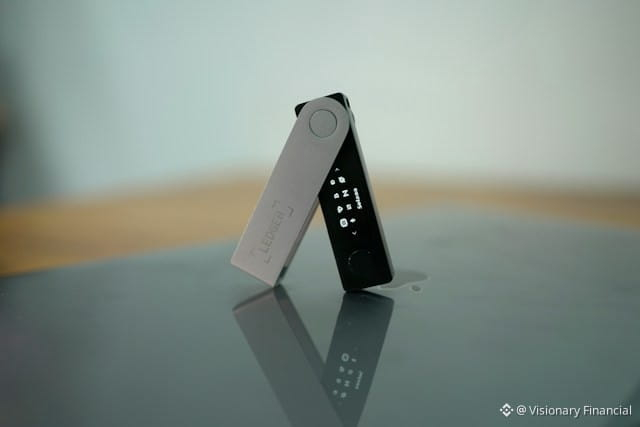
Artikel
Übersetzung ansehen
Why Is My Solana Token Balance Not Showing?If your Solana token balance is not showing in your wallet, the tokens may still be on the blockchain. A missing balance can happen because the wallet is displaying the wrong account, the token account has not been recognized by the wallet, the token uses a different token program, the wallet has not refreshed its data, or the tokens were sent to a different Solana address.
Solana keeps token balances in token accounts rather than directly in the main wallet account. Each token account is associated with a particular token mint, so checking the correct wallet address and token account is important when a balance appears to be missing.
Why Is My Solana Token Balance Not Showing?
There are several possible reasons your Solana token balance is not appearing.
The most common are:
You are viewing the wrong wallet account.
The token was sent to a different address.
Your wallet has not refreshed the token balance.
The token is hidden in the wallet interface.
The wallet does not recognize the token metadata.
The token uses Solana’s Token-2022 program.
The token account exists but the wallet interface is not displaying it correctly.
The transaction has not reached the expected confirmation state.
You received a different token with a similar name or symbol.
The token was sent to an incorrect token account or address.
The first step is to verify the transaction and the destination address on-chain rather than relying only on the wallet’s displayed balance.
Why Is My Solana Wallet Showing 0 Tokens?
If your wallet shows a zero balance even though you believe you received tokens, check the exact Solana address currently selected in your wallet.
Solana wallets can manage multiple accounts, and each account can have its own token accounts.
For example:
Account A → 100 tokens
Account B → 0 tokens
If you are currently viewing Account B, your wallet may correctly display a zero balance even though Account A contains the tokens.
This is one of the first things to check when a Solana token balance appears to be missing.
How Do I Check If My Solana Tokens Are Actually There?
The most reliable way to verify a token balance is to check the relevant wallet address and token account on the Solana blockchain.
A Solana token account contains the token balance, and Solana’s RPC tools can retrieve the balance directly from that account.
Check:
Your wallet’s public address.
The transaction signature.
The destination address in the transaction.
The token mint address.
The token account associated with your wallet.
The token balance shown by the blockchain.
If the blockchain shows the tokens but your wallet does not, the issue is likely related to wallet display, token recognition, or account selection rather than the tokens actually disappearing.
Why Is My Solana Token Not Showing After I Received It?
If you recently received a Solana token, the wallet may not immediately display it.
First, verify that the transaction succeeded and that the recipient address matches your wallet address.
Solana uses token accounts for SPL tokens. If the appropriate associated token account does not already exist, it can be created as part of the token transfer process.
If the transaction is confirmed and the correct address received the tokens, but the wallet interface still shows nothing, refreshing the wallet or manually adding the token may resolve the display issue.
Why Is My Solana Token Balance Missing After a Transfer?
If you transferred tokens into your wallet and the balance is missing, don’t assume the tokens are lost.
Check the transfer transaction first.
Confirm:
The transaction succeeded.
The destination address is yours.
The token mint is the one you expected.
The amount transferred is correct.
The relevant token account exists.
Solana token transfers are made between token accounts for the same token mint.
If the transaction went to another address, your wallet will not show the balance because the tokens belong to that other address.
Why Is My Solana Token Balance Not Showing But the Transaction Is Confirmed?
A confirmed transaction does not necessarily mean your wallet interface will immediately display the token.
If the transaction is confirmed, check the actual destination token account.
Solana’s token-account system means the balance is stored in the token account associated with the token mint and owner.
If the blockchain shows a balance but the wallet shows zero, possible explanations include:
Wallet synchronization delay
Hidden token
Unsupported token
Incorrect account selected
Token-2022 compatibility issue
Wallet interface problem
Refreshing the wallet or reopening the application can sometimes update the displayed balance.
Why Is My Solana Token Balance Not Updating?
A wallet can occasionally display an outdated balance.
This can happen because the wallet interface has not refreshed its blockchain data yet.
Try:
Refreshing the wallet.
Closing and reopening the wallet.
Checking that you are connected to Solana mainnet.
Selecting the correct wallet account.
Checking the token on a Solana blockchain explorer.
Comparing the wallet address with the transaction destination.
If the blockchain balance has changed but the wallet still displays the old balance, the discrepancy is likely in the wallet interface rather than the underlying blockchain state.
Why Is My Solana Token Hidden?
Some wallets allow users to hide specific tokens.
A token can therefore exist in your wallet while not appearing in the main asset list.
Look for options such as:
Manage tokens
Hidden tokens
Add token
Import token
Show all assets
Token visibility
The exact terminology depends on the wallet application.
Before manually adding a token, verify its mint address rather than relying only on the token’s name or symbol.
Why Is My Solana Token Not Showing Even Though I Have a Token Account?
A token account can exist on-chain while the wallet interface does not display it.
Solana’s token-account system separates the wallet address from the accounts that actually hold specific tokens. Each token account holds one type of token mint.
For example:
Wallet address
→ Token Account A → USDC
→ Token Account B → USDT
→ Token Account C → Another token
Your wallet application needs to correctly identify and display those token accounts for the balances to appear in its interface.
Why Is My Solana Token Balance Not Showing in Phantom?
If you are using Phantom and a Solana token is missing from the asset list, first verify that the token was actually sent to the correct Phantom address.
Then check:
Your currently selected Phantom account.
The transaction on-chain.
The token mint address.
Whether the token is hidden.
Whether Phantom supports displaying the particular token.
If the blockchain confirms that your address owns the token but the wallet interface does not show it, check Phantom’s current token-management options and support documentation rather than sending the token again.
Why Is My Solana Token Balance Not Showing in Solflare?
If you use Solflare and your token balance is missing, first verify the destination address and token account on-chain.
Then check whether:
The correct wallet account is selected.
The token is hidden.
The token is supported.
The token uses the expected token program.
The transaction was successfully confirmed.
The blockchain balance should be treated as the underlying source of truth when troubleshooting a wallet display problem.
Can a Solana Token Balance Be Hidden But Still Exist?
Yes.
Your wallet interface may hide a token while the underlying token account still exists and contains tokens.
This is why checking the public wallet address and token account on-chain is useful.
If the token account has a positive balance on-chain but the wallet interface doesn’t display it, the issue is generally related to the wallet’s asset display or token recognition.
Why Is My Solana Token Not Showing After Adding the Token Manually?
If manually adding a token doesn’t make the balance appear, verify that you entered the correct mint address.
A token’s name and symbol are not enough to uniquely identify it.
Different tokens can use similar or identical names and symbols.
The mint address identifies the specific token on Solana.
Solana’s token documentation distinguishes the token mint from the token accounts that hold balances.
Always verify the mint address from a trusted source before adding an unfamiliar token.
Why Is My Solana Token Balance Not Showing Because of Token-2022?
Solana has both the original Token Program and the Token Extension Program, commonly known as Token-2022.
Wallet and application support can differ depending on the token and its extensions.
Solana’s official documentation notes that the standard token functionality spans both the original Token Program and Token-2022.
Some newer token features can therefore create compatibility or display differences between wallets.
If the token is using Token-2022, verify that your wallet supports that token and its relevant extensions.
Can a Solana Token Be in the Wrong Token Account?
Yes.
A Solana wallet can have multiple token accounts, and each token account is associated with a specific token mint.
A token account cannot simply hold any token. Solana’s documentation states that a token account holds one kind of mint.
For example:
USDC token account → USDC
USDT token account → USDT
Token A account → Token A
If you are looking at the wrong token account, the balance you’re expecting may not appear there.
Why Is My Solana Token Balance Showing on a Blockchain Explorer but Not in My Wallet?
This usually indicates a difference between the blockchain state and the wallet interface.
If the explorer shows:
Token balance: 500
while your wallet shows:
Token balance: 0
verify that both are referring to exactly the same:
Wallet address
Token mint
Network
Token account
If all four match, the wallet may simply not be displaying or refreshing the token correctly.
Do not send another transaction just because the wallet interface appears empty.
Why Is My Solana Token Balance Showing the Wrong Amount?
A displayed token amount can sometimes differ from what you expect because of token decimals, UI formatting, or token-specific features.
Solana’s RPC balance response includes the raw token amount, decimals, and human-readable amount.
For example, a token may store its balance in a smallest unit while the wallet displays a converted human-readable amount.
Some Token-2022 tokens can also use extensions that affect how balances are displayed. Solana’s Scaled UI Amount extension, for example, can change the displayed UI amount without changing the underlying token amount stored in token accounts.
Why Is My Solana Token Balance Showing as Zero After Selling?
If you sold or transferred your entire token balance, the token account can remain even though its token balance is now zero.
The existence of a token account does not mean it must have a positive balance.
Solana provides an instruction for closing eligible token accounts and returning their remaining lamports to a destination account.
So seeing an old token account with a zero balance after selling your tokens can be completely normal.
Why Is My Solana NFT or Token Not Showing in My Wallet?
NFTs and fungible tokens can be affected by wallet support and metadata recognition.
If the asset exists on-chain but is not appearing in your wallet, verify:
The wallet address.
The token mint.
The transaction.
Whether the wallet supports that asset type.
Whether the token uses Token-2022.
Whether the wallet has hidden the asset.
An asset being absent from the wallet interface does not automatically mean that the asset has disappeared from the blockchain.
What Should I Do If My Solana Token Balance Is Not Showing?
Follow these steps in order:
1. Check the selected wallet account
Make sure you’re viewing the account that received the tokens.
2. Verify the transaction
Find the transaction signature and confirm that the transfer succeeded.
3. Check the destination address
Make sure the destination address belongs to your wallet.
4. Check the token mint
Confirm that the token is the exact asset you intended to receive.
5. Check the token account
Verify that the relevant token account exists and has the expected balance.
6. Refresh your wallet
Close and reopen the wallet or refresh its asset list.
7. Check hidden tokens
Look for a token-management or hidden-assets section.
8. Check Token-2022 compatibility
If the token uses Token-2022, confirm that your wallet supports the token and its relevant extensions.
9. Don’t send the tokens again immediately
If the blockchain already shows the correct balance, sending another transaction could create unnecessary confusion.
Is My Solana Token Lost If It Doesn’t Show in My Wallet?
Not necessarily.
A token that does not appear in the wallet interface may still exist on-chain.
The first thing to determine is whether the token balance exists in the token account associated with your wallet address.
If the blockchain shows the expected token balance, the problem is likely related to the wallet interface, account selection, token visibility, or compatibility.
If the blockchain does not show the token at your address, investigate the original transaction to determine where the tokens were actually sent.
Bottom Line
A Solana token balance that isn’t showing in your wallet does not automatically mean the tokens are gone.
Solana uses separate token accounts to hold SPL token balances, and each token account is associated with a particular token mint.
The fastest way to troubleshoot the problem is to verify the wallet address, transaction, token mint, and token account on-chain.
If the blockchain shows the correct balance but your wallet doesn’t, check the selected account, hidden-token settings, wallet refresh, token support, and Token-2022 compatibility. If the blockchain itself shows no balance, investigate the transaction destination before taking any further action.
The post Why Is My Solana Token Balance Not Showing? appeared first on Visionary Financial.
Why Is My Solana Token Balance Not Showing?
If your Solana token balance is not showing in your wallet, the tokens may still be on the blockchain. A missing balance can happen because the wallet is displaying the wrong account, the token account has not been recognized by the wallet, the token uses a different token program, the wallet has not refreshed its data, or the tokens were sent to a different Solana address.
Solana keeps token balances in token accounts rather than directly in the main wallet account. Each token account is associated with a particular token mint, so checking the correct wallet address and token account is important when a balance appears to be missing.
Why Is My Solana Token Balance Not Showing?
There are several possible reasons your Solana token balance is not appearing.
The most common are:
You are viewing the wrong wallet account.
The token was sent to a different address.
Your wallet has not refreshed the token balance.
The token is hidden in the wallet interface.
The wallet does not recognize the token metadata.
The token uses Solana’s Token-2022 program.
The token account exists but the wallet interface is not displaying it correctly.
The transaction has not reached the expected confirmation state.
You received a different token with a similar name or symbol.
The token was sent to an incorrect token account or address.
The first step is to verify the transaction and the destination address on-chain rather than relying only on the wallet’s displayed balance.
Why Is My Solana Wallet Showing 0 Tokens?
If your wallet shows a zero balance even though you believe you received tokens, check the exact Solana address currently selected in your wallet.
Solana wallets can manage multiple accounts, and each account can have its own token accounts.
For example:
Account A → 100 tokens
Account B → 0 tokens
If you are currently viewing Account B, your wallet may correctly display a zero balance even though Account A contains the tokens.
This is one of the first things to check when a Solana token balance appears to be missing.
How Do I Check If My Solana Tokens Are Actually There?
The most reliable way to verify a token balance is to check the relevant wallet address and token account on the Solana blockchain.
A Solana token account contains the token balance, and Solana’s RPC tools can retrieve the balance directly from that account.
Check:
Your wallet’s public address.
The transaction signature.
The destination address in the transaction.
The token mint address.
The token account associated with your wallet.
The token balance shown by the blockchain.
If the blockchain shows the tokens but your wallet does not, the issue is likely related to wallet display, token recognition, or account selection rather than the tokens actually disappearing.
Why Is My Solana Token Not Showing After I Received It?
If you recently received a Solana token, the wallet may not immediately display it.
First, verify that the transaction succeeded and that the recipient address matches your wallet address.
Solana uses token accounts for SPL tokens. If the appropriate associated token account does not already exist, it can be created as part of the token transfer process.
If the transaction is confirmed and the correct address received the tokens, but the wallet interface still shows nothing, refreshing the wallet or manually adding the token may resolve the display issue.
Why Is My Solana Token Balance Missing After a Transfer?
If you transferred tokens into your wallet and the balance is missing, don’t assume the tokens are lost.
Check the transfer transaction first.
Confirm:
The transaction succeeded.
The destination address is yours.
The token mint is the one you expected.
The amount transferred is correct.
The relevant token account exists.
Solana token transfers are made between token accounts for the same token mint.
If the transaction went to another address, your wallet will not show the balance because the tokens belong to that other address.
Why Is My Solana Token Balance Not Showing But the Transaction Is Confirmed?
A confirmed transaction does not necessarily mean your wallet interface will immediately display the token.
If the transaction is confirmed, check the actual destination token account.
Solana’s token-account system means the balance is stored in the token account associated with the token mint and owner.
If the blockchain shows a balance but the wallet shows zero, possible explanations include:
Wallet synchronization delay
Hidden token
Unsupported token
Incorrect account selected
Token-2022 compatibility issue
Wallet interface problem
Refreshing the wallet or reopening the application can sometimes update the displayed balance.
Why Is My Solana Token Balance Not Updating?
A wallet can occasionally display an outdated balance.
This can happen because the wallet interface has not refreshed its blockchain data yet.
Try:
Refreshing the wallet.
Closing and reopening the wallet.
Checking that you are connected to Solana mainnet.
Selecting the correct wallet account.
Checking the token on a Solana blockchain explorer.
Comparing the wallet address with the transaction destination.
If the blockchain balance has changed but the wallet still displays the old balance, the discrepancy is likely in the wallet interface rather than the underlying blockchain state.
Why Is My Solana Token Hidden?
Some wallets allow users to hide specific tokens.
A token can therefore exist in your wallet while not appearing in the main asset list.
Look for options such as:
Manage tokens
Hidden tokens
Add token
Import token
Show all assets
Token visibility
The exact terminology depends on the wallet application.
Before manually adding a token, verify its mint address rather than relying only on the token’s name or symbol.
Why Is My Solana Token Not Showing Even Though I Have a Token Account?
A token account can exist on-chain while the wallet interface does not display it.
Solana’s token-account system separates the wallet address from the accounts that actually hold specific tokens. Each token account holds one type of token mint.
For example:
Wallet address
→ Token Account A → USDC
→ Token Account B → USDT
→ Token Account C → Another token
Your wallet application needs to correctly identify and display those token accounts for the balances to appear in its interface.
Why Is My Solana Token Balance Not Showing in Phantom?
If you are using Phantom and a Solana token is missing from the asset list, first verify that the token was actually sent to the correct Phantom address.
Then check:
Your currently selected Phantom account.
The transaction on-chain.
The token mint address.
Whether the token is hidden.
Whether Phantom supports displaying the particular token.
If the blockchain confirms that your address owns the token but the wallet interface does not show it, check Phantom’s current token-management options and support documentation rather than sending the token again.
Why Is My Solana Token Balance Not Showing in Solflare?
If you use Solflare and your token balance is missing, first verify the destination address and token account on-chain.
Then check whether:
The correct wallet account is selected.
The token is hidden.
The token is supported.
The token uses the expected token program.
The transaction was successfully confirmed.
The blockchain balance should be treated as the underlying source of truth when troubleshooting a wallet display problem.
Can a Solana Token Balance Be Hidden But Still Exist?
Yes.
Your wallet interface may hide a token while the underlying token account still exists and contains tokens.
This is why checking the public wallet address and token account on-chain is useful.
If the token account has a positive balance on-chain but the wallet interface doesn’t display it, the issue is generally related to the wallet’s asset display or token recognition.
Why Is My Solana Token Not Showing After Adding the Token Manually?
If manually adding a token doesn’t make the balance appear, verify that you entered the correct mint address.
A token’s name and symbol are not enough to uniquely identify it.
Different tokens can use similar or identical names and symbols.
The mint address identifies the specific token on Solana.
Solana’s token documentation distinguishes the token mint from the token accounts that hold balances.
Always verify the mint address from a trusted source before adding an unfamiliar token.
Why Is My Solana Token Balance Not Showing Because of Token-2022?
Solana has both the original Token Program and the Token Extension Program, commonly known as Token-2022.
Wallet and application support can differ depending on the token and its extensions.
Solana’s official documentation notes that the standard token functionality spans both the original Token Program and Token-2022.
Some newer token features can therefore create compatibility or display differences between wallets.
If the token is using Token-2022, verify that your wallet supports that token and its relevant extensions.
Can a Solana Token Be in the Wrong Token Account?
Yes.
A Solana wallet can have multiple token accounts, and each token account is associated with a specific token mint.
A token account cannot simply hold any token. Solana’s documentation states that a token account holds one kind of mint.
For example:
USDC token account → USDC
USDT token account → USDT
Token A account → Token A
If you are looking at the wrong token account, the balance you’re expecting may not appear there.
Why Is My Solana Token Balance Showing on a Blockchain Explorer but Not in My Wallet?
This usually indicates a difference between the blockchain state and the wallet interface.
If the explorer shows:
Token balance: 500
while your wallet shows:
Token balance: 0
verify that both are referring to exactly the same:
Wallet address
Token mint
Network
Token account
If all four match, the wallet may simply not be displaying or refreshing the token correctly.
Do not send another transaction just because the wallet interface appears empty.
Why Is My Solana Token Balance Showing the Wrong Amount?
A displayed token amount can sometimes differ from what you expect because of token decimals, UI formatting, or token-specific features.
Solana’s RPC balance response includes the raw token amount, decimals, and human-readable amount.
For example, a token may store its balance in a smallest unit while the wallet displays a converted human-readable amount.
Some Token-2022 tokens can also use extensions that affect how balances are displayed. Solana’s Scaled UI Amount extension, for example, can change the displayed UI amount without changing the underlying token amount stored in token accounts.
Why Is My Solana Token Balance Showing as Zero After Selling?
If you sold or transferred your entire token balance, the token account can remain even though its token balance is now zero.
The existence of a token account does not mean it must have a positive balance.
Solana provides an instruction for closing eligible token accounts and returning their remaining lamports to a destination account.
So seeing an old token account with a zero balance after selling your tokens can be completely normal.
Why Is My Solana NFT or Token Not Showing in My Wallet?
NFTs and fungible tokens can be affected by wallet support and metadata recognition.
If the asset exists on-chain but is not appearing in your wallet, verify:
The wallet address.
The token mint.
The transaction.
Whether the wallet supports that asset type.
Whether the token uses Token-2022.
Whether the wallet has hidden the asset.
An asset being absent from the wallet interface does not automatically mean that the asset has disappeared from the blockchain.
What Should I Do If My Solana Token Balance Is Not Showing?
Follow these steps in order:
1. Check the selected wallet account
Make sure you’re viewing the account that received the tokens.
2. Verify the transaction
Find the transaction signature and confirm that the transfer succeeded.
3. Check the destination address
Make sure the destination address belongs to your wallet.
4. Check the token mint
Confirm that the token is the exact asset you intended to receive.
5. Check the token account
Verify that the relevant token account exists and has the expected balance.
6. Refresh your wallet
Close and reopen the wallet or refresh its asset list.
7. Check hidden tokens
Look for a token-management or hidden-assets section.
8. Check Token-2022 compatibility
If the token uses Token-2022, confirm that your wallet supports the token and its relevant extensions.
9. Don’t send the tokens again immediately
If the blockchain already shows the correct balance, sending another transaction could create unnecessary confusion.
Is My Solana Token Lost If It Doesn’t Show in My Wallet?
Not necessarily.
A token that does not appear in the wallet interface may still exist on-chain.
The first thing to determine is whether the token balance exists in the token account associated with your wallet address.
If the blockchain shows the expected token balance, the problem is likely related to the wallet interface, account selection, token visibility, or compatibility.
If the blockchain does not show the token at your address, investigate the original transaction to determine where the tokens were actually sent.
Bottom Line
A Solana token balance that isn’t showing in your wallet does not automatically mean the tokens are gone.
Solana uses separate token accounts to hold SPL token balances, and each token account is associated with a particular token mint.
The fastest way to troubleshoot the problem is to verify the wallet address, transaction, token mint, and token account on-chain.
If the blockchain shows the correct balance but your wallet doesn’t, check the selected account, hidden-token settings, wallet refresh, token support, and Token-2022 compatibility. If the blockchain itself shows no balance, investigate the transaction destination before taking any further action.
The post Why Is My Solana Token Balance Not Showing? appeared first on Visionary Financial.
Solana keeps token balances in token accounts rather than directly in the main wallet account. Each token account is associated with a particular token mint, so checking the correct wallet address and token account is important when a balance appears to be missing.
Why Is My Solana Token Balance Not Showing?
There are several possible reasons your Solana token balance is not appearing.
The most common are:
You are viewing the wrong wallet account.
The token was sent to a different address.
Your wallet has not refreshed the token balance.
The token is hidden in the wallet interface.
The wallet does not recognize the token metadata.
The token uses Solana’s Token-2022 program.
The token account exists but the wallet interface is not displaying it correctly.
The transaction has not reached the expected confirmation state.
You received a different token with a similar name or symbol.
The token was sent to an incorrect token account or address.
The first step is to verify the transaction and the destination address on-chain rather than relying only on the wallet’s displayed balance.
Why Is My Solana Wallet Showing 0 Tokens?
If your wallet shows a zero balance even though you believe you received tokens, check the exact Solana address currently selected in your wallet.
Solana wallets can manage multiple accounts, and each account can have its own token accounts.
For example:
Account A → 100 tokens
Account B → 0 tokens
If you are currently viewing Account B, your wallet may correctly display a zero balance even though Account A contains the tokens.
This is one of the first things to check when a Solana token balance appears to be missing.
How Do I Check If My Solana Tokens Are Actually There?
The most reliable way to verify a token balance is to check the relevant wallet address and token account on the Solana blockchain.
A Solana token account contains the token balance, and Solana’s RPC tools can retrieve the balance directly from that account.
Check:
Your wallet’s public address.
The transaction signature.
The destination address in the transaction.
The token mint address.
The token account associated with your wallet.
The token balance shown by the blockchain.
If the blockchain shows the tokens but your wallet does not, the issue is likely related to wallet display, token recognition, or account selection rather than the tokens actually disappearing.
Why Is My Solana Token Not Showing After I Received It?
If you recently received a Solana token, the wallet may not immediately display it.
First, verify that the transaction succeeded and that the recipient address matches your wallet address.
Solana uses token accounts for SPL tokens. If the appropriate associated token account does not already exist, it can be created as part of the token transfer process.
If the transaction is confirmed and the correct address received the tokens, but the wallet interface still shows nothing, refreshing the wallet or manually adding the token may resolve the display issue.
Why Is My Solana Token Balance Missing After a Transfer?
If you transferred tokens into your wallet and the balance is missing, don’t assume the tokens are lost.
Check the transfer transaction first.
Confirm:
The transaction succeeded.
The destination address is yours.
The token mint is the one you expected.
The amount transferred is correct.
The relevant token account exists.
Solana token transfers are made between token accounts for the same token mint.
If the transaction went to another address, your wallet will not show the balance because the tokens belong to that other address.
Why Is My Solana Token Balance Not Showing But the Transaction Is Confirmed?
A confirmed transaction does not necessarily mean your wallet interface will immediately display the token.
If the transaction is confirmed, check the actual destination token account.
Solana’s token-account system means the balance is stored in the token account associated with the token mint and owner.
If the blockchain shows a balance but the wallet shows zero, possible explanations include:
Wallet synchronization delay
Hidden token
Unsupported token
Incorrect account selected
Token-2022 compatibility issue
Wallet interface problem
Refreshing the wallet or reopening the application can sometimes update the displayed balance.
Why Is My Solana Token Balance Not Updating?
A wallet can occasionally display an outdated balance.
This can happen because the wallet interface has not refreshed its blockchain data yet.
Try:
Refreshing the wallet.
Closing and reopening the wallet.
Checking that you are connected to Solana mainnet.
Selecting the correct wallet account.
Checking the token on a Solana blockchain explorer.
Comparing the wallet address with the transaction destination.
If the blockchain balance has changed but the wallet still displays the old balance, the discrepancy is likely in the wallet interface rather than the underlying blockchain state.
Why Is My Solana Token Hidden?
Some wallets allow users to hide specific tokens.
A token can therefore exist in your wallet while not appearing in the main asset list.
Look for options such as:
Manage tokens
Hidden tokens
Add token
Import token
Show all assets
Token visibility
The exact terminology depends on the wallet application.
Before manually adding a token, verify its mint address rather than relying only on the token’s name or symbol.
Why Is My Solana Token Not Showing Even Though I Have a Token Account?
A token account can exist on-chain while the wallet interface does not display it.
Solana’s token-account system separates the wallet address from the accounts that actually hold specific tokens. Each token account holds one type of token mint.
For example:
Wallet address
→ Token Account A → USDC
→ Token Account B → USDT
→ Token Account C → Another token
Your wallet application needs to correctly identify and display those token accounts for the balances to appear in its interface.
Why Is My Solana Token Balance Not Showing in Phantom?
If you are using Phantom and a Solana token is missing from the asset list, first verify that the token was actually sent to the correct Phantom address.
Then check:
Your currently selected Phantom account.
The transaction on-chain.
The token mint address.
Whether the token is hidden.
Whether Phantom supports displaying the particular token.
If the blockchain confirms that your address owns the token but the wallet interface does not show it, check Phantom’s current token-management options and support documentation rather than sending the token again.
Why Is My Solana Token Balance Not Showing in Solflare?
If you use Solflare and your token balance is missing, first verify the destination address and token account on-chain.
Then check whether:
The correct wallet account is selected.
The token is hidden.
The token is supported.
The token uses the expected token program.
The transaction was successfully confirmed.
The blockchain balance should be treated as the underlying source of truth when troubleshooting a wallet display problem.
Can a Solana Token Balance Be Hidden But Still Exist?
Yes.
Your wallet interface may hide a token while the underlying token account still exists and contains tokens.
This is why checking the public wallet address and token account on-chain is useful.
If the token account has a positive balance on-chain but the wallet interface doesn’t display it, the issue is generally related to the wallet’s asset display or token recognition.
Why Is My Solana Token Not Showing After Adding the Token Manually?
If manually adding a token doesn’t make the balance appear, verify that you entered the correct mint address.
A token’s name and symbol are not enough to uniquely identify it.
Different tokens can use similar or identical names and symbols.
The mint address identifies the specific token on Solana.
Solana’s token documentation distinguishes the token mint from the token accounts that hold balances.
Always verify the mint address from a trusted source before adding an unfamiliar token.
Why Is My Solana Token Balance Not Showing Because of Token-2022?
Solana has both the original Token Program and the Token Extension Program, commonly known as Token-2022.
Wallet and application support can differ depending on the token and its extensions.
Solana’s official documentation notes that the standard token functionality spans both the original Token Program and Token-2022.
Some newer token features can therefore create compatibility or display differences between wallets.
If the token is using Token-2022, verify that your wallet supports that token and its relevant extensions.
Can a Solana Token Be in the Wrong Token Account?
Yes.
A Solana wallet can have multiple token accounts, and each token account is associated with a specific token mint.
A token account cannot simply hold any token. Solana’s documentation states that a token account holds one kind of mint.
For example:
USDC token account → USDC
USDT token account → USDT
Token A account → Token A
If you are looking at the wrong token account, the balance you’re expecting may not appear there.
Why Is My Solana Token Balance Showing on a Blockchain Explorer but Not in My Wallet?
This usually indicates a difference between the blockchain state and the wallet interface.
If the explorer shows:
Token balance: 500
while your wallet shows:
Token balance: 0
verify that both are referring to exactly the same:
Wallet address
Token mint
Network
Token account
If all four match, the wallet may simply not be displaying or refreshing the token correctly.
Do not send another transaction just because the wallet interface appears empty.
Why Is My Solana Token Balance Showing the Wrong Amount?
A displayed token amount can sometimes differ from what you expect because of token decimals, UI formatting, or token-specific features.
Solana’s RPC balance response includes the raw token amount, decimals, and human-readable amount.
For example, a token may store its balance in a smallest unit while the wallet displays a converted human-readable amount.
Some Token-2022 tokens can also use extensions that affect how balances are displayed. Solana’s Scaled UI Amount extension, for example, can change the displayed UI amount without changing the underlying token amount stored in token accounts.
Why Is My Solana Token Balance Showing as Zero After Selling?
If you sold or transferred your entire token balance, the token account can remain even though its token balance is now zero.
The existence of a token account does not mean it must have a positive balance.
Solana provides an instruction for closing eligible token accounts and returning their remaining lamports to a destination account.
So seeing an old token account with a zero balance after selling your tokens can be completely normal.
Why Is My Solana NFT or Token Not Showing in My Wallet?
NFTs and fungible tokens can be affected by wallet support and metadata recognition.
If the asset exists on-chain but is not appearing in your wallet, verify:
The wallet address.
The token mint.
The transaction.
Whether the wallet supports that asset type.
Whether the token uses Token-2022.
Whether the wallet has hidden the asset.
An asset being absent from the wallet interface does not automatically mean that the asset has disappeared from the blockchain.
What Should I Do If My Solana Token Balance Is Not Showing?
Follow these steps in order:
1. Check the selected wallet account
Make sure you’re viewing the account that received the tokens.
2. Verify the transaction
Find the transaction signature and confirm that the transfer succeeded.
3. Check the destination address
Make sure the destination address belongs to your wallet.
4. Check the token mint
Confirm that the token is the exact asset you intended to receive.
5. Check the token account
Verify that the relevant token account exists and has the expected balance.
6. Refresh your wallet
Close and reopen the wallet or refresh its asset list.
7. Check hidden tokens
Look for a token-management or hidden-assets section.
8. Check Token-2022 compatibility
If the token uses Token-2022, confirm that your wallet supports the token and its relevant extensions.
9. Don’t send the tokens again immediately
If the blockchain already shows the correct balance, sending another transaction could create unnecessary confusion.
Is My Solana Token Lost If It Doesn’t Show in My Wallet?
Not necessarily.
A token that does not appear in the wallet interface may still exist on-chain.
The first thing to determine is whether the token balance exists in the token account associated with your wallet address.
If the blockchain shows the expected token balance, the problem is likely related to the wallet interface, account selection, token visibility, or compatibility.
If the blockchain does not show the token at your address, investigate the original transaction to determine where the tokens were actually sent.
Bottom Line
A Solana token balance that isn’t showing in your wallet does not automatically mean the tokens are gone.
Solana uses separate token accounts to hold SPL token balances, and each token account is associated with a particular token mint.
The fastest way to troubleshoot the problem is to verify the wallet address, transaction, token mint, and token account on-chain.
If the blockchain shows the correct balance but your wallet doesn’t, check the selected account, hidden-token settings, wallet refresh, token support, and Token-2022 compatibility. If the blockchain itself shows no balance, investigate the transaction destination before taking any further action.
The post Why Is My Solana Token Balance Not Showing? appeared first on Visionary Financial.
99
Artikel
Übersetzung ansehen
Why Does My Solana Wallet Have Less SOL Than Expected?If your Solana wallet has less SOL than you expected, the difference is usually caused by a transaction fee, a transfer you made earlier, SOL held in another account, or SOL temporarily used to fund an on-chain account. Your wallet balance represents the lamports held by that specific Solana account, where 1 SOL equals 1 billion lamports.
A balance that looks lower than expected does not automatically mean your SOL has been stolen or disappeared. The fastest way to find the difference is to compare your current balance with your recent transaction history.
Why Does My Solana Wallet Have Less SOL Than Expected?
The most common reasons include:
You paid a Solana transaction fee.
You paid a priority fee.
You sent SOL to another address.
You used a decentralized application that required SOL.
You created a token account.
SOL is being held in another account.
You wrapped SOL into WSOL.
You closed or interacted with an on-chain account.
You are viewing a different wallet account than the one containing the rest of your SOL.
Your wallet interface has not updated correctly.
Solana transactions can contain multiple instructions, so a single transaction can perform more than one operation and affect your SOL balance in several ways.
Does Solana Take SOL as a Transaction Fee?
Yes.
Solana transactions require fees, which are paid in SOL.
The standard base transaction fee is denominated in lamports, and transactions can also include an optional priority fee.
For a simple transaction, the fee is usually very small compared with the amount being transferred. However, if you make many transactions, those small fees can add up.
For example:
Starting balance: 1 SOL
Transaction fees: 0.002 SOL
Expected remaining balance: 0.998 SOL
The exact amount depends on the transactions you performed and any applicable priority fees.
Why Is My Solana Balance Slightly Lower After Sending SOL?
This is usually because the transaction fee is deducted from the sender’s account.
Suppose you have:
5 SOL
and send:
1 SOL
Your balance will generally become slightly less than:
4 SOL
because the transaction also requires a network fee.
Solana’s documentation explains that the account paying for a transaction must authorize the deduction of the required lamports.
Therefore, a small difference between your expected balance and actual balance after a transfer can be completely normal.
Why Did I Lose More SOL Than the Amount I Sent?
If your balance decreased by more than the SOL you intentionally transferred, check the complete transaction details.
A Solana transaction can contain multiple instructions rather than just one simple transfer.
For example, a transaction could involve:
A SOL transfer
Token account creation
A swap
A priority fee
Another program instruction
Some applications bundle several operations into a single transaction.
This is why checking only the amount you remember sending may not explain the entire balance change.
Can Creating a Token Account Reduce My SOL Balance?
Yes.
Creating an on-chain token account can require SOL to fund the account’s storage requirements.
Solana accounts maintain a minimum lamport balance based on the amount of data they store. This balance is generally refundable when an eligible account is closed.
This means you might notice your SOL balance decrease after receiving or interacting with an SPL token if a new token account had to be created.
The SOL isn’t necessarily a permanent fee in this situation. Eligible token accounts can later be closed, with their remaining lamports transferred to a destination account.
Why Does My Solana Wallet Have Less SOL After Receiving a Token?
Receiving a token can sometimes involve creating a token account.
Solana uses separate token accounts to hold SPL tokens. If the required token account did not already exist, creating it requires funding.
Solana’s documentation describes account creation as requiring lamports to fund the account’s on-chain storage.
As a result, you might see something like:
Before receiving token: 1 SOL
After token account creation: slightly less than 1 SOL
This does not necessarily mean you were charged an unusually large transaction fee. Some of the SOL may be held as the token account’s refundable storage balance.
Can Empty Token Accounts Make My SOL Balance Look Lower?
Yes.
An empty token account can still hold lamports.
Solana documentation explains that token accounts can contain a refundable minimum storage balance, and closing an eligible empty token account transfers its lamports to a destination account.
For example, you could have:
Main wallet account: 1 SOL
Empty token account: some additional lamports
Your wallet’s main SOL display may not necessarily make the relationship between those accounts obvious.
If an eligible empty token account is closed, its remaining lamports can be returned to another account.
Why Is My SOL in Another Solana Account?
If you use multiple Solana accounts, some of your SOL may simply be sitting in a different account.
For example:
Account 1: 0.5 SOL
Account 2: 2 SOL
Account 3: 0.1 SOL
If you are currently looking at Account 1, your wallet may show only 0.5 SOL even though you control more SOL through your other accounts.
Always check the selected account before concluding that your balance is missing.
Why Does My Solana Wallet Show Less SOL After a Swap?
A token swap can affect your SOL balance for several reasons.
Depending on the transaction, you may pay:
The swap-related transaction fee
A priority fee
Account-creation costs
The amount of SOL exchanged for the other token
A swap is not necessarily just a simple transfer of SOL.
Because Solana transactions can contain multiple instructions, the complete transaction record is the best way to determine exactly where the SOL went.
Why Is My SOL Missing After Using a Solana DApp?
A decentralized application can submit transactions that interact with Solana programs.
Depending on what you’re doing, the transaction could transfer SOL, create an account, interact with token accounts, or pay network fees.
If your SOL balance changed after using a DApp, check the transaction signature and review every instruction before assuming the funds disappeared.
Never approve transactions you do not understand simply because a website tells you that they are required.
Why Is My Solana Balance Lower After Using a DeFi App?
DeFi transactions can involve multiple operations.
For example, depositing SOL into a protocol might involve:
A transaction fee.
An account or position being created.
SOL being deposited into a program-controlled account.
Additional instructions required by the protocol.
The exact behavior depends on the specific DeFi application.
If you don’t recognize the change, inspect the transaction on-chain and identify the destination accounts and instructions.
Why Is My SOL Balance Lower After Creating a Token?
Creating a token on Solana requires creating and funding accounts that store token-related data.
Solana’s official documentation shows that creating a token mint requires an account with enough lamports to satisfy the required storage balance.
Therefore, creating your own token can reduce your wallet’s available SOL because some SOL is used to fund the necessary on-chain accounts.
Why Is My SOL Balance Lower After Closing a Token Account?
Closing a token account generally sends the account’s remaining lamports to a specified destination.
So closing an eligible token account normally does not reduce your overall SOL simply because the account was closed. Instead, its remaining lamports can be transferred to another account.
However, make sure you’re checking the correct destination account and transaction details.
What Is the Difference Between SOL Balance and Available SOL?
Your wallet’s displayed SOL balance and the amount you can actually spend can sometimes appear different because some SOL may be needed for transaction fees or may be held in accounts associated with other activities.
For example, an account may need to retain enough lamports to remain on-chain rather than being reduced to an invalid intermediate balance. Solana’s account model requires accounts to maintain the applicable minimum storage balance.
This is especially relevant when your wallet contains token accounts or other on-chain accounts.
Can Solana Rent Make My Wallet Balance Lower?
Yes, but the terminology is important.
Solana documentation describes the balance required to keep account data stored on-chain as a rent-related minimum or refundable storage balance. Current Solana documentation explains that these lamports are held in the account and can be recovered when the account is closed.
So if SOL was used to create an account, some of your SOL may be sitting inside that account rather than having simply been consumed as a transaction fee.
Can I Recover SOL From Empty Token Accounts?
If an empty token account is eligible for closure, closing it can return its remaining lamports to a destination account.
The token account must generally have a zero token balance before it can be closed. The Token Program’s
CloseAccount
instruction transfers the account’s lamports and removes the account.
This can be useful if your wallet has accumulated unused token accounts.
However, only close accounts when you understand what they are and what the transaction will do.
Why Does My SOL Balance Change by a Tiny Amount?
Small balance changes are commonly associated with transaction fees.
Solana’s base transaction fee is denominated in lamports, and transactions can also include priority fees.
For example, you might notice a balance changing from:
1.000000 SOL
to:
0.999995 SOL
A small difference like this can simply reflect a network fee.
If the difference is much larger than expected, inspect the transaction details rather than assuming it is just a fee.
Why Is My Solana Wallet Showing the Wrong SOL Balance?
If your wallet’s displayed balance doesn’t match what you see on-chain, first check whether you’re looking at the same address.
Common causes include:
Wrong wallet account selected
Multiple accounts in the wallet
Wallet synchronization delay
SOL held in another account
Wrapped SOL
Recent transaction not reflected correctly in the interface
Compare the wallet’s public address with the address shown by a Solana blockchain explorer.
If the explorer shows the expected balance but the wallet does not, the problem may be with the wallet interface rather than the blockchain.
Does Wrapped SOL Affect My SOL Balance?
Yes.
Wrapped SOL, or WSOL, represents SOL held through Solana’s token system.
WSOL is held in a token account associated with Solana’s native mint. The token account stores the underlying SOL as lamports while tracking a corresponding token amount.
This can make it appear as though some SOL has disappeared from your normal wallet balance when it has actually been converted into or deposited into a wrapped SOL account.
If the WSOL account is closed correctly, its underlying SOL can be returned.
Why Do I Have Less SOL After Wrapping SOL?
When SOL is wrapped, SOL is moved into a token account associated with the native SOL mint.
The SOL isn’t necessarily gone. It is being held in the wrapped SOL account.
Solana’s documentation explains that a wrapped SOL account stores SOL in its lamport balance and tracks the corresponding wrapped token amount.
Unwrapping or closing the appropriate WSOL account can return the underlying SOL.
How Can I Find Where My Missing SOL Went?
The easiest method is to inspect your recent transactions.
Follow these steps:
1. Copy your Solana wallet address
Use the public address of the account showing the unexpected balance.
2. Open a Solana blockchain explorer
Search for your wallet address.
3. Check recent transactions
Look for transactions around the time your balance changed.
4. Identify SOL transfers
Check whether SOL was sent to another address.
5. Check transaction fees
Look for the fee charged by the transaction.
6. Check account creation
Look for token or program accounts that were created.
7. Check WSOL
If you’ve recently used a swap or DeFi application, check whether SOL was wrapped.
8. Compare the final balance
The on-chain account balance should help explain the difference between your expected and actual SOL.
How Do I Know If Someone Took My SOL?
An unexpectedly lower balance does not automatically mean someone stole your SOL.
The strongest way to investigate is to check your transaction history.
Look for:
Unknown SOL transfers
Unknown token swaps
Unfamiliar program interactions
Transactions you did not approve
SOL sent to an address you don’t recognize
If you find an unauthorized transfer, treat it as a potential wallet-security incident.
Do not give your recovery phrase or private key to anyone claiming they can recover the funds.
What Should I Do If My Solana Balance Is Lower Than Expected?
Use this checklist:
Check the selected wallet account.
Copy the public address.
Check the address on a Solana blockchain explorer.
Review recent SOL transfers.
Check transaction fees and priority fees.
Look for recently created token accounts.
Check whether you wrapped SOL.
Review recent swaps and DApp interactions.
Check other Solana accounts you control.
Investigate any transaction you don’t recognize.
Do not send additional SOL to the wallet simply because the displayed balance looks lower until you understand the reason.
Is It Normal for My Solana Wallet to Have Less SOL Than I Deposited?
Yes, if you’ve made transactions after depositing the SOL.
Your initial deposit amount is not necessarily the same as your current balance because subsequent transactions can deduct SOL through transfers, fees, account creation, swaps, or other blockchain operations.
For example:
Deposited: 2 SOL
Sent: 0.5 SOL
Transaction fees: 0.001 SOL
Account-related costs: 0.002 SOL
Remaining: approximately 1.497 SOL
The exact figures depend on what happened on-chain.
Bottom Line
If your Solana wallet has less SOL than expected, start by checking the actual on-chain transaction history for the wallet address.
The difference can come from ordinary transaction fees, priority fees, SOL transfers, token-account creation, other program interactions, multiple wallet accounts, or SOL held as wrapped SOL. Solana accounts hold balances in lamports, and some accounts also contain refundable storage balances that can be recovered when eligible accounts are closed.
If the blockchain shows an unexpected transfer that you did not authorize, that’s a different situation and should be treated as a potential security problem. Otherwise, a smaller-than-expected SOL balance is often explainable by reviewing the transactions and accounts associated with your wallet.
The post Why Does My Solana Wallet Have Less SOL Than Expected? appeared first on Visionary Financial.
Why Does My Solana Wallet Have Less SOL Than Expected?
If your Solana wallet has less SOL than you expected, the difference is usually caused by a transaction fee, a transfer you made earlier, SOL held in another account, or SOL temporarily used to fund an on-chain account. Your wallet balance represents the lamports held by that specific Solana account, where 1 SOL equals 1 billion lamports.
A balance that looks lower than expected does not automatically mean your SOL has been stolen or disappeared. The fastest way to find the difference is to compare your current balance with your recent transaction history.
Why Does My Solana Wallet Have Less SOL Than Expected?
The most common reasons include:
You paid a Solana transaction fee.
You paid a priority fee.
You sent SOL to another address.
You used a decentralized application that required SOL.
You created a token account.
SOL is being held in another account.
You wrapped SOL into WSOL.
You closed or interacted with an on-chain account.
You are viewing a different wallet account than the one containing the rest of your SOL.
Your wallet interface has not updated correctly.
Solana transactions can contain multiple instructions, so a single transaction can perform more than one operation and affect your SOL balance in several ways.
Does Solana Take SOL as a Transaction Fee?
Yes.
Solana transactions require fees, which are paid in SOL.
The standard base transaction fee is denominated in lamports, and transactions can also include an optional priority fee.
For a simple transaction, the fee is usually very small compared with the amount being transferred. However, if you make many transactions, those small fees can add up.
For example:
Starting balance: 1 SOL
Transaction fees: 0.002 SOL
Expected remaining balance: 0.998 SOL
The exact amount depends on the transactions you performed and any applicable priority fees.
Why Is My Solana Balance Slightly Lower After Sending SOL?
This is usually because the transaction fee is deducted from the sender’s account.
Suppose you have:
5 SOL
and send:
1 SOL
Your balance will generally become slightly less than:
4 SOL
because the transaction also requires a network fee.
Solana’s documentation explains that the account paying for a transaction must authorize the deduction of the required lamports.
Therefore, a small difference between your expected balance and actual balance after a transfer can be completely normal.
Why Did I Lose More SOL Than the Amount I Sent?
If your balance decreased by more than the SOL you intentionally transferred, check the complete transaction details.
A Solana transaction can contain multiple instructions rather than just one simple transfer.
For example, a transaction could involve:
A SOL transfer
Token account creation
A swap
A priority fee
Another program instruction
Some applications bundle several operations into a single transaction.
This is why checking only the amount you remember sending may not explain the entire balance change.
Can Creating a Token Account Reduce My SOL Balance?
Yes.
Creating an on-chain token account can require SOL to fund the account’s storage requirements.
Solana accounts maintain a minimum lamport balance based on the amount of data they store. This balance is generally refundable when an eligible account is closed.
This means you might notice your SOL balance decrease after receiving or interacting with an SPL token if a new token account had to be created.
The SOL isn’t necessarily a permanent fee in this situation. Eligible token accounts can later be closed, with their remaining lamports transferred to a destination account.
Why Does My Solana Wallet Have Less SOL After Receiving a Token?
Receiving a token can sometimes involve creating a token account.
Solana uses separate token accounts to hold SPL tokens. If the required token account did not already exist, creating it requires funding.
Solana’s documentation describes account creation as requiring lamports to fund the account’s on-chain storage.
As a result, you might see something like:
Before receiving token: 1 SOL
After token account creation: slightly less than 1 SOL
This does not necessarily mean you were charged an unusually large transaction fee. Some of the SOL may be held as the token account’s refundable storage balance.
Can Empty Token Accounts Make My SOL Balance Look Lower?
Yes.
An empty token account can still hold lamports.
Solana documentation explains that token accounts can contain a refundable minimum storage balance, and closing an eligible empty token account transfers its lamports to a destination account.
For example, you could have:
Main wallet account: 1 SOL
Empty token account: some additional lamports
Your wallet’s main SOL display may not necessarily make the relationship between those accounts obvious.
If an eligible empty token account is closed, its remaining lamports can be returned to another account.
Why Is My SOL in Another Solana Account?
If you use multiple Solana accounts, some of your SOL may simply be sitting in a different account.
For example:
Account 1: 0.5 SOL
Account 2: 2 SOL
Account 3: 0.1 SOL
If you are currently looking at Account 1, your wallet may show only 0.5 SOL even though you control more SOL through your other accounts.
Always check the selected account before concluding that your balance is missing.
Why Does My Solana Wallet Show Less SOL After a Swap?
A token swap can affect your SOL balance for several reasons.
Depending on the transaction, you may pay:
The swap-related transaction fee
A priority fee
Account-creation costs
The amount of SOL exchanged for the other token
A swap is not necessarily just a simple transfer of SOL.
Because Solana transactions can contain multiple instructions, the complete transaction record is the best way to determine exactly where the SOL went.
Why Is My SOL Missing After Using a Solana DApp?
A decentralized application can submit transactions that interact with Solana programs.
Depending on what you’re doing, the transaction could transfer SOL, create an account, interact with token accounts, or pay network fees.
If your SOL balance changed after using a DApp, check the transaction signature and review every instruction before assuming the funds disappeared.
Never approve transactions you do not understand simply because a website tells you that they are required.
Why Is My Solana Balance Lower After Using a DeFi App?
DeFi transactions can involve multiple operations.
For example, depositing SOL into a protocol might involve:
A transaction fee.
An account or position being created.
SOL being deposited into a program-controlled account.
Additional instructions required by the protocol.
The exact behavior depends on the specific DeFi application.
If you don’t recognize the change, inspect the transaction on-chain and identify the destination accounts and instructions.
Why Is My SOL Balance Lower After Creating a Token?
Creating a token on Solana requires creating and funding accounts that store token-related data.
Solana’s official documentation shows that creating a token mint requires an account with enough lamports to satisfy the required storage balance.
Therefore, creating your own token can reduce your wallet’s available SOL because some SOL is used to fund the necessary on-chain accounts.
Why Is My SOL Balance Lower After Closing a Token Account?
Closing a token account generally sends the account’s remaining lamports to a specified destination.
So closing an eligible token account normally does not reduce your overall SOL simply because the account was closed. Instead, its remaining lamports can be transferred to another account.
However, make sure you’re checking the correct destination account and transaction details.
What Is the Difference Between SOL Balance and Available SOL?
Your wallet’s displayed SOL balance and the amount you can actually spend can sometimes appear different because some SOL may be needed for transaction fees or may be held in accounts associated with other activities.
For example, an account may need to retain enough lamports to remain on-chain rather than being reduced to an invalid intermediate balance. Solana’s account model requires accounts to maintain the applicable minimum storage balance.
This is especially relevant when your wallet contains token accounts or other on-chain accounts.
Can Solana Rent Make My Wallet Balance Lower?
Yes, but the terminology is important.
Solana documentation describes the balance required to keep account data stored on-chain as a rent-related minimum or refundable storage balance. Current Solana documentation explains that these lamports are held in the account and can be recovered when the account is closed.
So if SOL was used to create an account, some of your SOL may be sitting inside that account rather than having simply been consumed as a transaction fee.
Can I Recover SOL From Empty Token Accounts?
If an empty token account is eligible for closure, closing it can return its remaining lamports to a destination account.
The token account must generally have a zero token balance before it can be closed. The Token Program’s
CloseAccount
instruction transfers the account’s lamports and removes the account.
This can be useful if your wallet has accumulated unused token accounts.
However, only close accounts when you understand what they are and what the transaction will do.
Why Does My SOL Balance Change by a Tiny Amount?
Small balance changes are commonly associated with transaction fees.
Solana’s base transaction fee is denominated in lamports, and transactions can also include priority fees.
For example, you might notice a balance changing from:
1.000000 SOL
to:
0.999995 SOL
A small difference like this can simply reflect a network fee.
If the difference is much larger than expected, inspect the transaction details rather than assuming it is just a fee.
Why Is My Solana Wallet Showing the Wrong SOL Balance?
If your wallet’s displayed balance doesn’t match what you see on-chain, first check whether you’re looking at the same address.
Common causes include:
Wrong wallet account selected
Multiple accounts in the wallet
Wallet synchronization delay
SOL held in another account
Wrapped SOL
Recent transaction not reflected correctly in the interface
Compare the wallet’s public address with the address shown by a Solana blockchain explorer.
If the explorer shows the expected balance but the wallet does not, the problem may be with the wallet interface rather than the blockchain.
Does Wrapped SOL Affect My SOL Balance?
Yes.
Wrapped SOL, or WSOL, represents SOL held through Solana’s token system.
WSOL is held in a token account associated with Solana’s native mint. The token account stores the underlying SOL as lamports while tracking a corresponding token amount.
This can make it appear as though some SOL has disappeared from your normal wallet balance when it has actually been converted into or deposited into a wrapped SOL account.
If the WSOL account is closed correctly, its underlying SOL can be returned.
Why Do I Have Less SOL After Wrapping SOL?
When SOL is wrapped, SOL is moved into a token account associated with the native SOL mint.
The SOL isn’t necessarily gone. It is being held in the wrapped SOL account.
Solana’s documentation explains that a wrapped SOL account stores SOL in its lamport balance and tracks the corresponding wrapped token amount.
Unwrapping or closing the appropriate WSOL account can return the underlying SOL.
How Can I Find Where My Missing SOL Went?
The easiest method is to inspect your recent transactions.
Follow these steps:
1. Copy your Solana wallet address
Use the public address of the account showing the unexpected balance.
2. Open a Solana blockchain explorer
Search for your wallet address.
3. Check recent transactions
Look for transactions around the time your balance changed.
4. Identify SOL transfers
Check whether SOL was sent to another address.
5. Check transaction fees
Look for the fee charged by the transaction.
6. Check account creation
Look for token or program accounts that were created.
7. Check WSOL
If you’ve recently used a swap or DeFi application, check whether SOL was wrapped.
8. Compare the final balance
The on-chain account balance should help explain the difference between your expected and actual SOL.
How Do I Know If Someone Took My SOL?
An unexpectedly lower balance does not automatically mean someone stole your SOL.
The strongest way to investigate is to check your transaction history.
Look for:
Unknown SOL transfers
Unknown token swaps
Unfamiliar program interactions
Transactions you did not approve
SOL sent to an address you don’t recognize
If you find an unauthorized transfer, treat it as a potential wallet-security incident.
Do not give your recovery phrase or private key to anyone claiming they can recover the funds.
What Should I Do If My Solana Balance Is Lower Than Expected?
Use this checklist:
Check the selected wallet account.
Copy the public address.
Check the address on a Solana blockchain explorer.
Review recent SOL transfers.
Check transaction fees and priority fees.
Look for recently created token accounts.
Check whether you wrapped SOL.
Review recent swaps and DApp interactions.
Check other Solana accounts you control.
Investigate any transaction you don’t recognize.
Do not send additional SOL to the wallet simply because the displayed balance looks lower until you understand the reason.
Is It Normal for My Solana Wallet to Have Less SOL Than I Deposited?
Yes, if you’ve made transactions after depositing the SOL.
Your initial deposit amount is not necessarily the same as your current balance because subsequent transactions can deduct SOL through transfers, fees, account creation, swaps, or other blockchain operations.
For example:
Deposited: 2 SOL
Sent: 0.5 SOL
Transaction fees: 0.001 SOL
Account-related costs: 0.002 SOL
Remaining: approximately 1.497 SOL
The exact figures depend on what happened on-chain.
Bottom Line
If your Solana wallet has less SOL than expected, start by checking the actual on-chain transaction history for the wallet address.
The difference can come from ordinary transaction fees, priority fees, SOL transfers, token-account creation, other program interactions, multiple wallet accounts, or SOL held as wrapped SOL. Solana accounts hold balances in lamports, and some accounts also contain refundable storage balances that can be recovered when eligible accounts are closed.
If the blockchain shows an unexpected transfer that you did not authorize, that’s a different situation and should be treated as a potential security problem. Otherwise, a smaller-than-expected SOL balance is often explainable by reviewing the transactions and accounts associated with your wallet.
The post Why Does My Solana Wallet Have Less SOL Than Expected? appeared first on Visionary Financial.
A balance that looks lower than expected does not automatically mean your SOL has been stolen or disappeared. The fastest way to find the difference is to compare your current balance with your recent transaction history.
Why Does My Solana Wallet Have Less SOL Than Expected?
The most common reasons include:
You paid a Solana transaction fee.
You paid a priority fee.
You sent SOL to another address.
You used a decentralized application that required SOL.
You created a token account.
SOL is being held in another account.
You wrapped SOL into WSOL.
You closed or interacted with an on-chain account.
You are viewing a different wallet account than the one containing the rest of your SOL.
Your wallet interface has not updated correctly.
Solana transactions can contain multiple instructions, so a single transaction can perform more than one operation and affect your SOL balance in several ways.
Does Solana Take SOL as a Transaction Fee?
Yes.
Solana transactions require fees, which are paid in SOL.
The standard base transaction fee is denominated in lamports, and transactions can also include an optional priority fee.
For a simple transaction, the fee is usually very small compared with the amount being transferred. However, if you make many transactions, those small fees can add up.
For example:
Starting balance: 1 SOL
Transaction fees: 0.002 SOL
Expected remaining balance: 0.998 SOL
The exact amount depends on the transactions you performed and any applicable priority fees.
Why Is My Solana Balance Slightly Lower After Sending SOL?
This is usually because the transaction fee is deducted from the sender’s account.
Suppose you have:
5 SOL
and send:
1 SOL
Your balance will generally become slightly less than:
4 SOL
because the transaction also requires a network fee.
Solana’s documentation explains that the account paying for a transaction must authorize the deduction of the required lamports.
Therefore, a small difference between your expected balance and actual balance after a transfer can be completely normal.
Why Did I Lose More SOL Than the Amount I Sent?
If your balance decreased by more than the SOL you intentionally transferred, check the complete transaction details.
A Solana transaction can contain multiple instructions rather than just one simple transfer.
For example, a transaction could involve:
A SOL transfer
Token account creation
A swap
A priority fee
Another program instruction
Some applications bundle several operations into a single transaction.
This is why checking only the amount you remember sending may not explain the entire balance change.
Can Creating a Token Account Reduce My SOL Balance?
Yes.
Creating an on-chain token account can require SOL to fund the account’s storage requirements.
Solana accounts maintain a minimum lamport balance based on the amount of data they store. This balance is generally refundable when an eligible account is closed.
This means you might notice your SOL balance decrease after receiving or interacting with an SPL token if a new token account had to be created.
The SOL isn’t necessarily a permanent fee in this situation. Eligible token accounts can later be closed, with their remaining lamports transferred to a destination account.
Why Does My Solana Wallet Have Less SOL After Receiving a Token?
Receiving a token can sometimes involve creating a token account.
Solana uses separate token accounts to hold SPL tokens. If the required token account did not already exist, creating it requires funding.
Solana’s documentation describes account creation as requiring lamports to fund the account’s on-chain storage.
As a result, you might see something like:
Before receiving token: 1 SOL
After token account creation: slightly less than 1 SOL
This does not necessarily mean you were charged an unusually large transaction fee. Some of the SOL may be held as the token account’s refundable storage balance.
Can Empty Token Accounts Make My SOL Balance Look Lower?
Yes.
An empty token account can still hold lamports.
Solana documentation explains that token accounts can contain a refundable minimum storage balance, and closing an eligible empty token account transfers its lamports to a destination account.
For example, you could have:
Main wallet account: 1 SOL
Empty token account: some additional lamports
Your wallet’s main SOL display may not necessarily make the relationship between those accounts obvious.
If an eligible empty token account is closed, its remaining lamports can be returned to another account.
Why Is My SOL in Another Solana Account?
If you use multiple Solana accounts, some of your SOL may simply be sitting in a different account.
For example:
Account 1: 0.5 SOL
Account 2: 2 SOL
Account 3: 0.1 SOL
If you are currently looking at Account 1, your wallet may show only 0.5 SOL even though you control more SOL through your other accounts.
Always check the selected account before concluding that your balance is missing.
Why Does My Solana Wallet Show Less SOL After a Swap?
A token swap can affect your SOL balance for several reasons.
Depending on the transaction, you may pay:
The swap-related transaction fee
A priority fee
Account-creation costs
The amount of SOL exchanged for the other token
A swap is not necessarily just a simple transfer of SOL.
Because Solana transactions can contain multiple instructions, the complete transaction record is the best way to determine exactly where the SOL went.
Why Is My SOL Missing After Using a Solana DApp?
A decentralized application can submit transactions that interact with Solana programs.
Depending on what you’re doing, the transaction could transfer SOL, create an account, interact with token accounts, or pay network fees.
If your SOL balance changed after using a DApp, check the transaction signature and review every instruction before assuming the funds disappeared.
Never approve transactions you do not understand simply because a website tells you that they are required.
Why Is My Solana Balance Lower After Using a DeFi App?
DeFi transactions can involve multiple operations.
For example, depositing SOL into a protocol might involve:
A transaction fee.
An account or position being created.
SOL being deposited into a program-controlled account.
Additional instructions required by the protocol.
The exact behavior depends on the specific DeFi application.
If you don’t recognize the change, inspect the transaction on-chain and identify the destination accounts and instructions.
Why Is My SOL Balance Lower After Creating a Token?
Creating a token on Solana requires creating and funding accounts that store token-related data.
Solana’s official documentation shows that creating a token mint requires an account with enough lamports to satisfy the required storage balance.
Therefore, creating your own token can reduce your wallet’s available SOL because some SOL is used to fund the necessary on-chain accounts.
Why Is My SOL Balance Lower After Closing a Token Account?
Closing a token account generally sends the account’s remaining lamports to a specified destination.
So closing an eligible token account normally does not reduce your overall SOL simply because the account was closed. Instead, its remaining lamports can be transferred to another account.
However, make sure you’re checking the correct destination account and transaction details.
What Is the Difference Between SOL Balance and Available SOL?
Your wallet’s displayed SOL balance and the amount you can actually spend can sometimes appear different because some SOL may be needed for transaction fees or may be held in accounts associated with other activities.
For example, an account may need to retain enough lamports to remain on-chain rather than being reduced to an invalid intermediate balance. Solana’s account model requires accounts to maintain the applicable minimum storage balance.
This is especially relevant when your wallet contains token accounts or other on-chain accounts.
Can Solana Rent Make My Wallet Balance Lower?
Yes, but the terminology is important.
Solana documentation describes the balance required to keep account data stored on-chain as a rent-related minimum or refundable storage balance. Current Solana documentation explains that these lamports are held in the account and can be recovered when the account is closed.
So if SOL was used to create an account, some of your SOL may be sitting inside that account rather than having simply been consumed as a transaction fee.
Can I Recover SOL From Empty Token Accounts?
If an empty token account is eligible for closure, closing it can return its remaining lamports to a destination account.
The token account must generally have a zero token balance before it can be closed. The Token Program’s
CloseAccount
instruction transfers the account’s lamports and removes the account.
This can be useful if your wallet has accumulated unused token accounts.
However, only close accounts when you understand what they are and what the transaction will do.
Why Does My SOL Balance Change by a Tiny Amount?
Small balance changes are commonly associated with transaction fees.
Solana’s base transaction fee is denominated in lamports, and transactions can also include priority fees.
For example, you might notice a balance changing from:
1.000000 SOL
to:
0.999995 SOL
A small difference like this can simply reflect a network fee.
If the difference is much larger than expected, inspect the transaction details rather than assuming it is just a fee.
Why Is My Solana Wallet Showing the Wrong SOL Balance?
If your wallet’s displayed balance doesn’t match what you see on-chain, first check whether you’re looking at the same address.
Common causes include:
Wrong wallet account selected
Multiple accounts in the wallet
Wallet synchronization delay
SOL held in another account
Wrapped SOL
Recent transaction not reflected correctly in the interface
Compare the wallet’s public address with the address shown by a Solana blockchain explorer.
If the explorer shows the expected balance but the wallet does not, the problem may be with the wallet interface rather than the blockchain.
Does Wrapped SOL Affect My SOL Balance?
Yes.
Wrapped SOL, or WSOL, represents SOL held through Solana’s token system.
WSOL is held in a token account associated with Solana’s native mint. The token account stores the underlying SOL as lamports while tracking a corresponding token amount.
This can make it appear as though some SOL has disappeared from your normal wallet balance when it has actually been converted into or deposited into a wrapped SOL account.
If the WSOL account is closed correctly, its underlying SOL can be returned.
Why Do I Have Less SOL After Wrapping SOL?
When SOL is wrapped, SOL is moved into a token account associated with the native SOL mint.
The SOL isn’t necessarily gone. It is being held in the wrapped SOL account.
Solana’s documentation explains that a wrapped SOL account stores SOL in its lamport balance and tracks the corresponding wrapped token amount.
Unwrapping or closing the appropriate WSOL account can return the underlying SOL.
How Can I Find Where My Missing SOL Went?
The easiest method is to inspect your recent transactions.
Follow these steps:
1. Copy your Solana wallet address
Use the public address of the account showing the unexpected balance.
2. Open a Solana blockchain explorer
Search for your wallet address.
3. Check recent transactions
Look for transactions around the time your balance changed.
4. Identify SOL transfers
Check whether SOL was sent to another address.
5. Check transaction fees
Look for the fee charged by the transaction.
6. Check account creation
Look for token or program accounts that were created.
7. Check WSOL
If you’ve recently used a swap or DeFi application, check whether SOL was wrapped.
8. Compare the final balance
The on-chain account balance should help explain the difference between your expected and actual SOL.
How Do I Know If Someone Took My SOL?
An unexpectedly lower balance does not automatically mean someone stole your SOL.
The strongest way to investigate is to check your transaction history.
Look for:
Unknown SOL transfers
Unknown token swaps
Unfamiliar program interactions
Transactions you did not approve
SOL sent to an address you don’t recognize
If you find an unauthorized transfer, treat it as a potential wallet-security incident.
Do not give your recovery phrase or private key to anyone claiming they can recover the funds.
What Should I Do If My Solana Balance Is Lower Than Expected?
Use this checklist:
Check the selected wallet account.
Copy the public address.
Check the address on a Solana blockchain explorer.
Review recent SOL transfers.
Check transaction fees and priority fees.
Look for recently created token accounts.
Check whether you wrapped SOL.
Review recent swaps and DApp interactions.
Check other Solana accounts you control.
Investigate any transaction you don’t recognize.
Do not send additional SOL to the wallet simply because the displayed balance looks lower until you understand the reason.
Is It Normal for My Solana Wallet to Have Less SOL Than I Deposited?
Yes, if you’ve made transactions after depositing the SOL.
Your initial deposit amount is not necessarily the same as your current balance because subsequent transactions can deduct SOL through transfers, fees, account creation, swaps, or other blockchain operations.
For example:
Deposited: 2 SOL
Sent: 0.5 SOL
Transaction fees: 0.001 SOL
Account-related costs: 0.002 SOL
Remaining: approximately 1.497 SOL
The exact figures depend on what happened on-chain.
Bottom Line
If your Solana wallet has less SOL than expected, start by checking the actual on-chain transaction history for the wallet address.
The difference can come from ordinary transaction fees, priority fees, SOL transfers, token-account creation, other program interactions, multiple wallet accounts, or SOL held as wrapped SOL. Solana accounts hold balances in lamports, and some accounts also contain refundable storage balances that can be recovered when eligible accounts are closed.
If the blockchain shows an unexpected transfer that you did not authorize, that’s a different situation and should be treated as a potential security problem. Otherwise, a smaller-than-expected SOL balance is often explainable by reviewing the transactions and accounts associated with your wallet.
The post Why Does My Solana Wallet Have Less SOL Than Expected? appeared first on Visionary Financial.
149
Artikel
Übersetzung ansehen
Why Does a Solana Token Account Have SOL in It?If you look at a Solana token account in a block explorer and see a small amount of SOL inside it, that SOL is usually not your spendable SOL balance. It is typically lamports held by the token account to cover its required on-chain storage balance, often called the rent-exempt balance.
This can be confusing because a token account is designed to hold an SPL token, not ordinary SOL. The important distinction is that every Solana account can hold lamports, while a token account also contains data describing a particular token and its owner.
Why Does a Solana Token Account Have SOL?
A Solana token account has SOL because the account itself requires SOL-denominated lamports to exist on the blockchain.
Solana accounts contain several fields, including a lamport balance and account data. Token accounts use that account data to store information about the token mint, token balance, owner, and other token-related state.
Because the token account occupies space on Solana, it needs a minimum balance of lamports associated with its storage.
So when you create a token account, some SOL is normally deposited into that account as its storage balance.
In simple terms:
Your token account needs a small amount of SOL to exist on-chain.
That SOL is separate from the actual SPL token balance.
For example, a token account could conceptually look like this:
Account information Example Token balance 500 USDC SOL/lamport balance Small amount of SOL Token mint USDC mint address Owner Your wallet Account type SPL token account
The SOL shown there does not necessarily mean you received SOL as a payment.
Is the SOL in a Token Account Actually Mine?
Generally, yes. The lamports belong to the account, subject to Solana’s account ownership and program rules.
However, you should not think of the SOL inside a normal token account as equivalent to the SOL displayed as your wallet’s main SOL balance.
A wallet can have multiple Solana accounts, and each account can have its own lamport balance. Solana’s documentation describes accounts as the fundamental storage units on the network, with every account containing a lamport balance.
This is why an explorer may show SOL associated with an SPL token account even though that address is not your primary wallet address.
Why Is SOL Needed to Create a Token Account?
Creating a token account requires allocating space on Solana for the account’s data.
The account must maintain a minimum balance proportional to the amount of data it stores. Solana calls this rent exemption or the minimum storage balance.
When an associated token account is created, the account creation process provides the required lamports for that account.
The exact amount can vary depending on the account’s size and whether it uses extensions or additional token-account features. Solana’s documentation shows that token account creation involves calculating the required account size and the corresponding rent-exempt balance.
Is the SOL in a Token Account a Gas Fee?
No.
The SOL held by the token account for storage should not be confused with a transaction fee.
Solana uses SOL to pay transaction fees, but the SOL sitting in a token account can instead represent the account’s required storage balance.
For example, there are two different concepts:
Transaction fee: SOL consumed to process a transaction.
Token-account storage balance: Lamports held by the account so it can remain on-chain.
These are not the same thing.
Can a Token Account Hold SOL and an SPL Token at the Same Time?
There is an important distinction here.
A normal SPL token account is associated with a particular token mint. Its token balance is tracked by the Token Program, while the account itself also has a lamport balance because it is a Solana account.
This means an explorer can show both:
an SPL token balance, and
a lamport/SOL balance associated with the account.
However, this does not mean that the token account is functioning like a normal wallet that can freely hold arbitrary SOL in the same way as your main system account.
What about Wrapped SOL?
Wrapped SOL, or WSOL, is different.
WSOL is an SPL token representation of SOL. A token account associated with the native SOL mint can hold SOL in a tokenized form. Solana specifically provides instructions for synchronizing native SOL deposited into a WSOL token account.
So if you see an account associated with Wrapped SOL, the SOL/token relationship can be different from an ordinary USDC, USDT, or other SPL token account.
What Happens to the SOL When You Close a Token Account?
This is one of the most useful things to understand.
When an eligible token account is closed, its lamports can be returned to a destination account. Solana’s documentation describes closing a token account as removing the account and transferring its lamports, including the refundable storage balance, to the destination account.
For a normal token account, the token balance generally needs to be zero before the account can be closed.
So if you created several token accounts over time, some of the SOL you see associated with those accounts may be recoverable by closing accounts you no longer need.
Example
Suppose you previously interacted with several tokens:
Token A → token account created
Token B → token account created
Token C → token account created
Even after selling or transferring the tokens away, the token accounts may still exist.
If an account has a zero token balance and is eligible for closure, closing it can return its stored lamports to another account.
This is why users sometimes discover that they have small amounts of SOL tied up in old token accounts.
Why Does My Solana Wallet Show SOL in a Token Account?
There are several possible reasons:
1. The token account has a storage balance
This is the most common explanation.
The account needs lamports to maintain its on-chain storage, so the account has a SOL-denominated balance.
2. You created an associated token account
Your wallet may automatically create an associated token account when you receive or interact with a particular SPL token.
An associated token account is deterministically derived from a wallet address and token mint and serves as the canonical token account for that wallet and token.
3. You interacted with a token or DApp
Swaps, token transfers, DeFi applications, and other on-chain actions can result in additional token accounts being created.
4. The account is related to Wrapped SOL
If the account is associated with the native SOL mint, it may be a Wrapped SOL account rather than an ordinary token account.
Can I Spend the SOL Shown in My Token Account?
Not necessarily in the same way you spend the SOL in your main wallet account.
The important question is what type of account you’re looking at and why the lamports are there.
If the SOL represents the account’s required storage balance, you generally recover it by closing the token account when it is eligible for closure rather than simply sending that SOL as though the token account were your normal wallet.
For a Wrapped SOL account, the process is different because the SOL is represented through the WSOL token mechanism.
Why Does a Token Account Need SOL if I Never Put SOL There?
You may not have manually deposited it.
When a token account is created, the transaction can fund the account with the required lamports. A wallet or application may handle this automatically when you receive a token or interact with a DApp.
From the user’s perspective, it can therefore look like:
Receive token → token account appears → token account contains a small SOL balance
The SOL is there because the account itself requires funding for its on-chain storage.
Can I Recover the SOL From an Empty Token Account?
Often, yes.
If a token account contains no tokens and meets the requirements for closure, you can close the account and have its lamports returned to a destination account.
This can be useful if your wallet has accumulated many unused token accounts.
However, don’t close accounts blindly. Make sure you understand what the account is used for and verify that it has no token balance or application-specific purpose before closing it.
Why Do I See SOL in Phantom, Solflare, or a Block Explorer?
Different wallets and explorers may display Solana account information differently.
Your main wallet address can own or control multiple accounts, including token accounts. A token account can therefore have its own address and its own lamport balance while still being associated with your wallet.
A block explorer may expose these underlying accounts more explicitly than your wallet interface does.
The important distinction is:
Wallet address ≠ every account controlled by the wallet.
A Solana wallet can interact with multiple accounts, while token accounts are specifically used to track individual token balances.
Does Having SOL in a Token Account Mean I Have More SOL?
Not necessarily in the way your wallet’s main balance suggests.
If several token accounts each contain storage lamports, those lamports are associated with those individual accounts. Your wallet application may or may not include them in the headline SOL balance it displays.
If you want to understand your true SOL holdings, check the individual accounts and the transaction history rather than assuming that every displayed SOL figure represents the same type of balance.
How to Check Why a Solana Token Account Has SOL
You can investigate the account using a Solana block explorer.
Look for:
The token account address
The token mint
The token balance
The lamport/SOL balance
The account owner/program
The account creation transaction
Whether the account is associated with Wrapped SOL
Whether the token account can be closed
Solana RPC account information includes fields such as the account’s lamport balance, owner, data size, and rent-related information, which can help explain why an account has SOL associated with it.
What Happens if You Transfer All the Tokens Out?
Transferring all tokens out does not necessarily delete the token account.
The token account can remain on-chain with a zero token balance while still holding its storage-related lamports.
That is why you might see:
Token balance: 0
but also:
SOL balance: some small amount
The account still exists even though it no longer contains the SPL token.
If it is no longer needed and meets the closure requirements, closing the account can return its lamports.
Bottom Line: Why Does a Solana Token Account Have SOL?
A Solana token account can have SOL because the token account is itself a Solana account and needs lamports to maintain its on-chain storage.
The SOL you see is usually not an SPL token balance and is not necessarily a separate SOL payment. It commonly represents the account’s minimum storage balance.
The key points are:
Solana accounts hold lamports.
Token accounts are Solana accounts used to track specific SPL tokens.
Token accounts require a minimum lamport balance for on-chain storage.
The SOL shown in a token account is therefore often a storage/rent-exempt balance.
It is different from a normal transaction fee.
Closing an eligible token account can return its lamports.
Wrapped SOL accounts are a special case because SOL is represented as an SPL token.
So if you see a small amount of SOL inside a Solana token account, it usually means the account was funded with SOL to keep that token account on-chain—not that the token itself contains SOL.
The post Why Does a Solana Token Account Have SOL in It? appeared first on Visionary Financial.
Why Does a Solana Token Account Have SOL in It?
If you look at a Solana token account in a block explorer and see a small amount of SOL inside it, that SOL is usually not your spendable SOL balance. It is typically lamports held by the token account to cover its required on-chain storage balance, often called the rent-exempt balance.
This can be confusing because a token account is designed to hold an SPL token, not ordinary SOL. The important distinction is that every Solana account can hold lamports, while a token account also contains data describing a particular token and its owner.
Why Does a Solana Token Account Have SOL?
A Solana token account has SOL because the account itself requires SOL-denominated lamports to exist on the blockchain.
Solana accounts contain several fields, including a lamport balance and account data. Token accounts use that account data to store information about the token mint, token balance, owner, and other token-related state.
Because the token account occupies space on Solana, it needs a minimum balance of lamports associated with its storage.
So when you create a token account, some SOL is normally deposited into that account as its storage balance.
In simple terms:
Your token account needs a small amount of SOL to exist on-chain.
That SOL is separate from the actual SPL token balance.
For example, a token account could conceptually look like this:
Account information Example Token balance 500 USDC SOL/lamport balance Small amount of SOL Token mint USDC mint address Owner Your wallet Account type SPL token account
The SOL shown there does not necessarily mean you received SOL as a payment.
Is the SOL in a Token Account Actually Mine?
Generally, yes. The lamports belong to the account, subject to Solana’s account ownership and program rules.
However, you should not think of the SOL inside a normal token account as equivalent to the SOL displayed as your wallet’s main SOL balance.
A wallet can have multiple Solana accounts, and each account can have its own lamport balance. Solana’s documentation describes accounts as the fundamental storage units on the network, with every account containing a lamport balance.
This is why an explorer may show SOL associated with an SPL token account even though that address is not your primary wallet address.
Why Is SOL Needed to Create a Token Account?
Creating a token account requires allocating space on Solana for the account’s data.
The account must maintain a minimum balance proportional to the amount of data it stores. Solana calls this rent exemption or the minimum storage balance.
When an associated token account is created, the account creation process provides the required lamports for that account.
The exact amount can vary depending on the account’s size and whether it uses extensions or additional token-account features. Solana’s documentation shows that token account creation involves calculating the required account size and the corresponding rent-exempt balance.
Is the SOL in a Token Account a Gas Fee?
No.
The SOL held by the token account for storage should not be confused with a transaction fee.
Solana uses SOL to pay transaction fees, but the SOL sitting in a token account can instead represent the account’s required storage balance.
For example, there are two different concepts:
Transaction fee: SOL consumed to process a transaction.
Token-account storage balance: Lamports held by the account so it can remain on-chain.
These are not the same thing.
Can a Token Account Hold SOL and an SPL Token at the Same Time?
There is an important distinction here.
A normal SPL token account is associated with a particular token mint. Its token balance is tracked by the Token Program, while the account itself also has a lamport balance because it is a Solana account.
This means an explorer can show both:
an SPL token balance, and
a lamport/SOL balance associated with the account.
However, this does not mean that the token account is functioning like a normal wallet that can freely hold arbitrary SOL in the same way as your main system account.
What about Wrapped SOL?
Wrapped SOL, or WSOL, is different.
WSOL is an SPL token representation of SOL. A token account associated with the native SOL mint can hold SOL in a tokenized form. Solana specifically provides instructions for synchronizing native SOL deposited into a WSOL token account.
So if you see an account associated with Wrapped SOL, the SOL/token relationship can be different from an ordinary USDC, USDT, or other SPL token account.
What Happens to the SOL When You Close a Token Account?
This is one of the most useful things to understand.
When an eligible token account is closed, its lamports can be returned to a destination account. Solana’s documentation describes closing a token account as removing the account and transferring its lamports, including the refundable storage balance, to the destination account.
For a normal token account, the token balance generally needs to be zero before the account can be closed.
So if you created several token accounts over time, some of the SOL you see associated with those accounts may be recoverable by closing accounts you no longer need.
Example
Suppose you previously interacted with several tokens:
Token A → token account created
Token B → token account created
Token C → token account created
Even after selling or transferring the tokens away, the token accounts may still exist.
If an account has a zero token balance and is eligible for closure, closing it can return its stored lamports to another account.
This is why users sometimes discover that they have small amounts of SOL tied up in old token accounts.
Why Does My Solana Wallet Show SOL in a Token Account?
There are several possible reasons:
1. The token account has a storage balance
This is the most common explanation.
The account needs lamports to maintain its on-chain storage, so the account has a SOL-denominated balance.
2. You created an associated token account
Your wallet may automatically create an associated token account when you receive or interact with a particular SPL token.
An associated token account is deterministically derived from a wallet address and token mint and serves as the canonical token account for that wallet and token.
3. You interacted with a token or DApp
Swaps, token transfers, DeFi applications, and other on-chain actions can result in additional token accounts being created.
4. The account is related to Wrapped SOL
If the account is associated with the native SOL mint, it may be a Wrapped SOL account rather than an ordinary token account.
Can I Spend the SOL Shown in My Token Account?
Not necessarily in the same way you spend the SOL in your main wallet account.
The important question is what type of account you’re looking at and why the lamports are there.
If the SOL represents the account’s required storage balance, you generally recover it by closing the token account when it is eligible for closure rather than simply sending that SOL as though the token account were your normal wallet.
For a Wrapped SOL account, the process is different because the SOL is represented through the WSOL token mechanism.
Why Does a Token Account Need SOL if I Never Put SOL There?
You may not have manually deposited it.
When a token account is created, the transaction can fund the account with the required lamports. A wallet or application may handle this automatically when you receive a token or interact with a DApp.
From the user’s perspective, it can therefore look like:
Receive token → token account appears → token account contains a small SOL balance
The SOL is there because the account itself requires funding for its on-chain storage.
Can I Recover the SOL From an Empty Token Account?
Often, yes.
If a token account contains no tokens and meets the requirements for closure, you can close the account and have its lamports returned to a destination account.
This can be useful if your wallet has accumulated many unused token accounts.
However, don’t close accounts blindly. Make sure you understand what the account is used for and verify that it has no token balance or application-specific purpose before closing it.
Why Do I See SOL in Phantom, Solflare, or a Block Explorer?
Different wallets and explorers may display Solana account information differently.
Your main wallet address can own or control multiple accounts, including token accounts. A token account can therefore have its own address and its own lamport balance while still being associated with your wallet.
A block explorer may expose these underlying accounts more explicitly than your wallet interface does.
The important distinction is:
Wallet address ≠ every account controlled by the wallet.
A Solana wallet can interact with multiple accounts, while token accounts are specifically used to track individual token balances.
Does Having SOL in a Token Account Mean I Have More SOL?
Not necessarily in the way your wallet’s main balance suggests.
If several token accounts each contain storage lamports, those lamports are associated with those individual accounts. Your wallet application may or may not include them in the headline SOL balance it displays.
If you want to understand your true SOL holdings, check the individual accounts and the transaction history rather than assuming that every displayed SOL figure represents the same type of balance.
How to Check Why a Solana Token Account Has SOL
You can investigate the account using a Solana block explorer.
Look for:
The token account address
The token mint
The token balance
The lamport/SOL balance
The account owner/program
The account creation transaction
Whether the account is associated with Wrapped SOL
Whether the token account can be closed
Solana RPC account information includes fields such as the account’s lamport balance, owner, data size, and rent-related information, which can help explain why an account has SOL associated with it.
What Happens if You Transfer All the Tokens Out?
Transferring all tokens out does not necessarily delete the token account.
The token account can remain on-chain with a zero token balance while still holding its storage-related lamports.
That is why you might see:
Token balance: 0
but also:
SOL balance: some small amount
The account still exists even though it no longer contains the SPL token.
If it is no longer needed and meets the closure requirements, closing the account can return its lamports.
Bottom Line: Why Does a Solana Token Account Have SOL?
A Solana token account can have SOL because the token account is itself a Solana account and needs lamports to maintain its on-chain storage.
The SOL you see is usually not an SPL token balance and is not necessarily a separate SOL payment. It commonly represents the account’s minimum storage balance.
The key points are:
Solana accounts hold lamports.
Token accounts are Solana accounts used to track specific SPL tokens.
Token accounts require a minimum lamport balance for on-chain storage.
The SOL shown in a token account is therefore often a storage/rent-exempt balance.
It is different from a normal transaction fee.
Closing an eligible token account can return its lamports.
Wrapped SOL accounts are a special case because SOL is represented as an SPL token.
So if you see a small amount of SOL inside a Solana token account, it usually means the account was funded with SOL to keep that token account on-chain—not that the token itself contains SOL.
The post Why Does a Solana Token Account Have SOL in It? appeared first on Visionary Financial.
This can be confusing because a token account is designed to hold an SPL token, not ordinary SOL. The important distinction is that every Solana account can hold lamports, while a token account also contains data describing a particular token and its owner.
Why Does a Solana Token Account Have SOL?
A Solana token account has SOL because the account itself requires SOL-denominated lamports to exist on the blockchain.
Solana accounts contain several fields, including a lamport balance and account data. Token accounts use that account data to store information about the token mint, token balance, owner, and other token-related state.
Because the token account occupies space on Solana, it needs a minimum balance of lamports associated with its storage.
So when you create a token account, some SOL is normally deposited into that account as its storage balance.
In simple terms:
Your token account needs a small amount of SOL to exist on-chain.
That SOL is separate from the actual SPL token balance.
For example, a token account could conceptually look like this:
Account information Example Token balance 500 USDC SOL/lamport balance Small amount of SOL Token mint USDC mint address Owner Your wallet Account type SPL token account
The SOL shown there does not necessarily mean you received SOL as a payment.
Is the SOL in a Token Account Actually Mine?
Generally, yes. The lamports belong to the account, subject to Solana’s account ownership and program rules.
However, you should not think of the SOL inside a normal token account as equivalent to the SOL displayed as your wallet’s main SOL balance.
A wallet can have multiple Solana accounts, and each account can have its own lamport balance. Solana’s documentation describes accounts as the fundamental storage units on the network, with every account containing a lamport balance.
This is why an explorer may show SOL associated with an SPL token account even though that address is not your primary wallet address.
Why Is SOL Needed to Create a Token Account?
Creating a token account requires allocating space on Solana for the account’s data.
The account must maintain a minimum balance proportional to the amount of data it stores. Solana calls this rent exemption or the minimum storage balance.
When an associated token account is created, the account creation process provides the required lamports for that account.
The exact amount can vary depending on the account’s size and whether it uses extensions or additional token-account features. Solana’s documentation shows that token account creation involves calculating the required account size and the corresponding rent-exempt balance.
Is the SOL in a Token Account a Gas Fee?
No.
The SOL held by the token account for storage should not be confused with a transaction fee.
Solana uses SOL to pay transaction fees, but the SOL sitting in a token account can instead represent the account’s required storage balance.
For example, there are two different concepts:
Transaction fee: SOL consumed to process a transaction.
Token-account storage balance: Lamports held by the account so it can remain on-chain.
These are not the same thing.
Can a Token Account Hold SOL and an SPL Token at the Same Time?
There is an important distinction here.
A normal SPL token account is associated with a particular token mint. Its token balance is tracked by the Token Program, while the account itself also has a lamport balance because it is a Solana account.
This means an explorer can show both:
an SPL token balance, and
a lamport/SOL balance associated with the account.
However, this does not mean that the token account is functioning like a normal wallet that can freely hold arbitrary SOL in the same way as your main system account.
What about Wrapped SOL?
Wrapped SOL, or WSOL, is different.
WSOL is an SPL token representation of SOL. A token account associated with the native SOL mint can hold SOL in a tokenized form. Solana specifically provides instructions for synchronizing native SOL deposited into a WSOL token account.
So if you see an account associated with Wrapped SOL, the SOL/token relationship can be different from an ordinary USDC, USDT, or other SPL token account.
What Happens to the SOL When You Close a Token Account?
This is one of the most useful things to understand.
When an eligible token account is closed, its lamports can be returned to a destination account. Solana’s documentation describes closing a token account as removing the account and transferring its lamports, including the refundable storage balance, to the destination account.
For a normal token account, the token balance generally needs to be zero before the account can be closed.
So if you created several token accounts over time, some of the SOL you see associated with those accounts may be recoverable by closing accounts you no longer need.
Example
Suppose you previously interacted with several tokens:
Token A → token account created
Token B → token account created
Token C → token account created
Even after selling or transferring the tokens away, the token accounts may still exist.
If an account has a zero token balance and is eligible for closure, closing it can return its stored lamports to another account.
This is why users sometimes discover that they have small amounts of SOL tied up in old token accounts.
Why Does My Solana Wallet Show SOL in a Token Account?
There are several possible reasons:
1. The token account has a storage balance
This is the most common explanation.
The account needs lamports to maintain its on-chain storage, so the account has a SOL-denominated balance.
2. You created an associated token account
Your wallet may automatically create an associated token account when you receive or interact with a particular SPL token.
An associated token account is deterministically derived from a wallet address and token mint and serves as the canonical token account for that wallet and token.
3. You interacted with a token or DApp
Swaps, token transfers, DeFi applications, and other on-chain actions can result in additional token accounts being created.
4. The account is related to Wrapped SOL
If the account is associated with the native SOL mint, it may be a Wrapped SOL account rather than an ordinary token account.
Can I Spend the SOL Shown in My Token Account?
Not necessarily in the same way you spend the SOL in your main wallet account.
The important question is what type of account you’re looking at and why the lamports are there.
If the SOL represents the account’s required storage balance, you generally recover it by closing the token account when it is eligible for closure rather than simply sending that SOL as though the token account were your normal wallet.
For a Wrapped SOL account, the process is different because the SOL is represented through the WSOL token mechanism.
Why Does a Token Account Need SOL if I Never Put SOL There?
You may not have manually deposited it.
When a token account is created, the transaction can fund the account with the required lamports. A wallet or application may handle this automatically when you receive a token or interact with a DApp.
From the user’s perspective, it can therefore look like:
Receive token → token account appears → token account contains a small SOL balance
The SOL is there because the account itself requires funding for its on-chain storage.
Can I Recover the SOL From an Empty Token Account?
Often, yes.
If a token account contains no tokens and meets the requirements for closure, you can close the account and have its lamports returned to a destination account.
This can be useful if your wallet has accumulated many unused token accounts.
However, don’t close accounts blindly. Make sure you understand what the account is used for and verify that it has no token balance or application-specific purpose before closing it.
Why Do I See SOL in Phantom, Solflare, or a Block Explorer?
Different wallets and explorers may display Solana account information differently.
Your main wallet address can own or control multiple accounts, including token accounts. A token account can therefore have its own address and its own lamport balance while still being associated with your wallet.
A block explorer may expose these underlying accounts more explicitly than your wallet interface does.
The important distinction is:
Wallet address ≠ every account controlled by the wallet.
A Solana wallet can interact with multiple accounts, while token accounts are specifically used to track individual token balances.
Does Having SOL in a Token Account Mean I Have More SOL?
Not necessarily in the way your wallet’s main balance suggests.
If several token accounts each contain storage lamports, those lamports are associated with those individual accounts. Your wallet application may or may not include them in the headline SOL balance it displays.
If you want to understand your true SOL holdings, check the individual accounts and the transaction history rather than assuming that every displayed SOL figure represents the same type of balance.
How to Check Why a Solana Token Account Has SOL
You can investigate the account using a Solana block explorer.
Look for:
The token account address
The token mint
The token balance
The lamport/SOL balance
The account owner/program
The account creation transaction
Whether the account is associated with Wrapped SOL
Whether the token account can be closed
Solana RPC account information includes fields such as the account’s lamport balance, owner, data size, and rent-related information, which can help explain why an account has SOL associated with it.
What Happens if You Transfer All the Tokens Out?
Transferring all tokens out does not necessarily delete the token account.
The token account can remain on-chain with a zero token balance while still holding its storage-related lamports.
That is why you might see:
Token balance: 0
but also:
SOL balance: some small amount
The account still exists even though it no longer contains the SPL token.
If it is no longer needed and meets the closure requirements, closing the account can return its lamports.
Bottom Line: Why Does a Solana Token Account Have SOL?
A Solana token account can have SOL because the token account is itself a Solana account and needs lamports to maintain its on-chain storage.
The SOL you see is usually not an SPL token balance and is not necessarily a separate SOL payment. It commonly represents the account’s minimum storage balance.
The key points are:
Solana accounts hold lamports.
Token accounts are Solana accounts used to track specific SPL tokens.
Token accounts require a minimum lamport balance for on-chain storage.
The SOL shown in a token account is therefore often a storage/rent-exempt balance.
It is different from a normal transaction fee.
Closing an eligible token account can return its lamports.
Wrapped SOL accounts are a special case because SOL is represented as an SPL token.
So if you see a small amount of SOL inside a Solana token account, it usually means the account was funded with SOL to keep that token account on-chain—not that the token itself contains SOL.
The post Why Does a Solana Token Account Have SOL in It? appeared first on Visionary Financial.
125

Artikel
Übersetzung ansehen
What Happens When a Solana Token Account Is Closed?When a Solana token account is closed, the account is removed from the blockchain and its remaining lamports (SOL) are transferred to a destination account. For a normal SPL token account, the token balance generally must be zero before it can be closed. The main exception is a Wrapped SOL account, which can be closed to recover the underlying SOL.
This is why closing unused Solana token accounts can return the small amount of SOL that was originally used to keep those accounts on-chain.
What Does Closing a Solana Token Account Mean?
A token account is a separate Solana account used to track a particular SPL token.
For example, your wallet might have:
A SOL account
A USDC token account
A USDT token account
A BONK token account
Several other token accounts
If you stop using one of those token accounts, you may be able to close it.
The Token Program’s
CloseAccount
instruction transfers the account’s lamports to a destination account, clears the account’s data, and removes the account.
In simple terms:
Close token account → account disappears → its remaining SOL goes to the destination account.
What Happens to the SOL When a Token Account Is Closed?
The SOL is not normally destroyed.
Instead, the token account’s remaining lamports are transferred to the account you specify as the destination.
This includes the account’s refundable minimum storage balance. Solana’s documentation specifically describes closing a token account as transferring its lamports, including the refundable storage balance, to a destination account.
For example, imagine you have an unused token account containing:
Token balance: 0
SOL/lamports: small amount
When you successfully close the account, that SOL can be returned to your main wallet or another eligible destination.
Simple example
Before closing:
Token Account
USDC: 0
SOL: small storage balance
After closing:
Token Account
No longer exists
Your wallet
Receives the token account’s remaining lamports
The exact amount returned depends on the account’s remaining lamport balance.
Do You Lose the Tokens When You Close a Token Account?
For a normal SPL token account, you generally cannot close it while it still has tokens.
The standard requirement is that the token account’s balance must be zero before it can be closed.
So if you have 100 USDC in a token account, you normally need to:
Transfer the USDC somewhere else, or otherwise bring the balance to zero.
Close the now-empty token account.
Receive its remaining lamports in the destination account.
Closing the account is therefore not the same thing as burning the tokens.
Does Closing a Token Account Burn the Token?
No.
Closing a token account and burning tokens are two different operations.
Burning tokens permanently decreases the token balance and the mint’s total supply. Closing an account, on the other hand, removes the token account itself and transfers its remaining lamports to a destination account.
For example:
Burn
100 tokens → 0 tokens Token supply decreases.
Close account
0 tokens → account removed Account’s lamports → destination account
This distinction is important because closing an empty token account does not destroy the underlying token itself.
What Happens If the Token Account Has a Balance?
For most ordinary SPL tokens, the account cannot simply be closed while it contains tokens.
If the account contains 50 tokens, you generally need to move or otherwise dispose of those tokens first so that the account balance becomes zero.
Solana’s token-account documentation specifies zero token balance as the normal requirement for closing an account.
There are special cases depending on the token program and extensions, so you should not assume every token account follows exactly the same rules.
What Happens to an Empty Token Account?
An empty token account can remain on-chain even after its token balance reaches zero.
This is why you might see a token account showing:
Token balance: 0
while still having a small SOL balance associated with it.
The account still exists until a valid close instruction removes it.
Once it is closed:
The token account is removed.
Its account data is cleared.
Its remaining lamports are transferred.
The token account address no longer represents that existing account.
Solana’s documentation describes the
CloseAccount
instruction as transferring lamports, clearing the source account’s data, and removing the source account.
Where Does the Recovered SOL Go?
The recovered SOL goes to the destination account specified in the close instruction.
It does not automatically have to go back to the wallet that originally paid to create the account.
This is an important detail when dealing with associated token accounts.
Solana documentation notes that the account that paid to create an associated token account does not automatically receive the recovered balance when that token account is closed.
The close authority chooses the destination according to the instruction’s requirements.
Can You Get the SOL Back From an Old Token Account?
Yes, if the token account is eligible for closure.
This is one reason users sometimes discover that they have recoverable SOL sitting in unused token accounts.
For example, you may have previously interacted with:
USDC
USDT
NFTs
DeFi tokens
Meme coins
Other SPL tokens
Some of those interactions may have created token accounts.
If you later transfer the tokens away, the accounts can remain empty. Closing eligible unused accounts can return their remaining lamports.
Solana provides tooling specifically for closing token accounts, and its documentation describes the recovered lamports as including the refundable storage balance.
What Happens When You Close a Wrapped SOL Account?
Wrapped SOL, or WSOL, is a special case.
A normal token account generally requires a zero token balance before closure. A Wrapped SOL account is different because its token balance represents underlying SOL.
Solana documentation states that Wrapped SOL token accounts can be closed with a non-zero token balance to recover the underlying SOL.
In simple terms:
WSOL → close account → underlying SOL is returned
This is also commonly referred to as unwrapping SOL.
For ordinary SPL tokens, closing the account does not convert the tokens into SOL.
Can a Frozen Token Account Be Closed?
A frozen token account can still be closed if its token balance is zero, according to Solana’s token-account documentation.
So being frozen does not automatically mean an empty token account can never be closed.
However, token accounts using additional Token Extensions can have extra restrictions or checks. Solana notes that the Token Extension Program can apply additional close-account checks for certain extensions.
Does Closing a Token Account Cost SOL?
The close operation itself is a transaction and therefore can involve a network transaction fee.
However, the main point of closing an unused token account is that its remaining account balance can be returned to the destination account.
So you may spend a small amount on the transaction while recovering the account’s stored lamports.
The amount you ultimately receive depends on the account’s actual remaining balance and the transaction costs involved.
Can a Closed Solana Token Account Be Reopened?
Not as the same existing account state.
Once the token account is closed, the account is removed. If you later need a token account for that same token again, a new token account can be created.
This is important because closing an account does not permanently prevent your wallet from holding that token in the future.
For example:
USDC token account → closed
Later:
Receive USDC → a new USDC token account can be created
The old account and the new account are not the same active account.
Does Closing a Token Account Delete the Token?
No.
This is another common misunderstanding.
A token account is not the same thing as the token’s mint.
The mint represents the token itself and its supply rules. A token account is an account that tracks how many units of that token a particular owner controls.
Therefore:
Close token account ≠ delete token
You are only removing one account that held or tracked that token.
The token can continue to exist on Solana and other wallets can continue holding it.
What Happens to Your Token Account Address After Closure?
After the account is closed, the address no longer represents that active token account.
A block explorer may still show the address in historical transaction records because blockchain transactions are permanent records.
You may therefore see an old token account address in transaction history even though the account itself no longer exists.
This distinction is important:
Historical transaction ≠ currently active account
A closed account can remain visible in blockchain history without remaining an active token account.
Why Do I Still See a Closed Token Account in a Block Explorer?
Blockchain explorers can display historical activity associated with an address.
Closing an account does not erase the transaction history that involved that account.
For example, an explorer may show:
Token account creation
Token transfers
Token balance changes
Close Account instruction
Final lamport transfer
After closure, the address may show that the account no longer exists while still retaining its historical transaction records.
Solana Explorer examples can show accounts that have been closed while preserving their transaction history.
Can You Close a Token Account With Zero Tokens but SOL Inside?
Yes, this is one of the common reasons for closing an unused token account.
The account can have:
Token balance: 0
SOL/lamports: remaining storage balance
If it meets the Token Program’s requirements, closing the account transfers those lamports to the chosen destination account.
This is essentially how you recover the SOL that was tied up in the unused account.
Why Would Someone Close a Solana Token Account?
There are several reasons.
Recover unused SOL
Unused token accounts can contain refundable lamports.
Reduce account clutter
A wallet that has interacted with many tokens can accumulate many token accounts.
Clean up old accounts
If you no longer use a token, closing its empty account can clean up your account structure.
Unwrap SOL
Closing a Wrapped SOL account can return the underlying SOL.
What If I Accidentally Close the Wrong Token Account?
You should be careful before approving a token-account closure.
For ordinary tokens, make sure:
The token balance is zero.
You recognize the account.
You understand which destination receives the lamports.
You are not relying on the account for an application-specific purpose.
You are using a trusted wallet or application.
If you later need that token again, a new token account may be created, but it will not restore the old account’s state or historical account identity.
How to Check Whether a Solana Token Account Was Closed
You can inspect the token account address using a Solana block explorer.
Look for:
Account status
Token balance
Transaction history
Close Account instruction
Lamport/SOL transfer
Destination account
A successful
CloseAccount
instruction is the key transaction event to look for.
After closure, the account should no longer exist as an active token account.
Does Closing a Token Account Refund All the SOL?
The account’s remaining lamports are transferred to the destination account, including the refundable storage balance.
However, you should distinguish between:
The lamports in the token account
The transaction fee paid to execute the closure
The transaction fee is separate and is not simply added back to the account’s recovered balance.
So the amount that arrives in the destination account can be affected by transaction costs and the account’s actual remaining balance.
Bottom Line: What Happens When a Solana Token Account Is Closed?
When a Solana token account is closed, the account is removed, its remaining lamports are transferred to a destination account, and its token-account data is cleared. For normal SPL tokens, the token balance generally must be zero first.
The key points are:
Closing a token account removes that account.
Its remaining SOL/lamports are transferred to a destination account.
The refundable storage balance can therefore be recovered.
Normal SPL token accounts generally need a zero token balance before closure.
Closing an account is not the same as burning tokens.
Closing a token account does not delete the underlying token or mint.
A closed account’s historical transactions can still be visible on a block explorer.
Wrapped SOL accounts are a special case because closing them can recover the underlying SOL.
A new token account can be created later if you need to hold the token again.
In short, closing a Solana token account is essentially a cleanup operation that removes the unused account and returns its remaining lamports to the destination you specify.
The post What Happens When a Solana Token Account Is Closed? appeared first on Visionary Financial.
What Happens When a Solana Token Account Is Closed?
When a Solana token account is closed, the account is removed from the blockchain and its remaining lamports (SOL) are transferred to a destination account. For a normal SPL token account, the token balance generally must be zero before it can be closed. The main exception is a Wrapped SOL account, which can be closed to recover the underlying SOL.
This is why closing unused Solana token accounts can return the small amount of SOL that was originally used to keep those accounts on-chain.
What Does Closing a Solana Token Account Mean?
A token account is a separate Solana account used to track a particular SPL token.
For example, your wallet might have:
A SOL account
A USDC token account
A USDT token account
A BONK token account
Several other token accounts
If you stop using one of those token accounts, you may be able to close it.
The Token Program’s
CloseAccount
instruction transfers the account’s lamports to a destination account, clears the account’s data, and removes the account.
In simple terms:
Close token account → account disappears → its remaining SOL goes to the destination account.
What Happens to the SOL When a Token Account Is Closed?
The SOL is not normally destroyed.
Instead, the token account’s remaining lamports are transferred to the account you specify as the destination.
This includes the account’s refundable minimum storage balance. Solana’s documentation specifically describes closing a token account as transferring its lamports, including the refundable storage balance, to a destination account.
For example, imagine you have an unused token account containing:
Token balance: 0
SOL/lamports: small amount
When you successfully close the account, that SOL can be returned to your main wallet or another eligible destination.
Simple example
Before closing:
Token Account
USDC: 0
SOL: small storage balance
After closing:
Token Account
No longer exists
Your wallet
Receives the token account’s remaining lamports
The exact amount returned depends on the account’s remaining lamport balance.
Do You Lose the Tokens When You Close a Token Account?
For a normal SPL token account, you generally cannot close it while it still has tokens.
The standard requirement is that the token account’s balance must be zero before it can be closed.
So if you have 100 USDC in a token account, you normally need to:
Transfer the USDC somewhere else, or otherwise bring the balance to zero.
Close the now-empty token account.
Receive its remaining lamports in the destination account.
Closing the account is therefore not the same thing as burning the tokens.
Does Closing a Token Account Burn the Token?
No.
Closing a token account and burning tokens are two different operations.
Burning tokens permanently decreases the token balance and the mint’s total supply. Closing an account, on the other hand, removes the token account itself and transfers its remaining lamports to a destination account.
For example:
Burn
100 tokens → 0 tokens Token supply decreases.
Close account
0 tokens → account removed Account’s lamports → destination account
This distinction is important because closing an empty token account does not destroy the underlying token itself.
What Happens If the Token Account Has a Balance?
For most ordinary SPL tokens, the account cannot simply be closed while it contains tokens.
If the account contains 50 tokens, you generally need to move or otherwise dispose of those tokens first so that the account balance becomes zero.
Solana’s token-account documentation specifies zero token balance as the normal requirement for closing an account.
There are special cases depending on the token program and extensions, so you should not assume every token account follows exactly the same rules.
What Happens to an Empty Token Account?
An empty token account can remain on-chain even after its token balance reaches zero.
This is why you might see a token account showing:
Token balance: 0
while still having a small SOL balance associated with it.
The account still exists until a valid close instruction removes it.
Once it is closed:
The token account is removed.
Its account data is cleared.
Its remaining lamports are transferred.
The token account address no longer represents that existing account.
Solana’s documentation describes the
CloseAccount
instruction as transferring lamports, clearing the source account’s data, and removing the source account.
Where Does the Recovered SOL Go?
The recovered SOL goes to the destination account specified in the close instruction.
It does not automatically have to go back to the wallet that originally paid to create the account.
This is an important detail when dealing with associated token accounts.
Solana documentation notes that the account that paid to create an associated token account does not automatically receive the recovered balance when that token account is closed.
The close authority chooses the destination according to the instruction’s requirements.
Can You Get the SOL Back From an Old Token Account?
Yes, if the token account is eligible for closure.
This is one reason users sometimes discover that they have recoverable SOL sitting in unused token accounts.
For example, you may have previously interacted with:
USDC
USDT
NFTs
DeFi tokens
Meme coins
Other SPL tokens
Some of those interactions may have created token accounts.
If you later transfer the tokens away, the accounts can remain empty. Closing eligible unused accounts can return their remaining lamports.
Solana provides tooling specifically for closing token accounts, and its documentation describes the recovered lamports as including the refundable storage balance.
What Happens When You Close a Wrapped SOL Account?
Wrapped SOL, or WSOL, is a special case.
A normal token account generally requires a zero token balance before closure. A Wrapped SOL account is different because its token balance represents underlying SOL.
Solana documentation states that Wrapped SOL token accounts can be closed with a non-zero token balance to recover the underlying SOL.
In simple terms:
WSOL → close account → underlying SOL is returned
This is also commonly referred to as unwrapping SOL.
For ordinary SPL tokens, closing the account does not convert the tokens into SOL.
Can a Frozen Token Account Be Closed?
A frozen token account can still be closed if its token balance is zero, according to Solana’s token-account documentation.
So being frozen does not automatically mean an empty token account can never be closed.
However, token accounts using additional Token Extensions can have extra restrictions or checks. Solana notes that the Token Extension Program can apply additional close-account checks for certain extensions.
Does Closing a Token Account Cost SOL?
The close operation itself is a transaction and therefore can involve a network transaction fee.
However, the main point of closing an unused token account is that its remaining account balance can be returned to the destination account.
So you may spend a small amount on the transaction while recovering the account’s stored lamports.
The amount you ultimately receive depends on the account’s actual remaining balance and the transaction costs involved.
Can a Closed Solana Token Account Be Reopened?
Not as the same existing account state.
Once the token account is closed, the account is removed. If you later need a token account for that same token again, a new token account can be created.
This is important because closing an account does not permanently prevent your wallet from holding that token in the future.
For example:
USDC token account → closed
Later:
Receive USDC → a new USDC token account can be created
The old account and the new account are not the same active account.
Does Closing a Token Account Delete the Token?
No.
This is another common misunderstanding.
A token account is not the same thing as the token’s mint.
The mint represents the token itself and its supply rules. A token account is an account that tracks how many units of that token a particular owner controls.
Therefore:
Close token account ≠ delete token
You are only removing one account that held or tracked that token.
The token can continue to exist on Solana and other wallets can continue holding it.
What Happens to Your Token Account Address After Closure?
After the account is closed, the address no longer represents that active token account.
A block explorer may still show the address in historical transaction records because blockchain transactions are permanent records.
You may therefore see an old token account address in transaction history even though the account itself no longer exists.
This distinction is important:
Historical transaction ≠ currently active account
A closed account can remain visible in blockchain history without remaining an active token account.
Why Do I Still See a Closed Token Account in a Block Explorer?
Blockchain explorers can display historical activity associated with an address.
Closing an account does not erase the transaction history that involved that account.
For example, an explorer may show:
Token account creation
Token transfers
Token balance changes
Close Account instruction
Final lamport transfer
After closure, the address may show that the account no longer exists while still retaining its historical transaction records.
Solana Explorer examples can show accounts that have been closed while preserving their transaction history.
Can You Close a Token Account With Zero Tokens but SOL Inside?
Yes, this is one of the common reasons for closing an unused token account.
The account can have:
Token balance: 0
SOL/lamports: remaining storage balance
If it meets the Token Program’s requirements, closing the account transfers those lamports to the chosen destination account.
This is essentially how you recover the SOL that was tied up in the unused account.
Why Would Someone Close a Solana Token Account?
There are several reasons.
Recover unused SOL
Unused token accounts can contain refundable lamports.
Reduce account clutter
A wallet that has interacted with many tokens can accumulate many token accounts.
Clean up old accounts
If you no longer use a token, closing its empty account can clean up your account structure.
Unwrap SOL
Closing a Wrapped SOL account can return the underlying SOL.
What If I Accidentally Close the Wrong Token Account?
You should be careful before approving a token-account closure.
For ordinary tokens, make sure:
The token balance is zero.
You recognize the account.
You understand which destination receives the lamports.
You are not relying on the account for an application-specific purpose.
You are using a trusted wallet or application.
If you later need that token again, a new token account may be created, but it will not restore the old account’s state or historical account identity.
How to Check Whether a Solana Token Account Was Closed
You can inspect the token account address using a Solana block explorer.
Look for:
Account status
Token balance
Transaction history
Close Account instruction
Lamport/SOL transfer
Destination account
A successful
CloseAccount
instruction is the key transaction event to look for.
After closure, the account should no longer exist as an active token account.
Does Closing a Token Account Refund All the SOL?
The account’s remaining lamports are transferred to the destination account, including the refundable storage balance.
However, you should distinguish between:
The lamports in the token account
The transaction fee paid to execute the closure
The transaction fee is separate and is not simply added back to the account’s recovered balance.
So the amount that arrives in the destination account can be affected by transaction costs and the account’s actual remaining balance.
Bottom Line: What Happens When a Solana Token Account Is Closed?
When a Solana token account is closed, the account is removed, its remaining lamports are transferred to a destination account, and its token-account data is cleared. For normal SPL tokens, the token balance generally must be zero first.
The key points are:
Closing a token account removes that account.
Its remaining SOL/lamports are transferred to a destination account.
The refundable storage balance can therefore be recovered.
Normal SPL token accounts generally need a zero token balance before closure.
Closing an account is not the same as burning tokens.
Closing a token account does not delete the underlying token or mint.
A closed account’s historical transactions can still be visible on a block explorer.
Wrapped SOL accounts are a special case because closing them can recover the underlying SOL.
A new token account can be created later if you need to hold the token again.
In short, closing a Solana token account is essentially a cleanup operation that removes the unused account and returns its remaining lamports to the destination you specify.
The post What Happens When a Solana Token Account Is Closed? appeared first on Visionary Financial.
This is why closing unused Solana token accounts can return the small amount of SOL that was originally used to keep those accounts on-chain.
What Does Closing a Solana Token Account Mean?
A token account is a separate Solana account used to track a particular SPL token.
For example, your wallet might have:
A SOL account
A USDC token account
A USDT token account
A BONK token account
Several other token accounts
If you stop using one of those token accounts, you may be able to close it.
The Token Program’s
CloseAccount
instruction transfers the account’s lamports to a destination account, clears the account’s data, and removes the account.
In simple terms:
Close token account → account disappears → its remaining SOL goes to the destination account.
What Happens to the SOL When a Token Account Is Closed?
The SOL is not normally destroyed.
Instead, the token account’s remaining lamports are transferred to the account you specify as the destination.
This includes the account’s refundable minimum storage balance. Solana’s documentation specifically describes closing a token account as transferring its lamports, including the refundable storage balance, to a destination account.
For example, imagine you have an unused token account containing:
Token balance: 0
SOL/lamports: small amount
When you successfully close the account, that SOL can be returned to your main wallet or another eligible destination.
Simple example
Before closing:
Token Account
USDC: 0
SOL: small storage balance
After closing:
Token Account
No longer exists
Your wallet
Receives the token account’s remaining lamports
The exact amount returned depends on the account’s remaining lamport balance.
Do You Lose the Tokens When You Close a Token Account?
For a normal SPL token account, you generally cannot close it while it still has tokens.
The standard requirement is that the token account’s balance must be zero before it can be closed.
So if you have 100 USDC in a token account, you normally need to:
Transfer the USDC somewhere else, or otherwise bring the balance to zero.
Close the now-empty token account.
Receive its remaining lamports in the destination account.
Closing the account is therefore not the same thing as burning the tokens.
Does Closing a Token Account Burn the Token?
No.
Closing a token account and burning tokens are two different operations.
Burning tokens permanently decreases the token balance and the mint’s total supply. Closing an account, on the other hand, removes the token account itself and transfers its remaining lamports to a destination account.
For example:
Burn
100 tokens → 0 tokens Token supply decreases.
Close account
0 tokens → account removed Account’s lamports → destination account
This distinction is important because closing an empty token account does not destroy the underlying token itself.
What Happens If the Token Account Has a Balance?
For most ordinary SPL tokens, the account cannot simply be closed while it contains tokens.
If the account contains 50 tokens, you generally need to move or otherwise dispose of those tokens first so that the account balance becomes zero.
Solana’s token-account documentation specifies zero token balance as the normal requirement for closing an account.
There are special cases depending on the token program and extensions, so you should not assume every token account follows exactly the same rules.
What Happens to an Empty Token Account?
An empty token account can remain on-chain even after its token balance reaches zero.
This is why you might see a token account showing:
Token balance: 0
while still having a small SOL balance associated with it.
The account still exists until a valid close instruction removes it.
Once it is closed:
The token account is removed.
Its account data is cleared.
Its remaining lamports are transferred.
The token account address no longer represents that existing account.
Solana’s documentation describes the
CloseAccount
instruction as transferring lamports, clearing the source account’s data, and removing the source account.
Where Does the Recovered SOL Go?
The recovered SOL goes to the destination account specified in the close instruction.
It does not automatically have to go back to the wallet that originally paid to create the account.
This is an important detail when dealing with associated token accounts.
Solana documentation notes that the account that paid to create an associated token account does not automatically receive the recovered balance when that token account is closed.
The close authority chooses the destination according to the instruction’s requirements.
Can You Get the SOL Back From an Old Token Account?
Yes, if the token account is eligible for closure.
This is one reason users sometimes discover that they have recoverable SOL sitting in unused token accounts.
For example, you may have previously interacted with:
USDC
USDT
NFTs
DeFi tokens
Meme coins
Other SPL tokens
Some of those interactions may have created token accounts.
If you later transfer the tokens away, the accounts can remain empty. Closing eligible unused accounts can return their remaining lamports.
Solana provides tooling specifically for closing token accounts, and its documentation describes the recovered lamports as including the refundable storage balance.
What Happens When You Close a Wrapped SOL Account?
Wrapped SOL, or WSOL, is a special case.
A normal token account generally requires a zero token balance before closure. A Wrapped SOL account is different because its token balance represents underlying SOL.
Solana documentation states that Wrapped SOL token accounts can be closed with a non-zero token balance to recover the underlying SOL.
In simple terms:
WSOL → close account → underlying SOL is returned
This is also commonly referred to as unwrapping SOL.
For ordinary SPL tokens, closing the account does not convert the tokens into SOL.
Can a Frozen Token Account Be Closed?
A frozen token account can still be closed if its token balance is zero, according to Solana’s token-account documentation.
So being frozen does not automatically mean an empty token account can never be closed.
However, token accounts using additional Token Extensions can have extra restrictions or checks. Solana notes that the Token Extension Program can apply additional close-account checks for certain extensions.
Does Closing a Token Account Cost SOL?
The close operation itself is a transaction and therefore can involve a network transaction fee.
However, the main point of closing an unused token account is that its remaining account balance can be returned to the destination account.
So you may spend a small amount on the transaction while recovering the account’s stored lamports.
The amount you ultimately receive depends on the account’s actual remaining balance and the transaction costs involved.
Can a Closed Solana Token Account Be Reopened?
Not as the same existing account state.
Once the token account is closed, the account is removed. If you later need a token account for that same token again, a new token account can be created.
This is important because closing an account does not permanently prevent your wallet from holding that token in the future.
For example:
USDC token account → closed
Later:
Receive USDC → a new USDC token account can be created
The old account and the new account are not the same active account.
Does Closing a Token Account Delete the Token?
No.
This is another common misunderstanding.
A token account is not the same thing as the token’s mint.
The mint represents the token itself and its supply rules. A token account is an account that tracks how many units of that token a particular owner controls.
Therefore:
Close token account ≠ delete token
You are only removing one account that held or tracked that token.
The token can continue to exist on Solana and other wallets can continue holding it.
What Happens to Your Token Account Address After Closure?
After the account is closed, the address no longer represents that active token account.
A block explorer may still show the address in historical transaction records because blockchain transactions are permanent records.
You may therefore see an old token account address in transaction history even though the account itself no longer exists.
This distinction is important:
Historical transaction ≠ currently active account
A closed account can remain visible in blockchain history without remaining an active token account.
Why Do I Still See a Closed Token Account in a Block Explorer?
Blockchain explorers can display historical activity associated with an address.
Closing an account does not erase the transaction history that involved that account.
For example, an explorer may show:
Token account creation
Token transfers
Token balance changes
Close Account instruction
Final lamport transfer
After closure, the address may show that the account no longer exists while still retaining its historical transaction records.
Solana Explorer examples can show accounts that have been closed while preserving their transaction history.
Can You Close a Token Account With Zero Tokens but SOL Inside?
Yes, this is one of the common reasons for closing an unused token account.
The account can have:
Token balance: 0
SOL/lamports: remaining storage balance
If it meets the Token Program’s requirements, closing the account transfers those lamports to the chosen destination account.
This is essentially how you recover the SOL that was tied up in the unused account.
Why Would Someone Close a Solana Token Account?
There are several reasons.
Recover unused SOL
Unused token accounts can contain refundable lamports.
Reduce account clutter
A wallet that has interacted with many tokens can accumulate many token accounts.
Clean up old accounts
If you no longer use a token, closing its empty account can clean up your account structure.
Unwrap SOL
Closing a Wrapped SOL account can return the underlying SOL.
What If I Accidentally Close the Wrong Token Account?
You should be careful before approving a token-account closure.
For ordinary tokens, make sure:
The token balance is zero.
You recognize the account.
You understand which destination receives the lamports.
You are not relying on the account for an application-specific purpose.
You are using a trusted wallet or application.
If you later need that token again, a new token account may be created, but it will not restore the old account’s state or historical account identity.
How to Check Whether a Solana Token Account Was Closed
You can inspect the token account address using a Solana block explorer.
Look for:
Account status
Token balance
Transaction history
Close Account instruction
Lamport/SOL transfer
Destination account
A successful
CloseAccount
instruction is the key transaction event to look for.
After closure, the account should no longer exist as an active token account.
Does Closing a Token Account Refund All the SOL?
The account’s remaining lamports are transferred to the destination account, including the refundable storage balance.
However, you should distinguish between:
The lamports in the token account
The transaction fee paid to execute the closure
The transaction fee is separate and is not simply added back to the account’s recovered balance.
So the amount that arrives in the destination account can be affected by transaction costs and the account’s actual remaining balance.
Bottom Line: What Happens When a Solana Token Account Is Closed?
When a Solana token account is closed, the account is removed, its remaining lamports are transferred to a destination account, and its token-account data is cleared. For normal SPL tokens, the token balance generally must be zero first.
The key points are:
Closing a token account removes that account.
Its remaining SOL/lamports are transferred to a destination account.
The refundable storage balance can therefore be recovered.
Normal SPL token accounts generally need a zero token balance before closure.
Closing an account is not the same as burning tokens.
Closing a token account does not delete the underlying token or mint.
A closed account’s historical transactions can still be visible on a block explorer.
Wrapped SOL accounts are a special case because closing them can recover the underlying SOL.
A new token account can be created later if you need to hold the token again.
In short, closing a Solana token account is essentially a cleanup operation that removes the unused account and returns its remaining lamports to the destination you specify.
The post What Happens When a Solana Token Account Is Closed? appeared first on Visionary Financial.
355
Den Blick verengen: HirschmannPrivate im Detail durch eine einzelne Anlageklasse untersuchtDie meisten Plattformbewertungen versuchen, umfassend zu sein. Sie erstrecken sich über Aktien, Rohstoffe, Indizes und Währungen, nehmen von allem ein wenig und gelangen so zu einem Gesamturteil. Dieser Ansatz passt zu einem Generalisten. Er leistet jedoch weniger für den Trader, der sich für einen einzelnen Markt entschieden hat und ihn mit konstanter Tiefe bearbeitet, denn was für diesen Trader zählt – einschließlich der Granularität des Chartings, der Präzision der Order-Kontrollen und der Kostenstruktur bei wiederholten, ähnlichen Trades – wird eher in einen breiteren Eindruck eingemittelt als für sich genommen geprüft. Diese HirschmannPrivate-Überprüfung geht einen anderen Weg: eine einzige Anlageklasse, vollständig bewertet.
Den Blick verengen: HirschmannPrivate im Detail durch eine einzelne Anlageklasse untersucht
Die meisten Plattformbewertungen versuchen, umfassend zu sein. Sie erstrecken sich über Aktien, Rohstoffe, Indizes und Währungen, nehmen von allem ein wenig und gelangen so zu einem Gesamturteil. Dieser Ansatz passt zu einem Generalisten. Er leistet jedoch weniger für den Trader, der sich für einen einzelnen Markt entschieden hat und ihn mit konstanter Tiefe bearbeitet, denn was für diesen Trader zählt – einschließlich der Granularität des Chartings, der Präzision der Order-Kontrollen und der Kostenstruktur bei wiederholten, ähnlichen Trades – wird eher in einen breiteren Eindruck eingemittelt als für sich genommen geprüft. Diese HirschmannPrivate-Überprüfung geht einen anderen Weg: eine einzige Anlageklasse, vollständig bewertet.
1
293
Artikel
Northern Index Review: Ein fundierter Blick auf ihre CFD-Plattform, Sicherheitsprotokolle und ihr Leverage-Modell
Bei der Bewertung von Online-Derivateanbietern ist es entscheidend, operative Transparenz von Marketingbehauptungen zu trennen. Northern Index (NorthernIndex.com) agiert im Rahmen von The Northern Fund und richtet sich an aktive CFD-Trader – insbesondere in Kanada und im Vereinigten Königreich. Dabei setzt man auf institutionelle Infrastruktur, gestaffelte Kontostufen und Risikomanagement-Tools.
Hier ist ein objektiver Überblick darüber, was Northern Index zu bieten hat, wie CFDs im Vergleich zum direkten Aktienbesitz abschneiden und was Trader realistisch erwarten sollten.
Bei der Bewertung von Online-Derivateanbietern ist es entscheidend, operative Transparenz von Marketingbehauptungen zu trennen. Northern Index (NorthernIndex.com) agiert im Rahmen von The Northern Fund und richtet sich an aktive CFD-Trader – insbesondere in Kanada und im Vereinigten Königreich. Dabei setzt man auf institutionelle Infrastruktur, gestaffelte Kontostufen und Risikomanagement-Tools.
Hier ist ein objektiver Überblick darüber, was Northern Index zu bieten hat, wie CFDs im Vergleich zum direkten Aktienbesitz abschneiden und was Trader realistisch erwarten sollten.
Northern Index Review: Ein fundierter Blick auf ihre CFD-Plattform, Sicherheitsprotokolle und ihr Leverage-Modell
Bei der Bewertung von Online-Derivateanbietern ist es entscheidend, operative Transparenz von Marketingbehauptungen zu trennen. Northern Index (NorthernIndex.com) agiert im Rahmen von The Northern Fund und richtet sich an aktive CFD-Trader – insbesondere in Kanada und im Vereinigten Königreich. Dabei setzt man auf institutionelle Infrastruktur, gestaffelte Kontostufen und Risikomanagement-Tools.
Hier ist ein objektiver Überblick darüber, was Northern Index zu bieten hat, wie CFDs im Vergleich zum direkten Aktienbesitz abschneiden und was Trader realistisch erwarten sollten.
1
366
Verifiziert
SPX37P betritt die KI-getriebene Blockchain-Landschaft mit einer futuristischen VisionDer Kryptowährungsmarkt bewegt sich zunehmend über das traditionelle Konzept digitaler Währungen hinaus. Künstliche Intelligenz, Automatisierung und aufkommende Technologien werden zu wichtigen Themen im gesamten Blockchain-Sektor und schaffen neue Möglichkeiten für Projekte, die technologieorientierte Ökosysteme aufbauen möchten.
SPX37P tritt in diesen sich weiterentwickelnden Markt ein, mit einem Konzept, das Blockchain und künstliche Intelligenz kombiniert – mit einer raumfahrtinspirierten Identität. Das Projekt wird derzeit über einen Token-Presale eingeführt und skizziert dabei eine umfassendere Vision, die sich auf Technologie, Automatisierung und digitale Teilhabe konzentriert.
SPX37P betritt die KI-getriebene Blockchain-Landschaft mit einer futuristischen Vision
Der Kryptowährungsmarkt bewegt sich zunehmend über das traditionelle Konzept digitaler Währungen hinaus. Künstliche Intelligenz, Automatisierung und aufkommende Technologien werden zu wichtigen Themen im gesamten Blockchain-Sektor und schaffen neue Möglichkeiten für Projekte, die technologieorientierte Ökosysteme aufbauen möchten.
SPX37P tritt in diesen sich weiterentwickelnden Markt ein, mit einem Konzept, das Blockchain und künstliche Intelligenz kombiniert – mit einer raumfahrtinspirierten Identität. Das Projekt wird derzeit über einen Token-Presale eingeführt und skizziert dabei eine umfassendere Vision, die sich auf Technologie, Automatisierung und digitale Teilhabe konzentriert.
SPX37P tritt in diesen sich weiterentwickelnden Markt ein, mit einem Konzept, das Blockchain und künstliche Intelligenz kombiniert – mit einer raumfahrtinspirierten Identität. Das Projekt wird derzeit über einen Token-Presale eingeführt und skizziert dabei eine umfassendere Vision, die sich auf Technologie, Automatisierung und digitale Teilhabe konzentriert.
452

Artikel
From Play-to-Earn to Player Ownership: GameChain Collective Drives the Next Gaming EvolutionSingapur, 29. August 2026
Gaming-Erlebnisse werden größer und besser, wenn futuristische Stimmen aus der gesamten Branche unter einem Dach aufeinandertreffen – bei GameChain Collective!
Modern-day-Gamer entwickeln sich von reinen Content-Konsumenten zu Eigentümern, Mitwirkenden und Stakeholdern innerhalb digitaler Welten. Dieser Trend schreibt die Erzählung neu, wie Spiele entwickelt, verteilt und erlebt werden. GameChain Collective tritt in diesem Moment als Plattform auf, die die nächste Generation von Gaming-Modellen erforscht, in der Eigentum und Anreize das Ökosystem steuern. Gestützt von Times of Games bringt das Programm Entwickler, Gründer und Innovatoren zusammen, die an der Schnittstelle von Gaming und Blockchain arbeiten.
From Play-to-Earn to Player Ownership: GameChain Collective Drives the Next Gaming Evolution
Singapur, 29. August 2026
Gaming-Erlebnisse werden größer und besser, wenn futuristische Stimmen aus der gesamten Branche unter einem Dach aufeinandertreffen – bei GameChain Collective!
Modern-day-Gamer entwickeln sich von reinen Content-Konsumenten zu Eigentümern, Mitwirkenden und Stakeholdern innerhalb digitaler Welten. Dieser Trend schreibt die Erzählung neu, wie Spiele entwickelt, verteilt und erlebt werden. GameChain Collective tritt in diesem Moment als Plattform auf, die die nächste Generation von Gaming-Modellen erforscht, in der Eigentum und Anreize das Ökosystem steuern. Gestützt von Times of Games bringt das Programm Entwickler, Gründer und Innovatoren zusammen, die an der Schnittstelle von Gaming und Blockchain arbeiten.
Gaming-Erlebnisse werden größer und besser, wenn futuristische Stimmen aus der gesamten Branche unter einem Dach aufeinandertreffen – bei GameChain Collective!
Modern-day-Gamer entwickeln sich von reinen Content-Konsumenten zu Eigentümern, Mitwirkenden und Stakeholdern innerhalb digitaler Welten. Dieser Trend schreibt die Erzählung neu, wie Spiele entwickelt, verteilt und erlebt werden. GameChain Collective tritt in diesem Moment als Plattform auf, die die nächste Generation von Gaming-Modellen erforscht, in der Eigentum und Anreize das Ökosystem steuern. Gestützt von Times of Games bringt das Programm Entwickler, Gründer und Innovatoren zusammen, die an der Schnittstelle von Gaming und Blockchain arbeiten.
296

Artikel
GameChain Collective definiert Web3-Gaming durch Zusammenarbeit und gemeinsame Entwicklung neuSingapur, 6. Oktober 2026
GameChain Collective hat mit der Einführung von Zusammenarbeit als Kern der Innovation einen neuen Weg für Web3-Gaming geschaffen. Angetrieben von Times of Games ist die Plattform mit einem Raum zurück, in dem Ideen offen geteilt werden und Entwicklung gemeinsam stattfindet.
Als gemeinschaftsorientierte Plattform verbindet die Initiative Builder, Entwickler und Gaming-Führungskräfte, die sich auf die Schaffung langfristigen Werts in Blockchain-basierten Gaming-Ökosystemen konzentrieren.
Das Fundament von GameChain Collective konzentriert sich darauf, das Wachstum von Web3-Gaming durch gemeinsames Wissen und Ressourcen zu maximieren. Die Plattform fördert die gemeinsame Entwicklung für Solo-Entwickler und Publisher. Sie unterstützt gemeinsames Lernen durch Diskussionen, Tutorials und direkte Kooperationen. Sie fördert eine Gruppenmentalität, die zusammenarbeitet, Theorien bewertet und ein wachsendes Ökosystem von On-Chain-Gaming unterstützt.
GameChain Collective definiert Web3-Gaming durch Zusammenarbeit und gemeinsame Entwicklung neu
Singapur, 6. Oktober 2026
GameChain Collective hat mit der Einführung von Zusammenarbeit als Kern der Innovation einen neuen Weg für Web3-Gaming geschaffen. Angetrieben von Times of Games ist die Plattform mit einem Raum zurück, in dem Ideen offen geteilt werden und Entwicklung gemeinsam stattfindet.
Als gemeinschaftsorientierte Plattform verbindet die Initiative Builder, Entwickler und Gaming-Führungskräfte, die sich auf die Schaffung langfristigen Werts in Blockchain-basierten Gaming-Ökosystemen konzentrieren.
Das Fundament von GameChain Collective konzentriert sich darauf, das Wachstum von Web3-Gaming durch gemeinsames Wissen und Ressourcen zu maximieren. Die Plattform fördert die gemeinsame Entwicklung für Solo-Entwickler und Publisher. Sie unterstützt gemeinsames Lernen durch Diskussionen, Tutorials und direkte Kooperationen. Sie fördert eine Gruppenmentalität, die zusammenarbeitet, Theorien bewertet und ein wachsendes Ökosystem von On-Chain-Gaming unterstützt.
GameChain Collective hat mit der Einführung von Zusammenarbeit als Kern der Innovation einen neuen Weg für Web3-Gaming geschaffen. Angetrieben von Times of Games ist die Plattform mit einem Raum zurück, in dem Ideen offen geteilt werden und Entwicklung gemeinsam stattfindet.
Als gemeinschaftsorientierte Plattform verbindet die Initiative Builder, Entwickler und Gaming-Führungskräfte, die sich auf die Schaffung langfristigen Werts in Blockchain-basierten Gaming-Ökosystemen konzentrieren.
Das Fundament von GameChain Collective konzentriert sich darauf, das Wachstum von Web3-Gaming durch gemeinsames Wissen und Ressourcen zu maximieren. Die Plattform fördert die gemeinsame Entwicklung für Solo-Entwickler und Publisher. Sie unterstützt gemeinsames Lernen durch Diskussionen, Tutorials und direkte Kooperationen. Sie fördert eine Gruppenmentalität, die zusammenarbeitet, Theorien bewertet und ein wachsendes Ökosystem von On-Chain-Gaming unterstützt.
252

Artikel
Utorg bringt Utapp-Krypto-Wallet und -Karte für iOS-Nutzer auf den Markt und erweitert sein Consumer-Produkt-ÖkosystemAbu Dhabi, Vereinigte Arabische Emirate, 21. August 2026
Utapp bringt die Self-Custody-Wallet und die Krypto-Kartenerfahrung von Utorg auf iOS in einer neuen Produktumgebung, die für die nächste Phase des Unternehmenswachstums im Consumer-Bereich entwickelt wurde. Die App bietet den Nutzern einen Ort, um Krypto zu kaufen, zu halten, zu senden, zu tauschen und auszugeben – und schafft gleichzeitig die Grundlage für neue Wallet-, Karten- und Zahlungsfunktionen, die in den kommenden Monaten veröffentlicht werden sollen.
Der iOS-Launch führt gaslose Krypto-Swaps gleichwertig neben den Kernfunktionen der Wallet und der Karte ein. Utorg wird Utapp als Verbraucher-Home für zukünftige Produktveröffentlichungen nutzen, während das Unternehmen seine App-Erfahrung über das aktuelle Wallet- und Kartenangebot hinaus erweitert. Nutzer können Utapp bereits im App Store herunterladen.
Utorg bringt Utapp-Krypto-Wallet und -Karte für iOS-Nutzer auf den Markt und erweitert sein Consumer-Produkt-Ökosystem
Abu Dhabi, Vereinigte Arabische Emirate, 21. August 2026
Utapp bringt die Self-Custody-Wallet und die Krypto-Kartenerfahrung von Utorg auf iOS in einer neuen Produktumgebung, die für die nächste Phase des Unternehmenswachstums im Consumer-Bereich entwickelt wurde. Die App bietet den Nutzern einen Ort, um Krypto zu kaufen, zu halten, zu senden, zu tauschen und auszugeben – und schafft gleichzeitig die Grundlage für neue Wallet-, Karten- und Zahlungsfunktionen, die in den kommenden Monaten veröffentlicht werden sollen.
Der iOS-Launch führt gaslose Krypto-Swaps gleichwertig neben den Kernfunktionen der Wallet und der Karte ein. Utorg wird Utapp als Verbraucher-Home für zukünftige Produktveröffentlichungen nutzen, während das Unternehmen seine App-Erfahrung über das aktuelle Wallet- und Kartenangebot hinaus erweitert. Nutzer können Utapp bereits im App Store herunterladen.
Utapp bringt die Self-Custody-Wallet und die Krypto-Kartenerfahrung von Utorg auf iOS in einer neuen Produktumgebung, die für die nächste Phase des Unternehmenswachstums im Consumer-Bereich entwickelt wurde. Die App bietet den Nutzern einen Ort, um Krypto zu kaufen, zu halten, zu senden, zu tauschen und auszugeben – und schafft gleichzeitig die Grundlage für neue Wallet-, Karten- und Zahlungsfunktionen, die in den kommenden Monaten veröffentlicht werden sollen.
Der iOS-Launch führt gaslose Krypto-Swaps gleichwertig neben den Kernfunktionen der Wallet und der Karte ein. Utorg wird Utapp als Verbraucher-Home für zukünftige Produktveröffentlichungen nutzen, während das Unternehmen seine App-Erfahrung über das aktuelle Wallet- und Kartenangebot hinaus erweitert. Nutzer können Utapp bereits im App Store herunterladen.
341

Artikel
Äthiopien feiert neuen Meilenstein in der Entwicklung von zinsfreiem Bankwesen und TakafulAddis Abeba, Äthiopien, 20. August 2026
6. Internationales Forum für zinsfreies Bankwesen und Takaful: AlHuda CIBE vernetzt globale Expertise mit den aufstrebenden islamischen Finanzmärkten Afrikas
Äthiopien hat mit der erfolgreichen Ausrichtung des 6. Internationalen Forums für zinsfreies Bankwesen und Takaful einen weiteren wichtigen Meilenstein in der Entwicklung seiner zinsfreien Banken- und Takaful-Branche erreicht. Veranstaltet wurde das Forum vom AlHuda Centre of Islamic Banking and Economics (AlHuda CIBE) im Hyatt Regency Addis Ababa.
Äthiopien feiert neuen Meilenstein in der Entwicklung von zinsfreiem Bankwesen und Takaful
Addis Abeba, Äthiopien, 20. August 2026
6. Internationales Forum für zinsfreies Bankwesen und Takaful: AlHuda CIBE vernetzt globale Expertise mit den aufstrebenden islamischen Finanzmärkten Afrikas
Äthiopien hat mit der erfolgreichen Ausrichtung des 6. Internationalen Forums für zinsfreies Bankwesen und Takaful einen weiteren wichtigen Meilenstein in der Entwicklung seiner zinsfreien Banken- und Takaful-Branche erreicht. Veranstaltet wurde das Forum vom AlHuda Centre of Islamic Banking and Economics (AlHuda CIBE) im Hyatt Regency Addis Ababa.
6. Internationales Forum für zinsfreies Bankwesen und Takaful: AlHuda CIBE vernetzt globale Expertise mit den aufstrebenden islamischen Finanzmärkten Afrikas
Äthiopien hat mit der erfolgreichen Ausrichtung des 6. Internationalen Forums für zinsfreies Bankwesen und Takaful einen weiteren wichtigen Meilenstein in der Entwicklung seiner zinsfreien Banken- und Takaful-Branche erreicht. Veranstaltet wurde das Forum vom AlHuda Centre of Islamic Banking and Economics (AlHuda CIBE) im Hyatt Regency Addis Ababa.
235

Artikel
Südostasiens größte Web3-Konferenz zieht 10.000+ an, während Indonesien Blockchain institutionalisieren willDie Indonesia Blockchain Week (IDBW) 2026 wurde am 13. August abgeschlossen, nachdem sie an zwei Tagen mehr als 12.000 Teilnehmende begrüßt hatte. Damit markierte sie die höchste Besucherzahl in der sechsjährigen Geschichte der Veranstaltung und stärkte ihre Position als größte institutionelle Web3-Konferenz in Südostasien. Die Veranstaltung erhielt außerdem Unterstützung von mehr als 300 Sponsoren, was das wachsende Vertrauen in Indonesiens Digital-Asset- und Web3-Ökosystem widerspiegelt.
In diesem Jahr brachte die IDBW mehr als 75 globale und regionale Redner aus über 30 Ländern zusammen. Das Programm umfasste unter anderem Führungskräfte von Digital-Asset-Börsen, Regulierungsbehörden, Ministerien der Regierung sowie wichtige Akteure aus der digitalen Finanzbranche. So entstand eine Plattform, auf der sich politische Entscheidungsträger und Branchenleiter direkt zum zukünftigen Kurs von Blockchain und digitalen Assets austauschen konnten.
Südostasiens größte Web3-Konferenz zieht 10.000+ an, während Indonesien Blockchain institutionalisieren will
Die Indonesia Blockchain Week (IDBW) 2026 wurde am 13. August abgeschlossen, nachdem sie an zwei Tagen mehr als 12.000 Teilnehmende begrüßt hatte. Damit markierte sie die höchste Besucherzahl in der sechsjährigen Geschichte der Veranstaltung und stärkte ihre Position als größte institutionelle Web3-Konferenz in Südostasien. Die Veranstaltung erhielt außerdem Unterstützung von mehr als 300 Sponsoren, was das wachsende Vertrauen in Indonesiens Digital-Asset- und Web3-Ökosystem widerspiegelt.
In diesem Jahr brachte die IDBW mehr als 75 globale und regionale Redner aus über 30 Ländern zusammen. Das Programm umfasste unter anderem Führungskräfte von Digital-Asset-Börsen, Regulierungsbehörden, Ministerien der Regierung sowie wichtige Akteure aus der digitalen Finanzbranche. So entstand eine Plattform, auf der sich politische Entscheidungsträger und Branchenleiter direkt zum zukünftigen Kurs von Blockchain und digitalen Assets austauschen konnten.
In diesem Jahr brachte die IDBW mehr als 75 globale und regionale Redner aus über 30 Ländern zusammen. Das Programm umfasste unter anderem Führungskräfte von Digital-Asset-Börsen, Regulierungsbehörden, Ministerien der Regierung sowie wichtige Akteure aus der digitalen Finanzbranche. So entstand eine Plattform, auf der sich politische Entscheidungsträger und Branchenleiter direkt zum zukünftigen Kurs von Blockchain und digitalen Assets austauschen konnten.
204
Artikel
Die besten günstigen Crypto-Pressemitteilungsdienste: So erhältst du maximale Reichweite ohne zu viel auszugeben Warum es wichtig ist, den richtigen Crypto-Pressemitteilungsservice zu wählen
Eine Krypto-Pressemitteilung ist eine der schnellsten Möglichkeiten, die Sichtbarkeit für dein Blockchain-Projekt, deine Exchange, deine NFT-Kollektion, dein Web3-Startup, deine DeFi-Plattform oder den Token-Launch zu erhöhen. Allerdings liefert nicht jeder Pressemitteilungsservice echte Ergebnisse. Manche verteilen deine Ankündigung lediglich auf Websites von geringer Qualität mit wenig Traffic, während andere Platzierungen in renommierten Krypto-Publikationen sichern, die Investoren, Trader, Journalisten und Branchenprofis anziehen. Die Wahl des richtigen Anbieters kann den Unterschied zwischen einer Kampagne ausmachen, die Aufmerksamkeit erzeugt, und einer, die übersehen wird.
Die besten günstigen Crypto-Pressemitteilungsdienste: So erhältst du maximale Reichweite ohne zu viel auszugeben
Warum es wichtig ist, den richtigen Crypto-Pressemitteilungsservice zu wählen
Eine Krypto-Pressemitteilung ist eine der schnellsten Möglichkeiten, die Sichtbarkeit für dein Blockchain-Projekt, deine Exchange, deine NFT-Kollektion, dein Web3-Startup, deine DeFi-Plattform oder den Token-Launch zu erhöhen. Allerdings liefert nicht jeder Pressemitteilungsservice echte Ergebnisse. Manche verteilen deine Ankündigung lediglich auf Websites von geringer Qualität mit wenig Traffic, während andere Platzierungen in renommierten Krypto-Publikationen sichern, die Investoren, Trader, Journalisten und Branchenprofis anziehen. Die Wahl des richtigen Anbieters kann den Unterschied zwischen einer Kampagne ausmachen, die Aufmerksamkeit erzeugt, und einer, die übersehen wird.
Eine Krypto-Pressemitteilung ist eine der schnellsten Möglichkeiten, die Sichtbarkeit für dein Blockchain-Projekt, deine Exchange, deine NFT-Kollektion, dein Web3-Startup, deine DeFi-Plattform oder den Token-Launch zu erhöhen. Allerdings liefert nicht jeder Pressemitteilungsservice echte Ergebnisse. Manche verteilen deine Ankündigung lediglich auf Websites von geringer Qualität mit wenig Traffic, während andere Platzierungen in renommierten Krypto-Publikationen sichern, die Investoren, Trader, Journalisten und Branchenprofis anziehen. Die Wahl des richtigen Anbieters kann den Unterschied zwischen einer Kampagne ausmachen, die Aufmerksamkeit erzeugt, und einer, die übersehen wird.
326

Artikel
KI-gesteuertes LiveOps und mobile Dominanz stehen im Mittelpunkt der Global Games Show Riyadh 2026Riyadh, Königreich Saudi-Arabien, 29.–30. Juni 2026
Riyadh festigte seinen Status als lebendigstes Sandkastenspiel der Welt für interaktive Medien, als die Global Games Show Riyadh am 29.–30. Juni stattfand und ihren mit Spannung erwarteten zweitägigen B2B-Abschnitt abschloss. Mit Fokus weg von traditionellen Konsolen-Lebenszyklen setzte die Veranstaltung stark auf technologische Innovationen, die den Back End-Bereich der Spieleentwicklung veränderten – darunter Cloud Gaming, AR/VR und automatisiertes KI-Spieldesign. Außerdem lag der Schwerpunkt auf einer aufstrebenden Gaming-Plattform: Mobiltelefone.
KI-gesteuertes LiveOps und mobile Dominanz stehen im Mittelpunkt der Global Games Show Riyadh 2026
Riyadh, Königreich Saudi-Arabien, 29.–30. Juni 2026
Riyadh festigte seinen Status als lebendigstes Sandkastenspiel der Welt für interaktive Medien, als die Global Games Show Riyadh am 29.–30. Juni stattfand und ihren mit Spannung erwarteten zweitägigen B2B-Abschnitt abschloss. Mit Fokus weg von traditionellen Konsolen-Lebenszyklen setzte die Veranstaltung stark auf technologische Innovationen, die den Back End-Bereich der Spieleentwicklung veränderten – darunter Cloud Gaming, AR/VR und automatisiertes KI-Spieldesign. Außerdem lag der Schwerpunkt auf einer aufstrebenden Gaming-Plattform: Mobiltelefone.
Riyadh festigte seinen Status als lebendigstes Sandkastenspiel der Welt für interaktive Medien, als die Global Games Show Riyadh am 29.–30. Juni stattfand und ihren mit Spannung erwarteten zweitägigen B2B-Abschnitt abschloss. Mit Fokus weg von traditionellen Konsolen-Lebenszyklen setzte die Veranstaltung stark auf technologische Innovationen, die den Back End-Bereich der Spieleentwicklung veränderten – darunter Cloud Gaming, AR/VR und automatisiertes KI-Spieldesign. Außerdem lag der Schwerpunkt auf einer aufstrebenden Gaming-Plattform: Mobiltelefone.
138

Artikel
VAP Group enthüllt VAP Ventures, um bis 2030 100 Startups zu unterstützen – und markiert damit das nächste Kapitel beim Aufbau von...Riad, Saudi-Arabien, 30. Juni 2026
VAP Group CEO Vishal Parmar bei der Vorstellung in Riad
Die VAP Group gab die Einführung von VAP Ventures bekannt, ihrem dedizierten Investment-Arm. Dies markiert einen bedeutenden Meilenstein in der Entwicklung des Unternehmens: vom Aufbau globaler Plattformen für Innovation hin zur direkten Unterstützung der Gründer, die die Zukunft der Technologie gestalten.
Die Ankündigung erfolgte auf der Global AI Show, der Global Games Show und der Global Blockchain Show Riyadh 2026, vom 29. bis 30. Juni. Dort haben sich tausende globale Vertreter aus Industrie, Innovation, Investments und Entscheidungspositionen versammelt, um die Technologien zu erkunden, die das nächste Jahrzehnt prägen werden. Die Einführung von VAP Ventures ist eine der zentralen Ankündigungen der Riyadh-Ausgaben dieses Jahres.
VAP Group enthüllt VAP Ventures, um bis 2030 100 Startups zu unterstützen – und markiert damit das nächste Kapitel beim Aufbau von...
Riad, Saudi-Arabien, 30. Juni 2026
VAP Group CEO Vishal Parmar bei der Vorstellung in Riad
Die VAP Group gab die Einführung von VAP Ventures bekannt, ihrem dedizierten Investment-Arm. Dies markiert einen bedeutenden Meilenstein in der Entwicklung des Unternehmens: vom Aufbau globaler Plattformen für Innovation hin zur direkten Unterstützung der Gründer, die die Zukunft der Technologie gestalten.
Die Ankündigung erfolgte auf der Global AI Show, der Global Games Show und der Global Blockchain Show Riyadh 2026, vom 29. bis 30. Juni. Dort haben sich tausende globale Vertreter aus Industrie, Innovation, Investments und Entscheidungspositionen versammelt, um die Technologien zu erkunden, die das nächste Jahrzehnt prägen werden. Die Einführung von VAP Ventures ist eine der zentralen Ankündigungen der Riyadh-Ausgaben dieses Jahres.
VAP Group CEO Vishal Parmar bei der Vorstellung in Riad
Die VAP Group gab die Einführung von VAP Ventures bekannt, ihrem dedizierten Investment-Arm. Dies markiert einen bedeutenden Meilenstein in der Entwicklung des Unternehmens: vom Aufbau globaler Plattformen für Innovation hin zur direkten Unterstützung der Gründer, die die Zukunft der Technologie gestalten.
Die Ankündigung erfolgte auf der Global AI Show, der Global Games Show und der Global Blockchain Show Riyadh 2026, vom 29. bis 30. Juni. Dort haben sich tausende globale Vertreter aus Industrie, Innovation, Investments und Entscheidungspositionen versammelt, um die Technologien zu erkunden, die das nächste Jahrzehnt prägen werden. Die Einführung von VAP Ventures ist eine der zentralen Ankündigungen der Riyadh-Ausgaben dieses Jahres.
161

Artikel
Von Code zu Land: Global AI Show Riyadh 2026 zündet die Ära des Agentic AI und des Nation-Building anRiad, Königreich Saudi-Arabien, 7. Juli 2026
Die Global AI Show Riyadh fand vom 29.–30. Juni 2026 statt und festigte damit ihren Status als unverzichtbarer Ankerpunkt für das neu benannte „Jahr der Künstlichen Intelligenz“ des Königreichs.
Den Herausforderungen der vorherrschenden geopolitischen Lage trotzen, organisiert von der VAP Group und angetrieben von Times Of AI, entwickelte sich die Veranstaltung zu einem eindrucksvollen Erfolg. In unmittelbarer Nachbarschaft mit der Global Blockchain Show Riyadh und der Global Games Show Riyadh zog der zweitägige Gipfel 15.000+ Registrierungen an, begrüßte 6.723 Teilnehmende, stellte 100+ globale Sprecherinnen und Sprecher sowie 100 Aussteller in den Fokus und vereinte eine 70%ige Delegation auf CXO-Ebene aus 80+ Ländern. Die beispiellose internationale Beteiligung unterstrich die wachsende Rolle des Königreichs Saudi-Arabien als globale KI-Kraftzentrale und markierte zugleich einen entscheidenden Wandel von experimentellen KI-Piloten hin zu zentraler, nationenweiter KI-Implementierung.
Von Code zu Land: Global AI Show Riyadh 2026 zündet die Ära des Agentic AI und des Nation-Building an
Riad, Königreich Saudi-Arabien, 7. Juli 2026
Die Global AI Show Riyadh fand vom 29.–30. Juni 2026 statt und festigte damit ihren Status als unverzichtbarer Ankerpunkt für das neu benannte „Jahr der Künstlichen Intelligenz“ des Königreichs.
Den Herausforderungen der vorherrschenden geopolitischen Lage trotzen, organisiert von der VAP Group und angetrieben von Times Of AI, entwickelte sich die Veranstaltung zu einem eindrucksvollen Erfolg. In unmittelbarer Nachbarschaft mit der Global Blockchain Show Riyadh und der Global Games Show Riyadh zog der zweitägige Gipfel 15.000+ Registrierungen an, begrüßte 6.723 Teilnehmende, stellte 100+ globale Sprecherinnen und Sprecher sowie 100 Aussteller in den Fokus und vereinte eine 70%ige Delegation auf CXO-Ebene aus 80+ Ländern. Die beispiellose internationale Beteiligung unterstrich die wachsende Rolle des Königreichs Saudi-Arabien als globale KI-Kraftzentrale und markierte zugleich einen entscheidenden Wandel von experimentellen KI-Piloten hin zu zentraler, nationenweiter KI-Implementierung.
Die Global AI Show Riyadh fand vom 29.–30. Juni 2026 statt und festigte damit ihren Status als unverzichtbarer Ankerpunkt für das neu benannte „Jahr der Künstlichen Intelligenz“ des Königreichs.
Den Herausforderungen der vorherrschenden geopolitischen Lage trotzen, organisiert von der VAP Group und angetrieben von Times Of AI, entwickelte sich die Veranstaltung zu einem eindrucksvollen Erfolg. In unmittelbarer Nachbarschaft mit der Global Blockchain Show Riyadh und der Global Games Show Riyadh zog der zweitägige Gipfel 15.000+ Registrierungen an, begrüßte 6.723 Teilnehmende, stellte 100+ globale Sprecherinnen und Sprecher sowie 100 Aussteller in den Fokus und vereinte eine 70%ige Delegation auf CXO-Ebene aus 80+ Ländern. Die beispiellose internationale Beteiligung unterstrich die wachsende Rolle des Königreichs Saudi-Arabien als globale KI-Kraftzentrale und markierte zugleich einen entscheidenden Wandel von experimentellen KI-Piloten hin zu zentraler, nationenweiter KI-Implementierung.
1
156

Artikel
Riad tritt als globale Macht hervor, da Blockchain-Infrastruktur & KI in den Mittelpunkt rücken bei Glob...Die Global Blockchain Show in Riad, die vom 29. bis 30. Juni 2026 stattfand, ist erfolgreich zu Ende gegangen. Die exklusive zweitägige B2B- Veranstaltung fand ihren Weg in einer Entwicklungslinie, in der dezentrale Netzwerke, KI und immersive digitale Plattformen zusammenlaufen. Der Gipfel setzte einen starken Fokus auf strukturelle Tech-Innovationen, die den Back-End-Bereich von Web3 verändern – darunter Chain Abstraction und die umfangreiche Dateninfrastruktur, die für zukunftsfähige Enterprise-Technologie benötigt wird.
Entgegen den Herausforderungen der aktuellen geopolitischen Lage, organisiert von der VAP Group und umgesetzt mit Unterstützung von Times Of Blockchain, entwickelte sich die Veranstaltung zu einem durchschlagenden Erfolg. In unmittelbarer Nähe zu Global AI Show Riyadh und Global Games Show Riyadh brachte der zweitägige Gipfel 15.000+ Registrierungen ein, begrüßte 6.723 Teilnehmende, bot 100+ globale Sprecher und 100 Aussteller und vereinte eine 70%ige CXO-Level-Delegation aus 80+ Ländern. Die Veranstaltung nutzte Riads schnell wachsendes Profil als technologisches Testfeld, um Deals zwischen frühen Web3-Startups, Anbietern von Enterprise-Infrastruktur und globalen Finanzpartnern zu beschleunigen. Außerdem wurde die bisher ehrgeizigste Initiative der VAP Group angekündigt – der Start von VAP Ventures, einer strategischen Initiative, um bis 2030 100 Startups zu unterstützen und das nächste Kapitel des globalen Innovations-Ökosystems voranzutreiben.
Riad tritt als globale Macht hervor, da Blockchain-Infrastruktur & KI in den Mittelpunkt rücken bei Glob...
Die Global Blockchain Show in Riad, die vom 29. bis 30. Juni 2026 stattfand, ist erfolgreich zu Ende gegangen. Die exklusive zweitägige B2B- Veranstaltung fand ihren Weg in einer Entwicklungslinie, in der dezentrale Netzwerke, KI und immersive digitale Plattformen zusammenlaufen. Der Gipfel setzte einen starken Fokus auf strukturelle Tech-Innovationen, die den Back-End-Bereich von Web3 verändern – darunter Chain Abstraction und die umfangreiche Dateninfrastruktur, die für zukunftsfähige Enterprise-Technologie benötigt wird.
Entgegen den Herausforderungen der aktuellen geopolitischen Lage, organisiert von der VAP Group und umgesetzt mit Unterstützung von Times Of Blockchain, entwickelte sich die Veranstaltung zu einem durchschlagenden Erfolg. In unmittelbarer Nähe zu Global AI Show Riyadh und Global Games Show Riyadh brachte der zweitägige Gipfel 15.000+ Registrierungen ein, begrüßte 6.723 Teilnehmende, bot 100+ globale Sprecher und 100 Aussteller und vereinte eine 70%ige CXO-Level-Delegation aus 80+ Ländern. Die Veranstaltung nutzte Riads schnell wachsendes Profil als technologisches Testfeld, um Deals zwischen frühen Web3-Startups, Anbietern von Enterprise-Infrastruktur und globalen Finanzpartnern zu beschleunigen. Außerdem wurde die bisher ehrgeizigste Initiative der VAP Group angekündigt – der Start von VAP Ventures, einer strategischen Initiative, um bis 2030 100 Startups zu unterstützen und das nächste Kapitel des globalen Innovations-Ökosystems voranzutreiben.
Entgegen den Herausforderungen der aktuellen geopolitischen Lage, organisiert von der VAP Group und umgesetzt mit Unterstützung von Times Of Blockchain, entwickelte sich die Veranstaltung zu einem durchschlagenden Erfolg. In unmittelbarer Nähe zu Global AI Show Riyadh und Global Games Show Riyadh brachte der zweitägige Gipfel 15.000+ Registrierungen ein, begrüßte 6.723 Teilnehmende, bot 100+ globale Sprecher und 100 Aussteller und vereinte eine 70%ige CXO-Level-Delegation aus 80+ Ländern. Die Veranstaltung nutzte Riads schnell wachsendes Profil als technologisches Testfeld, um Deals zwischen frühen Web3-Startups, Anbietern von Enterprise-Infrastruktur und globalen Finanzpartnern zu beschleunigen. Außerdem wurde die bisher ehrgeizigste Initiative der VAP Group angekündigt – der Start von VAP Ventures, einer strategischen Initiative, um bis 2030 100 Startups zu unterstützen und das nächste Kapitel des globalen Innovations-Ökosystems voranzutreiben.
180
Artikel
Visionary Financial führt AI Authority Builder ein und kombiniert KI-Website-Audits mit digitalen P...MIAMI, Florida — VF Digital Assets Media LLC, das Unternehmen hinter Visionary Financial, gab heute die Einführung von AI Authority Builder bekannt, einer neuen Plattform, die Unternehmen dabei unterstützt, ihre Online-Autorität zu bewerten und sich sofort mit digitalen PR- und Medienlösungen zu verknüpfen, die die Sichtbarkeit der Marke stärken.
Die Plattform führt einen stärker umsetzungsorientierten Ansatz für die Website-Analyse ein, indem sie ein kostenloses KI-gestütztes Autoritäts-Audit mit einem Marktplatz kombiniert, der PR-Verteilung, redaktionelle Platzierungen, Möglichkeiten für Backlinks und digitale Services zur Stärkung der Autorität bietet.
Visionary Financial führt AI Authority Builder ein und kombiniert KI-Website-Audits mit digitalen P...
MIAMI, Florida — VF Digital Assets Media LLC, das Unternehmen hinter Visionary Financial, gab heute die Einführung von AI Authority Builder bekannt, einer neuen Plattform, die Unternehmen dabei unterstützt, ihre Online-Autorität zu bewerten und sich sofort mit digitalen PR- und Medienlösungen zu verknüpfen, die die Sichtbarkeit der Marke stärken.
Die Plattform führt einen stärker umsetzungsorientierten Ansatz für die Website-Analyse ein, indem sie ein kostenloses KI-gestütztes Autoritäts-Audit mit einem Marktplatz kombiniert, der PR-Verteilung, redaktionelle Platzierungen, Möglichkeiten für Backlinks und digitale Services zur Stärkung der Autorität bietet.
Die Plattform führt einen stärker umsetzungsorientierten Ansatz für die Website-Analyse ein, indem sie ein kostenloses KI-gestütztes Autoritäts-Audit mit einem Marktplatz kombiniert, der PR-Verteilung, redaktionelle Platzierungen, Möglichkeiten für Backlinks und digitale Services zur Stärkung der Autorität bietet.
222
Anmelden und weiter Inhalte entdecken
Krypto-Nutzer weltweit auf Binance Square kennenlernen
⚡️ Bleib in Sachen Krypto stets am Puls.
💬 Die weltgrößte Kryptobörse vertraut darauf.
👍 Erhalte verlässliche Einblicke von verifizierten Creators.
E-Mail-Adresse/Telefonnummer
Trendthemen
ADAGains10%Above$0.27
10,426 Aufrufe
153 Kommentare
$ADA legt heute kräftig zu und steigt um mehr als 10 Prozent auf etwa 027. Damit erreicht die Aktie ein neues 90-Tage-Hoch.
Auch das Handelsvolumen ist auf über 1 Milliarde gestiegen und deutet auf eine rege Marktaktivität hin.
Der Kursanstieg erfolgt, während $ADA seine Erholung von den Tiefständen im Juni fortsetzt und sich die jüngste technische Struktur zunehmend bullischer entwickelt.
Die Zone zwischen 027 und 028 ist nun entscheidend. Ein anhaltender Ausbruch könnte den Weg zu höheren Widerstandsniveaus ebnen.
Nach einem derart starken Tagesanstieg könnte die Volatilität jedoch weiterhin hoch bleiben.
#ADAGains10%Above$0.27 #crypto #ADA #Cardano #crypto #Write2Earn
AbdullahAbid_7
·0 Likes
·312 Aufrufe
ETHUp70%InQ3ButLiquidityFalls
117,270 Aufrufe
930 Kommentare
EthStakingExitQueueHits2026High
42,459 Aufrufe
677 Kommentare