
Afshan Aarzu
110 Beiträge

Afshan Aarzu
Melden
Nutzer blockieren
103 Following
14 Follower
39 Like gegeben
Beiträge
Alle
Zitierungen
Videos
·
--
Bullisch
Übersetzung ansehen
How the Exploit Unfolded
Initial security findings reveal a sophisticated, multi-month social engineering campaign orchestrated by hackers:
Fake Job Interviews: Attackers posed as corporate recruiters on professional networking sites to target Binance engineers.
Malware Infiltration: An engineer was tricked into downloading zero-day malware disguised as a technical "coding assignment," giving hackers an internal foothold.
#TRUMPFalls18.1%In24HoursToRecordLow #BinanceReopensWithdrawalsForMoreAssets #USClearsSingleStockPerpetualFutures
How the Exploit Unfolded
Initial security findings reveal a sophisticated, multi-month social engineering campaign orchestrated by hackers:
Fake Job Interviews: Attackers posed as corporate recruiters on professional networking sites to target Binance engineers.
Malware Infiltration: An engineer was tricked into downloading zero-day malware disguised as a technical "coding assignment," giving hackers an internal foothold.
#TRUMPFalls18.1%In24HoursToRecordLow #BinanceReopensWithdrawalsForMoreAssets #USClearsSingleStockPerpetualFutures
Initial security findings reveal a sophisticated, multi-month social engineering campaign orchestrated by hackers:
Fake Job Interviews: Attackers posed as corporate recruiters on professional networking sites to target Binance engineers.
Malware Infiltration: An engineer was tricked into downloading zero-day malware disguised as a technical "coding assignment," giving hackers an internal foothold.
#TRUMPFalls18.1%In24HoursToRecordLow #BinanceReopensWithdrawalsForMoreAssets #USClearsSingleStockPerpetualFutures
324
·
--
Übersetzung ansehen
$Binance Rebuilding After Historic $6.3 Billion Crypto Heist
Binance is moving to restore full market confidence after suffering a historic $6.34 billion cyberattack on October 29, 2026. Dubbed by blockchain analytics experts as the "largest bank robbery in human history", the four-hour breach drained wallets across multiple blockchain networks in mere minutes. Despite the astronomical scale of the theft, Binance co-CEO Richard Teng confirmed that 98% of the affected user assets have already been replenished using the company's own corporate revenues and emergency funds.
$Binance Rebuilding After Historic $6.3 Billion Crypto Heist
Binance is moving to restore full market confidence after suffering a historic $6.34 billion cyberattack on October 29, 2026. Dubbed by blockchain analytics experts as the "largest bank robbery in human history", the four-hour breach drained wallets across multiple blockchain networks in mere minutes. Despite the astronomical scale of the theft, Binance co-CEO Richard Teng confirmed that 98% of the affected user assets have already been replenished using the company's own corporate revenues and emergency funds.
Binance is moving to restore full market confidence after suffering a historic $6.34 billion cyberattack on October 29, 2026. Dubbed by blockchain analytics experts as the "largest bank robbery in human history", the four-hour breach drained wallets across multiple blockchain networks in mere minutes. Despite the astronomical scale of the theft, Binance co-CEO Richard Teng confirmed that 98% of the affected user assets have already been replenished using the company's own corporate revenues and emergency funds.
66
·
--
Übersetzung ansehen
hi
hi

crypto_trader42
·
--
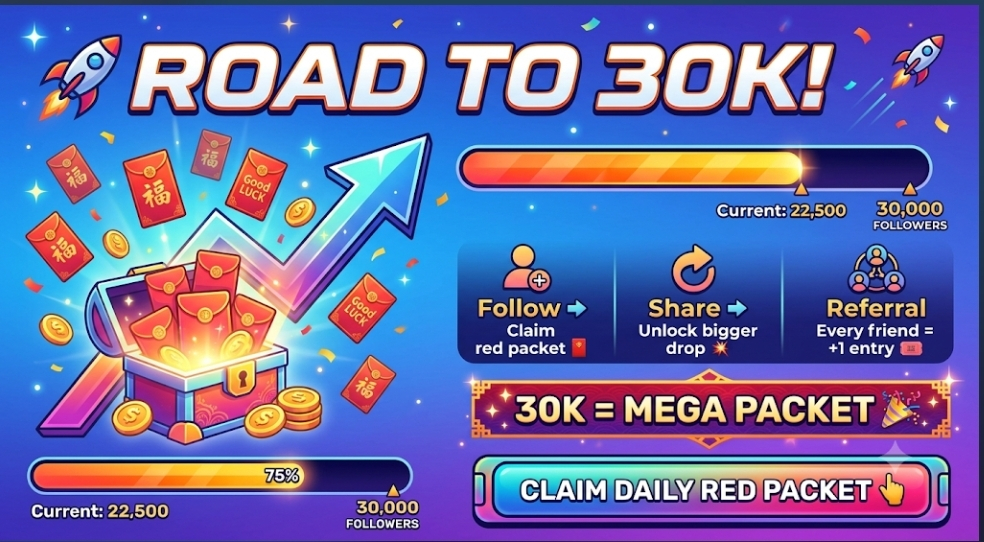
🚀 2,9K ➡️ 30K 🧧
Fast bei 3K … aber das eigentliche Ziel sind 30K 🎯
Folgen ✅ Gewinn sichern 🧧 Teilen 🔁
1 Teilen = +1 Los 🎟️
MEGA-GEWINNSPIEL bei 30K 💥
👇 Los geht’s
Fast bei 3K … aber das eigentliche Ziel sind 30K 🎯
Folgen ✅ Gewinn sichern 🧧 Teilen 🔁
1 Teilen = +1 Los 🎟️
MEGA-GEWINNSPIEL bei 30K 💥
👇 Los geht’s
3
3

·
--
Übersetzung ansehen
#very funny 🤣🤣🤣 video watch now. keep##smile
#very funny 🤣🤣🤣 video watch now. keep##smile
1
4
287
·
--
Übersetzung ansehen
MAX TokenMAX Token (MAX) is not currently listed for direct spot trading on the Binance centralized exchange, though users can acquire it via decentralized exchanges using the self-custody Binance Web3 Wallet.
Understanding MAX Token and How to Acquire It on Binance
While MAX Token is tracked on Binance for real-time market data and price conversions, it is not listed on the main exchange for direct spot buying or trading. Investors looking to interact with MAX Token within the Binance ecosystem must rely on decentralized finance (DeFi) tools.
Key Token Overview
* Listing Status: Unlisted on Binance Centralized Exchange (CEX).
* Supported Ecosystem: Decentralized exchanges (DEXs) accessible via self-custody Web3 wallets.
* Primary Utility: Token utility varies depending on the specific issuer (e.g., MAX Exchange Token vs. independent ecosystem tokens).
How to Buy MAX Token via Binance Web3 Wallet
Because MAX Token is not traded on Binance's order book, you can obtain it using the Binance Web3 Wallet embedded in the Binance mobile app:
* Set Up Binance Web3 Wallet: Open the Binance App, navigate to Wallet > Web3 Wallet, and create or import a self-custody wallet.
* Fund Your Wallet: Transfer a base currency such as USDT, USDC, or BNB from your main Binance account to your Web3 Wallet.
* Swap for MAX: Open the Trade tab in your Web3 Wallet, connect to a supported DEX, and swap your base crypto for MAX Token.
> Disclaimer: Cryptocurrencies not listed on major centralized exchanges carry higher risk, lower liquidity, and price volatility. Always verify the official contract address of MAX Token before conducting
any swap.
>
MAX Token
MAX Token (MAX) is not currently listed for direct spot trading on the Binance centralized exchange, though users can acquire it via decentralized exchanges using the self-custody Binance Web3 Wallet.
Understanding MAX Token and How to Acquire It on Binance
While MAX Token is tracked on Binance for real-time market data and price conversions, it is not listed on the main exchange for direct spot buying or trading. Investors looking to interact with MAX Token within the Binance ecosystem must rely on decentralized finance (DeFi) tools.
Key Token Overview
* Listing Status: Unlisted on Binance Centralized Exchange (CEX).
* Supported Ecosystem: Decentralized exchanges (DEXs) accessible via self-custody Web3 wallets.
* Primary Utility: Token utility varies depending on the specific issuer (e.g., MAX Exchange Token vs. independent ecosystem tokens).
How to Buy MAX Token via Binance Web3 Wallet
Because MAX Token is not traded on Binance's order book, you can obtain it using the Binance Web3 Wallet embedded in the Binance mobile app:
* Set Up Binance Web3 Wallet: Open the Binance App, navigate to Wallet > Web3 Wallet, and create or import a self-custody wallet.
* Fund Your Wallet: Transfer a base currency such as USDT, USDC, or BNB from your main Binance account to your Web3 Wallet.
* Swap for MAX: Open the Trade tab in your Web3 Wallet, connect to a supported DEX, and swap your base crypto for MAX Token.
> Disclaimer: Cryptocurrencies not listed on major centralized exchanges carry higher risk, lower liquidity, and price volatility. Always verify the official contract address of MAX Token before conducting
any swap.
>
Understanding MAX Token and How to Acquire It on Binance
While MAX Token is tracked on Binance for real-time market data and price conversions, it is not listed on the main exchange for direct spot buying or trading. Investors looking to interact with MAX Token within the Binance ecosystem must rely on decentralized finance (DeFi) tools.
Key Token Overview
* Listing Status: Unlisted on Binance Centralized Exchange (CEX).
* Supported Ecosystem: Decentralized exchanges (DEXs) accessible via self-custody Web3 wallets.
* Primary Utility: Token utility varies depending on the specific issuer (e.g., MAX Exchange Token vs. independent ecosystem tokens).
How to Buy MAX Token via Binance Web3 Wallet
Because MAX Token is not traded on Binance's order book, you can obtain it using the Binance Web3 Wallet embedded in the Binance mobile app:
* Set Up Binance Web3 Wallet: Open the Binance App, navigate to Wallet > Web3 Wallet, and create or import a self-custody wallet.
* Fund Your Wallet: Transfer a base currency such as USDT, USDC, or BNB from your main Binance account to your Web3 Wallet.
* Swap for MAX: Open the Trade tab in your Web3 Wallet, connect to a supported DEX, and swap your base crypto for MAX Token.
> Disclaimer: Cryptocurrencies not listed on major centralized exchanges carry higher risk, lower liquidity, and price volatility. Always verify the official contract address of MAX Token before conducting
any swap.
>
3
26
·
--
Bullisch
Übersetzung ansehen
#$BTC 🚀 **Ready to take your crypto journey to the next level?**
Discover seamless trading, top-tier security, and lower fees with **Binance**. Whether you're buying your first $BTC or exploring Web3, we've got you covered.
📲 **Get started today:** binance.com
*#Binance #Crypto #Bitcoin #Web3 #Trading $BTC #TradingTales
#$BTC 🚀 **Ready to take your crypto journey to the next level?**
Discover seamless trading, top-tier security, and lower fees with **Binance**. Whether you're buying your first $BTC or exploring Web3, we've got you covered.
📲 **Get started today:** binance.com
*#Binance #Crypto #Bitcoin #Web3 #Trading $BTC #TradingTales
Discover seamless trading, top-tier security, and lower fees with **Binance**. Whether you're buying your first $BTC or exploring Web3, we've got you covered.
📲 **Get started today:** binance.com
*#Binance #Crypto #Bitcoin #Web3 #Trading $BTC #TradingTales
3
108
Anmelden und weiter Inhalte entdecken
Krypto-Nutzer weltweit auf Binance Square kennenlernen
⚡️ Bleib in Sachen Krypto stets am Puls.
💬 Die weltgrößte Kryptobörse vertraut darauf.
👍 Erhalte verlässliche Einblicke von verifizierten Creators.
E-Mail-Adresse/Telefonnummer
Trendthemen
BinanceReopensWithdrawalsForMoreAssets
621,070 Aufrufe
3,003 Kommentare
Sicherheitsvorfall | Update zur Wiederherstellung Nr. 8: Auszahlungen für weitere Assets werden wieder aufgenommen (05.11.2026)
Binance Announcement
·154 Likes
·489.2k Aufrufe
BTCRebounds80K
134,968 Aufrufe
1,306 Kommentare
Binance98PercentReplenished
70,128 Aufrufe
910 Kommentare