
Binance Security Guide | Account Protection | Anti-Phishing
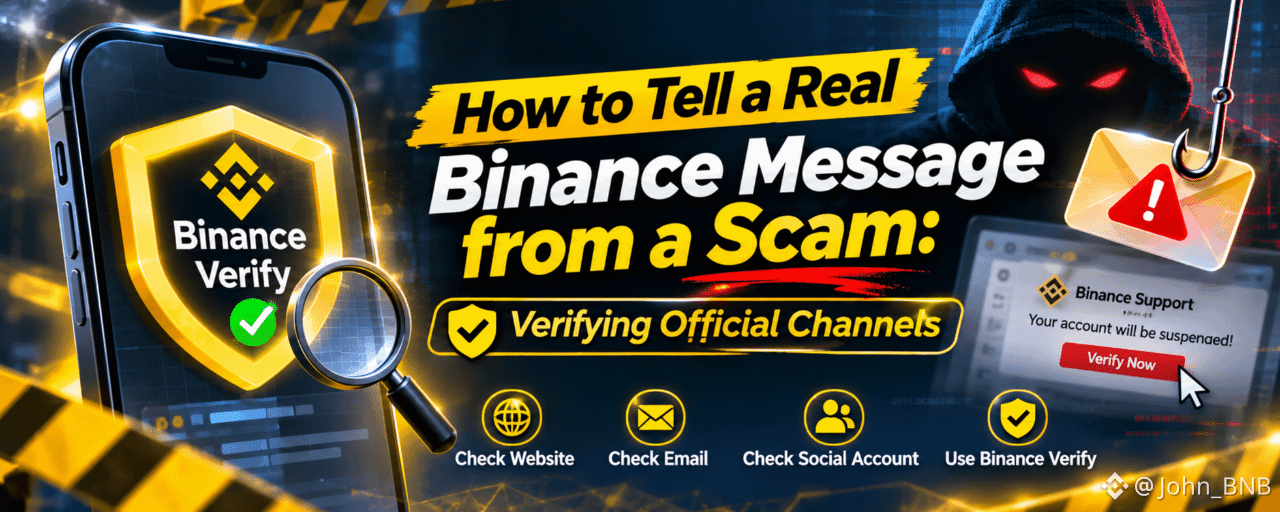
In the crypto world, not every message that looks official comes from the real source.
Scammers frequently impersonate trusted crypto platforms, especially after major security incidents or breaking news. They use fake emails, cloned websites, fraudulent social media accounts, and impersonated customer support agents to trick users into revealing sensitive information or transferring funds.
A message may carry the Binance logo, use professional language, and even appear to come from a familiar account. But appearances are not proof of authenticity.
The good news is that users have a way to check.
This guide explains how to verify whether a website, email, social media account, or other communication genuinely belongs to Binance, how to recognize common scam tactics, and what to do when something feels suspicious.
1. Use Binance Verify Before Trusting a Message
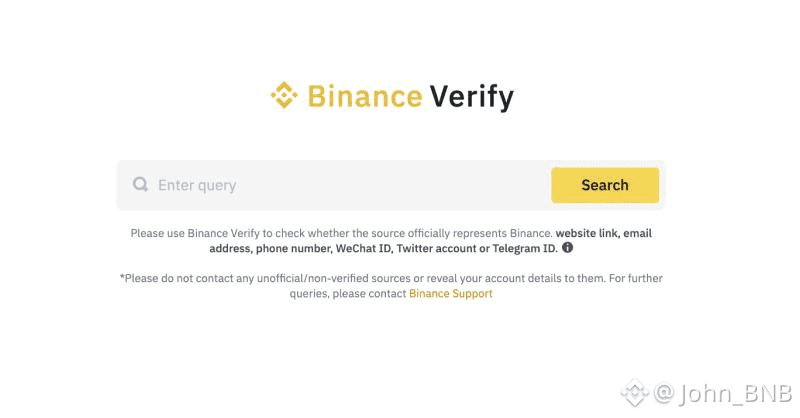
One of the simplest ways to check whether a communication is legitimate is Binance Verify.
Binance Verify is an official verification tool that allows users to check whether a website address, email address, phone number, or social media account is associated with Binance's official channels.
Instead of trusting a message because it looks professional, independently verify its source.
How to use it:
Visit Binance Verify
Copy the website URL, email address, phone number, or social media account you want to check.
Enter the information into the verification tool.
Review the result to determine whether the source is officially recognized.
If the source cannot be verified, do not interact with it until you confirm through Binance's official channels.
Important: Always access Binance Verify by typing the official Binance website address yourself or using a trusted bookmark. Avoid clicking verification links sent by suspicious accounts.
2. Check Every Channel, Not Just the Logo
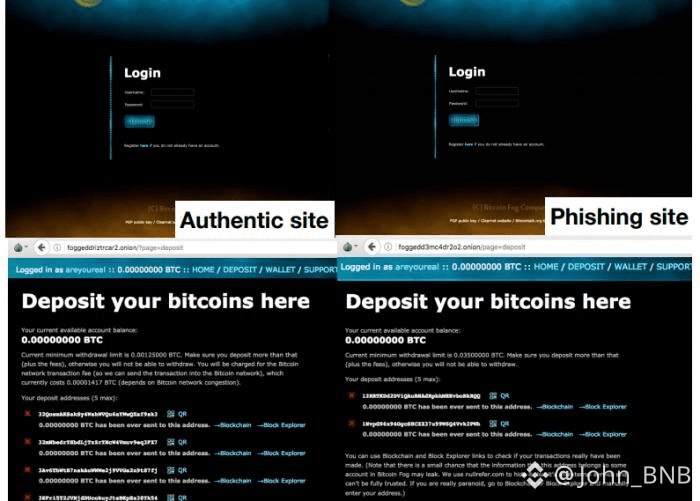
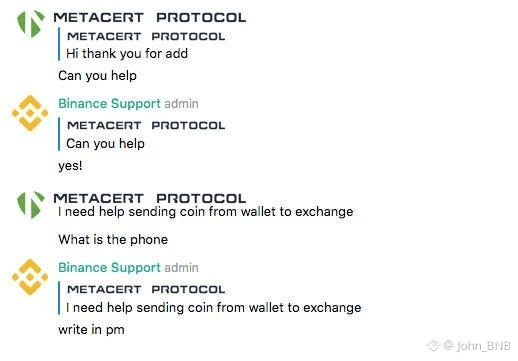
Scammers can imitate almost anything. Knowing where legitimate Binance communications originate is an important part of account security.
Here are the main channels to check:
A. Websites and URLs
Always check the domain name before entering login credentials.
Watch for misspellings, extra characters, unusual extensions, and misleading subdomains.
Avoid shortened URLs from unknown sources.
Access Binance by typing its official address directly: binance.com
B. Social media accounts
Check the account handle and verification status.
Be careful with accounts using similar usernames, copied profile pictures, and Binance branding.
Verify the social media handle through Binance Verify.
Never trust someone simply because they claim to be a Binance employee or Angel.
C. Emails
Inspect the complete sender address, not just the display name.
Check your personal Anti-Phishing Code.
Avoid opening unexpected attachments or clicking suspicious links.
Remember that email sender addresses can be spoofed.
D. Customer Support
Start conversations through Binance's official app or website.
Do not trust unsolicited messages from people claiming to be support agents.
Never install remote-access software or share your screen because someone claiming to be support asks you to.
3. Recognize the Warning Signs of a Scam
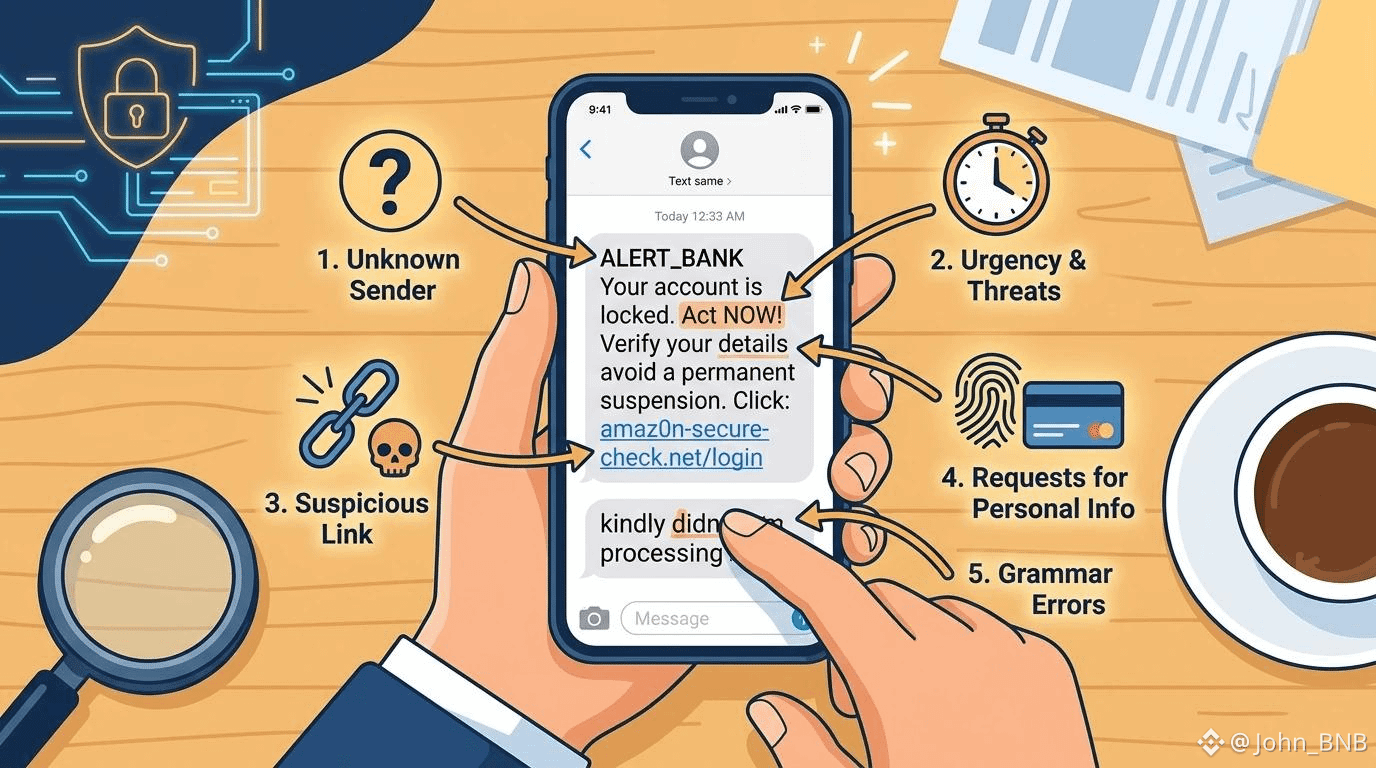
Most impersonation scams follow a familiar pattern: create fear, establish false trust, and push the victim into making a quick decision.
Watch for these common warning signs:
Warning sign
What scammers might say
Urgency
"Your account will be suspended in 30 minutes!"
Security threats
"We detected suspicious activity. Verify immediately."
Fake rewards
"Claim your exclusive Binance bonus here."
Account recovery
"Send your verification code to restore access."
Fake support
"I am your assigned Binance security officer."
Fund transfers
"Move your assets to this secure wallet."
Suspicious links
"Click here to unlock your account."
One particularly important lesson:
Urgency combined with a request for credentials is one of the clearest signs of a scam.
Legitimate security notifications may inform you about account activity, but you should independently open Binance and investigate rather than following instructions from an unexpected message.
4. Understand the Power of Your Anti-Phishing Code
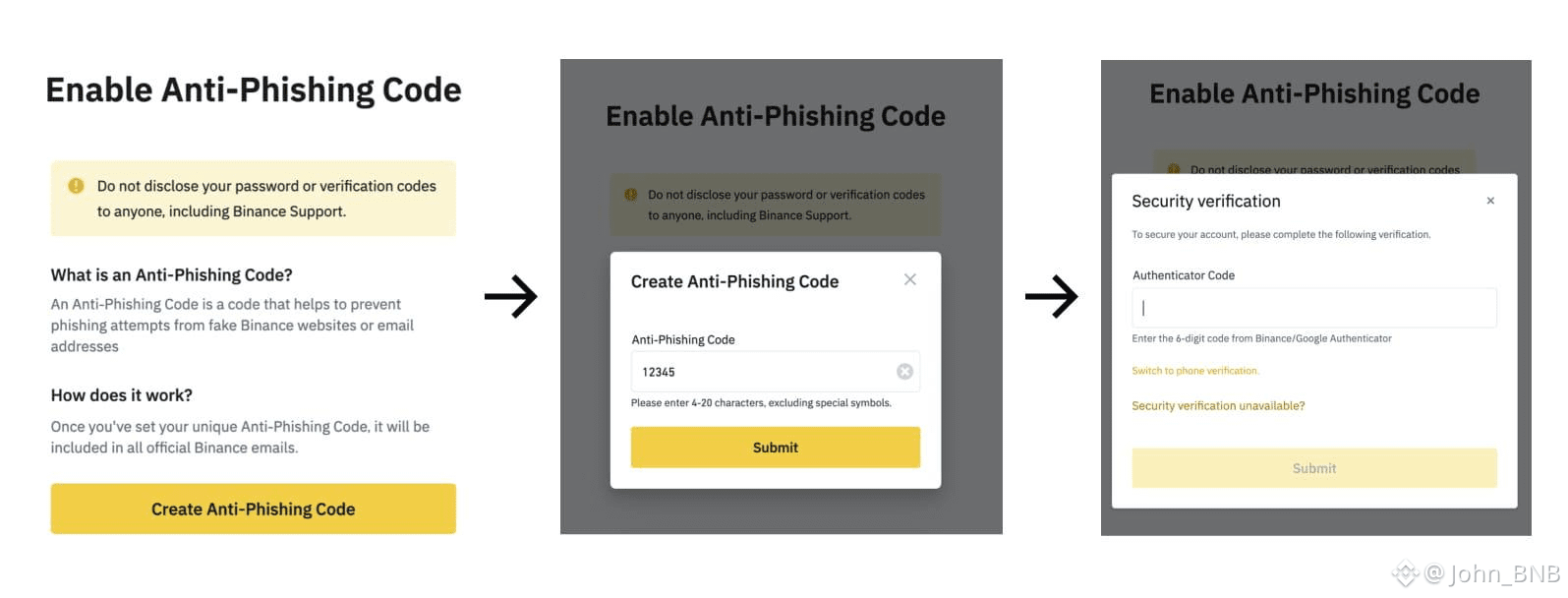
Binance provides an additional security feature called the Anti-Phishing Code.
It allows users to create a unique personal code that appears in genuine Binance emails.
When enabled, you can use this code to distinguish legitimate Binance emails from many phishing attempts.
How to enable it:
Log in through the official Binance app or website.
Navigate to your account's Security settings.
Find Anti-Phishing Code.
Create a unique code that is difficult for others to guess.
Save your settings.
Whenever you receive an email claiming to come from Binance, check whether your personal code is displayed.
If it is missing or incorrect, treat the email as suspicious and verify it independently.
Remember: This feature helps authenticate emails, not every SMS, phone call, or social media message. It should be used alongside Binance Verify.
5. What Binance Will Never Ask You to Do
This is perhaps the most important section for every crypto user.
Scammers often pretend to help users protect their accounts, but their real objective is to gain access to their funds.
Keep these rules in mind:
Never share your account password.
Never disclose your 2FA or verification codes.
Never share your wallet seed phrase or private keys.
Never transfer cryptocurrency to a stranger claiming it is necessary to secure your account.
Never scan an unknown QR code to log in or authorize access.
Never install remote-access applications at the request of an unverified support agent.
Never provide screenshots or sensitive account information to strangers.
Your credentials belong to you. No legitimate support conversation should require you to hand over your password, 2FA codes, or private keys.
6. What Should You Do If You Receive a Suspicious Message?
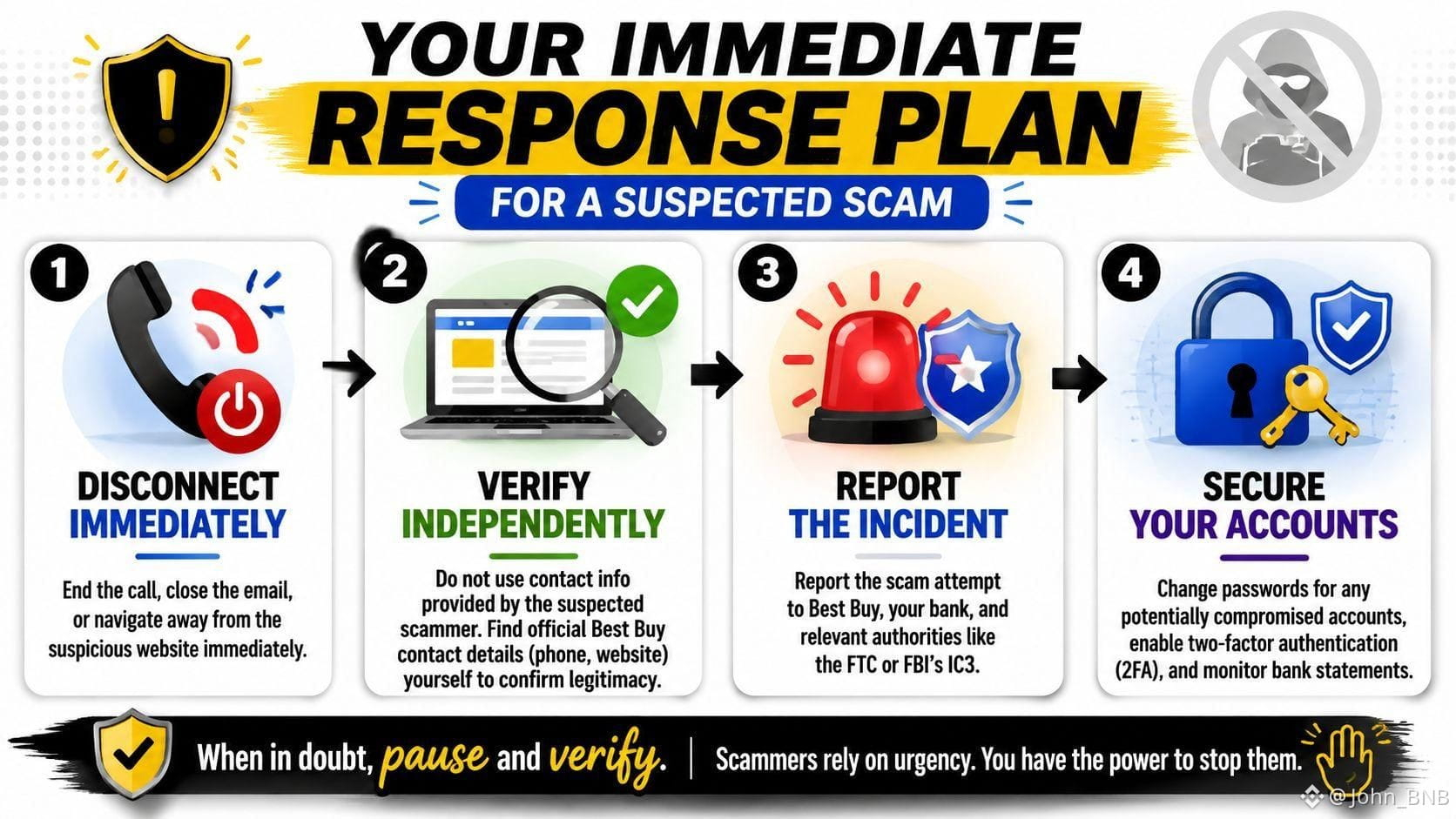
If you receive a suspicious message claiming to be from Binance, don't panic. Follow these steps:
Stop: Don't click links, download files, reply, or share information.
Verify: Check the sender, URL, email, or social account through Binance Verify.
Report: Report suspicious impersonation through official Binance Support.
Secure: If you have interacted with a suspicious website or disclosed information, change your password through the official platform and review your security settings.
Act immediately: If you suspect unauthorized access, contact Binance Support through the official app or website and follow its instructions to secure or disable your account.
Also review your account activity, login history, and withdrawal records for anything you don't recognize.
The sooner you respond, the better your chances of limiting potential damage.
7. Security Is a Shared Responsibility
Binance provides security tools and official verification channels, but users also play an important role in protecting their assets.
A strong password, 2FA, Anti-Phishing Code, and regular security checks can help reduce risks. However, the most valuable habit is learning to question unexpected communications before taking action.
Scammers don't necessarily need to break through a platform's security systems if they can convince users to give away their credentials.
The next time someone sends you an urgent message claiming to be from Binance, remember three simple words:
STOP. VERIFY. PROTECT.
Don't trust appearances. Verify the source before you trust the message.
Frequently Asked Questions
1. How can I verify whether a Binance employee is real?
Use Binance Verify to check their email address, phone number, or social media handle. If you cannot verify their identity, do not proceed with their requests.
2. Does Binance Verify check Telegram accounts?
Yes. You can enter Telegram usernames and other supported social media handles to check whether they are officially recognized.
3. What if Binance Verify says an account is verified, but the message still looks suspicious?
Remain cautious. Email and SMS sender information can be spoofed. Contact Binance Support independently if you have doubts.
4. Does Binance Support ever ask for my password or 2FA code?
You should never disclose your password, 2FA codes, seed phrase, or private keys to anyone claiming to be support.
5. Where can I report a fake Binance account?
Use the official Binance Support portal to report suspicious accounts, messages, and phishing websites.