
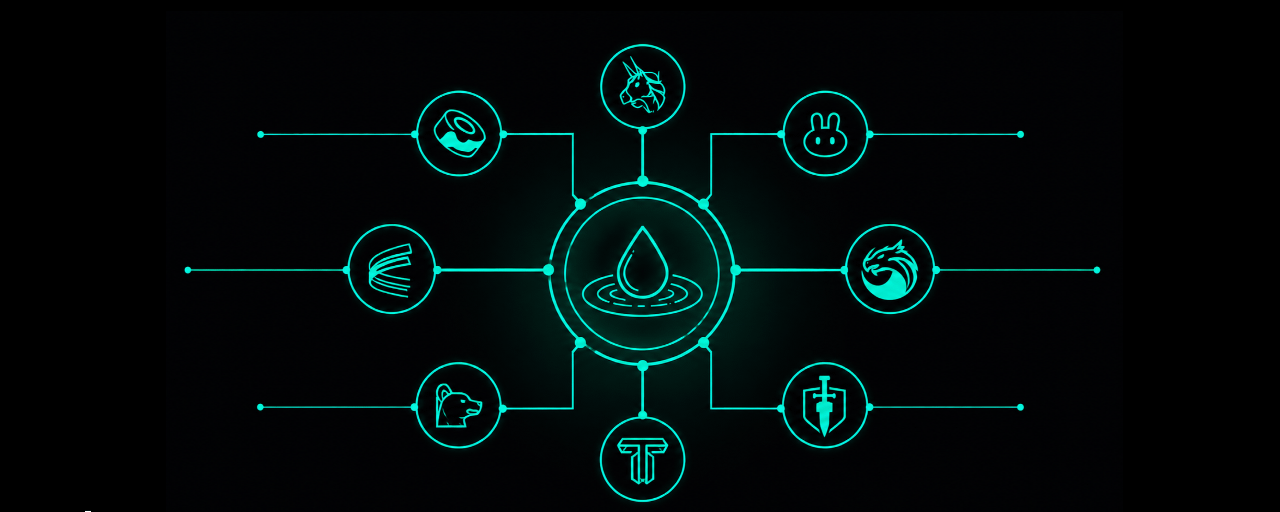

Finding the best liquidity pool used to mean opening ten browser tabs. Traders jumped between Uniswap, PancakeSwap, Aerodrome, and a handful of dashboards just to compare yields. Each protocol showed different data in a different format, and none of them talked to each other.
KyberEarn changes that. It brings pools from major DEX protocols into one interface, so you can discover, compare, and enter positions without leaving the page. This guide shows how to find pools across every supported protocol from a single all-in-one liquidity hub, and how to put your capital to work in one transaction.
What Does It Mean to Find Pools From One Liquidity Hub?
Liquidity in DeFi is scattered by design. Every DEX runs its own pools, its own reward programs, and its own analytics. That fragmentation makes it hard to know where your capital actually earns the most.
An all-in-one liquidity hub solves this by pulling pools from multiple protocols into one place. Instead of checking each DEX by hand, you browse, filter, and compare from a single dashboard. You see real yields side by side, then act on the best one.
KyberEarn, KyberSwap’s all-in-one liquidity hub, is built for this exact job. It aggregates pools across supported protocols and layers rich analytics on top, so discovery is fast and every decision is informed. The result is less tab-switching and more time spent on the choices that matter.
How Does KyberEarn Aggregate Pools From All DEX Protocols?
KyberEarn connects the biggest names in DeFi liquidity under one roof. Pools from Uniswap V3, Uniswap V4, PancakeSwap, Aerodrome, and SushiSwap all appear in the same interface, with more protocols added over time.
This matters because these protocols usually live in separate apps. On KyberEarn, they sit in one searchable list. You can line up a PancakeSwap pool against an Aerodrome pool without switching networks or opening new tabs.
One point stays important here. KyberEarn does not operate these pools directly. It provides tooling to discover, enter, and manage positions on third-party protocols, while the pools themselves remain on their native platforms.
The reach behind the platform is wide. The KyberSwap Aggregator that powers KyberEarn connects to over 420 liquidity sources across 17 chains, which feeds routing and pricing throughout the experience.
How to Find the Right Pool on KyberEarn
Finding a pool on KyberEarn takes minutes, not tabs. The flow is designed so that discovery, comparison, and entry happen in the same place.
Open KyberEarn. Head to the Earn section on KyberSwap and connect your wallet.
Browse pool categories. Filter by strategy using five categories: Farming, Highlighted, Low Volatility, High APR, and Solid Earning.
Read the APR metrics. KyberEarn surfaces five distinct APR figures, including Est. Pool APR, Active APR, and Max APR, so you judge real yield rather than a single headline number.
Open the pool detail page. Review three tabs: Information for TVL, volume, fees, and rewards, Earning(s) for a breakdown by source, and Analytics for price and liquidity charts.
Compare and shortlist. Line up two or three pools against the same metrics, then pick the one that fits your risk and time horizon.
Each category answers a different goal. Low Volatility suits stablecoin LPs who want steady yield with minimal impermanent loss. High APR suits LPs comfortable with more price movement. Solid Earning highlights pools with the strongest trading fees over the past seven days, a sign of consistent, organic volume.
The five APR metrics are what make comparison trustworthy. A single APR figure can flatter a pool that only earns at a narrow price. By showing Est. Pool APR, Active APR, and Max APR together, KyberEarn helps you see how a pool behaves in practice, not just at its best moment.
How Do You Enter a Pool Once You’ve Found It?
Entering a pool on KyberEarn takes one transaction, not five. The platform uses Zap technology, so you supply liquidity with the tokens you already hold.
Adding concentrated liquidity normally means swapping tokens to match the pool ratio, calculating exact amounts, then depositing. Zap removes every one of those steps. You can deposit into any pool using up to five different tokens at once, and KyberEarn handles the swaps and ratio balancing for you.
The routing runs through the KyberSwap Aggregator, which optimizes for the best rate and minimal price impact. Zapping into a Uniswap, PancakeSwap, or Aerodrome pool therefore feels the same across the board: quick, guided, and done in a single click.
This is the core convenience of the platform. Every protocol, one interface, and one-click Zap to LP wherever you choose to provide liquidity.
What Can You Track After Entering a Pool?
Your work does not end when you enter a position. KyberEarn gives you a unified dashboard to monitor and manage everything from one place.
You can track accrued fees, rewards, and whether each position sits in range or out of range, across every chain and protocol you use. Earnings are broken down by source, so LP Fees, LM Rewards, EG Sharing, and Bonus incentives each show up separately.
Management tools keep you in control after entry. Reposition an out-of-range position in one transaction, compound fees with a single click, or use Smart Exit to withdraw automatically when your conditions are met. When it is time to move on, Zap Out consolidates your position into a single token of your choice.
KyberEarn vs Manual Pool Hunting
Discovering pools
Manual pool hunting: Visit each DEX individually
KyberEarn: Browse supported protocols from one dashboard
Comparing opportunities
Manual pool hunting: Different dashboards and inconsistent metrics
KyberEarn: Standardized analytics across protocols
Entering a position
Manual pool hunting: Swap assets, balance ratios and deposit manually
KyberEarn: Zap in using up to five tokens in one transaction
Managing positions
Manual pool hunting: Monitor every protocol separately
KyberEarn: Unified portfolio dashboard
Exiting
Manual pool hunting: Withdraw and swap manually
KyberEarn: Zap Out or automate exits with Smart Exit
Frequently Asked Questions
Which DEX protocols does KyberEarn support?
KyberEarn supports pools from Uniswap V3, Uniswap V4, PancakeSwap, Aerodrome, SushiSwap, and more. Check the supported networks page for the full and current list.
Does KyberEarn run the pools itself?
No. KyberEarn provides tooling to discover, enter, and manage positions on third-party protocols. The pools stay on their native platforms.
What is Zap and why does it matter?
Zap lets you enter a pool using up to five tokens in one transaction. It swaps and balances your tokens through the KyberSwap Aggregator, so you skip the manual steps of matching a pool ratio.
How does KyberEarn help me compare pools?
It surfaces five APR metrics and three data tabs per pool, covering yield, fees, TVL, volume, and analytics. That lets you compare real performance instead of one headline figure.
Is there a fee to use KyberEarn?
Yes. A platform fee applies to Zap operations. It is charged on the input amount and shown in the interface before you confirm.
Start Earning on KyberEarn
Pool hunting does not have to mean ten open tabs. KyberEarn brings Uniswap, PancakeSwap, Aerodrome, and more into one interface, with the data to compare them and the Zap technology to enter in a single click.
Explore pools on KyberEarn and put your liquidity to work from one Smart DeFi Hub.