Hashrate transfer allows users to move a fixed amount of hashrate from their mining account to another mining account. This provides hashrate providers with a simple and flexible way to reallocate resources, and gives mining teams or cooperatives an efficient method for distributing hashrate among members.
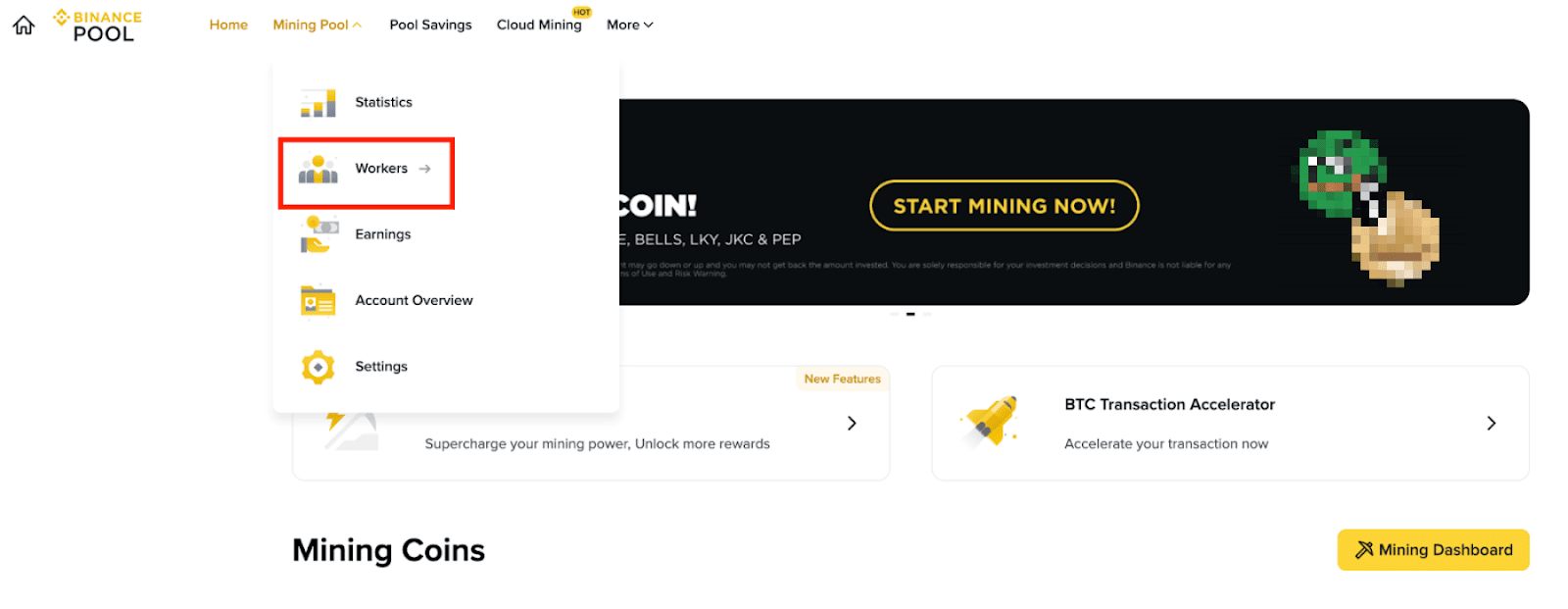
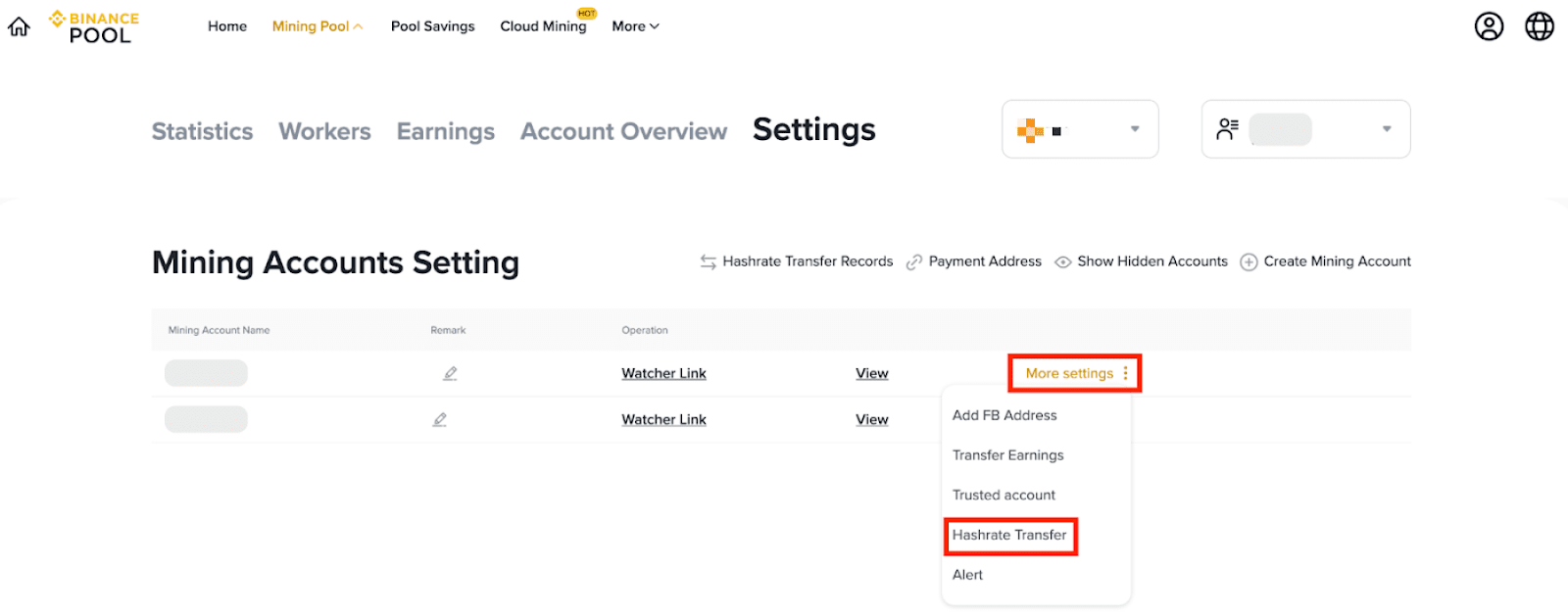
Step 1: Go to Hashrate Transfer under [Mining Pool] - [Settings - [More Settings] - [Hashrate Transfer].
Step 2: A window will pop up where you can enter the terms of your hashrate transfer contract.
Enter the name of the Mining Account to which you want to transfer a portion of your hashrate, as well as the Transfer Period, the Transfer Coin, and the Hashrate amount that you'd like to transfer:
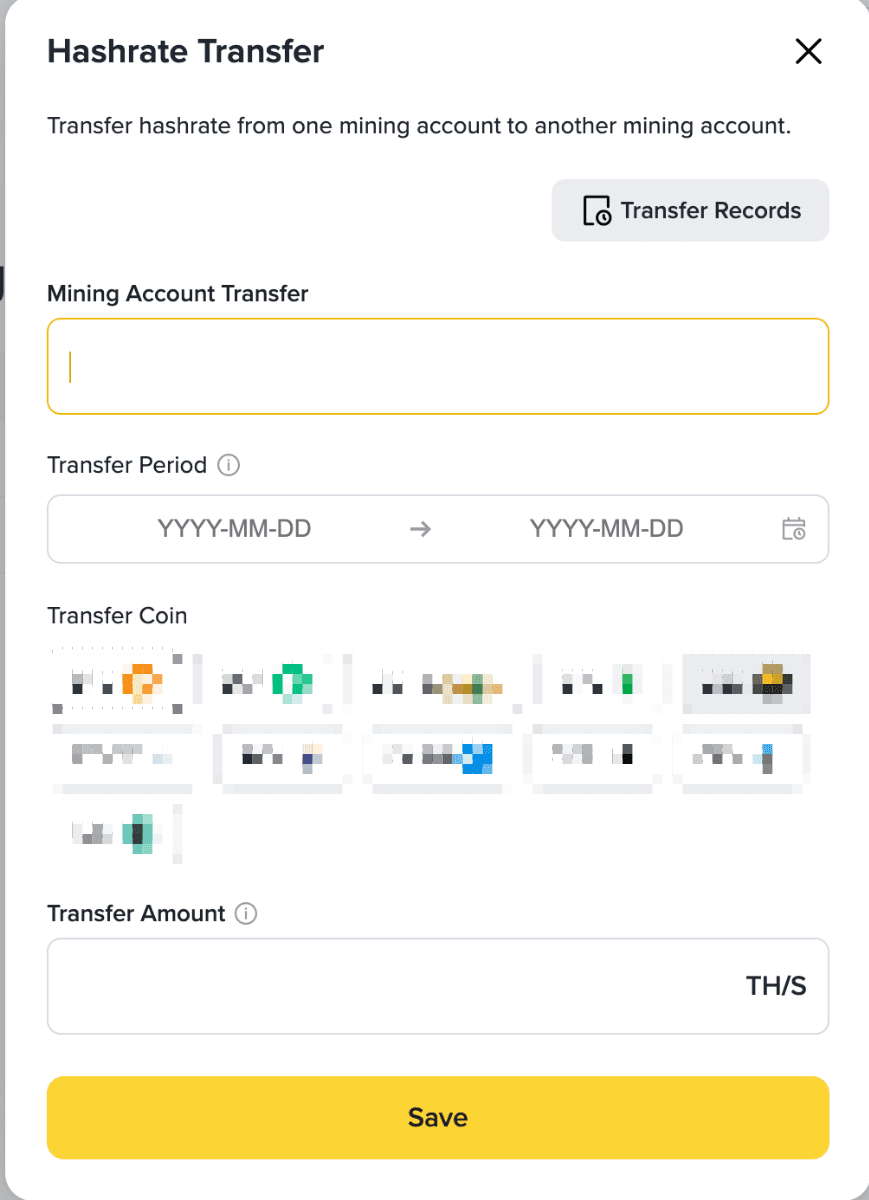
1. Hashrates can only be transferred between Binance Pool sub-accounts. A hashrate that has been transferred to a sub-account cannot be transferred out of that sub-account. Once a hashrate has been transferred out of a sub-account, it cannot be transferred back in.
2. When selecting the Transfer Period, please note that the time the transfer takes effect is calculated using UTC as the standard time. Hashrate Transfer will be effective from UTC 00:00 on the start date until UTC 00:00 on the end date. For example:

In the example shown above, the Hashrate Transfer will be effective from 00:00 UTC, December 15, 2025 until 00:00 UTC, December 31, 2025 on a cumulative 24-hour basis.
After a Hashrate Transfer is created, it enters a pending activation state. Once the effective date is reached, it becomes officially active.
3. Select the mining Coin that you would like to transfer the hashrate for.
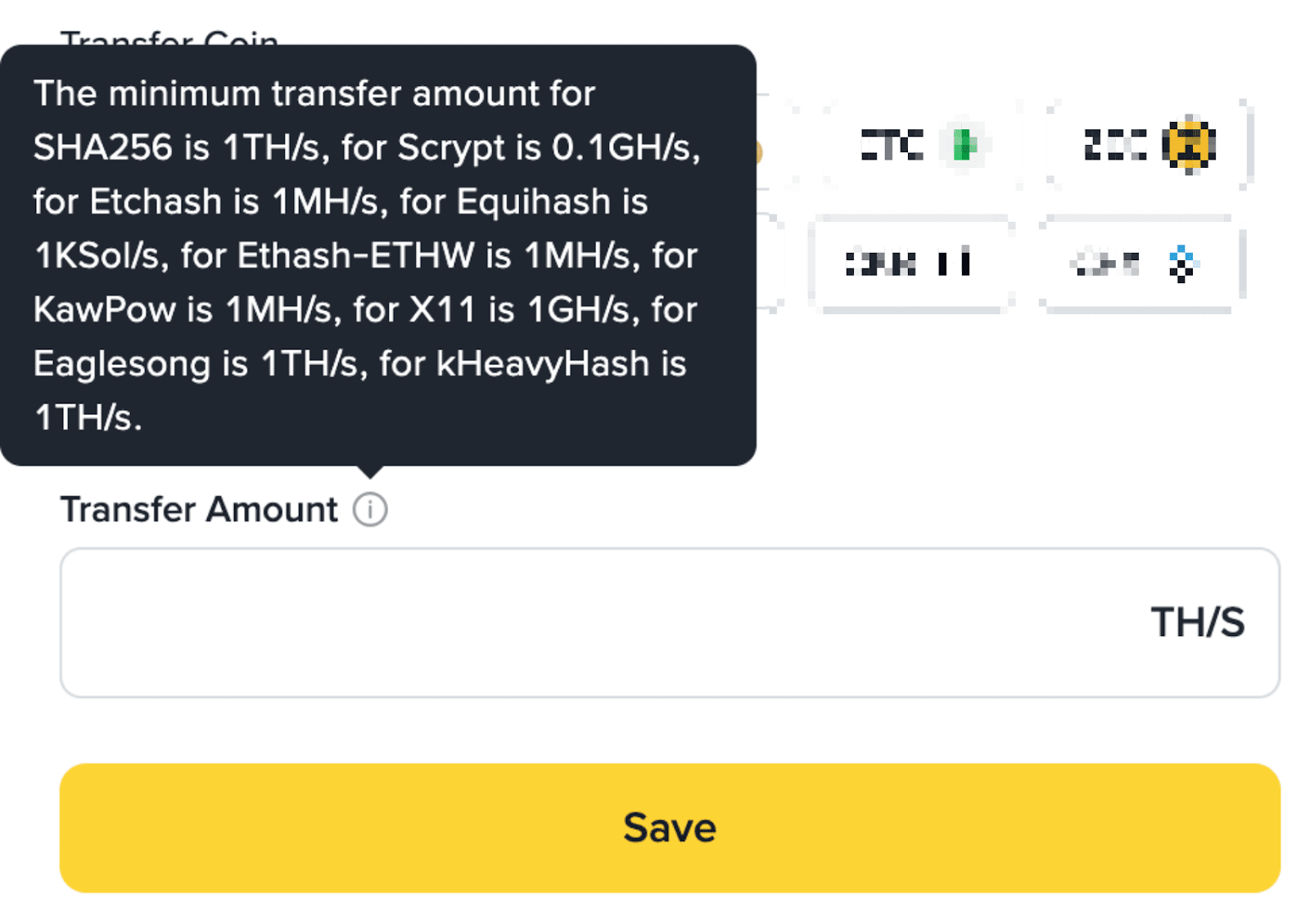
4. Enter the amount of hashrate you would like to transfer. The minimum Transfer Amount for SHA256 (BTC & BCH) is 1TH/s, and the minimum Transfer Amount for Etchash is 1MH/s.
Step 3: View your hashrate info and earnings.
1. Transferred hashrate cannot be viewed in the [Worker], [Statistics] interface.
2. You can view your Hashrate Transfer Records in your Mining Account Setting page.
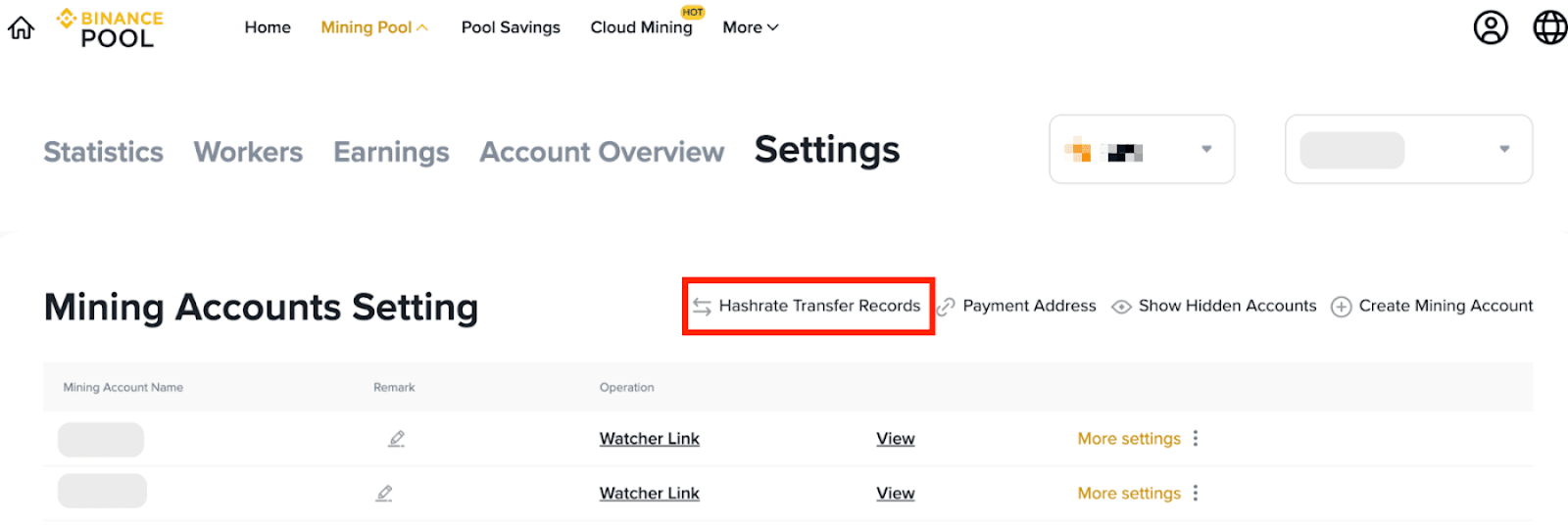
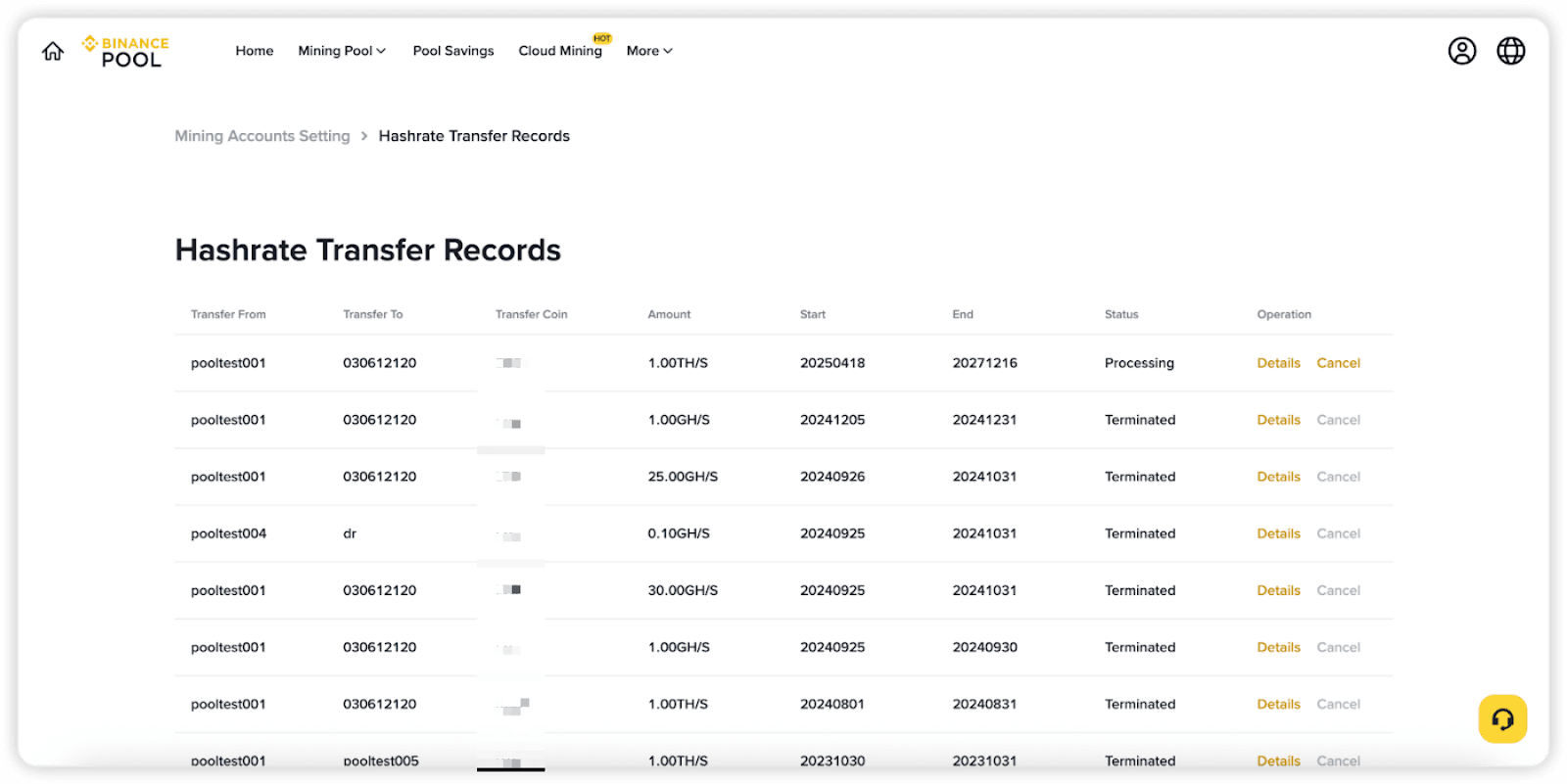
Both the account transferring the hashrate and the account receiving the hashrate must be Binance Pool accounts. Hashrates received by a sub-account cannot be transferred out, and hashrates transferred out of a sub-account cannot be transferred back in.
Binance Pool supports hashrate transfer for all Binance Pool supported mining coins.
The minimum transfer amount for SHA256 is 1TH/s, for Scrypt is 0.1GH/s, for Etchash is 1MH/s, for Equihash is 1KSol/s, for Ethash-ETHW is 1MH/s, for KawPow is 1MH/s, for X11 is 1GH/s, for Eaglesong is 1TH/s, for kHeavyHash is 1TH/s.
After the hashrate transfer is initiated, the transfer will take effect at the next 00:00 UTC.
Binance Pool only provides a platform for hashrate transfer. Hashrate transfer activities are carried out after the miners have come to a mutual agreement. Once a hashrate transfer contract is generated, it cannot be altered before the end date.
