If your preferred payment method is not supported on Binance P2P, you can suggest new payment methods for review.
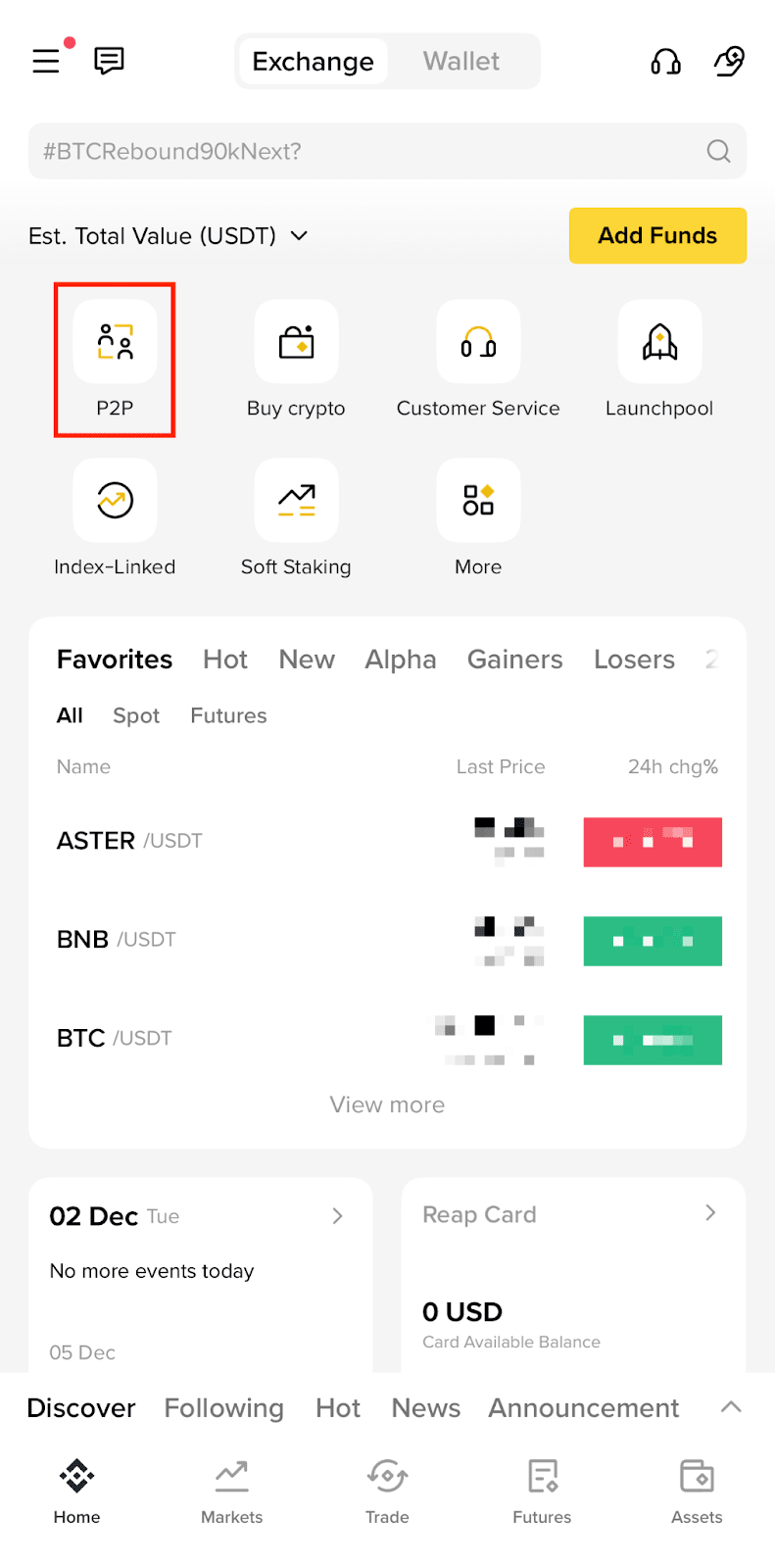
1. Log in to your Binance App and go to [P2P].
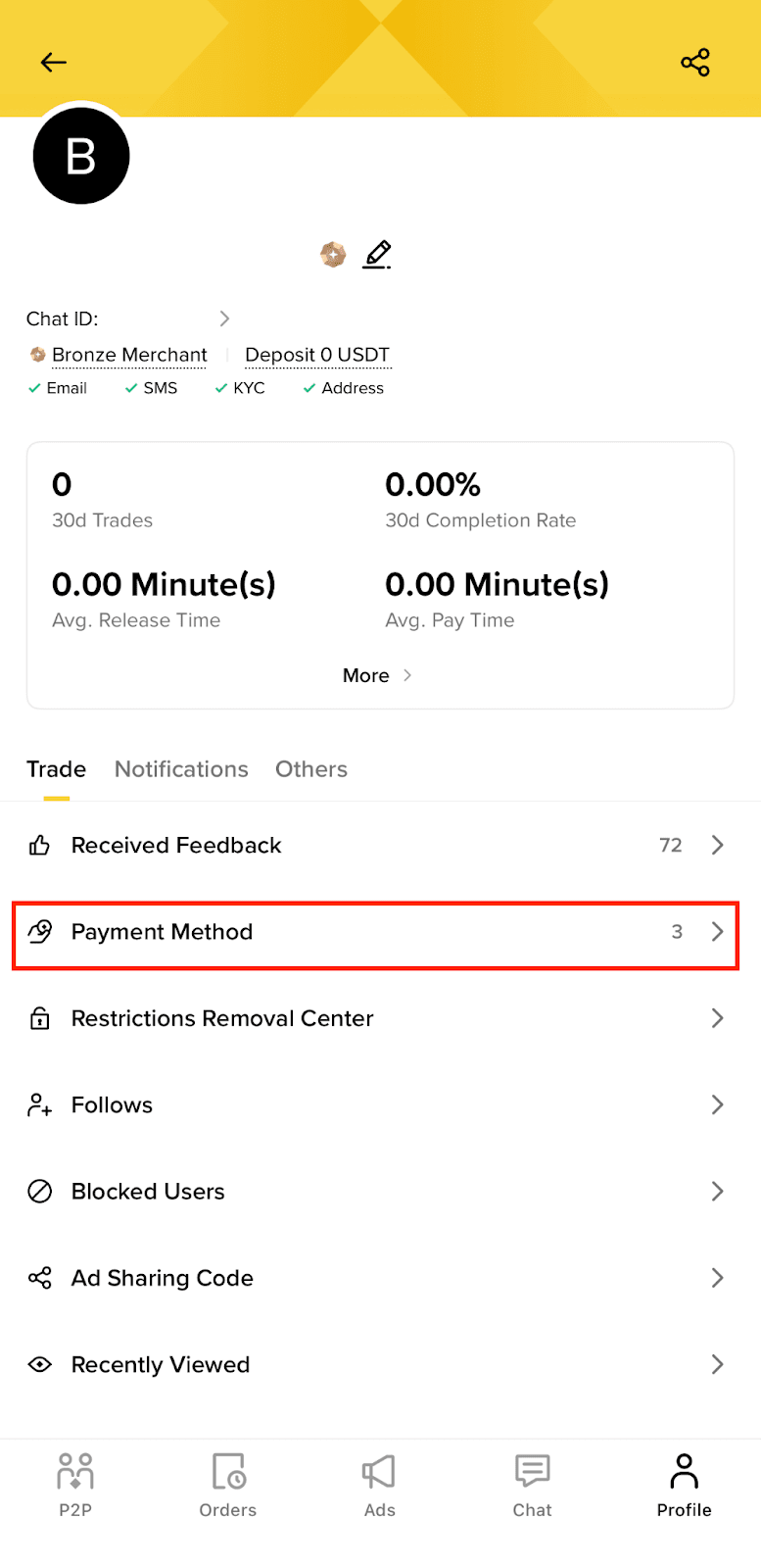
2. Tap [Profile] - [Payment Method].
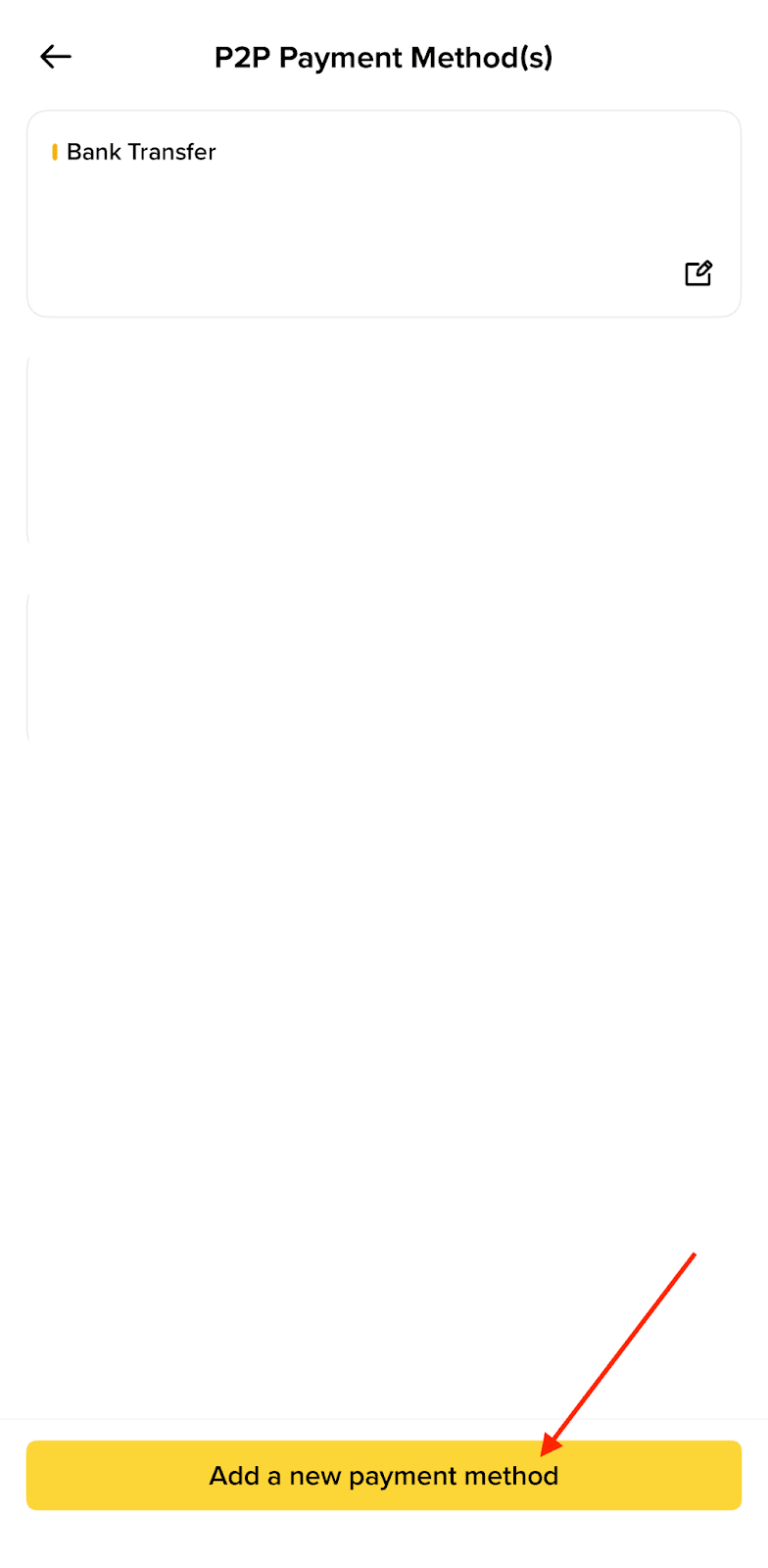
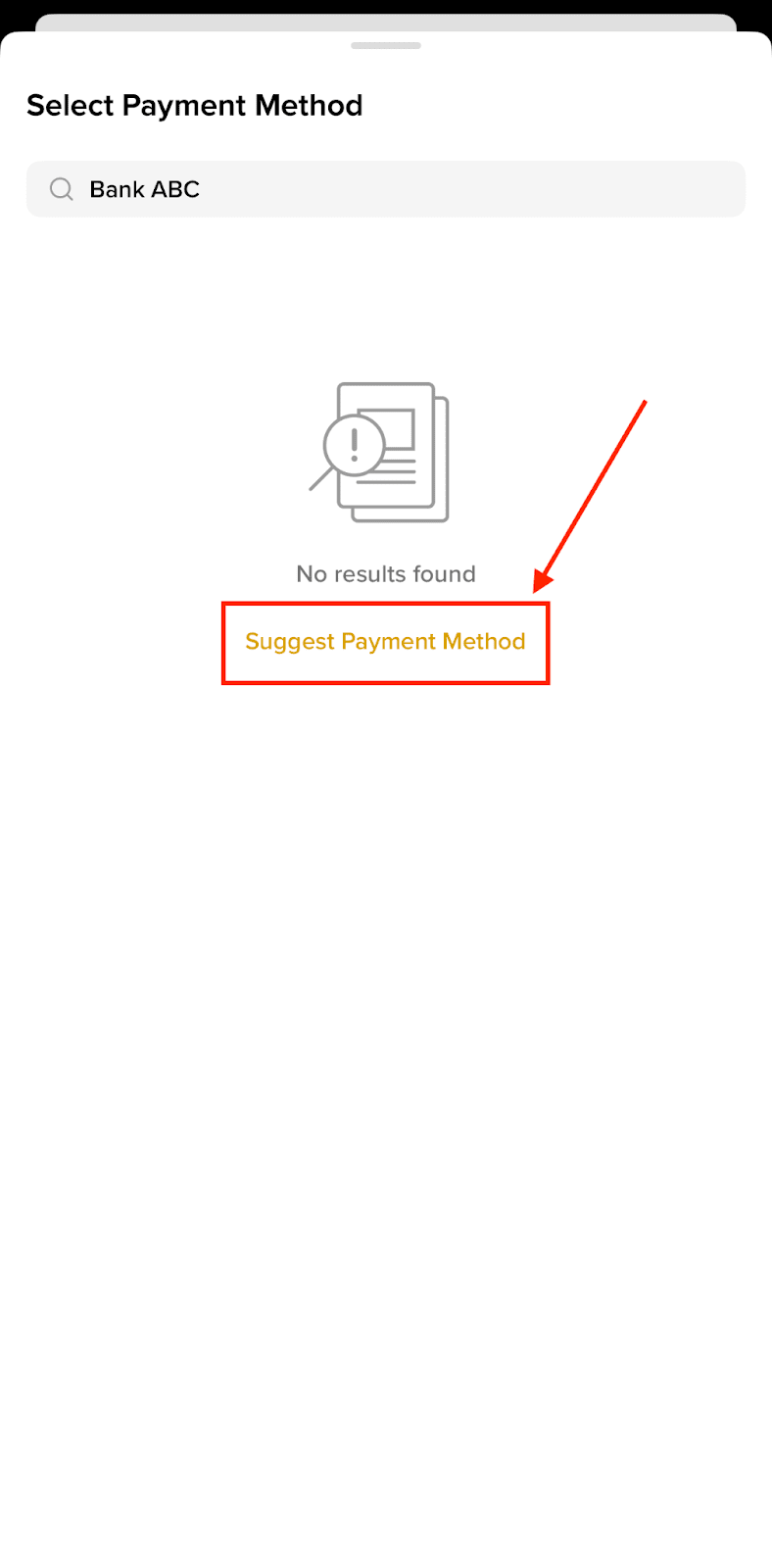
3. Tap [Add a new payment method] and enter the name of the payment method you want to add in the search bar.
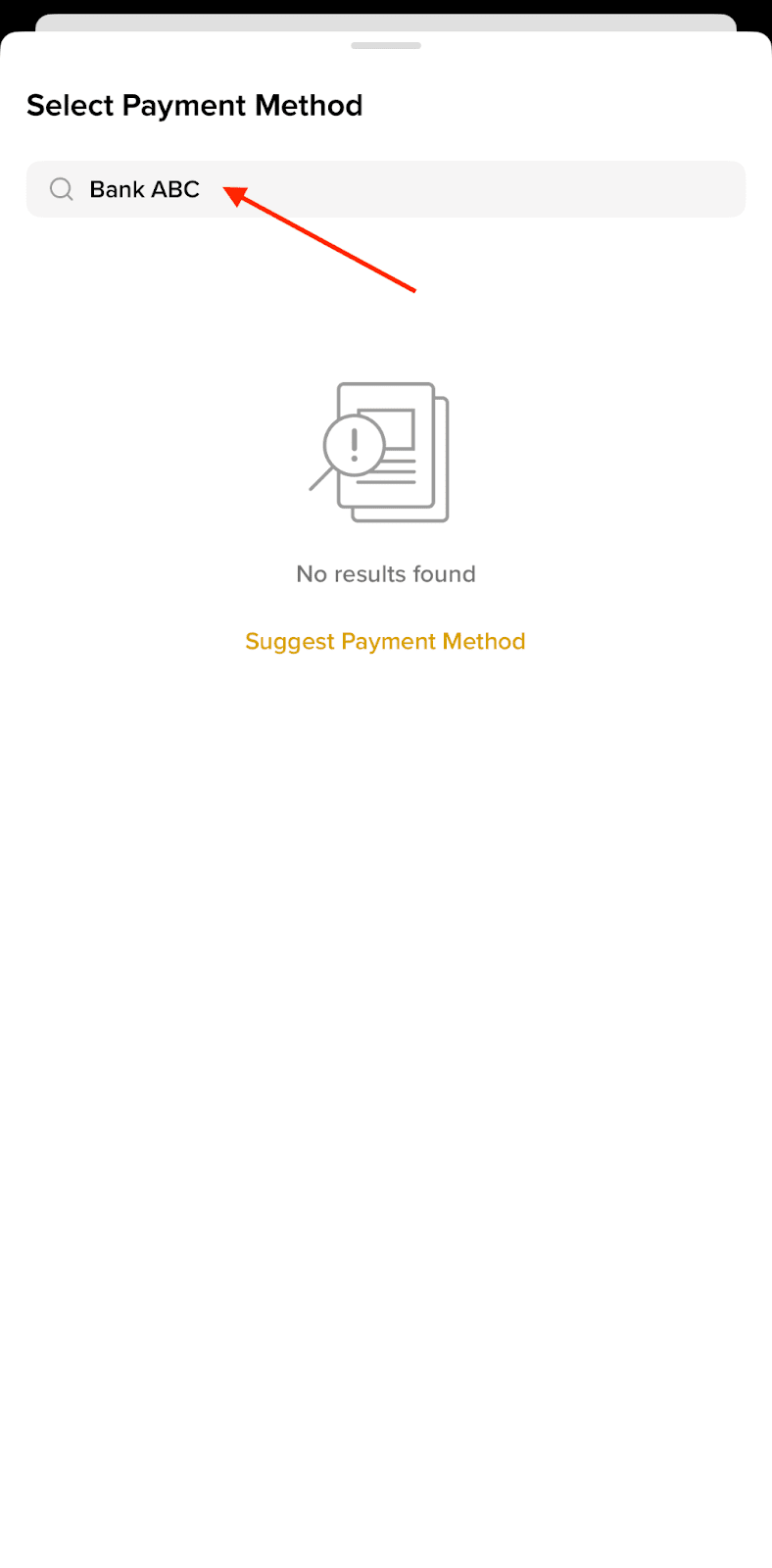
4. If your preferred payment method is not listed on Binance P2P, simply tap [Suggest Payment Method].
5. You will be redirected to a request form. Fill in the details of your preferred payment method and tap [Submit].

6. Your request has been recorded. The Binance P2P team will review your suggestion shortly.

