

Depositing USDT is the first real step after you open your account. The only part that can go wrong is the network. This guide shows the real Binance deposit screens from November 20, 2026. If you don't have an account yet, register with the Binance referral code SIGNUP2027 for a lifetime 20% discount on Spot and Futures fees: Binance referral code SIGNUP2027 sign-up link.
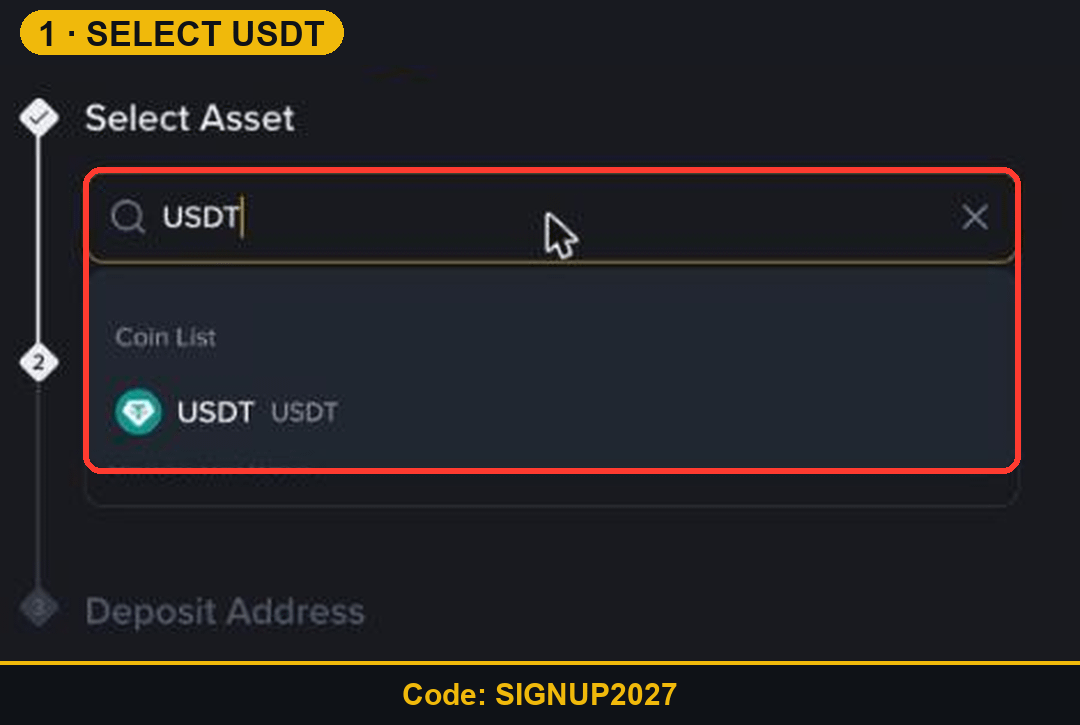
Step 1: Open Deposit and Pick USDT
Click the yellow Deposit button at the top of Binance, or go to Wallet and then Deposit. Under Select Asset, type USDT and click it.
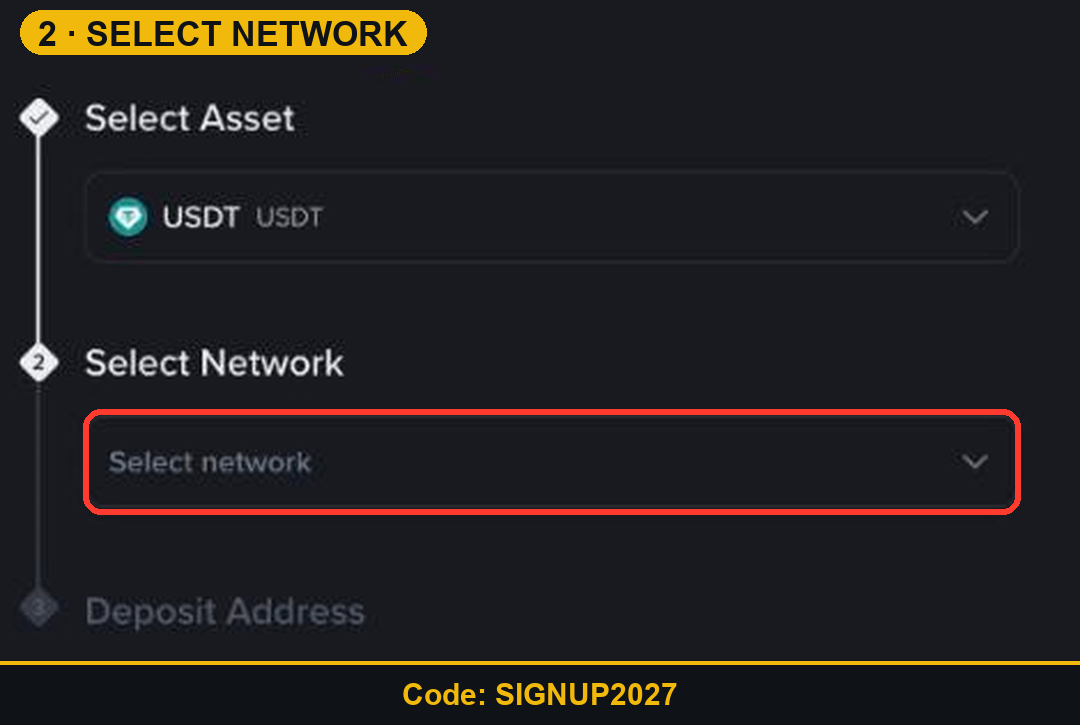
Step 2: Choose the Network
Binance shows a warning above the list: only the networks shown are supported, and a deposit on another network can be lost. The network you pick here must match the network your sending wallet or exchange uses.
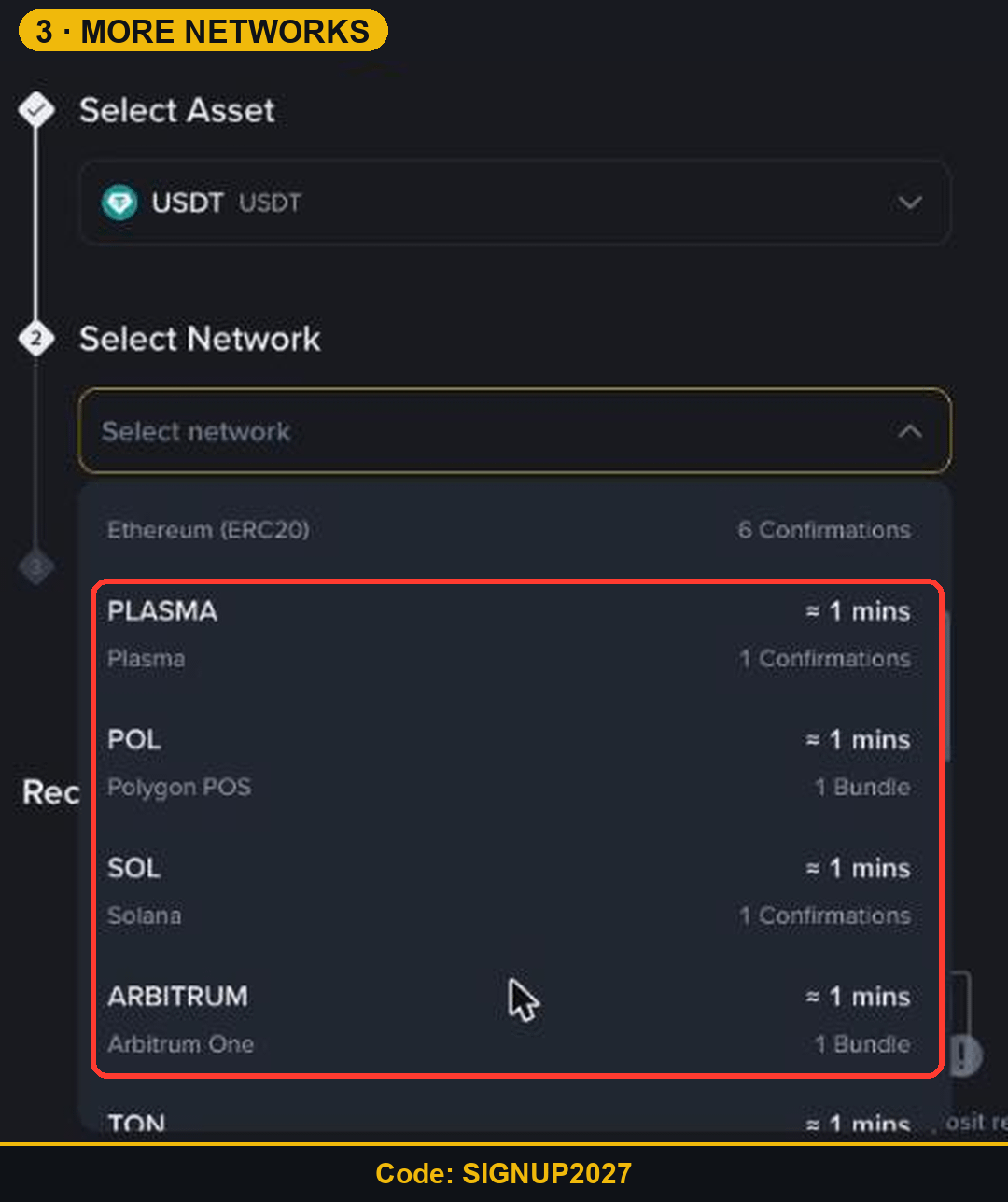
Which USDT Network Should You Use?
BSC (BEP20): about 1 minute, 1 confirmation. Cheap and common.
TRX (TRC20): about 1 minute, 1 confirmation.
ETH (ERC20): about 2 minutes, 6 confirmations. Higher fees on the sending side.
Plasma, Polygon POS, Solana, Arbitrum One, TON: all around 1 minute.
Step 3: Copy the Address and Send
After you pick the network, Binance shows your deposit address. Copy it, paste it into the sending wallet, choose the same network there, and send. Example: 150 USDT sent on Solana arrives in about a minute.
3 Deposit Mistakes to Avoid
Sending on ERC20 to a BEP20 address, or the other way round.
Typing the address by hand instead of copying it.
Sending a big amount first. Try a small test deposit on a new route.
Trade Your First USDT with SIGNUP2027
Once the USDT lands, every Spot and Futures trade you make gets 20% off the fee. Open the SIGNUP2027 sign-up page.
Disclosure: SIGNUP2027 is my referral code, and I may earn commission from qualifying activity. This is an independent guide, not an official Binance post. Rewards depend on Binance's terms, your region and your eligibility. Crypto and Futures trading carry high risk, and leverage can wipe out your margin. Not financial advice. DYOR.