


Binance là nền tảng hàng đầu thế giới để bước vào thế giới tiền mã hóa. Tuy nhiên, trước khi bắt đầu giao dịch, bước quan trọng nhất là tạo tài khoản đúng cách và hoàn tất quy trình Xác minh danh tính (KYC) một cách an toàn.

Trong hướng dẫn hôm nay, chúng tôi sẽ hướng dẫn bạn cách đơn giản và an toàn nhất để mở tài khoản Binance và hoàn tất toàn bộ quy trình xác minh.
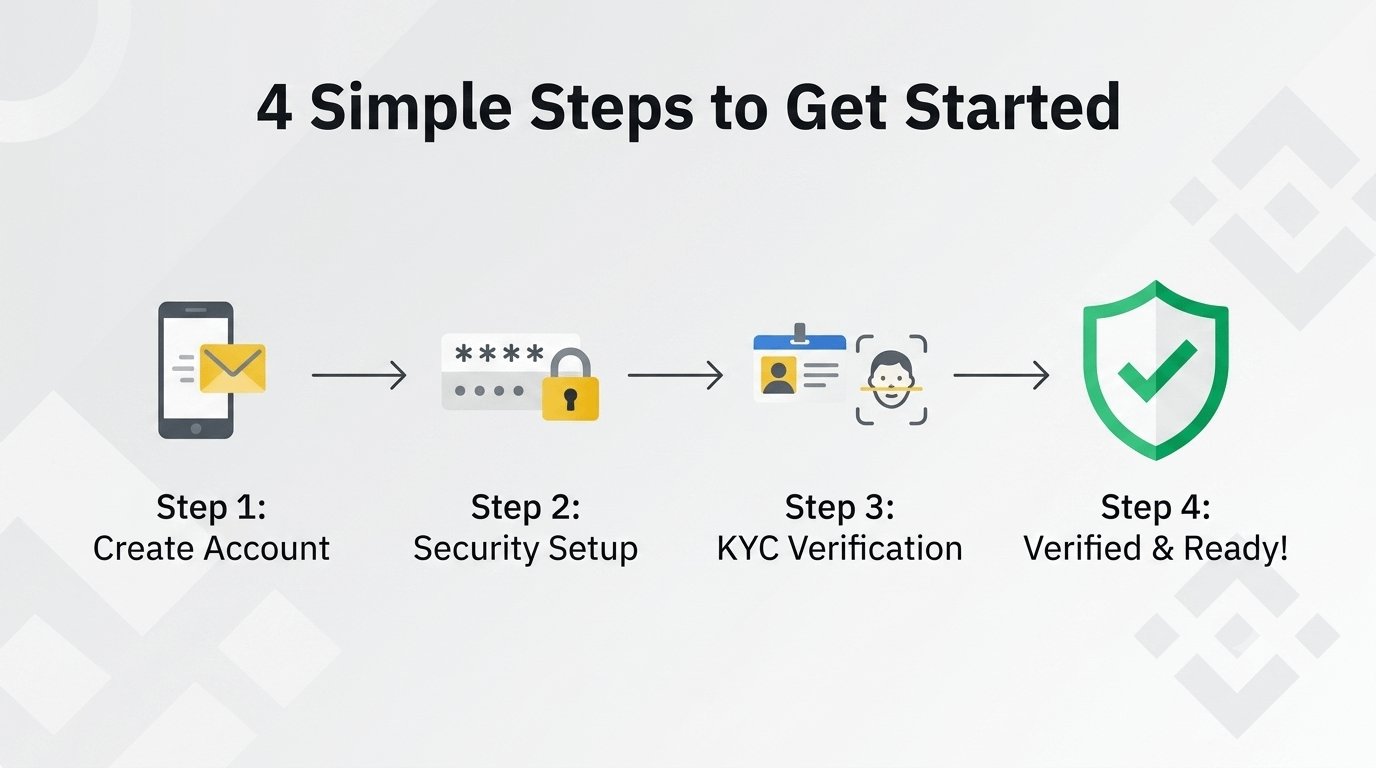
Bước 1: Tạo tài khoản (Đăng ký)
Trước tiên, hãy truy cập trang web chính thức của Binance (binance.com) từ trình duyệt trên điện thoại hoặc máy tính của bạn, hoặc tải ứng dụng Binance từ Google Play Store / App Store. (Vì lý do bảo mật, hãy tránh các ứng dụng bên thứ ba hoặc các liên kết không quen thuộc).
Đăng ký trên Binance
https://account.binance.com/register?ref=373992452
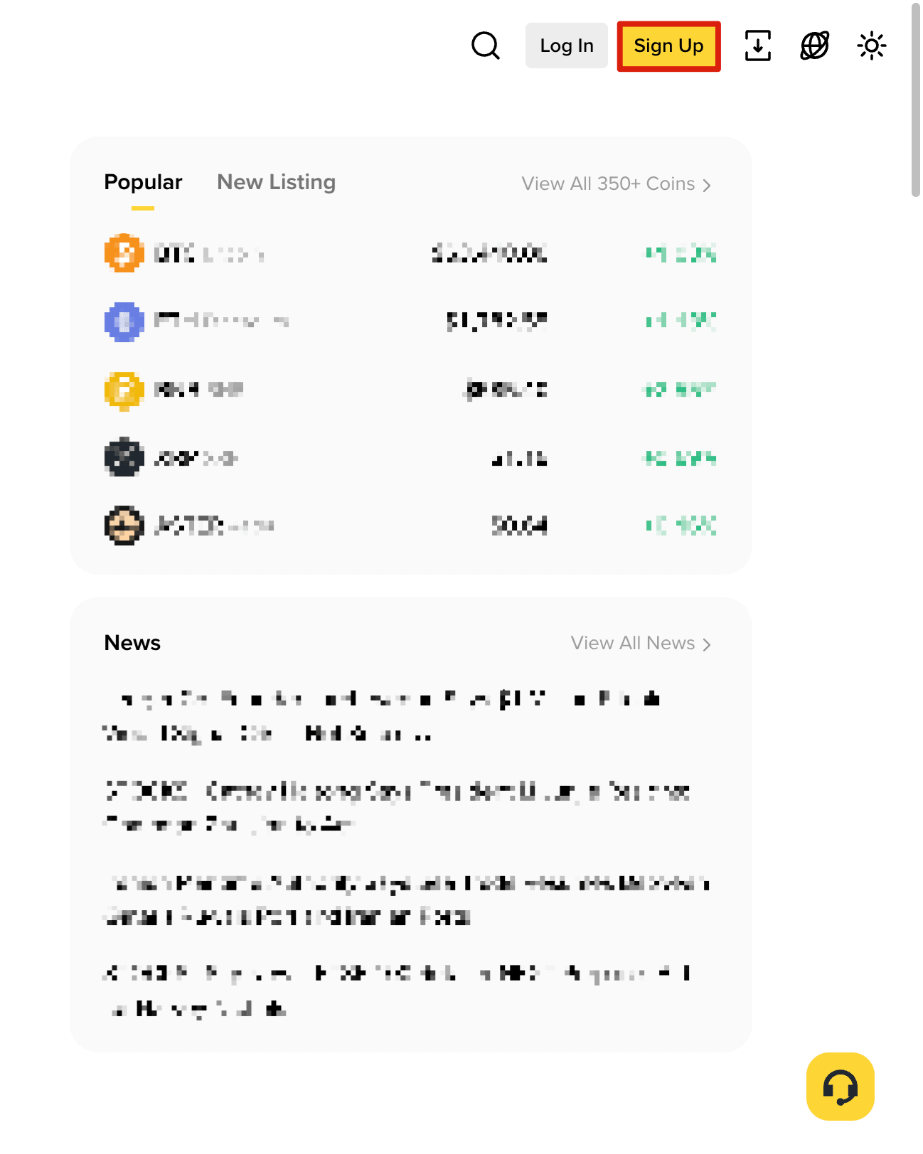
Nhấn vào nút 'Sign Up'.
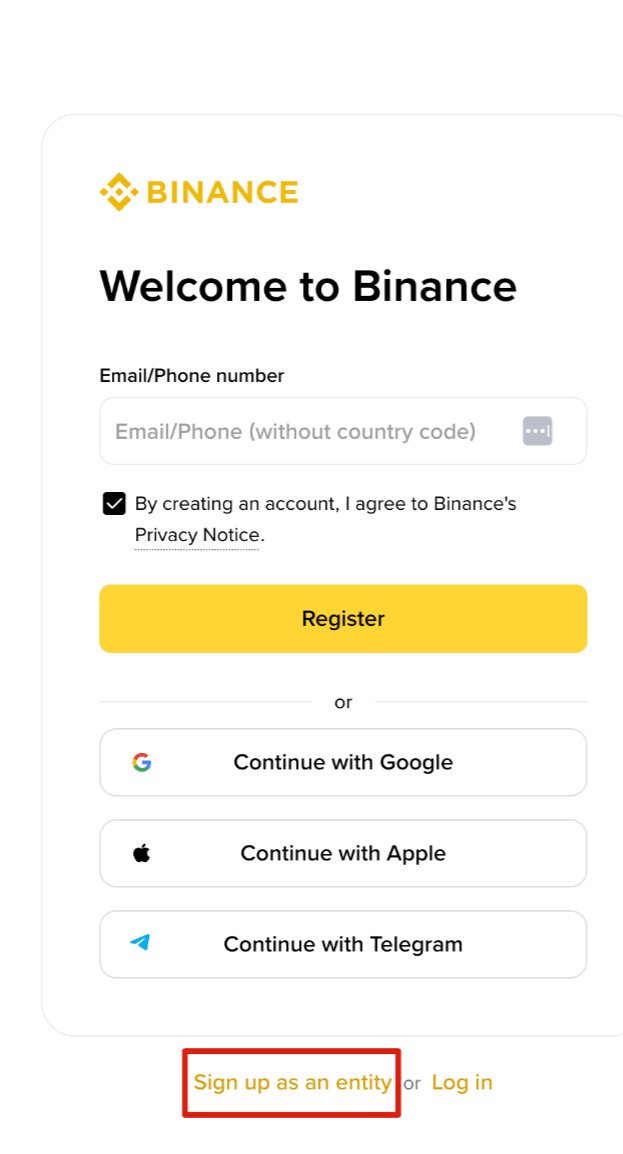
Bạn có thể đăng ký bằng Email hoặc Số điện thoại của mình. Nhập email hoặc số điện thoại đang hoạt động.
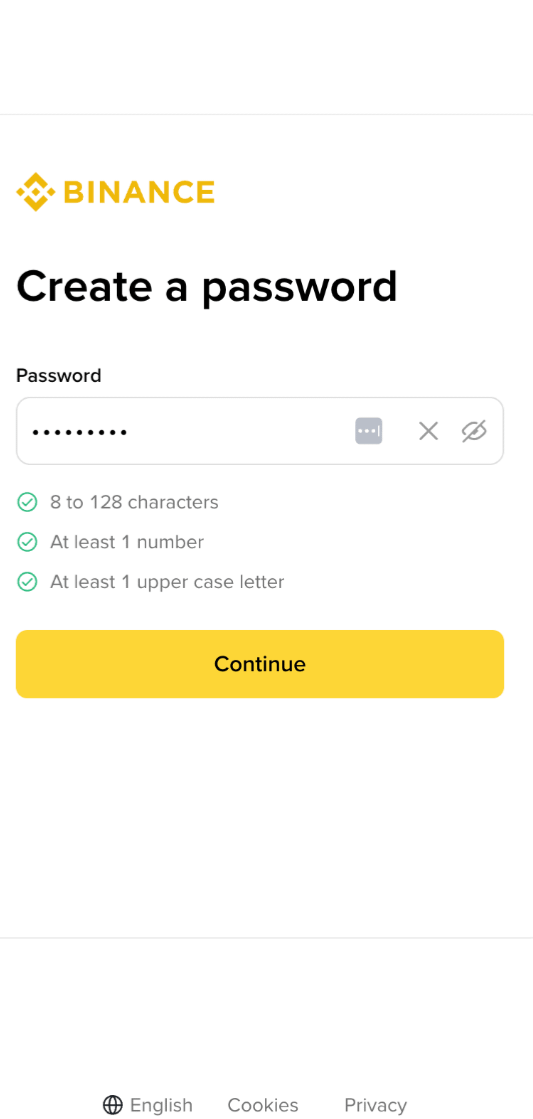
Tạo mật khẩu. Mật khẩu của bạn phải có ít nhất 8 ký tự, bao gồm một chữ hoa, một chữ thường và một ký tự đặc biệt (ví dụ: @, #, $).
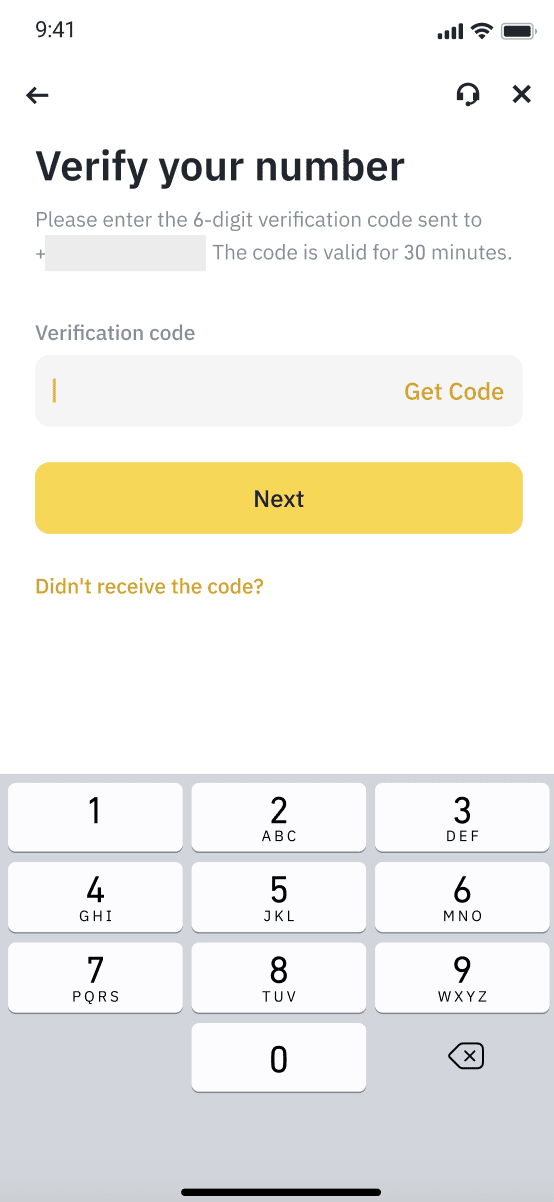
Mã Xác minh gồm 6 chữ số sẽ được gửi đến email hoặc số điện thoại của bạn. Nhập mã vào ô được chỉ định để hoàn tất đăng ký.
Bước 2: Xác minh danh tính (KYC)
Xác minh danh tính là bắt buộc để giao dịch qua P2P hoặc để nạp và rút tiền trên Binance.
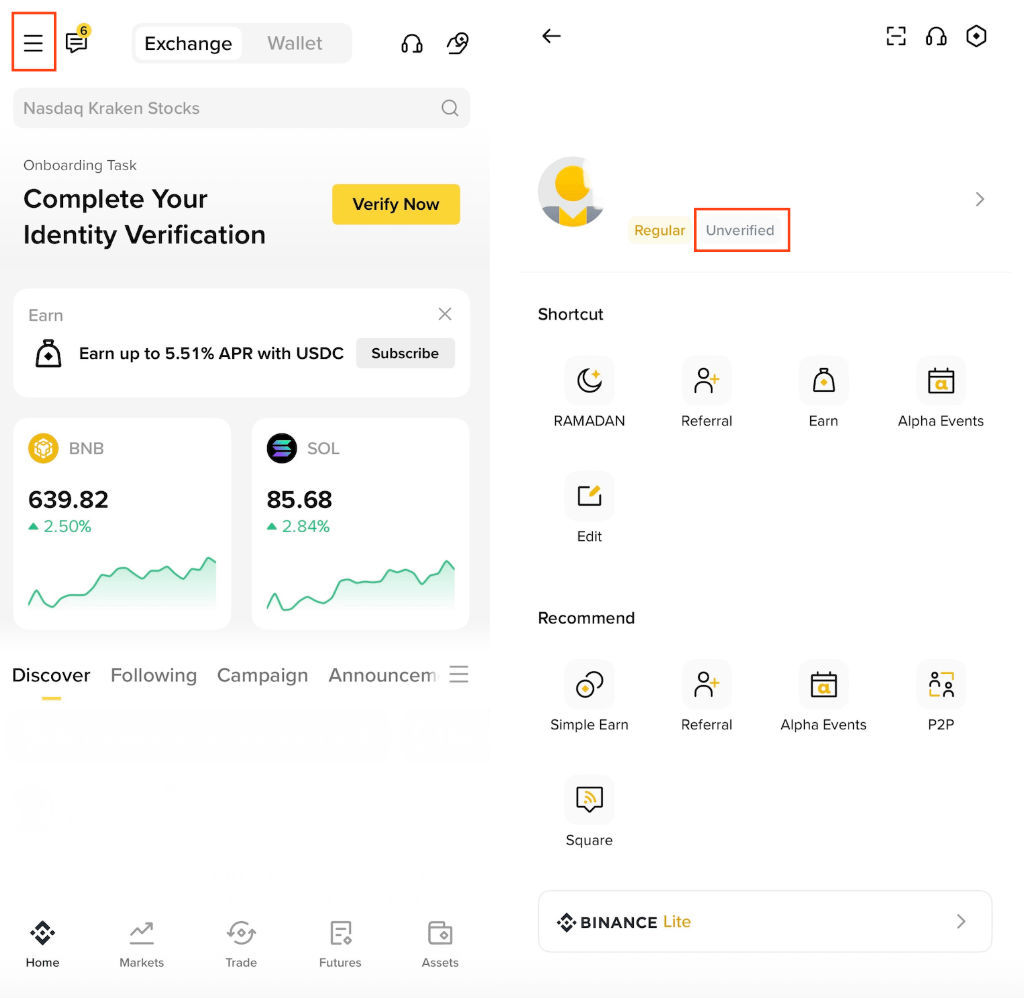
Đăng nhập vào ứng dụng Binance, vào mục Hồ sơ (Profile), bấm vào 'Chưa xác minh' (Unverified), và nhấn nút 'Get Verified'.
Chọn quốc gia của bạn (ví dụ: Singapore).
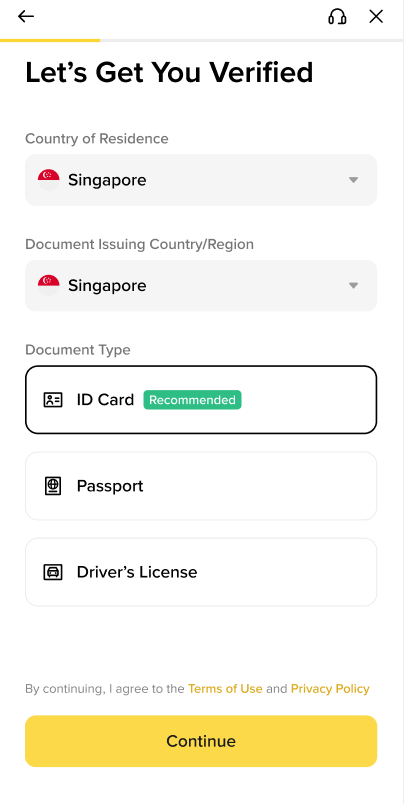
Chọn tài liệu: Chọn một trong các tùy chọn là Thẻ căn cước công dân (NID), Hộ chiếu (Passport) hoặc Giấy phép lái xe (Driving License). (Thông thường, xác minh bằng NID là cách dễ nhất).
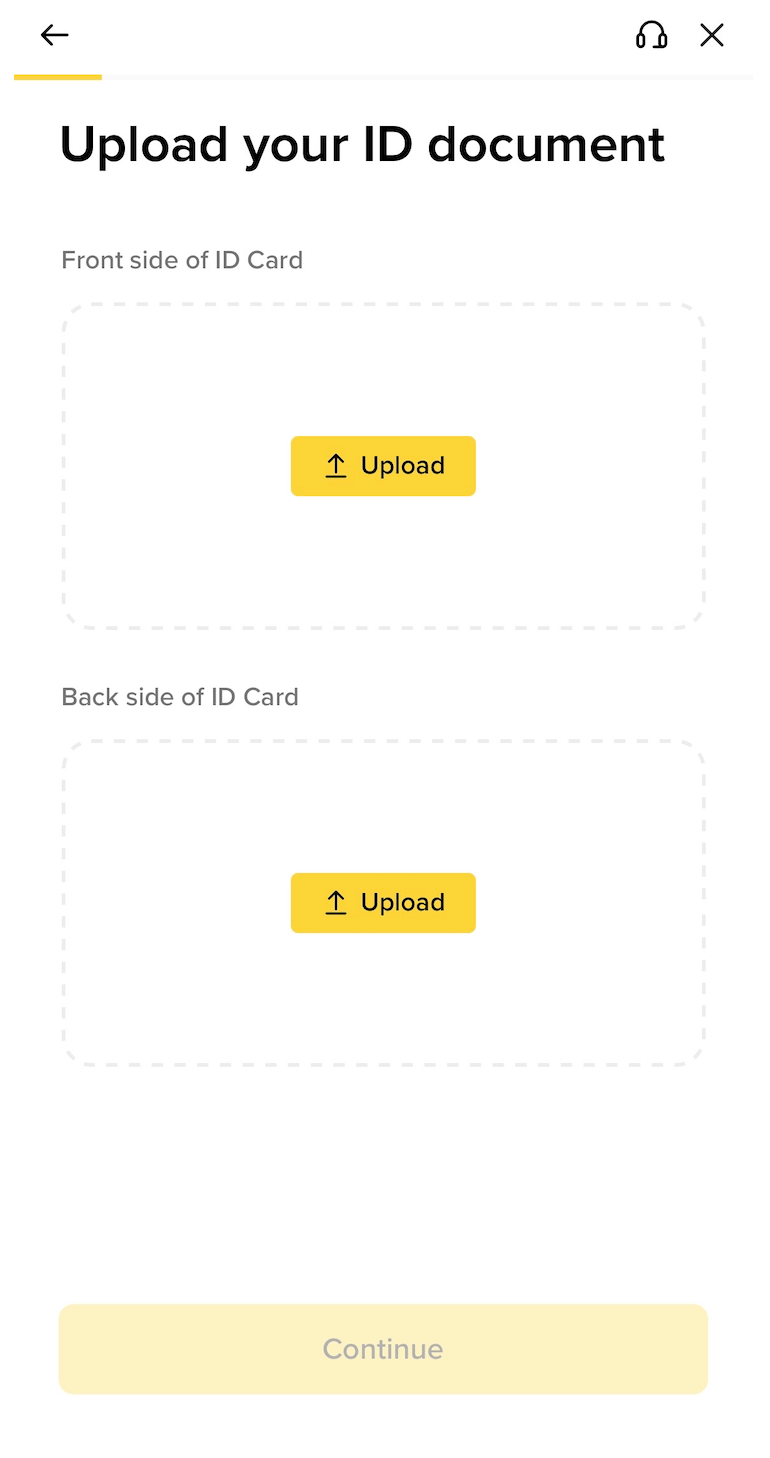
Tải lên tài liệu: Chụp ảnh rõ ràng mặt trước và mặt sau của thẻ CCCD (NID) của bạn. Đảm bảo không bị chói sáng do ánh đèn và toàn bộ chữ đều nhìn rõ ràng.
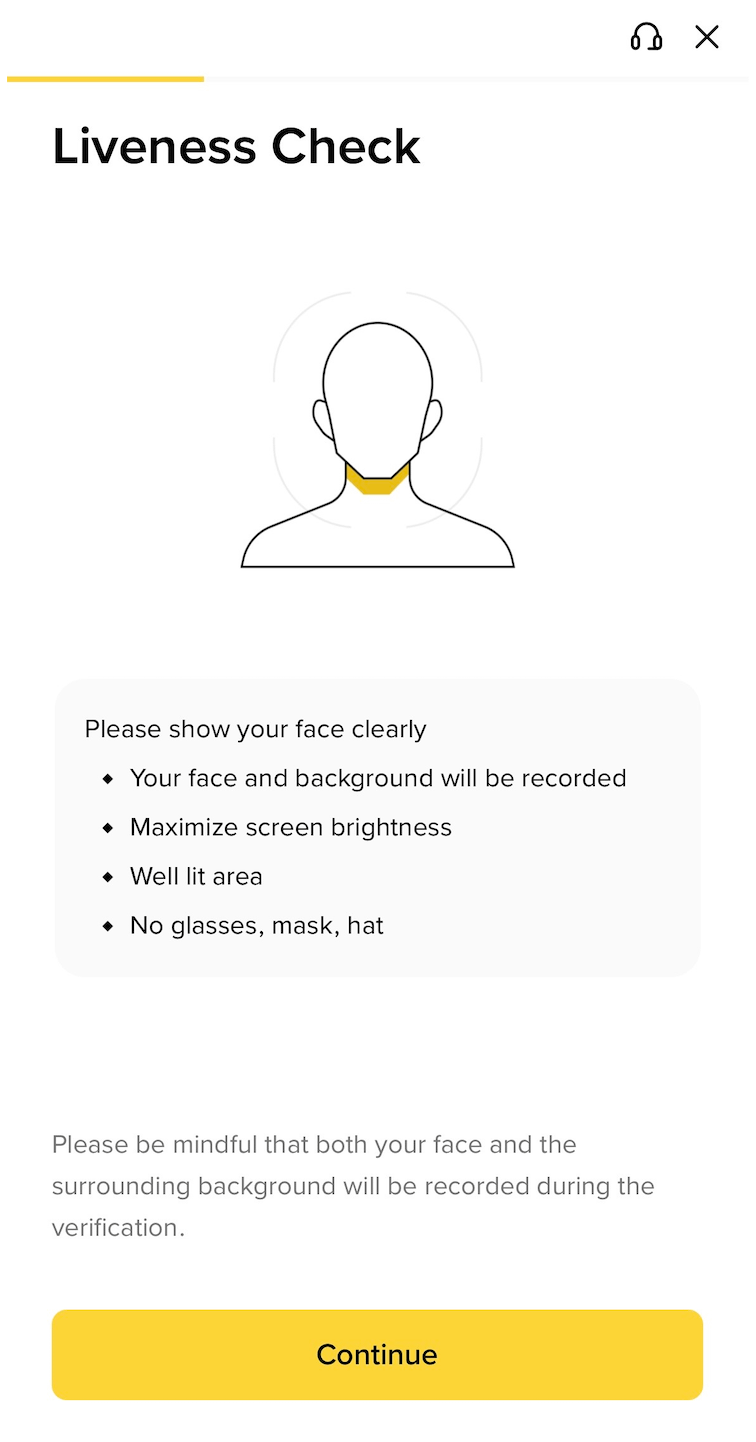
Xác minh sống (Xác minh khuôn mặt): Bạn cần hoàn tất một ảnh selfie nhanh hoặc quét khuôn mặt. Đặt khuôn mặt của bạn trước camera theo hướng dẫn trên màn hình (ví dụ: nháy mắt hoặc nghiêng đầu hơi nhẹ). (Tốt nhất là tránh đeo kính hoặc đội mũ trong bước này).

Kết luận
Chúng tôi hy vọng hướng dẫn này giúp bạn mở tài khoản Binance một cách an toàn. Chúc bạn có một hành trình crypto thành công!
Đăng ký trên Binance https://account.binance.com/register?ref=373992452
Sau khi hoàn tất xác minh tài khoản Binance, bạn đã sẵn sàng để bắt đầu giao dịch và thực hiện các giao dịch! Ở bài đăng tiếp theo, chúng tôi sẽ hướng dẫn cách giữ tài khoản của bạn an toàn 100%.

#Binance #binanceaccount #KYCVerification #BinanceSquare #cryptoTutorial