
#securitychecklist
securitychecklist
30 lượt xem
3 đang thảo luận
Phổ biến
Mới nhất

Bài viết
Xem bản dịch
How to Outsmart the "Fake Airdrop" Scam: A Practical ChecklistCrypto can feel like a wild west, especially when a "free token" alert pops up in your inbox. I've seen friends chase a phantom airdrop and end up with a compromised wallet. The good news? The pattern is predictable, and you can protect yourself with a few simple habits.
What the Scam Looks Like
A typical fake airdrop message claims you're eligible for a new token, sometimes it even mentions a hot-runner like $RARE, which recently jumped +66.11% at $0.0139. The sender asks you to click a link, connect your wallet, or sign a transaction. The promise is instant wealth, but the real goal is to steal private keys or approve a malicious contract.
Red Flags You Can't Miss
- The sender uses a generic email address or a social-media handle that mimics an official project.
- It asks you to "connect your wallet" to receive the airdrop. Legit projects never need that.
- The message includes a sense of urgency, like "claim before it expires."
- The price quoted for the token looks wildly out of line with market data. If you see a token listed at a price that doesn't match the current $BTC $64,438 or $ETH $1,811 market, it's a warning sign.
How I Verify Before I Click
First, I check the official website or Discord of the project. If the airdrop isn't announced there, I ignore it. I also compare the token's contract address with reputable sources like CoinGecko. Finally, I look at the broader market mood; today the Fear & Greed Index sits at 10 (Extreme Fear), which makes scammers even more aggressive.
Quick Safety Checklist
- ☐ Confirm the announcement on the project's verified channels.
- ☐ Never share your private key or seed phrase.
- ☐ Do not approve unknown contract interactions in your wallet.
- ☐ Use a hardware wallet for any large holdings of $BTC, $ETH, BNB or SOL.
- ☐ Enable two-factor authentication on all exchange and email accounts.
- ☐ Keep your software and antivirus up to date.
By turning a scary scam into a routine routine, you keep your crypto safe without losing sleep. Have you ever encountered a fake airdrop? How did you handle it?
Not financial advice.
Securely yours. 🔐
#CryptoSafety #AirdropScam #SecurityChecklist #CryptoTips
How to Outsmart the "Fake Airdrop" Scam: A Practical Checklist
Crypto can feel like a wild west, especially when a "free token" alert pops up in your inbox. I've seen friends chase a phantom airdrop and end up with a compromised wallet. The good news? The pattern is predictable, and you can protect yourself with a few simple habits.
What the Scam Looks Like
A typical fake airdrop message claims you're eligible for a new token, sometimes it even mentions a hot-runner like $RARE , which recently jumped +66.11% at $0.0139. The sender asks you to click a link, connect your wallet, or sign a transaction. The promise is instant wealth, but the real goal is to steal private keys or approve a malicious contract.
Red Flags You Can't Miss
- The sender uses a generic email address or a social-media handle that mimics an official project.
- It asks you to "connect your wallet" to receive the airdrop. Legit projects never need that.
- The message includes a sense of urgency, like "claim before it expires."
- The price quoted for the token looks wildly out of line with market data. If you see a token listed at a price that doesn't match the current $BTC $64,438 or $ETH $1,811 market, it's a warning sign.
How I Verify Before I Click
First, I check the official website or Discord of the project. If the airdrop isn't announced there, I ignore it. I also compare the token's contract address with reputable sources like CoinGecko. Finally, I look at the broader market mood; today the Fear & Greed Index sits at 10 (Extreme Fear), which makes scammers even more aggressive.
Quick Safety Checklist
- ☐ Confirm the announcement on the project's verified channels.
- ☐ Never share your private key or seed phrase.
- ☐ Do not approve unknown contract interactions in your wallet.
- ☐ Use a hardware wallet for any large holdings of $BTC , $ETH , BNB or SOL.
- ☐ Enable two-factor authentication on all exchange and email accounts.
- ☐ Keep your software and antivirus up to date.
By turning a scary scam into a routine routine, you keep your crypto safe without losing sleep. Have you ever encountered a fake airdrop? How did you handle it?
Not financial advice.
Securely yours. 🔐
#CryptoSafety #AirdropScam #SecurityChecklist #CryptoTips
What the Scam Looks Like
A typical fake airdrop message claims you're eligible for a new token, sometimes it even mentions a hot-runner like $RARE , which recently jumped +66.11% at $0.0139. The sender asks you to click a link, connect your wallet, or sign a transaction. The promise is instant wealth, but the real goal is to steal private keys or approve a malicious contract.
Red Flags You Can't Miss
- The sender uses a generic email address or a social-media handle that mimics an official project.
- It asks you to "connect your wallet" to receive the airdrop. Legit projects never need that.
- The message includes a sense of urgency, like "claim before it expires."
- The price quoted for the token looks wildly out of line with market data. If you see a token listed at a price that doesn't match the current $BTC $64,438 or $ETH $1,811 market, it's a warning sign.
How I Verify Before I Click
First, I check the official website or Discord of the project. If the airdrop isn't announced there, I ignore it. I also compare the token's contract address with reputable sources like CoinGecko. Finally, I look at the broader market mood; today the Fear & Greed Index sits at 10 (Extreme Fear), which makes scammers even more aggressive.
Quick Safety Checklist
- ☐ Confirm the announcement on the project's verified channels.
- ☐ Never share your private key or seed phrase.
- ☐ Do not approve unknown contract interactions in your wallet.
- ☐ Use a hardware wallet for any large holdings of $BTC , $ETH , BNB or SOL.
- ☐ Enable two-factor authentication on all exchange and email accounts.
- ☐ Keep your software and antivirus up to date.
By turning a scary scam into a routine routine, you keep your crypto safe without losing sleep. Have you ever encountered a fake airdrop? How did you handle it?
Not financial advice.
Securely yours. 🔐
#CryptoSafety #AirdropScam #SecurityChecklist #CryptoTips
123

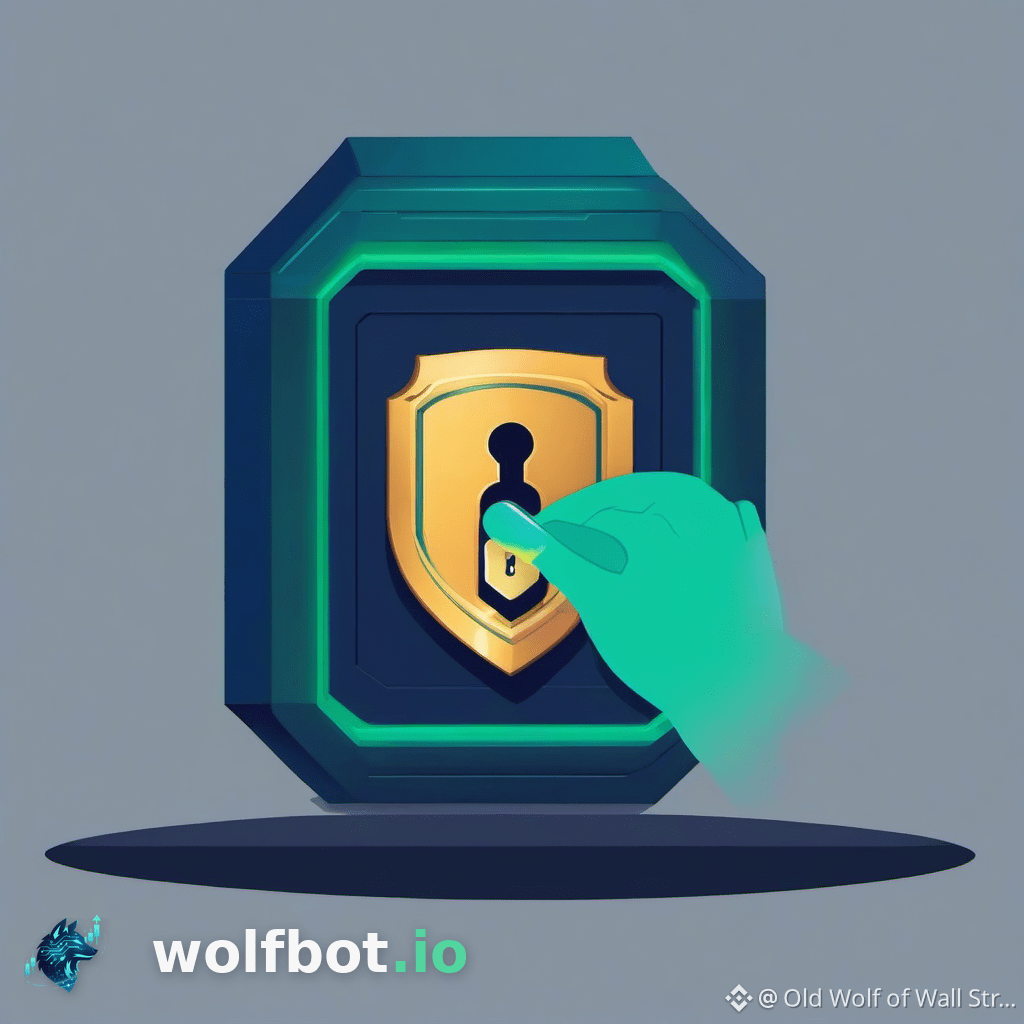
Bảo mật khóa API không phải là điều bạn có thể xem nhẹ. 🔒 Nếu bot của bạn thực hiện giao dịch rút tiền, bạn cần biết *chính xác* quyền đó đã được cấp như thế nào. Mỗi lần đều cần xác minh kỹ lưỡng.
Dưới đây là danh sách kiểm tra quan trọng về quản lý khóa API:
1. Tuân thủ nguyên tắc đặc quyền tối thiểu: Chỉ bật đúng những quyền mà phần mềm cần — không cấp thêm quyền nào khác.
2. Bắt đầu với quyền chỉ đọc. Điều này giúp xác minh khóa có thể xem dữ liệu cần thiết *trước khi* cấp bất kỳ quyền giao dịch nào.
3. Khi thiết lập hoặc kiểm tra bất kỳ khóa nào, hãy xác nhận quyền giao dịch đang BẬT, đồng thời đảm bảo quyền rút tiền và chuyển tiền luôn được TẮT rõ ràng.
4. Kiểm tra nhanh bằng mắt: Giao dịch được đặt thành BẬT, Rút tiền được đặt thành TẮT và Chuyển tiền được đặt thành TẮT. ✅
5. Đừng bao giờ cho rằng một khóa là an toàn; hãy kiểm tra các quyền đã cấp ngay sau khi tạo khóa.
6. WolfBot chỉ sử dụng bộ quyền giao dịch, giúp tách biệt hoạt động tài khoản khỏi việc lưu ký tài sản. 🛡️
7. Nếu nghi ngờ khóa bị xâm phạm, hãy thu hồi khóa ngay bằng cách tạo khóa mới. ⚠️
Để xem hướng dẫn chi tiết từng bước, hãy tham khảo cẩm nang đầy đủ của chúng tôi tại đây: https://wolfbot.io/en/academy/api-permission-security-checklist
#APIKeys #CryptoSecurity #AutomatedTrading #SecurityChecklist #TradingBot
Bảo mật khóa API không phải là điều bạn có thể xem nhẹ. 🔒 Nếu bot của bạn thực hiện giao dịch rút tiền, bạn cần biết *chính xác* quyền đó đã được cấp như thế nào. Mỗi lần đều cần xác minh kỹ lưỡng.
Dưới đây là danh sách kiểm tra quan trọng về quản lý khóa API:
1. Tuân thủ nguyên tắc đặc quyền tối thiểu: Chỉ bật đúng những quyền mà phần mềm cần — không cấp thêm quyền nào khác.
2. Bắt đầu với quyền chỉ đọc. Điều này giúp xác minh khóa có thể xem dữ liệu cần thiết *trước khi* cấp bất kỳ quyền giao dịch nào.
3. Khi thiết lập hoặc kiểm tra bất kỳ khóa nào, hãy xác nhận quyền giao dịch đang BẬT, đồng thời đảm bảo quyền rút tiền và chuyển tiền luôn được TẮT rõ ràng.
4. Kiểm tra nhanh bằng mắt: Giao dịch được đặt thành BẬT, Rút tiền được đặt thành TẮT và Chuyển tiền được đặt thành TẮT. ✅
5. Đừng bao giờ cho rằng một khóa là an toàn; hãy kiểm tra các quyền đã cấp ngay sau khi tạo khóa.
6. WolfBot chỉ sử dụng bộ quyền giao dịch, giúp tách biệt hoạt động tài khoản khỏi việc lưu ký tài sản. 🛡️
7. Nếu nghi ngờ khóa bị xâm phạm, hãy thu hồi khóa ngay bằng cách tạo khóa mới. ⚠️
Để xem hướng dẫn chi tiết từng bước, hãy tham khảo cẩm nang đầy đủ của chúng tôi tại đây: https://wolfbot.io/en/academy/api-permission-security-checklist
#APIKeys #CryptoSecurity #AutomatedTrading #SecurityChecklist #TradingBot
Dưới đây là danh sách kiểm tra quan trọng về quản lý khóa API:
1. Tuân thủ nguyên tắc đặc quyền tối thiểu: Chỉ bật đúng những quyền mà phần mềm cần — không cấp thêm quyền nào khác.
2. Bắt đầu với quyền chỉ đọc. Điều này giúp xác minh khóa có thể xem dữ liệu cần thiết *trước khi* cấp bất kỳ quyền giao dịch nào.
3. Khi thiết lập hoặc kiểm tra bất kỳ khóa nào, hãy xác nhận quyền giao dịch đang BẬT, đồng thời đảm bảo quyền rút tiền và chuyển tiền luôn được TẮT rõ ràng.
4. Kiểm tra nhanh bằng mắt: Giao dịch được đặt thành BẬT, Rút tiền được đặt thành TẮT và Chuyển tiền được đặt thành TẮT. ✅
5. Đừng bao giờ cho rằng một khóa là an toàn; hãy kiểm tra các quyền đã cấp ngay sau khi tạo khóa.
6. WolfBot chỉ sử dụng bộ quyền giao dịch, giúp tách biệt hoạt động tài khoản khỏi việc lưu ký tài sản. 🛡️
7. Nếu nghi ngờ khóa bị xâm phạm, hãy thu hồi khóa ngay bằng cách tạo khóa mới. ⚠️
Để xem hướng dẫn chi tiết từng bước, hãy tham khảo cẩm nang đầy đủ của chúng tôi tại đây: https://wolfbot.io/en/academy/api-permission-security-checklist
#APIKeys #CryptoSecurity #AutomatedTrading #SecurityChecklist #TradingBot
78
Đăng nhập để khám phá thêm nội dung
Tham gia cùng người dùng tiền mã hóa toàn cầu trên Binance Square
⚡️ Nhận thông tin mới nhất và hữu ích về tiền mã hóa.
💬 Được tin cậy bởi sàn giao dịch tiền mã hóa lớn nhất thế giới.
👍 Khám phá những thông tin chuyên sâu thực tế từ những nhà sáng tạo đã xác minh.
Email / Số điện thoại
Chủ đề thịnh hành
1
#TinFed
420,084 lượt xem
1,277 đang thảo luận
2
#TheoDõiFOMC
357,982 lượt xem
1,527 đang thảo luận
3
#A Packed Week of Earnings and Data Tests Markets
32,390 lượt xem
234 đang thảo luận
4
#AnthropicIPOTestsInvestorAppetiteForAI
36,449 lượt xem
674 đang thảo luận
5
#BitcoinExtendsLosingStreakToSixWeeks
1,545 lượt xem
74 đang thảo luận
6
#XRPFallsTo$0.89LowestSinceNovember2024
679 lượt xem
10 đang thảo luận
7
#HuangReportedlyConsidersReturnToNvidia
62,843 lượt xem
780 đang thảo luận
8
#SP500AndNasdaqFuturesHitQuarterlyLows
0 lượt xem
4 đang thảo luận
9
#CaliforniaVotersBackProp42BarringNewCryptoTaxes
187 lượt xem
34 đang thảo luận
10
#HKPlansDigitalAssetRegulatoryBillByYearEnd
269 lượt xem
32 đang thảo luận