Binance has just launched a new feature, “Add Friends,” on the “Chat” page. With this new feature, Binance users can now add friends and/or be added as a friend through their Chat ID in Binance.
Step 1: Go to Chat. For more information, please refer to Binance New Chatroom Feature Guide
Step 2: Tap the [+] icon on the top right. The “Chat ID” is shown in the “Invitations” section.
Step 3: Tap [Copy] to share your contact information with others so they can add you as a friend.
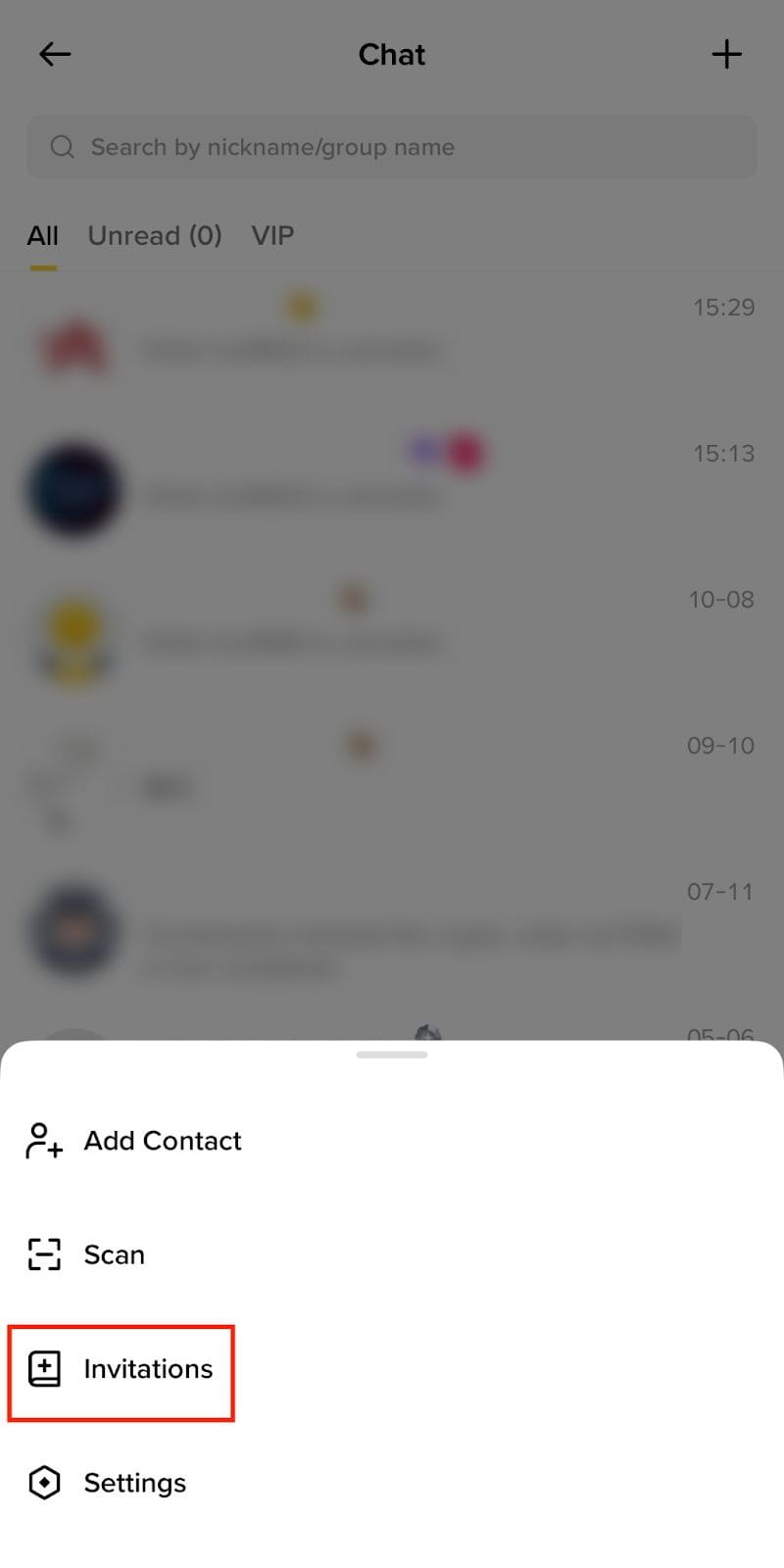
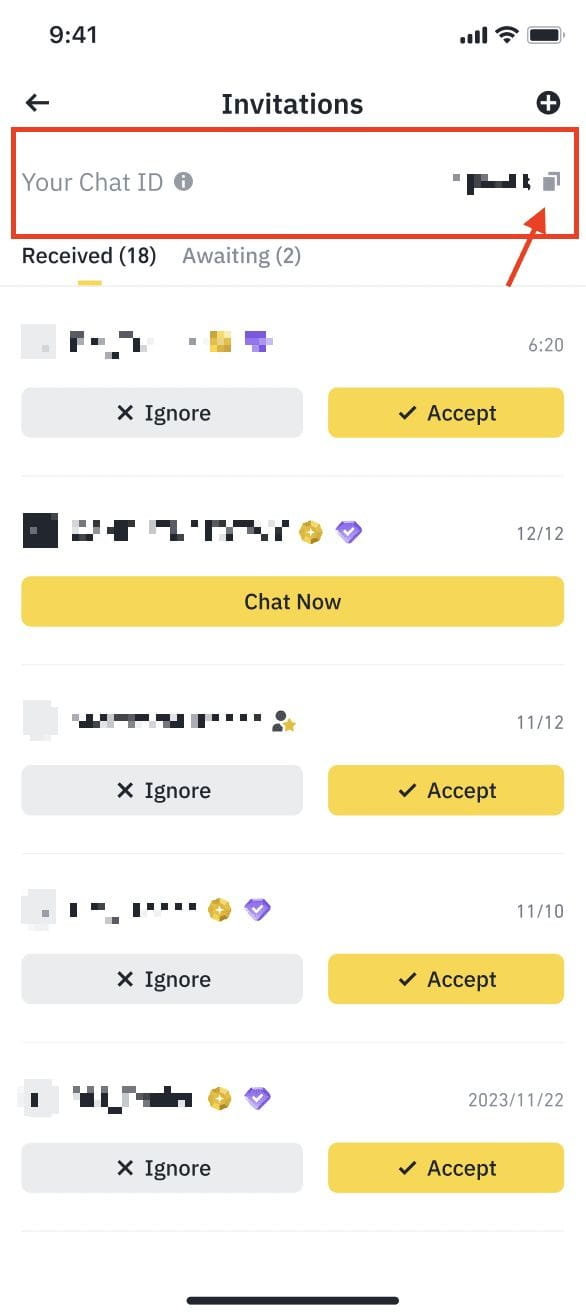
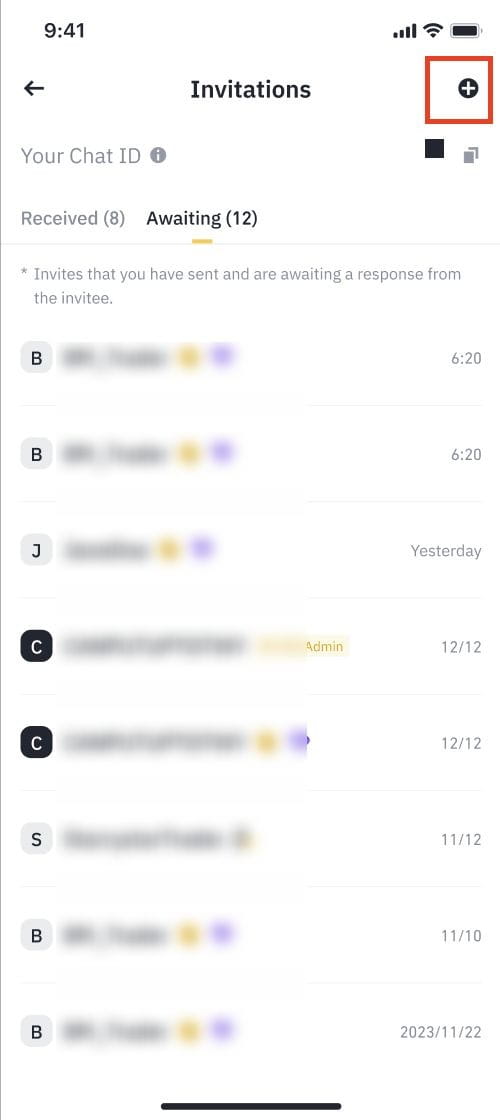
Once you receive the Chat ID from the counterparty, you can add them as a friend by searching for their Chat ID. The “Add” function is also available on the “Invitations” page.
Step 1: Tap the [+] icon on the top right to add contact.
Step 2: Enter their Chat ID in the search box. Tap [Search].
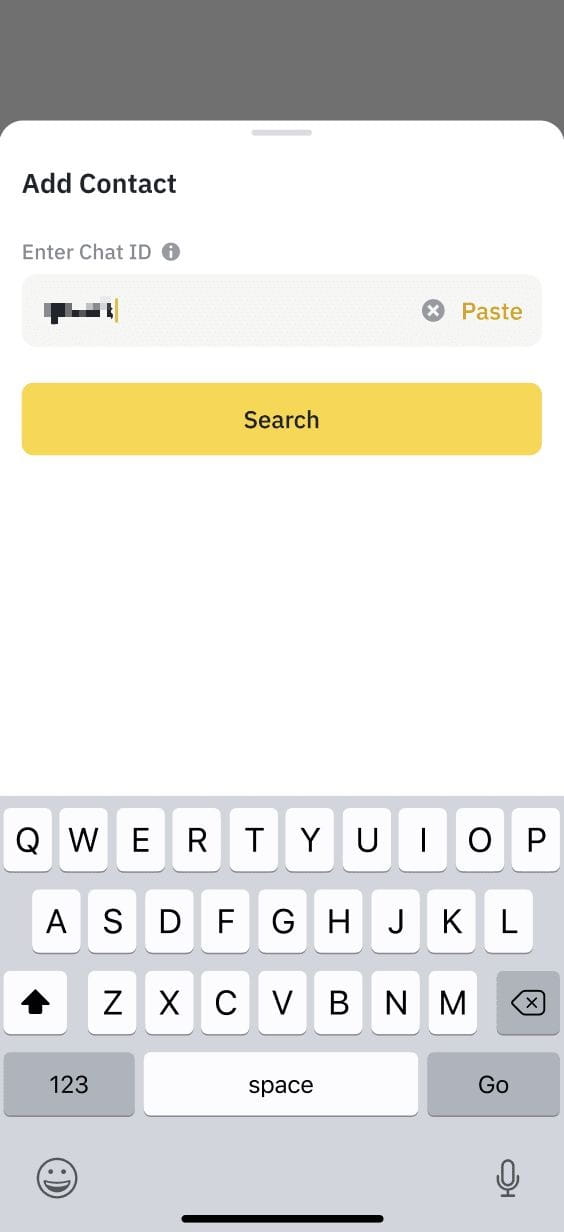
Step 3: The nickname of the invitee will be shown. Tap [Invite].

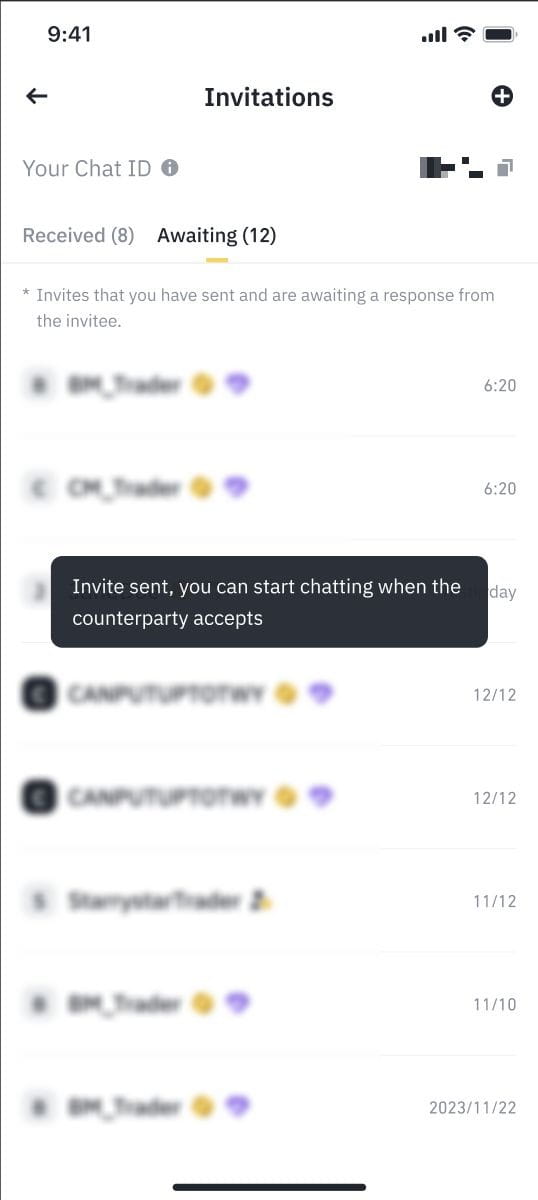
Inviter: If you sent the invitation, you can check the status of your invitation in the [Awaiting] section.
Invitee: If you received the invitation from others, you can check the invitation under the [Received] section.
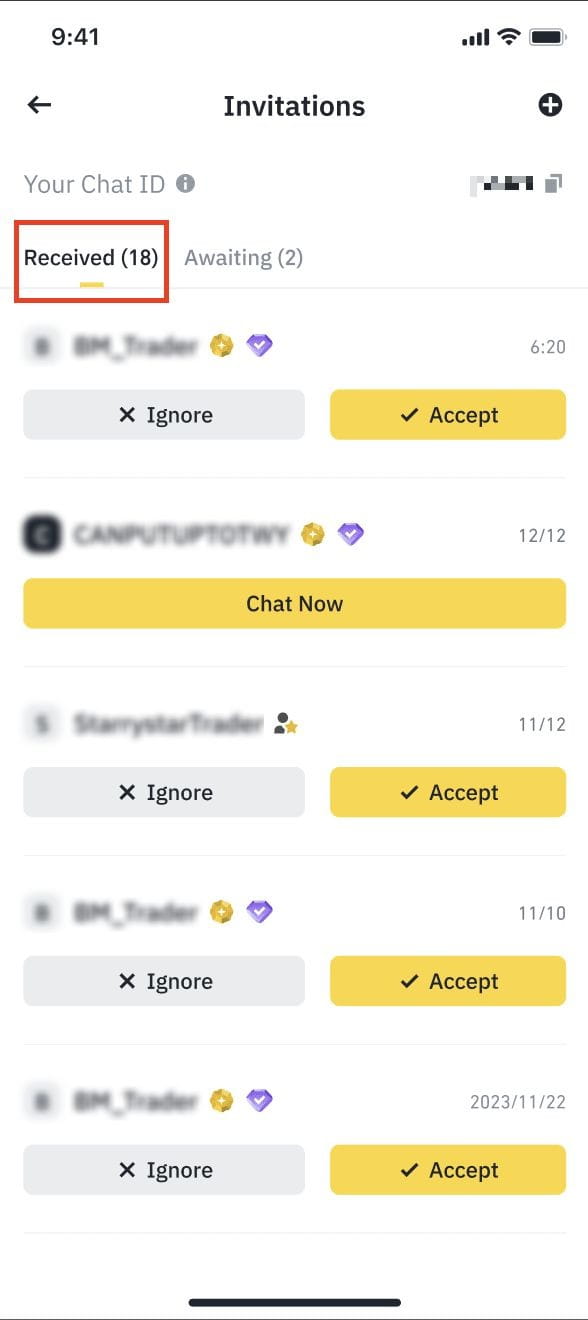
Once the invitee taps [Accept], both the inviter and the invitee can start chatting.
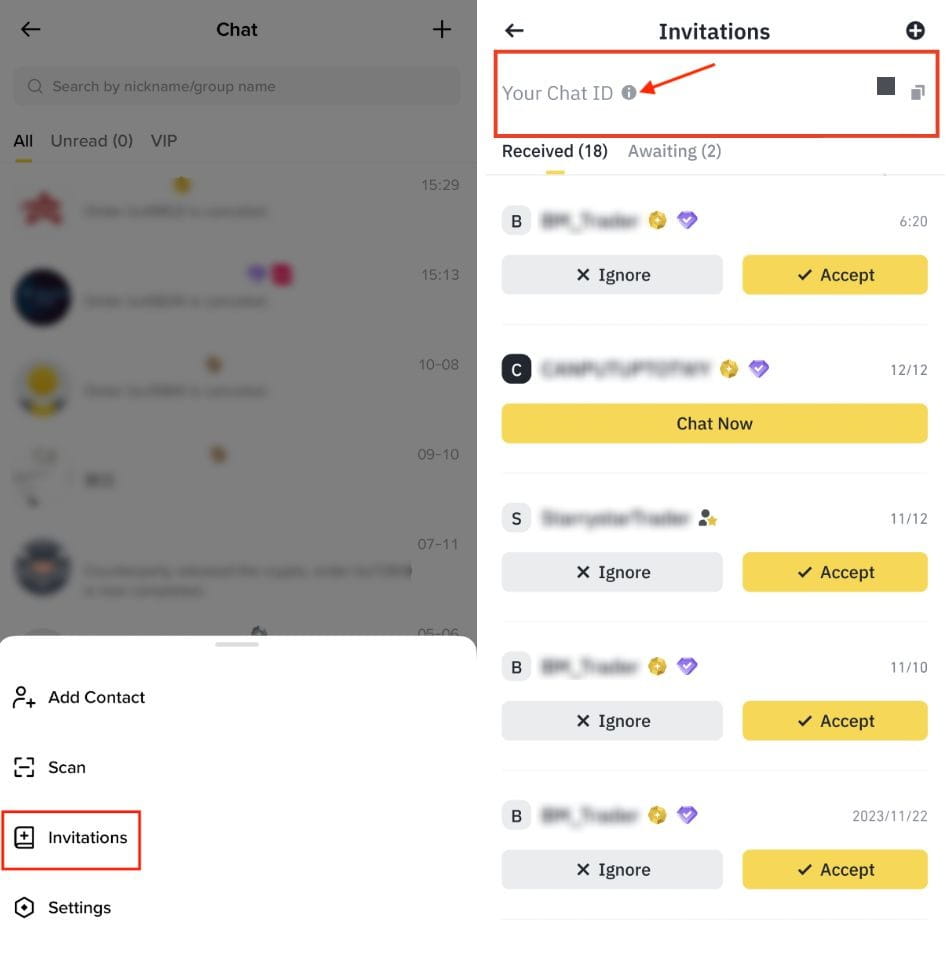
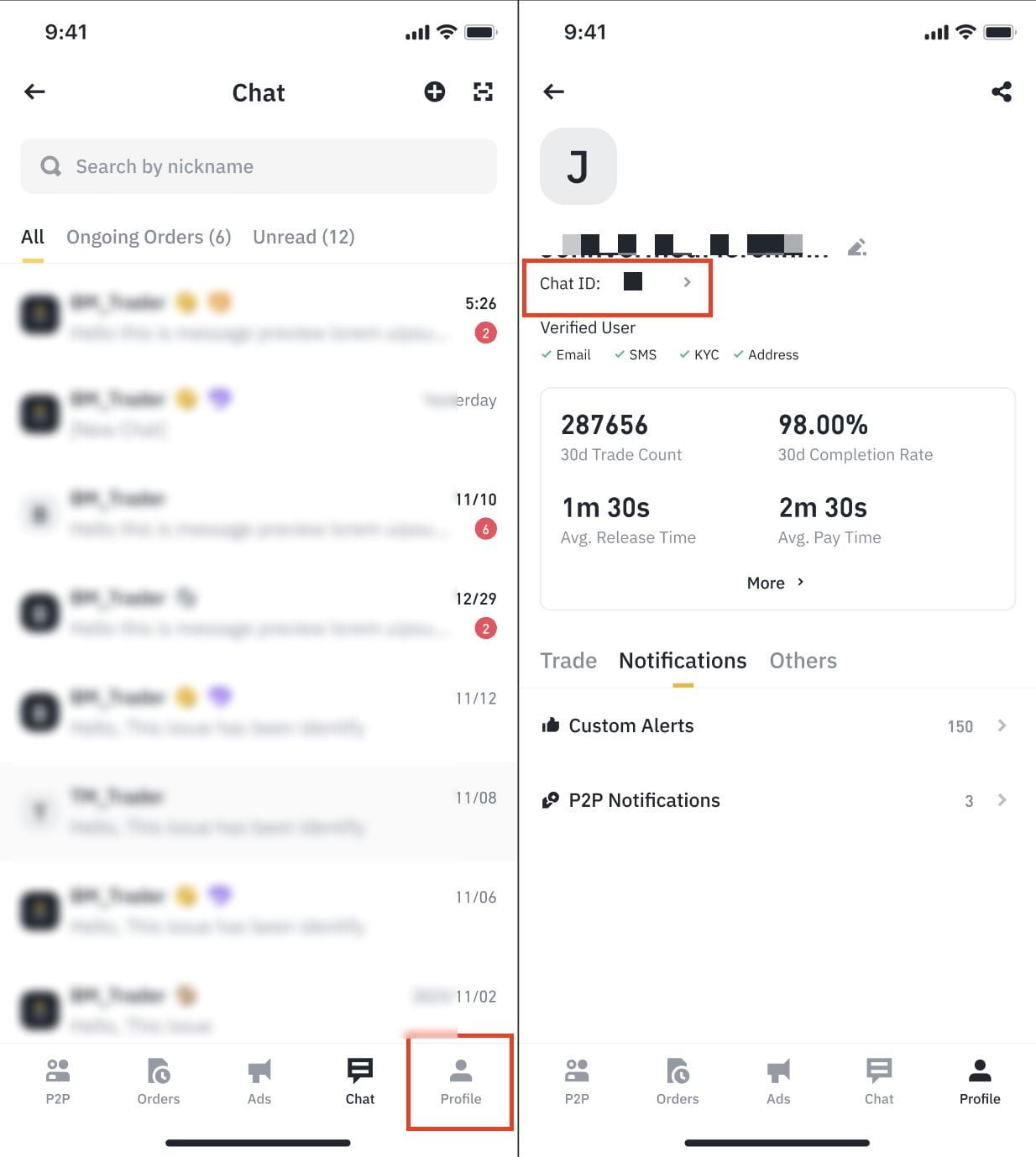
There are 2 ways to edit your Chat ID:
Tap the [Chat] to access Chat, tap [+] icon on the top right to access [Invitations].
Tap [Your Chat ID] to access your Chat ID page.
Tap [Profile] to access your profile page and tap [Chat ID] to access the Chat ID edit.
From the chat ID page, tap [Edit Chat ID] and enter your preferred New Chat ID.
Please note for the new Chat ID:

To learn more, visit our Binance P2P FAQs.
