

There are always new users in crypto and they often ask a lot of questions about crypto and most of them are about Metamask, how to use it, how to swap to Uniswap, 1inch, how to monitor gas price, how to search for contracts or take part in seals from different projects.
In this article we'll find out how to install metamask, deposit, exchange tokens, why tokens don't show up in the wallet and if Metamask can be used with Binance Smart Chain and other blockchains.
What is Metamask
Metamask — is a software wallet that stores assets and NFTs directly interacting with the blockchain. The wallet only supports coins and tokens that are issued on the Ethereum network or on EVM-compatible blockchains.
MetaMask is supported by many browsers: Opera, Safari, Brave, etc. It has been downloaded more than four million times since its launch in 2016.
With the wallet, users can transfer ERC-20 tokens, exchange them, trade, store crypto, interact with DeFi applications, buy NFTs, and more.
There is also a mobile app for iOS and Android. The mobile wallet has an internal browser inside, so you can do the same thing as you would from a regular browser extension.
In general, MetaMask makes Ethereum as easy to use as possible for as many people as possible.
It is also worth noting that Metamask has the ability to support other networks and switch between them. So, for example, you can set up Binance Smart Chain (BSC), Huobi Eco Chain (HECO), Avalanche network and many others, in your Metamask and use applications already in other blockchains. This makes it very easy to work with many projects, seals, crypto transfers and others.
How to install Metamask
In order to start using the extension, you must first install it:
Open the metamask site and on the home page click Download for "your browser":
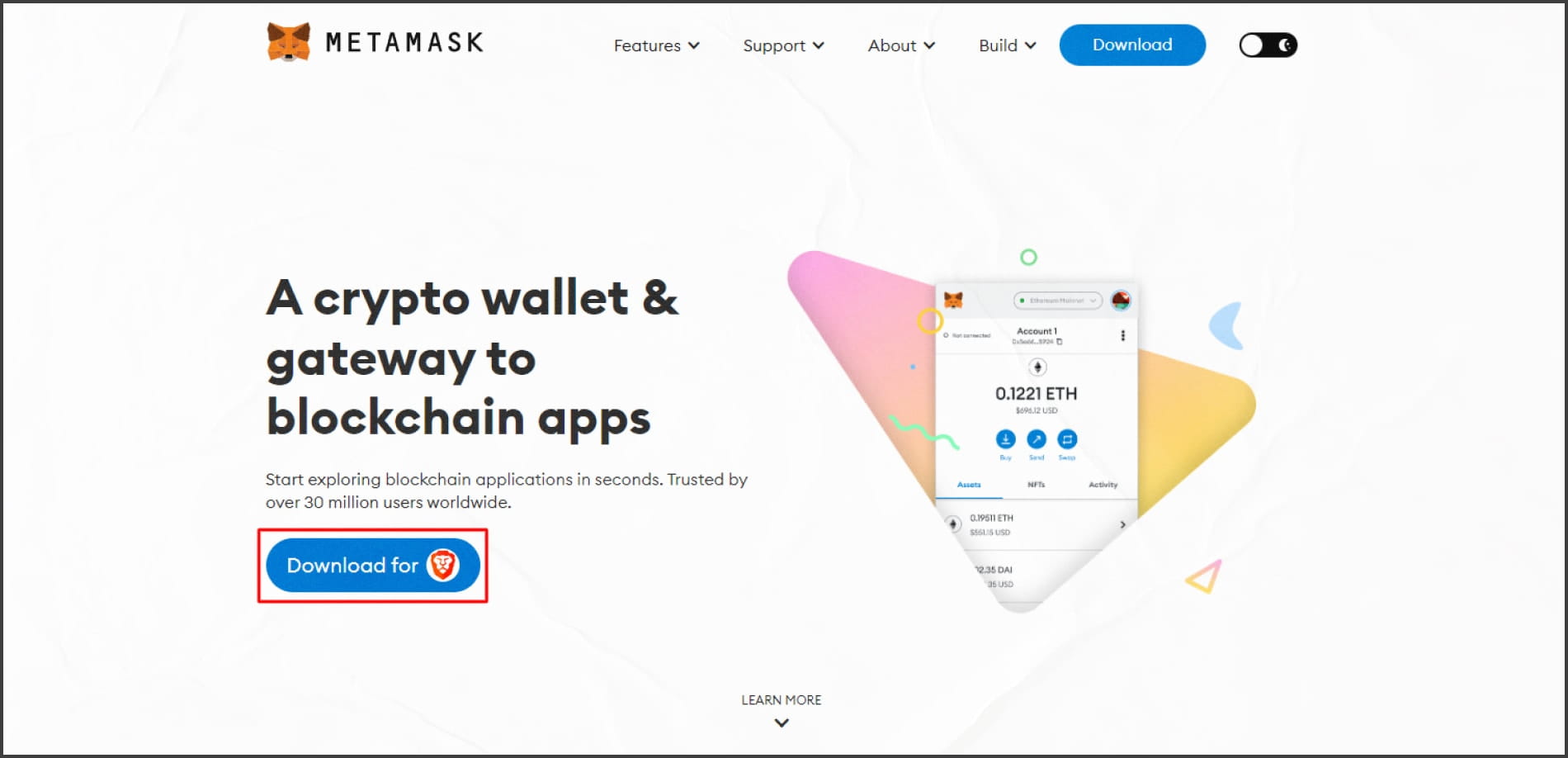
Installing Metamask. Step 1. Once you've installed the extension, click the Metamask icon on your browser's toolbar. Then click Start.
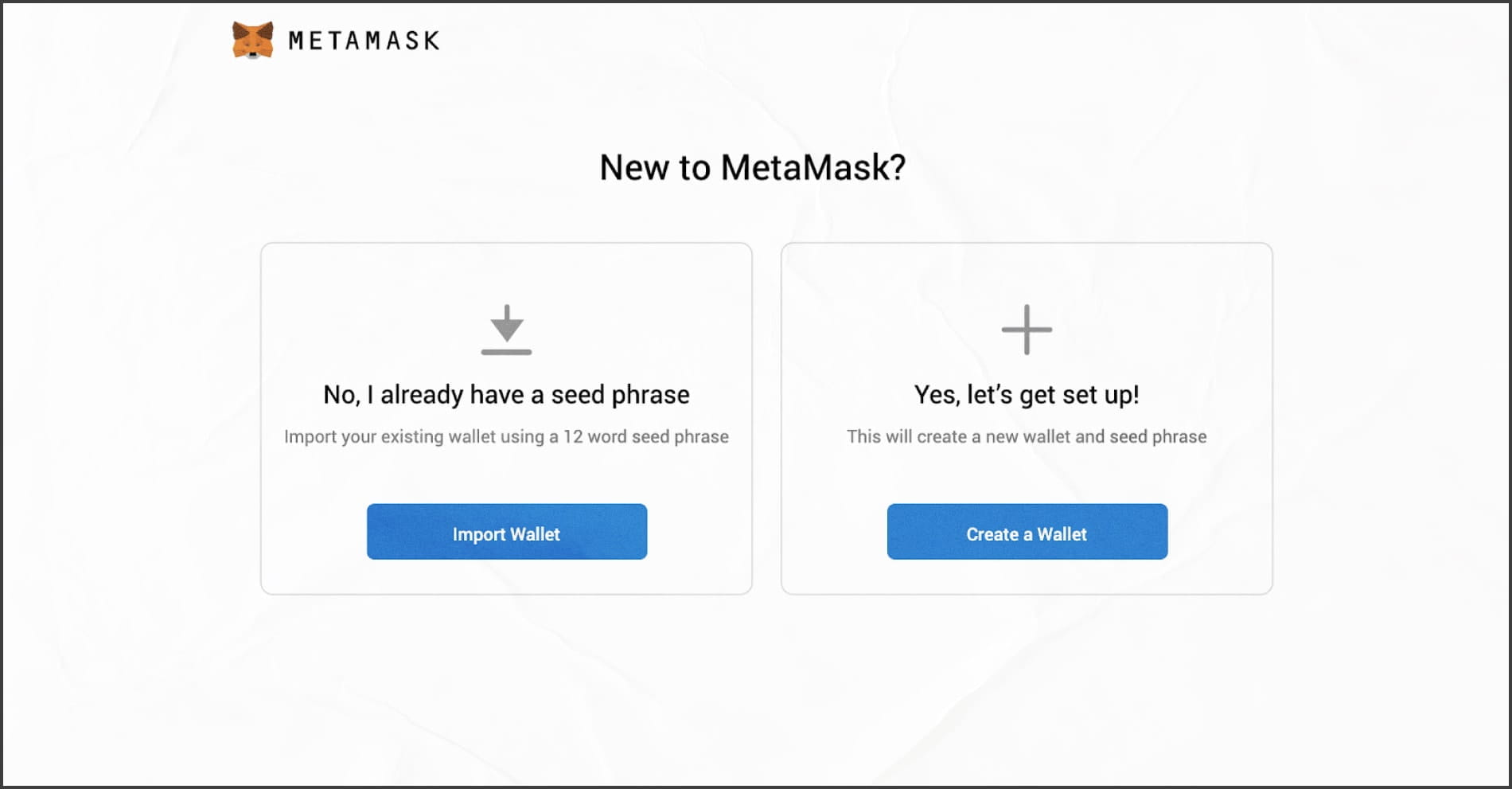
In the window that will open, you will be offered to import an existing wallet or create a new one. To create a Wallet, click Create a Wallet:
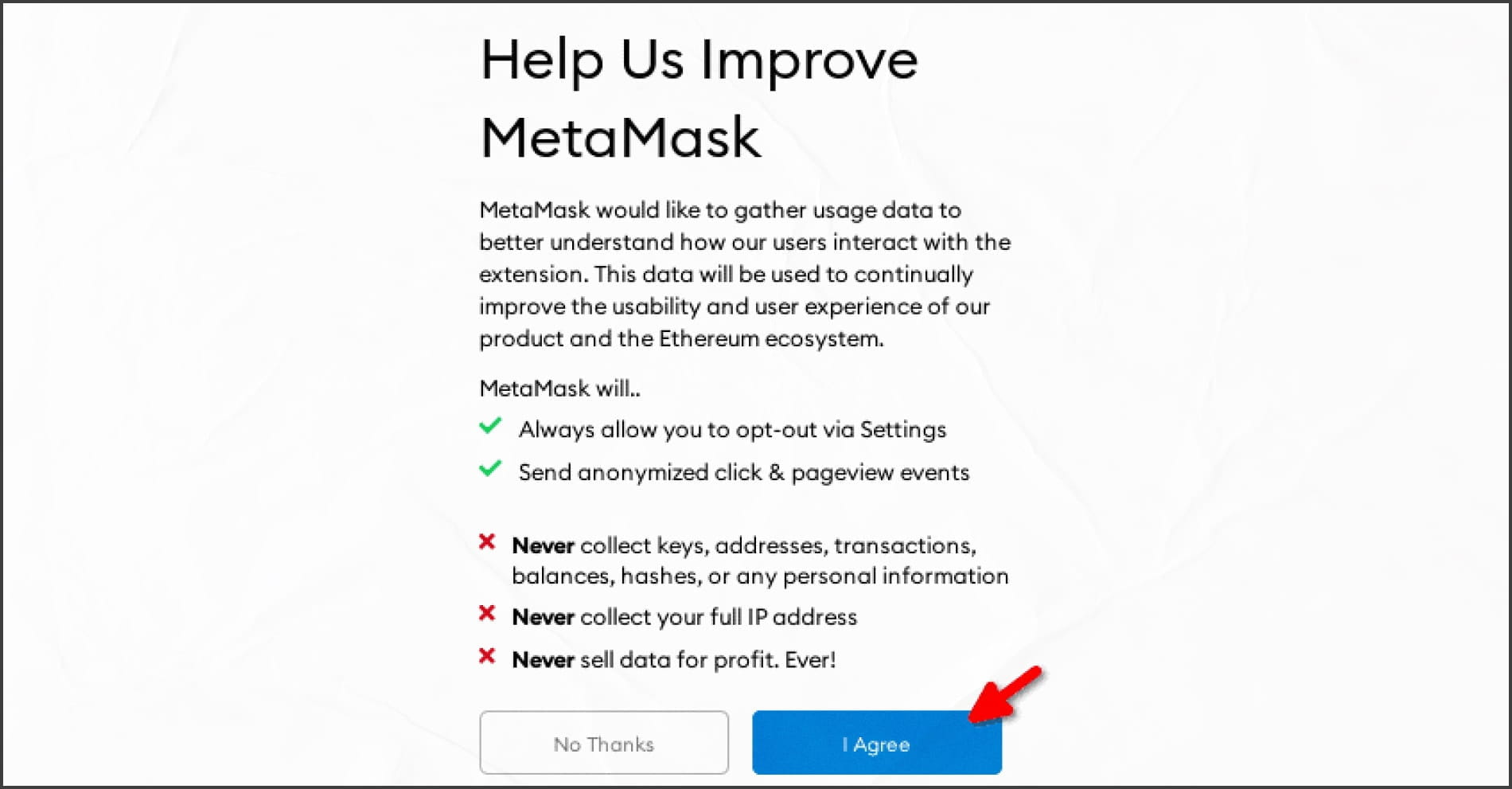
Installing Metamask. Step 3. Next, Metamask offers to accept or decline that it will collect data about the wallet's interactions with other services and sites. Here you can opt out in principle:
Installing Metamask. Step 4. Now create a password for the wallet. You must create a secure password that contains at least 8 characters. After that, click Create:
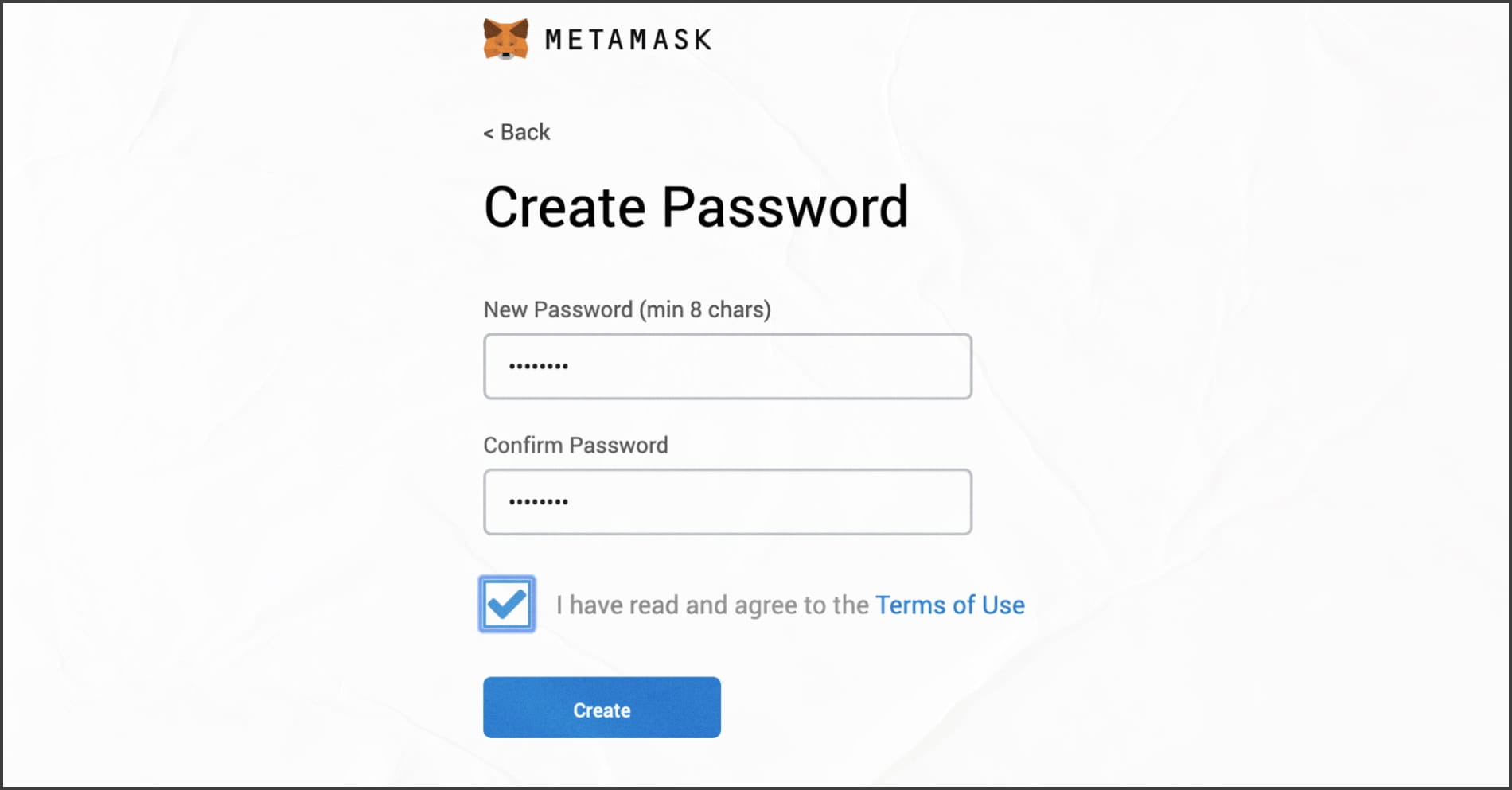
Installing Metamask. Step 5.
Important: If you forget your password, you can log in to Metamask anyway by using the seed phrase. As you saw at the beginning, you can simply import an existing wallet.
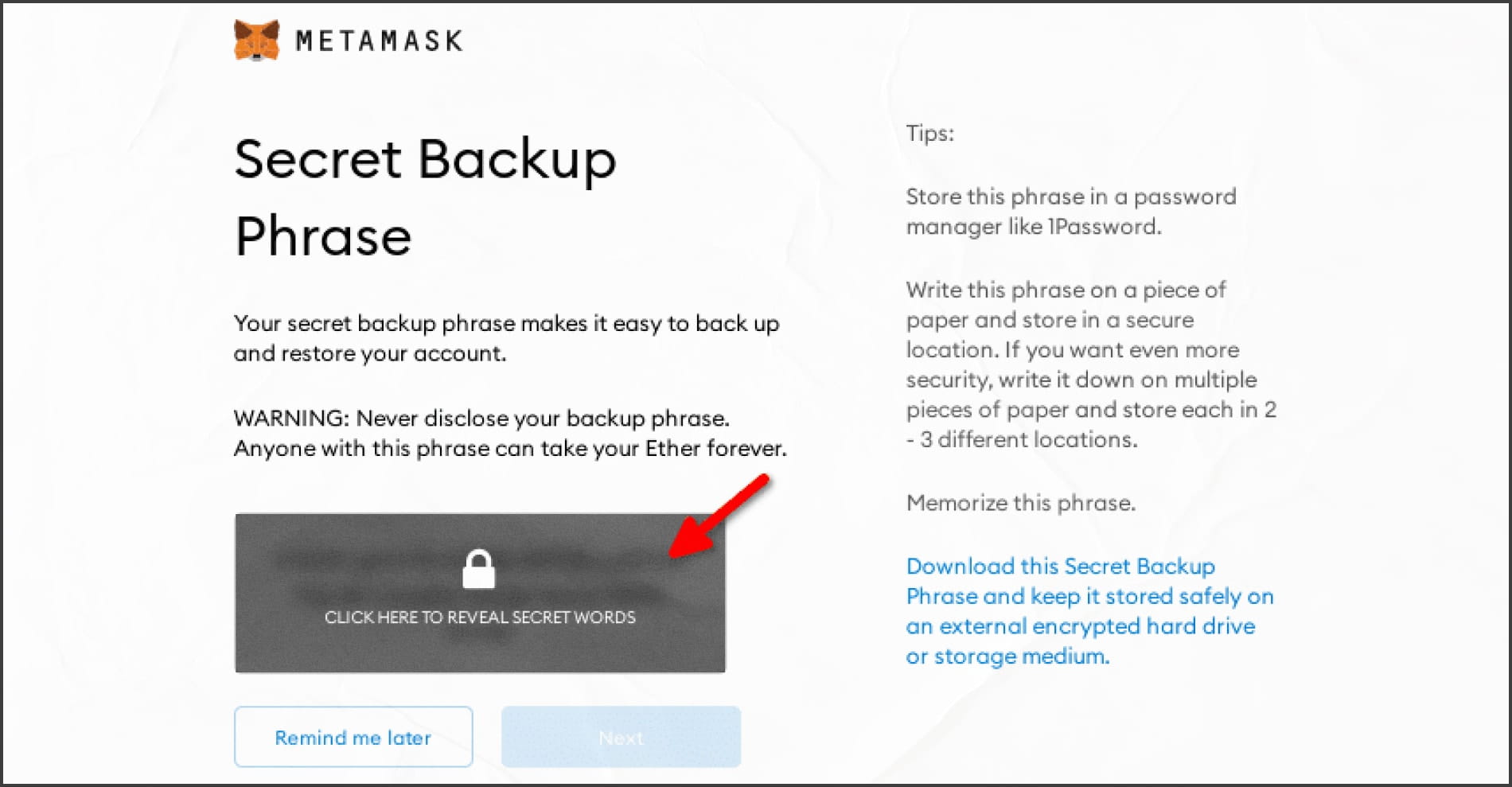
In the next step you can see the seed phrase, which you should definitely write down, it is the only way to restore your account if something happens. We recommend additionally to make a record on a piece of paper and hide it safely (the main thing is not to forget where). Without this phrase, you will not be able to restore access to your wallet, in case you need to. After you have written everything down, click Next:
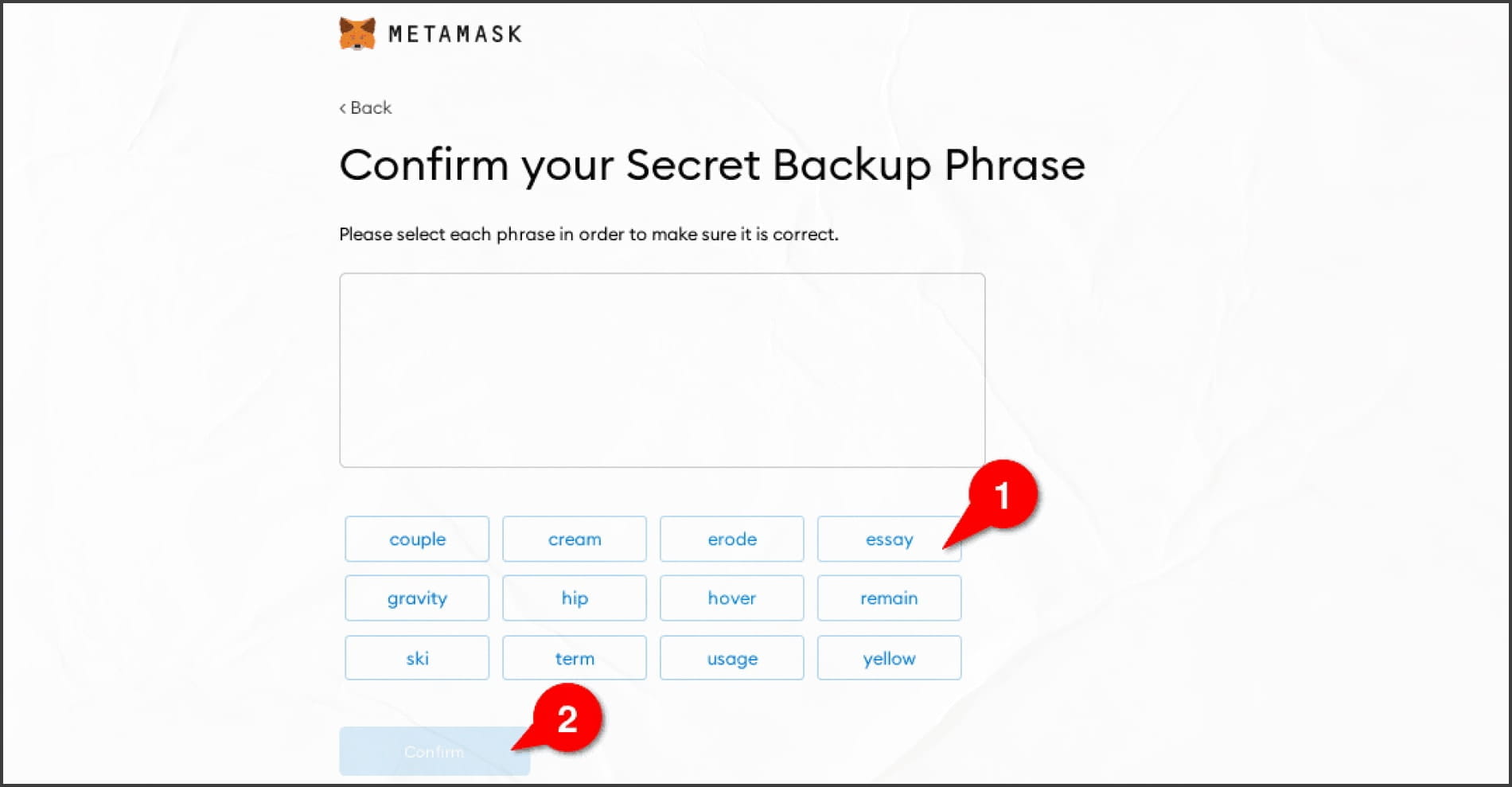
Installing Metamask. Step 6. Next, click on the words of his original phrase in the correct order to prove that we wrote them correctly. Then click Confirm:
Installing Metamask. Step 7.
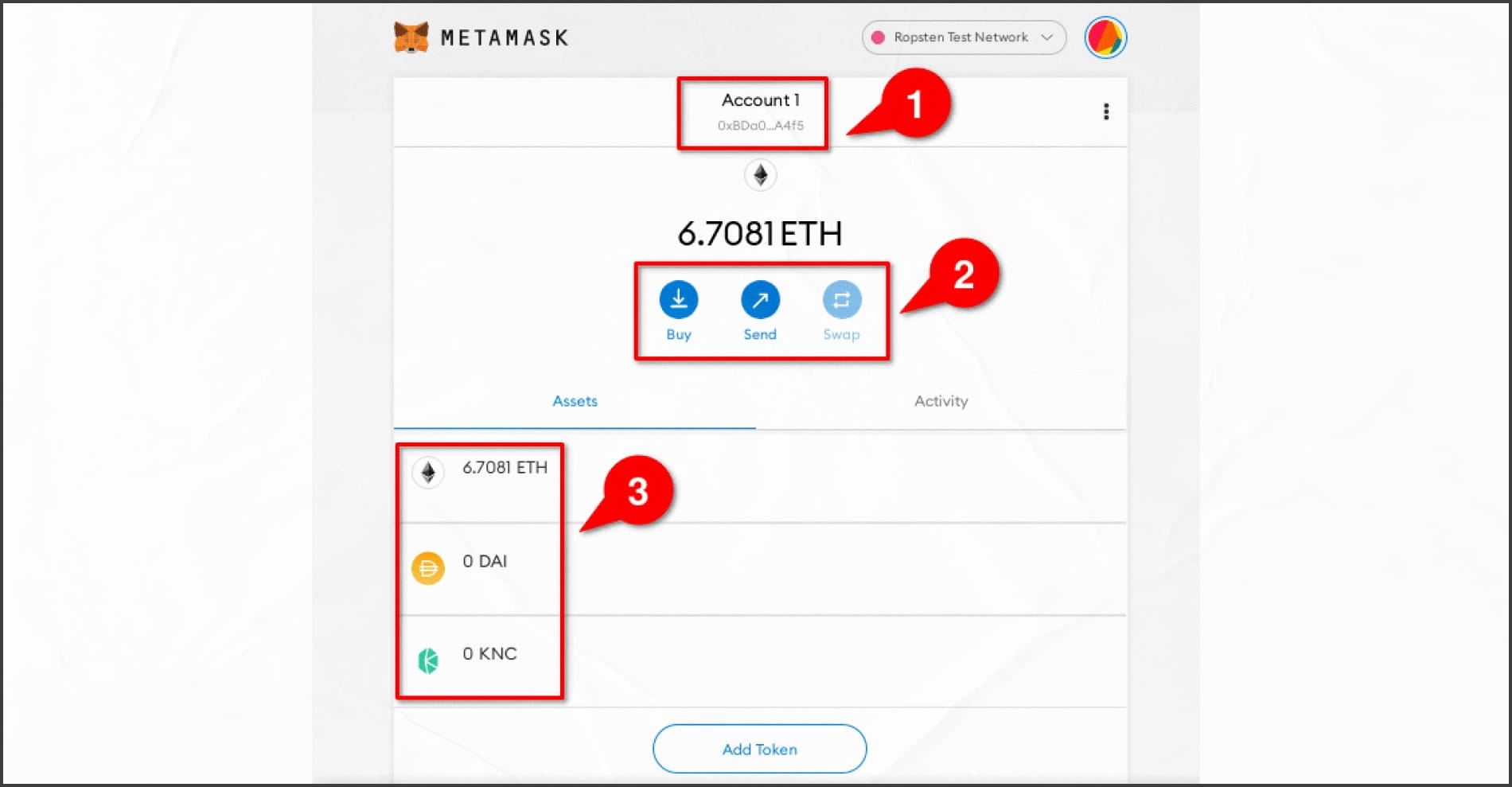
After all these procedures, you can use the wallet. To top up your balance, just copy the address and send your ethers or ERC-20 tokens to it, for which there will be one wallet address.
It is also possible to buy ether from a bank card, but it will cost more and will take much longer than the usual withdrawal from the exchange to a wallet. This function is very rarely used because of the high commissions and the percentage for buying coins.
It is worth noting that the commissions are paid in native network coin: if you use a wallet in the Ethereum network, the commission will be in ETH, but if you use Binance Smart Chain, the commission payment will be in BNB. Accordingly, it is necessary to control the amount of coins when you interact with the wallet.
You can see the balance at the bottom of the wallet (3) after your funds have been credited. ETH will be displayed by default. If custom ERC-20 tokens are not displayed, click Add Token:
Funding a wallet in ETH can take several minutes, it depends on network congestion. The busier the load, the more the transaction is confirmed and the more expensive the transaction can be on the network.
How to send tokens through MetaMask
Now let's try to send cryptocurrency to another wallet or exchange address, for this:
Press the Send button on the main Metamask panel:
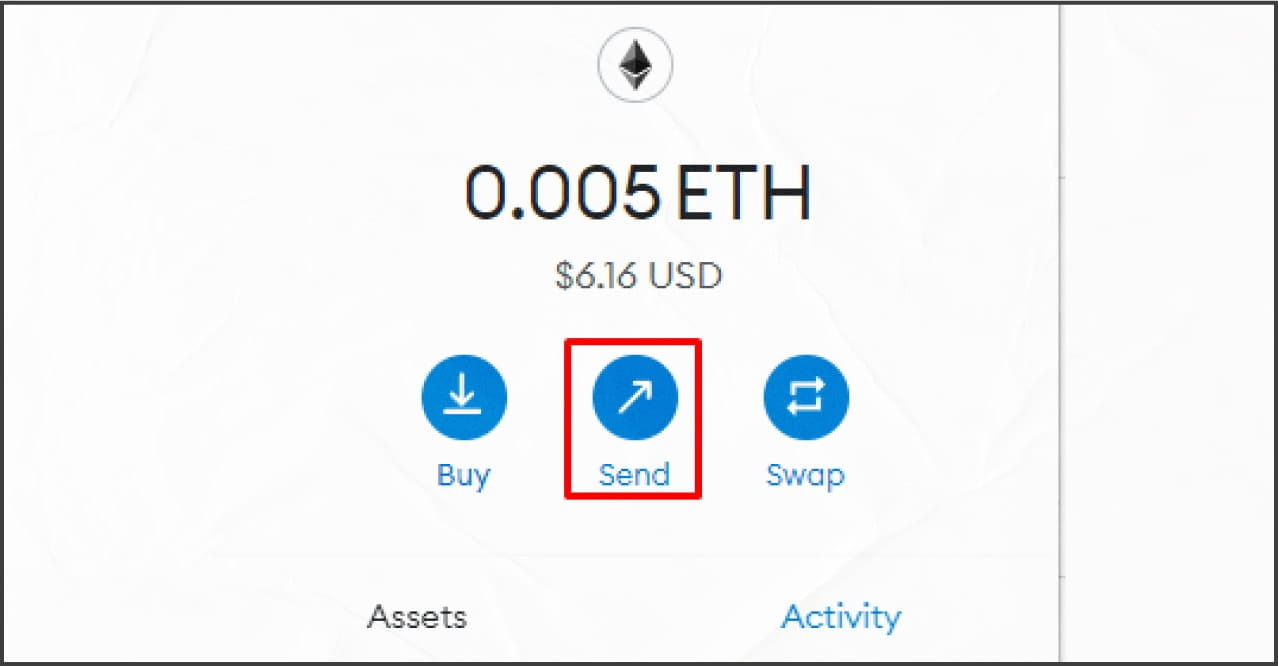
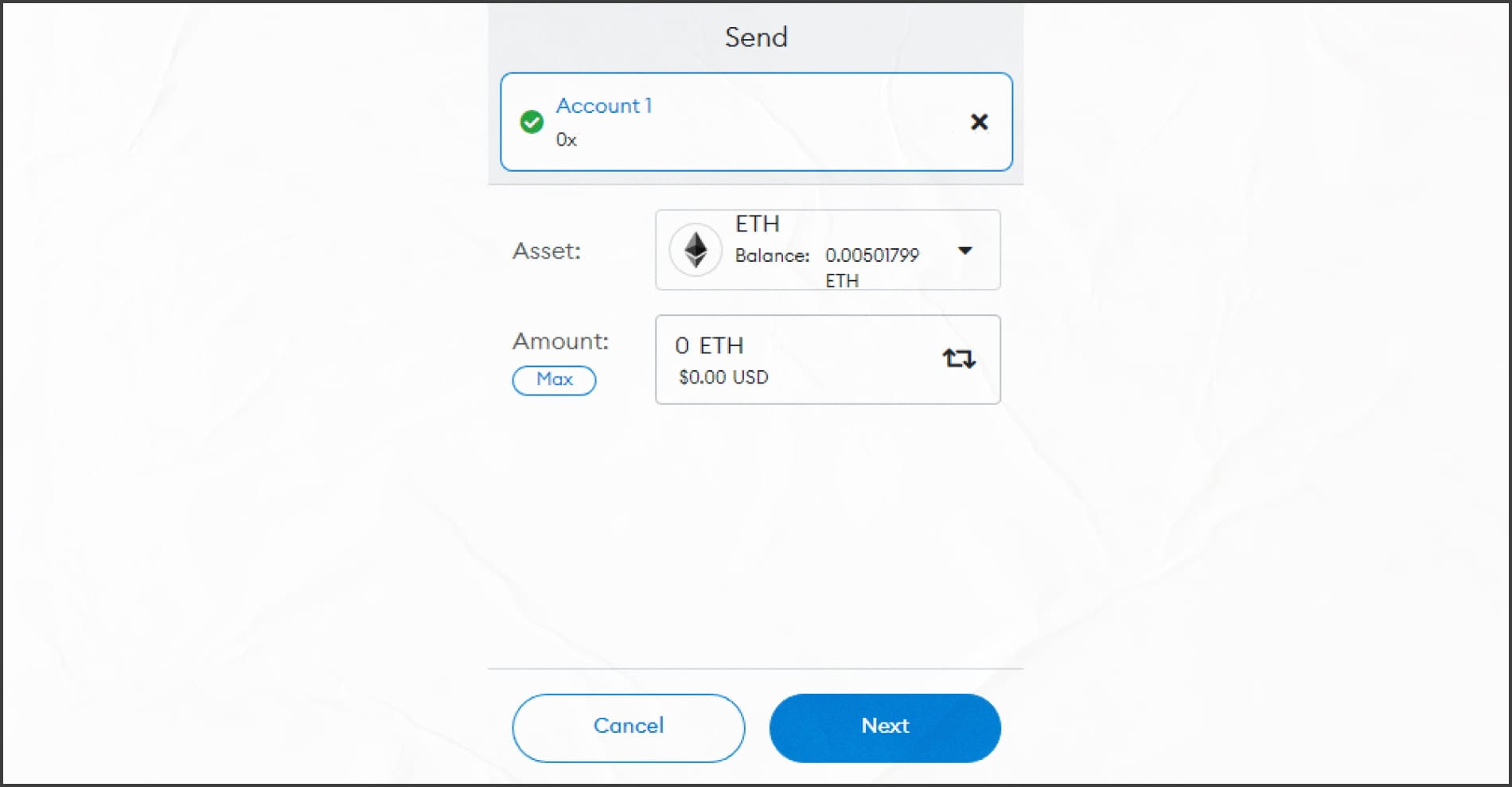
How to send tokens through MetaMask. Step 1. In the top line, enter the address where to send and specify the number of ETH we want to send. After clicking Next:
How to send tokens through MetaMask. Step 2. Press Confirm. It may take some time to confirm the transaction:
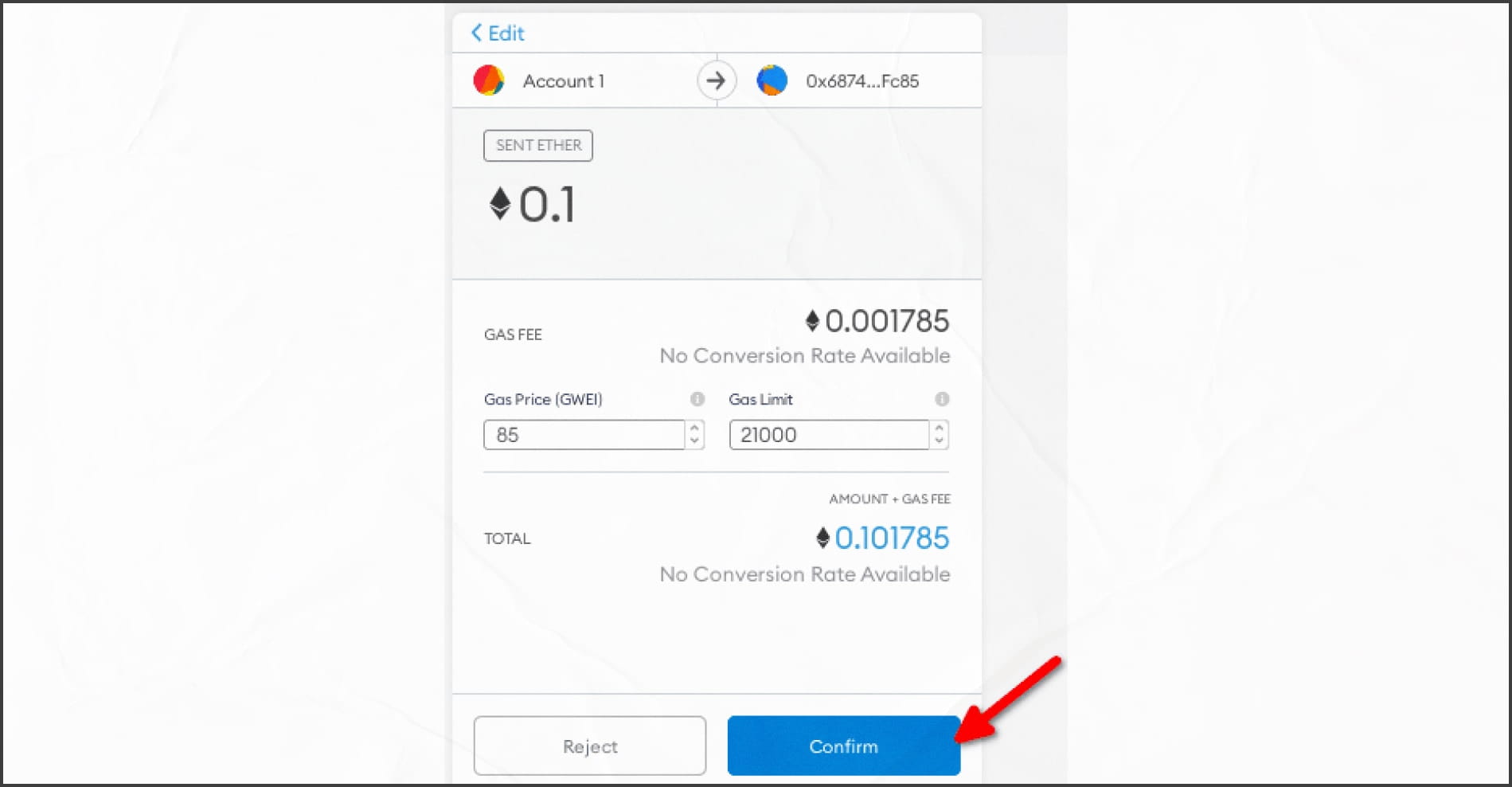
How to send tokens through MetaMask. Step 3.
How to use DeFi apps
In this example we will use Uniswap - a decentralized exchange for exchanging ERC20 tokens, powered by the idea of an automated market maker (AMM).
To make an exchange to Uniswap, you need:
Go to the exchange site and click Launch App:
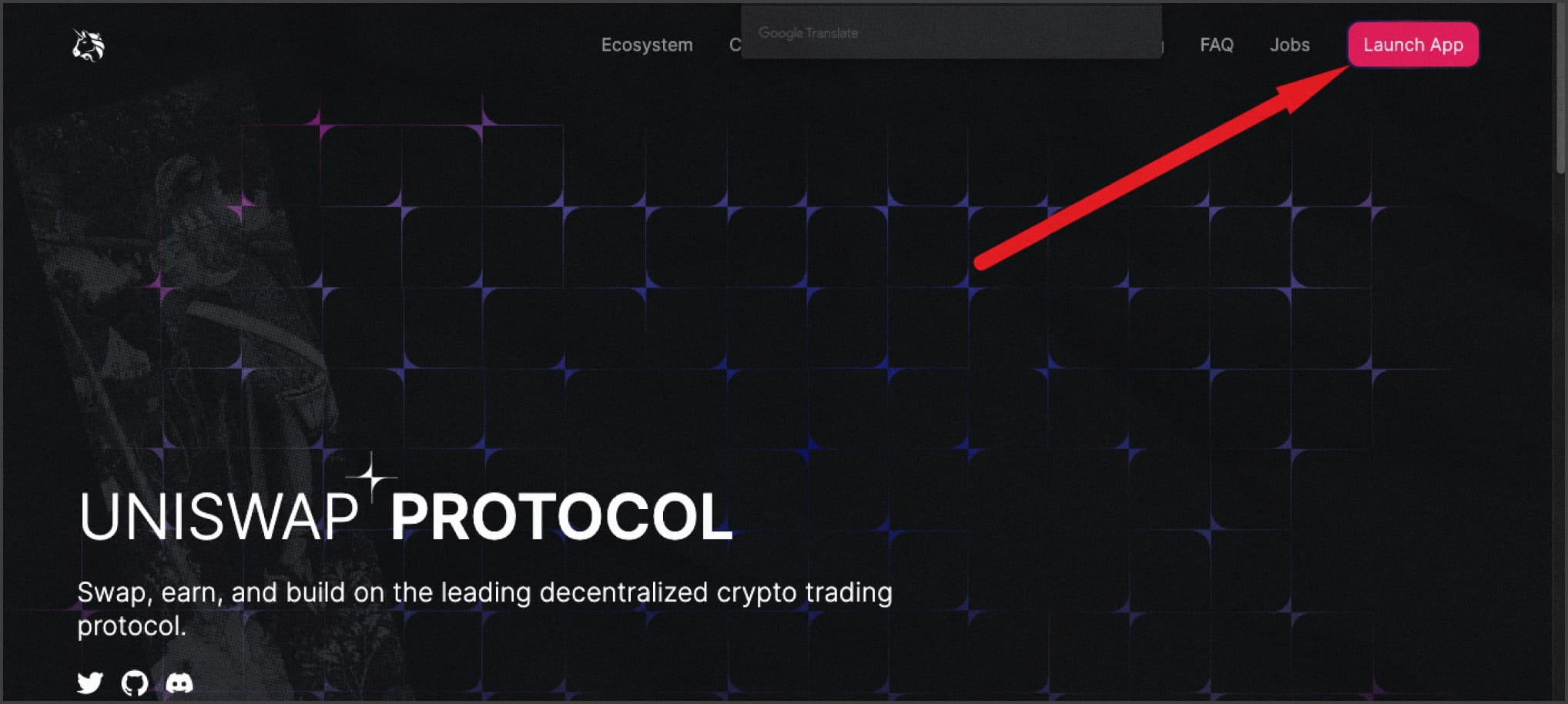
How to make an exchange to Uniswap: Step 1 Press Connect Wallet:
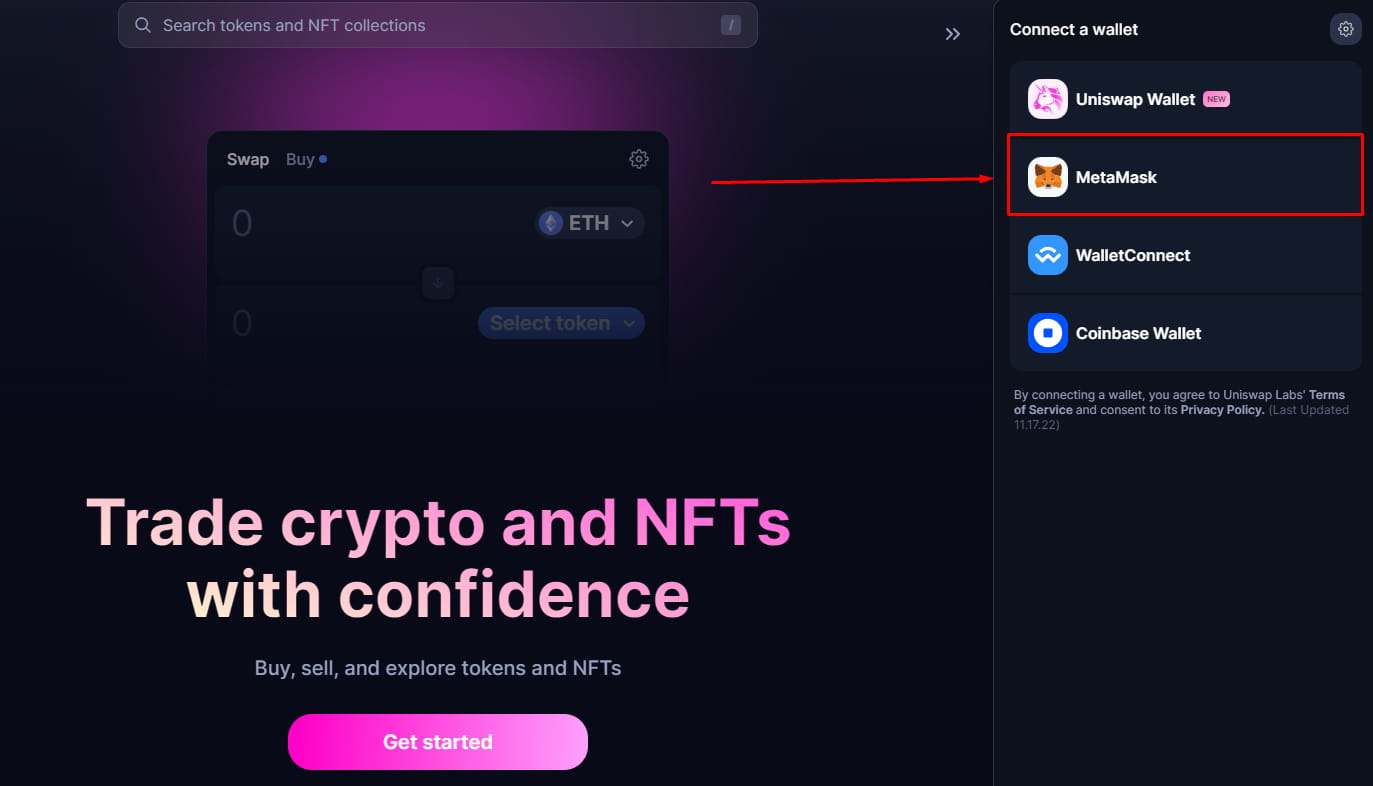
Select Metamask from the list
Voila! You can exchange crypto!
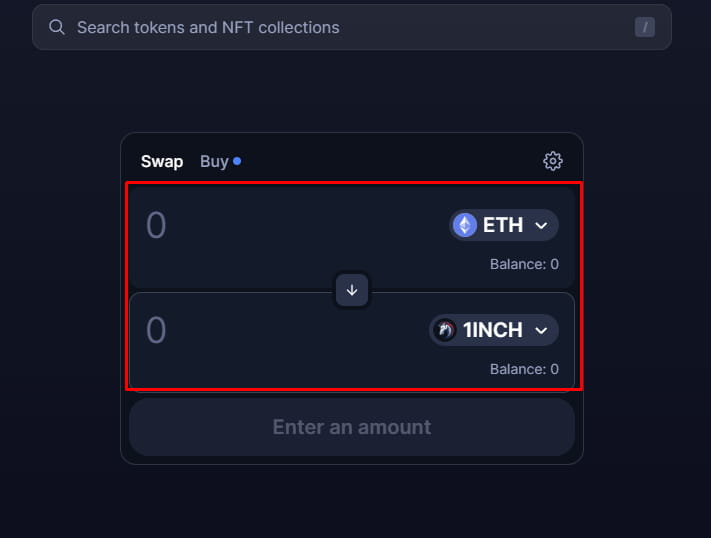
Now you just need to select a currency pair, enter the number of coins to exchange and confirm the transaction within your wallet.
Currency exchange within Uniswap is very simple: no charts and no attractive banners typical of centralized exchanges.
Before you buy any tokens, you can specify a token exchange slip so that you don't accidentally buy tokens at a different price. If the price changes drastically at the time of exchange, the transaction will fail and the tokens will be returned.
More Metamask features
Now that you know the basics of Metamask, you can use all the features of Ethereum, in addition to the usual token exchange, sending, you can also store NFT. Also connecting to Ledger and Trezor hardware wallets.
In Metamask there is still the possibility of switching between networks, you can configure the wallet so that you can switch to another network, in addition to ether and test, there is a network Binance Smart Chain from the Binance exchange and Heco-Chain from the Huobi exchange. They will allow essentially the same thing as the ether network, only already in the Binance or Huobi ecosystem.
How to connect Binance Smart Chain to MetaMask
Now let's connect to the Binance Smart Chain network through our wallet:
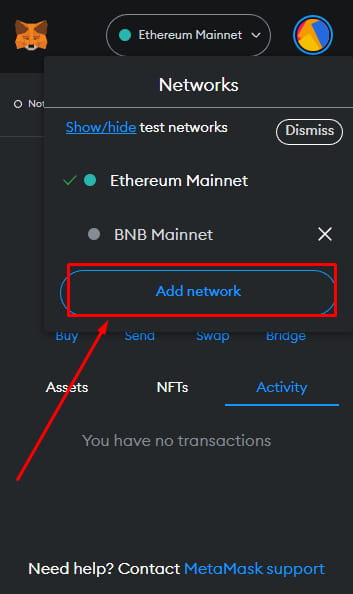
Open the wallet and click on the field with the name of the network and from the drop-down list select Add Network:
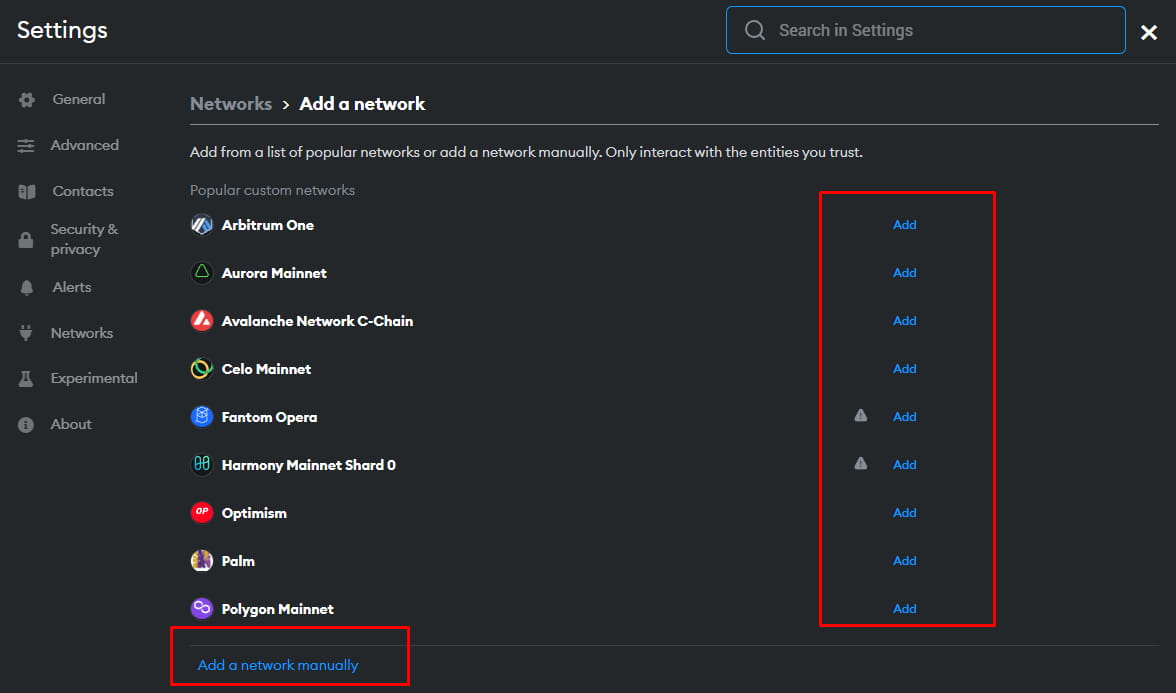
The window of MetaMask network settings will open, where you can click Add against the network you are interested in. When you click, a confirmation window will appear in which you need to select Approve. If popular networks do not have BSC, then click Add network manually:
Next, fill in all the network parameters:
Network Name: Smart Chain
New RPC URL: https://bsc-dataseed.binance.org
Network ID: 56
Symbol: BNB
Block Explorer URL: https://bscscan.com
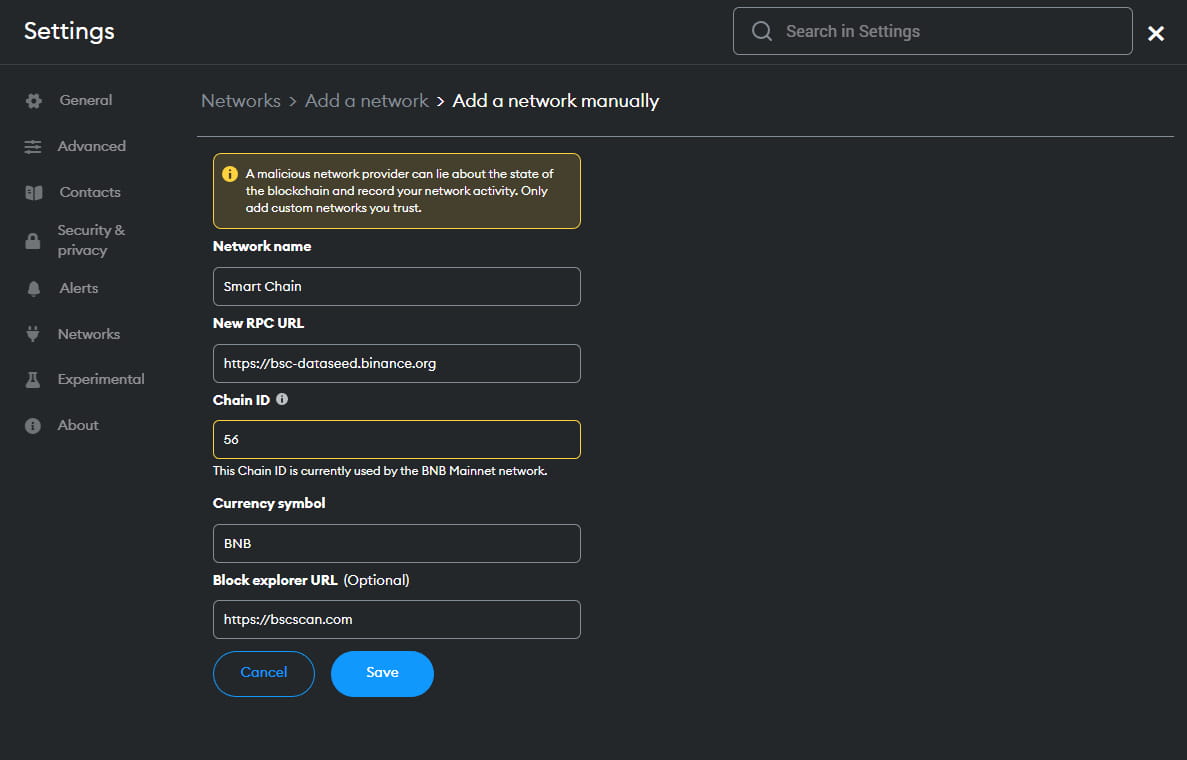
After filling in the fields, click Save:
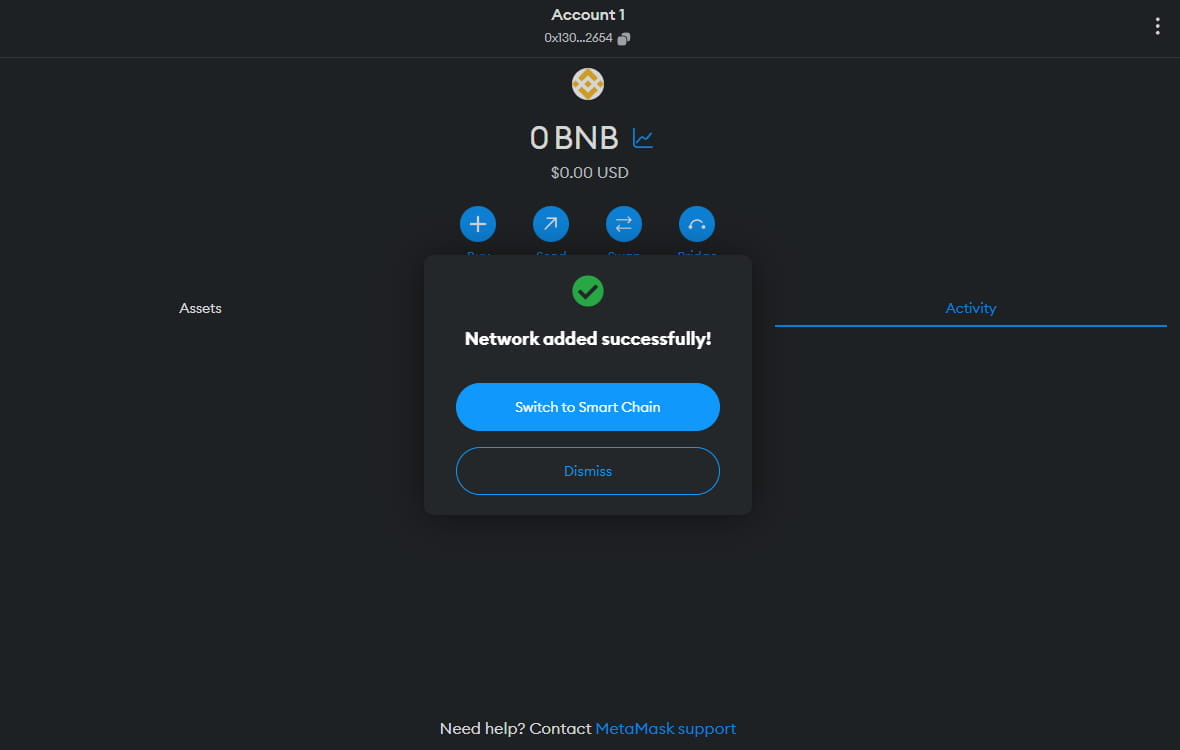
Important: keep track of which networks you add, make sure the data you enter is correct, and give preference to the methods listed below. They are less risky and more convenient for regular users.
Once connected, you can transfer BNB from Binance to your wallet address.
How to transfer tokens between networks
Blockchain bridges can be used to transfer tokens from one network to another. The main task of such a bridge is to provide a connection between two blockchain ecosystems, through which tokens can be transferred.
For example, you can use the Binance Bridge service - a safe and fast way to transfer cross-chain assets to Binance Chains. We will tell you more about bridges and crosschain transactions in a separate article.
What are the disadvantages of Metamask?
MetaMask stores private keys in the user's browser. It is less secure than a hardware or paper wallet. It is a reasonable compromise for ease of use. But in fact it is just a middleman.
External nodes - Instead of being a complete node, it relies on external nodes, which sometimes have downtime that can cause MetaMask to stop working.
High commissions in the ether network, the network is often busy lately, due to which there is an increase in the cost of commissions.
We hope that this article will help you understand what Metamask is and how to use it. This is a basic knowledge of cryptocurrencies.
Write your questions and share this article with someone who is just starting their journey into cryptocurrencies.