



In today’s post, we’ll go over everything you need to know about how to check and change your Binance referral code, and how to get a discount on trading fees. If you’ve ever wondered how to find or edit your referral code, this is a must-read.
How to Sign Up for Binance

First, let’s briefly explain what Binance is. As many of you know, it’s the largest exchange in the world and boasts an overwhelming scale. It also offers futures trading.
Futures trading allows you to invest in both directions — you can profit whether the market goes up or down. That’s why many investors are drawn to it. What’s more, Binance offers many more opportunities than domestic exchanges.
Before you start trading, make sure to register through the special link below to automatically receive a 20% discount on fees.
📍Enter Binance referral code [WOZFXLOX] to get a 20% fee discount
Existing users can also receive a 20% fee discount if both of the following conditions are met:
The invited person has never accepted an invitation before.
The invited person's account has not made any trades or used any products on the Binance platform within the past 180 days.
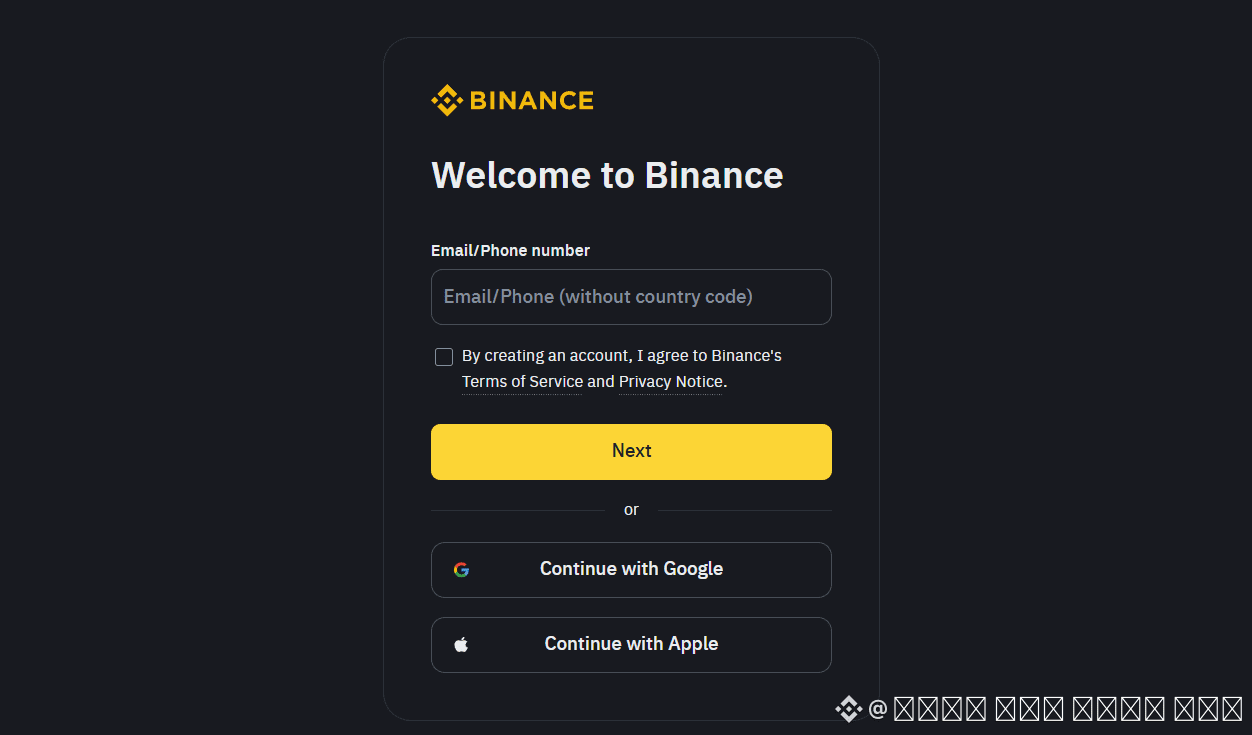
Binance offers a simple sign-up process that only takes one minute. With just an email address or phone number, you can register easily. The discount is automatically applied when using the referral link, so you can enjoy the benefit effortlessly.
If the code is not entered automatically, simply type [WOZFXLOX] manually to get the 20% discount.
How to Change Your Binance Referral Code
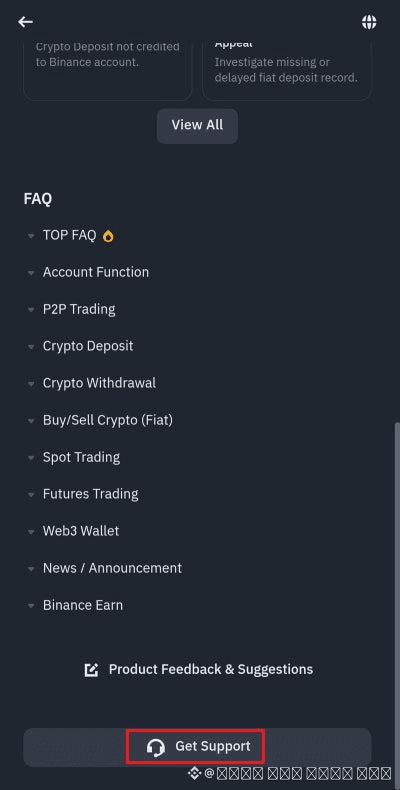
Now let’s get to the main topic — how to change your Binance referral code. I’ll walk you through the process using the Binance mobile app.
On the app’s main screen, tap the headset icon in the top right. Then on the next screen, tap “Get Support.”
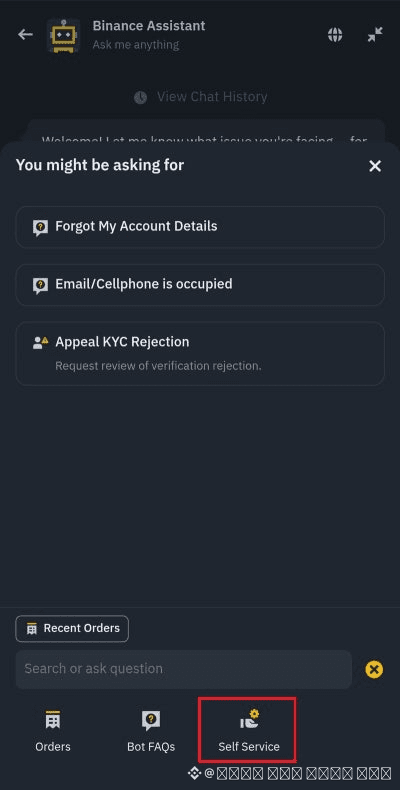
On the following screen, tap the plus icon next to the chat input field. Then press the “Self Service” button as shown. This step is to cancel your current KYC verification in order to change your referral code, so keep that in mind.
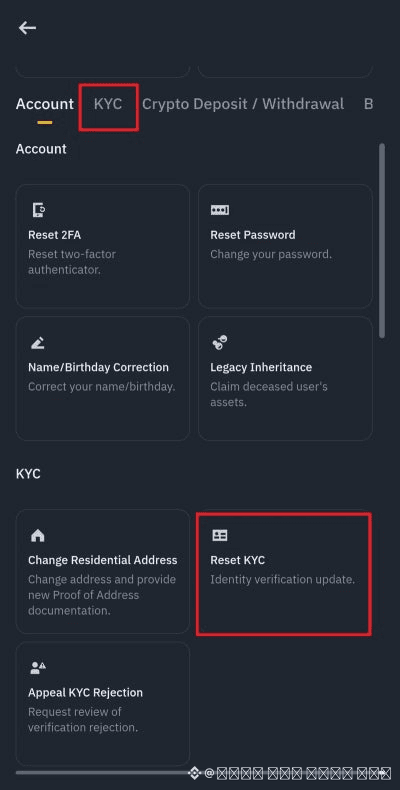
Next, tap the KYC button at the top of the screen and then tap “Reset KYC” at the bottom. A new page will appear — make sure to check the box below to enable the Confirm Update button, then press it to proceed.
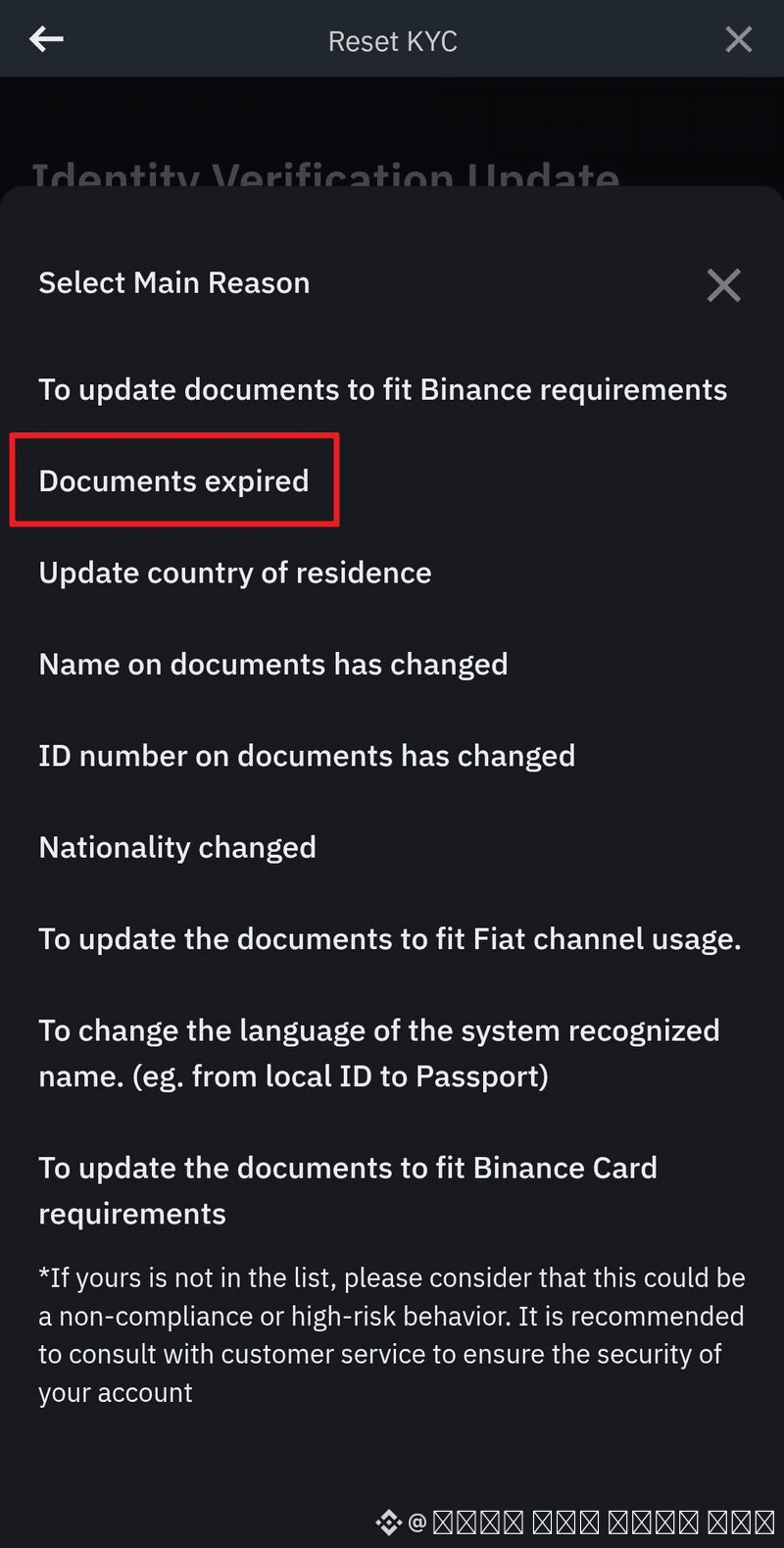
Now, select a reason for the reset. Tap “Documents expired” to complete the reset process successfully. See? It’s easier than you might think. After that, you can create a new account and go through the KYC process again. If you need help with that, check out our separate post on KYC verification.
So, that’s how to check and change your Binance referral code and receive trading fee discounts. If you haven’t yet taken advantage of the 20% discount offer, now’s the perfect time to grab it — save on fees and reinvest what you save!