


In today's post, we will summarize how to check and change the Binance referral code, as well as how to receive a commission discount. If you've been curious about how to check and change the referral code, I recommend reading to the end.
How to sign up for Binance

First, let me give you a brief explanation of the Binance exchange. As you all know, it is the world's number one exchange with an overwhelming scale. It is a place where futures trading is possible.
Futures trading means bidirectional investment, allowing investments in both rising and falling markets. Since you can also profit during a decline, many people seem to be challenging futures trading investment. Not only that, but you can also seize many more opportunities than in Korea.
If you sign up through the benefit link below before proceeding with the transaction, you will automatically receive a 20% commission benefit.
📍Enter Binance [WOZFXLOX] for a 20% commission discount
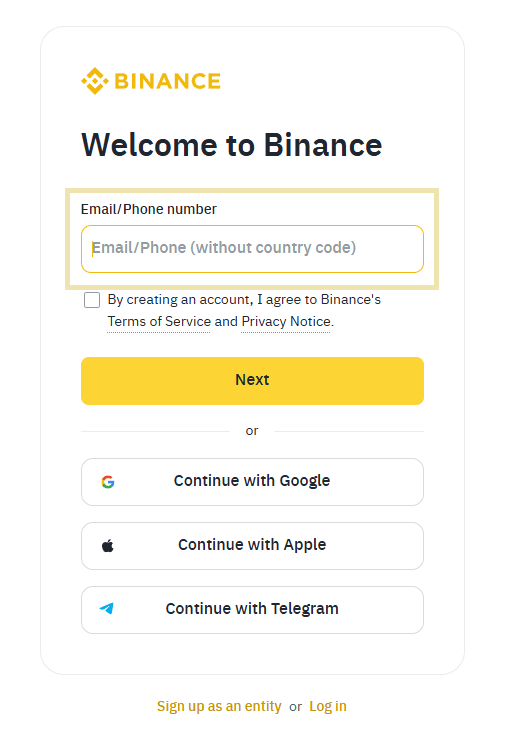
Binance provides a simple sign-up method that anyone can complete in just one minute. You can easily sign up with just an email address or mobile phone number. The benefits are automatically applied, so you can enjoy significant advantages just by signing up through the link. If the code is missing, please enter [WOZFXLOX] directly to receive a 20% commission discount!
How to change your Binance referral
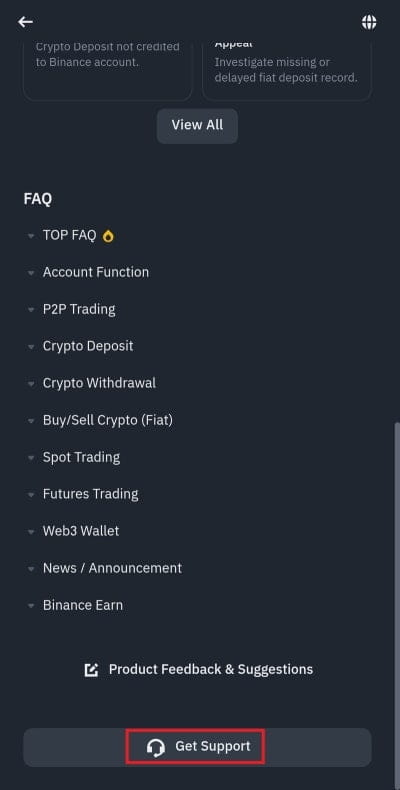
Now let's get to the main point and discuss how to change the Binance referral. I will guide you conveniently through the app. In the Binance app, click the headset button at the top right, and then on the next screen, click 'Get Support'!
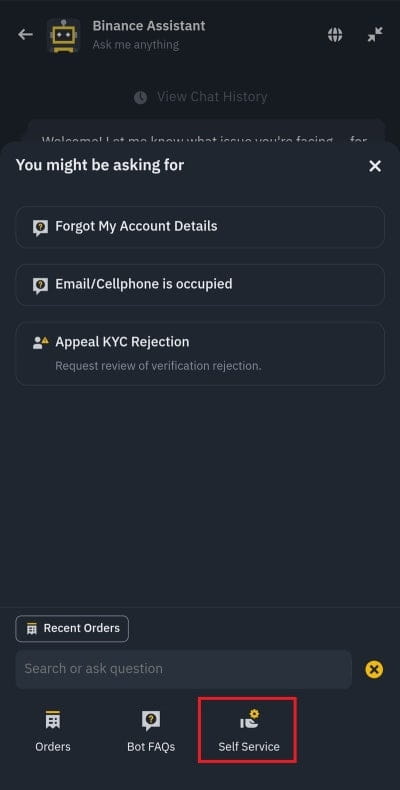
On the next screen, please press the plus button next to the chat input box, and on the next screen, please click on the self-service button that I have indicated. Right now, this is the process of canceling the existing KYC verification for the referral change. Please take note and proceed.
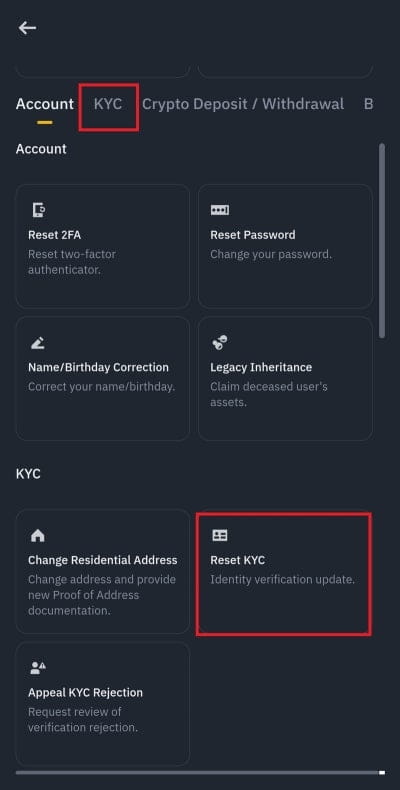 Next, click the KYC button at the top and then click 'Reset KYC' below. You should see the right screen. You must check the checkbox below for the button below to be activated. Click 'Confirm Update' to proceed with the rest.
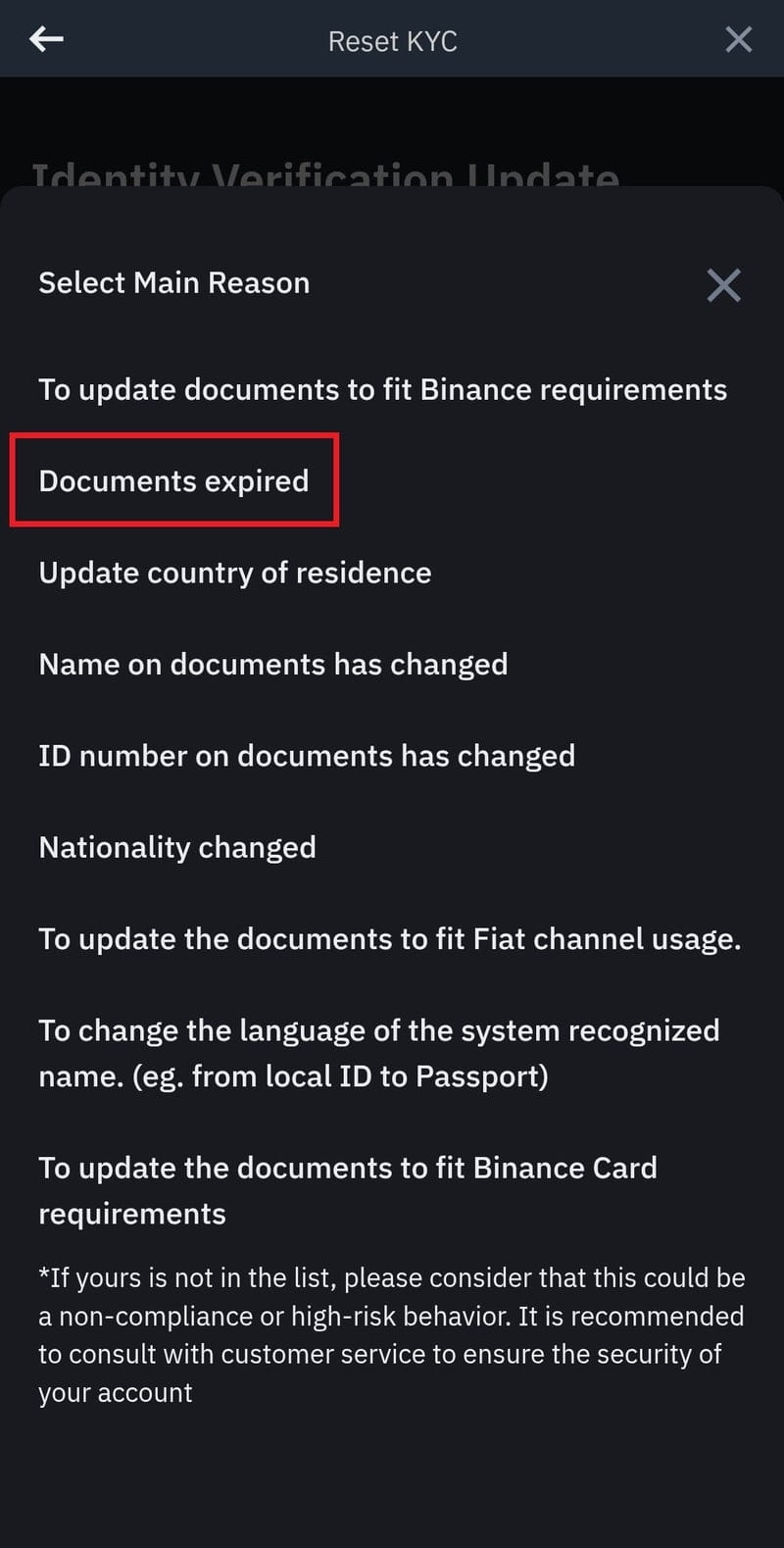 Now it's time to choose a reason. If you click on 'Documents expired', the reset will be completed normally. It's not as difficult as you might think, right? You can now create a new account and change to proceed with the KYC verification. If you need a KYC verification guide, it would be helpful to refer to the posting below.
I have explained how to check and change the Binance referral code and how to receive a commission discount. If you haven't received the 20% commission discount yet, how about saving on commissions and investing the saved amount?