



I will explain step by step how to verify your identity on Binance, the world's largest exchange. As long as you follow this article's instructions, you can easily complete Binance's identity verification. Therefore, I will provide you with a detailed introduction on how to officially conduct identity verification.
Visit the official Binance website
Please visit Binance's homepage or enter Binance through the following link.
📌Click here to enjoy a 20% discount on Binance fees immediately
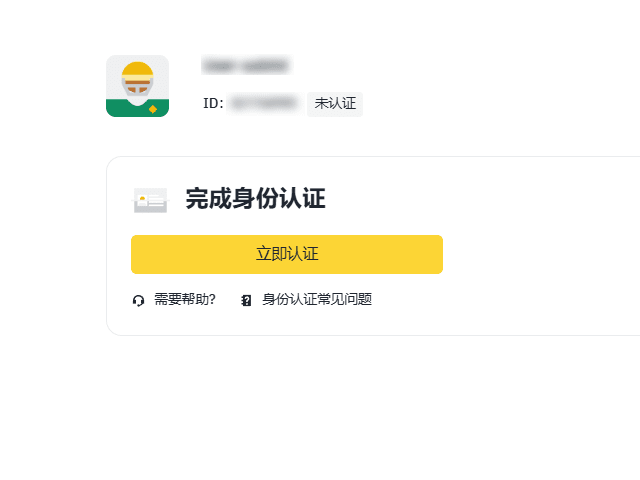
Next, please click on the profile in the upper right corner. You will see the [Identification] section below; please click on it.
Then the page will display [Verified]; please click it to continue.
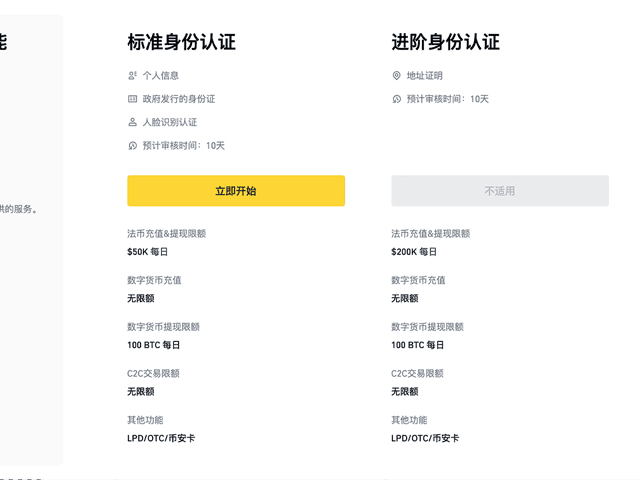
There is also an option called Plus next to it. The difference lies in the limits for deposits and withdrawals. If you only complete basic verification, the daily deposit limit is $50,000, and the withdrawal limit is 100 BTC. After completing intermediate verification, the deposit limit increases to $200,000, while the withdrawal limit remains at 100 BTC.
Usually, completing the basic verification is sufficient, but if you plan to transfer a large amount of money at once on the exchange, you must complete the intermediate verification. To perform basic identity verification, click the yellow button [Start Now] below [Verified].
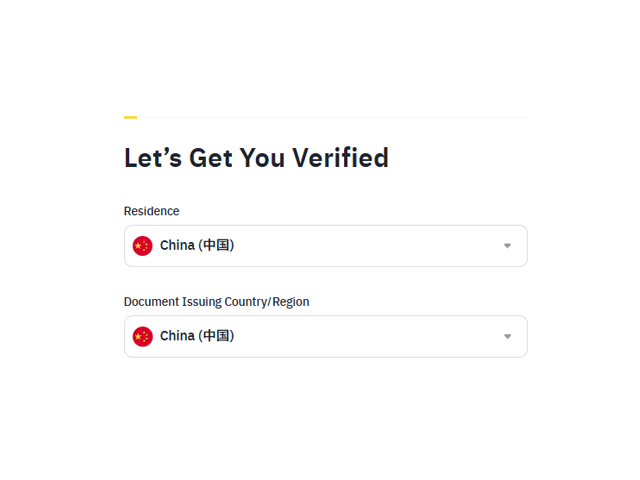
Next, [Select Country of Residence] will be displayed; please select your nationality and then click the [Continue] button.
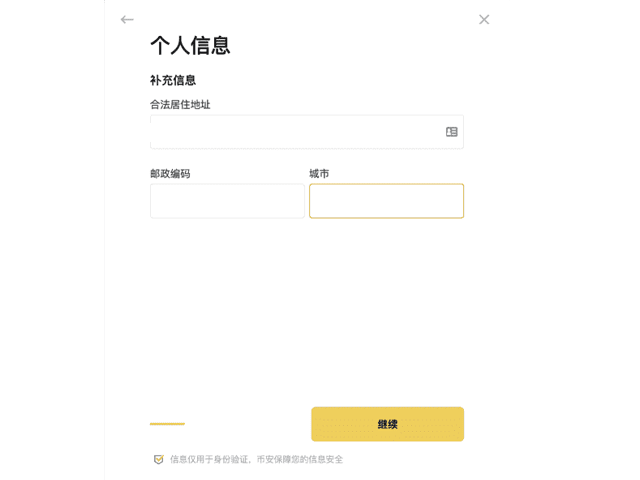
Now it's time to enter your personal information. In [Personal Information], please fill in your name accurately. All content must be filled out in English at this point.
Please enter your first name in the [First Name] field and your last name in the [Last Name] field.
Next is the step to upload your identity documents. You can use a resident registration card, driver's license, or passport.
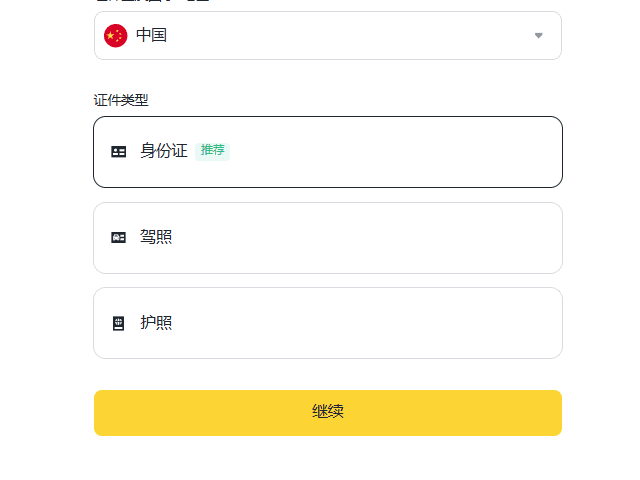
These three types of documents correspond to [Government-Issued ID Card], [Driver’s License], and [Passport]. Please select the type of document you wish to upload and then click [Continue].
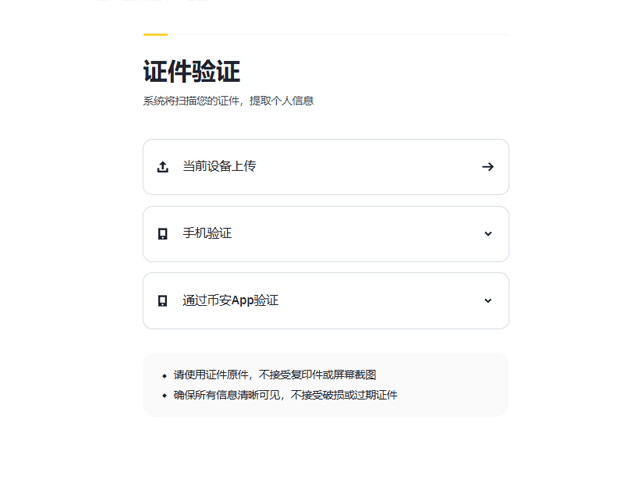
After selecting the document, you need to take a photo and upload it. Please ensure that the original document is clearly visible while taking the photo, preferably in a non-reflective environment, and then upload it.
When performing identity card verification, there are a few points to note:
You must upload photos of the front and back of your identity card.

After completing these steps, it's time to upload a selfie. You can use a previously taken selfie, click [Upload File] to upload it, and then click [Continue].
The final step is facial recognition, used to confirm whether the selfie matches the person currently being verified. Please do not wear a hat or glasses, go to a well-lit area, and then click [Continue].
If you have completed all the above steps, the identity verification will be completed within a day.
Sometimes, even if you follow the verification process, Binance verification may fail for various reasons. The most common reason is a significant difference between the ID photo and the selfie. This article has explained how to verify your identity on Binance. If your verification fails, be sure to check the failure reason via email or notification and try again.
Additionally, we have prepared a 20% discount link on fees. It is recommended that you register your account through this link to save on fees and use the money for investment; I think this is a good choice.