


To access the Binance main page, go directly to the website or use the link below.
Click here to get a 20% fee discount on Binance
Next, click on the profile icon at the top right.
In the dropdown, you’ll see an option called Identification. Click on it.
Then you'll see the Verified section. Click it to continue.
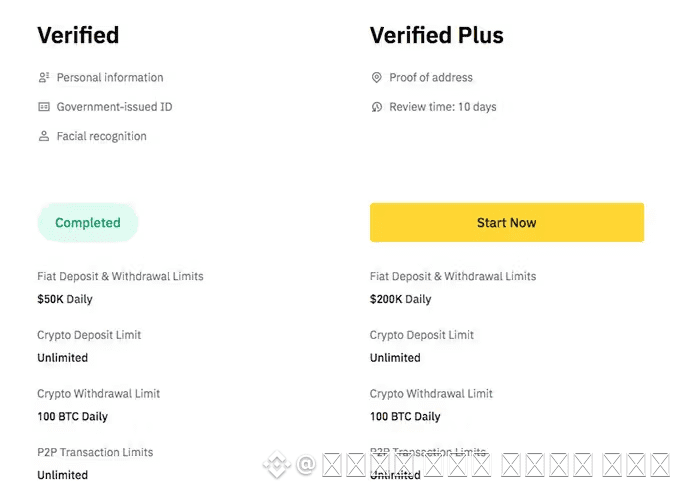
There is also a Plus level shown next to it. The difference between these levels lies in deposit and withdrawal limits.
If you complete only the basic verification, your daily deposit limit is $50,000 and withdrawal limit is 100 BTC.
If you complete intermediate verification, your daily deposit limit is $200,000 and withdrawal limit remains 100 BTC.
Basic verification is usually enough, but if you plan to move large amounts of funds at once, you must complete the intermediate level.
To begin the standard identity verification process, click the yellow Start Now button under Verified.
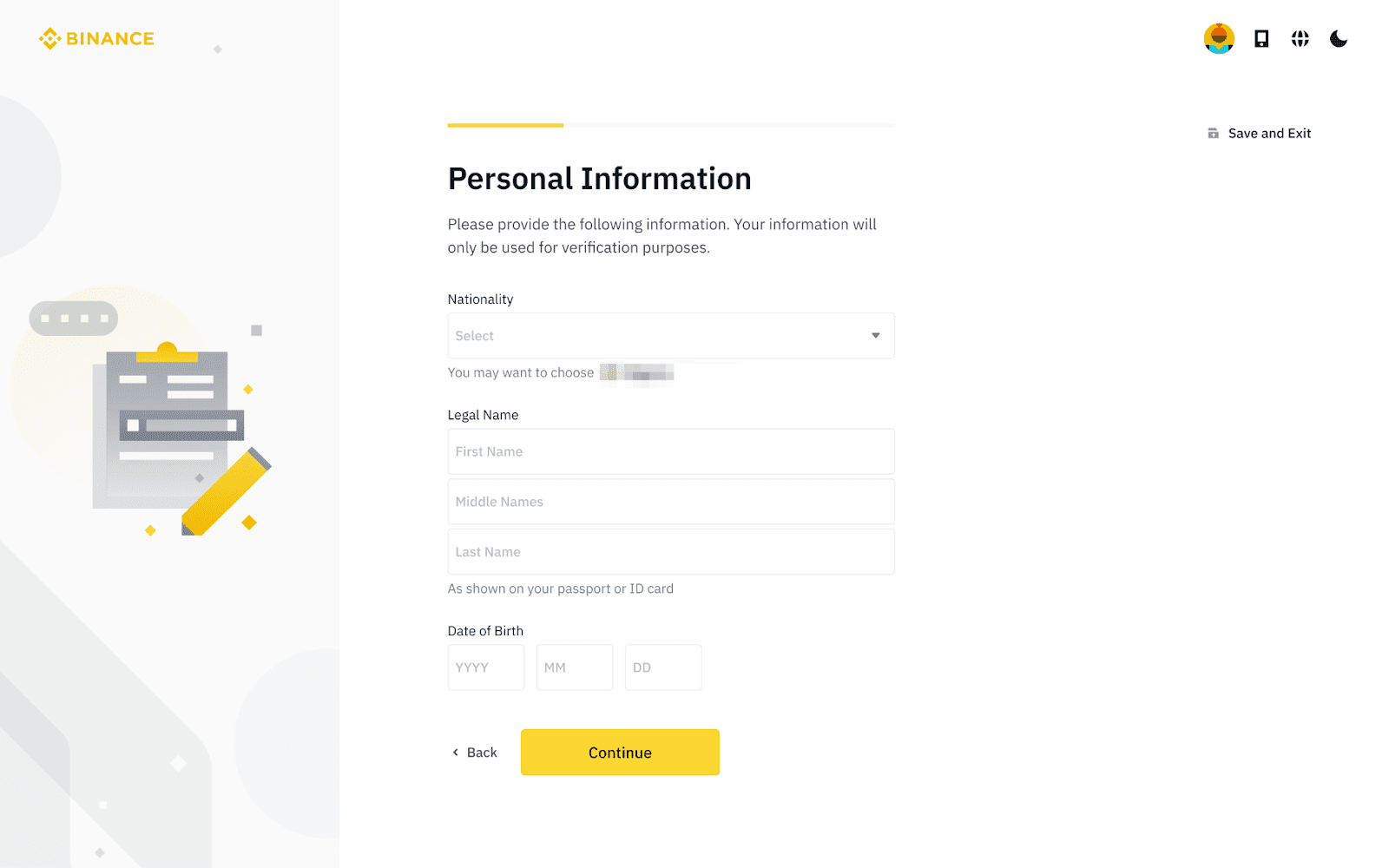
Then you'll see Select Country of Residence.
Select your nationality.
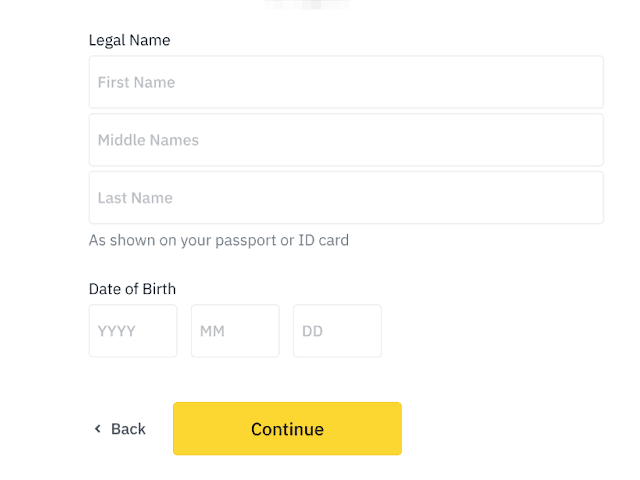
Now it’s time to enter your personal information.
In the Personal Information section, make sure to enter your name accurately.
Everything must be entered in English.
Write your first name in the First Name field, and your surname in the Last Name field.
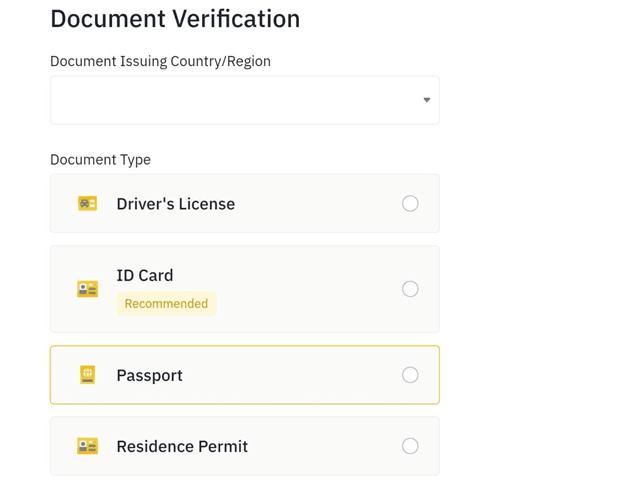
Next, you’ll need to upload your ID.
You can use a national ID card, driver’s license, or passport.
These correspond to Government-Issued ID Card, Driver’s License, and Passport.
Select the type of ID you want to upload, then click Continue.
If you’ve selected your ID type, it’s now time to take and upload a photo.
Make sure your ID is clearly visible when taking the picture.
Avoid glare, take the photo in a well-lit place, and upload it.
Important note when verifying your ID:
You must upload both the front and back sides of your ID.
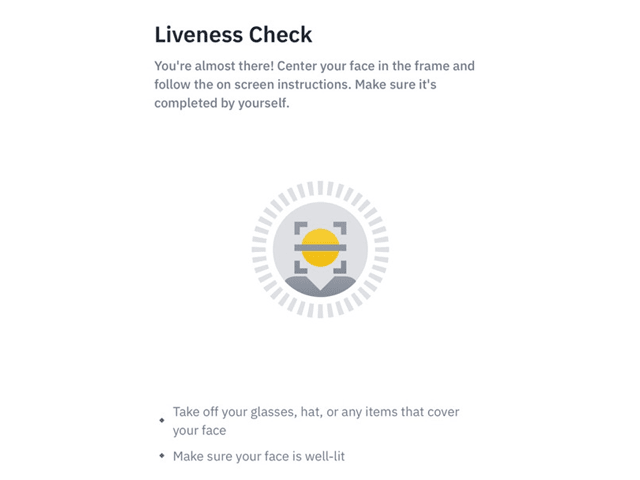
Once that’s done, it’s time to upload a selfie.
You can use a previously taken photo.
Click Upload File to upload your selfie, then click Continue.
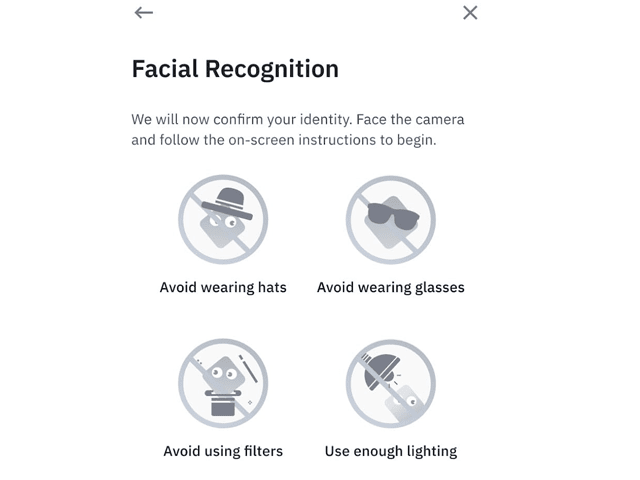
This is the final step.
Now it’s time for Facial Recognition to confirm that you are the same person as in the ID.
Remove any hats or glasses, go to a bright place, and click Continue.
Once you’ve completed everything, your identity verification should be approved within one day.
Sometimes, even if you follow the steps, verification may fail for various reasons.
The most common reason is that the selfie and ID photo don’t match well.
If verification fails, Binance will notify you via email or app notification.
Check the reason and try again.
We’ve also prepared a 20% discount referral link, so consider signing up through it to save on fees.
Saving on fees and investing the difference might be a smart strategy.