


Today, I will explain how to conduct Bitcoin contract trading on the Binance exchange through a blog post.
We will use Binance's mobile application to learn how to conduct contract trading, so please prepare your smartphone and ready your funds at the local exchange to transfer cryptocurrency to Binance and follow the article's instructions.
Although Bitcoin's price has risen significantly compared to earlier, it has experienced countless ups and downs in the process.
In this case, if you conduct spot trading, you can only profit when the price rises.
Therefore, when the bear market lasts for a while, traders often face psychological pressure and are unable to gain any profits.
Even if you have in-depth insights into the crypto market, spot trading only makes sense when prices rise—this ultimate meaning is actually limited.
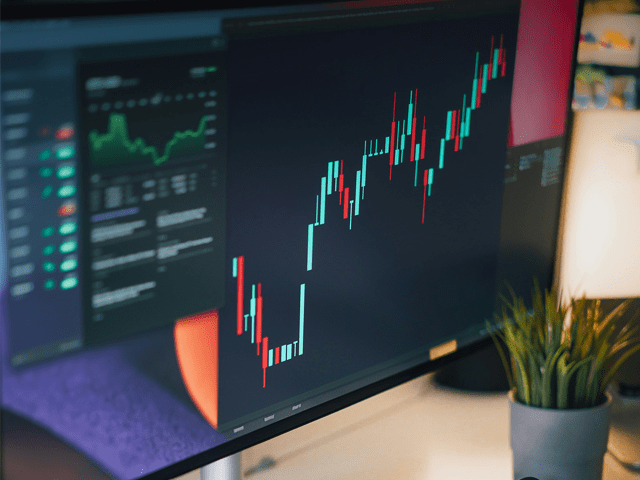
Therefore, understanding contract trading is very helpful: when prices rise, going long can be profitable, and when prices fall, going short can also be profitable.
As long as you can determine the trend of Bitcoin prices and trade accordingly, you can make a profit even in a declining market.
So, for capable investors, this trading method is welcomed.
So today, let's take a look at how to conduct Bitcoin contract trading.
It should be noted that cryptocurrency contract trading can only be conducted on overseas exchanges.
Therefore, this article will use Binance as an example for explanation.
Binance is the world's largest exchange, ranking first in both spot and contract trading.
Not only in Korea, but users around the world are also using this exchange.
👉 Click here to get a 20% discount on Binance fees
By registering a Binance account through the link above, you can not only receive fee discounts.
You can also participate in bonus activities based on your deposit and trading volume.
If you plan to trade for the long term, be sure to refer to and utilize these benefits.
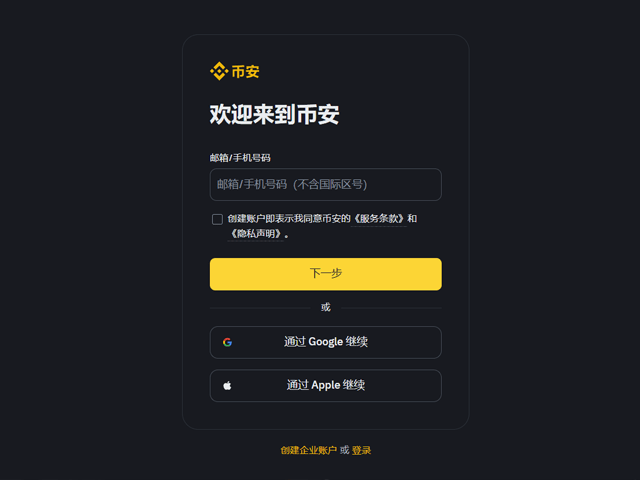
After clicking the link, you will be directed to the Binance official registration page.
To create an account, simply enter your email or phone number.
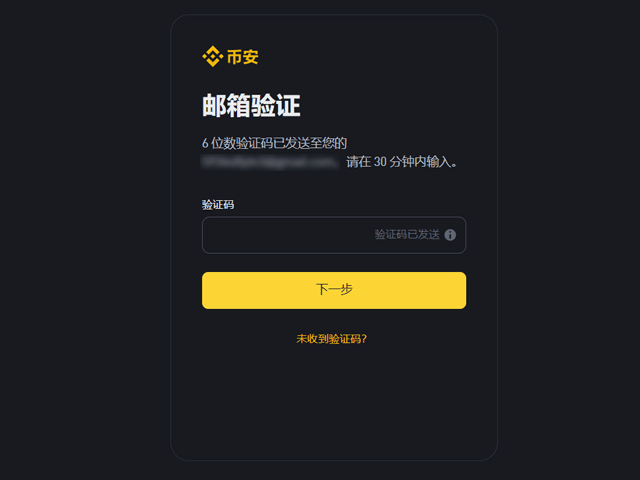
After clicking the 'Next' button, you will receive a 6-digit verification code via your chosen method—
Enter the verification code and complete the registration verification.
After registering, open your mobile app store, search for 'Binance', and install the Binance app.
Since contract trading requires frequent checking of positions and market prices, using a phone is more convenient and faster.
Unless doing ultra-short-term operations, I also prefer to trade using my phone rather than sitting in front of the computer all the time.
After installing the app, log in to your account and complete the KYC identity verification process that appears first.
Due to the involvement of financial services, the verification process is relatively strict.
Please prepare your identification documents and follow the prompts to complete the operation.
After completing KYC verification, you can deposit funds into Binance and start conducting contract trading.
First, click the 'Deposit' button in the upper right corner of the app.
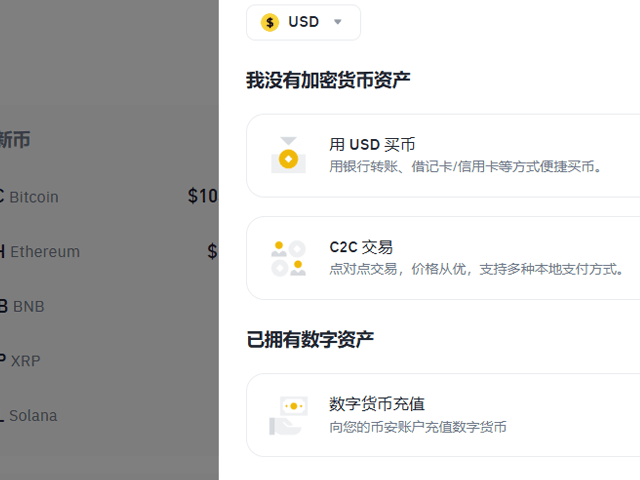
When you see the page shown on the right, click 'Deposit Crypto'.
To deposit funds into Binance or other overseas exchanges, you need to buy cryptocurrency at a local exchange, send it to Binance, and then sell it for USDT.
Because overseas exchanges do not support direct deposits in Korean won.
During the deposit process, please choose the cryptocurrency you want to send to Binance.
TRX or XRP is usually used, and now many people directly deposit USDT.
I often directly deposit USDT myself or choose other cryptocurrencies depending on the situation.
In short, as long as the transfer fees are low and the speed is fast, any cryptocurrency can be used.
For example, if you choose TRX, Binance will generate a unique TRX wallet address for you—this is your deposit address.
Just send TRX from your local exchange to your Binance account TRX wallet address.
Please make sure to check whether the address is correct. Although most people do not make mistakes, please ensure it is definitely your own account.
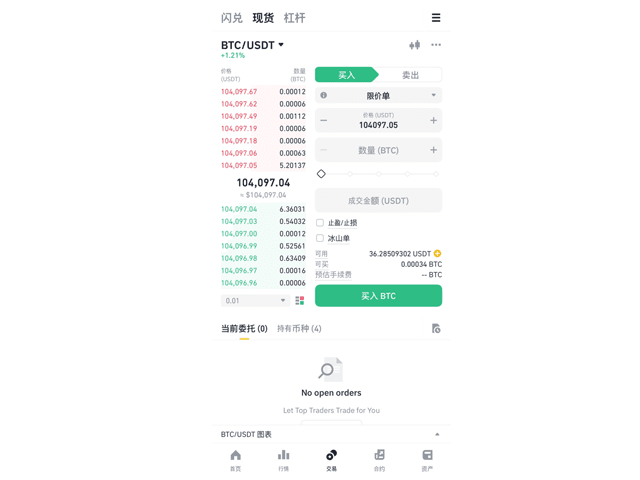
When your cryptocurrency has been successfully transferred from the local exchange to Binance,
Open the Binance app and click on 'Trade' in the bottom menu.
Click on the cryptocurrency name in the top left corner, choose the cryptocurrency you want to receive, and sell all to exchange for USDT.
The reason for exchanging for USDT is that spot and contract trading on overseas exchanges usually use USDT as the trading pair.
After completing the sale, click on 'Assets' in the bottom menu, and then click 'Transfer'.
The USDT you just obtained should be in the Spot Wallet.
To use for contract trading, you need to transfer it from the Spot Wallet to the Futures Wallet.
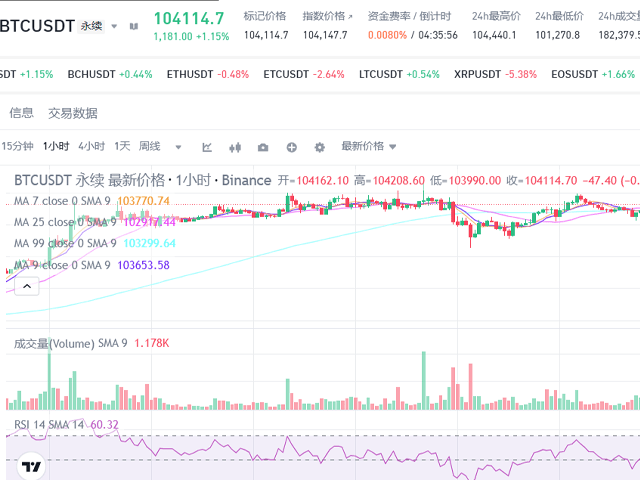
After USDT is transferred to the contract wallet, click the 'Futures' button at the bottom.
Next, you can officially learn how to conduct Binance contract trading via the mobile app.
Before placing your first order, you need to set the margin mode.
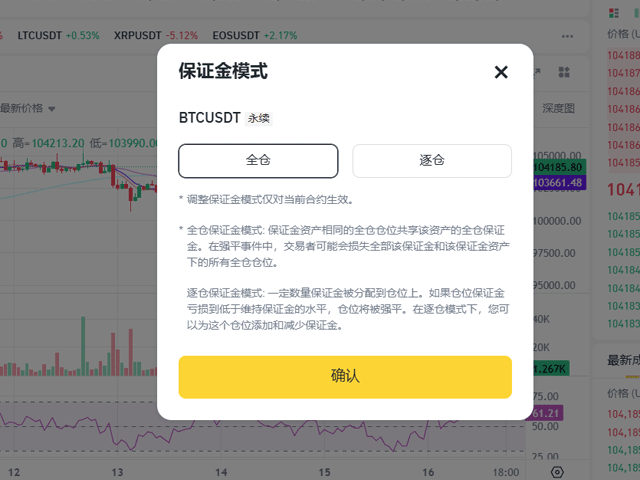
It is divided into Cross and Isolated margin types.
There is no one method that is definitely better; they each have their own characteristics.
You can choose a mode that suits your trading style.
The cross margin mode will use all the balance in your contract wallet as the margin for the position.
The isolated margin mode only uses the funds allocated for that position as margin.
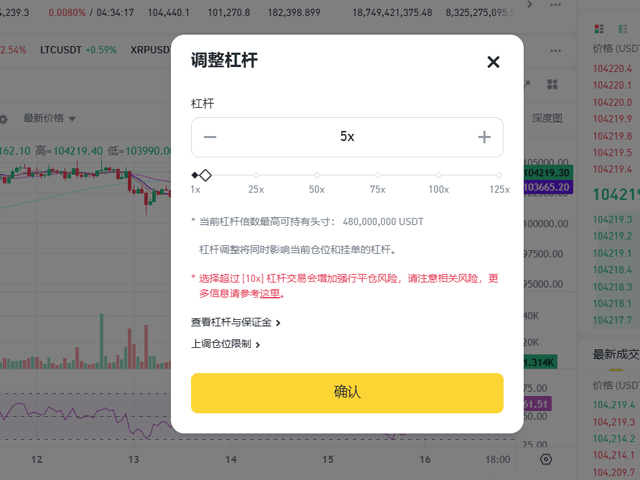
Next to the margin mode, you can set the leverage multiple.
For Bitcoin, the maximum can be set to 125 times.
This indicates how many times leverage you can apply to your trading funds.
For example, if using 50x leverage, the profit will be magnified 50 times compared to 1x.
It may sound like 'not using leverage is foolish',
But don't forget, losses will also be magnified by 50 times.
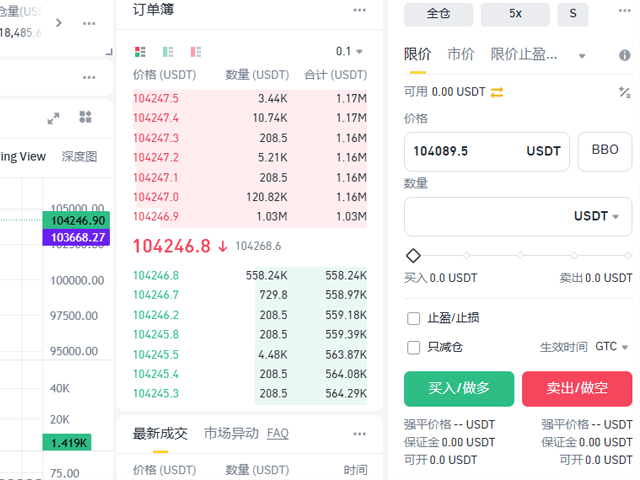
Therefore, it is recommended not to blindly use high leverage and to rationally control risks.
Scroll down, and you can choose the order type.
You mainly need to understand the two types of orders: Limit and Market.
A limit order allows you to enter the price yourself and place the order.
A market order is executed immediately at the current market price.
Each method has its advantages; for example, limit orders allow precise entry, while market orders can quickly follow market trends.
Choose the appropriate order type based on your strategy.
When all the above settings are completed, the last step is to choose the trading amount.
And choose to open a long position (Long) or a short position (Short).
If you want to profit when the price rises, choose Long; if you want to profit when the price falls, choose Short.
That's all about how to conduct contract trading on Binance.
It may seem complicated, but it is actually not difficult to operate; getting started is very easy.
This article explains using mainstream cryptocurrencies such as Bitcoin as examples.
But other cryptocurrencies can also conduct contract trading.
Just click on the cryptocurrency name in the upper left corner of the trading page and search for the cryptocurrency you want to trade.