



I will explain the identity verification process for Binance, the world's largest exchange, step by step. If you follow this post until the end, you should be able to pass the Binance identity verification without difficulty. Therefore, I will now inform you about the method of conducting identity verification.
Access the Binance homepage
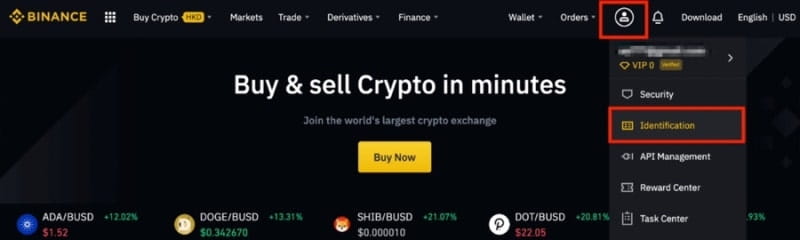
Access the Binance main page or go to Binance through the link below.
📌Go directly to receive a 20% discount on Binance fees
Next, please click on the profile in the upper right corner. You will be able to see an item called [Identification] below. Please click this.
Then, you will see [Verified] displayed below, and you can proceed by clicking this.
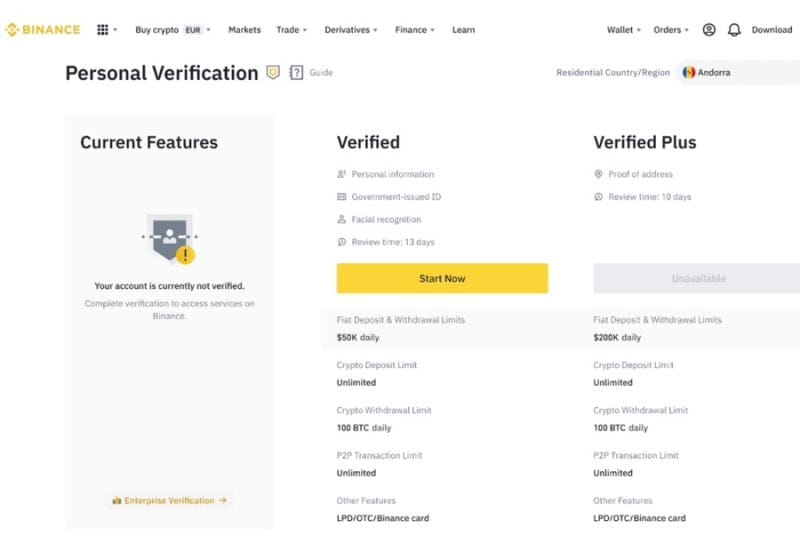
There is also a Plus right next to it. The difference between these is reflected in the deposit and withdrawal limits. If you only complete the basic verification, the deposit limit is $50,000 per day, and the withdrawal limit is 100 BTC per day. If you complete the intermediate verification, the deposit limit is $200,000 per day, and the withdrawal limit is 100 BTC per day.
Basically, you only need to complete the basic verification, but if you are someone who wants to transfer a large amount of funds at once on the exchange, you must complete the intermediate verification. To proceed with basic identity verification, press the yellow button [Start Now] below [Verified].
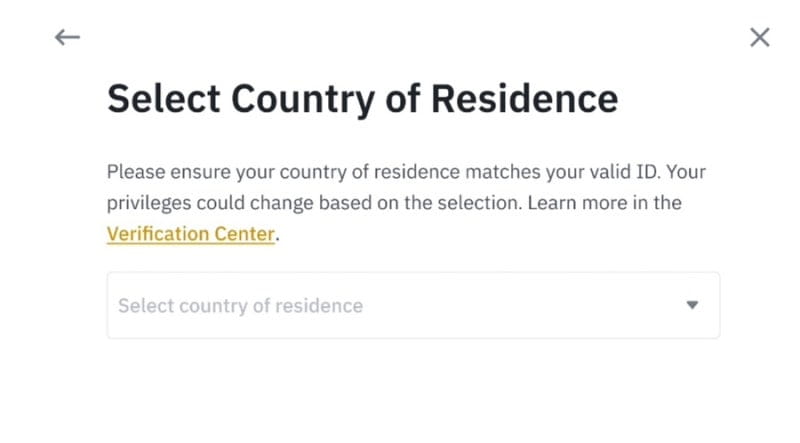
Then, you will see [Select Country of Residence] displayed below. Here, select [Republic of South Korea] corresponding to Korea and press the [Continue] button.
 Now it's time to enter your personal information. You must enter your name correctly in [Personal Information]. Everything you enter here must be in English.
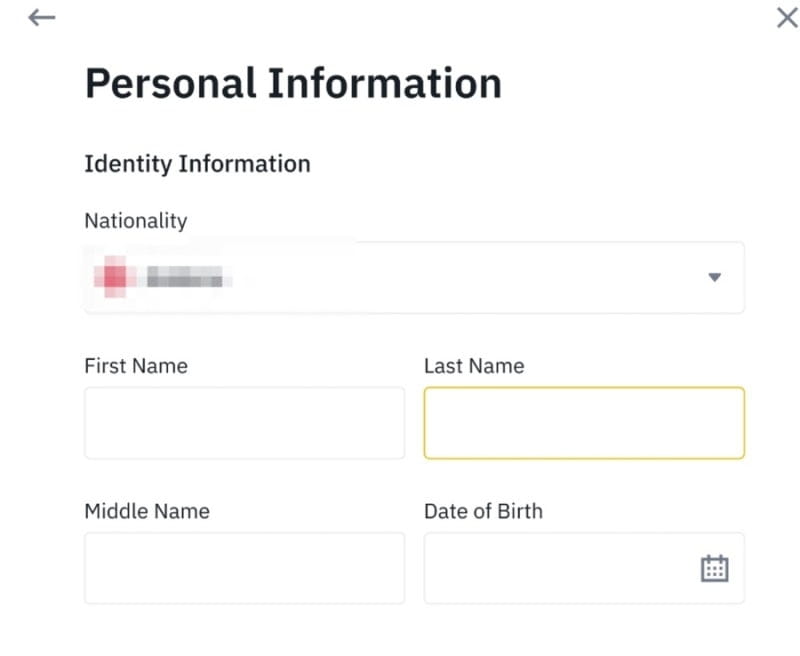
Write your first name in English under [First Name] and your last name under [Last Name].
Next, it's time to upload your ID. You can use your resident registration card, driver's license, or passport.
In order, they correspond to [Government-Issued ID Card], [Driver’s License], [Passport]. Please select the type of ID you want to upload and press [Continue].
If you have selected your ID, it's now time to take a photo. When taking the photo, make sure that the original ID is clearly visible. Please take the photo in a place without light reflection and then upload it.
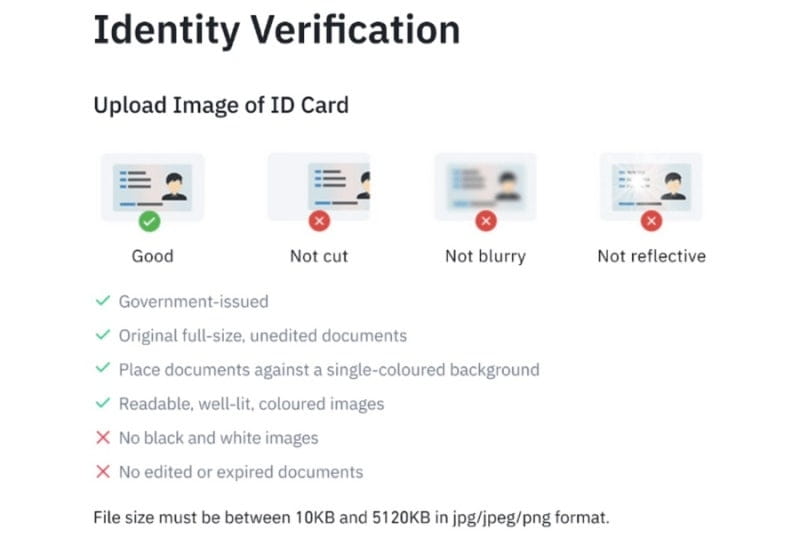
There are precautions to take when verifying your ID.
You need to take pictures of both the front and back of your ID.
If you have progressed this far, it is now time to take a selfie. You can use a previously taken selfie, but press [Upload File] to upload your selfie and then press [Continue].
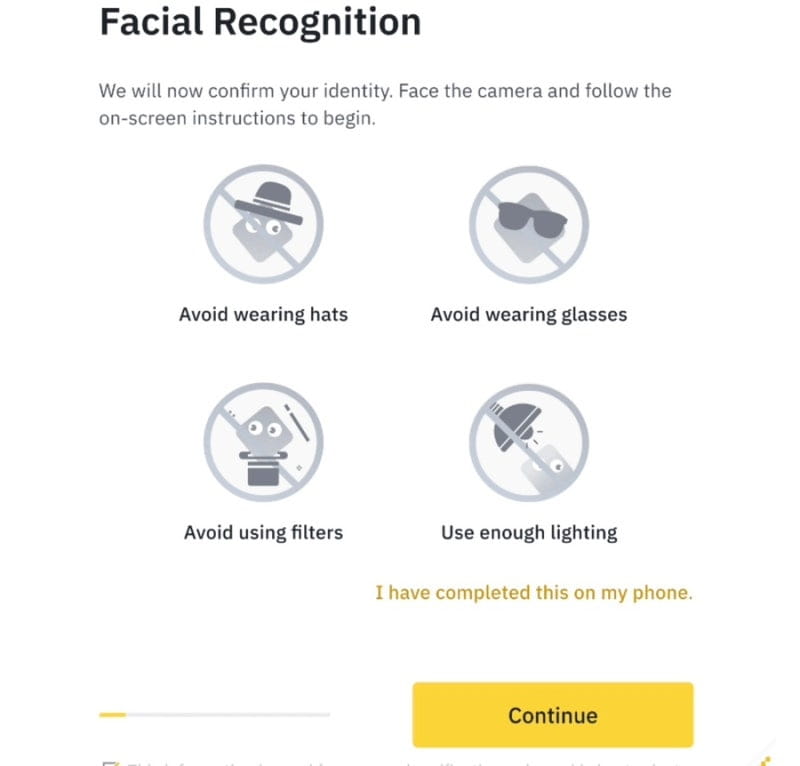
This is the final step. It is time to conduct facial recognition [Facial Recognition] to confirm that the person currently verifying their identity is the same as in the selfie. Please do not wear hats or glasses, move to a bright place, and then press [Continue].
If you have progressed this far, your identity verification will be completed within a day.
Sometimes, even if you follow the identity verification process, you may fail the Binance identity verification for various reasons. The most common case is when there is a significant difference between your ID and your selfie. I have provided guidance on how to verify your identity on Binance. If you fail the identity verification, please check the reasons provided via email or notification and try to verify your identity again.
I also have a link for a 20% discount ready, so how about signing up through that link to save on fees? I think saving on fees and investing that amount is not a bad idea.