


Today, I would like to explain how to trade Bitcoin futures through the Binance exchange in this post. I will explore the method of Binance futures trading through the mobile app, so please prepare funds in a domestic exchange to send coins to Binance while following this article.
Binance Bitcoin Futures Trading
Bitcoin has risen to a significantly high price compared to its early days, but there have been countless fluctuations of rises and falls in the process. In such a situation, if you engage in spot trading, you can only make a profit when the coin price rises, so if a down market comes for a while, you will experience psychological pressure and a state of not being able to make a profit.
Even if you have the insight to look properly at the cryptocurrency market, spot trading ultimately requires the coin price to rise, which makes it meaningless. Therefore, it is good to learn about futures trading methods that can make a profit in a long position when the coin price rises and in a short position when the price falls.
If I can trade in the direction I know whether the Bitcoin price rises or falls, it is a structure that allows me to make a profit even in a down market, so for capable investors, it is actually a desirable method.
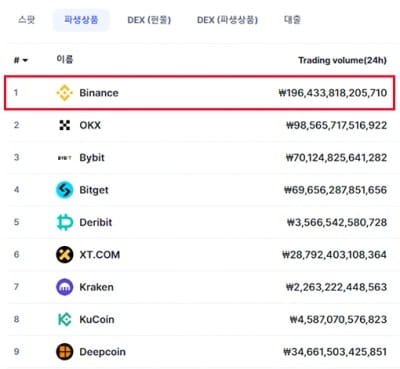
So today, we will learn how to trade Bitcoin futures. For your information, coin futures trading can only be done on overseas exchanges. Therefore, in this article, I will explain through the Binance exchange.
Binance is the world's largest exchange, ranking first in both spot and futures trading, and is used by many users both domestically and globally.
>> Go to receive a 20% discount on Binance fees <<
If you sign up for Binance through the link provided above, you will get not only a commission discount but also the opportunity to participate in events that provide rewards based on deposits and trading volumes, so those who want to continue trading should consider this to benefit.
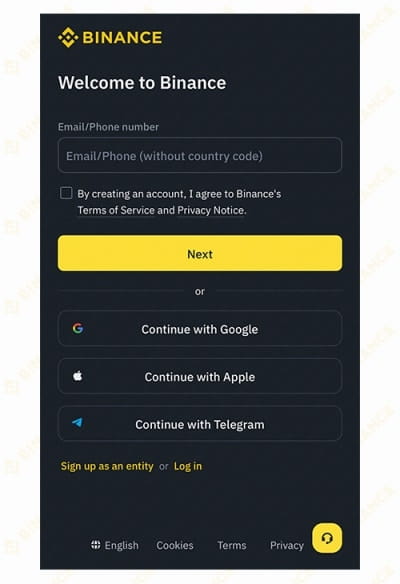
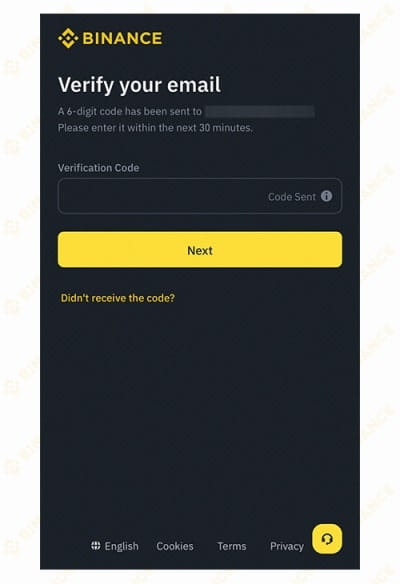
By clicking the link, you will be redirected directly to the Binance official website's sign-up stage. When creating an account for the first time, you need to enter your email or mobile phone number. After clicking the Next button, a 6-digit verification code will be sent via the method you selected, so check that and enter it in the sign-up stage to verify.
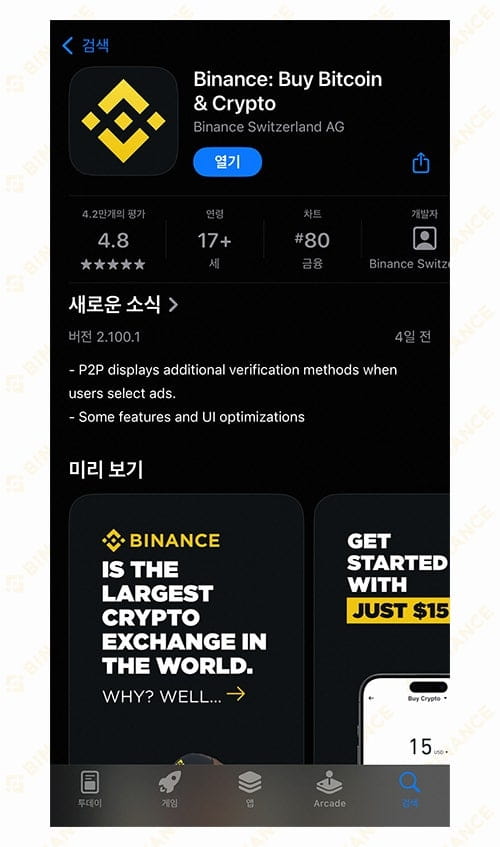
After completing the registration, you should go to the smartphone market you use, search for Binance, and install the Binance mobile app. Since coin futures trading requires continuously checking positions and market prices, trading through a smartphone allows for easy access at any time. Unless I am taking trading timings very short, I tend to trade on my phone rather than in front of a computer.
After installing the app, you need to log in and proceed with the KYC verification process that appears for the first time. Since it is a service closely related to finances, it is a thorough customer identity verification process. Please prepare your ID and complete it according to the instructions.
How to trade futures on Binance mobile
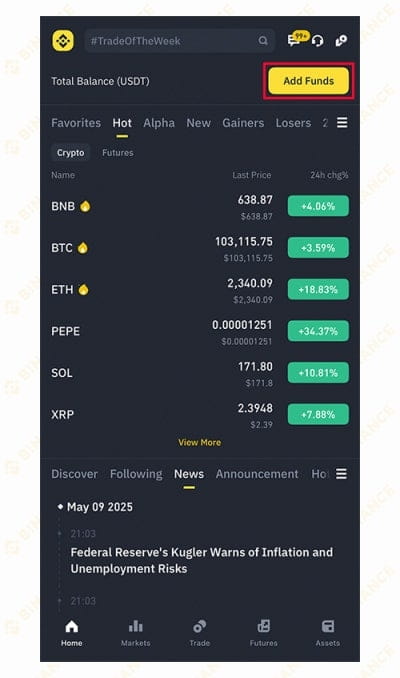
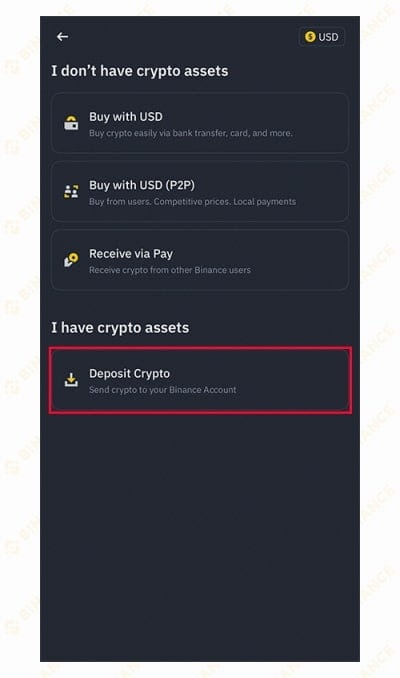
If you have completed the KYC verification, let's now learn how to deposit coins into Binance and the process of futures trading. First, tap the Deposit button at the top right of the app, and if the screen appears as shown in the right image, tap the Deposit Crypto button.
To send trading funds to overseas exchanges like Binance, you need to buy coins from the domestic exchange you are using, send them, and then sell them to procure USDT. This is because you cannot deposit Korean won directly and use it as money on overseas exchanges.
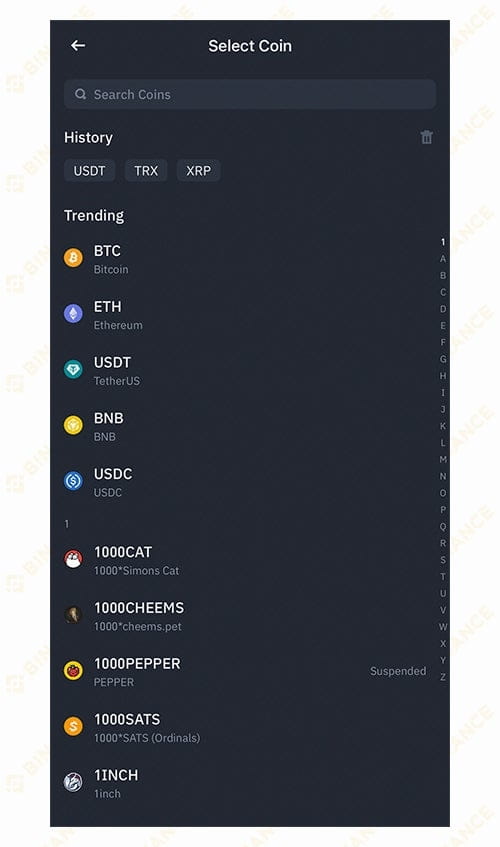
Therefore, during the deposit process, you can choose which coin to deposit into Binance. TRX or XRP are often used for transfers, and nowadays it is common to deposit USDT directly. I also seem to deposit Tether directly. In any case, as long as it is inexpensive to transfer and sent quickly, it doesn't matter what you use.
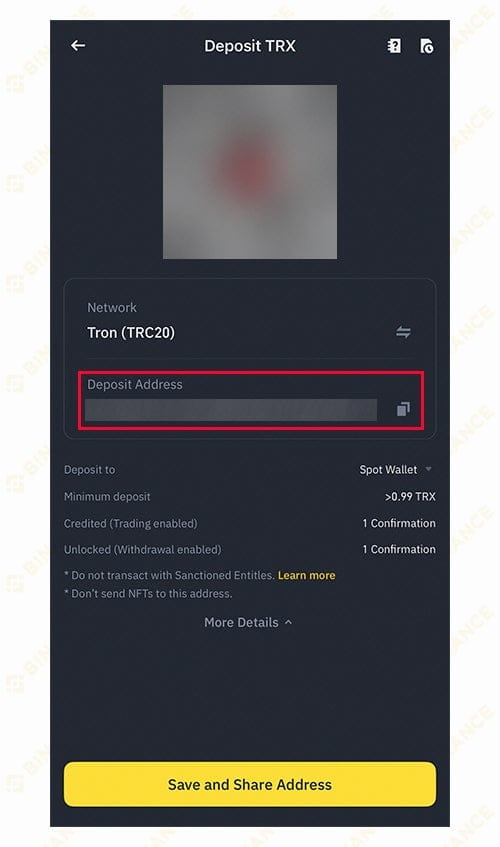
If you select Tron like this, a Binance Tron wallet address will be generated, which will be your address. You need to send TRX to your own Binance account's TRX wallet address. Please check that you entered the address correctly, and even though there may not be many people who will get confused, make sure to send it to your own account.
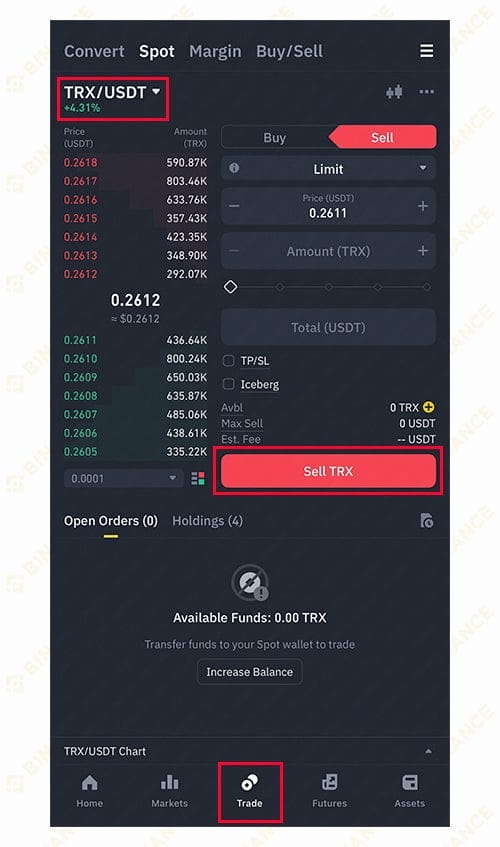
If the coins you sent from domestic exchanges to Binance have been successfully transferred, launch the Binance mobile app and tap the Trade menu at the bottom. Then, tap the coin name at the top left to select the one you received and sell all of it to exchange it for USDT (Tether). The reason for converting to Tether is that it is used as the basic currency for spot and futures trading on overseas exchanges.
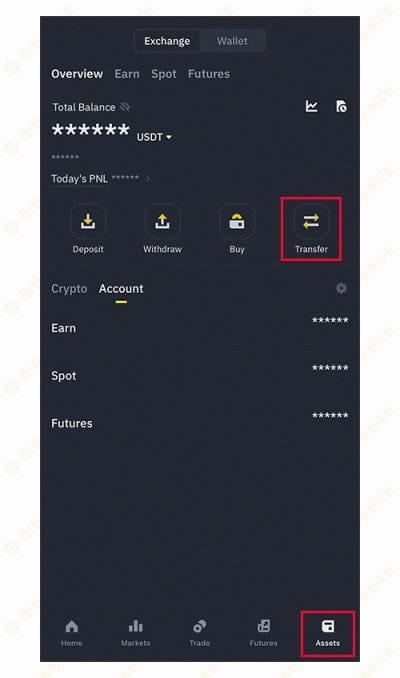
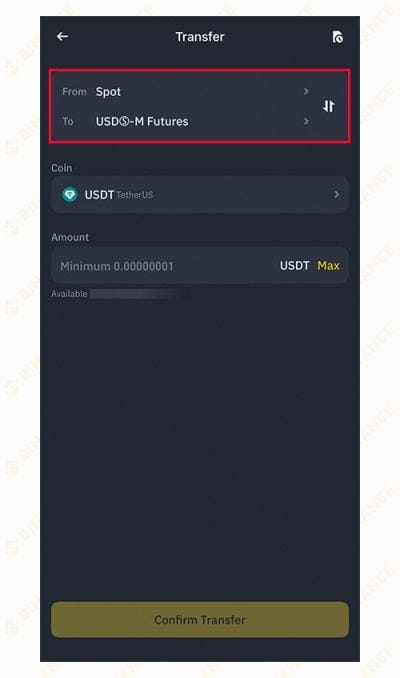
If you have sold the coins you received, now tap the Assets menu at the bottom, then press the Transfer button to enter. The USDT from the coins you sold will likely be in your Spot wallet, so to use it for futures trading, you need to transfer the USDT from Spot to Futures.
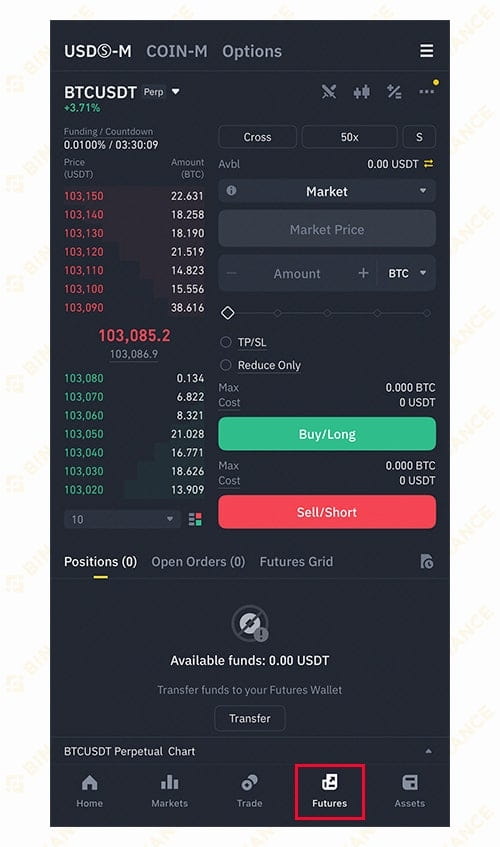
If you have moved USDT to your futures wallet, please tap Futures in the bottom menu to enter. Here, you can learn about Binance futures trading methods through the mobile app in earnest.
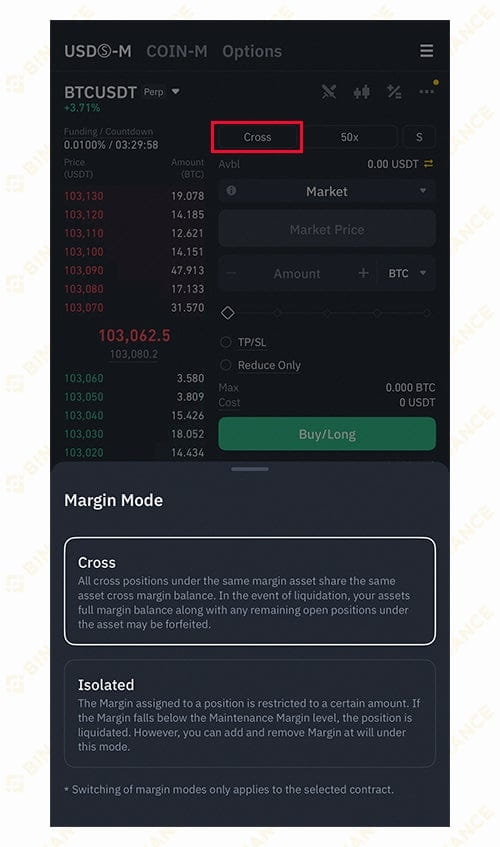
The first thing you need to set up before trading on the futures trading page is the margin mode. There are two types: Cross and Isolated. There is no superiority or better option among them. Each has its own characteristics, so you can use the method that suits you.
Cross uses the entire balance in the futures wallet as margin when taking a futures trading position, while Isolated only uses the amount set when taking a position as margin.
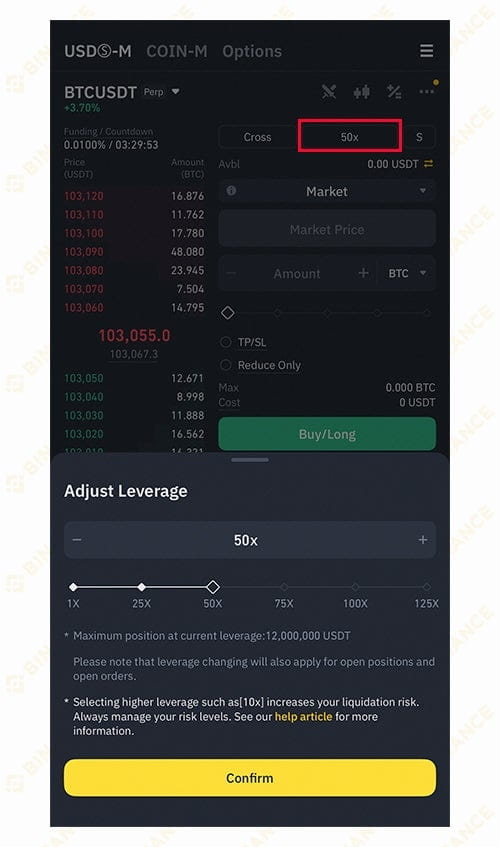
Next to setting the margin mode, there is a function to adjust leverage. For Bitcoin, you can set it up to a maximum of 125 times. This is literally about how much multiplier you will apply to your trading.
If you apply 50 times, when you make a profit, if you were not using leverage, it means you are making 50 times more profit. You might think not using leverage is foolish, but of course, if you incur a loss, you lose 50 times more. Therefore, using only high leverage is very risky, so it is better to use an appropriate multiplier.
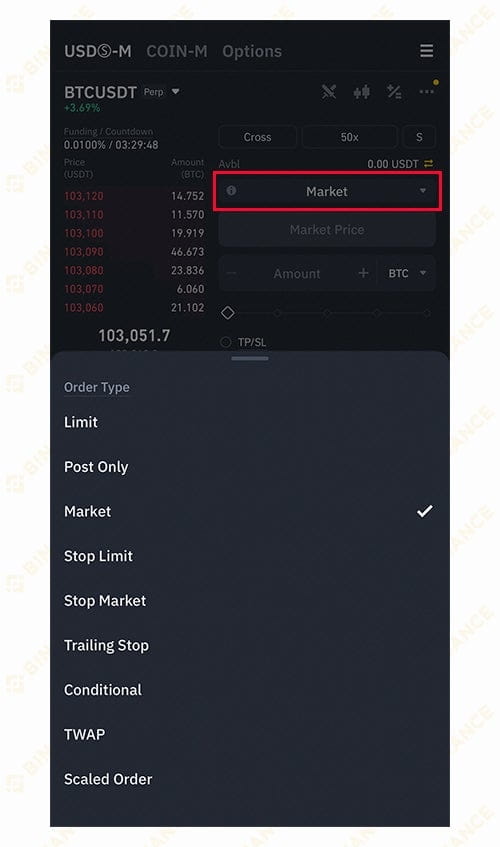
If you check the section below, you can select the order types. Here, you should know about two types: Limit and Market. Limit is a designated price trade, meaning you enter the price manually to place an order. Market is a market price trade, placing an order at the price that can be executed immediately in the market.
There are advantages such as being able to enter at the desired position or quickly taking advantage of market trends, so you should use the order types that you need based on your judgment.
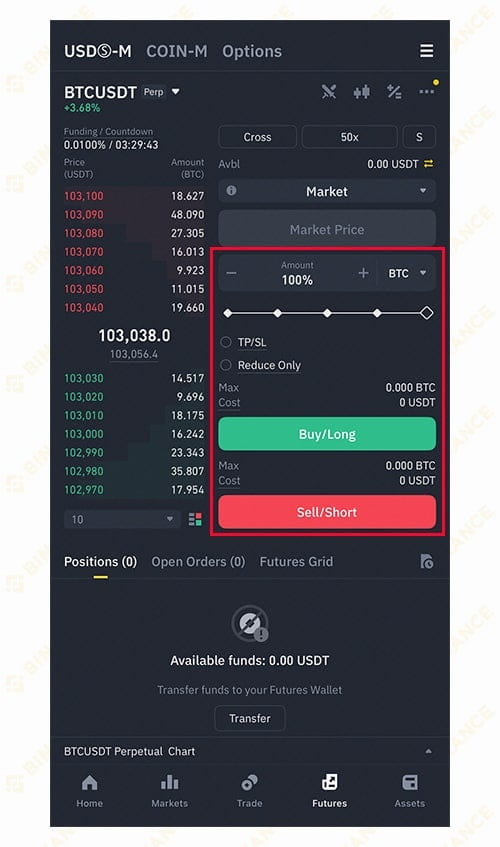
If you have set up all the processes explained so far, finally choose how much of the coin to trade and select one of the long or short positions. If you hope to make a profit when the coin price rises from the amount you ordered, you apply the Long position. If you hope to make a profit when the price falls from the amount you ordered, you apply the Short position.
I have explained how to do Binance futures trading so far, and it is not as complicated as it seems, so you can easily proceed with futures trading investments.
Today's explanation is based on Bitcoin, which is the leader in virtual currencies, but other coins can also be traded on futures. You can find your desired coin by tapping the coin name located at the top left of the trading page.