You can participate in the Tonstaker exclusive campaign by staking TON in the Binance Wallet Simple Yield Tonstakers Pool. Eligible users could share $300,000 in TON rewards. For more information, please visit the campaign page.
Promotion Period: 2025-07-31 00:00:00 (UTC) to 2025-08-29 23:59:59 (UTC)
There are two ways to deposit or transfer TON to your Binance Wallet:
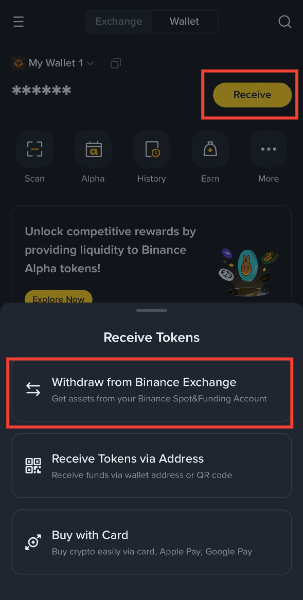
For more details, please refer to How to Send and Receive Tokens on Binance Wallet.
Please note that you must have some extra TON (worth at least $1 to $1.5 in TON) to cover the gas fees for staking TON to Tonstakers.
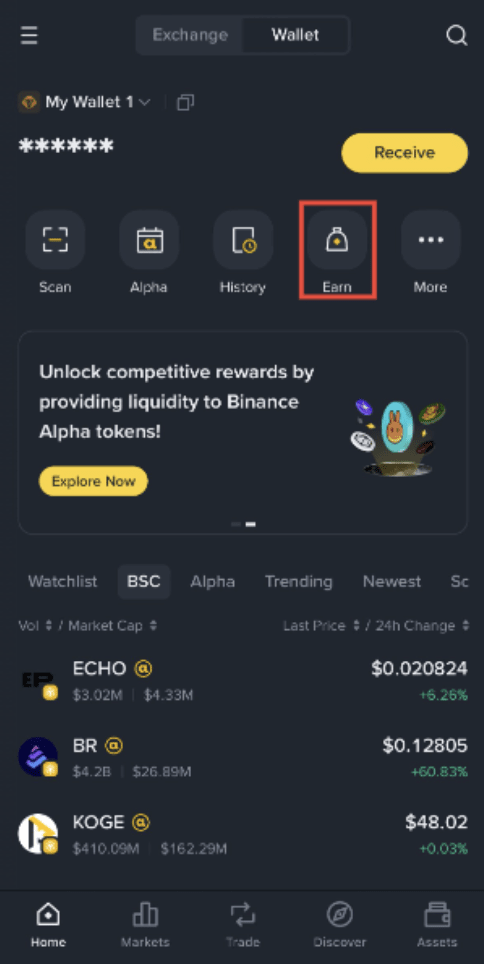
1. Log into your Binance Wallet and go to [Earn] - [Simple Yield] - [Protocol] - [Tonstakers].
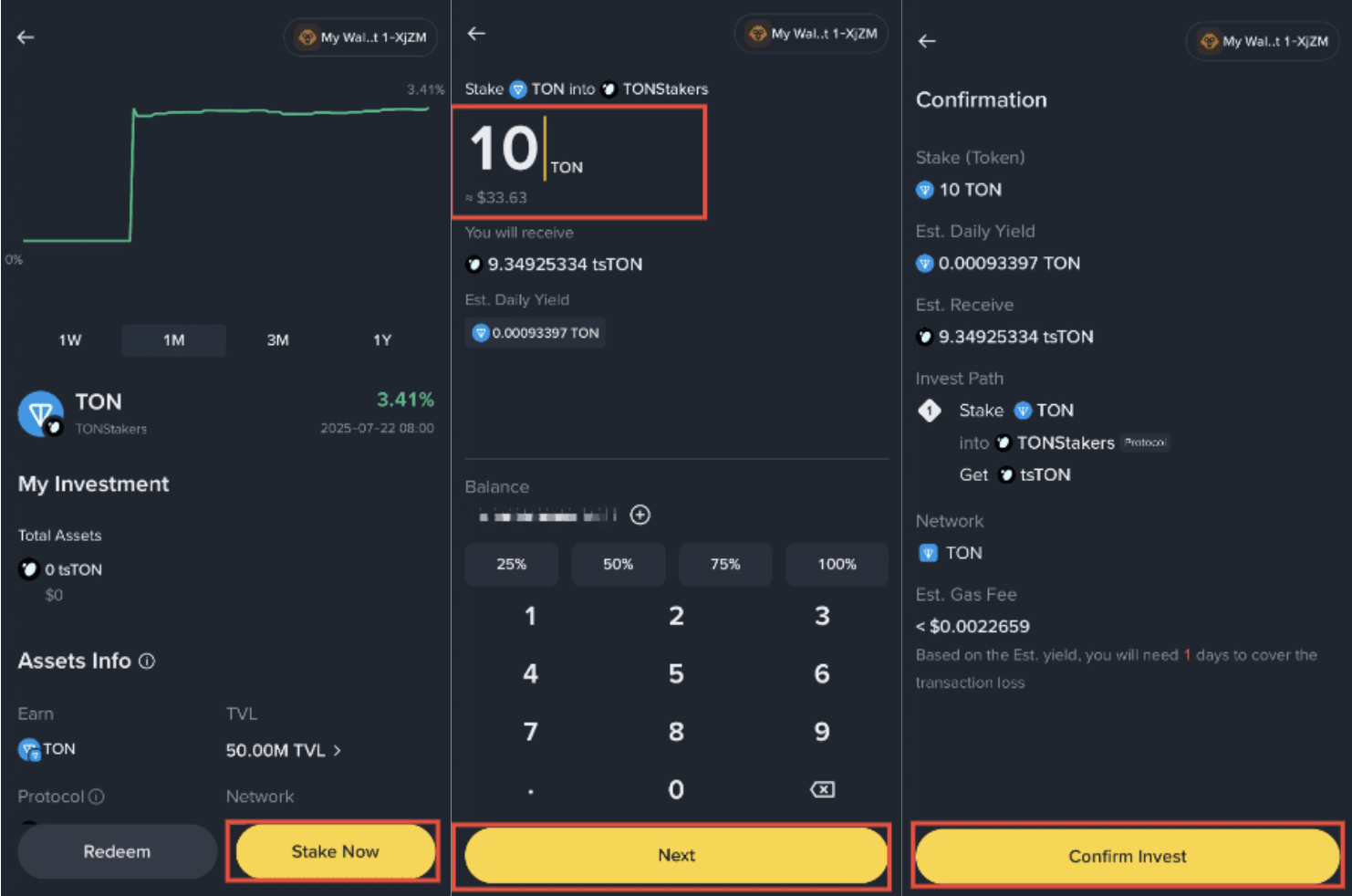
2. Tap [Stake Now] in the Tonstakers staking interface. Enter the TON amount to stake. Review est. daily yield and gas fee, then tap [Confirm Invest] on the confirmation page.
Important notes:
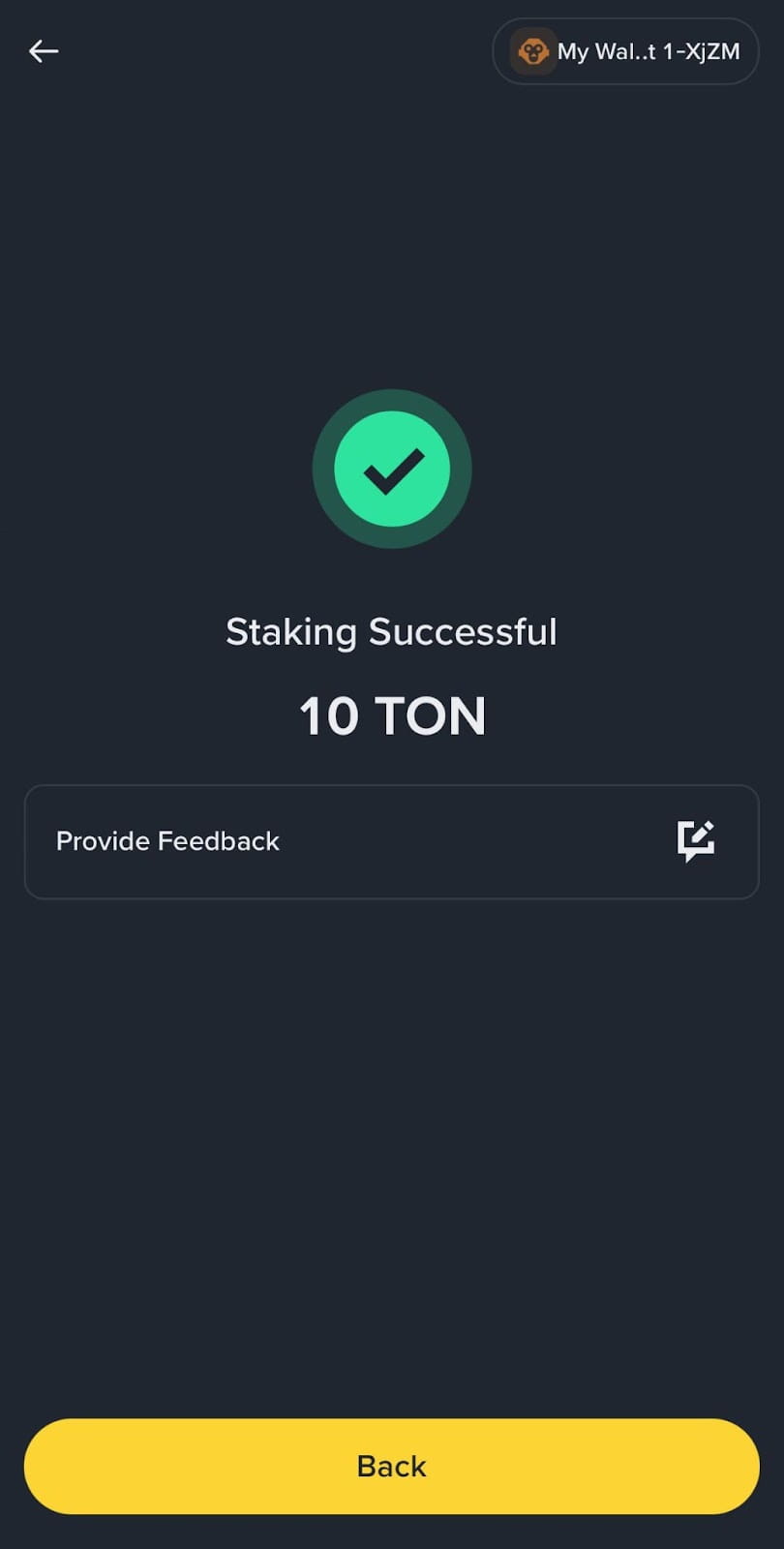
3. Once complete, you’ll see a page pop-up with transaction details and the ‘tsTON’‘ token in your wallet.
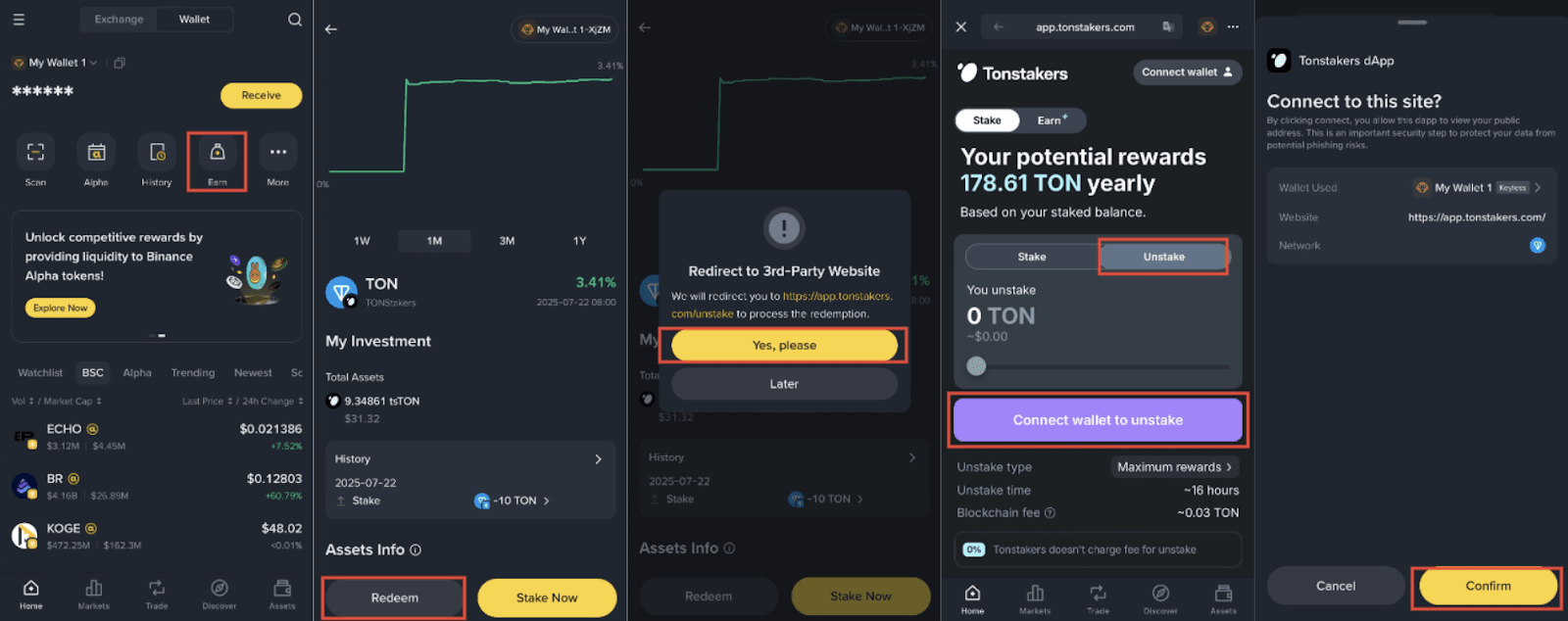
1. Log into your Binance Wallet and go to [Earn] - [Simple Yield] - [Protocol] - [Tonstakers].
2. Select [Redeem] - [Yes, please] to go to the Tonstakers’s dApp. Select [Unstake] and then [Connect wallet to unstake] to connect your Binance Wallet. Select [Confirm] on Binance interface to connect your wallet.
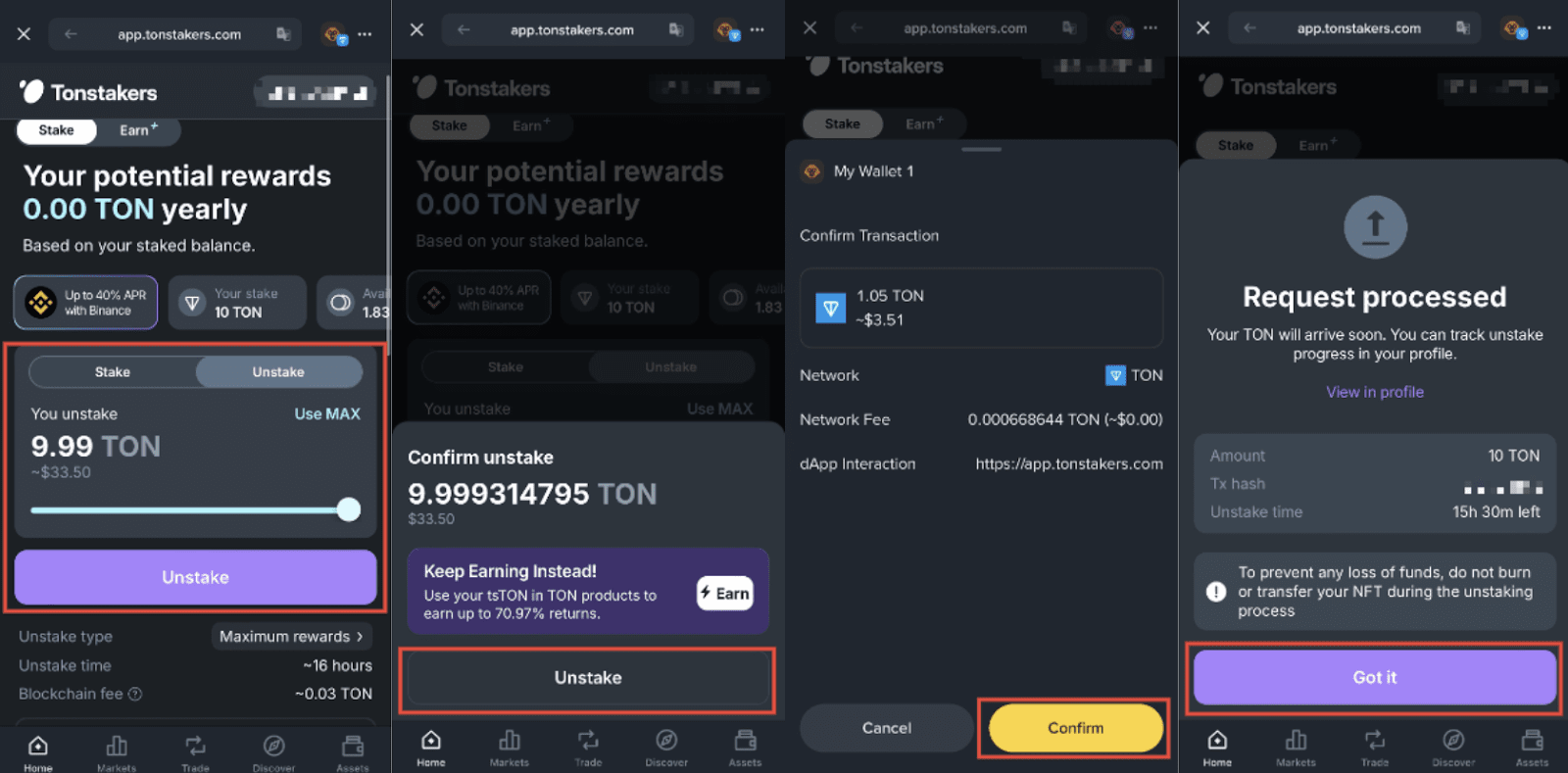
3. Enter the amount of TON to withdraw, and tap [Unstake] to submit the request. Select [Unstake] again to confirm and then [Confirm] on the Binance app to confirm the transaction. A request processed page will be shown on the Tonstakers portfolio page once the transaction has been confirmed.
Note:
Disclaimer:
Binance Wallet is an optional product. It is your responsibility to determine if this product is suitable for you. Binance is not responsible for your access or use of third-party applications (including functionality embedded within the Binance Wallet) and shall have no liability whatsoever in connection with your use of such third-party applications, including, without limitation, any transactions you dispute. Please carefully review the relevant Terms & Conditions and Binance Wallet Terms of Use and always do your own research.
There may be discrepancies in the translated version of this original article in English. Please reference this original English version for the latest or most accurate information where any discrepancies may arise.
