

Moving assets across different blockchain ecosystems can often feel complicated.
Different wallets. Different networks. Different transaction steps.
STON.fi makes the process much simpler with cross-chain swaps.
Here’s how it works 👇
1. Connect your TON wallet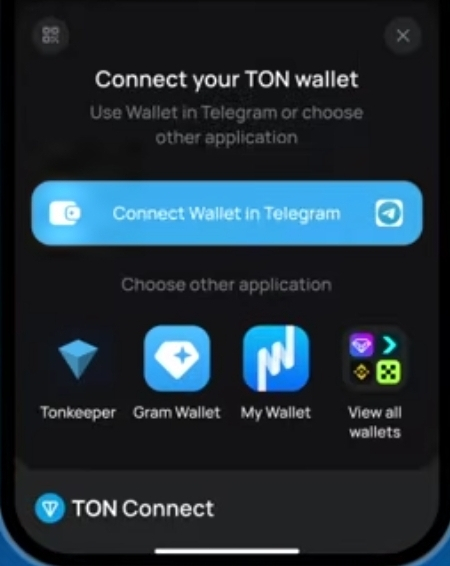
Head to STON.fi App and connect your TON wallet.
You can choose from supported TON wallets such as Tonkeeper, MyTonWallet, Tonhub, Bitget and others.
2. Connect your EVM wallet
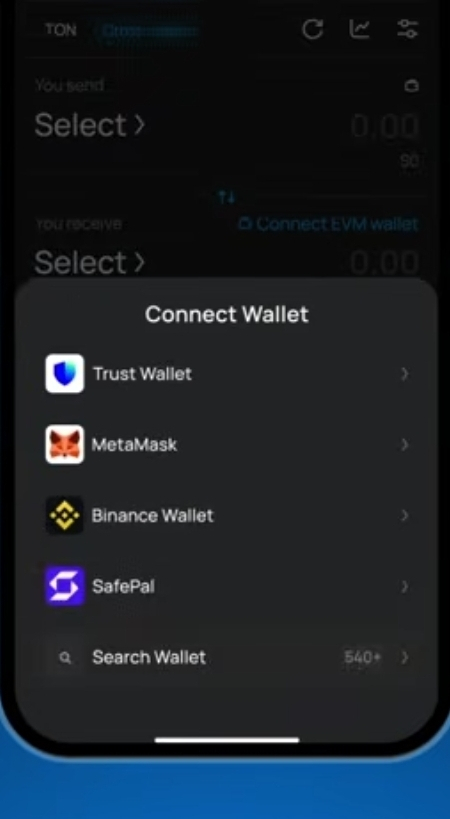
Once your TON wallet is connected, connect your EVM-compatible wallet.
For example, you can use MetaMask, Rabby, or another supported EVM wallet.
Your wallets handle the approvals and transactions, while STON.fi provides the swap interface.
3. Select your tokens
Now choose what you're sending and what you want to receive.
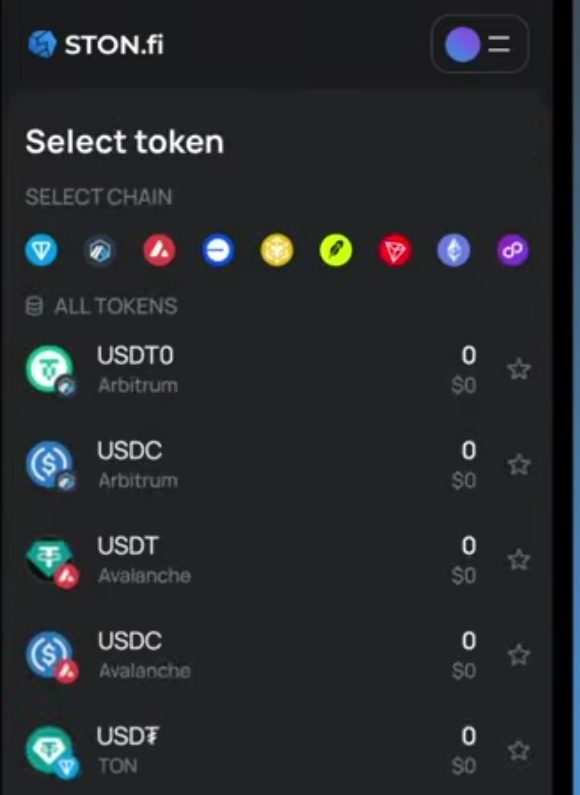
For example:
USDT on TON → USDT on an EVM chain
You don't have to manually figure out every step of the cross-chain route.
4. Enter the amount
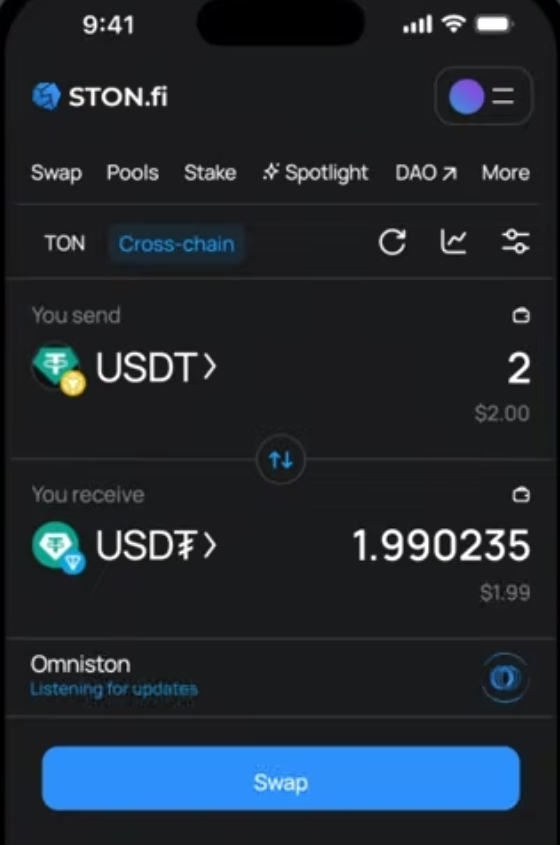
Type in the amount you want to swap.
Before confirming, review the transaction details, including the amount you'll receive and the applicable fees.
5. Approve the transaction
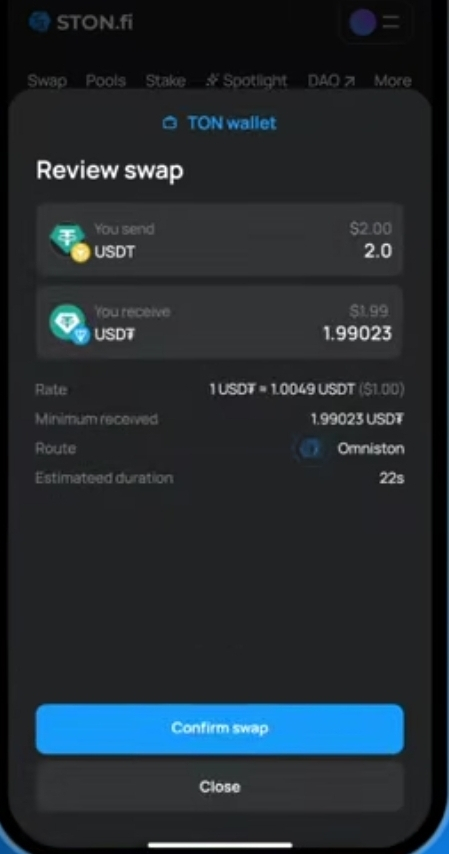 Your wallet will ask you to approve the required transaction and, where applicable, the token spending allowance.
Review the request and confirm it in your wallet.
6. Let the swap process
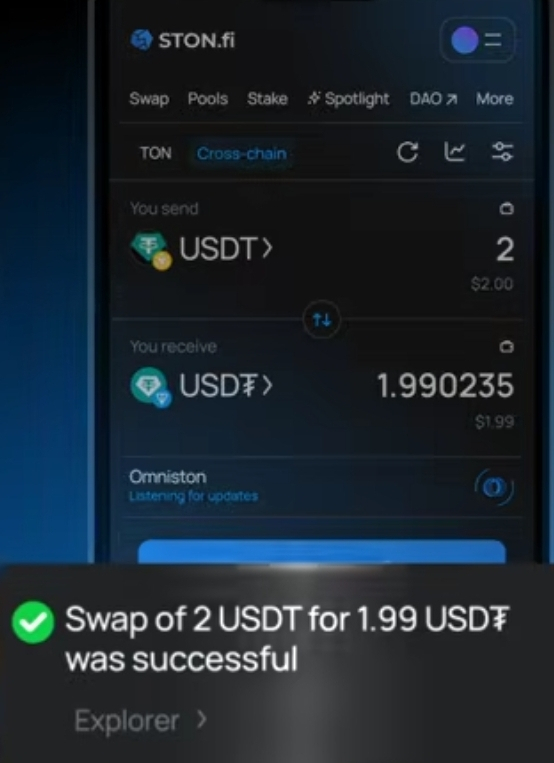 Once everything is approved, STON.fi handles the cross-chain swap flow.
No need to manually bridge assets, switch between multiple interfaces, or figure out complicated cross-chain steps yourself.
7. Receive your tokens
After the swap is completed, your tokens arrive on the destination chain in your connected wallet.
That's the idea behind a smoother cross-chain experience:
Connect → Choose → Swap → Receive
TON and EVM ecosystems don't have to feel like completely separate worlds.
With STON.fi, you can explore cross-chain swaps through one interface and move assets between supported networks with fewer steps.
If you've been looking for a simpler way to explore cross-chain DeFi, this is a good place to start.
One swap. Across chains.
Explore it on STON.fi.