This page is for general information and educational purposes only. It does not constitute legal terms or any form of legal agreement between you and Binance. It should not be construed as financial, legal or other professional advice. The information on this page may be outdated. For legal terms applicable to Spot Trading Services, please refer to the Terms of Use, the Exchange Rules and the Clearing Rules. Additional terms and conditions will also be set out in the Spot Copy Trading Services Terms (as applicable to Spot Copy Trading Services).
Disclaimer: In compliance with MiCA requirements, unauthorized stablecoins are subject to certain restrictions for EEA users. For more information, please click here.
A 'One-Triggers-a-One-Cancels-the-Other' (OTOCO) order is a type of trade execution strategy where fully filling one order automatically triggers another. Using this strategy, a trader can effectively place primary and secondary orders. When the conditions for the primary order are met, the secondary order is initiated, allowing for seamless, automated trading. This sophisticated strategy manages trading risk and saves time.
Here are some scenarios where you can implement an OTOCO order:
1. Setting Profit and Stop-Loss: Suppose you buy bitcoin in anticipation of a price increase. You can set the order to sell bitcoin (BTC) at a desired profit target and simultaneously place a stop loss order to limit potential losses if the price goes down.
2. If you expect Ether (ETH) to rise after a certain resistance level, you can use the order to buy ETH when it breaks through that resistance level, while setting a sell price at a profit target above the buy price.
These orders help manage risk and automate much of the trading process, especially in fast or volatile markets.
When placing a limit order, you can set the [Take Profit] and [Stop Loss] orders simultaneously. Tap [Limit] and enter the order price and amount. Then, check the box next to [TP/SL] to set the [Take Profit] and [Stop Loss].
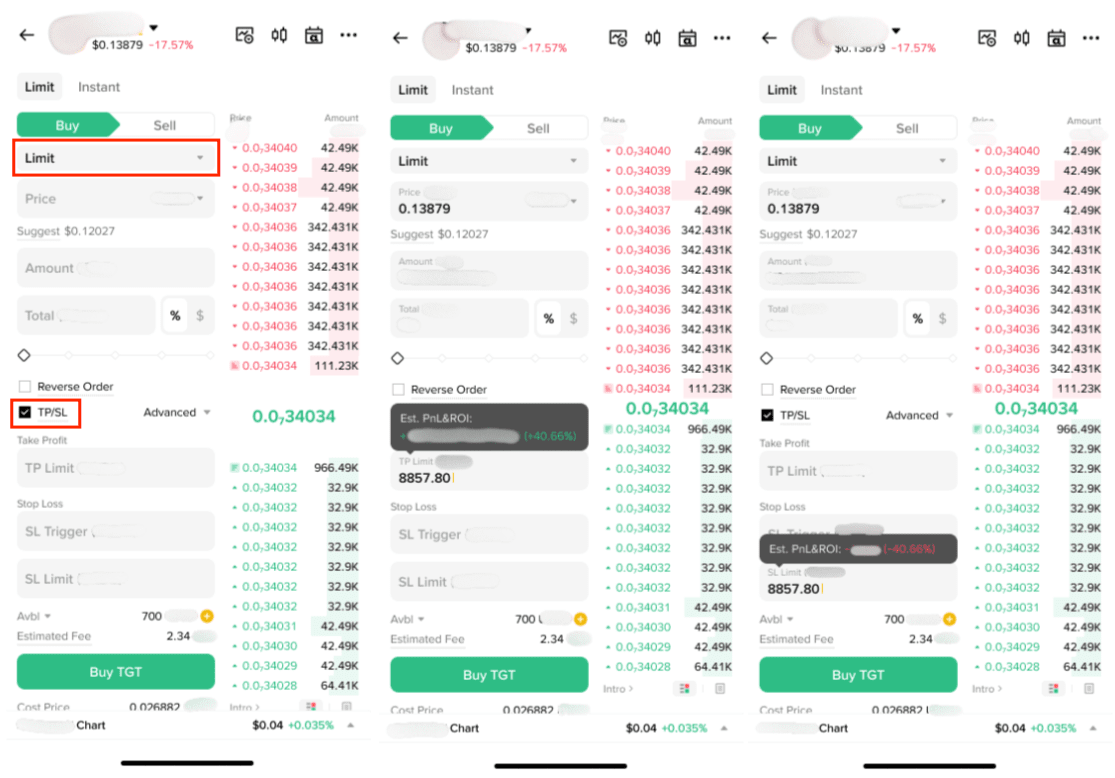
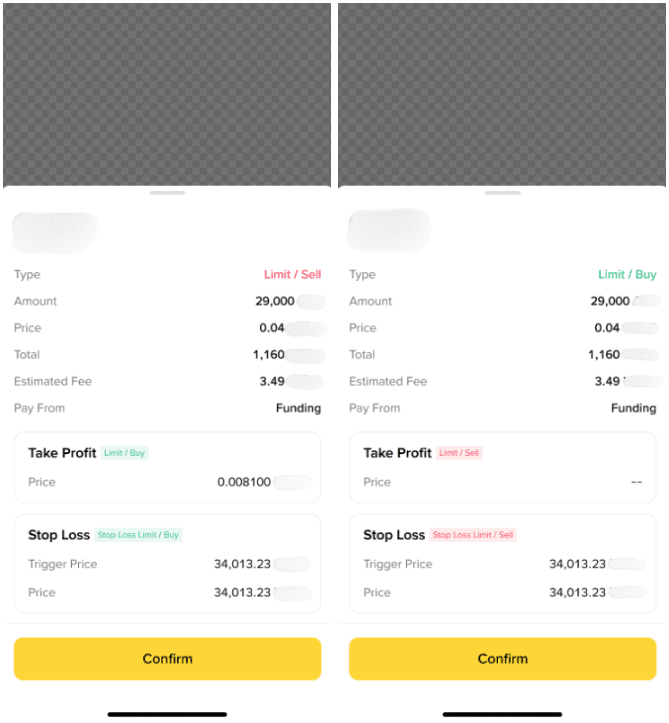
After placing your order, review the order details carefully before confirming the execution.
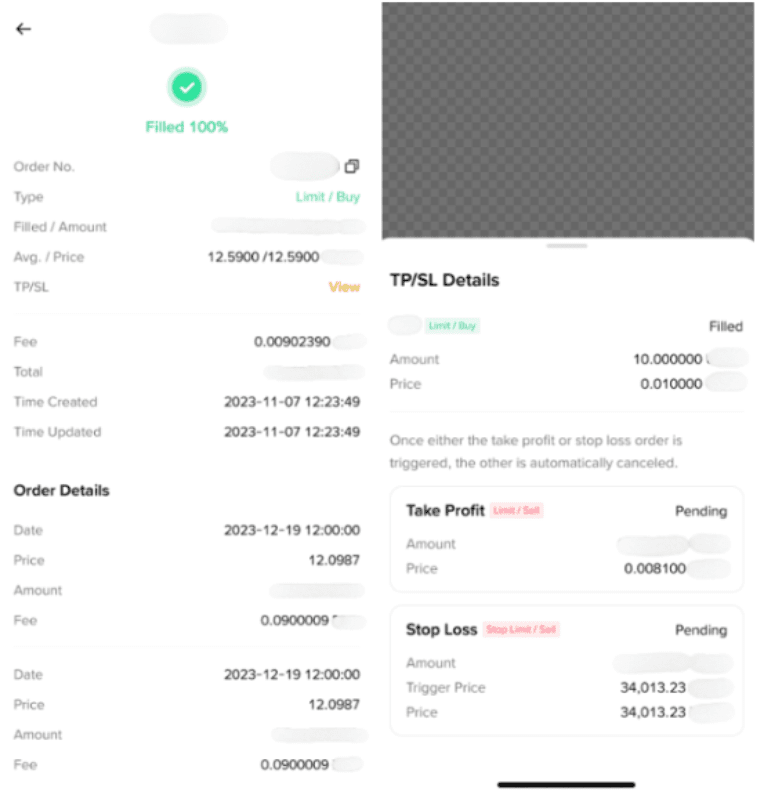
In the order details, you can view the information and status of both the primary and secondary orders.
Currently, only limit orders support the [TP/SL] function and we only support One-Triggers-a-One-Cancels-the-Other (OTOCO). They allow you to place primary and secondary orders at the same time.
OTOCO order: Limit order + TP (Limit order) + SL (Stop-Limit order)
In an OTOCO order, if the primary order is filled, the secondary order will take effect (either Take Profit or Stop Loss). If TP is triggered, SL will be canceled, and vice versa.
Note:
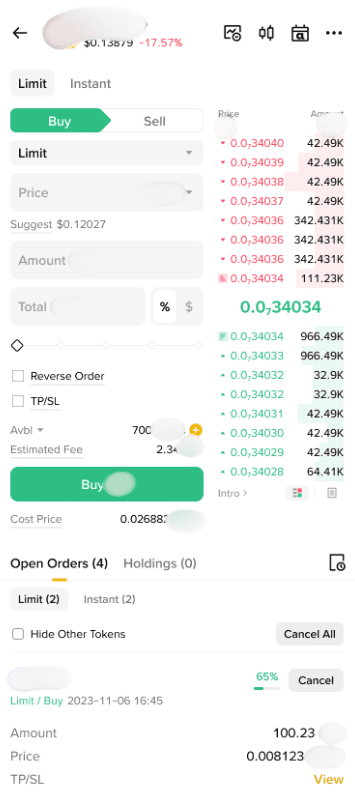
Tap [Trade] - [Alpha] and go to [View] under [TP/SL] on the primary order to view unfulfilled TP/SL.
To learn more about Binance spot trading, visit the Spot Trading FAQs page.
When the primary order is a limit buy order:
When the primary order is a limit sell order:
The system generates a secondary order only after the primary order is fully filled. If the primary order is partially filled or remains unfilled, the secondary order will not be activated.
When placing a secondary (TP/SL) order, you need to specify the price for the secondary order in advance. Once a TP order is triggered, it will be executed at the user-defined price. An SL order, however, will only be placed at the user-set price after the trigger price has been reached.
TP/SL orders are pre-set automatic take-profit/stop-loss closing orders on existing positions. They are suitable for users who do not have time to monitor the market or who want to plan their profit and loss range in advance to avoid emotional trading.
