

#cryptomanmab
cryptomanmab
Просмотров: 3.1M
1,396 обсуждают
Популярные
Новые


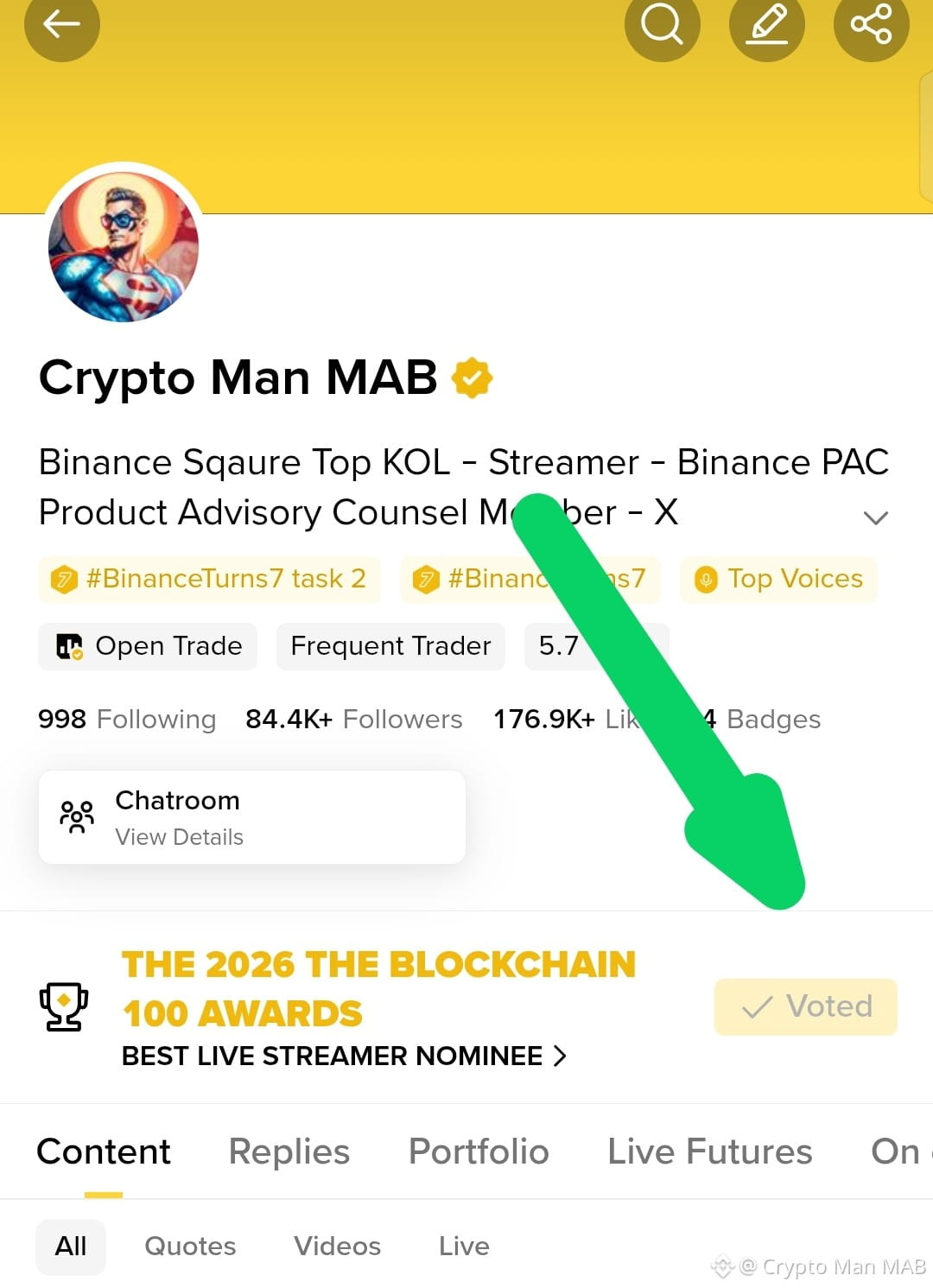
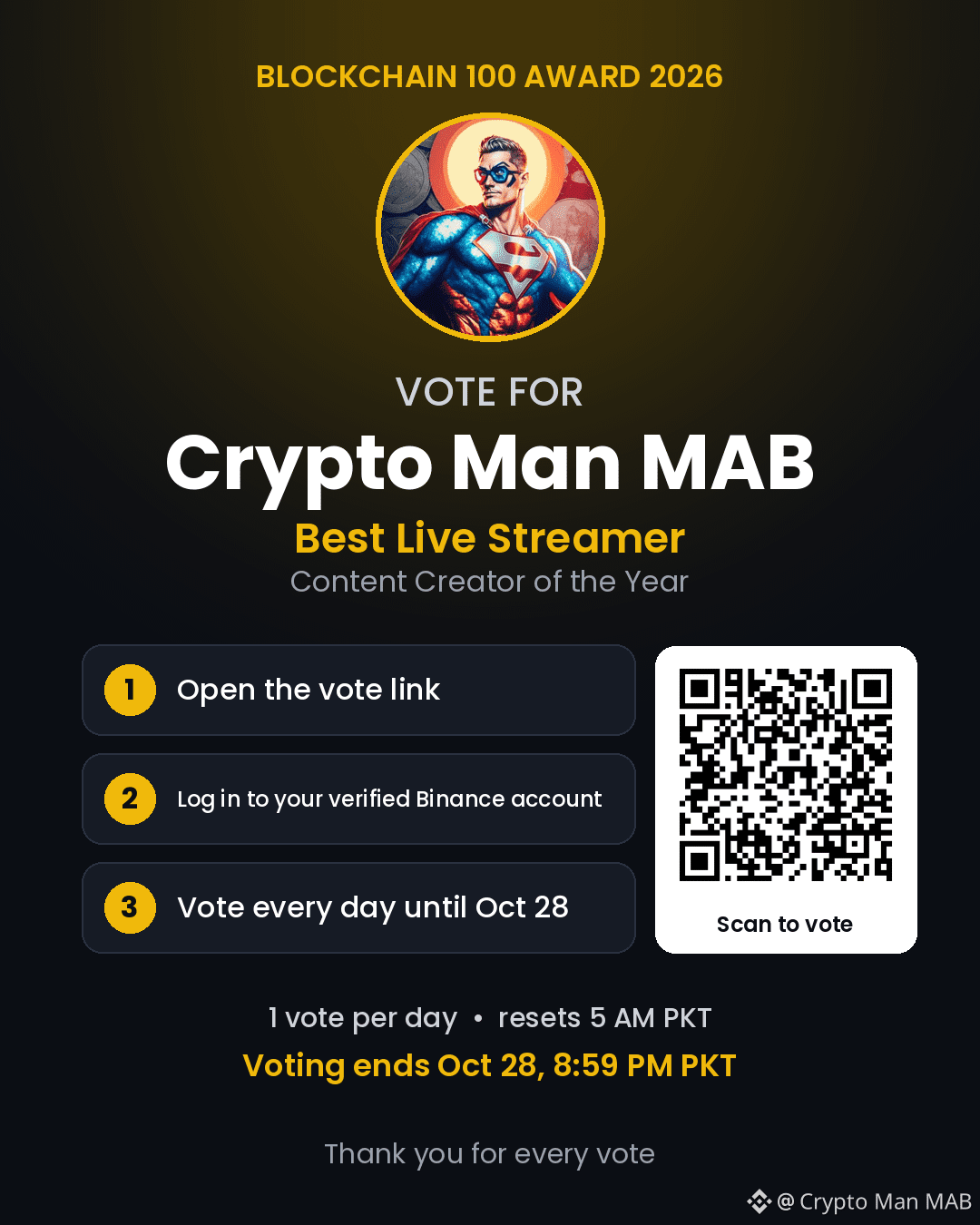
🥺❤️ THIS IS IT… THE LAST DAY TO VOTE! 🏆
Crypto Man family! Today is our final chance to make our support count in the 2026 BLOCKCHAIN 100 AWARDS. 😭❤️
From the bottom of my heart THANK YOU to everyone who has voted supported and stood with me throughout this journey. Every single vote means more to me than words can explain. 🙏❤️
But guys… we still have one last day! 🥺
🗳️ Open my profile
❤️ Vote for @Crypto_Man_MAB in the Streamers category
🔁 Share this post with your friends
Please don't think your one vote doesn't matter. Every single vote counts and your support could make a real difference! 🫶
Let's give it everything we've got until the very last second. No regrets. No giving up. Just one family standing together! 🔥
🙏 If you've been supporting me please vote one last time today and share this post.
❤️ Crypto Man MAB needs YOU today!
#Blockchain100 #Binance #CryptoManMAB
🥺❤️ THIS IS IT… THE LAST DAY TO VOTE! 🏆
Crypto Man family! Today is our final chance to make our support count in the 2026 BLOCKCHAIN 100 AWARDS. 😭❤️
From the bottom of my heart THANK YOU to everyone who has voted supported and stood with me throughout this journey. Every single vote means more to me than words can explain. 🙏❤️
But guys… we still have one last day! 🥺
🗳️ Open my profile
❤️ Vote for @Crypto Man MAB in the Streamers category
🔁 Share this post with your friends
Please don't think your one vote doesn't matter. Every single vote counts and your support could make a real difference! 🫶
Let's give it everything we've got until the very last second. No regrets. No giving up. Just one family standing together! 🔥
🙏 If you've been supporting me please vote one last time today and share this post.
❤️ Crypto Man MAB needs YOU today!
#Blockchain100 #Binance #CryptoManMAB
Crypto Man family! Today is our final chance to make our support count in the 2026 BLOCKCHAIN 100 AWARDS. 😭❤️
From the bottom of my heart THANK YOU to everyone who has voted supported and stood with me throughout this journey. Every single vote means more to me than words can explain. 🙏❤️
But guys… we still have one last day! 🥺
🗳️ Open my profile
❤️ Vote for @Crypto Man MAB in the Streamers category
🔁 Share this post with your friends
Please don't think your one vote doesn't matter. Every single vote counts and your support could make a real difference! 🫶
Let's give it everything we've got until the very last second. No regrets. No giving up. Just one family standing together! 🔥
🙏 If you've been supporting me please vote one last time today and share this post.
❤️ Crypto Man MAB needs YOU today!
#Blockchain100 #Binance #CryptoManMAB
FratRated:
remember me , if you win give me a good depo i as here b4 you win
7
2
31
4.3k

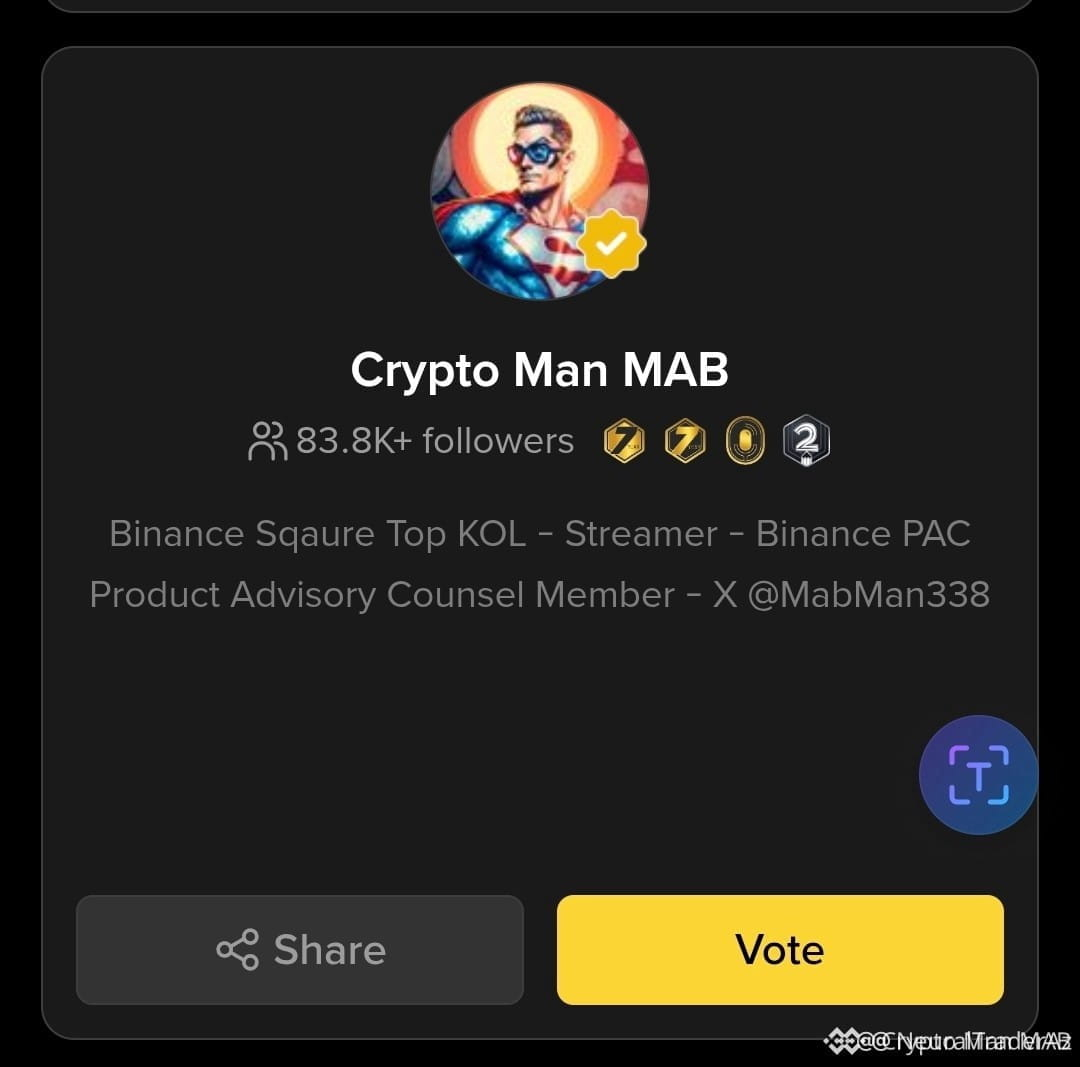
🦈 POWERING THE ECOSYSTEM: CAST YOUR VOTE FOR CRYPTO MAN MAB ON $BNB CHAIN! ⚡
Institutional consistency requires discipline, data-backed execution, and an unwavering community anchor. 💡 As we continue mapping market structure and dissecting liquidity pools across the $BNB landscape, your backing makes every deep dive possible.
📌 The Binance Creator Awards voting is officially open, and I am nominated in the Streamers category. 🔍 A quick vote from the community fuels our ongoing mission to outmaneuver retail noise with pure structural clarity. 💬 Have you cast your ballot today, or are you waiting until the final deadline? 👇
⚠️ Not financial advice. Always manage your risk. 🛡️
🏷️ #BNB #BinanceSquare #CryptoManMAB #BinanceAwards #Crypto
🎯 🦈
🦈 POWERING THE ECOSYSTEM: CAST YOUR VOTE FOR CRYPTO MAN MAB ON $BNB CHAIN! ⚡
Institutional consistency requires discipline, data-backed execution, and an unwavering community anchor. 💡 As we continue mapping market structure and dissecting liquidity pools across the $BNB landscape, your backing makes every deep dive possible.
📌 The Binance Creator Awards voting is officially open, and I am nominated in the Streamers category. 🔍 A quick vote from the community fuels our ongoing mission to outmaneuver retail noise with pure structural clarity. 💬 Have you cast your ballot today, or are you waiting until the final deadline? 👇
⚠️ Not financial advice. Always manage your risk. 🛡️
🏷️ #BNB #BinanceSquare #CryptoManMAB #BinanceAwards #Crypto
🎯 🦈
Institutional consistency requires discipline, data-backed execution, and an unwavering community anchor. 💡 As we continue mapping market structure and dissecting liquidity pools across the $BNB landscape, your backing makes every deep dive possible.
📌 The Binance Creator Awards voting is officially open, and I am nominated in the Streamers category. 🔍 A quick vote from the community fuels our ongoing mission to outmaneuver retail noise with pure structural clarity. 💬 Have you cast your ballot today, or are you waiting until the final deadline? 👇
⚠️ Not financial advice. Always manage your risk. 🛡️
🏷️ #BNB #BinanceSquare #CryptoManMAB #BinanceAwards #Crypto
🎯 🦈
19

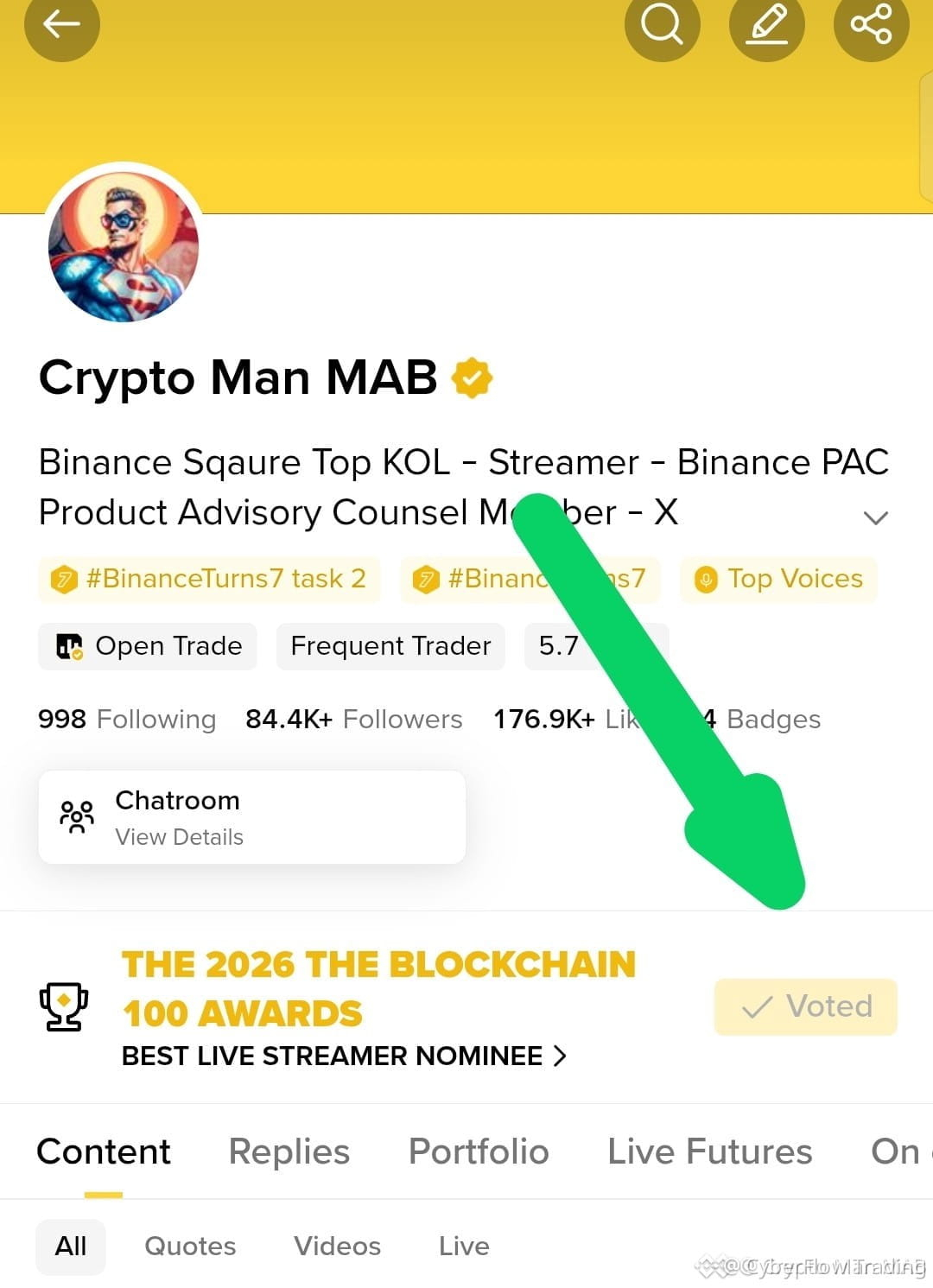
🚀 $BTC VOTE POWER SURGE: LAST CHANCE TO PUSH CRYPTO MAN TO THE TOP! 🟢
📊 The voting floor is behaving like a live order book – every single click adds bullish pressure, and the momentum is ticking up fast. 🦈 Smart money fans are already rallying behind the Streamers slot, turning community support into a real liquidity wave. ⚡ With the deadline flashing, the final push can flip the odds and lock in a decisive win for Crypto Man MAB.
💡 Think of each vote as a micro‑bid that stacks the deck in our favor. The collective energy is the catalyst; the question is, will you add your fire before the clock hits zero? 🤔
⚠️ Not financial advice. Always manage your risk. 🛡️
🏷️ #BTC #Vote #Blockchain100 #CryptoManMAB #Community
🔥 💎
🚀 $BTC VOTE POWER SURGE: LAST CHANCE TO PUSH CRYPTO MAN TO THE TOP! 🟢
📊 The voting floor is behaving like a live order book – every single click adds bullish pressure, and the momentum is ticking up fast. 🦈 Smart money fans are already rallying behind the Streamers slot, turning community support into a real liquidity wave. ⚡ With the deadline flashing, the final push can flip the odds and lock in a decisive win for Crypto Man MAB.
💡 Think of each vote as a micro‑bid that stacks the deck in our favor. The collective energy is the catalyst; the question is, will you add your fire before the clock hits zero? 🤔
⚠️ Not financial advice. Always manage your risk. 🛡️
🏷️ #BTC #Vote #Blockchain100 #CryptoManMAB #Community
🔥 💎
📊 The voting floor is behaving like a live order book – every single click adds bullish pressure, and the momentum is ticking up fast. 🦈 Smart money fans are already rallying behind the Streamers slot, turning community support into a real liquidity wave. ⚡ With the deadline flashing, the final push can flip the odds and lock in a decisive win for Crypto Man MAB.
💡 Think of each vote as a micro‑bid that stacks the deck in our favor. The collective energy is the catalyst; the question is, will you add your fire before the clock hits zero? 🤔
⚠️ Not financial advice. Always manage your risk. 🛡️
🏷️ #BTC #Vote #Blockchain100 #CryptoManMAB #Community
🔥 💎
41
·
--
Рост
Хранение $BNB 1.3K USDT
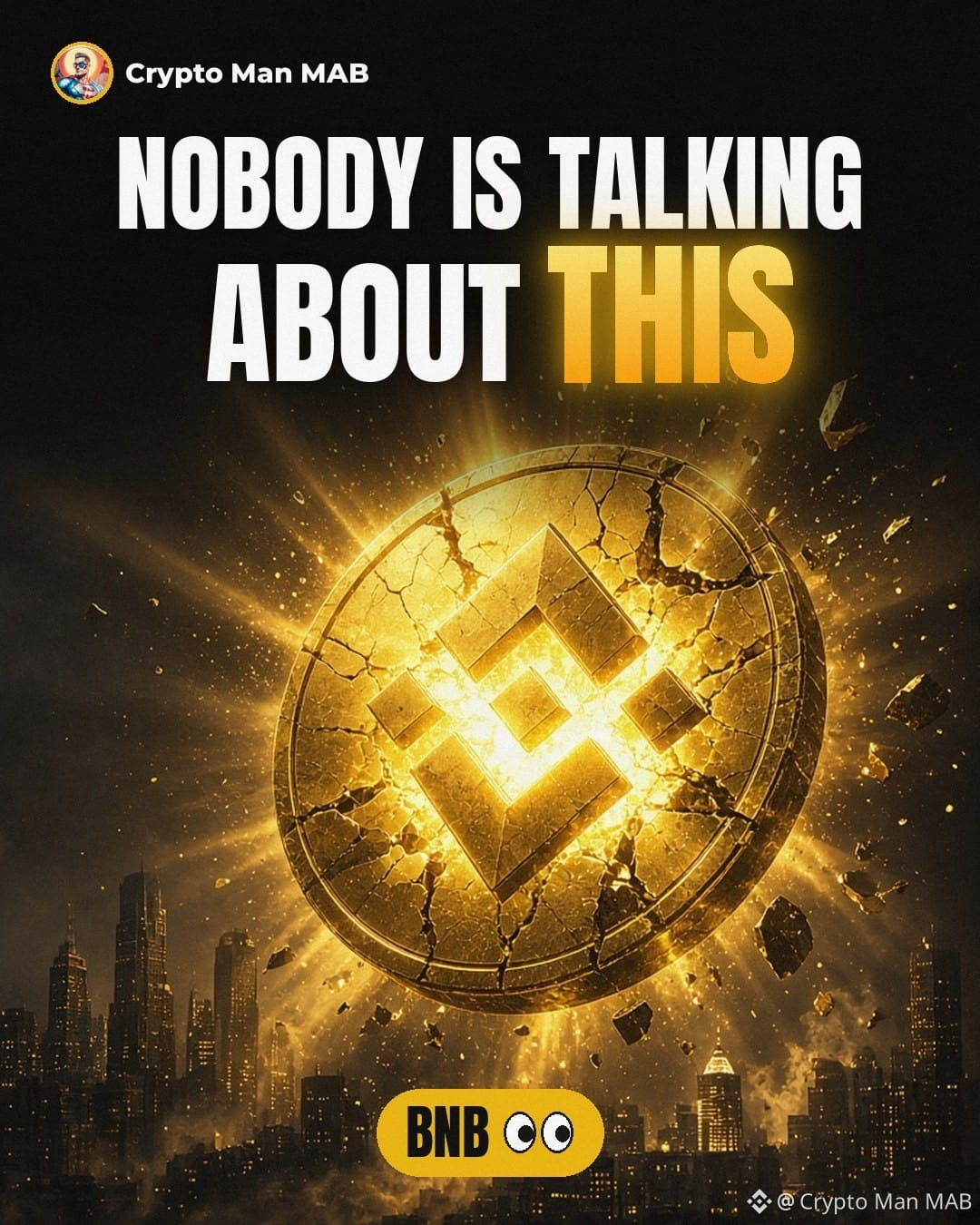
🚨 Nobody is talking about THIS BNB move 👀
9 years ago BNB was "just an exchange token."
Yesterday, CZ rang the Nasdaq Opening Bell for a BNB treasury company 🔔
Read that again. 👆
A crypto token on Wall Street's biggest stage. 🏛️
While most people are scrolling past, smart money is paying attention. 🧠
The line between crypto and TradFi just got thinner.
The real question: are you early, or are you watching? ⏳
Drop a 🔥 if you're holding $BNB
Drop a 👀 if you're still watching
#BNB #Binance #CryptoNews #BNBChain #CryptoManMAB
Not financial advice. DYOR.
🚨 Nobody is talking about THIS BNB move 👀
9 years ago BNB was "just an exchange token."
Yesterday, CZ rang the Nasdaq Opening Bell for a BNB treasury company 🔔
Read that again. 👆
A crypto token on Wall Street's biggest stage. 🏛️
While most people are scrolling past, smart money is paying attention. 🧠
The line between crypto and TradFi just got thinner.
The real question: are you early, or are you watching? ⏳
Drop a 🔥 if you're holding $BNB
Drop a 👀 if you're still watching
#BNB #Binance #CryptoNews #BNBChain #CryptoManMAB
Not financial advice. DYOR.
9 years ago BNB was "just an exchange token."
Yesterday, CZ rang the Nasdaq Opening Bell for a BNB treasury company 🔔
Read that again. 👆
A crypto token on Wall Street's biggest stage. 🏛️
While most people are scrolling past, smart money is paying attention. 🧠
The line between crypto and TradFi just got thinner.
The real question: are you early, or are you watching? ⏳
Drop a 🔥 if you're holding $BNB
Drop a 👀 if you're still watching
#BNB #Binance #CryptoNews #BNBChain #CryptoManMAB
Not financial advice. DYOR.
HOLD bnb culture:
We have long been more than just observers.
1
3
369
Статья
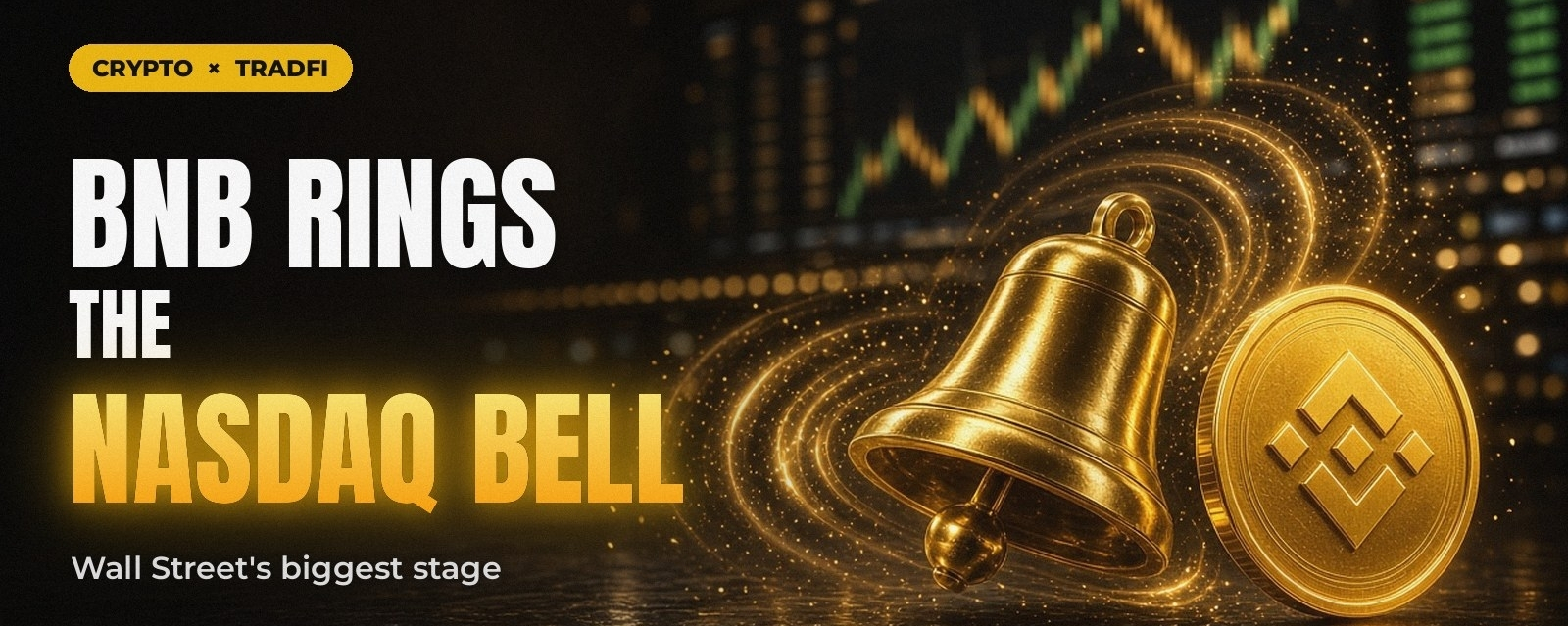
CZ Rings the Nasdaq Bell: BNB Steps Onto Wall Street's Biggest Stage 🔔Nine years ago, $BNB started as a simple exchange token.
Today, Binance founder @CZ stood at the Nasdaq podium for the Opening Bell, next to the CEO of $BNC, a BNB treasury company.
In his own words: "When BNB started 9 years ago, I never thought I would be ringing the bell for a blockchain token (treasury) on NASDAQ one day. I don't know what shows crypto and tradfi converging more than this."
Why this moment
🏛️ Crypto meets TradFi. A company built around holding BNB is being celebrated on one of the world's biggest stock exchanges. A few years ago that would have sounded impossible.
📈 A new door for investors. Treasury companies give traditional stock market investors a way to get exposure to a crypto asset through a listed company.
💛 The "BNB Standard." CZ tagged the post #BNB Standard, which signals a vision of BNB as a serious reserve asset and not just a utility token.
The community reacted fast
CZ's post passed 100K views within hours, with hundreds of replies. The BNB Chain team called it "the beginning."
My take
As a creator who has watched this space grow, this is the kind of headline that changes how outsiders see crypto. From a token on a single exchange to the Nasdaq stage in under a decade, the line between "crypto" and "finance" is getting thinner every year.
The question now isn't if crypto and TradFi will merge. It's how fast. 🚀
#NASDAQ #CryptoManMab
CZ Rings the Nasdaq Bell: BNB Steps Onto Wall Street's Biggest Stage 🔔
Nine years ago, $BNB started as a simple exchange token.
Today, Binance founder @CZ stood at the Nasdaq podium for the Opening Bell, next to the CEO of $BNC, a BNB treasury company.
In his own words: "When BNB started 9 years ago, I never thought I would be ringing the bell for a blockchain token (treasury) on NASDAQ one day. I don't know what shows crypto and tradfi converging more than this."
Why this moment
🏛️ Crypto meets TradFi. A company built around holding BNB is being celebrated on one of the world's biggest stock exchanges. A few years ago that would have sounded impossible.
📈 A new door for investors. Treasury companies give traditional stock market investors a way to get exposure to a crypto asset through a listed company.
💛 The "BNB Standard." CZ tagged the post #BNB Standard, which signals a vision of BNB as a serious reserve asset and not just a utility token.
The community reacted fast
CZ's post passed 100K views within hours, with hundreds of replies. The BNB Chain team called it "the beginning."
My take
As a creator who has watched this space grow, this is the kind of headline that changes how outsiders see crypto. From a token on a single exchange to the Nasdaq stage in under a decade, the line between "crypto" and "finance" is getting thinner every year.
The question now isn't if crypto and TradFi will merge. It's how fast. 🚀
#NASDAQ #CryptoManMab
Today, Binance founder @CZ stood at the Nasdaq podium for the Opening Bell, next to the CEO of $BNC, a BNB treasury company.
In his own words: "When BNB started 9 years ago, I never thought I would be ringing the bell for a blockchain token (treasury) on NASDAQ one day. I don't know what shows crypto and tradfi converging more than this."
Why this moment
🏛️ Crypto meets TradFi. A company built around holding BNB is being celebrated on one of the world's biggest stock exchanges. A few years ago that would have sounded impossible.
📈 A new door for investors. Treasury companies give traditional stock market investors a way to get exposure to a crypto asset through a listed company.
💛 The "BNB Standard." CZ tagged the post #BNB Standard, which signals a vision of BNB as a serious reserve asset and not just a utility token.
The community reacted fast
CZ's post passed 100K views within hours, with hundreds of replies. The BNB Chain team called it "the beginning."
My take
As a creator who has watched this space grow, this is the kind of headline that changes how outsiders see crypto. From a token on a single exchange to the Nasdaq stage in under a decade, the line between "crypto" and "finance" is getting thinner every year.
The question now isn't if crypto and TradFi will merge. It's how fast. 🚀
#NASDAQ #CryptoManMab
3
569
·
--
🚀 $MAB SEEKING YOUR VOTE IN BLOCKCHAIN 100! 💥
From a modest town in Pakistan, I built every Reel on a single phone, recording my own voice and grinding past 2 AM deadlines. The community’s comments have acted like an order block, repeatedly absorbing doubt and reinforcing my drive. 📊🦈
Now the final liquidity sweep arrives: a vote in Binance Blockchain 100. One 10‑second click fuels the next bullish wave for my content, turning gratitude into measurable impact. 📈💡
💬 Will you add your vote to the stack and help lock in this momentum? 👇
⚠️ Not financial advice. Always manage your risk. 🛡️
🏷️ #MAB #Vote #Blockchain100 #CryptoManMAB #Community
🚀 🦈
🚀 $MAB SEEKING YOUR VOTE IN BLOCKCHAIN 100! 💥
From a modest town in Pakistan, I built every Reel on a single phone, recording my own voice and grinding past 2 AM deadlines. The community’s comments have acted like an order block, repeatedly absorbing doubt and reinforcing my drive. 📊🦈
Now the final liquidity sweep arrives: a vote in Binance Blockchain 100. One 10‑second click fuels the next bullish wave for my content, turning gratitude into measurable impact. 📈💡
💬 Will you add your vote to the stack and help lock in this momentum? 👇
⚠️ Not financial advice. Always manage your risk. 🛡️
🏷️ #MAB #Vote #Blockchain100 #CryptoManMAB #Community
🚀 🦈
From a modest town in Pakistan, I built every Reel on a single phone, recording my own voice and grinding past 2 AM deadlines. The community’s comments have acted like an order block, repeatedly absorbing doubt and reinforcing my drive. 📊🦈
Now the final liquidity sweep arrives: a vote in Binance Blockchain 100. One 10‑second click fuels the next bullish wave for my content, turning gratitude into measurable impact. 📈💡
💬 Will you add your vote to the stack and help lock in this momentum? 👇
⚠️ Not financial advice. Always manage your risk. 🛡️
🏷️ #MAB #Vote #Blockchain100 #CryptoManMAB #Community
🚀 🦈

46
Halfway through voting week.
Big thanks to everyone sharing the link in groups and with friends. I see you and it honestly makes my day.
Today's vote is waiting for you 👇
https://app.binance.com/uni-qr/cact26user/295?uc=app_square_share_link&us=telegram
#Blockchain100 #CryptoManMAB
Halfway through voting week.
Big thanks to everyone sharing the link in groups and with friends. I see you and it honestly makes my day.
Today's vote is waiting for you 👇
https://app.binance.com/uni-qr/cact26user/295?uc=app_square_share_link&us=telegram
#Blockchain100 #CryptoManMAB
Big thanks to everyone sharing the link in groups and with friends. I see you and it honestly makes my day.
Today's vote is waiting for you 👇
https://app.binance.com/uni-qr/cact26user/295?uc=app_square_share_link&us=telegram
#Blockchain100 #CryptoManMAB
4
180
·
--
Рост
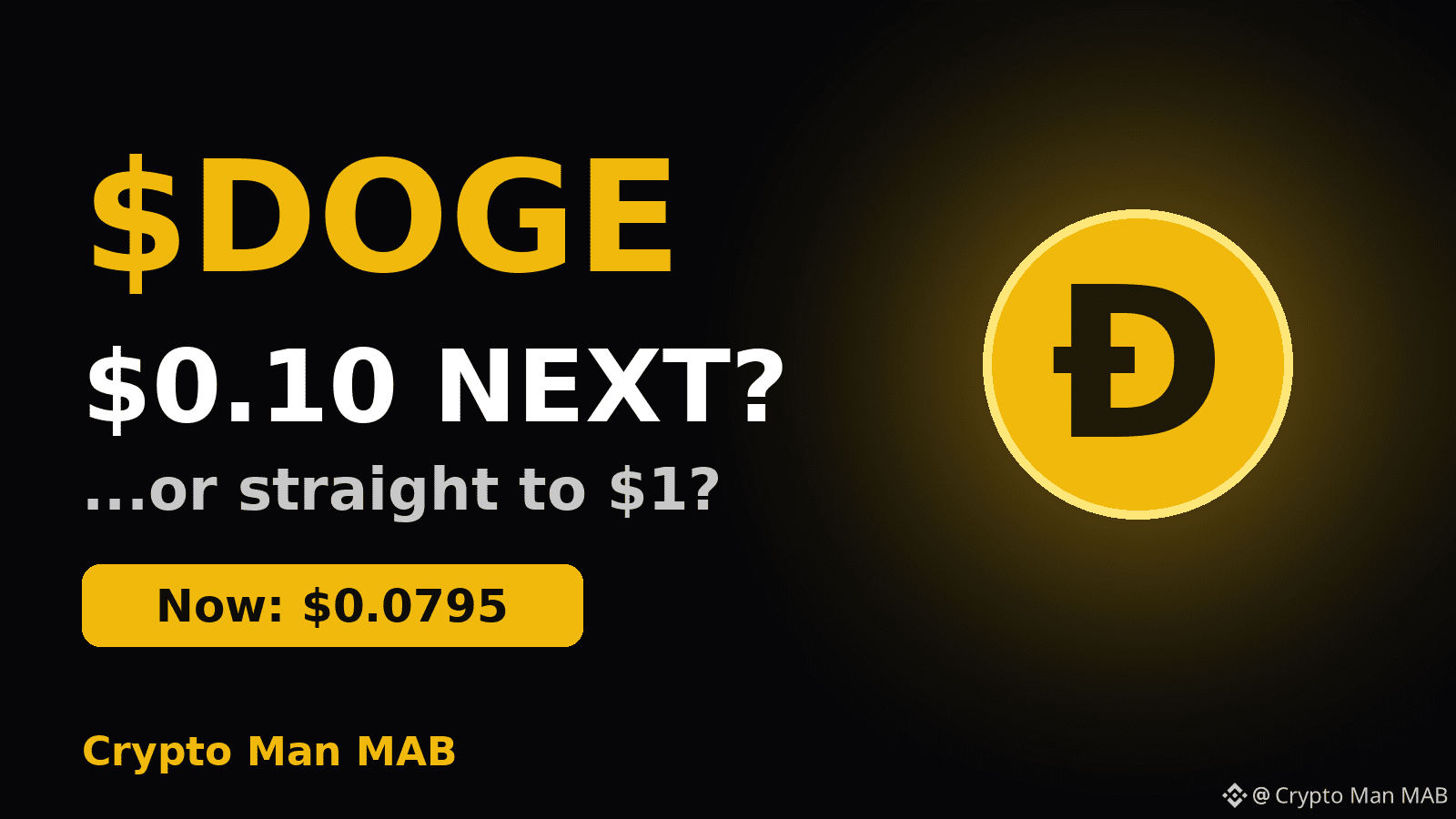
$DOGE : Can It Hit $0.10 Again, or Even $1? 🐶
DOGE is trading around $0.0795 right now, and it was rejected near $0.0805 in the last 24 hours.
Reclaiming $0.10 would take a move of about 26%. For a meme king in a bullish market, that's very possible.
$1? That's roughly a 12x move from here and would need a full blown mania. I'm not betting the house on that 😅
For now I'm watching one level: a clean break above $0.0805 could open the road to $0.09 and beyond.
[Click Here To Vote](https://app.binance.com/uni-qr/cact26user/295?uc=app_square_share_link&us=telegram)
Your turn 👇 Is $DOGE heading to $0.10 this month, or is $1 just a dream?
NFA. Manage risk.
#DOGE #Dogecoin #MemeCoins #CryptoManMAB
$DOGE : Can It Hit $0.10 Again, or Even $1? 🐶
DOGE is trading around $0.0795 right now, and it was rejected near $0.0805 in the last 24 hours.
Reclaiming $0.10 would take a move of about 26%. For a meme king in a bullish market, that's very possible.
$1? That's roughly a 12x move from here and would need a full blown mania. I'm not betting the house on that 😅
For now I'm watching one level: a clean break above $0.0805 could open the road to $0.09 and beyond.
Click Here To Vote
Your turn 👇 Is $DOGE heading to $0.10 this month, or is $1 just a dream?
NFA. Manage risk.
#DOGE #Dogecoin #MemeCoins #CryptoManMAB
DOGE is trading around $0.0795 right now, and it was rejected near $0.0805 in the last 24 hours.
Reclaiming $0.10 would take a move of about 26%. For a meme king in a bullish market, that's very possible.
$1? That's roughly a 12x move from here and would need a full blown mania. I'm not betting the house on that 😅
For now I'm watching one level: a clean break above $0.0805 could open the road to $0.09 and beyond.
Click Here To Vote
Your turn 👇 Is $DOGE heading to $0.10 this month, or is $1 just a dream?
NFA. Manage risk.
#DOGE #Dogecoin #MemeCoins #CryptoManMAB
3
10
4.8k
·
--
Bitcoin Analysis: Is BTC Preparing for a Breakout or Another Drop? 📊$BTC is trying to recover around the $83,000–$84,000 zone, but the next move will depend on buying pressure, market sentiment, and global economic news.
🔍 3 Things Bitcoin Traders Should Watch
1. Key Resistance — $84,100
If BTC breaks above this level with strong buying volume, it could open the door for a move toward higher price zones.
2. Key Support — $82,700
If Bitcoin falls below this area, selling pressure could increase. Traders should watch how the price reacts near support instead of making emotional decisions.
3. ETF Flows & Global News 🌍
Institutional investment flows, US interest-rate expectations, and geopolitical developments can influence Bitcoin’s short-term direction.
📈 Bullish Scenario
If BTC breaks above resistance and holds it as support, buyers may gain confidence and push the price higher.
📉 Bearish Scenario
If BTC loses support and selling volume increases, the market could face another downward move.
💡 My Trading View
I’m watching confirmation rather than guessing the next candle. A breakout without strong volume can fail, and support levels are not guaranteed to hold.
Remember: Protect your capital, manage risk, and never invest money you cannot afford to lose. This post is for educational purposes only, not financial advice.
👇 Your Turn:
What do you think comes next for Bitcoin?
🟢 Bullish — BTC goes up
🔴 Bearish — BTC goes down
Share your analysis in the comments!
#CryptoMarketAlert #CryptoMarketMoves #cryptoma #CryptoManMab
{spot}(BTCUSDT)
Bitcoin Analysis: Is BTC Preparing for a Breakout or Another Drop? 📊
$BTC is trying to recover around the $83,000–$84,000 zone, but the next move will depend on buying pressure, market sentiment, and global economic news.
🔍 3 Things Bitcoin Traders Should Watch
1. Key Resistance — $84,100
If BTC breaks above this level with strong buying volume, it could open the door for a move toward higher price zones.
2. Key Support — $82,700
If Bitcoin falls below this area, selling pressure could increase. Traders should watch how the price reacts near support instead of making emotional decisions.
3. ETF Flows & Global News 🌍
Institutional investment flows, US interest-rate expectations, and geopolitical developments can influence Bitcoin’s short-term direction.
📈 Bullish Scenario
If BTC breaks above resistance and holds it as support, buyers may gain confidence and push the price higher.
📉 Bearish Scenario
If BTC loses support and selling volume increases, the market could face another downward move.
💡 My Trading View
I’m watching confirmation rather than guessing the next candle. A breakout without strong volume can fail, and support levels are not guaranteed to hold.
Remember: Protect your capital, manage risk, and never invest money you cannot afford to lose. This post is for educational purposes only, not financial advice.
👇 Your Turn:
What do you think comes next for Bitcoin?
🟢 Bullish — BTC goes up
🔴 Bearish — BTC goes down
Share your analysis in the comments!
#CryptoMarketAlert #CryptoMarketMoves #cryptoma #CryptoManMab
🔍 3 Things Bitcoin Traders Should Watch
1. Key Resistance — $84,100
If BTC breaks above this level with strong buying volume, it could open the door for a move toward higher price zones.
2. Key Support — $82,700
If Bitcoin falls below this area, selling pressure could increase. Traders should watch how the price reacts near support instead of making emotional decisions.
3. ETF Flows & Global News 🌍
Institutional investment flows, US interest-rate expectations, and geopolitical developments can influence Bitcoin’s short-term direction.
📈 Bullish Scenario
If BTC breaks above resistance and holds it as support, buyers may gain confidence and push the price higher.
📉 Bearish Scenario
If BTC loses support and selling volume increases, the market could face another downward move.
💡 My Trading View
I’m watching confirmation rather than guessing the next candle. A breakout without strong volume can fail, and support levels are not guaranteed to hold.
Remember: Protect your capital, manage risk, and never invest money you cannot afford to lose. This post is for educational purposes only, not financial advice.
👇 Your Turn:
What do you think comes next for Bitcoin?
🟢 Bullish — BTC goes up
🔴 Bearish — BTC goes down
Share your analysis in the comments!
#CryptoMarketAlert #CryptoMarketMoves #cryptoma #CryptoManMab
207
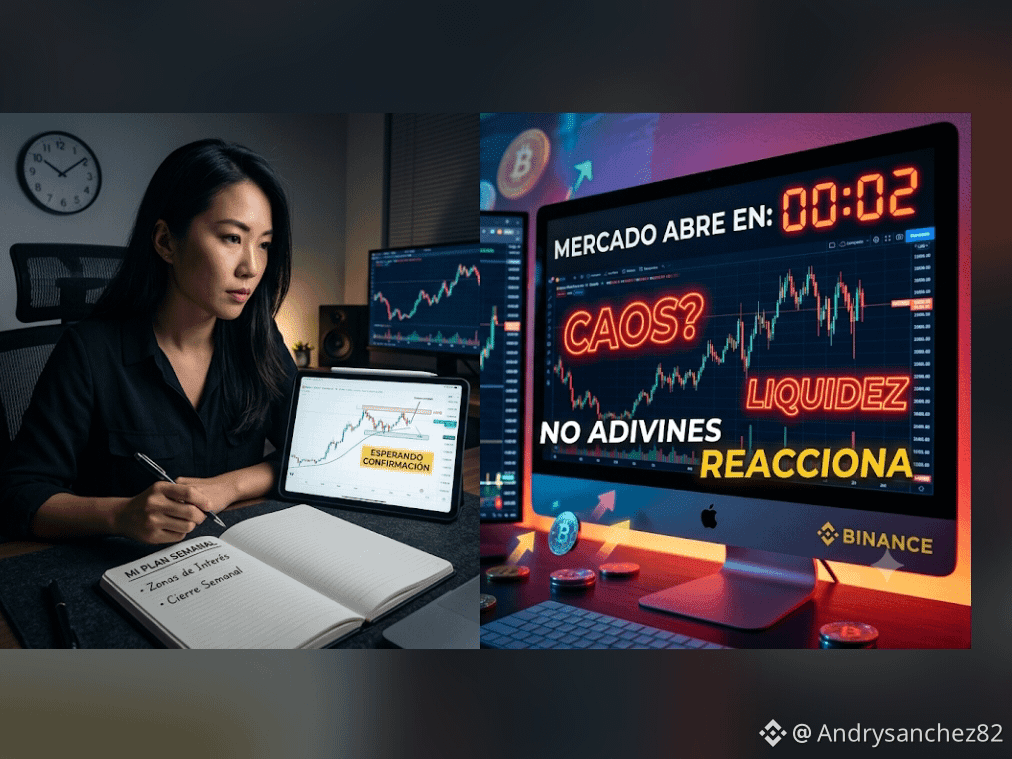
Atención: El error más caro que se comete los domingos por la noche
A pocas horas del cierre semanal, la mayoría de los traders comete el mismo fallo: intentar adivinar la vela de apertura del lunes. 📈📉
Operar por ansiedad antes de que el mercado abra y muestre dirección clara es regalarle liquidez a las ballenas.
📌 Guarda este recordatorio para hoy:
Reaccionar a la confirmación es más rentable que adivinar la dirección.
Las mejores entradas no se buscan en el caos del domingo por la noche, se ejecutan en la estructura del lunes.
Preservar tu capital siempre es la primera victoria de la semana.
💡 ¿Eres de los que prefiere operar el cierre semanal o esperas a que la sesión asiática/europea marque la tendencia? 👇🏼
#CryptoManMab rket #Bitcoi
Atención: El error más caro que se comete los domingos por la noche
A pocas horas del cierre semanal, la mayoría de los traders comete el mismo fallo: intentar adivinar la vela de apertura del lunes. 📈📉
Operar por ansiedad antes de que el mercado abra y muestre dirección clara es regalarle liquidez a las ballenas.
📌 Guarda este recordatorio para hoy:
Reaccionar a la confirmación es más rentable que adivinar la dirección.
Las mejores entradas no se buscan en el caos del domingo por la noche, se ejecutan en la estructura del lunes.
Preservar tu capital siempre es la primera victoria de la semana.
💡 ¿Eres de los que prefiere operar el cierre semanal o esperas a que la sesión asiática/europea marque la tendencia? 👇🏼
#CryptoManMab rket #Bitcoi
A pocas horas del cierre semanal, la mayoría de los traders comete el mismo fallo: intentar adivinar la vela de apertura del lunes. 📈📉
Operar por ansiedad antes de que el mercado abra y muestre dirección clara es regalarle liquidez a las ballenas.
📌 Guarda este recordatorio para hoy:
Reaccionar a la confirmación es más rentable que adivinar la dirección.
Las mejores entradas no se buscan en el caos del domingo por la noche, se ejecutan en la estructura del lunes.
Preservar tu capital siempre es la primera victoria de la semana.
💡 ¿Eres de los que prefiere operar el cierre semanal o esperas a que la sesión asiática/europea marque la tendencia? 👇🏼
#CryptoManMab rket #Bitcoi
1
367
Статья
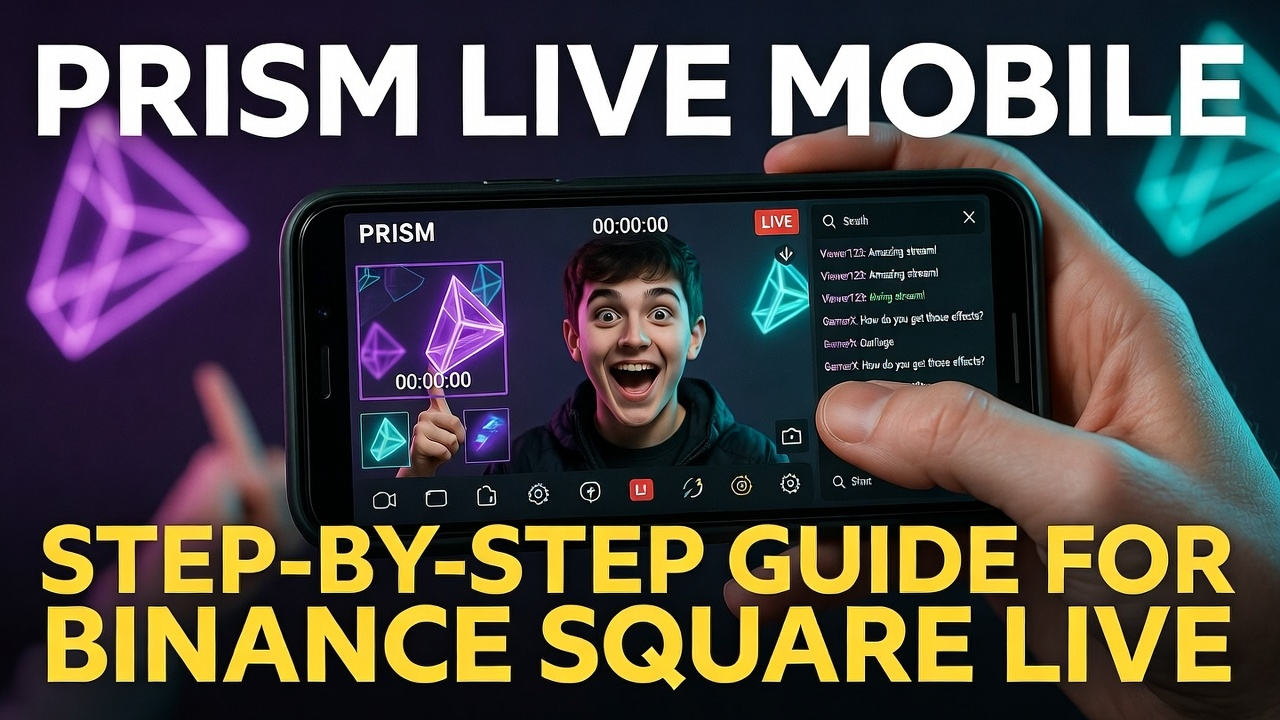
How to Use PRISM Live Studio in Mobile For Binance Square : A Step-by-Step GuidePRISM Live Studio is a versatile mobile app designed for content creators, allowing you to live stream, record videos, take photos, and edit content on the go. Available for both Android and iOS, it supports multistreaming to platforms like YouTube, Twitch, Facebook, Binance Square more. With features like effects, overlays, background removal, and chat integration, it's ideal for gamers, vloggers, and live broadcasters. This guide walks you through setup and usage, drawing from official resources and practical tips.
Step 1: Installation and Initial Setup
Download the App: Head to the Google Play Store (Android) or App Store (iOS) and search for "PRISM Live Studio." Download and install it.
Sign Up or Log In: Open the app and log in using email or social media accounts
Grant Permissions: Allow access to camera, microphone, storage, and notifications. For screen sharing (Screencast), permit the app to display over other apps and capture screenshots when prompted.
Prepare Your Device: Stabilize your phone with a tripod for steady footage. Use external lighting like ring lights for better quality. Set your phone to Do Not Disturb to avoid interruptions during streams.
Here's a screenshot of the app's connection setup process:
Step 2: Understanding the Main Interface
When you launch the app, you'll see a bottom navigation bar with four modes: CONNECT, LIVE, VIDEO, and PHOTO. Swipe left to access My Studio for managing sources, or right for video-only mode (hides chat and prep windows).
Top Bar: Includes settings (gear icon), resolution selector, and end broadcast button.
Preview Area: Shows your camera feed or screen.
Bottom Tools: Magic wand for effects, intro setup, and more.
My Studio: Swipe right-to-left to add media, music, text, webpages, or chat widgets.
Check out this overview of the app's home screen and setup flow:
Step 3: Exploring the Modes
CONNECT Mode: Use this to link your mobile camera to the desktop version of PRISM Live Studio via QR code. Ensure both devices are on the same Wi-Fi. Scan the QR from the desktop app to sync.
LIVE Mode: For real-time streaming. Select camera or screen, add effects, and go live.
VIDEO Mode: Record videos with edits like filters and music. Save to your gallery after recording.
PHOTO Mode: Capture photos with effects and masks for quick edits.
To switch modes, tap the buttons at the bottom. For live streams, tap "Ready" to set up details like title, description, and platforms.
Step 4: Setting Up Streaming Platforms and Encoding
Connect Platforms: In LIVE mode, tap "Ready." Select a platform (e.g., YouTube, Twitch) and log in. For multistreaming, toggle on up to 6 channels in "My Channel." Supported platforms include YouTube, Facebook, Twitch, BAND, NAVER TV, SOOP, and custom RTMP.
For Binance Square Please Select Custom RTMP
Custom RTMP Setup: Choose "Custom RTMP," enter the Stream URL and Key from your platform's dashboard (e.g., Go to Binance Square than Select Live Than Select Pc Broadcasting Where You Will Add Thumbnail title for Streaming than click ok after that you see a key icon where you have to Copy Url and Key Paste it).
Adjust Encoding Settings: Tap the resolution button. Enable Adaptive Bitrate for unstable networks, set Resolution (up to 1080p), Bitrate (4-6Mbps recommended for 1080p), Frame Rate (30fps ideal), and Keyframe Interval (1-2 seconds). Changes can't be made mid-stream.
View these stream quality settings in action:
Step 5: Adding Effects, Overlays, and Sources
Effects: Tap the magic wand icon. Apply color filters, face-tracking masks, backgrounds, emotions (storylines), drawings, or Giphy stickers. Save favorites for quick access.
Overlays and Widgets: Swipe to My Studio. Add media from your gallery, music (PRISM tracks or your library), text templates, or web sources. For custom overlays (e.g., from overlays.uno), copy the Output URL, tap "Widget" > "Web," paste the URL, and save. Resize and position in the preview.
Chat Widget: Add a chat box for viewer interactions. Customize colors, fonts, and display (viewer or streamer view).
Intro Video: Tap the intro icon, select media from My Studio, adjust size and duration.
This image shows overlay integration:
Step 6: Going Live and Managing Streams
Start Streaming: In LIVE mode, configure settings, then tap "Go Live." A 3-second countdown begins. For screen sharing, allow permissions and switch to your game or app.
During Stream: Monitor chat, adjust volume, and use controls. Flip camera (front only) via "See more." Share stream URLs to social media.
End Stream: Tap "End" (top right). A progress bar appears; confirm to stop. Check platforms for confirmation, as RTMP may have delays.
Save Recordings: Enable "Save video after streaming" in settings for camera or VTuber streams.
Step 7: Advanced Features
VTuber Mode: Use avatars with mic-reactive expressions. Set up in effects or My Studio.
Music Playlists: Add tracks to play during streams; PRISM provides free options.
External Devices: Connect USB/3.5mm microphones (Bluetooth not supported). No direct webcam support yet.
Watermark Removal: Subscribe to PRISM Plus via settings.
Step 8: Troubleshooting Common Issues
Network Errors: Switch to Wi-Fi or data; re-login to platforms.
App Crashes: Update the app, free up space, or reinstall. For iOS, force restart device before reinstalling.
Chat Blocking: Long-press comments to report or block users.
With these steps, you're ready to create professional streams from your mobile device. Experiment with features to find your style, and always test setups before going live.
#Binance #CryptoManMab #LightCameraAction
How to Use PRISM Live Studio in Mobile For Binance Square : A Step-by-Step Guide
PRISM Live Studio is a versatile mobile app designed for content creators, allowing you to live stream, record videos, take photos, and edit content on the go. Available for both Android and iOS, it supports multistreaming to platforms like YouTube, Twitch, Facebook, Binance Square more. With features like effects, overlays, background removal, and chat integration, it's ideal for gamers, vloggers, and live broadcasters. This guide walks you through setup and usage, drawing from official resources and practical tips.
Step 1: Installation and Initial Setup
Download the App: Head to the Google Play Store (Android) or App Store (iOS) and search for "PRISM Live Studio." Download and install it.
Sign Up or Log In: Open the app and log in using email or social media accounts
Grant Permissions: Allow access to camera, microphone, storage, and notifications. For screen sharing (Screencast), permit the app to display over other apps and capture screenshots when prompted.
Prepare Your Device: Stabilize your phone with a tripod for steady footage. Use external lighting like ring lights for better quality. Set your phone to Do Not Disturb to avoid interruptions during streams.
Here's a screenshot of the app's connection setup process:
Step 2: Understanding the Main Interface
When you launch the app, you'll see a bottom navigation bar with four modes: CONNECT, LIVE, VIDEO, and PHOTO. Swipe left to access My Studio for managing sources, or right for video-only mode (hides chat and prep windows).
Top Bar: Includes settings (gear icon), resolution selector, and end broadcast button.
Preview Area: Shows your camera feed or screen.
Bottom Tools: Magic wand for effects, intro setup, and more.
My Studio: Swipe right-to-left to add media, music, text, webpages, or chat widgets.
Check out this overview of the app's home screen and setup flow:
Step 3: Exploring the Modes
CONNECT Mode: Use this to link your mobile camera to the desktop version of PRISM Live Studio via QR code. Ensure both devices are on the same Wi-Fi. Scan the QR from the desktop app to sync.
LIVE Mode: For real-time streaming. Select camera or screen, add effects, and go live.
VIDEO Mode: Record videos with edits like filters and music. Save to your gallery after recording.
PHOTO Mode: Capture photos with effects and masks for quick edits.
To switch modes, tap the buttons at the bottom. For live streams, tap "Ready" to set up details like title, description, and platforms.
Step 4: Setting Up Streaming Platforms and Encoding
Connect Platforms: In LIVE mode, tap "Ready." Select a platform (e.g., YouTube, Twitch) and log in. For multistreaming, toggle on up to 6 channels in "My Channel." Supported platforms include YouTube, Facebook, Twitch, BAND, NAVER TV, SOOP, and custom RTMP.
For Binance Square Please Select Custom RTMP
Custom RTMP Setup: Choose "Custom RTMP," enter the Stream URL and Key from your platform's dashboard (e.g., Go to Binance Square than Select Live Than Select Pc Broadcasting Where You Will Add Thumbnail title for Streaming than click ok after that you see a key icon where you have to Copy Url and Key Paste it).
Adjust Encoding Settings: Tap the resolution button. Enable Adaptive Bitrate for unstable networks, set Resolution (up to 1080p), Bitrate (4-6Mbps recommended for 1080p), Frame Rate (30fps ideal), and Keyframe Interval (1-2 seconds). Changes can't be made mid-stream.
View these stream quality settings in action:
Step 5: Adding Effects, Overlays, and Sources
Effects: Tap the magic wand icon. Apply color filters, face-tracking masks, backgrounds, emotions (storylines), drawings, or Giphy stickers. Save favorites for quick access.
Overlays and Widgets: Swipe to My Studio. Add media from your gallery, music (PRISM tracks or your library), text templates, or web sources. For custom overlays (e.g., from overlays.uno), copy the Output URL, tap "Widget" > "Web," paste the URL, and save. Resize and position in the preview.
Chat Widget: Add a chat box for viewer interactions. Customize colors, fonts, and display (viewer or streamer view).
Intro Video: Tap the intro icon, select media from My Studio, adjust size and duration.
This image shows overlay integration:
Step 6: Going Live and Managing Streams
Start Streaming: In LIVE mode, configure settings, then tap "Go Live." A 3-second countdown begins. For screen sharing, allow permissions and switch to your game or app.
During Stream: Monitor chat, adjust volume, and use controls. Flip camera (front only) via "See more." Share stream URLs to social media.
End Stream: Tap "End" (top right). A progress bar appears; confirm to stop. Check platforms for confirmation, as RTMP may have delays.
Save Recordings: Enable "Save video after streaming" in settings for camera or VTuber streams.
Step 7: Advanced Features
VTuber Mode: Use avatars with mic-reactive expressions. Set up in effects or My Studio.
Music Playlists: Add tracks to play during streams; PRISM provides free options.
External Devices: Connect USB/3.5mm microphones (Bluetooth not supported). No direct webcam support yet.
Watermark Removal: Subscribe to PRISM Plus via settings.
Step 8: Troubleshooting Common Issues
Network Errors: Switch to Wi-Fi or data; re-login to platforms.
App Crashes: Update the app, free up space, or reinstall. For iOS, force restart device before reinstalling.
Chat Blocking: Long-press comments to report or block users.
With these steps, you're ready to create professional streams from your mobile device. Experiment with features to find your style, and always test setups before going live.
#Binance #CryptoManMab #LightCameraAction
Step 1: Installation and Initial Setup
Download the App: Head to the Google Play Store (Android) or App Store (iOS) and search for "PRISM Live Studio." Download and install it.
Sign Up or Log In: Open the app and log in using email or social media accounts
Grant Permissions: Allow access to camera, microphone, storage, and notifications. For screen sharing (Screencast), permit the app to display over other apps and capture screenshots when prompted.
Prepare Your Device: Stabilize your phone with a tripod for steady footage. Use external lighting like ring lights for better quality. Set your phone to Do Not Disturb to avoid interruptions during streams.
Here's a screenshot of the app's connection setup process:
Step 2: Understanding the Main Interface
When you launch the app, you'll see a bottom navigation bar with four modes: CONNECT, LIVE, VIDEO, and PHOTO. Swipe left to access My Studio for managing sources, or right for video-only mode (hides chat and prep windows).
Top Bar: Includes settings (gear icon), resolution selector, and end broadcast button.
Preview Area: Shows your camera feed or screen.
Bottom Tools: Magic wand for effects, intro setup, and more.
My Studio: Swipe right-to-left to add media, music, text, webpages, or chat widgets.
Check out this overview of the app's home screen and setup flow:
Step 3: Exploring the Modes
CONNECT Mode: Use this to link your mobile camera to the desktop version of PRISM Live Studio via QR code. Ensure both devices are on the same Wi-Fi. Scan the QR from the desktop app to sync.
LIVE Mode: For real-time streaming. Select camera or screen, add effects, and go live.
VIDEO Mode: Record videos with edits like filters and music. Save to your gallery after recording.
PHOTO Mode: Capture photos with effects and masks for quick edits.
To switch modes, tap the buttons at the bottom. For live streams, tap "Ready" to set up details like title, description, and platforms.
Step 4: Setting Up Streaming Platforms and Encoding
Connect Platforms: In LIVE mode, tap "Ready." Select a platform (e.g., YouTube, Twitch) and log in. For multistreaming, toggle on up to 6 channels in "My Channel." Supported platforms include YouTube, Facebook, Twitch, BAND, NAVER TV, SOOP, and custom RTMP.
For Binance Square Please Select Custom RTMP
Custom RTMP Setup: Choose "Custom RTMP," enter the Stream URL and Key from your platform's dashboard (e.g., Go to Binance Square than Select Live Than Select Pc Broadcasting Where You Will Add Thumbnail title for Streaming than click ok after that you see a key icon where you have to Copy Url and Key Paste it).
Adjust Encoding Settings: Tap the resolution button. Enable Adaptive Bitrate for unstable networks, set Resolution (up to 1080p), Bitrate (4-6Mbps recommended for 1080p), Frame Rate (30fps ideal), and Keyframe Interval (1-2 seconds). Changes can't be made mid-stream.
View these stream quality settings in action:
Step 5: Adding Effects, Overlays, and Sources
Effects: Tap the magic wand icon. Apply color filters, face-tracking masks, backgrounds, emotions (storylines), drawings, or Giphy stickers. Save favorites for quick access.
Overlays and Widgets: Swipe to My Studio. Add media from your gallery, music (PRISM tracks or your library), text templates, or web sources. For custom overlays (e.g., from overlays.uno), copy the Output URL, tap "Widget" > "Web," paste the URL, and save. Resize and position in the preview.
Chat Widget: Add a chat box for viewer interactions. Customize colors, fonts, and display (viewer or streamer view).
Intro Video: Tap the intro icon, select media from My Studio, adjust size and duration.
This image shows overlay integration:
Step 6: Going Live and Managing Streams
Start Streaming: In LIVE mode, configure settings, then tap "Go Live." A 3-second countdown begins. For screen sharing, allow permissions and switch to your game or app.
During Stream: Monitor chat, adjust volume, and use controls. Flip camera (front only) via "See more." Share stream URLs to social media.
End Stream: Tap "End" (top right). A progress bar appears; confirm to stop. Check platforms for confirmation, as RTMP may have delays.
Save Recordings: Enable "Save video after streaming" in settings for camera or VTuber streams.
Step 7: Advanced Features
VTuber Mode: Use avatars with mic-reactive expressions. Set up in effects or My Studio.
Music Playlists: Add tracks to play during streams; PRISM provides free options.
External Devices: Connect USB/3.5mm microphones (Bluetooth not supported). No direct webcam support yet.
Watermark Removal: Subscribe to PRISM Plus via settings.
Step 8: Troubleshooting Common Issues
Network Errors: Switch to Wi-Fi or data; re-login to platforms.
App Crashes: Update the app, free up space, or reinstall. For iOS, force restart device before reinstalling.
Chat Blocking: Long-press comments to report or block users.
With these steps, you're ready to create professional streams from your mobile device. Experiment with features to find your style, and always test setups before going live.
#Binance #CryptoManMab #LightCameraAction
3
1
14
1.8k
They laughed when I called $LUNC to $1 back in the darkest days.
Fast-forward to 2026… now they’re sliding into my DMs at 3 AM:
“Bro… is it really happening? You still holding? Don’t leave me behind!” 😏
Yeah, it’s been slow —
painfully slow, like watching paint dry while your coffee turns ice cold ☕❄️
We’re still hovering around ~$0.000043, burns steadily chewing away, supply shrinking day by day… and the pump?
It always comes when you least expect it ⚡
Smart holders understand the real alpha:
🔥 Relentless burns — hundreds of billions already gone, with the community and exchanges feeding the fire
💪 Unbreakable community — fighting nonstop since 2022, zero quit
⏳ Time is the secret weapon — no Elon tweets, no hype cycles… just patience + deflation doing its job
I don’t chase green candles.
I don’t panic sell red ones.
I just hold with diamond hands like it’s second nature 💎✋
One day, sooner than most think:
$LUNC → $1.00 (and maybe beyond?)
Me? Quietly disappearing from group chats, wallet heavy, haters left coping in silence 😌
Still laughing?
Or quietly thinking… “What if they were right?”
Who’s riding this to the moon in 2026? 🚀
Drop a 🔥 if you’re still diamond-handing $LUNC
The slow burn always turns into the biggest explosion. 💥
$LUNC
{spot}(LUNCUSDT)
0.00004221
-1.49%
#TerraLunaClassic #LUNC #diamondhands #WriteToEarnUpgrade #CryptoManMab
They laughed when I called $LUNC to $1 back in the darkest days.
Fast-forward to 2026… now they’re sliding into my DMs at 3 AM:
“Bro… is it really happening? You still holding? Don’t leave me behind!” 😏
Yeah, it’s been slow —
painfully slow, like watching paint dry while your coffee turns ice cold ☕❄️
We’re still hovering around ~$0.000043, burns steadily chewing away, supply shrinking day by day… and the pump?
It always comes when you least expect it ⚡
Smart holders understand the real alpha:
🔥 Relentless burns — hundreds of billions already gone, with the community and exchanges feeding the fire
💪 Unbreakable community — fighting nonstop since 2022, zero quit
⏳ Time is the secret weapon — no Elon tweets, no hype cycles… just patience + deflation doing its job
I don’t chase green candles.
I don’t panic sell red ones.
I just hold with diamond hands like it’s second nature 💎✋
One day, sooner than most think:
$LUNC → $1.00 (and maybe beyond?)
Me? Quietly disappearing from group chats, wallet heavy, haters left coping in silence 😌
Still laughing?
Or quietly thinking… “What if they were right?”
Who’s riding this to the moon in 2026? 🚀
Drop a 🔥 if you’re still diamond-handing $LUNC
The slow burn always turns into the biggest explosion. 💥
$LUNC
0.00004221
-1.49%
#TerraLunaClassic #LUNC #diamondhands #WriteToEarnUpgrade #CryptoManMab
Fast-forward to 2026… now they’re sliding into my DMs at 3 AM:
“Bro… is it really happening? You still holding? Don’t leave me behind!” 😏
Yeah, it’s been slow —
painfully slow, like watching paint dry while your coffee turns ice cold ☕❄️
We’re still hovering around ~$0.000043, burns steadily chewing away, supply shrinking day by day… and the pump?
It always comes when you least expect it ⚡
Smart holders understand the real alpha:
🔥 Relentless burns — hundreds of billions already gone, with the community and exchanges feeding the fire
💪 Unbreakable community — fighting nonstop since 2022, zero quit
⏳ Time is the secret weapon — no Elon tweets, no hype cycles… just patience + deflation doing its job
I don’t chase green candles.
I don’t panic sell red ones.
I just hold with diamond hands like it’s second nature 💎✋
One day, sooner than most think:
$LUNC → $1.00 (and maybe beyond?)
Me? Quietly disappearing from group chats, wallet heavy, haters left coping in silence 😌
Still laughing?
Or quietly thinking… “What if they were right?”
Who’s riding this to the moon in 2026? 🚀
Drop a 🔥 if you’re still diamond-handing $LUNC
The slow burn always turns into the biggest explosion. 💥
$LUNC
0.00004221
-1.49%
#TerraLunaClassic #LUNC #diamondhands #WriteToEarnUpgrade #CryptoManMab

1
3
275

Статья
CZ Binance's Giggle AcademyChangpeng Zhao, known as CZ, the founder of Binance, has launched an exciting new project called Giggle Academy. This platform is a non-profit, online educational initiative aimed at providing accessible, engaging, and free education for children globally. The academy is designed to make learning fun and effective, utilizing gamification, adaptive learning methods, and blockchain technology to revolutionize traditional education.
Giggle Academy will cater to students from grades 1 to 12 and includes specialized courses on topics like emotional intelligence, finance, and blockchain. One of the standout features of this platform is its use of soul-bound tokens (SBTs) on the blockchain. These tokens will certify students’ achievements, offering a novel way to recognize their learning milestones without relying on traditional degrees.
In a significant shift from his previous focus on cryptocurrency, CZ is leveraging his experience in technology and blockchain to make a real-world impact through education. The platform aims not only to provide education but also to support the mental health of students, with community-driven features like mentorship and social channels.
This initiative also aligns with CZ’s desire to empower educators. By incentivizing the creation of high-quality content, Giggle Academy seeks to elevate the teaching profession, making it more rewarding and impactful.
Even as @CZ deals with legal challenges related to Binance, his vision for Giggle Academy remains unwavering. He sees this project as a way to contribute positively to society and provide opportunities for children around the world to access high-quality education at no cost.
For those interested in joining the mission, Giggle Academy is actively recruiting, with roles such as Senior Game Developer and Gamification Product Manager currently available
#CZBİNANCE #GiggleAcademy #CryptoManMab
CZ Binance's Giggle Academy
Changpeng Zhao, known as CZ, the founder of Binance, has launched an exciting new project called Giggle Academy. This platform is a non-profit, online educational initiative aimed at providing accessible, engaging, and free education for children globally. The academy is designed to make learning fun and effective, utilizing gamification, adaptive learning methods, and blockchain technology to revolutionize traditional education.
Giggle Academy will cater to students from grades 1 to 12 and includes specialized courses on topics like emotional intelligence, finance, and blockchain. One of the standout features of this platform is its use of soul-bound tokens (SBTs) on the blockchain. These tokens will certify students’ achievements, offering a novel way to recognize their learning milestones without relying on traditional degrees.
In a significant shift from his previous focus on cryptocurrency, CZ is leveraging his experience in technology and blockchain to make a real-world impact through education. The platform aims not only to provide education but also to support the mental health of students, with community-driven features like mentorship and social channels.
This initiative also aligns with CZ’s desire to empower educators. By incentivizing the creation of high-quality content, Giggle Academy seeks to elevate the teaching profession, making it more rewarding and impactful.
Even as @CZ deals with legal challenges related to Binance, his vision for Giggle Academy remains unwavering. He sees this project as a way to contribute positively to society and provide opportunities for children around the world to access high-quality education at no cost.
For those interested in joining the mission, Giggle Academy is actively recruiting, with roles such as Senior Game Developer and Gamification Product Manager currently available
#CZBİNANCE #GiggleAcademy #CryptoManMab
Giggle Academy will cater to students from grades 1 to 12 and includes specialized courses on topics like emotional intelligence, finance, and blockchain. One of the standout features of this platform is its use of soul-bound tokens (SBTs) on the blockchain. These tokens will certify students’ achievements, offering a novel way to recognize their learning milestones without relying on traditional degrees.
In a significant shift from his previous focus on cryptocurrency, CZ is leveraging his experience in technology and blockchain to make a real-world impact through education. The platform aims not only to provide education but also to support the mental health of students, with community-driven features like mentorship and social channels.
This initiative also aligns with CZ’s desire to empower educators. By incentivizing the creation of high-quality content, Giggle Academy seeks to elevate the teaching profession, making it more rewarding and impactful.
Even as @CZ deals with legal challenges related to Binance, his vision for Giggle Academy remains unwavering. He sees this project as a way to contribute positively to society and provide opportunities for children around the world to access high-quality education at no cost.
For those interested in joining the mission, Giggle Academy is actively recruiting, with roles such as Senior Game Developer and Gamification Product Manager currently available
#CZBİNANCE #GiggleAcademy #CryptoManMab
2
8
2.7k
·
--
Рост
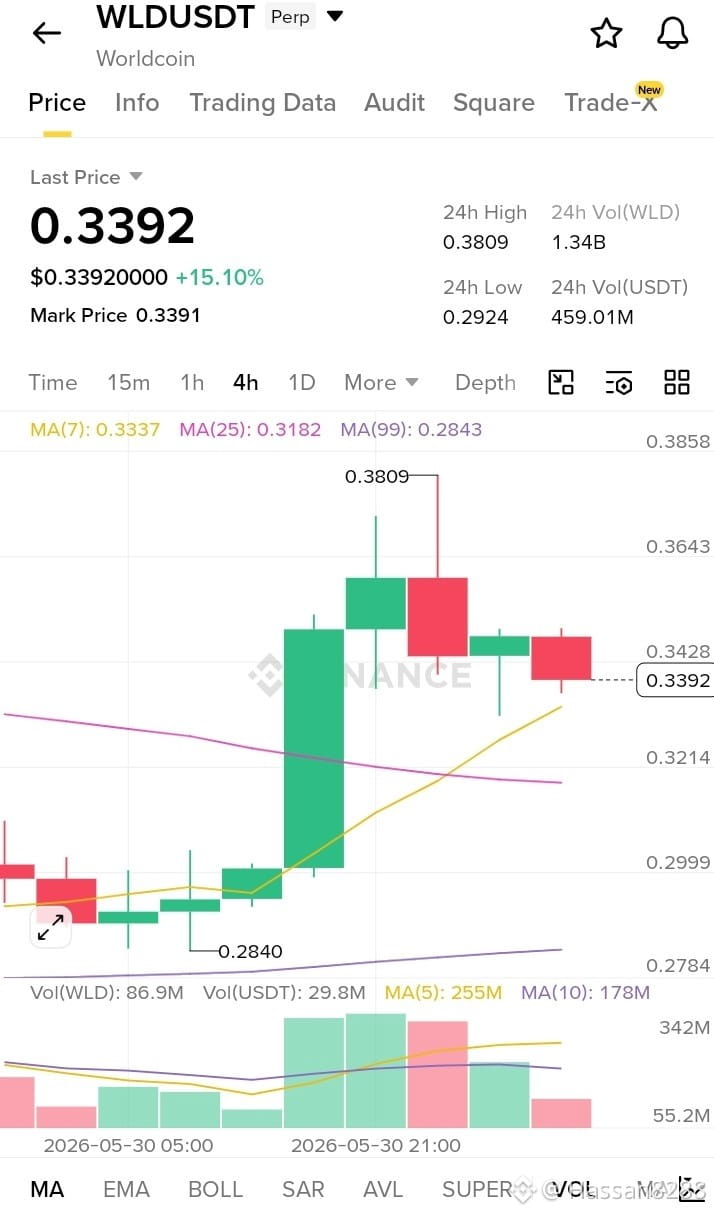
Based on this$USDC 4H WLDUSDT chart, the market structure is still bullish despite the recent pullback.
Why bullish?
Price made a strong breakout from the 0.28–0.30 area.
Current price (0.3392) remains above the MA(25) and MA(99).
The pullback after hitting 0.3809 looks like profit-taking rather than a trend reversal.
Higher volume during the breakout confirms buyer strength.
Key Levels
Support: 0.3300 – 0.3200
Strong Support: 0.3000
Resistance: 0.3500 – 0.3810
What to select in your post? ✅ Bullish
Post Idea:
🚀 WLDUSDT 4H Update
WLD continues to hold above key moving averages after a powerful breakout from the 0.30 zone. The recent pullback appears healthy, with buyers defending support around 0.33. As long as price stays above 0.32, momentum remains bullish and another test of 0.35–0.38 is possible.
Bias: Bullish 📈
#WLD #WLDUSDT #Worldcoin #Crypto #SECCharges12.3MCryptoScheme e #altcoi ns #Trading #CryptoTrading #CryptoManMab llish #BullRunTips echnicalAnalysis #PriceAction #Altcoinseason2024 rket 🚀
Based on this$USDC 4H WLDUSDT chart, the market structure is still bullish despite the recent pullback.
Why bullish?
Price made a strong breakout from the 0.28–0.30 area.
Current price (0.3392) remains above the MA(25) and MA(99).
The pullback after hitting 0.3809 looks like profit-taking rather than a trend reversal.
Higher volume during the breakout confirms buyer strength.
Key Levels
Support: 0.3300 – 0.3200
Strong Support: 0.3000
Resistance: 0.3500 – 0.3810
What to select in your post? ✅ Bullish
Post Idea:
🚀 WLDUSDT 4H Update
WLD continues to hold above key moving averages after a powerful breakout from the 0.30 zone. The recent pullback appears healthy, with buyers defending support around 0.33. As long as price stays above 0.32, momentum remains bullish and another test of 0.35–0.38 is possible.
Bias: Bullish 📈
#WLD #WLDUSDT #Worldcoin #Crypto #SECCharges12.3MCryptoScheme e #altcoi ns #Trading #CryptoTrading #CryptoManMab llish #BullRunTips echnicalAnalysis #PriceAction #Altcoinseason2024 rket 🚀
Why bullish?
Price made a strong breakout from the 0.28–0.30 area.
Current price (0.3392) remains above the MA(25) and MA(99).
The pullback after hitting 0.3809 looks like profit-taking rather than a trend reversal.
Higher volume during the breakout confirms buyer strength.
Key Levels
Support: 0.3300 – 0.3200
Strong Support: 0.3000
Resistance: 0.3500 – 0.3810
What to select in your post? ✅ Bullish
Post Idea:
🚀 WLDUSDT 4H Update
WLD continues to hold above key moving averages after a powerful breakout from the 0.30 zone. The recent pullback appears healthy, with buyers defending support around 0.33. As long as price stays above 0.32, momentum remains bullish and another test of 0.35–0.38 is possible.
Bias: Bullish 📈
#WLD #WLDUSDT #Worldcoin #Crypto #SECCharges12.3MCryptoScheme e #altcoi ns #Trading #CryptoTrading #CryptoManMab llish #BullRunTips echnicalAnalysis #PriceAction #Altcoinseason2024 rket 🚀
1
159
·
--
Рост
$BNB $BTC $ETH
{future}(ETHUSDT)
#شارك_أفكارك_حول_BTC
🌍🔥 With the war escalating, where is BTC heading?
📈 Bullish or 📉 Bearish?
Drop your BTC price prediction below 👇
#BTC #Bitcoin❗ coin #Crypto #Binance #TradingCommunity ding #CryptoManMab arket #War #BTCUSDT
$BNB $BTC $ETH
#شارك_أفكارك_حول_BTC
🌍🔥 With the war escalating, where is BTC heading?
📈 Bullish or 📉 Bearish?
Drop your BTC price prediction below 👇
#BTC #Bitcoin❗ coin #Crypto #Binance #TradingCommunity ding #CryptoManMab arket #War #BTCUSDT
#شارك_أفكارك_حول_BTC
🌍🔥 With the war escalating, where is BTC heading?
📈 Bullish or 📉 Bearish?
Drop your BTC price prediction below 👇
#BTC #Bitcoin❗ coin #Crypto #Binance #TradingCommunity ding #CryptoManMab arket #War #BTCUSDT
29
Статья
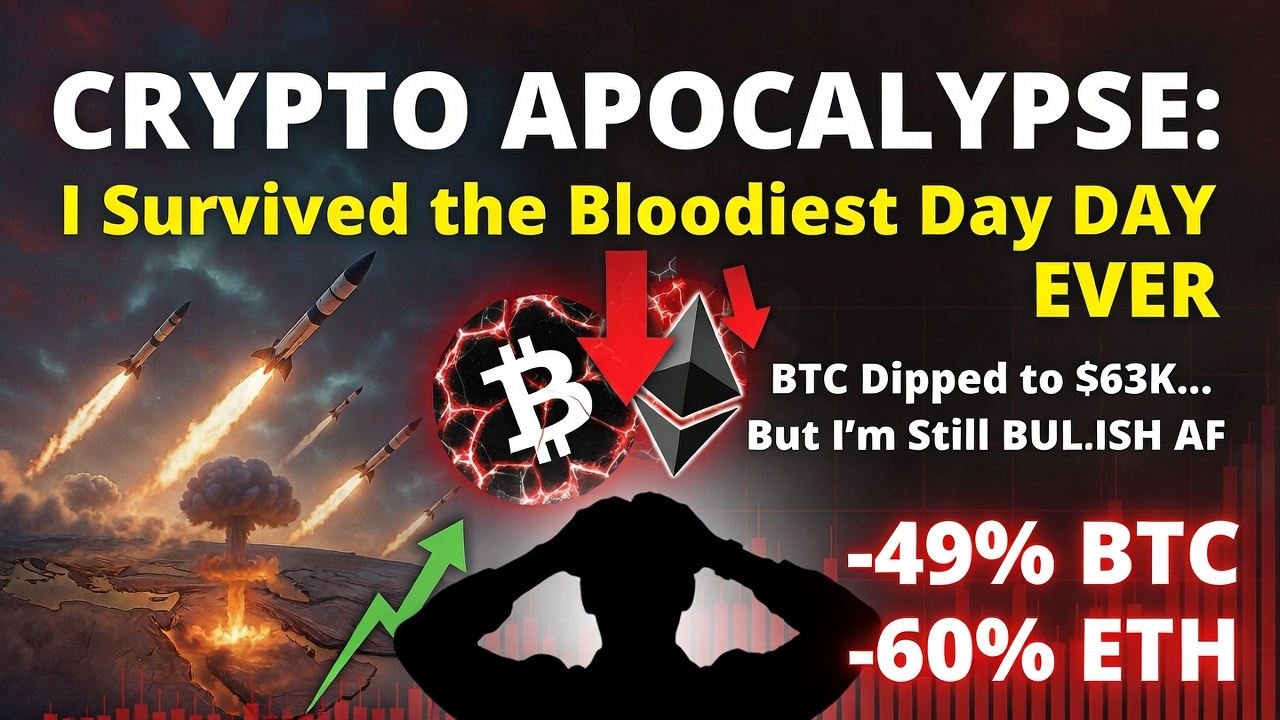
Crypto Apocalypse Now? You Just Survived the Bloodiest Day in Months – Here's Why I'm Still Bullishou're reading this you survived one of the scariest days in recent crypto history. That counts for something.
Portfolios are bleeding red right now. War headlines out of the Middle East are terrifying U.S. and Israel strikes on Iran, reports of Khamenei's death confirmed, missiles flying, markets flashing panic. Seeing $BTC dip as low as ~$63k before bouncing back to around $66-67k, $ETH hovering near $1,965-1,970 (down big from recent highs), and $SOL at ~$84-86 after sharp drops makes you want to close the app and never look again.
I've been there. Felt that gut punch. Multiple times.
Back in 2022, I watched my entire portfolio crater over 70% during the Luna collapse and FTX implosion. The fear was thicker, the sentiment darker everyone screamed "crypto is dead forever." I didn't sell. Not because I'm a genius trader, but because I've studied enough cycles to know: dumping at peak fear is usually the move that hurts the most long-term.
This doesn't mean hold everything blindly or ignore the risks. The macro is brutal geopolitical escalation is real, inflation's not cooperating, rate cuts keep getting pushed back. Shorts are getting wrecked, longs are underwater, leverage is exploding in the wrong direction.
But here's what history keeps showing me:
Bitcoin has outlasted every war, every "end of days" narrative, every crash since 2009. The network's hash rate is at all-time highs, institutions are still stacking (even quietly during dips), governments are eyeing reserves, and we're still early in the post-halving cycle dynamics.
The real wealth-builders in this space aren't the perfect timers who nail every top and bottom. They're the ones who survive the fear phases, cut unnecessary risk, manage position sizes, and stay positioned long enough for the inevitable recovery to play out.
Right now: If you're overleveraged, fix it fast reduce, cut losers, deleverage. If you're holding spot with real conviction, just breathe. Step away for a bit. Check back in 3 months when the dust settles.
I'm still here. Still watching charts, sharing setups when they make sense, still long-term bullish on this ecosystem peven when the short-term feels like a literal warzone.
We've survived worse. Came out stronger every single time.
Hang in there. This too shall pass. 🚀
#IranConfirmsKhameneiIsDead #USIsraelStrikeIran #AnthropicUSGovClash #MarketRebound #CryptoManMab
Crypto Apocalypse Now? You Just Survived the Bloodiest Day in Months – Here's Why I'm Still Bullish
ou're reading this you survived one of the scariest days in recent crypto history. That counts for something.
Portfolios are bleeding red right now. War headlines out of the Middle East are terrifying U.S. and Israel strikes on Iran, reports of Khamenei's death confirmed, missiles flying, markets flashing panic. Seeing $BTC dip as low as ~$63k before bouncing back to around $66-67k, $ETH hovering near $1,965-1,970 (down big from recent highs), and $SOL at ~$84-86 after sharp drops makes you want to close the app and never look again.
I've been there. Felt that gut punch. Multiple times.
Back in 2022, I watched my entire portfolio crater over 70% during the Luna collapse and FTX implosion. The fear was thicker, the sentiment darker everyone screamed "crypto is dead forever." I didn't sell. Not because I'm a genius trader, but because I've studied enough cycles to know: dumping at peak fear is usually the move that hurts the most long-term.
This doesn't mean hold everything blindly or ignore the risks. The macro is brutal geopolitical escalation is real, inflation's not cooperating, rate cuts keep getting pushed back. Shorts are getting wrecked, longs are underwater, leverage is exploding in the wrong direction.
But here's what history keeps showing me:
Bitcoin has outlasted every war, every "end of days" narrative, every crash since 2009. The network's hash rate is at all-time highs, institutions are still stacking (even quietly during dips), governments are eyeing reserves, and we're still early in the post-halving cycle dynamics.
The real wealth-builders in this space aren't the perfect timers who nail every top and bottom. They're the ones who survive the fear phases, cut unnecessary risk, manage position sizes, and stay positioned long enough for the inevitable recovery to play out.
Right now: If you're overleveraged, fix it fast reduce, cut losers, deleverage. If you're holding spot with real conviction, just breathe. Step away for a bit. Check back in 3 months when the dust settles.
I'm still here. Still watching charts, sharing setups when they make sense, still long-term bullish on this ecosystem peven when the short-term feels like a literal warzone.
We've survived worse. Came out stronger every single time.
Hang in there. This too shall pass. 🚀
#IranConfirmsKhameneiIsDead #USIsraelStrikeIran #AnthropicUSGovClash #MarketRebound #CryptoManMab
Portfolios are bleeding red right now. War headlines out of the Middle East are terrifying U.S. and Israel strikes on Iran, reports of Khamenei's death confirmed, missiles flying, markets flashing panic. Seeing $BTC dip as low as ~$63k before bouncing back to around $66-67k, $ETH hovering near $1,965-1,970 (down big from recent highs), and $SOL at ~$84-86 after sharp drops makes you want to close the app and never look again.
I've been there. Felt that gut punch. Multiple times.
Back in 2022, I watched my entire portfolio crater over 70% during the Luna collapse and FTX implosion. The fear was thicker, the sentiment darker everyone screamed "crypto is dead forever." I didn't sell. Not because I'm a genius trader, but because I've studied enough cycles to know: dumping at peak fear is usually the move that hurts the most long-term.
This doesn't mean hold everything blindly or ignore the risks. The macro is brutal geopolitical escalation is real, inflation's not cooperating, rate cuts keep getting pushed back. Shorts are getting wrecked, longs are underwater, leverage is exploding in the wrong direction.
But here's what history keeps showing me:
Bitcoin has outlasted every war, every "end of days" narrative, every crash since 2009. The network's hash rate is at all-time highs, institutions are still stacking (even quietly during dips), governments are eyeing reserves, and we're still early in the post-halving cycle dynamics.
The real wealth-builders in this space aren't the perfect timers who nail every top and bottom. They're the ones who survive the fear phases, cut unnecessary risk, manage position sizes, and stay positioned long enough for the inevitable recovery to play out.
Right now: If you're overleveraged, fix it fast reduce, cut losers, deleverage. If you're holding spot with real conviction, just breathe. Step away for a bit. Check back in 3 months when the dust settles.
I'm still here. Still watching charts, sharing setups when they make sense, still long-term bullish on this ecosystem peven when the short-term feels like a literal warzone.
We've survived worse. Came out stronger every single time.
Hang in there. This too shall pass. 🚀
#IranConfirmsKhameneiIsDead #USIsraelStrikeIran #AnthropicUSGovClash #MarketRebound #CryptoManMab
1
13
4.6k
·
--
Рост
$ESIM ESIM Market Update (4H)
🚀 Bullish Momentum Continues for $ESIM
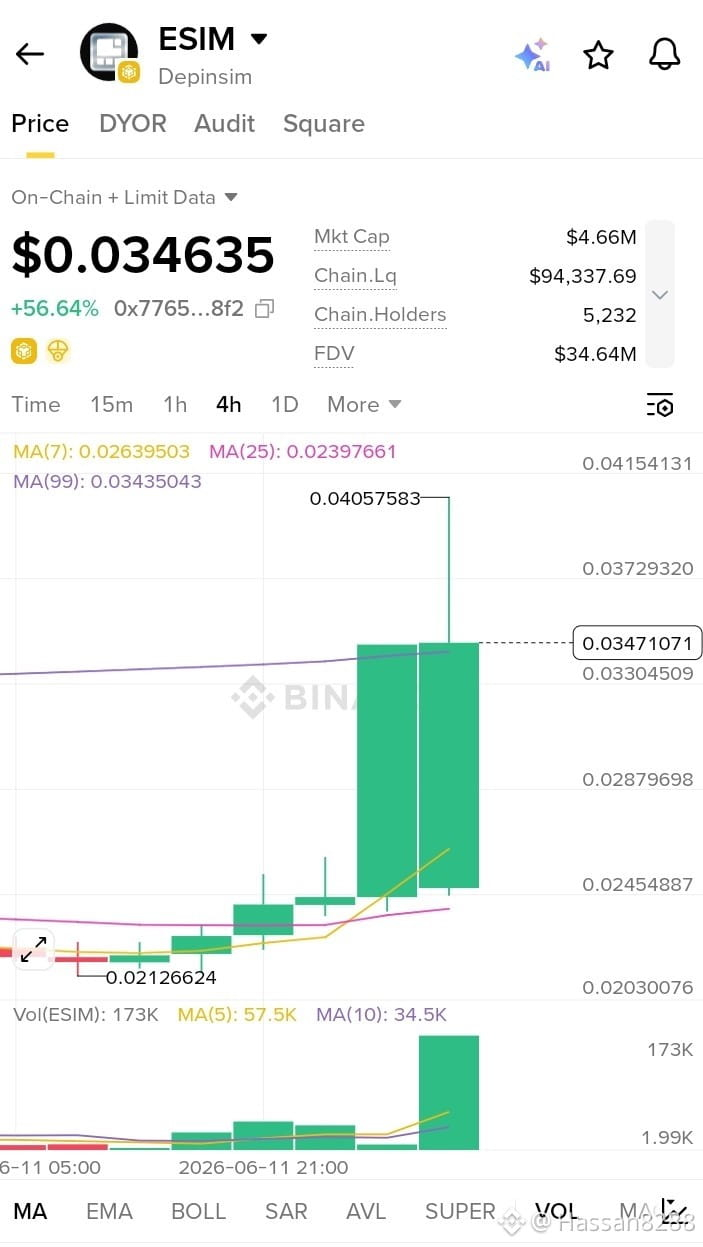
$ESIM is showing strong bullish price action on the 4-hour timeframe, surging over 56% and breaking above recent consolidation levels. The latest candle is backed by a significant increase in volume, indicating strong buyer participation and growing market interest.
📈 Key Observations: • Price rallied from the $0.0212 area to a high near $0.0405. • Trading above the MA(7) and MA(25), confirming short-term bullish strength. • Volume expansion supports the breakout and suggests momentum remains intact. • Immediate resistance sits around $0.0405-$0.0415. • Holding above $0.0330-$0.0340 could maintain the uptrend.
⚠️ Traders should watch for profit-taking after the sharp move, but as long as key support levels hold, bulls remain in control.
Sentiment: 🟢 BULLISH
#ESIM #DePIN #Crypto #Altcoins #BinanceHerYerde Alpha #CryptoNewsCommunity yptoTrading #Bullish #altcoins ws #Web3 #Blockchain #TerraLabs eason #CryptoManMab radingSignals #Memecoin #CryptoMarket #DYOR 🚀📈
$ESIM ESIM Market Update (4H)
🚀 Bullish Momentum Continues for $ESIM
$ESIM is showing strong bullish price action on the 4-hour timeframe, surging over 56% and breaking above recent consolidation levels. The latest candle is backed by a significant increase in volume, indicating strong buyer participation and growing market interest.
📈 Key Observations: • Price rallied from the $0.0212 area to a high near $0.0405. • Trading above the MA(7) and MA(25), confirming short-term bullish strength. • Volume expansion supports the breakout and suggests momentum remains intact. • Immediate resistance sits around $0.0405-$0.0415. • Holding above $0.0330-$0.0340 could maintain the uptrend.
⚠️ Traders should watch for profit-taking after the sharp move, but as long as key support levels hold, bulls remain in control.
Sentiment: 🟢 BULLISH
#ESIM #DePIN #Crypto #Altcoins #BinanceHerYerde Alpha #CryptoNewsCommunity yptoTrading #Bullish #altcoins ws #Web3 #Blockchain #TerraLabs eason #CryptoManMab radingSignals #Memecoin #CryptoMarket #DYOR 🚀📈
🚀 Bullish Momentum Continues for $ESIM
$ESIM is showing strong bullish price action on the 4-hour timeframe, surging over 56% and breaking above recent consolidation levels. The latest candle is backed by a significant increase in volume, indicating strong buyer participation and growing market interest.
📈 Key Observations: • Price rallied from the $0.0212 area to a high near $0.0405. • Trading above the MA(7) and MA(25), confirming short-term bullish strength. • Volume expansion supports the breakout and suggests momentum remains intact. • Immediate resistance sits around $0.0405-$0.0415. • Holding above $0.0330-$0.0340 could maintain the uptrend.
⚠️ Traders should watch for profit-taking after the sharp move, but as long as key support levels hold, bulls remain in control.
Sentiment: 🟢 BULLISH
#ESIM #DePIN #Crypto #Altcoins #BinanceHerYerde Alpha #CryptoNewsCommunity yptoTrading #Bullish #altcoins ws #Web3 #Blockchain #TerraLabs eason #CryptoManMab radingSignals #Memecoin #CryptoMarket #DYOR 🚀📈
317
·
--
Падение
📊$MIRA MIRA/USDT Market Update
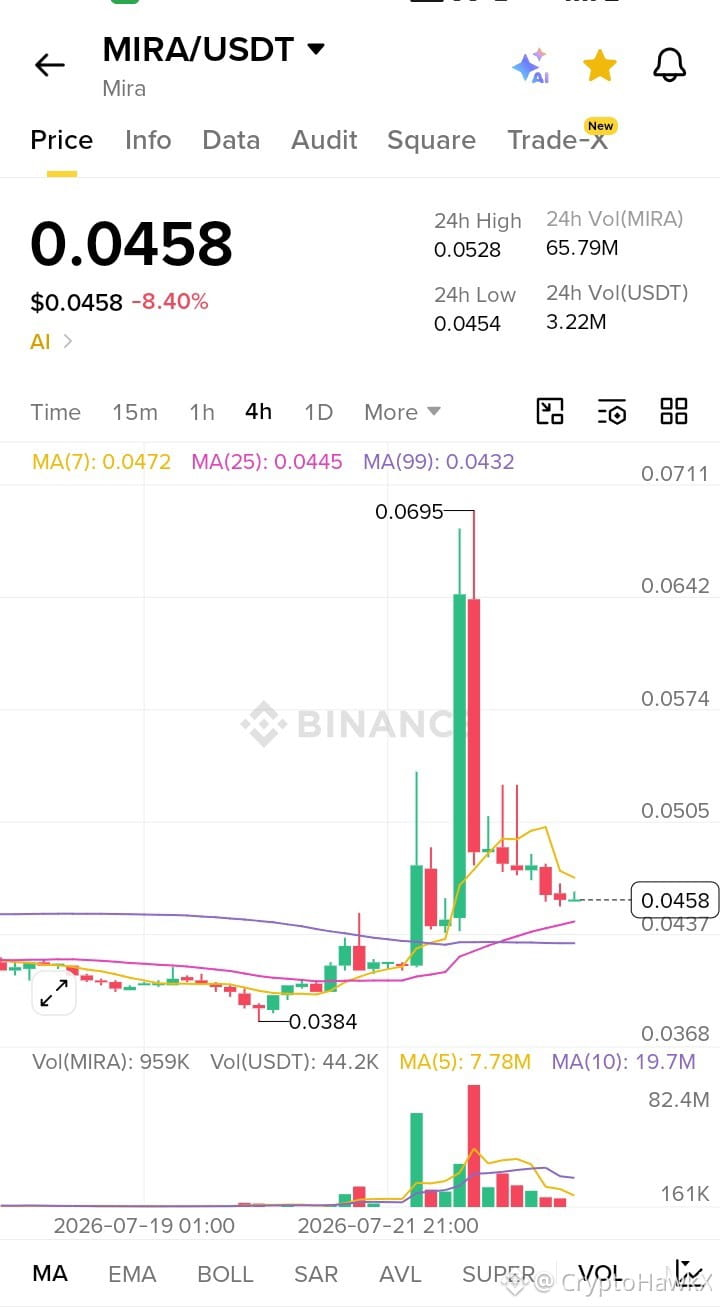
MIRA/USDT is trading around $0.0458 after a sharp rally followed by a strong pullback from the $0.0695 high. The 4H chart shows profit-taking and weakening momentum, with price now hovering near key moving averages. Buyers need to defend the $0.044–0.045 support zone to avoid further downside, while a move back above $0.050 would signal renewed strength.
Current Sentiment: Bearish 🔴
#MIRA #MIRAUSDT #Crypto #BitcoinDunyamiz ading #TechnicalAnalysis_Tickeron #Altcoins #Technology #CryptoManMab #CryptoTradingInsights rket #Bearish #PriceAction #DYOR
📊$MIRA MIRA/USDT Market Update
MIRA/USDT is trading around $0.0458 after a sharp rally followed by a strong pullback from the $0.0695 high. The 4H chart shows profit-taking and weakening momentum, with price now hovering near key moving averages. Buyers need to defend the $0.044–0.045 support zone to avoid further downside, while a move back above $0.050 would signal renewed strength.
Current Sentiment: Bearish 🔴
#MIRA #MIRAUSDT #Crypto #BitcoinDunyamiz ading #TechnicalAnalysis_Tickeron #Altcoins #Technology #CryptoManMab #CryptoTradingInsights rket #Bearish #PriceAction #DYOR
MIRA/USDT is trading around $0.0458 after a sharp rally followed by a strong pullback from the $0.0695 high. The 4H chart shows profit-taking and weakening momentum, with price now hovering near key moving averages. Buyers need to defend the $0.044–0.045 support zone to avoid further downside, while a move back above $0.050 would signal renewed strength.
Current Sentiment: Bearish 🔴
#MIRA #MIRAUSDT #Crypto #BitcoinDunyamiz ading #TechnicalAnalysis_Tickeron #Altcoins #Technology #CryptoManMab #CryptoTradingInsights rket #Bearish #PriceAction #DYOR
62

·
--
Статья
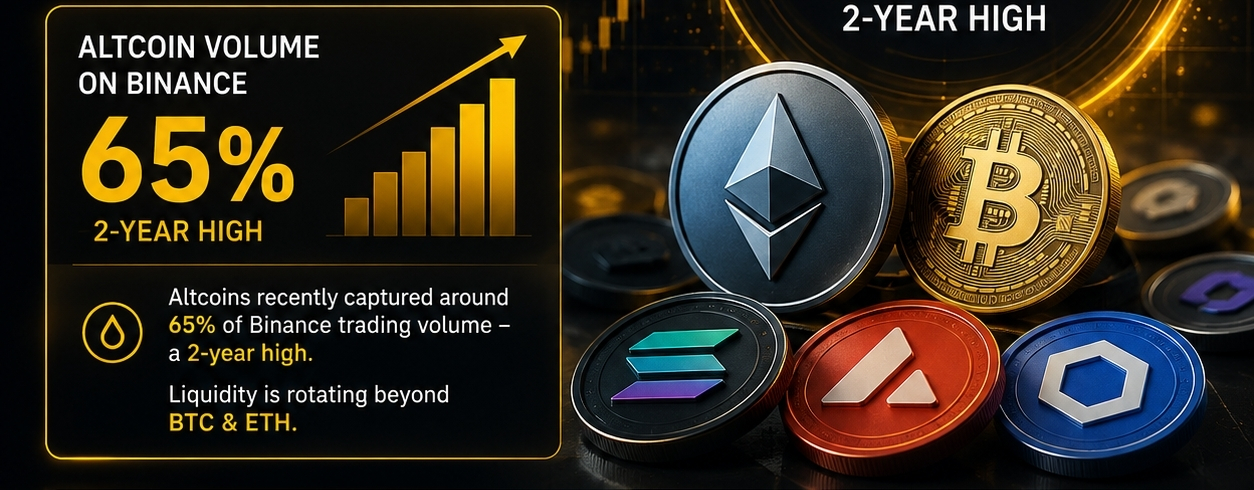
🚨ALTCOIN LIQUIDITY IS WAKING UP! 💧🔥Something interesting is happening in the market 👀
📊 Altcoins recently captured around 65% of Binance trading volume — a 2-year high.
That tells us one thing: liquidity is rotating beyond BTC & ETH. 💰
But after the recent rally, the market is showing signs of cooling down. So instead of chasing pumps, watch:
🔹 Trading volume
🔹 Liquidity inflows
🔹 Breakout + confirmation
🔹 BTC dominance
🔹 Market breadth
The real question is:
Which altcoins can maintain strong liquidity when the hype fades? 👀
DYOR. Not financial advice. ⚠️
#Altcoins! #cz判罚 #BinanceSquareFamily #CryptoManMab #BTC #ETH #AltcoinSeason
🚨ALTCOIN LIQUIDITY IS WAKING UP! 💧🔥
Something interesting is happening in the market 👀
📊 Altcoins recently captured around 65% of Binance trading volume — a 2-year high.
That tells us one thing: liquidity is rotating beyond BTC & ETH. 💰
But after the recent rally, the market is showing signs of cooling down. So instead of chasing pumps, watch:
🔹 Trading volume
🔹 Liquidity inflows
🔹 Breakout + confirmation
🔹 BTC dominance
🔹 Market breadth
The real question is:
Which altcoins can maintain strong liquidity when the hype fades? 👀
DYOR. Not financial advice. ⚠️
#Altcoins! #cz判罚 #BinanceSquareFamily #CryptoManMab #BTC #ETH #AltcoinSeason
📊 Altcoins recently captured around 65% of Binance trading volume — a 2-year high.
That tells us one thing: liquidity is rotating beyond BTC & ETH. 💰
But after the recent rally, the market is showing signs of cooling down. So instead of chasing pumps, watch:
🔹 Trading volume
🔹 Liquidity inflows
🔹 Breakout + confirmation
🔹 BTC dominance
🔹 Market breadth
The real question is:
Which altcoins can maintain strong liquidity when the hype fades? 👀
DYOR. Not financial advice. ⚠️
#Altcoins! #cz判罚 #BinanceSquareFamily #CryptoManMab #BTC #ETH #AltcoinSeason
98
Войдите, чтобы посмотреть больше материала
Присоединяйтесь к пользователям криптовалют по всему миру на Binance Square
⚡️ Получайте новейшую и полезную информацию о криптоактивах.
💬 Нам доверяет крупнейшая в мире криптобиржа.
👍 Получите достоверные аналитические данные от верифицированных создателей контента.
Эл. почта/номер телефона
В тренде
1
#UniswapA16zSeekDeFiExemptionFromIllinoisCryptoTax
Просмотров: 1,260
156 обсуждают
2
#HKDollarStablecoinHKDAPToLaunchOnSolana
Просмотров: 46
26 обсуждают
3
#$1.5BInLeveragedCryptoBetsLiquidated
Просмотров: 11,893
158 обсуждают
4
#TrezorSaysCryptoBilisSoldWalletMayContainMaliciousComponents
Просмотров: 173
12 обсуждают
5
#KOSPIFalls3.53%BackBelow6000
Просмотров: 33,739
735 обсуждают
6
#AmazonSharesFallAbout7%InPremarketTrading
Просмотров: 11,711
328 обсуждают
7
#USMidtermElections
Просмотров: 168,615
1,974 обсуждают
8
#StrategySTRCReaches$99.95ForFirstTimeIn165Days
Просмотров: 5,633
86 обсуждают
9
#BinanceWillListPredictPREDICT
Просмотров: 54,540
1,085 обсуждают
10
#SwitzerlandFirstSpotBitcoinETFExpectedToTradeInNovember
Просмотров: 1,838
92 обсуждают