
#accountprotection
accountprotection
Просмотров: 1,890
18 обсуждают
Популярные
Новые
·
--
🚨 $AKE $SHELL $TAC ACCOUNT SECURITY ALERT: ONE MINUTE GAP CAN ERASE MONTHS 📉
🔍 A single 3 AM login ping exposed a legacy password, almost wiping months of leveraged positions. 📉 The silent bots scanning 24/7 treat every small wallet as a target, turning a careless passphrase into a full‑blown capital bleed.
💡 Activating 2FA, anti‑phishing codes, and a withdrawal whitelist on a top‑tier exchange is the most disciplined capital‑preservation move you can make today. 📊 Have you hardened every access point, or does a shared password still sit in your vault? 🤔
⚠️ Not financial advice. Always manage your risk. 🛡️
🏷️ #AKE #Security #AccountProtection #Crypto
🔥 💎
🚨 $AKE $SHELL $TAC ACCOUNT SECURITY ALERT: ONE MINUTE GAP CAN ERASE MONTHS 📉
🔍 A single 3 AM login ping exposed a legacy password, almost wiping months of leveraged positions. 📉 The silent bots scanning 24/7 treat every small wallet as a target, turning a careless passphrase into a full‑blown capital bleed.
💡 Activating 2FA, anti‑phishing codes, and a withdrawal whitelist on a top‑tier exchange is the most disciplined capital‑preservation move you can make today. 📊 Have you hardened every access point, or does a shared password still sit in your vault? 🤔
⚠️ Not financial advice. Always manage your risk. 🛡️
🏷️ #AKE #Security #AccountProtection #Crypto
🔥 💎
🔍 A single 3 AM login ping exposed a legacy password, almost wiping months of leveraged positions. 📉 The silent bots scanning 24/7 treat every small wallet as a target, turning a careless passphrase into a full‑blown capital bleed.
💡 Activating 2FA, anti‑phishing codes, and a withdrawal whitelist on a top‑tier exchange is the most disciplined capital‑preservation move you can make today. 📊 Have you hardened every access point, or does a shared password still sit in your vault? 🤔
⚠️ Not financial advice. Always manage your risk. 🛡️
🏷️ #AKE #Security #AccountProtection #Crypto
🔥 💎
2

If you're still skipping those extra security checks before you trade, stop now.
Traders keep getting wrecked by bot-driven rugs and spam that sparks FOMO buys at the worst possible moment. Missing that verification has left plenty of people holding bags they never meant to keep.
This step verifies that you are not a bot, which helps protect your account and prevent spam. It is the same basic lesson older $BTC crashes taught us the hard way, unlike some competing projects that still get flooded with automated noise. $ETH dealt with similar bot pressure during wild swings, while $BNB setups have leaned harder into these protections from the start.
What's your take on whether these checks actually slow down the bots we see now?
#CryptoSecurity #TradingBots #AccountProtection
If you're still skipping those extra security checks before you trade, stop now.
Traders keep getting wrecked by bot-driven rugs and spam that sparks FOMO buys at the worst possible moment. Missing that verification has left plenty of people holding bags they never meant to keep.
This step verifies that you are not a bot, which helps protect your account and prevent spam. It is the same basic lesson older $BTC crashes taught us the hard way, unlike some competing projects that still get flooded with automated noise. $ETH dealt with similar bot pressure during wild swings, while $BNB setups have leaned harder into these protections from the start.
What's your take on whether these checks actually slow down the bots we see now?
#CryptoSecurity #TradingBots #AccountProtection
Traders keep getting wrecked by bot-driven rugs and spam that sparks FOMO buys at the worst possible moment. Missing that verification has left plenty of people holding bags they never meant to keep.
This step verifies that you are not a bot, which helps protect your account and prevent spam. It is the same basic lesson older $BTC crashes taught us the hard way, unlike some competing projects that still get flooded with automated noise. $ETH dealt with similar bot pressure during wild swings, while $BNB setups have leaned harder into these protections from the start.
What's your take on whether these checks actually slow down the bots we see now?
#CryptoSecurity #TradingBots #AccountProtection

37
·
--
Статья
SECURITY ALERT: YOUR TRADING ACCOUNTS COULD BE AT RISK!🚨 SECURITY ALERT: YOUR TRADING ACCOUNTS COULD BE AT RISK!
🔐 THE ULTIMATE CYBERSECURITY CHECKLIST EVERY TRADER MUST FOLLOW
Protect your passwords. Activate 2FA. Secure your capital.
Your trading account is not just another online account. It may contain your capital, personal information, transaction history, and access to your financial assets.
One weak password, one phishing link, or one compromised email account could put everything at risk.
Every trader should take account security seriously. Do not wait until you lose access to your funds to start protecting yourself.
Below is a complete security checklist every trader should follow.
🔐 1. WHAT IS A WEAK PASSWORD?
A weak password is any password that is easy to guess, predict, or discover through automated attacks or leaked databases.
Examples of weak passwords:
123456789password123Arvo123456Bitcoin2025Your name followed by your birth year.The same password you use across multiple websites.
Why are these dangerous?
Hackers use automated tools to test common passwords and credentials leaked from other websites. If you reuse one password across multiple platforms, a breach on one website could expose your other accounts.
What should you do?
Use passwords of at least 16 characters.Generate random, unique passwords for every account.Never reuse passwords.Never use your name, birthday, phone number, or predictable personal information.Use a reputable password manager to generate and store your passwords securely.
Remember: A password should be unique to one account, not shared across your digital life.
🔐 2. CHANGE YOUR EXISTING WEAK AND REUSED PASSWORDS
Do not delay this.
Start with your most important accounts:
Cryptocurrency exchanges (Binance, OKX, Bybit, etc.).Your primary email account.Trading platforms and brokerage accounts.Banking and financial accounts.Social media accounts.Cloud storage and other accounts containing personal information.
If you have reused the same password on multiple platforms, replace it with a different, randomly generated password on each one.
Also change passwords immediately if you suspect compromise or discover that they have appeared in a data breach.
🛡️ 3. ACTIVATE TWO-FACTOR AUTHENTICATION (2FA)
This is one of the most important security measures you can implement.
Two-factor authentication means that accessing your account requires an additional verification factor beyond your password.
Even if someone discovers your password, 2FA makes unauthorized access significantly more difficult.
Enable 2FA on every important platform that supports it.
Preferred security methods:
Passkeys: Use them wherever supported. They provide strong phishing-resistant authentication.Hardware security keys: Physical security devices such as YubiKeys offer excellent protection.Authenticator applications: Use a trusted authenticator app to generate time-based verification codes.SMS verification: Better than having no additional protection, but less secure than the options above because phone numbers can be targeted through SIM-swapping attacks.
Do not rely on your password alone.
📧 4. SECURE YOUR EMAIL ACCOUNT FIRST
Your email account is one of the most important parts of your digital security.
Think about it: If someone gains access to your email, they may be able to reset passwords, intercept security notifications, and attempt to access your other accounts.
Take these steps:
Create a strong, unique email password.Activate 2FA or a passkey.Review all logged-in devices and active sessions.Remove unknown devices.Check recovery email addresses and phone numbers.Review email forwarding rules and filters for anything you did not create.Never share email verification codes with anyone.
If your email is compromised, many of your other accounts could be at risk.
🚨 5. ACTIVATE ALL AVAILABLE EXCHANGE SECURITY FEATURES
If you trade cryptocurrency, securing your exchange account is essential.
For Binance and other exchanges, review the following settings:
A. Anti-Phishing Code
Activate your exchange's anti-phishing code if available.
This helps you distinguish genuine platform emails from fraudulent messages pretending to come from the exchange.
B. Withdrawal Address Whitelist
Enable withdrawal address whitelisting.
This restricts withdrawals to approved wallet addresses, adding another security barrier if your account is compromised.
C. Passkeys and 2FA
Activate available passkeys, authenticator verification, or hardware security keys.
D. Device Management
Regularly inspect your account's trusted devices and active sessions. Remove anything you do not recognize.
E. Login and Withdrawal Notifications
Enable security notifications so you can identify suspicious login attempts and account activity.
F. API Key Protection
If you use API connections for trading:
Delete unused API keys.Never share API keys or secret keys.Disable withdrawal permissions.Grant only the permissions you actually need.Restrict API access to trusted IP addresses whenever possible.Never paste API credentials into unknown websites or applications.
Your API credentials should be treated like your account password.
📱 6. SECURE YOUR PHONE AND COMPUTER
Your account security is only as strong as the devices you use to access it.
Follow these precautions:
Keep your operating system and applications updated.Use a strong device password or PIN.Activate fingerprint or facial authentication where available.Install applications only from official sources.Avoid suspicious browser extensions.Use reputable antivirus and security software.Never install unknown trading software or files sent by strangers.Avoid logging into financial accounts through public or untrusted computers.Never give remote access to your computer to someone claiming to be technical support.
A compromised device can expose even very strong passwords.
🎣 7. LEARN TO RECOGNIZE PHISHING ATTACKS
One of the biggest threats to traders is phishing.
Phishing is when someone impersonates a legitimate company, exchange, support agent, or individual to trick you into revealing confidential information.
Common examples include:
Fake Binance login pages.Messages claiming your account will be suspended.Fake customer support representatives.Messages promising free cryptocurrency or rewards.Fake investment opportunities.Suspicious links asking you to verify your wallet.Fake applications and browser extensions.
Protect yourself:
Never click suspicious links.Always verify the website address before logging in.Access exchanges through official bookmarks or manually verified websites.Never share passwords, 2FA codes, recovery codes, or private keys.Remember that legitimate support staff should never ask you to disclose your password or authentication codes.
A professional-looking message does not mean it is legitimate.
🔑 8. PROTECT YOUR RECOVERY CODES AND PRIVATE KEYS
When activating an authenticator, passkey, or hardware security key, you may receive backup or recovery information.
Protect it carefully.
Store recovery codes in a secure offline location.Never send them through social media or messaging applications.Never store private keys or seed phrases in ordinary notes or screenshots.Do not share your wallet's recovery phrase with anyone.Keep secure backups of your authenticator recovery information.
Losing access to your recovery information can make account recovery extremely difficult.
📞 9. PROTECT YOUR PHONE NUMBER AGAINST SIM SWAPPING
SIM swapping happens when criminals convince or manipulate a mobile carrier into transferring your phone number to another SIM card.
This can allow them to receive SMS verification codes intended for you.
To reduce this risk:
Contact your mobile provider and ask about SIM-swap protection.Set a carrier account PIN or port-out lock if available.Secure your mobile provider account with a unique password.Avoid using SMS as your primary authentication method when stronger alternatives are available.
🔍 10. REGULARLY AUDIT YOUR ACCOUNT SECURITY
Do not secure your accounts once and forget about them.
Make security checks part of your routine.
Review:
Active login sessions.Recognized devices.Recent account activity.Connected third-party applications.API permissions.Withdrawal addresses.Recovery email addresses and phone numbers.Password breach alerts.
Remove anything unfamiliar or unnecessary.
⚠️ YOUR TRADER SECURITY CHECKLIST
Before you continue trading, make sure you have completed these steps:
☐ Changed all weak, reused, or compromised passwords.
☐ Created unique passwords of at least 16 characters.
☐ Started using a reputable password manager.
☐ Activated 2FA on all important accounts.
☐ Enabled passkeys or hardware security keys wherever possible.
☐ Secured my primary email account.
☐ Enabled exchange anti-phishing protection.
☐ Activated withdrawal address whitelisting.
☐ Reviewed trusted devices and active sessions.
☐ Removed unused API keys and restricted API permissions.
☐ Secured my phone and computer.
☐ Stored recovery codes securely.
☐ Learned how to recognize phishing attempts.
☐ Protected my phone number against SIM swapping.
🚨 FINAL MESSAGE TO ALL TRADERS
You spend hours analyzing charts, studying market structure, managing risk, and protecting your trading capital.
But what is the point of having a profitable trading strategy if you neglect the security of the accounts holding your money?
Account security is part of risk management.
Do not assume you are too small to become a target. Cybercriminals do not necessarily target only wealthy individuals or large accounts. Anyone with valuable account access can become a target.
Take 30–60 minutes today and review your security settings. Change weak passwords, activate additional authentication, and secure your devices.
Do not wait for a security breach to teach you the importance of cybersecurity.
Protect your capital. Protect your identity. Protect your accounts.
Stay alert. Stay secure. Trade responsibly.
— ARVO
I am currently watching these top gainers: $AKE $SHELL $TAC
#CyberSecurity #TradingSecurity101 #CryptoSecurity #Binancesecurity #AccountProtection
SECURITY ALERT: YOUR TRADING ACCOUNTS COULD BE AT RISK!
🚨 SECURITY ALERT: YOUR TRADING ACCOUNTS COULD BE AT RISK!
🔐 THE ULTIMATE CYBERSECURITY CHECKLIST EVERY TRADER MUST FOLLOW
Protect your passwords. Activate 2FA. Secure your capital.
Your trading account is not just another online account. It may contain your capital, personal information, transaction history, and access to your financial assets.
One weak password, one phishing link, or one compromised email account could put everything at risk.
Every trader should take account security seriously. Do not wait until you lose access to your funds to start protecting yourself.
Below is a complete security checklist every trader should follow.
🔐 1. WHAT IS A WEAK PASSWORD?
A weak password is any password that is easy to guess, predict, or discover through automated attacks or leaked databases.
Examples of weak passwords:
123456789password123Arvo123456Bitcoin2025Your name followed by your birth year.The same password you use across multiple websites.
Why are these dangerous?
Hackers use automated tools to test common passwords and credentials leaked from other websites. If you reuse one password across multiple platforms, a breach on one website could expose your other accounts.
What should you do?
Use passwords of at least 16 characters.Generate random, unique passwords for every account.Never reuse passwords.Never use your name, birthday, phone number, or predictable personal information.Use a reputable password manager to generate and store your passwords securely.
Remember: A password should be unique to one account, not shared across your digital life.
🔐 2. CHANGE YOUR EXISTING WEAK AND REUSED PASSWORDS
Do not delay this.
Start with your most important accounts:
Cryptocurrency exchanges (Binance, OKX, Bybit, etc.).Your primary email account.Trading platforms and brokerage accounts.Banking and financial accounts.Social media accounts.Cloud storage and other accounts containing personal information.
If you have reused the same password on multiple platforms, replace it with a different, randomly generated password on each one.
Also change passwords immediately if you suspect compromise or discover that they have appeared in a data breach.
🛡️ 3. ACTIVATE TWO-FACTOR AUTHENTICATION (2FA)
This is one of the most important security measures you can implement.
Two-factor authentication means that accessing your account requires an additional verification factor beyond your password.
Even if someone discovers your password, 2FA makes unauthorized access significantly more difficult.
Enable 2FA on every important platform that supports it.
Preferred security methods:
Passkeys: Use them wherever supported. They provide strong phishing-resistant authentication.Hardware security keys: Physical security devices such as YubiKeys offer excellent protection.Authenticator applications: Use a trusted authenticator app to generate time-based verification codes.SMS verification: Better than having no additional protection, but less secure than the options above because phone numbers can be targeted through SIM-swapping attacks.
Do not rely on your password alone.
📧 4. SECURE YOUR EMAIL ACCOUNT FIRST
Your email account is one of the most important parts of your digital security.
Think about it: If someone gains access to your email, they may be able to reset passwords, intercept security notifications, and attempt to access your other accounts.
Take these steps:
Create a strong, unique email password.Activate 2FA or a passkey.Review all logged-in devices and active sessions.Remove unknown devices.Check recovery email addresses and phone numbers.Review email forwarding rules and filters for anything you did not create.Never share email verification codes with anyone.
If your email is compromised, many of your other accounts could be at risk.
🚨 5. ACTIVATE ALL AVAILABLE EXCHANGE SECURITY FEATURES
If you trade cryptocurrency, securing your exchange account is essential.
For Binance and other exchanges, review the following settings:
A. Anti-Phishing Code
Activate your exchange's anti-phishing code if available.
This helps you distinguish genuine platform emails from fraudulent messages pretending to come from the exchange.
B. Withdrawal Address Whitelist
Enable withdrawal address whitelisting.
This restricts withdrawals to approved wallet addresses, adding another security barrier if your account is compromised.
C. Passkeys and 2FA
Activate available passkeys, authenticator verification, or hardware security keys.
D. Device Management
Regularly inspect your account's trusted devices and active sessions. Remove anything you do not recognize.
E. Login and Withdrawal Notifications
Enable security notifications so you can identify suspicious login attempts and account activity.
F. API Key Protection
If you use API connections for trading:
Delete unused API keys.Never share API keys or secret keys.Disable withdrawal permissions.Grant only the permissions you actually need.Restrict API access to trusted IP addresses whenever possible.Never paste API credentials into unknown websites or applications.
Your API credentials should be treated like your account password.
📱 6. SECURE YOUR PHONE AND COMPUTER
Your account security is only as strong as the devices you use to access it.
Follow these precautions:
Keep your operating system and applications updated.Use a strong device password or PIN.Activate fingerprint or facial authentication where available.Install applications only from official sources.Avoid suspicious browser extensions.Use reputable antivirus and security software.Never install unknown trading software or files sent by strangers.Avoid logging into financial accounts through public or untrusted computers.Never give remote access to your computer to someone claiming to be technical support.
A compromised device can expose even very strong passwords.
🎣 7. LEARN TO RECOGNIZE PHISHING ATTACKS
One of the biggest threats to traders is phishing.
Phishing is when someone impersonates a legitimate company, exchange, support agent, or individual to trick you into revealing confidential information.
Common examples include:
Fake Binance login pages.Messages claiming your account will be suspended.Fake customer support representatives.Messages promising free cryptocurrency or rewards.Fake investment opportunities.Suspicious links asking you to verify your wallet.Fake applications and browser extensions.
Protect yourself:
Never click suspicious links.Always verify the website address before logging in.Access exchanges through official bookmarks or manually verified websites.Never share passwords, 2FA codes, recovery codes, or private keys.Remember that legitimate support staff should never ask you to disclose your password or authentication codes.
A professional-looking message does not mean it is legitimate.
🔑 8. PROTECT YOUR RECOVERY CODES AND PRIVATE KEYS
When activating an authenticator, passkey, or hardware security key, you may receive backup or recovery information.
Protect it carefully.
Store recovery codes in a secure offline location.Never send them through social media or messaging applications.Never store private keys or seed phrases in ordinary notes or screenshots.Do not share your wallet's recovery phrase with anyone.Keep secure backups of your authenticator recovery information.
Losing access to your recovery information can make account recovery extremely difficult.
📞 9. PROTECT YOUR PHONE NUMBER AGAINST SIM SWAPPING
SIM swapping happens when criminals convince or manipulate a mobile carrier into transferring your phone number to another SIM card.
This can allow them to receive SMS verification codes intended for you.
To reduce this risk:
Contact your mobile provider and ask about SIM-swap protection.Set a carrier account PIN or port-out lock if available.Secure your mobile provider account with a unique password.Avoid using SMS as your primary authentication method when stronger alternatives are available.
🔍 10. REGULARLY AUDIT YOUR ACCOUNT SECURITY
Do not secure your accounts once and forget about them.
Make security checks part of your routine.
Review:
Active login sessions.Recognized devices.Recent account activity.Connected third-party applications.API permissions.Withdrawal addresses.Recovery email addresses and phone numbers.Password breach alerts.
Remove anything unfamiliar or unnecessary.
⚠️ YOUR TRADER SECURITY CHECKLIST
Before you continue trading, make sure you have completed these steps:
☐ Changed all weak, reused, or compromised passwords.
☐ Created unique passwords of at least 16 characters.
☐ Started using a reputable password manager.
☐ Activated 2FA on all important accounts.
☐ Enabled passkeys or hardware security keys wherever possible.
☐ Secured my primary email account.
☐ Enabled exchange anti-phishing protection.
☐ Activated withdrawal address whitelisting.
☐ Reviewed trusted devices and active sessions.
☐ Removed unused API keys and restricted API permissions.
☐ Secured my phone and computer.
☐ Stored recovery codes securely.
☐ Learned how to recognize phishing attempts.
☐ Protected my phone number against SIM swapping.
🚨 FINAL MESSAGE TO ALL TRADERS
You spend hours analyzing charts, studying market structure, managing risk, and protecting your trading capital.
But what is the point of having a profitable trading strategy if you neglect the security of the accounts holding your money?
Account security is part of risk management.
Do not assume you are too small to become a target. Cybercriminals do not necessarily target only wealthy individuals or large accounts. Anyone with valuable account access can become a target.
Take 30–60 minutes today and review your security settings. Change weak passwords, activate additional authentication, and secure your devices.
Do not wait for a security breach to teach you the importance of cybersecurity.
Protect your capital. Protect your identity. Protect your accounts.
Stay alert. Stay secure. Trade responsibly.
— ARVO
I am currently watching these top gainers: $AKE $SHELL $TAC
#CyberSecurity #TradingSecurity101 #CryptoSecurity #Binancesecurity #AccountProtection
🔐 THE ULTIMATE CYBERSECURITY CHECKLIST EVERY TRADER MUST FOLLOW
Protect your passwords. Activate 2FA. Secure your capital.
Your trading account is not just another online account. It may contain your capital, personal information, transaction history, and access to your financial assets.
One weak password, one phishing link, or one compromised email account could put everything at risk.
Every trader should take account security seriously. Do not wait until you lose access to your funds to start protecting yourself.
Below is a complete security checklist every trader should follow.
🔐 1. WHAT IS A WEAK PASSWORD?
A weak password is any password that is easy to guess, predict, or discover through automated attacks or leaked databases.
Examples of weak passwords:
123456789password123Arvo123456Bitcoin2025Your name followed by your birth year.The same password you use across multiple websites.
Why are these dangerous?
Hackers use automated tools to test common passwords and credentials leaked from other websites. If you reuse one password across multiple platforms, a breach on one website could expose your other accounts.
What should you do?
Use passwords of at least 16 characters.Generate random, unique passwords for every account.Never reuse passwords.Never use your name, birthday, phone number, or predictable personal information.Use a reputable password manager to generate and store your passwords securely.
Remember: A password should be unique to one account, not shared across your digital life.
🔐 2. CHANGE YOUR EXISTING WEAK AND REUSED PASSWORDS
Do not delay this.
Start with your most important accounts:
Cryptocurrency exchanges (Binance, OKX, Bybit, etc.).Your primary email account.Trading platforms and brokerage accounts.Banking and financial accounts.Social media accounts.Cloud storage and other accounts containing personal information.
If you have reused the same password on multiple platforms, replace it with a different, randomly generated password on each one.
Also change passwords immediately if you suspect compromise or discover that they have appeared in a data breach.
🛡️ 3. ACTIVATE TWO-FACTOR AUTHENTICATION (2FA)
This is one of the most important security measures you can implement.
Two-factor authentication means that accessing your account requires an additional verification factor beyond your password.
Even if someone discovers your password, 2FA makes unauthorized access significantly more difficult.
Enable 2FA on every important platform that supports it.
Preferred security methods:
Passkeys: Use them wherever supported. They provide strong phishing-resistant authentication.Hardware security keys: Physical security devices such as YubiKeys offer excellent protection.Authenticator applications: Use a trusted authenticator app to generate time-based verification codes.SMS verification: Better than having no additional protection, but less secure than the options above because phone numbers can be targeted through SIM-swapping attacks.
Do not rely on your password alone.
📧 4. SECURE YOUR EMAIL ACCOUNT FIRST
Your email account is one of the most important parts of your digital security.
Think about it: If someone gains access to your email, they may be able to reset passwords, intercept security notifications, and attempt to access your other accounts.
Take these steps:
Create a strong, unique email password.Activate 2FA or a passkey.Review all logged-in devices and active sessions.Remove unknown devices.Check recovery email addresses and phone numbers.Review email forwarding rules and filters for anything you did not create.Never share email verification codes with anyone.
If your email is compromised, many of your other accounts could be at risk.
🚨 5. ACTIVATE ALL AVAILABLE EXCHANGE SECURITY FEATURES
If you trade cryptocurrency, securing your exchange account is essential.
For Binance and other exchanges, review the following settings:
A. Anti-Phishing Code
Activate your exchange's anti-phishing code if available.
This helps you distinguish genuine platform emails from fraudulent messages pretending to come from the exchange.
B. Withdrawal Address Whitelist
Enable withdrawal address whitelisting.
This restricts withdrawals to approved wallet addresses, adding another security barrier if your account is compromised.
C. Passkeys and 2FA
Activate available passkeys, authenticator verification, or hardware security keys.
D. Device Management
Regularly inspect your account's trusted devices and active sessions. Remove anything you do not recognize.
E. Login and Withdrawal Notifications
Enable security notifications so you can identify suspicious login attempts and account activity.
F. API Key Protection
If you use API connections for trading:
Delete unused API keys.Never share API keys or secret keys.Disable withdrawal permissions.Grant only the permissions you actually need.Restrict API access to trusted IP addresses whenever possible.Never paste API credentials into unknown websites or applications.
Your API credentials should be treated like your account password.
📱 6. SECURE YOUR PHONE AND COMPUTER
Your account security is only as strong as the devices you use to access it.
Follow these precautions:
Keep your operating system and applications updated.Use a strong device password or PIN.Activate fingerprint or facial authentication where available.Install applications only from official sources.Avoid suspicious browser extensions.Use reputable antivirus and security software.Never install unknown trading software or files sent by strangers.Avoid logging into financial accounts through public or untrusted computers.Never give remote access to your computer to someone claiming to be technical support.
A compromised device can expose even very strong passwords.
🎣 7. LEARN TO RECOGNIZE PHISHING ATTACKS
One of the biggest threats to traders is phishing.
Phishing is when someone impersonates a legitimate company, exchange, support agent, or individual to trick you into revealing confidential information.
Common examples include:
Fake Binance login pages.Messages claiming your account will be suspended.Fake customer support representatives.Messages promising free cryptocurrency or rewards.Fake investment opportunities.Suspicious links asking you to verify your wallet.Fake applications and browser extensions.
Protect yourself:
Never click suspicious links.Always verify the website address before logging in.Access exchanges through official bookmarks or manually verified websites.Never share passwords, 2FA codes, recovery codes, or private keys.Remember that legitimate support staff should never ask you to disclose your password or authentication codes.
A professional-looking message does not mean it is legitimate.
🔑 8. PROTECT YOUR RECOVERY CODES AND PRIVATE KEYS
When activating an authenticator, passkey, or hardware security key, you may receive backup or recovery information.
Protect it carefully.
Store recovery codes in a secure offline location.Never send them through social media or messaging applications.Never store private keys or seed phrases in ordinary notes or screenshots.Do not share your wallet's recovery phrase with anyone.Keep secure backups of your authenticator recovery information.
Losing access to your recovery information can make account recovery extremely difficult.
📞 9. PROTECT YOUR PHONE NUMBER AGAINST SIM SWAPPING
SIM swapping happens when criminals convince or manipulate a mobile carrier into transferring your phone number to another SIM card.
This can allow them to receive SMS verification codes intended for you.
To reduce this risk:
Contact your mobile provider and ask about SIM-swap protection.Set a carrier account PIN or port-out lock if available.Secure your mobile provider account with a unique password.Avoid using SMS as your primary authentication method when stronger alternatives are available.
🔍 10. REGULARLY AUDIT YOUR ACCOUNT SECURITY
Do not secure your accounts once and forget about them.
Make security checks part of your routine.
Review:
Active login sessions.Recognized devices.Recent account activity.Connected third-party applications.API permissions.Withdrawal addresses.Recovery email addresses and phone numbers.Password breach alerts.
Remove anything unfamiliar or unnecessary.
⚠️ YOUR TRADER SECURITY CHECKLIST
Before you continue trading, make sure you have completed these steps:
☐ Changed all weak, reused, or compromised passwords.
☐ Created unique passwords of at least 16 characters.
☐ Started using a reputable password manager.
☐ Activated 2FA on all important accounts.
☐ Enabled passkeys or hardware security keys wherever possible.
☐ Secured my primary email account.
☐ Enabled exchange anti-phishing protection.
☐ Activated withdrawal address whitelisting.
☐ Reviewed trusted devices and active sessions.
☐ Removed unused API keys and restricted API permissions.
☐ Secured my phone and computer.
☐ Stored recovery codes securely.
☐ Learned how to recognize phishing attempts.
☐ Protected my phone number against SIM swapping.
🚨 FINAL MESSAGE TO ALL TRADERS
You spend hours analyzing charts, studying market structure, managing risk, and protecting your trading capital.
But what is the point of having a profitable trading strategy if you neglect the security of the accounts holding your money?
Account security is part of risk management.
Do not assume you are too small to become a target. Cybercriminals do not necessarily target only wealthy individuals or large accounts. Anyone with valuable account access can become a target.
Take 30–60 minutes today and review your security settings. Change weak passwords, activate additional authentication, and secure your devices.
Do not wait for a security breach to teach you the importance of cybersecurity.
Protect your capital. Protect your identity. Protect your accounts.
Stay alert. Stay secure. Trade responsibly.
— ARVO
I am currently watching these top gainers: $AKE $SHELL $TAC
#CyberSecurity #TradingSecurity101 #CryptoSecurity #Binancesecurity #AccountProtection
385

·
--
My Crypto Safety Roadmap (Part 4): How I Use 2FA to Make My Binance Account 200% Secure
🎈🎈
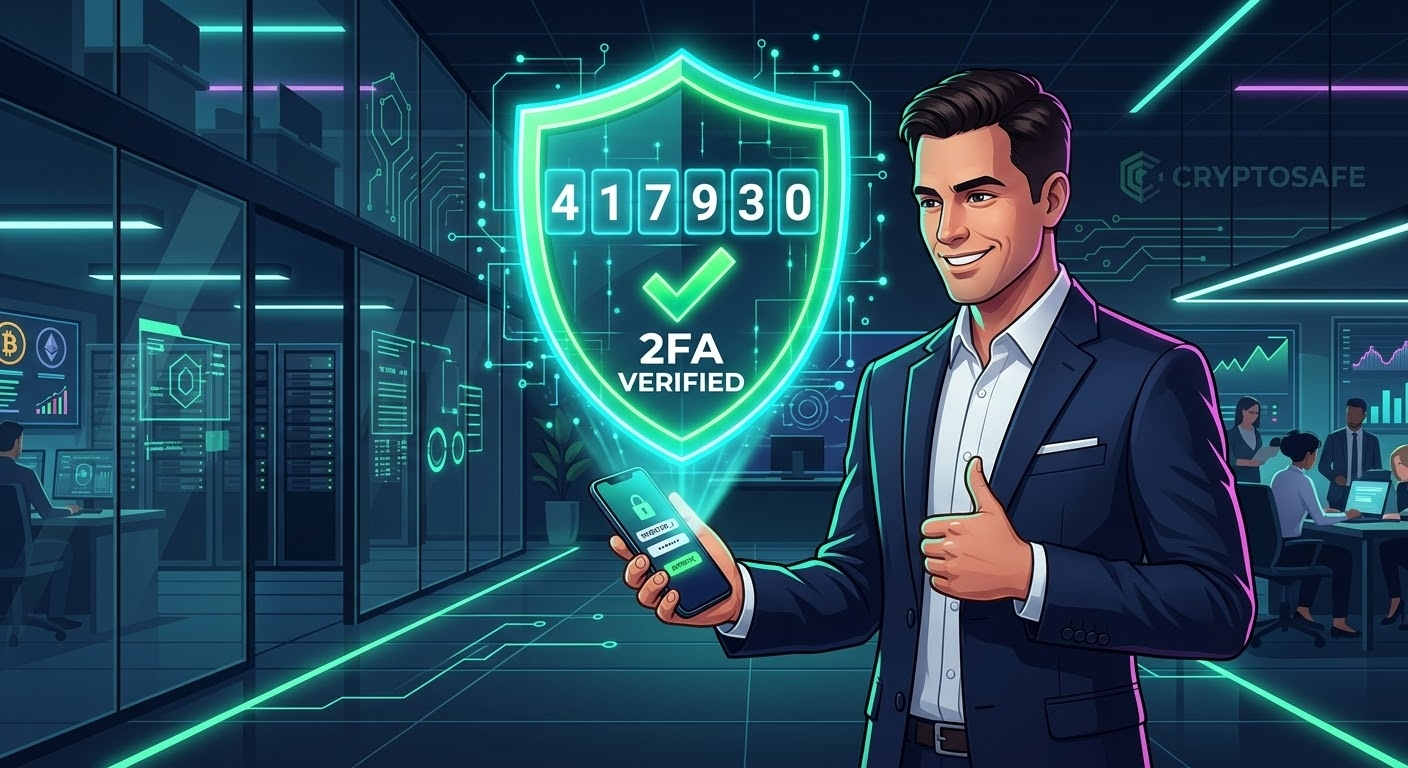
📌️Password protection alone is never enough to secure my hard-earned crypto assets on centralized exchanges. In my journey to achieve maximum security, I treat my login password as just the first layer of defense. To make my Binance account virtually impenetrable, I immediately activated advanced Two-Factor Authentication (2FA) using dynamic authenticator apps rather than relying solely on vulnerable SMS verification.🚀
📌️Today, every single login attempt and withdrawal request requires a unique, time-sensitive code generated directly on my offline mobile device. Even if a hacker somehow manages to discover my primary password through phishing or data leaks, they are completely blocked by this second mandatory security wall. Relying on continuous, 30-second rotating codes gives me total peace of mind, knowing that I hold absolute control over my account access at all times.🚀
#CryptoSafety #BinanceSecurity #2FA #AccountProtection #MyJourney $XAUT $BTC $BNB
💥Not Financial Advice
{spot}(XAUTUSDT)
My Crypto Safety Roadmap (Part 4): How I Use 2FA to Make My Binance Account 200% Secure
🎈🎈
📌️Password protection alone is never enough to secure my hard-earned crypto assets on centralized exchanges. In my journey to achieve maximum security, I treat my login password as just the first layer of defense. To make my Binance account virtually impenetrable, I immediately activated advanced Two-Factor Authentication (2FA) using dynamic authenticator apps rather than relying solely on vulnerable SMS verification.🚀
📌️Today, every single login attempt and withdrawal request requires a unique, time-sensitive code generated directly on my offline mobile device. Even if a hacker somehow manages to discover my primary password through phishing or data leaks, they are completely blocked by this second mandatory security wall. Relying on continuous, 30-second rotating codes gives me total peace of mind, knowing that I hold absolute control over my account access at all times.🚀
#CryptoSafety #BinanceSecurity #2FA #AccountProtection #MyJourney $XAUT $BTC $BNB
💥Not Financial Advice
🎈🎈
📌️Password protection alone is never enough to secure my hard-earned crypto assets on centralized exchanges. In my journey to achieve maximum security, I treat my login password as just the first layer of defense. To make my Binance account virtually impenetrable, I immediately activated advanced Two-Factor Authentication (2FA) using dynamic authenticator apps rather than relying solely on vulnerable SMS verification.🚀
📌️Today, every single login attempt and withdrawal request requires a unique, time-sensitive code generated directly on my offline mobile device. Even if a hacker somehow manages to discover my primary password through phishing or data leaks, they are completely blocked by this second mandatory security wall. Relying on continuous, 30-second rotating codes gives me total peace of mind, knowing that I hold absolute control over my account access at all times.🚀
#CryptoSafety #BinanceSecurity #2FA #AccountProtection #MyJourney $XAUT $BTC $BNB
💥Not Financial Advice
157

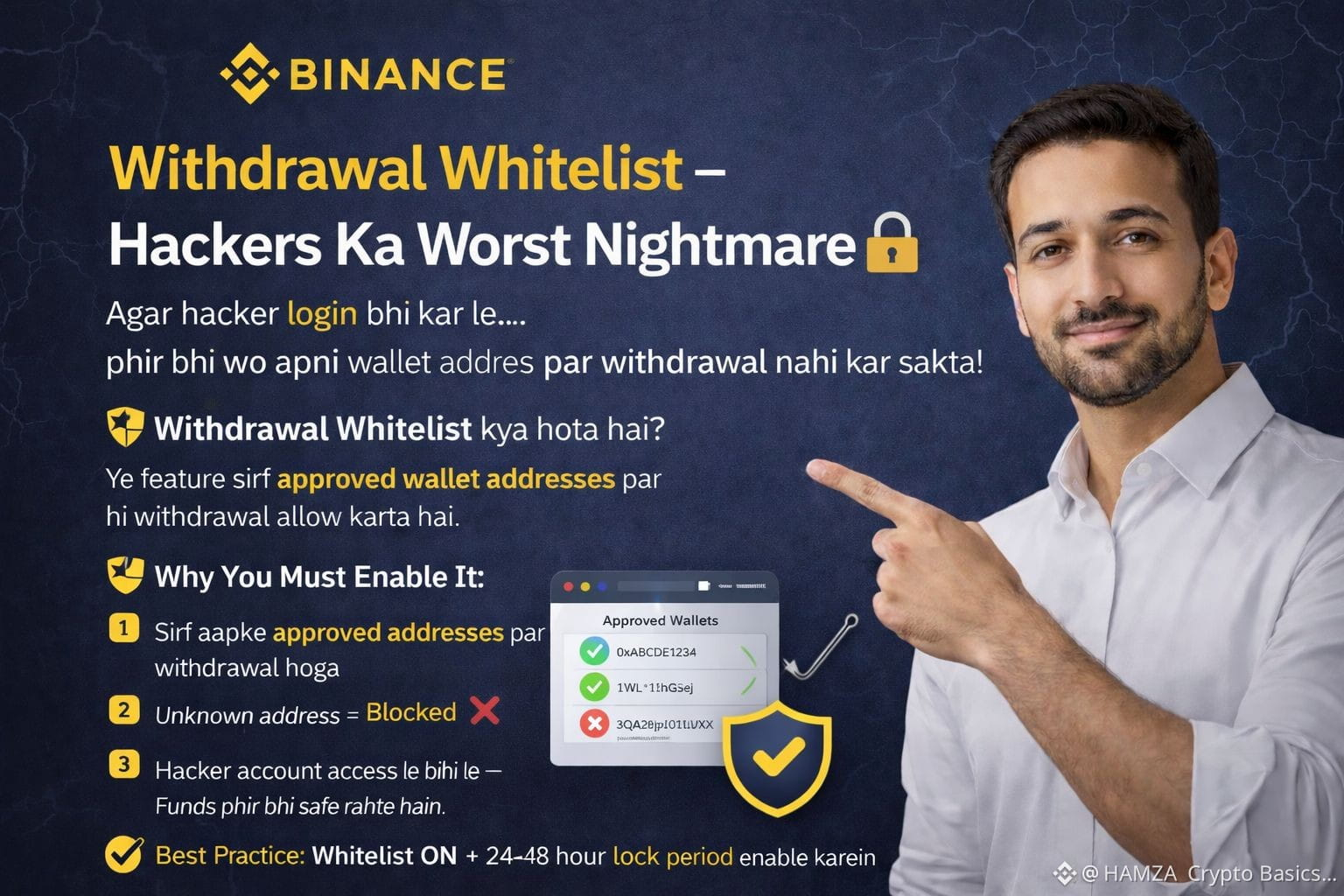
Topic#18: Withdrawal Whitelist – Hackers Ka Worst Nightmare 🔐
Agar hacker login bhi kar le…
phir bhi wo apni wallet address par withdrawal nahi kar sakta!
🛡️ Withdrawal Whitelist kya hota hai?
Ye feature sirf approved wallet addresses par hi withdrawal allow karta hai.
Why You Must Enable It:
1️⃣ Sirf aapke approved addresses par withdrawal hoga
Unknown address = Blocked ❌
2️⃣ Hacker account access le bhi le —
Funds phir bhi safe rahte hain
3️⃣ Extra protection layer for long-term holders
✅ Best Practice:
Whitelist ON + 24–48 hour lock period enable karein
🔐 Login secure hona kaafi nahi —
Withdrawal bhi secure hona chahiye!
#Binance #WithdrawalWhitelist #CryptoSecurity #AccountProtection #BinanceSquare #CryptoSafety #StaySecure
$BTC $ETH $BNB
Topic#18: Withdrawal Whitelist – Hackers Ka Worst Nightmare 🔐
Agar hacker login bhi kar le…
phir bhi wo apni wallet address par withdrawal nahi kar sakta!
🛡️ Withdrawal Whitelist kya hota hai?
Ye feature sirf approved wallet addresses par hi withdrawal allow karta hai.
Why You Must Enable It:
1️⃣ Sirf aapke approved addresses par withdrawal hoga
Unknown address = Blocked ❌
2️⃣ Hacker account access le bhi le —
Funds phir bhi safe rahte hain
3️⃣ Extra protection layer for long-term holders
✅ Best Practice:
Whitelist ON + 24–48 hour lock period enable karein
🔐 Login secure hona kaafi nahi —
Withdrawal bhi secure hona chahiye!
#Binance #WithdrawalWhitelist #CryptoSecurity #AccountProtection #BinanceSquare #CryptoSafety #StaySecure
$BTC $ETH $BNB
Agar hacker login bhi kar le…
phir bhi wo apni wallet address par withdrawal nahi kar sakta!
🛡️ Withdrawal Whitelist kya hota hai?
Ye feature sirf approved wallet addresses par hi withdrawal allow karta hai.
Why You Must Enable It:
1️⃣ Sirf aapke approved addresses par withdrawal hoga
Unknown address = Blocked ❌
2️⃣ Hacker account access le bhi le —
Funds phir bhi safe rahte hain
3️⃣ Extra protection layer for long-term holders
✅ Best Practice:
Whitelist ON + 24–48 hour lock period enable karein
🔐 Login secure hona kaafi nahi —
Withdrawal bhi secure hona chahiye!
#Binance #WithdrawalWhitelist #CryptoSecurity #AccountProtection #BinanceSquare #CryptoSafety #StaySecure
$BTC $ETH $BNB
1
1
2
11
Войдите, чтобы посмотреть больше материала
Присоединяйтесь к пользователям криптовалют по всему миру на Binance Square
⚡️ Получайте новейшую и полезную информацию о криптоактивах.
💬 Нам доверяет крупнейшая в мире криптобиржа.
👍 Получите достоверные аналитические данные от верифицированных создателей контента.
Эл. почта/номер телефона
В тренде
1
#WhoWillSucceedJensenHuangatNvidia?
Просмотров: 14,807
226 обсуждают
2
#WhatWillDriveCryptoandStocks’NextRebound?
Просмотров: 294,122
2,179 обсуждают
3
#USPPIMissMayEaseBTCPressure
Просмотров: 131,357
1,496 обсуждают
4
#dYdXPlansV9.9UpgradeToShiftUSDCToInjective
Просмотров: 14
5 обсуждают
5
#TradFiForBeginners
Просмотров: 653,670
4,225 обсуждают
6
#MANTRAPausesUnstakingFor7DaysAfterKeplrSecurityIncident
Просмотров: 2,138
34 обсуждают
7
#BitcoinCoreDisclosesTorTrafficVulnerability
Просмотров: 61,566
879 обсуждают
8
#BitcoinBreaksBelow200WeekMovingAverage
Просмотров: 129,470
887 обсуждают
9
#SpaceXTeslaMergerTalksWouldCombine30220BTC
Просмотров: 36,573
483 обсуждают
10
#Anthropic’s6xIPODemandSignalsPotentialRecordRaise
Просмотров: 113,378
942 обсуждают