Binance Entity Account (Corporate Account) owners can delegate the entity verification process by creating a ‘Delegate’ sub-account without sharing the master account’s login credentials.
The ‘Delegate Account’ feature is available for all entity account users, and each entity account owner can create one delegate account.
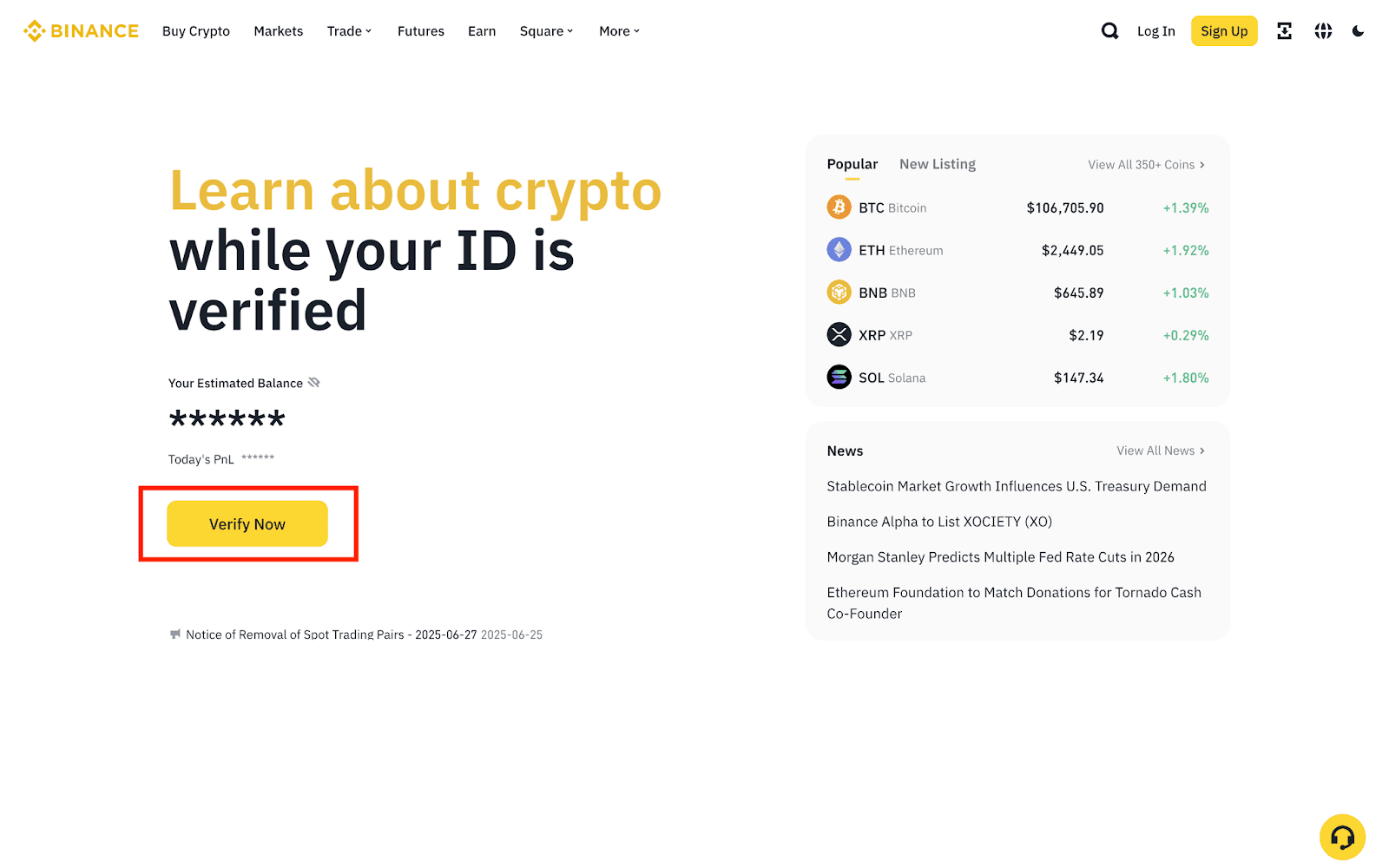
1. Log in to your Binance account and click [Verify Now] on the homepage to start the entity verification process.
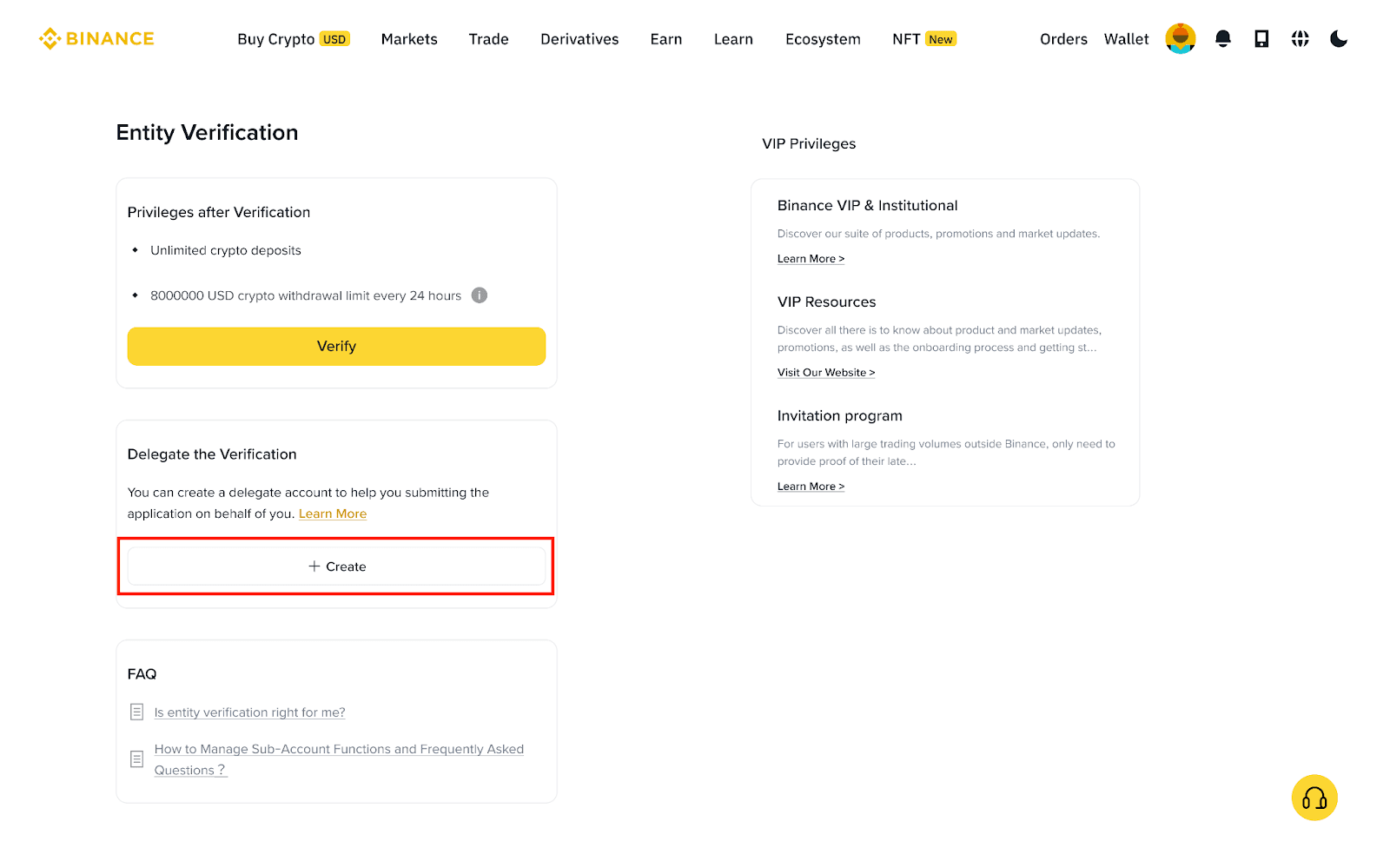
2. Under ‘Delegate the Verification’, click [Create], agree to the Terms and Conditions and click [Continue].
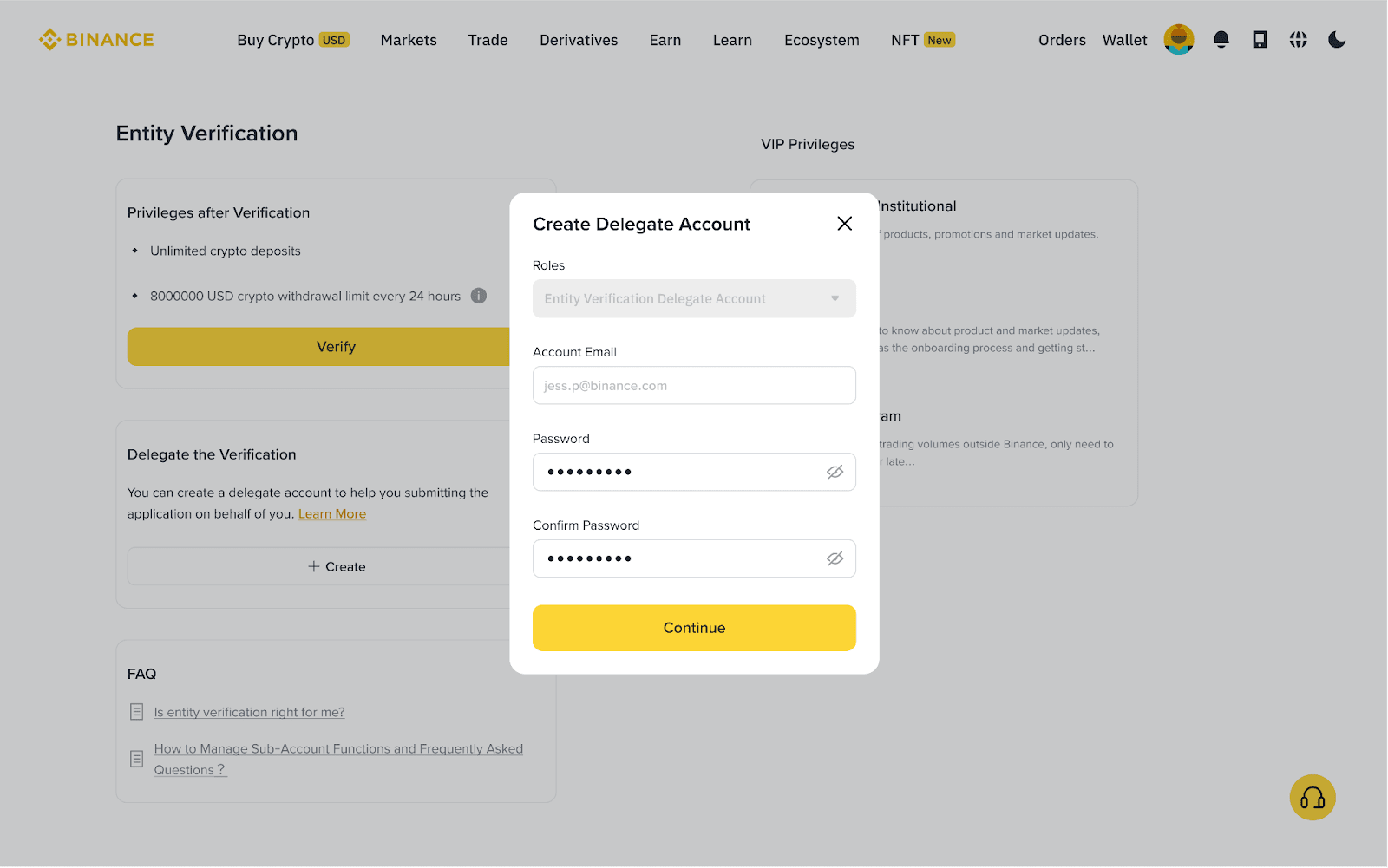
3. Input the chosen delegate account holder’s email address and login password.
Please note:
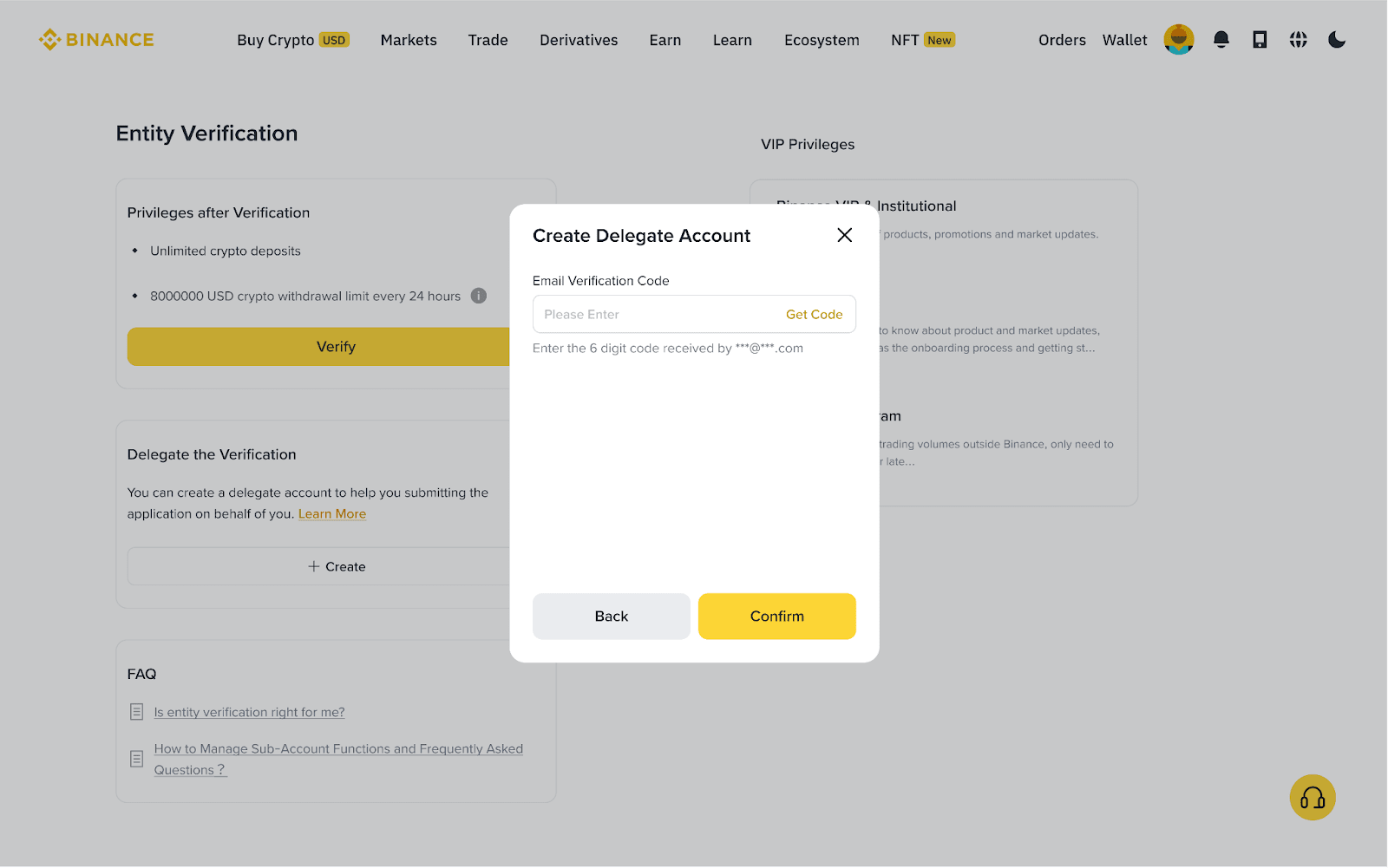
4. A verification code will be sent to the email address provided. Enter the code and click [Submit].
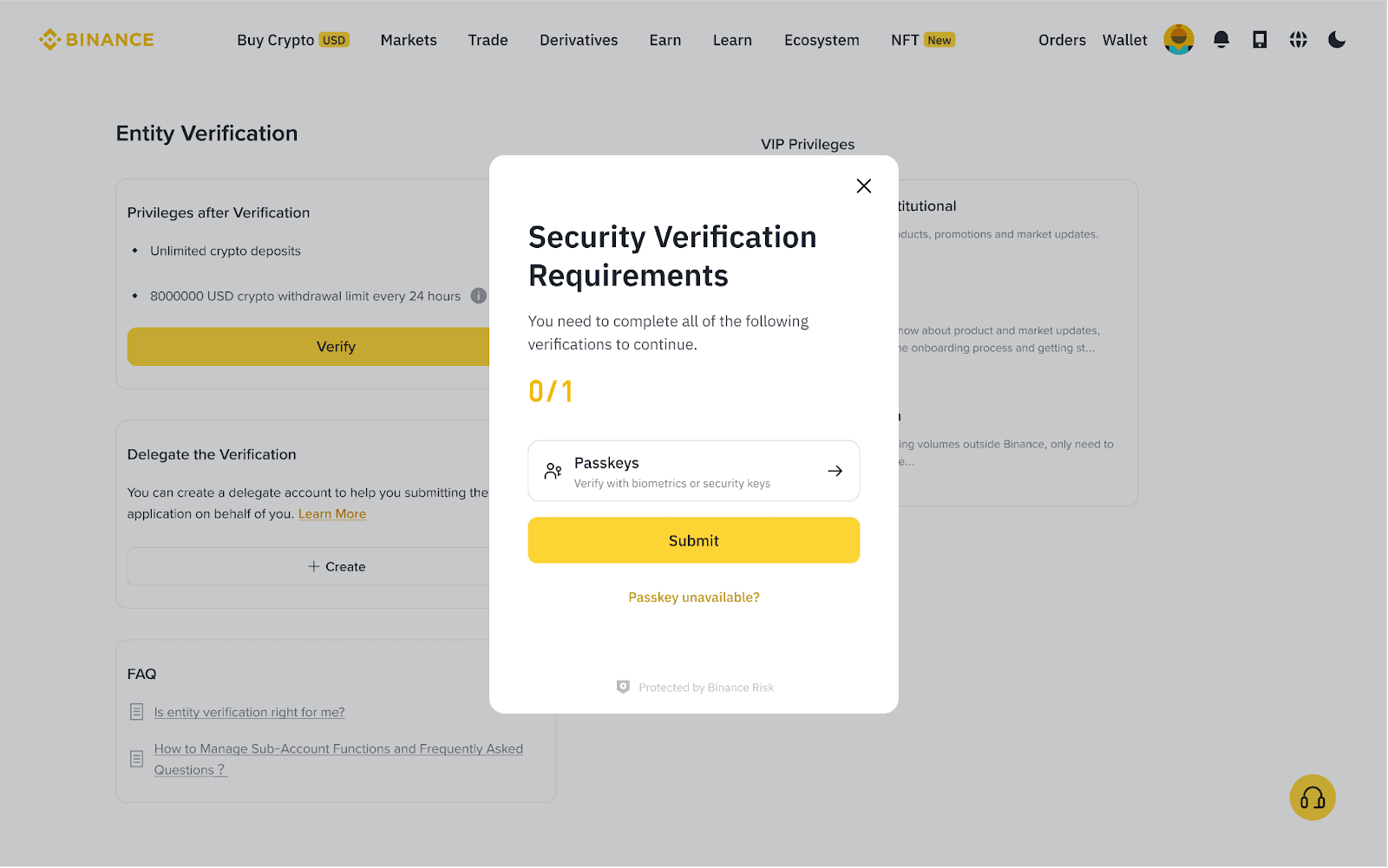
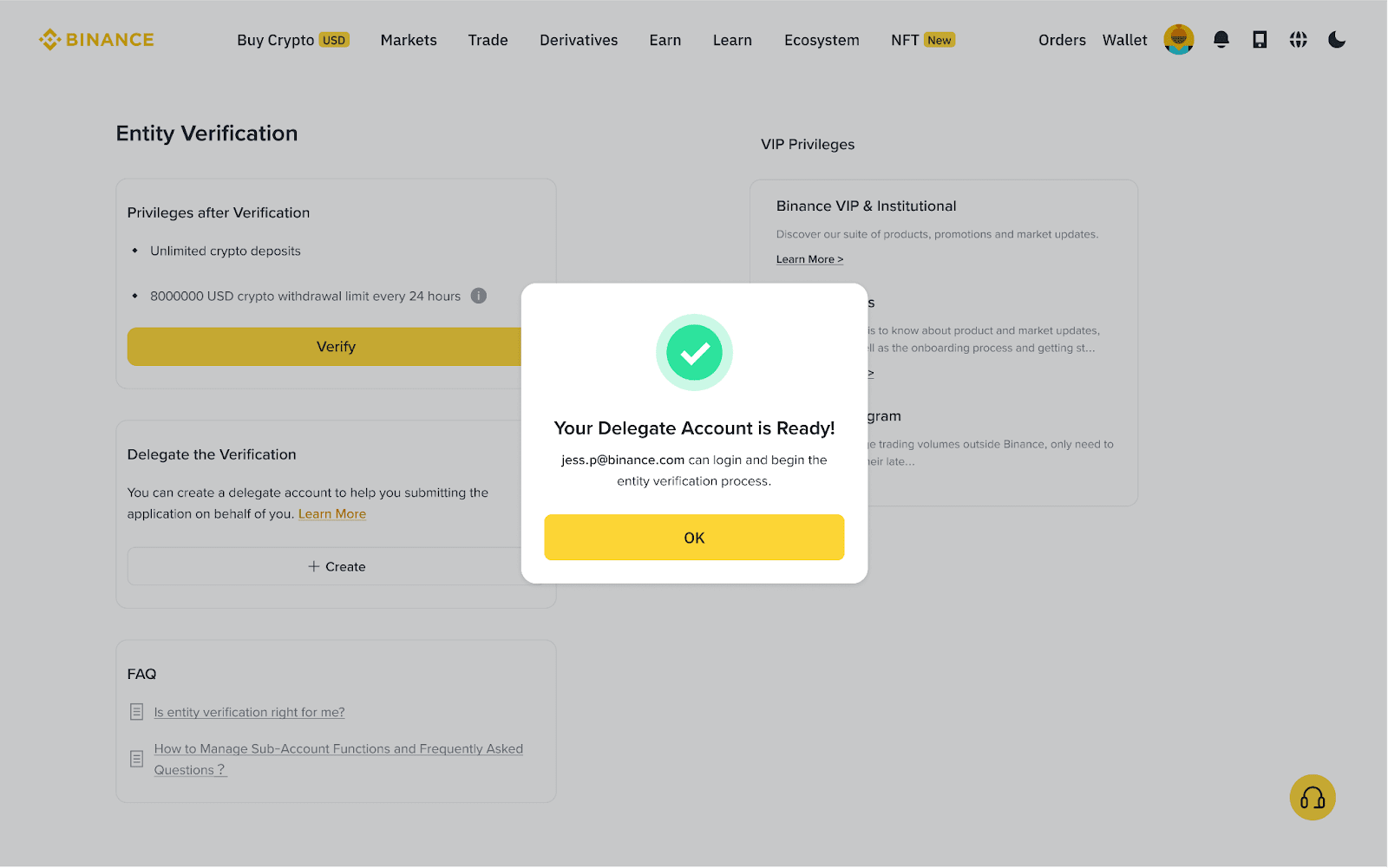
Note: You can permanently delete the delegate account at any time. This will not affect any entity verification information already submitted.
1. Log in to your Binance account and hover over the [Profile] icon, then click [Account] to access the entity verification page.
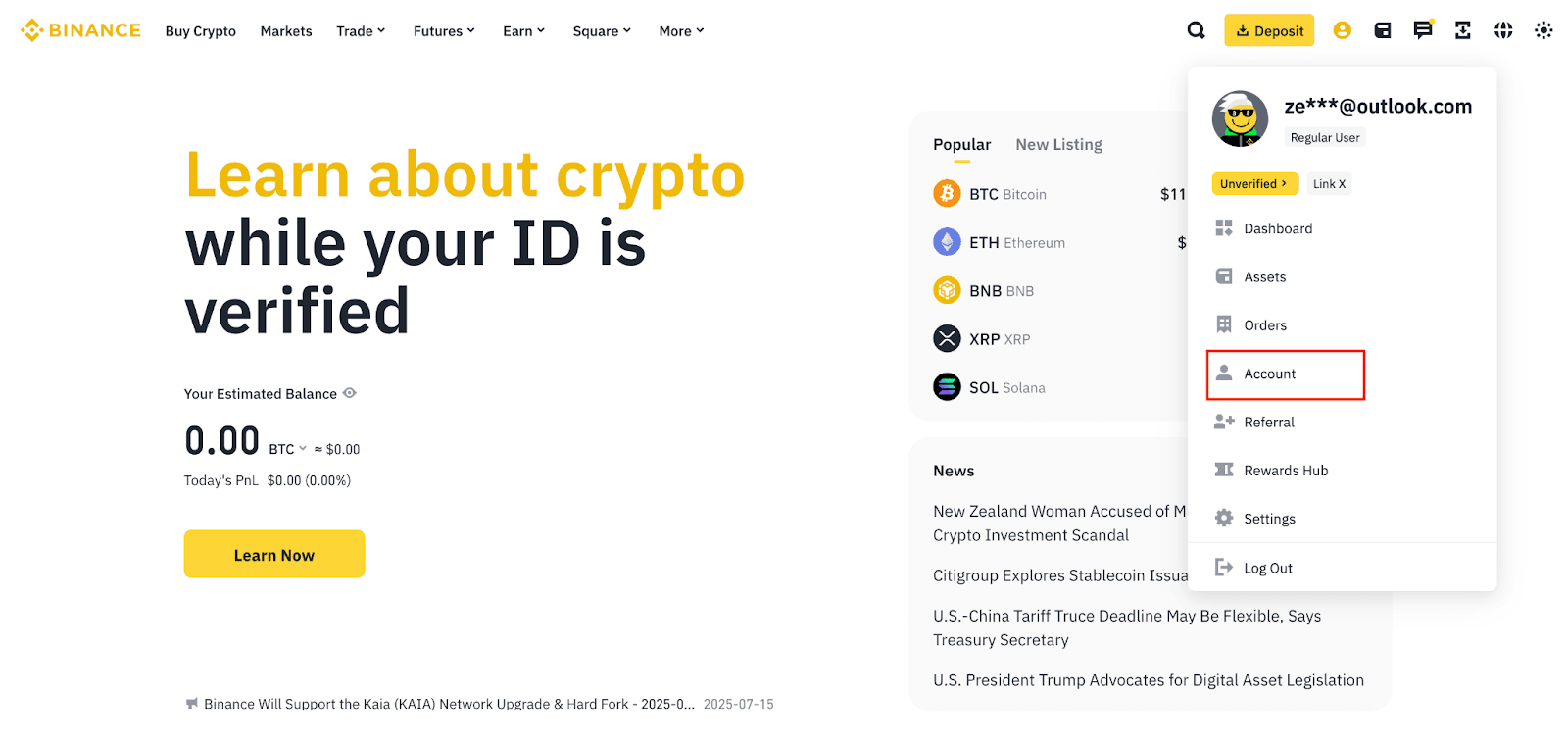
2. If you’ve already created a Delegate Account, you will see the [Manage] button under ‘Delegate the Verification’. Click [Manage].
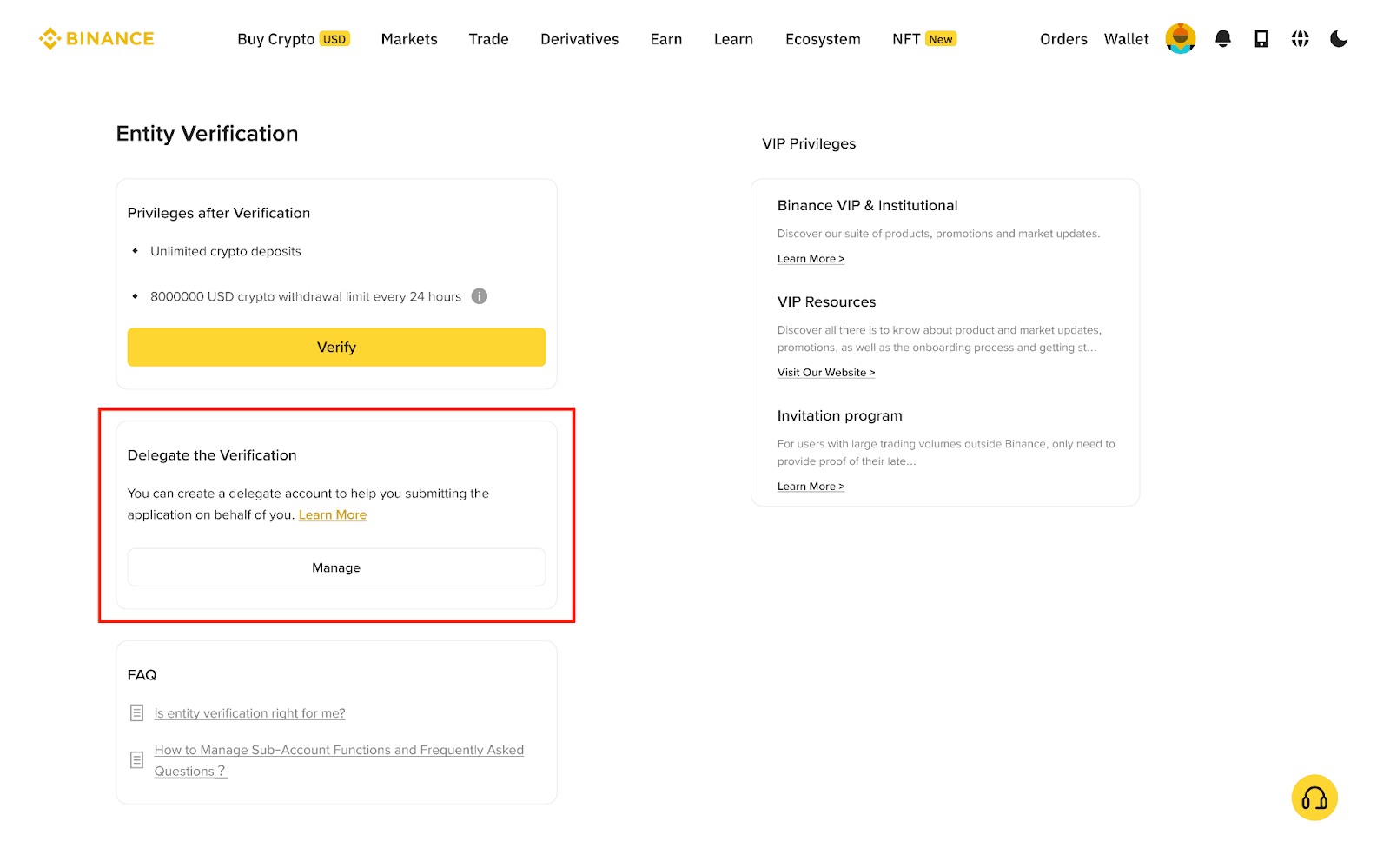
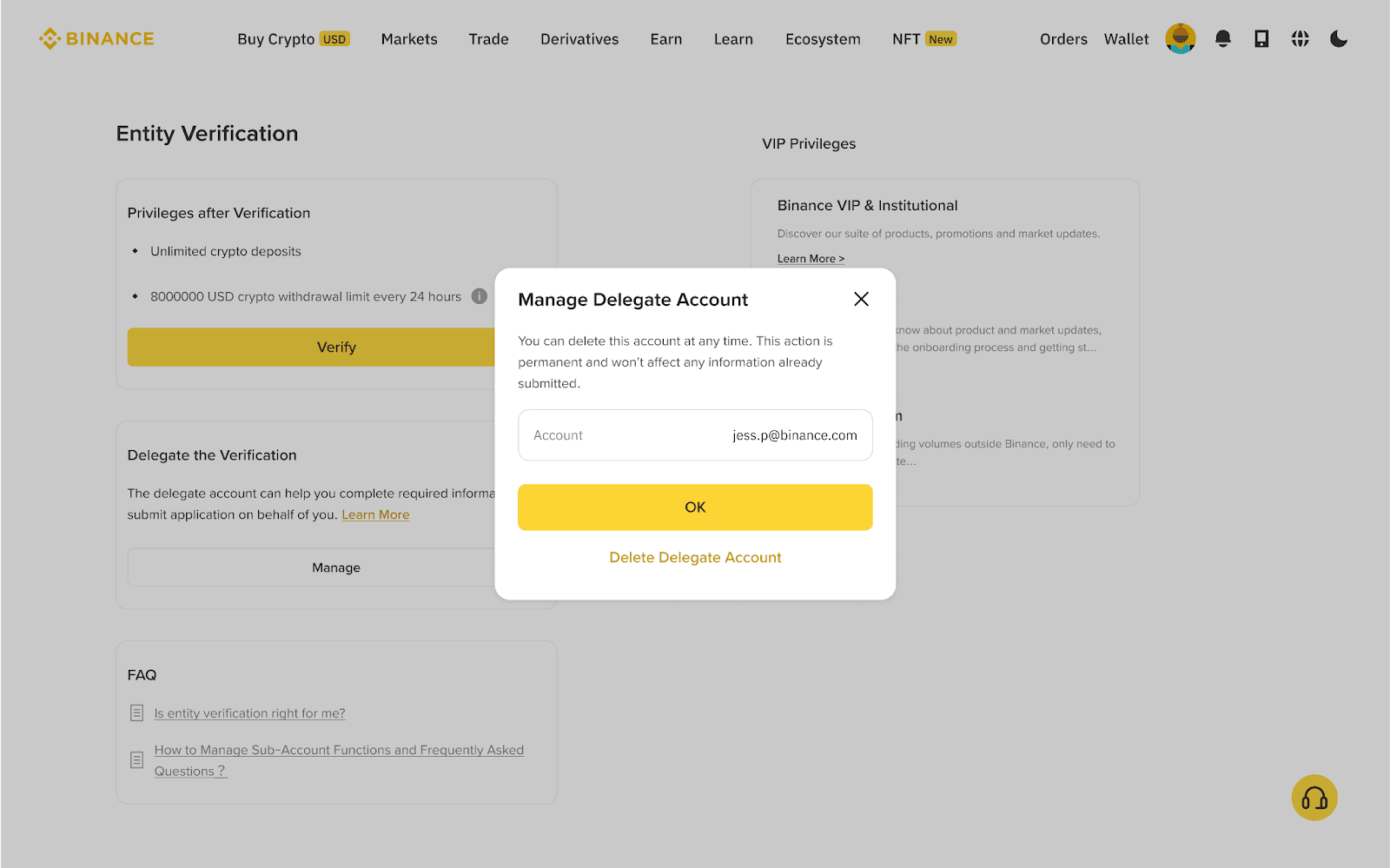
3. Check the delegate account’s email address in the pop-up window, then click [Delete Delegate Account].
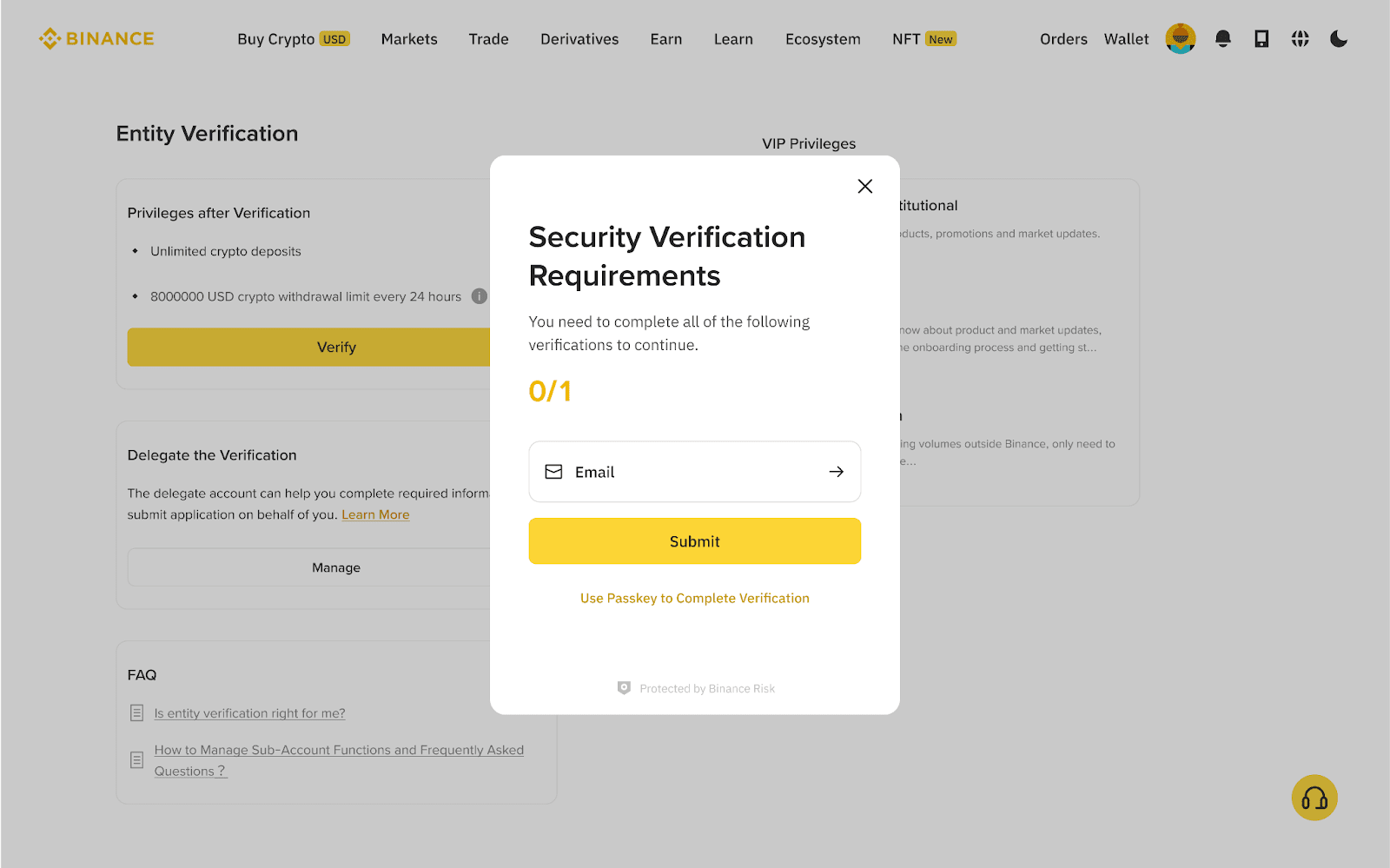
4. Complete the security verification requirements and click [Submit].
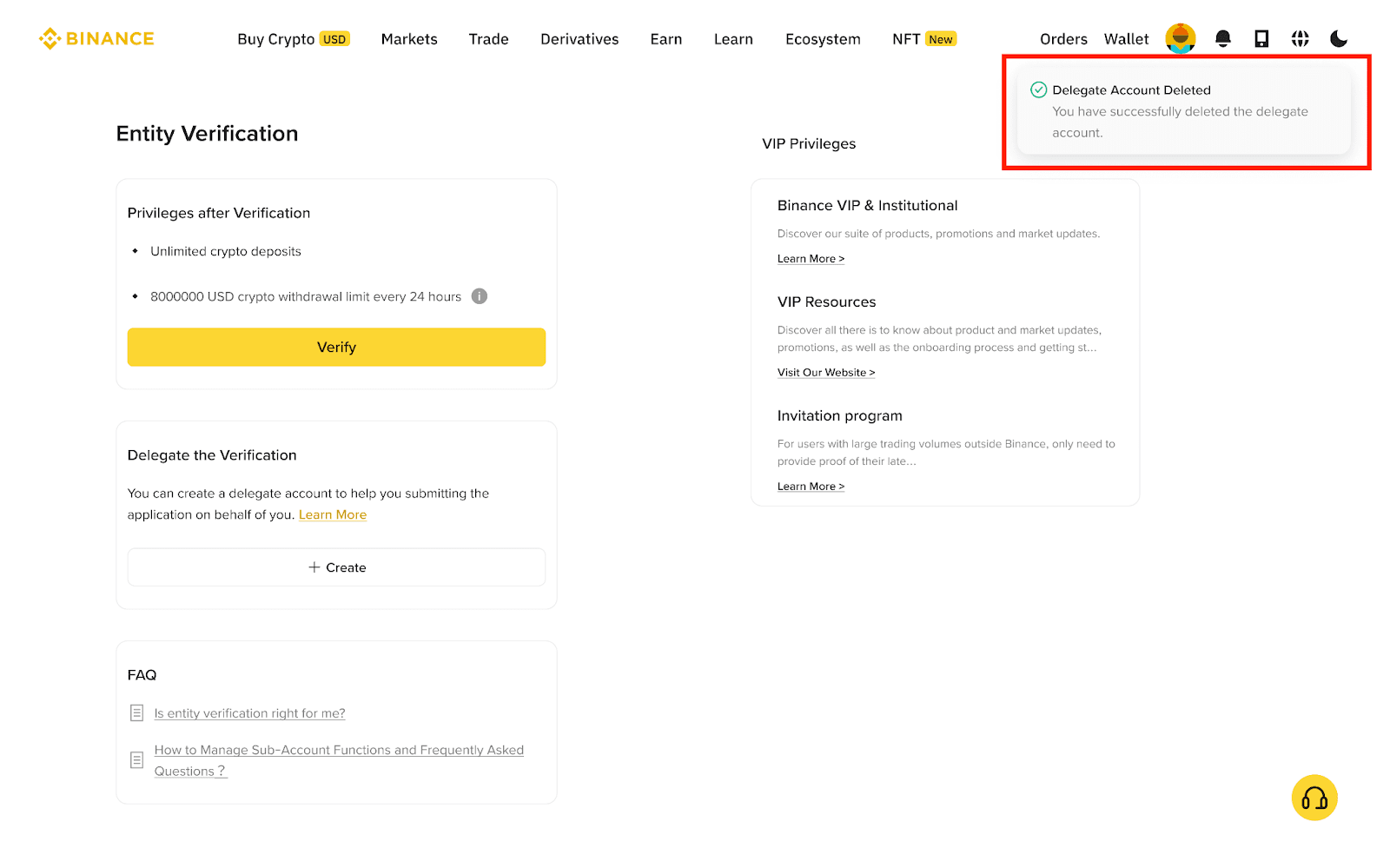
5. Once you complete the verification, you will see a notification on the top-right of the page if the Delegate Account has been deleted successfully. You can create another new delegate account at any time.
1. Delegates can directly log in to the Delegate account using the email and login password submitted by the master account user, no separate account registration is required.
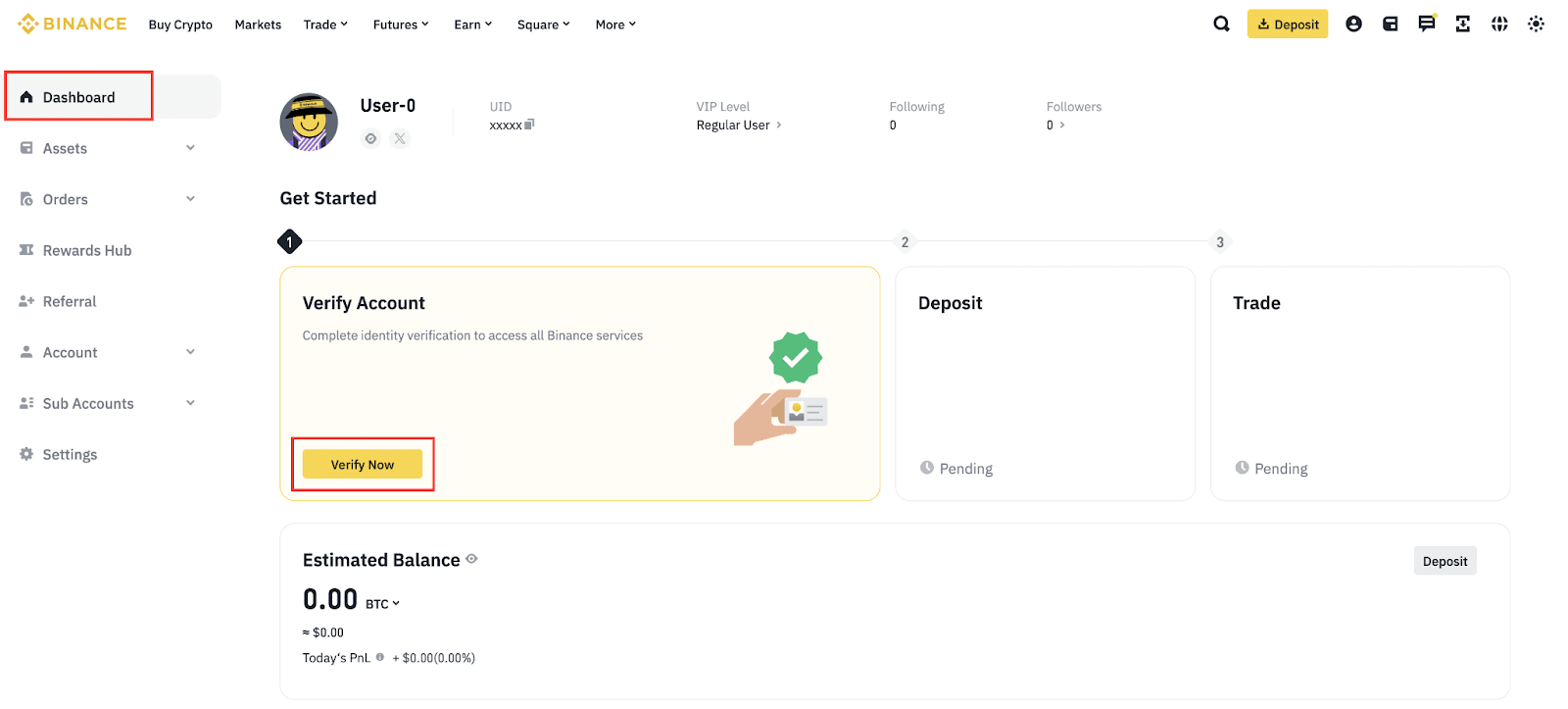
2. To start the entity verification process for the account, click [Verify Now] on the dashboard or the homepage.
3. Before starting the process, provide the basic information required for the delegate account, including full name, date of birth, and residence country.
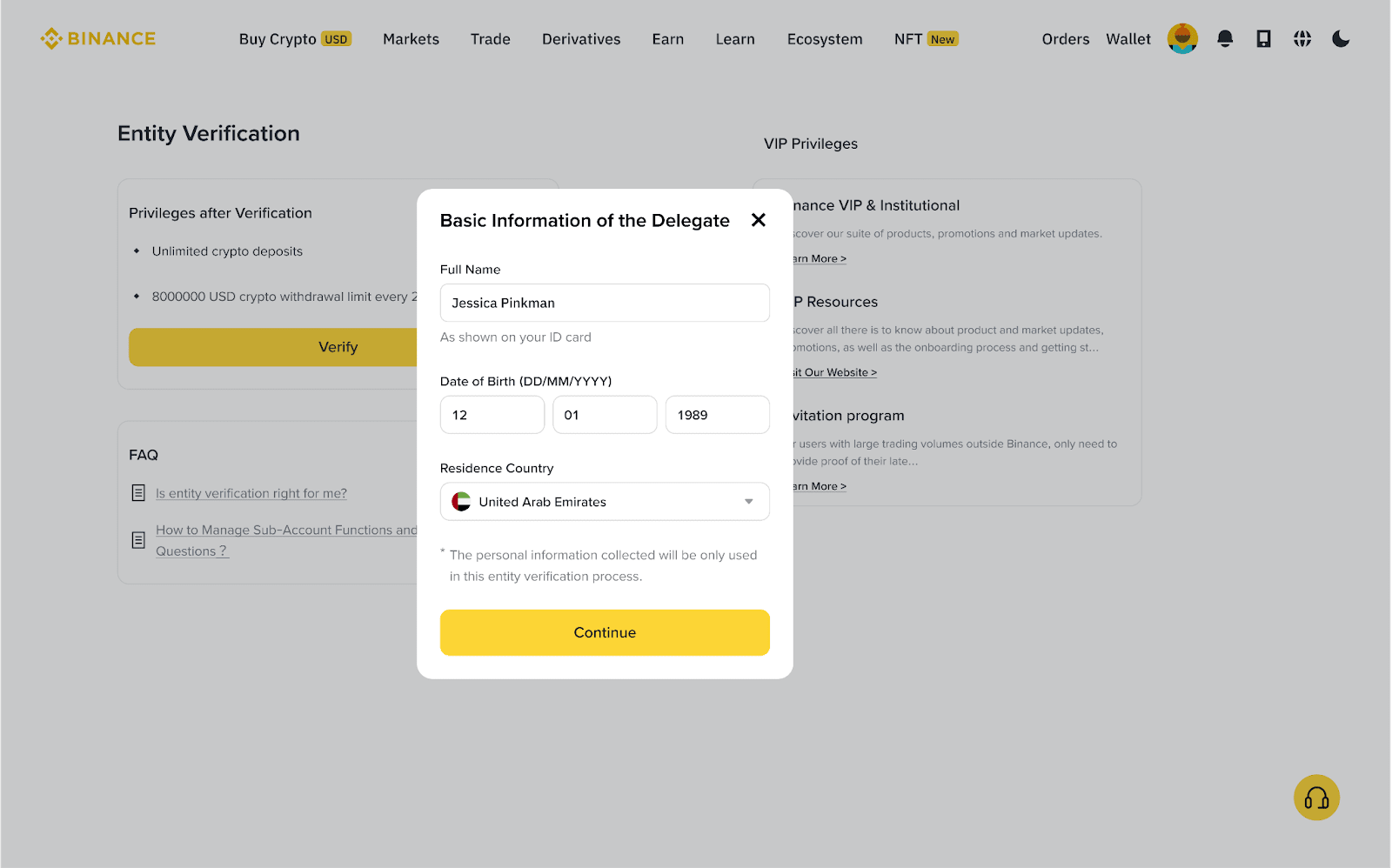
4. Click [Continue] to begin the entity verification process and follow the steps accordingly.
For more information, please refer to: How to Complete Entity Verification: A Step-by-Step Guide.
