Here's what can be done to identify the transaction:
Check if the retailer’s name is listed differently (e.g., parent company name);
Look for additional charges, such as tax or service fees;
Search your email inbox and receipts for payment confirmations;
Review transactions around the same date for context;
Consider currency conversion and possible exchange rate differences;
Check if it’s part of a recurring subscription;
See if it’s linked to a free trial that converted to a paid plan.
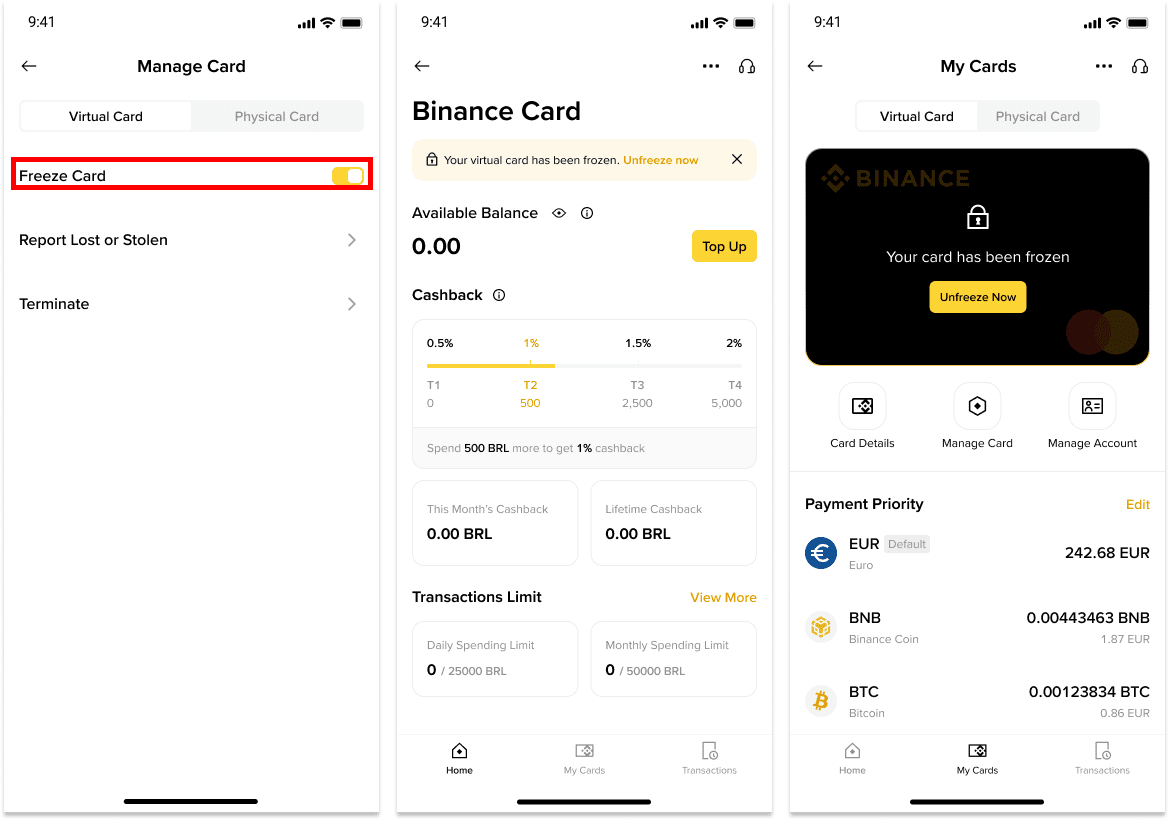
2. How do I freeze my Binance Brazil Card?
You may temporarily freeze your Binance Brazil Card to prevent new charges from being approved.
1. Log in to your Binance account and go to [Card Dashboard].
2. You will see a [Manage Card] button. Toggle on the button next to [Freeze Card] and your card will be frozen. Please note that your card will automatically decline every transaction until you unfreeze your card.
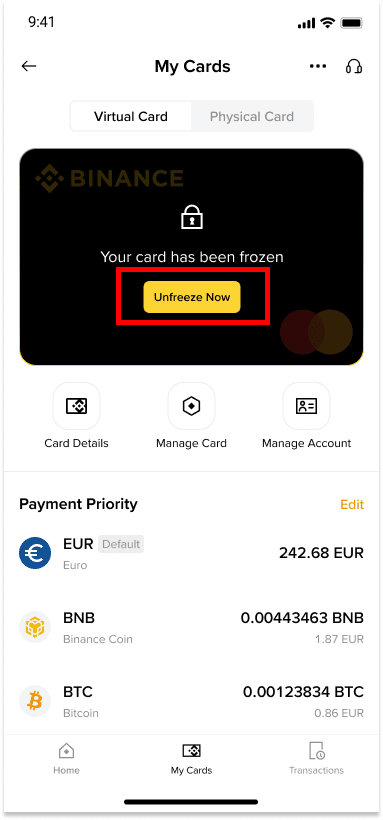
3. How do I unfreeze my Binance Brazil Card?
To unfreeze your Binance Brazil Card, please follow these instructions:
1. Log in to your Binance account and go to [Card Dashboard].
2. Tap [Unfreeze]. Complete security verifications and your card will be unlocked.
4. What should I do to protect my card?
To keep your card secure, follow these simple tips:
Never share your card details with anyone.
Don’t save your card details on shared or public devices.
Check your transactions regularly for any suspicious activity.
Regista-te para receberes recompensas
Regista-te já — Recebe até 100 USDT de devolução em taxas de trading (para utilizadores verificados)