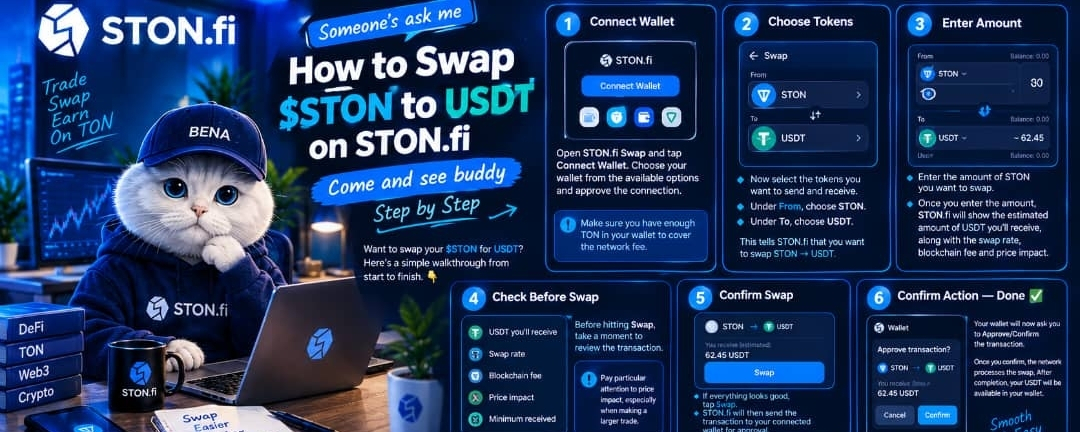

Want to swap your $STON for USDT? Here’s a simple walkthrough from start to finish. 👇
1️⃣ Connect Wallet
Open STON.fi Swap and tap Connect Wallet. Choose your wallet from the available options and approve the connection.
Make sure you have enough TON in your wallet to cover the network fee.
2️⃣ Choose Tokens
Now select the tokens you want to send and receive.
Under From, choose STON.
Under To, choose USDT.
This tells STON.fi that you want to swap STON → USDT.
3️⃣ Enter Amount
Enter the amount of STON you want to swap.
Once you enter the amount, STON.fi will show the estimated amount of USDT you’ll receive, along with the swap rate, blockchain fee, and price impact.
4️⃣ Check Before Swap
Before hitting Swap, take a moment to review the transaction.
✓ USDT you’ll receive
✓ Swap rate
✓ Blockchain fee
✓ Price impact
✓ Minimum received
Pay particular attention to price impact, especially when making a larger trade.
5️⃣ Confirm Swap
If everything looks good, tap Swap.
STON.fi will then send the transaction to your connected wallet for approval.
Take one more look at the transaction details before confirming.
6️⃣ Confirm Action — Done ✅
Your wallet will now ask you to Approve/Confirm the transaction.
Once you confirm, the network processes the swap. After completion, your USDT will be available in your wallet.
The whole process:
Connect Wallet → Choose Tokens → Enter Amount → Check Before Swap → Confirm Swap → Confirm Action → USDT Received ✅
That's it. A simple way to swap $STON → USDT on STON.fi.
#STONfi #SrTON #USDT #TON #DeFi #Crypto