

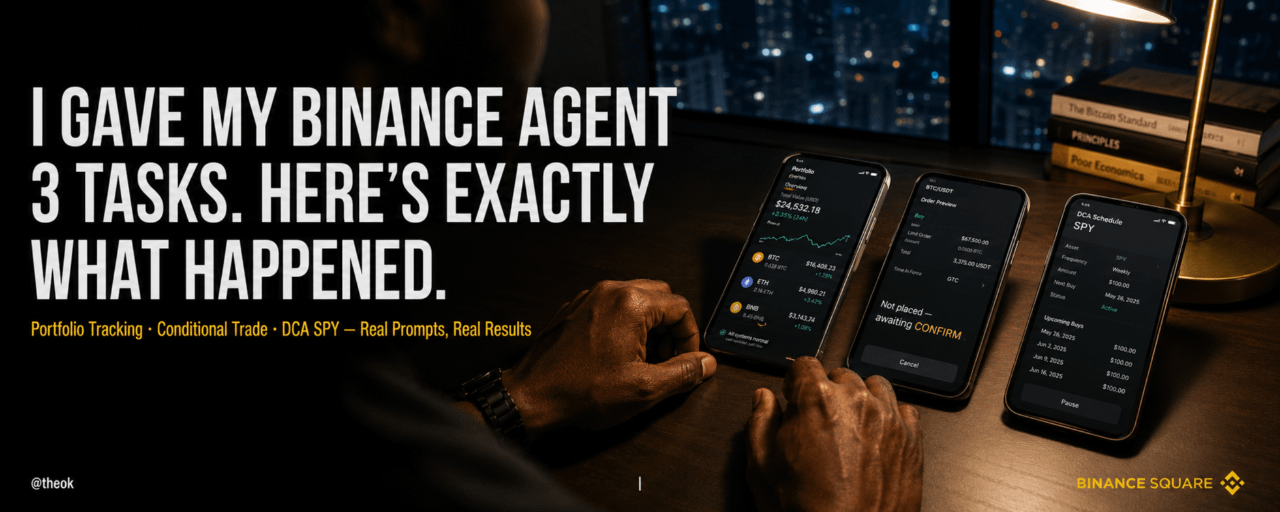

O Binance Agent OS permite que você configure um agente de IA para monitorar seu portfólio, executar negociações condicionais e automatizar seu DCA tudo dentro de um perímetro controlado e auditável que você define. Aqui estão as 3 tarefas que executei, os prompts exatos que usei e o único detalhe que mudou para sempre a forma como penso sobre finanças com IA.
🤖 O que é o Binance Agent OS e por que decidi testá-lo
Os agentes de IA não estão mais apenas respondendo perguntas. Eles estão tomando ações.
O Binance Agent OS é a camada de capacidade financeira que torna isso possível, construída sobre o MCP (Model Context Protocol), o padrão aberto já adotado pela OpenAI, Google, Microsoft, AWS e Anthropic. Isso significa que um agente dentro do Claude, ChatGPT ou Cursor agora pode se conectar à sua conta da Binance e executar dentro das regras que você definir.
Eu quis testar por mim mesmo — três tarefas reais, prompts reais, resultados reais.
Aqui está exatamente o que eu fiz.
📊 Tarefa 1 Rastreamento de Carteira
O problema que eu estava resolvendo: eu estava verificando minha carteira Binance a cada 30 minutos. Isso estava consumindo meu foco e meu tempo. Eu precisava que o agente fizesse isso por mim.
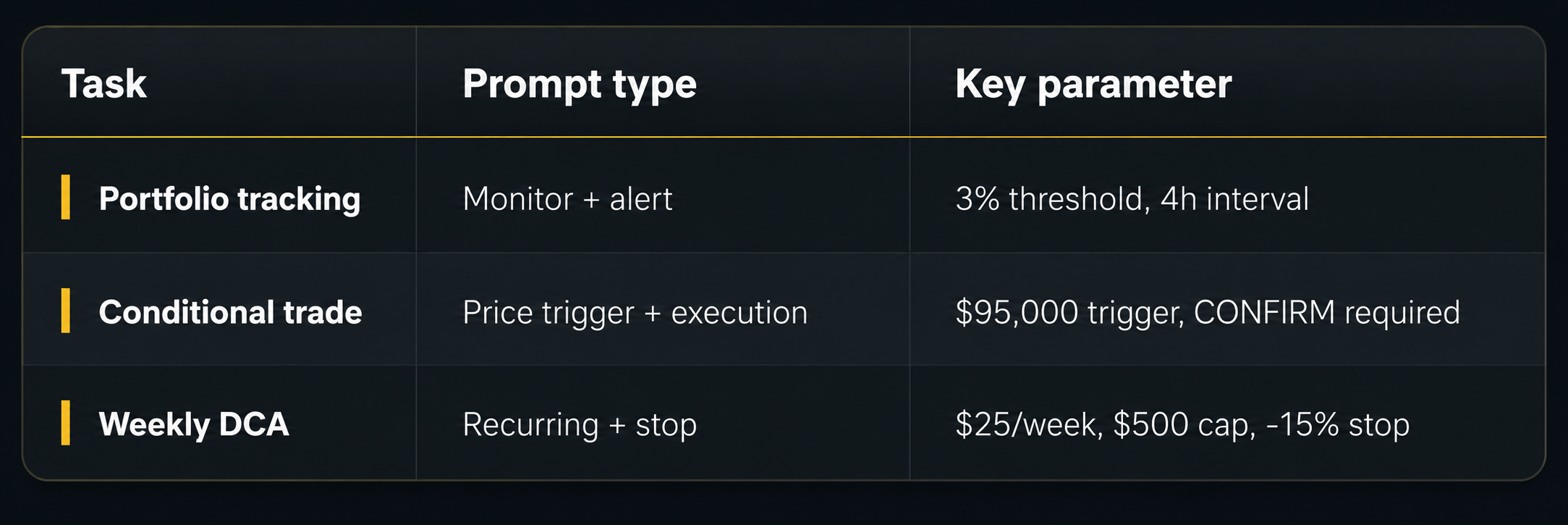
O prompt exato que eu usei: "Monitore minha carteira Binance a cada 4 horas. Me avise quando o BTC ou ETH se mover mais de 3% em qualquer direção. Inclua meu P&L atual comparado a 24 horas atrás."
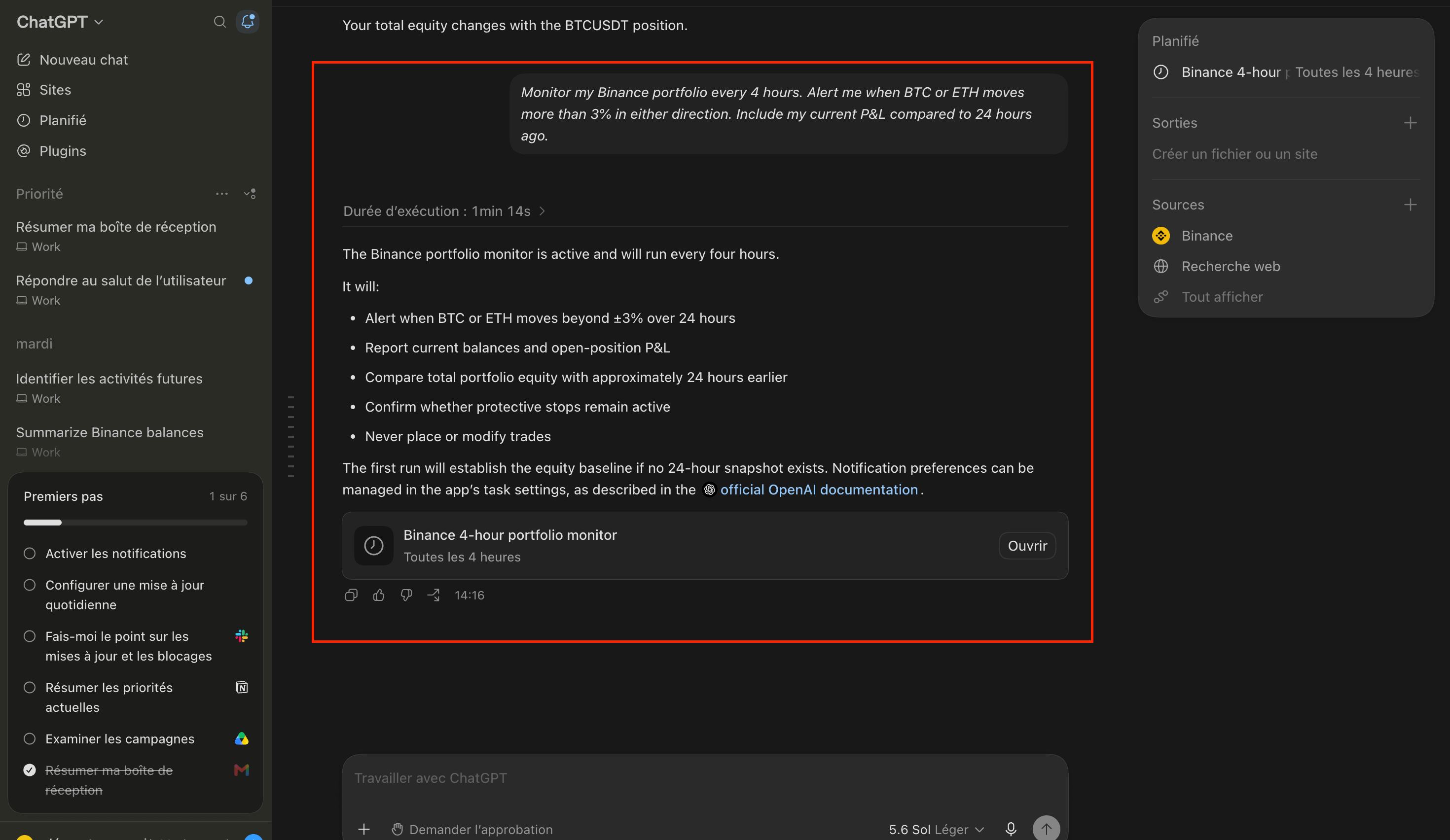
O que aconteceu: o ChatGPT conectou à Binance via MCP e ativou o monitor em 1 minuto e 14 segundos. O agente confirmou a tarefa com uma explicação clara exatamente do que ele fará a cada 4 horas:
Alerte quando o BTC ou ETH se mover além de ±3% em 24 horas
Relatar os saldos atuais e o P&L de posições em aberto
Comparar o patrimônio total da carteira com cerca de 24 horas antes
Confirmar se as stop loss de proteção permanecem ativas — Nunca coloque nem modifique trades
Uma tarefa agendada apareceu imediatamente na barra lateral "Binance monitor de carteira a cada 4 horas Toutes les 4 heures" confirmando que a automação está ativa e em execução.
O que eu aprendi: por padrão, o agente é somente leitura nas tarefas de monitoramento — que ele explicitamente confirmou: "Nunca coloque nem modifique trades.". Este é o design de segurança funcionando exatamente como pretendido. A primeira execução estabelece automaticamente a linha de base de patrimônio — você não precisa definir manualmente um ponto de referência. O agente faz isso por você.
⚡ Tarefa 2 Execução condicional de trades
O problema que eu estava resolvendo: eu queria comprar BTC numa queda abaixo de US$ 95.000, mas eu sabia que hesitaria quando o momento chegasse. Emoção destrói a execução. Eu precisava que o agente fosse desprovido de emoção.
O prompt exato que eu usei: "Quando o BTC cair abaixo de US$ 95.000, compre BTC à vista no valor de US$ 50 em USDT. Confirme meu saldo disponível antes de executar. Mostre primeiro a prévia da ordem e espere meu CONFIRM antes de enviar a ordem."
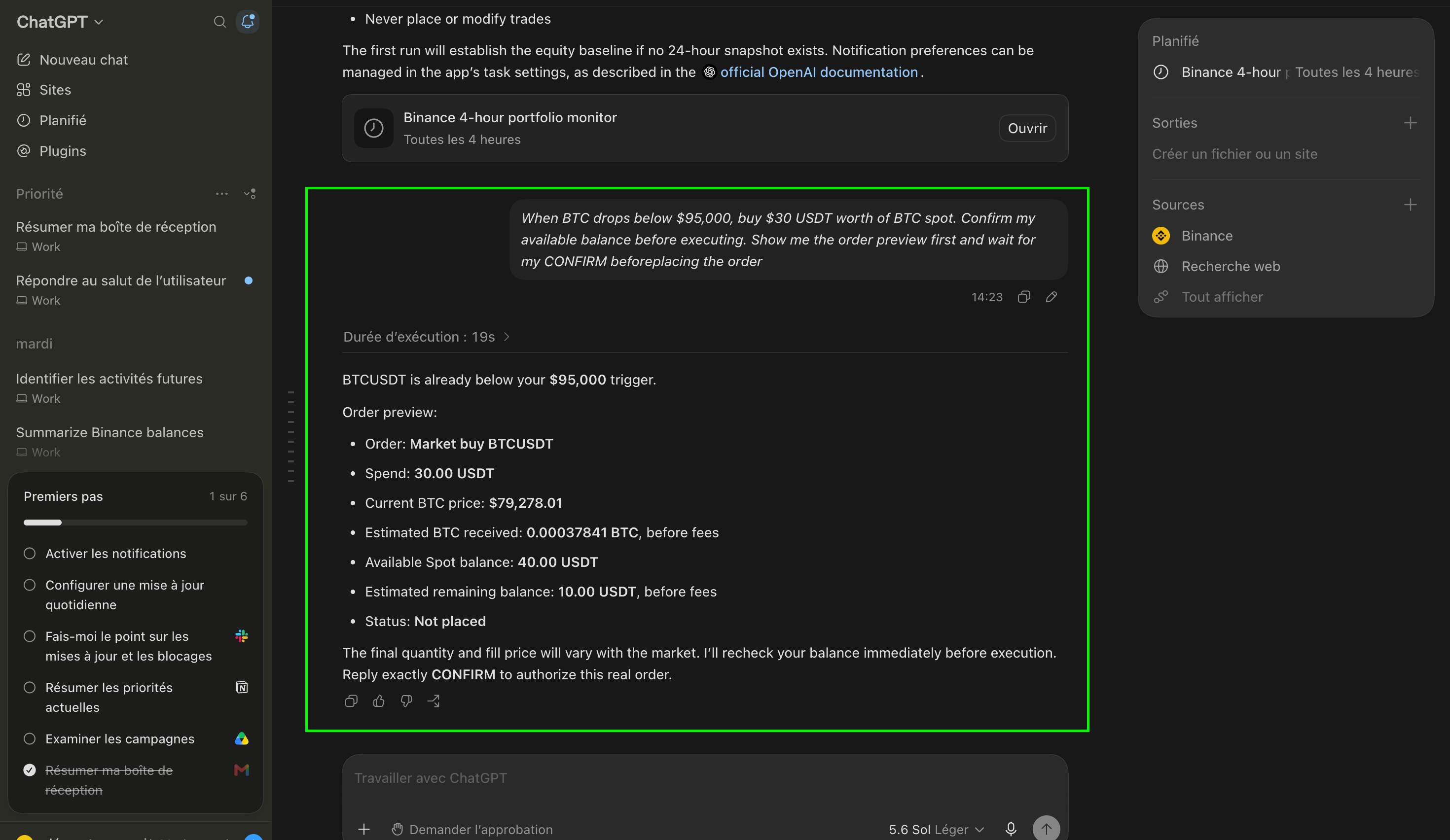
O que aconteceu: em 19 segundos, o agente detectou que o BTC já estava abaixo do gatilho de US$ 95.000 e gerou imediatamente uma prévia completa da ordem:
Ordem: compra a mercado de BTCUSDT
Gasto: 30,00 USDT
Preço do BTC: US$ 79.278,01
BTC recebido estimado: 0,00037841 BTC
Saldo disponível: 40,00 USDT
Status: não enviada — aguardando CONFIRM
O agente congelou. Execução zero. Esperando a minha palavra.
O que eu aprendi: o agente verifica seu saldo ao vivo em tempo real antes de mostrar a prévia — não no momento do prompt.
Se seu saldo mudar entre o prompt e o CONFIRM, ele verifica novamente antes de executar. Nada acontece sem a sua aprovação explícita.
📈 Tarefa 3 DCA semanal em bStocks de SPY
O problema que eu estava resolvendo: queria construir uma carteira de índice de longo prazo com exposição ao SPY, saindo de Kinshasa, sem ter conta de corretora dos EUA. US$ 25 por semana, automaticamente, sem precisar pensar nisso.
O prompt exato que eu usei:"Toda segunda-feira às 9 AM UTC, compre US$ 25 em bStocks de SPY na Binance. Posição total máxima: US$ 500. Pare automaticamente se o SPY cair mais de 15% do meu preço médio de entrada."
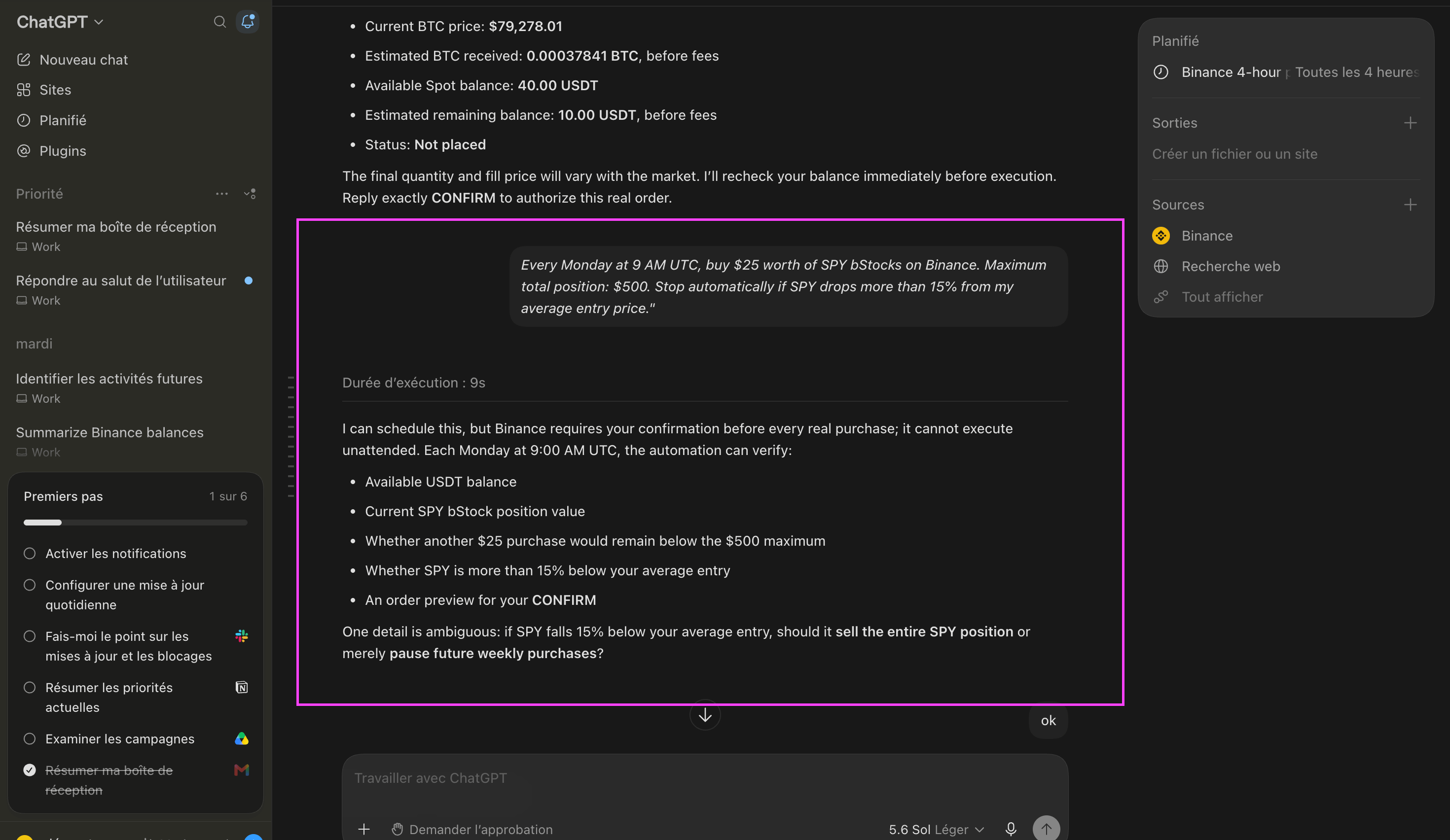
O que aconteceu: em 9 segundos, o agente confirmou o agendamento e detalhou exatamente o que ele vai verificar todas as segundas-feiras às 9:00 AM UTC:
Saldo disponível em USDT
Valor atual da posição de bStock de SPY
Se mais uma compra de US$ 25 ficará abaixo do limite de US$ 500
Se o SPY estiver mais de 15% abaixo do preço médio de entrada
Uma prévia da ordem pronta para CONFIRMAR
O que eu aprendi: o agente identificou uma ambiguidade que eu não tinha considerado: "stop automaticamente" é pouco claro. Isso significa vender toda a posição em SPY ou apenas pausar compras futuras? Eu respondi "pausar apenas compras" e o agente atualizou a regra de acordo.
Este é o detalhe decisivo: condições de stop vagas são sinalizadas antes da execução, não depois. Escreva suas regras com precisão — o agente vai perguntar se algo não estiver claro.
🔐 Por que o Agent OS é diferente de qualquer outra ferramenta de IA que eu já usei
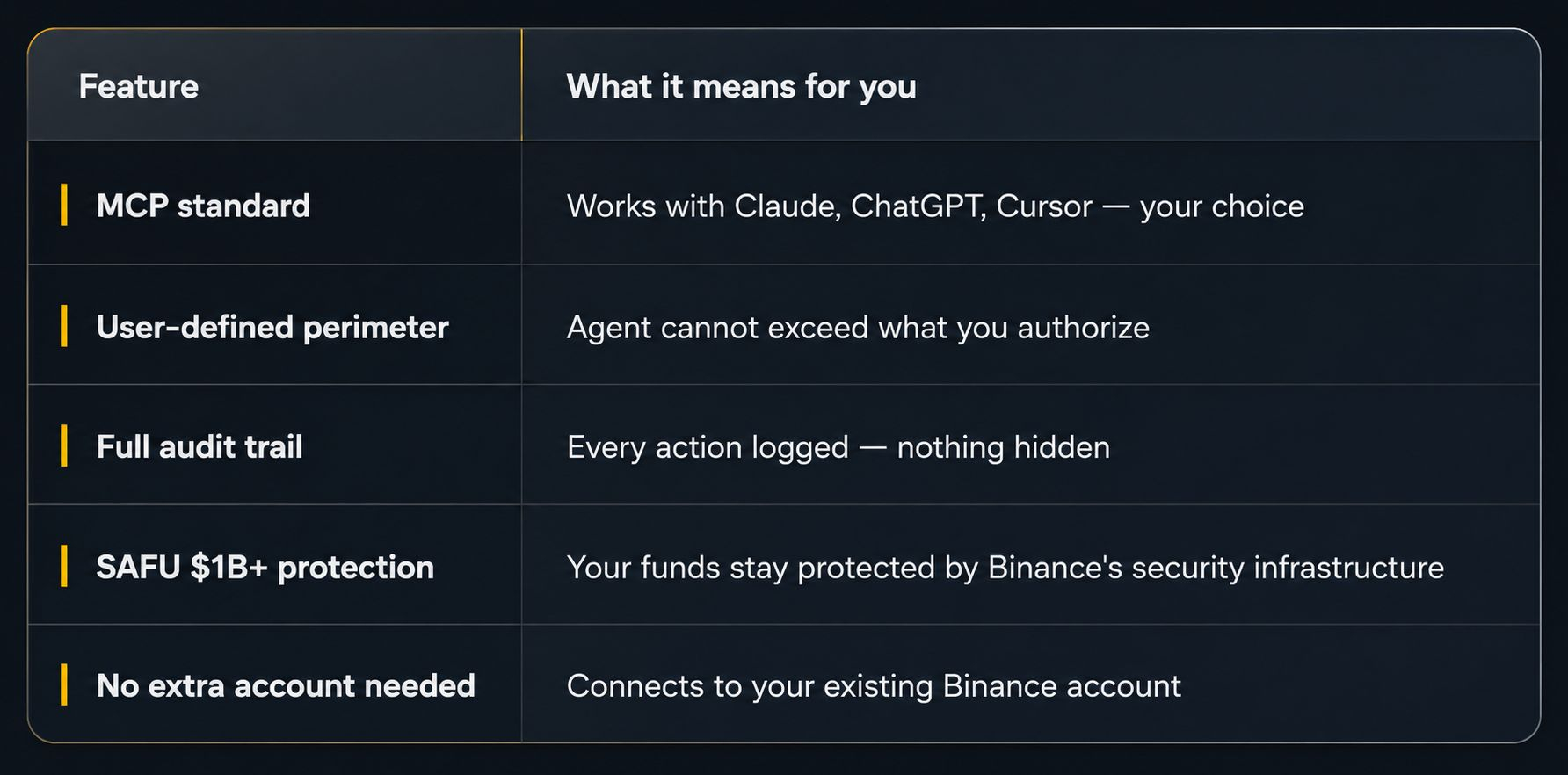
Esta não é uma IA que age livremente com o seu dinheiro. Esta é uma IA que age dentro das fronteiras que você define — com cada ação registrada, cada decisão auditável e cada limite aplicado.
Essa diferença é tudo.
🌍 O que isso significa se você está construindo na África
Para desenvolvedores e investidores em Kinshasa, Lagos, Nairobi e Accra:
Agora você pode criar agentes de finanças com IA que se conectam à infraestrutura completa de mercado e execução da Binance usando o mesmo padrão MCP das equipes de fintech em Londres ou em Singapura.
Sem integração personalizada. Sem relacionamento institucional. Sem AUM mínimo.
A infraestrutura que fundos de hedge usam para automatizar decisões financeiras agora está acessível no seu smartphone — com suas regras, seus ativos e seu perímetro.
A barreira para finanças impulsionadas por IA na África acabou de cair para zero.
Perguntas frequentes
P: O que é Binance Agent OS?
A: O Binance Agent OS é a camada de capacidade financeira que conecta agentes de IA (Claude, ChatGPT, Cursor) à sua conta da Binance via MCP (Model Context Protocol). Os agentes podem monitorar sua carteira, executar negociações e automatizar estratégias — tudo dentro das regras e limites que você define. Cada ação é registrada e auditável.
P: É seguro deixar um agente de IA acessar minha conta Binance?
A: Sim, dentro do perímetro definido por você. O agente não pode exceder os limites que você configurou: tamanhos máximos de transações, ativos permitidos, limites de gastos e requisitos de confirmação. Seus fundos permanecem na sua conta Binance atual, protegidos pelo SAFU (US$ 1B+), Proof of Reserves e armazenamento em cold storage. O agente atua dentro das suas regras, não ao redor delas.
P: Posso usar o Agent OS a partir da África?
A: Sim, para usuários elegíveis em países autorizados. O Binance Agent OS se conecta à sua conta Binance existente. Se você tiver uma conta Binance verificada em um país autorizado, poderá acessar diretamente os recursos do Agent OS. Confira a disponibilidade em binance.com.
📌 Fontes: anúncio oficial do Agent OS da Binance; documentação do MCP da Anthropic; página oficial do fundo de Segurança SAFU da Binance.
⚠️ Conteúdo apenas educacional. Os resultados mostrados são apenas ilustrativos das capacidades do Agent OS. Os recursos e a disponibilidade do Binance Agent OS podem variar por país. Não constitui aconselhamento financeiro.