



To deposit into the exchange Binance, you need to send coins through domestic exchanges like Bithumb or Upbit, and Tron (TRX), which has lower fees compared to other coins, is often used. If you want to save even more on fees when trading with Tron, you can register through the link below to receive a 20% discount, so be sure to take advantage of it.
✨Direct link for Binance 20% fee discount✨
Now, I have organized the process of depositing into Binance in detail so that beginners can easily follow it.
First, launch the Binance app.
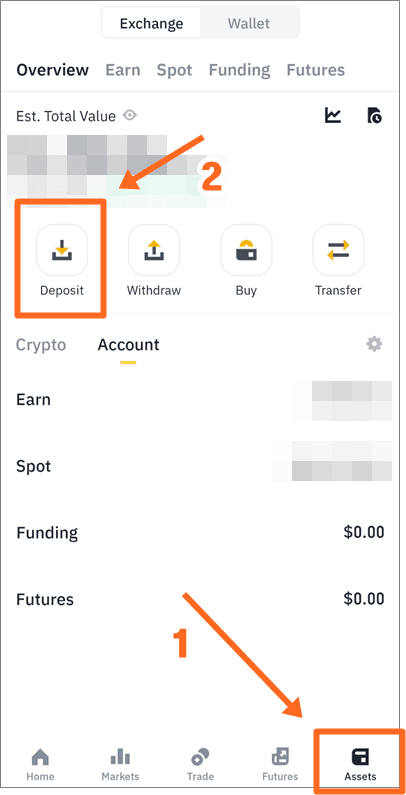
Press [Assets] on the bottom right and then press the [Deposit] button on the top left.
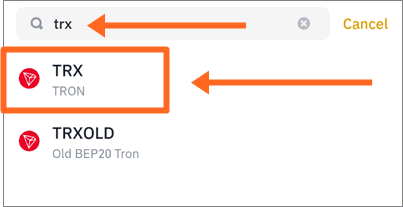
When the search bar appears, enter trx and select TRX from the options below.
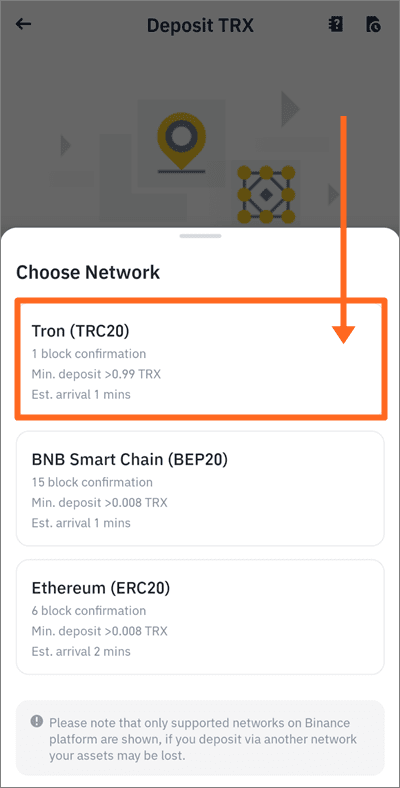
Select the network. Please select [Tron (TRC20)].
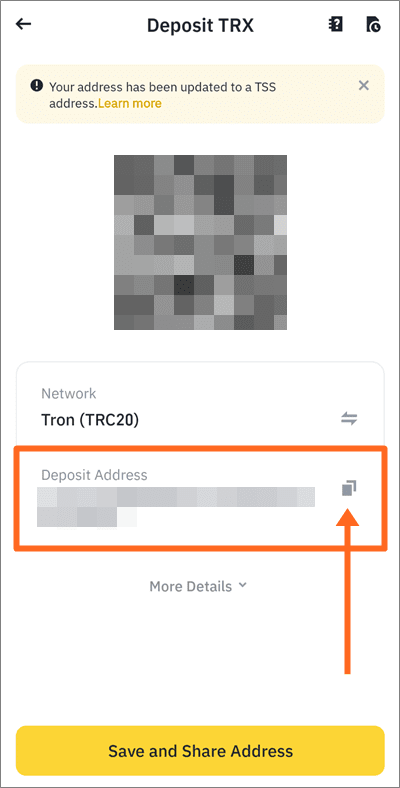
By doing this, your Binance Tron deposit address will appear. Please press the button on the right of the address to copy it and run the exchange where you want to receive the deposit.
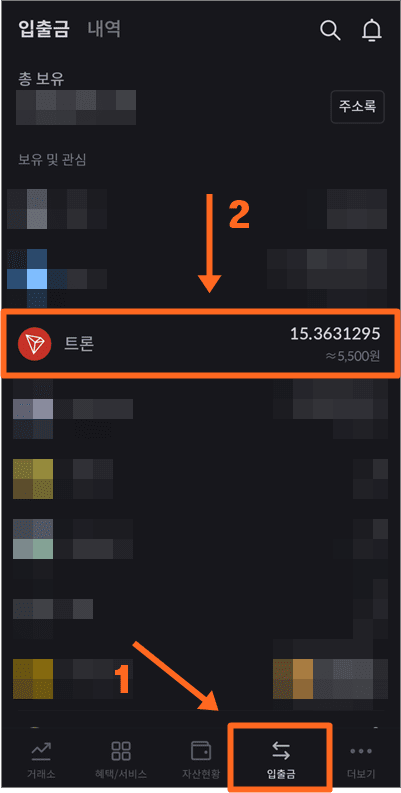
Press [Deposit/Withdraw] at the bottom and select the Tron you have.
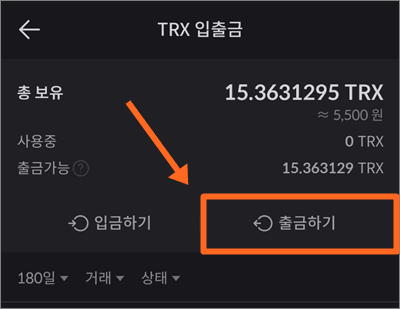
[Withdraw] please press.
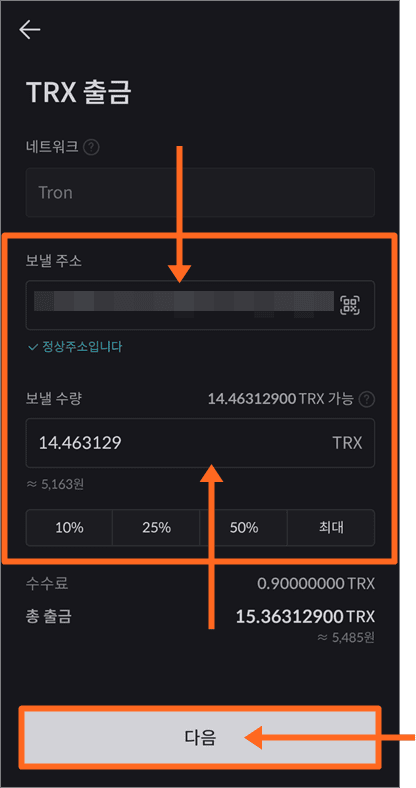
Paste the address you copied into the send address field.
Since the deposit address can be lost if there is a typo while writing it down, please copy and paste it.
Then, enter the quantity of Tron you want to send below and press the [Next] button.
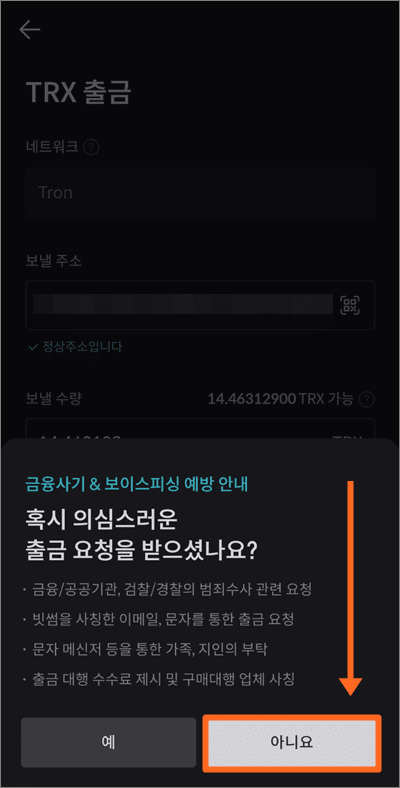
Information on preventing financial fraud & voice phishing will be displayed.
If not applicable, press [No].
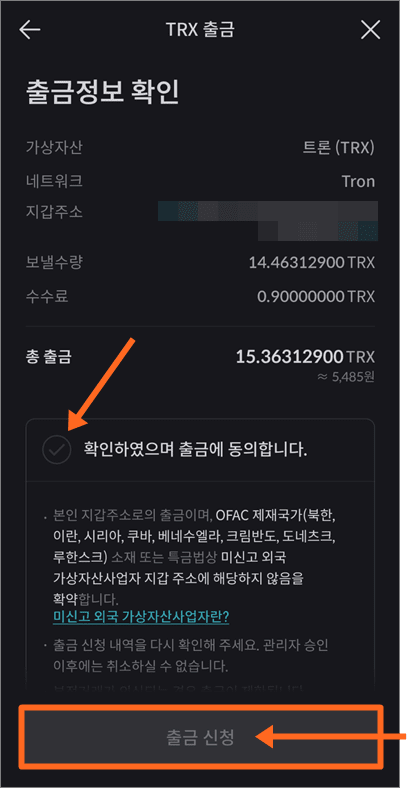
Finally, the withdrawal information will be organized. After confirming, please press the [Withdrawal Application] button below and proceed with the authentication process. You will be able to check that Tron has arrived in Binance a few minutes later.
We have learned how to receive a 20% discount on fees through the Binance referral and how to withdraw to other exchanges. If you find it difficult to register, I recommend reading how to register for Binance and complete identity verification.