Based on how mining machines operate, they continuously receive work tasks assigned by the mining pool and return the computed results. However, there is always some network latency between the miner and the pool. Invalid submissions caused by this network delay are referred to as the Rejection Rate.
1. Log in to your account on Binance Pool.
2. Go to [Statistics].

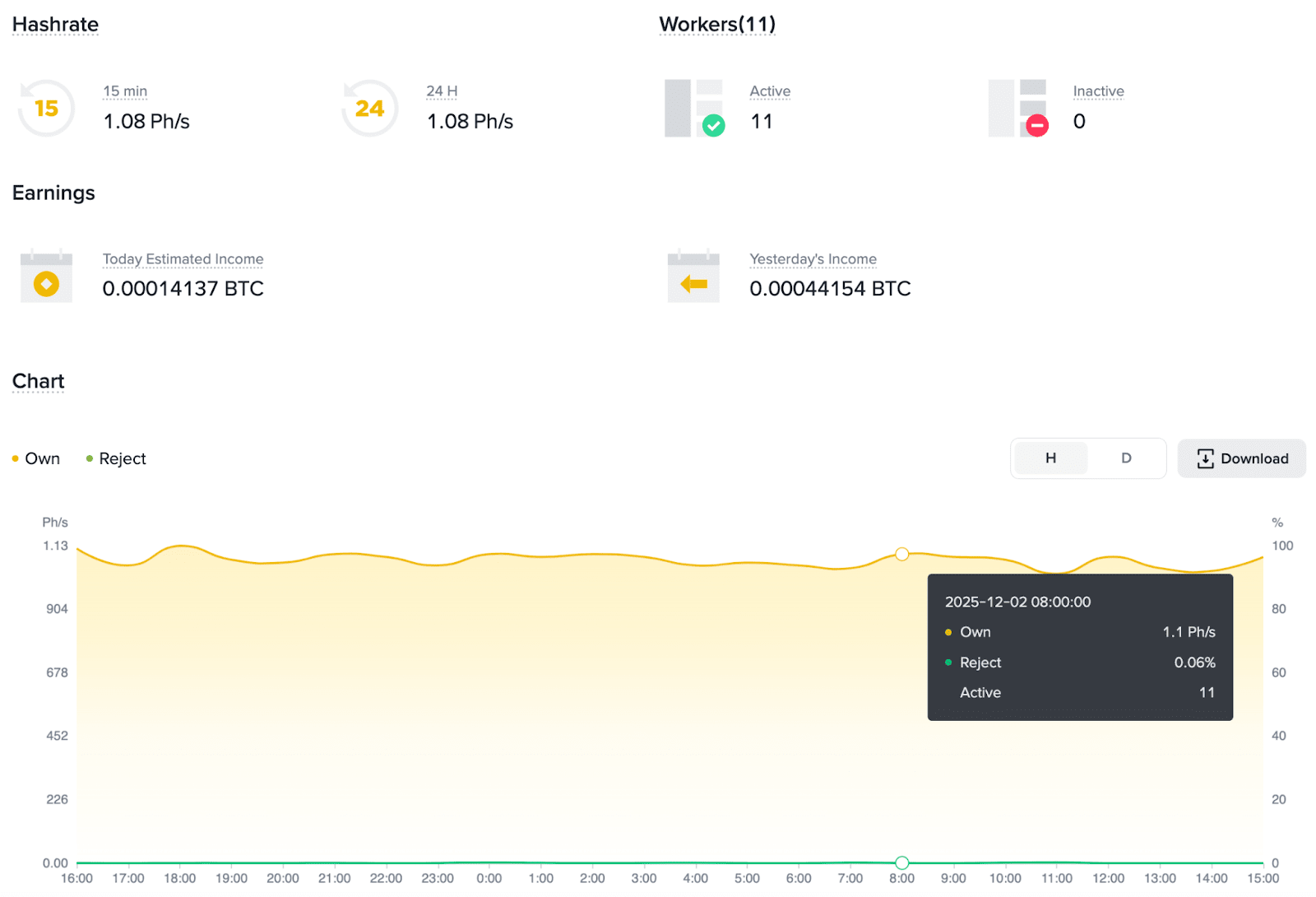
3. Here you can check the total Hashrate and the Rejection Rate.
4. To view the Rejection Rate for an individual worker, navigate to [Workers], where the corresponding Rejection Rate for each worker is displayed.
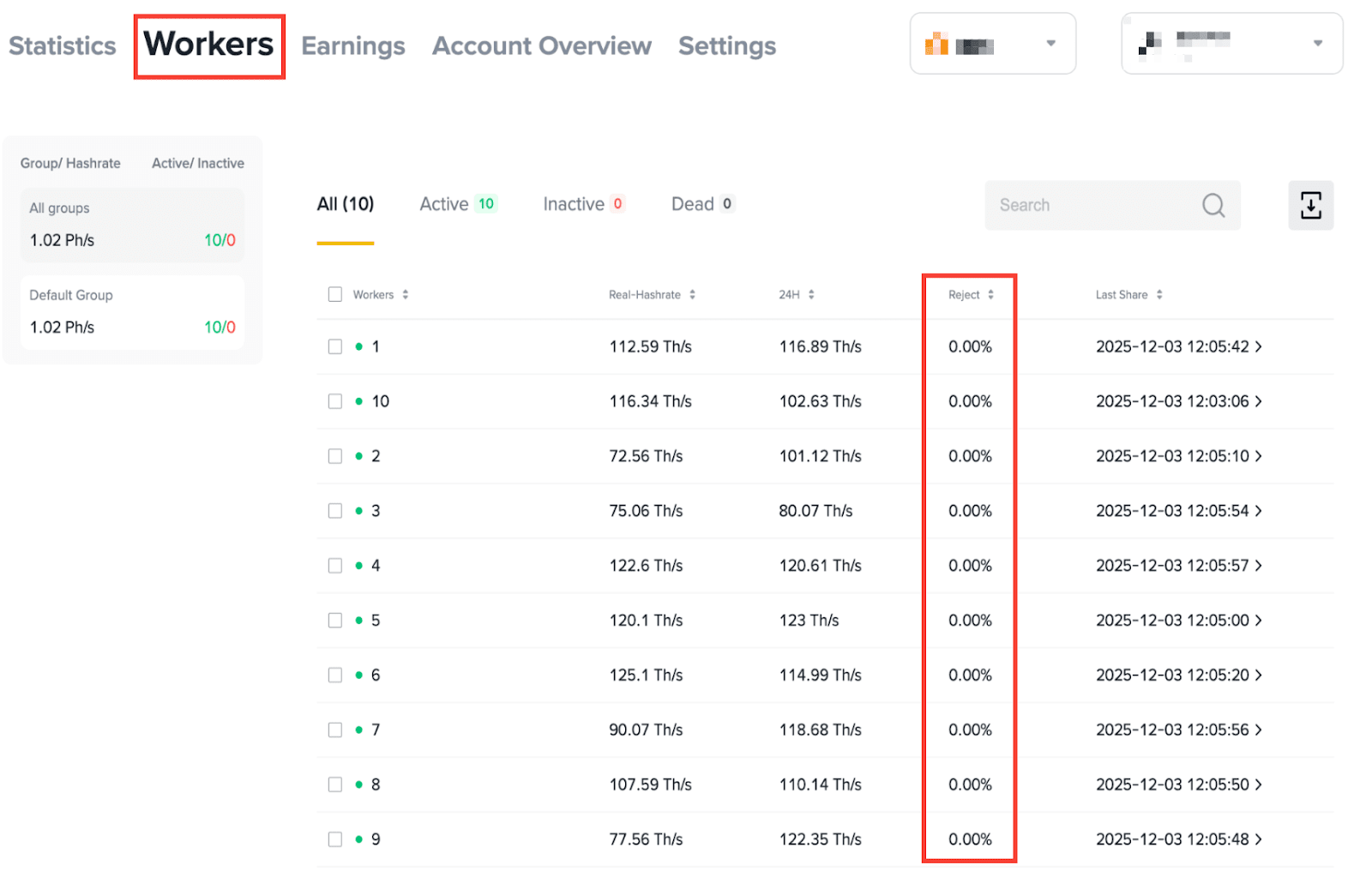
The Rejection Rate is usually within 2%. If it goes over 2%, please check whether the miner's local network is stable. A sudden increase in the Rejection Rate is usually due to mining pool network instability.
If the local network has no issues but the Rejection Rate is still over 2%, please contact the mining pool account manager or Support Center.
