

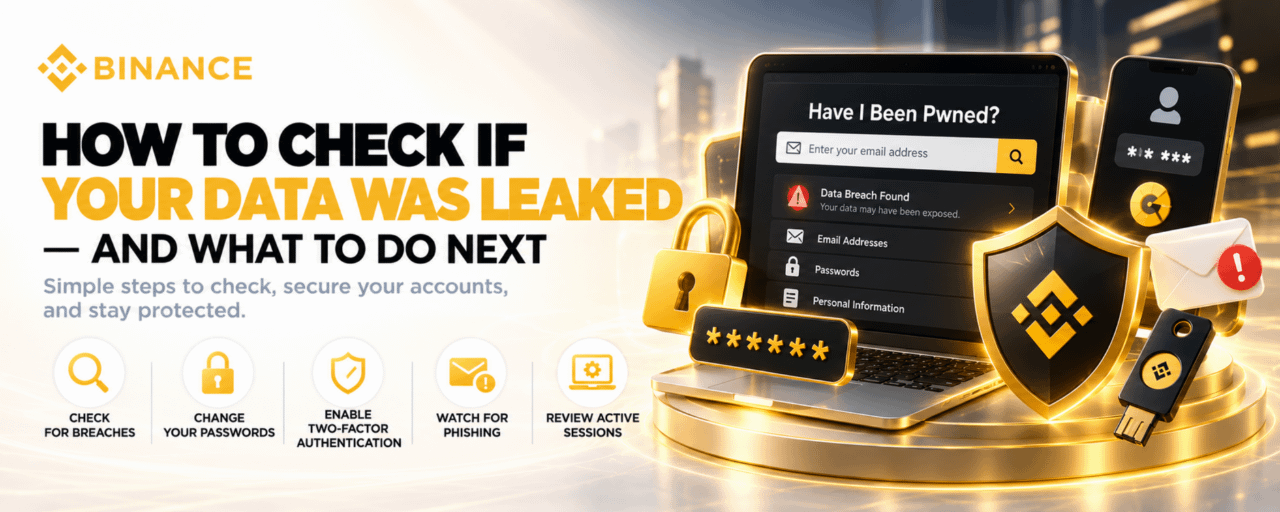

Data breaches happen more often than most people realize. Every time a company’s database is compromised, millions of email addresses, passwords, phone numbers, and personal details end up in the hands of attackers — and often in publicly accessible databases that anyone can query.
If your email address has ever been used to sign up for a service that was later breached, your data may already be out there. The good news is that checking is straightforward, and the steps to protect yourself afterward are concrete and actionable.
Step One: Check If Your Data Has Been Exposed
The most reliable free tool for this is Have I Been Pwned (haveibeenpwned.com). Enter your email address, and the site will tell you whether it appears in any known data breach database, which breach it came from, and what type of data was exposed — whether that is passwords, phone numbers, or other personal information.
If your email appears in a breach, do not panic. Knowing is better than not knowing. The breach itself already happened — what matters now is what you do in response.
For crypto users specifically, also check whether any exchange or wallet service you use has disclosed a data breach. Most reputable platforms notify affected users directly, but checking their security announcements proactively is worth the few minutes it takes.
Step Two: Change Your Passwords — The Right Way
If your email appears in a breach that exposed passwords, treat every account that used the same password as compromised — not just the breached one.
Password reuse is the primary mechanism through which a single breach becomes a cascading compromise. Attackers take credentials from one breach and try them on banking sites, crypto exchanges, email providers, and social media in a process called credential stuffing. It is automated and it is fast.
The response is equally systematic:
Change the password on the breached account immediately. Use a password that is long, random, and unique — not a variation of something you have used before.
Change passwords on every other account that used the same or similar password. Do this for crypto exchanges first, then banking, then email.
Use a password manager — Bitwarden, 1Password, or equivalent — to generate and store unique passwords for every account. You should not be remembering these passwords; you should be generating ones that cannot be guessed.
If your email address itself was compromised rather than a specific service’s password, the same logic applies: anyone who has your email and a breached password may attempt to access your email account, from which they can reset passwords to almost everything else.
Step Three: Enable Two-Factor Authentication Everywhere That Matters
A strong, unique password on every account is the foundation. Two-factor authentication is the additional layer that protects you even if a password is compromised.
For crypto accounts, use an authenticator app — Google Authenticator, Authy, or equivalent — rather than SMS-based 2FA where possible. SMS 2FA is vulnerable to SIM-swap attacks, where an attacker convinces a mobile carrier to transfer your phone number to a SIM they control. Authenticator app codes are generated locally on your device and cannot be intercepted this way.
For your most critical accounts — email and crypto exchanges — consider a hardware security key such as a YubiKey as the strongest form of 2FA. Physical security keys require the attacker to have your device in hand, eliminating remote credential theft as a vector.
On Binance specifically, the available security layers include authenticator 2FA, passkeys, anti-phishing codes, and withdrawal address whitelisting. Enabling all of these takes approximately fifteen minutes and substantially reduces your attack surface.
Step Four: Watch for Phishing Attempts
A data breach does not just expose your credentials. It exposes your identity in a way that makes targeted phishing significantly more convincing.
If an attacker knows your name, your email address, the exchanges you use, and the last four digits of a payment card — all of which are routinely included in breach data — they can craft phishing emails that reference specific details about you and look indistinguishable from legitimate communications.
Warning signs to watch for after a breach:
Emails that reference your specific account or transaction history
Urgent requests to verify your account or confirm a transaction you did not initiate
Links that look like legitimate domain names but with slight variations — binance-security.com instead of binance.com, for example
Phone calls from people claiming to be from an exchange’s security team
Legitimate platforms will not ask you to provide your password, seed phrase, or 2FA codes over email or phone. Ever.
Step Five: Review Active Sessions and Connected Devices
After a suspected breach, log into your most important accounts and review the active sessions and connected devices. Most crypto exchanges and email providers show you where your account is currently logged in — the device type, approximate location, and last activity time.
Any session you do not recognize should be terminated immediately, followed by a password change. On Binance, this is available under Security settings. On email providers, look for “Account activity” or “Security” sections.
If you see activity from a location you have never been to, treat the account as compromised regardless of whether the breach checker flagged your email.
The Ongoing Practice
Data protection is not a one-time action. Breaches are discovered continuously, and breach databases update as new data is confirmed. Checking Have I Been Pwned every few months takes seconds. Maintaining a password manager and reviewing security settings on major accounts quarterly takes minutes.
The users who suffer the most from data breaches are not necessarily the ones whose data was most exposed. They are the ones who found out months later, after attackers had time to act on the information, because they had no monitoring in place and no response plan ready.
Having both takes less time than most people assume — and protects more than most people realize until something goes wrong.
Disclaimer: This article is for educational purposes only. The tools and practices described are general recommendations and do not constitute security advice tailored to your specific situation. Always consult current guidance from the relevant platforms and security professionals for your circumstances.