


Swapping tokens on TON does not require sending your assets to a centralized exchange first.
If you already hold GRAM, TON’s native currency, you can use a decentralized exchange such as STON.fi to exchange it for a jetton — the standard used for fungible tokens on TON.
The process is straightforward, but there are a few details worth checking before you approve the transaction.
GRAM vs. TON Jettons
GRAM is the native currency of the TON blockchain. It is used for transactions and network fees.
Jettons are tokens issued on TON using the blockchain's token standard. They can represent stablecoins, governance tokens, liquid staking assets, and many other assets.
So a swap such as:
GRAM → STON
is an exchange between TON's native currency and a TON jetton.
The important distinction is that both assets live on the same blockchain. This makes the transaction different from a cross-chain swap, where two separate networks have to coordinate the settlement.
Step 1: Connect Your TON Wallet
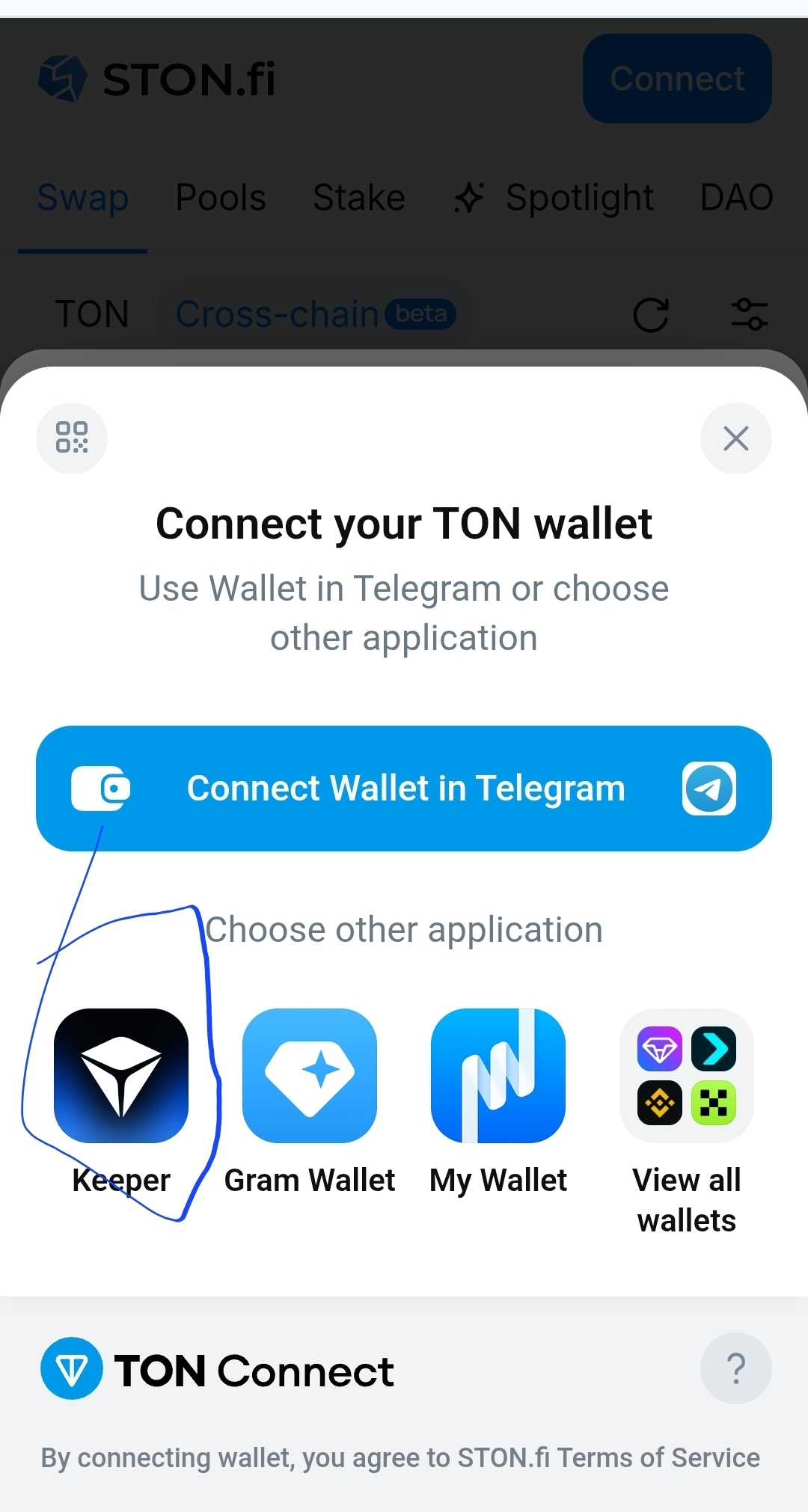
Start by opening a TON-based DEX and connecting your wallet.
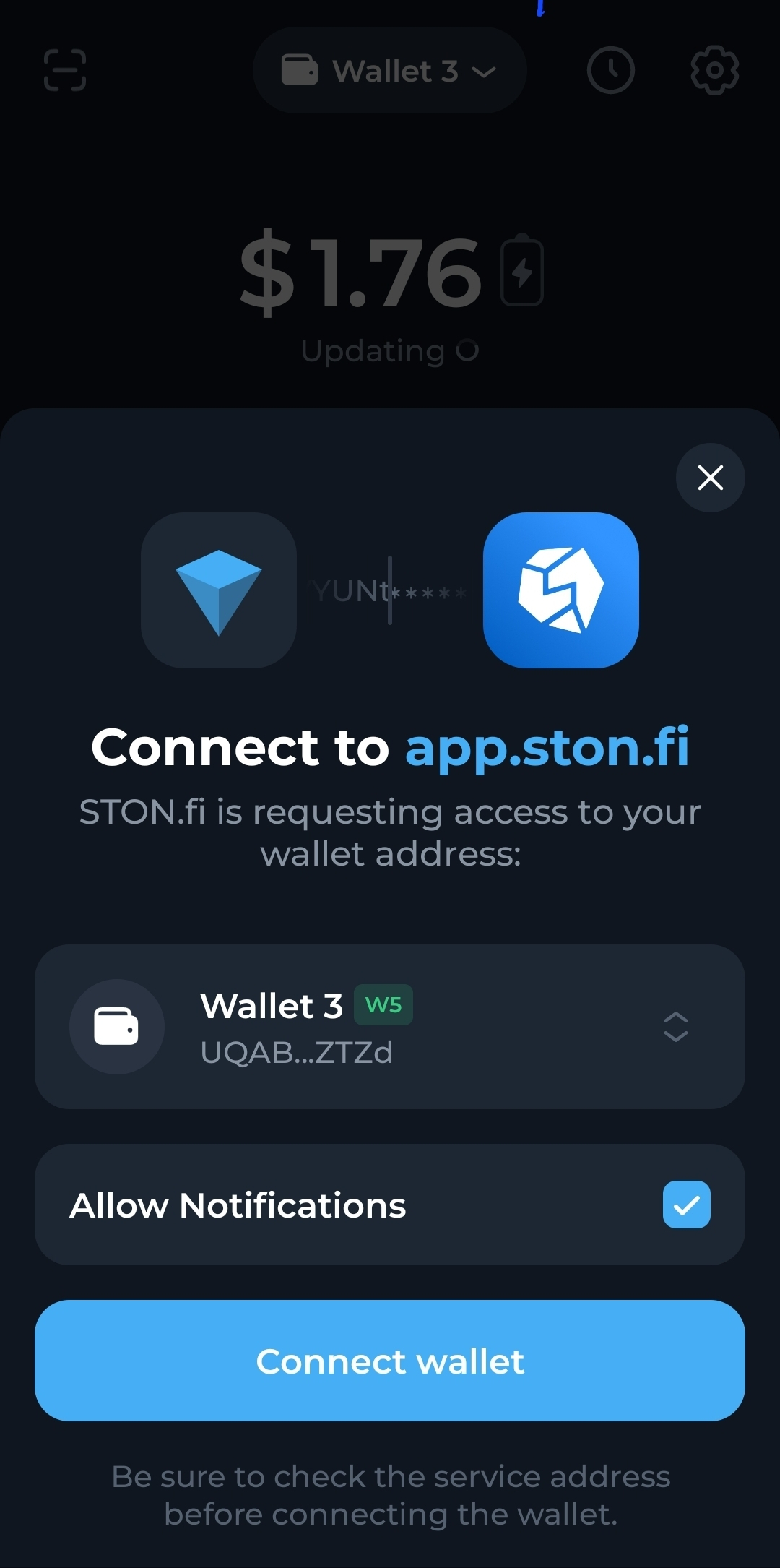
With STON.fi, you can open the Swap section and connect a compatible TON wallet. The protocol is non-custodial, meaning your tokens remain in your wallet until you approve a transaction.
You don't deposit your GRAM into a centralized account.
Instead, you connect your wallet and interact with the swap directly.
Step 2: Select GRAM as the Input
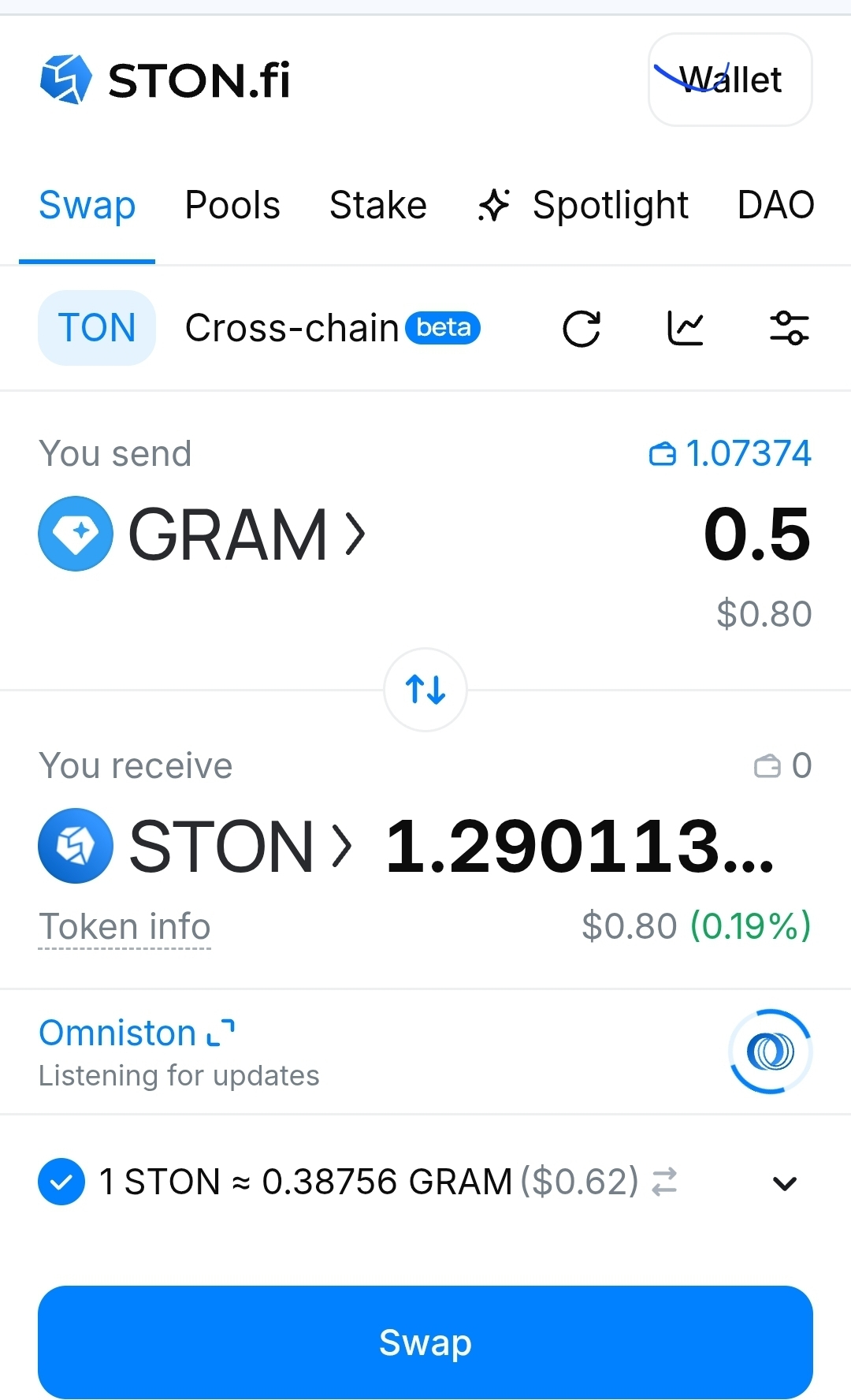
In the Swap interface, choose:
From: GRAM
Then select the jetton you want to receive:
To: Your target TON jetton
Enter the amount of GRAM you want to swap.
STON.fi's interface will calculate the expected output and display the relevant transaction information before you confirm.
Step 3: Review the Quote
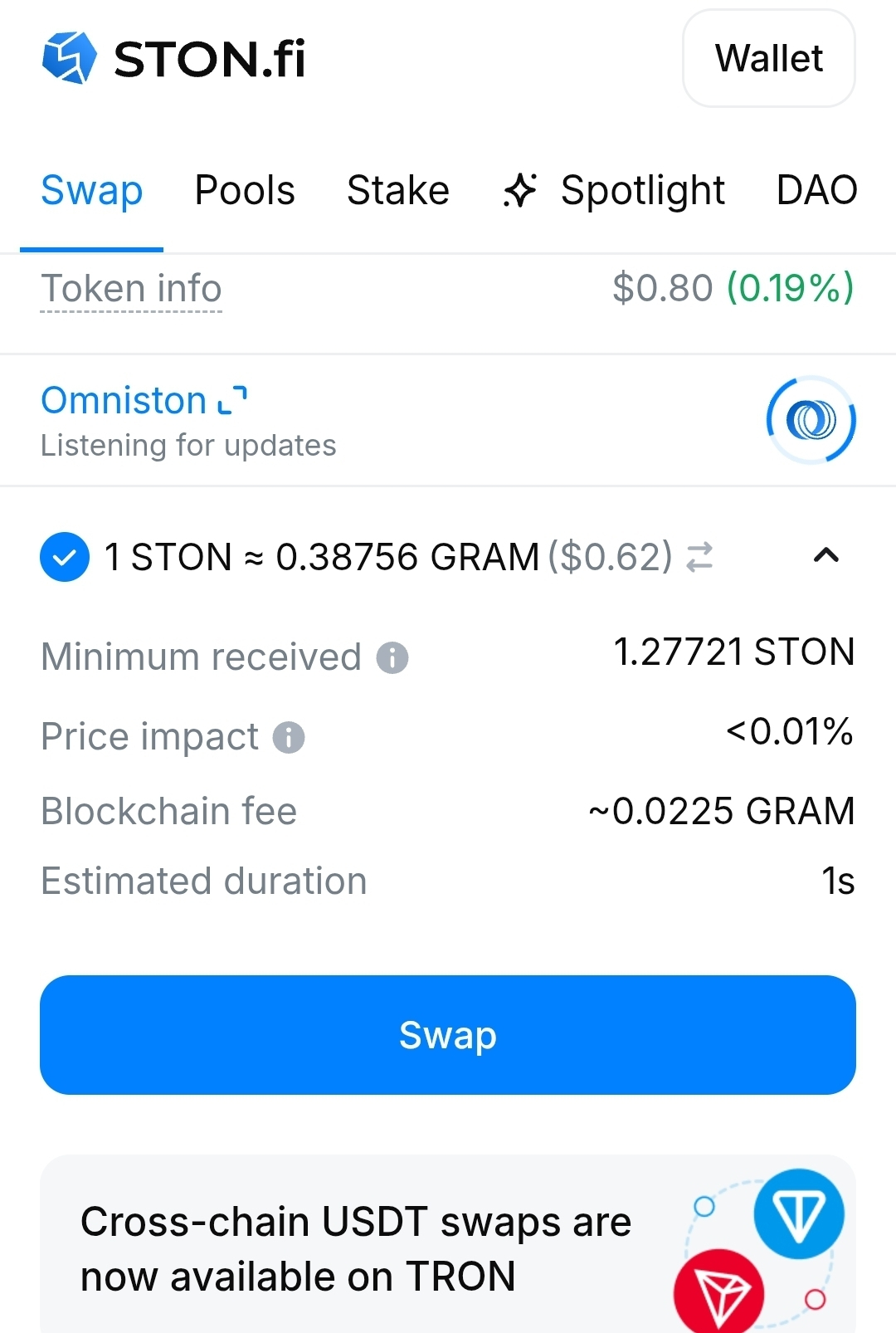
This is the part worth slowing down for.
Before approving the transaction, check the information displayed by the DEX.
Expected amount
This is the estimated amount of the jetton you should receive.
It is based on the current available liquidity and swap route.
Price impact
Price impact measures how much your own trade changes the price inside the liquidity pool.
A large trade relative to the pool's liquidity can produce higher price impact.
This is different from the network fee.
Minimum received
Minimum received is the lowest output amount you're protected to receive based on your slippage settings.
It gives you a reference point for what the transaction can deliver under the configured conditions.
Blockchain fee
The blockchain fee is the network cost required to execute the transaction.
On TON, this fee is paid in GRAM. STON.fi displays the estimated blockchain fee before you confirm the swap.
This also means you shouldn't spend your entire GRAM balance on the swap. You need some GRAM available for the transaction itself.
Step 4: Confirm the Swap
Once you've checked the amount, price impact, minimum received, and blockchain fee, you can proceed.
On STON.fi, click Swap and approve the transaction through your connected TON wallet. After the transaction completes, the new jetton should appear in your wallet.
The basic flow is:
TON wallet → STON.fi → GRAM → Jetton → Confirm in wallet
No centralized exchange account is required.
One Important Detail: Price Impact vs. Slippage
These terms are sometimes mixed together, but they describe different things.
Price impact is caused by your trade interacting with the liquidity pool.
Slippage is the difference between the price you see before confirmation and the price at which the transaction actually executes. Network conditions, volatility, and other trades can affect slippage.
So when reviewing a swap, don't look at only one number.
Check the complete picture:
Expected output
Swap rate
Price impact
Minimum received
Slippage tolerance
Blockchain fee
Why This Matters
A swap can look attractive because the displayed output is high, while other factors tell a different story.
For example, a low-liquidity jetton can have significant price impact. A volatile market can also cause the execution price to change before the transaction lands.
And because GRAM is needed to pay the network fee, spending your entire GRAM balance can leave you unable to perform another transaction.
STON.fi specifically reserves a small amount of GRAM during the swap to cover the network fee, with unused funds returned after completion.
The Simple Checklist
Before swapping GRAM for a TON jetton:
1. Check the token.
Make sure you're selecting the correct jetton.
2. Check the amount.
Confirm how much GRAM you're actually spending.
3. Check the expected output.
See how much of the jetton you should receive.
4. Check price impact.
Make sure the trade isn't significantly moving the pool price.
5. Check minimum received.
Know the minimum output you're accepting.
6. Check the blockchain fee.
Keep enough GRAM available for the transaction.
7. Confirm in your wallet.
Only approve after reviewing the transaction details.
Final Takeaway
Swapping GRAM for a TON jetton is a simple example of how decentralized trading works on TON.
You connect your wallet, select the two assets, review the execution details, and approve the transaction yourself.
The important part isn't simply knowing where the Swap button is.
It's understanding what you're approving.
Expected amount. Price impact. Minimum received. Blockchain fee.
Check those before you confirm, and you have a much clearer picture of what your GRAM swap actually costs and what you should receive.