Here are my 5 important security steps
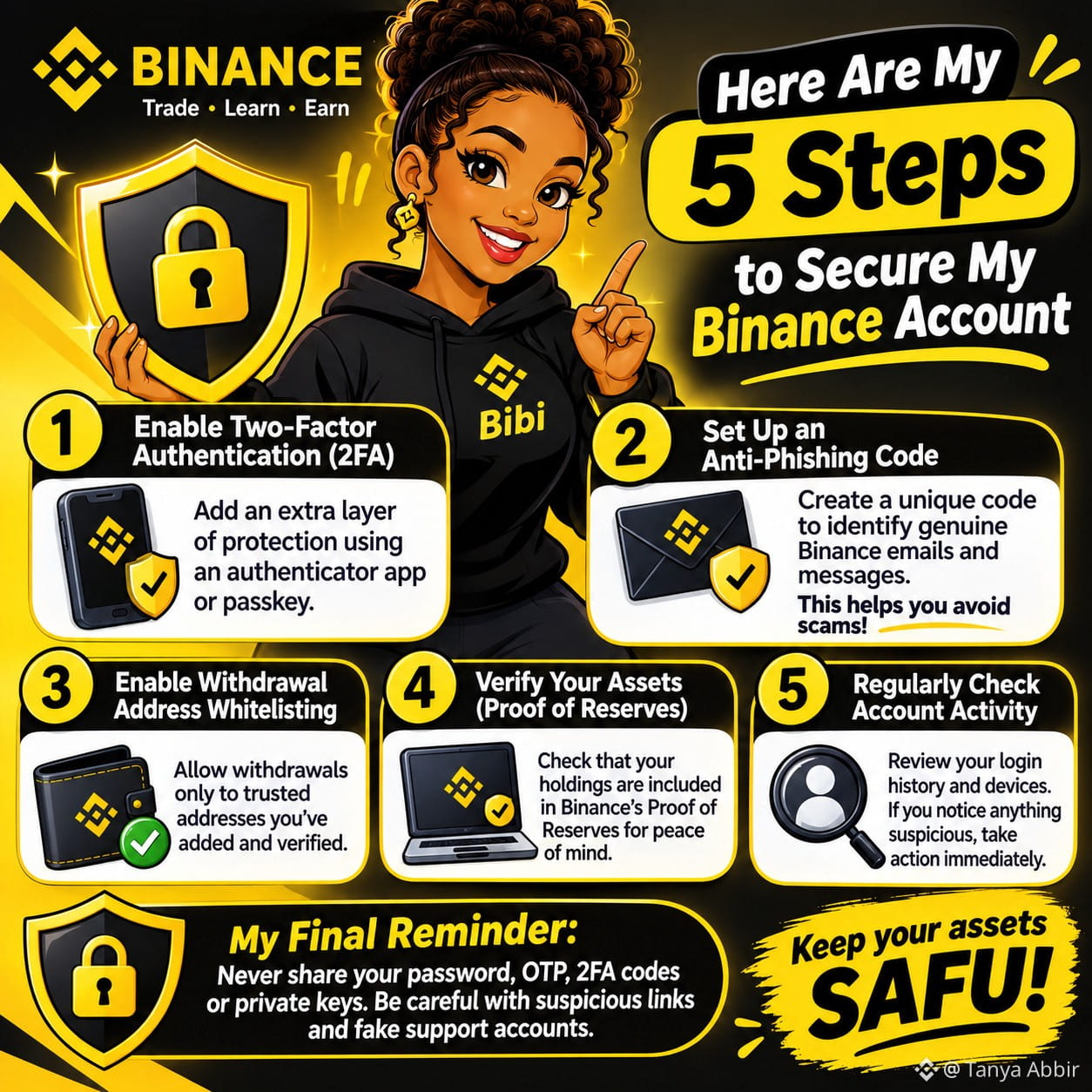
1. Enable Two-Factor Authentication (2FA)
I add an extra layer of protection to my account using an authenticator app or passkey. This means that having my password alone shouldn't be enough to access my account.
2. Set Up an Anti-Phishing Code
I use an anti-phishing code to help identify genuine Binance emails and messages. If the code is missing or incorrect, I treat the communication with suspicion. This helps me avoid falling for fake emails and phishing attempts.
3. Enable Withdrawal Address Whitelisting
I restrict withdrawals to trusted addresses that I've added and verified. This adds another layer of protection against unauthorized withdrawals to unfamiliar wallets.
4. Verify My Assets Through Proof of Reserves (PoR)
This is one step I believe every Binance user should know about!
I visit the official Binance Proof of Reserves page and log in to my account. From the Wallet section, I navigate to Verification.
There, I can select a published verification snapshot and check my account's Record ID, covered assets and balances at the time of that snapshot.
Binance uses Merkle Trees and zk-SNARKs to allow users to verify that their account balances are included in its Proof of Reserves.
Why does this matter to me?
Because I don't just want to see my assets in my wallet; I also want to understand how I can independently verify their inclusion in Binance's reserves. That transparency gives me additional peace of mind.
5. Regularly Check My Account Activity and Devices
I make it a habit to review my account activity and recognize the devices accessing my account. If I notice an unfamiliar login or suspicious activity, I don't ignore it. I take action immediately.
My final reminder:
Never share your password, OTP, 2FA codes or private keys with anyone. Be careful with links, fake support accounts and messages promising unbelievable returns.
Remember, protecting your crypto is a shared responsibility. Make security part of your everyday Binance routine.
Stay informed. Stay alert.
#ThankYouBinancians #safu
1. Enable Two-Factor Authentication (2FA)
I add an extra layer of protection to my account using an authenticator app or passkey. This means that having my password alone shouldn't be enough to access my account.
2. Set Up an Anti-Phishing Code
I use an anti-phishing code to help identify genuine Binance emails and messages. If the code is missing or incorrect, I treat the communication with suspicion. This helps me avoid falling for fake emails and phishing attempts.
3. Enable Withdrawal Address Whitelisting
I restrict withdrawals to trusted addresses that I've added and verified. This adds another layer of protection against unauthorized withdrawals to unfamiliar wallets.
4. Verify My Assets Through Proof of Reserves (PoR)
This is one step I believe every Binance user should know about!
I visit the official Binance Proof of Reserves page and log in to my account. From the Wallet section, I navigate to Verification.
There, I can select a published verification snapshot and check my account's Record ID, covered assets and balances at the time of that snapshot.
Binance uses Merkle Trees and zk-SNARKs to allow users to verify that their account balances are included in its Proof of Reserves.
Why does this matter to me?
Because I don't just want to see my assets in my wallet; I also want to understand how I can independently verify their inclusion in Binance's reserves. That transparency gives me additional peace of mind.
5. Regularly Check My Account Activity and Devices
I make it a habit to review my account activity and recognize the devices accessing my account. If I notice an unfamiliar login or suspicious activity, I don't ignore it. I take action immediately.
My final reminder:
Never share your password, OTP, 2FA codes or private keys with anyone. Be careful with links, fake support accounts and messages promising unbelievable returns.
Remember, protecting your crypto is a shared responsibility. Make security part of your everyday Binance routine.
Stay informed. Stay alert.
#ThankYouBinancians #safu