

You've opened your account with Binance referral code CODE2026. What's next? The rebate relates to Spot trading fees, so here is a simple walkthrough of a first Spot trade, using the real Spot page.
Before You Start
Register with the code, then finish verification.
Fund your account with an amount you can afford to lose.
Start small until you know how the page works.
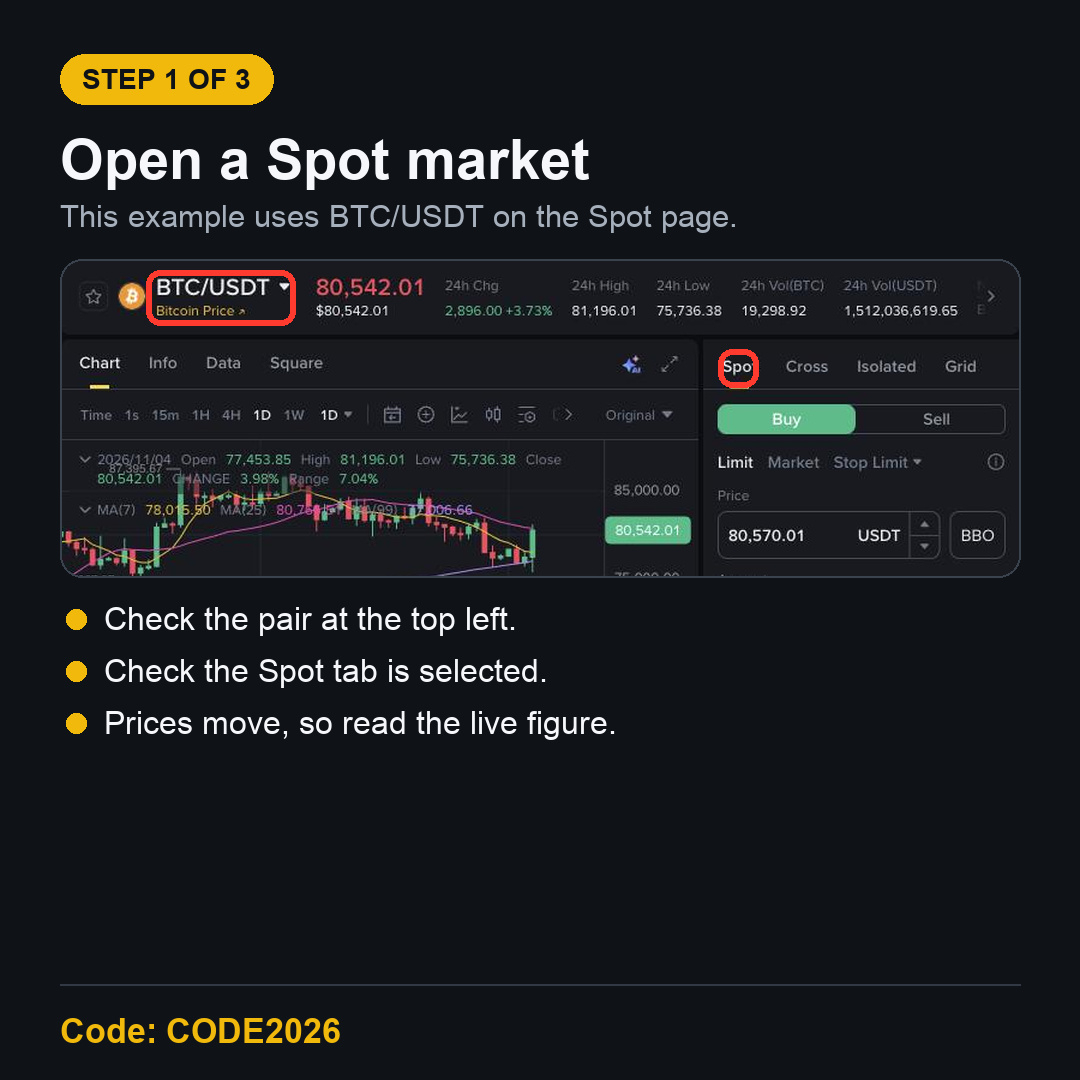
Step 1: Open a Spot Market
Open the Spot page and choose a pair. This example uses BTC/USDT, which means buying Bitcoin with USDT. Check the pair at the top left and make sure the Spot tab is selected.
Step 2: Choose Limit or Market
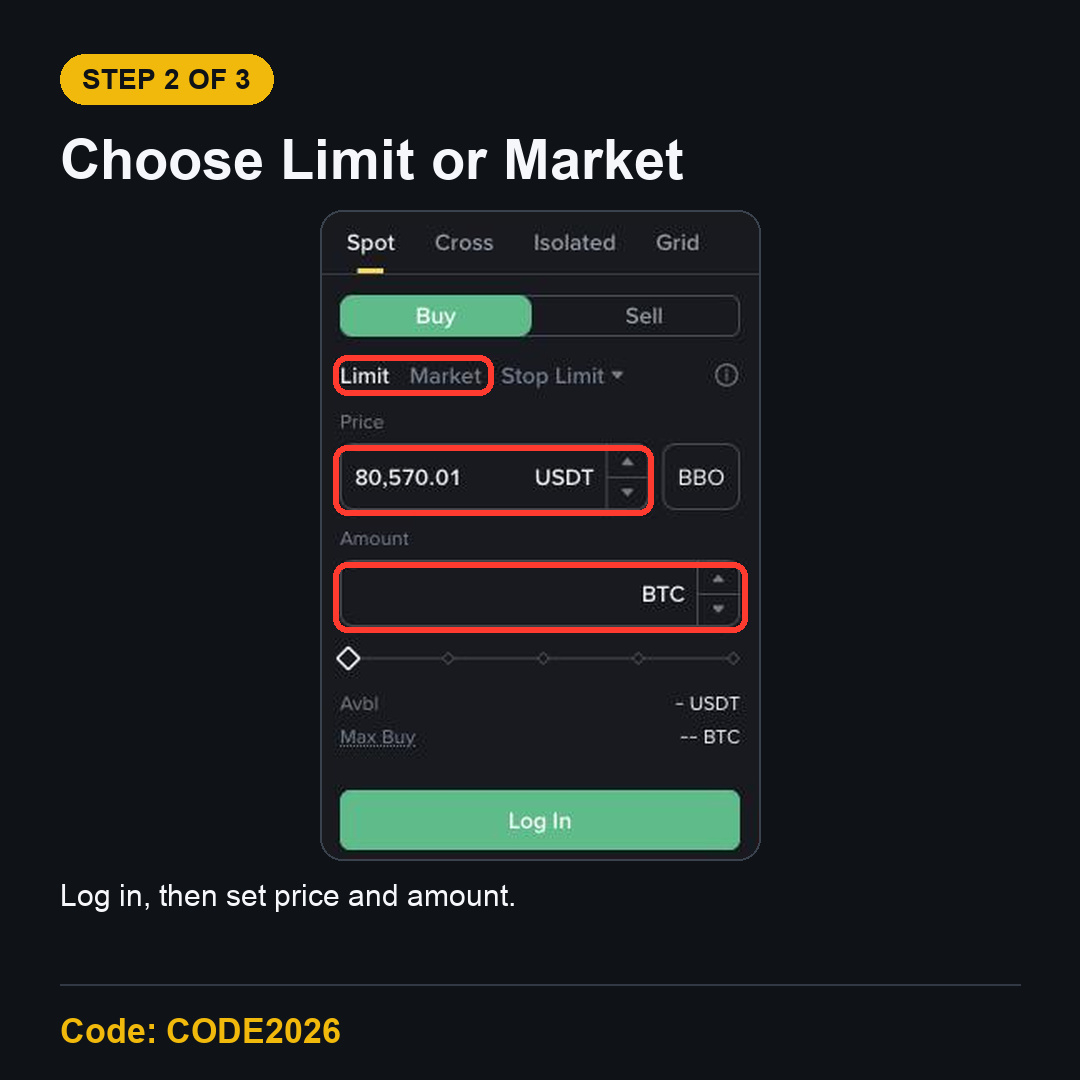
The order form offers Limit and Market orders. A Limit order lets you set your price, but it may not fill. A Market order fills at the best available price, which can differ from the price you saw.
Limit: set the price and the amount.
Market: set the amount or total.
Before you confirm: check Buy or Sell, the pair and the amount.
Step 3: Check the Fee You Paid
After the order fills, look at the fee on your trade record. A $500 trade at the 0.100% Regular User rate costs $0.50. Up to 20% of that is $0.10. Small on one trade, but fees add up across many.
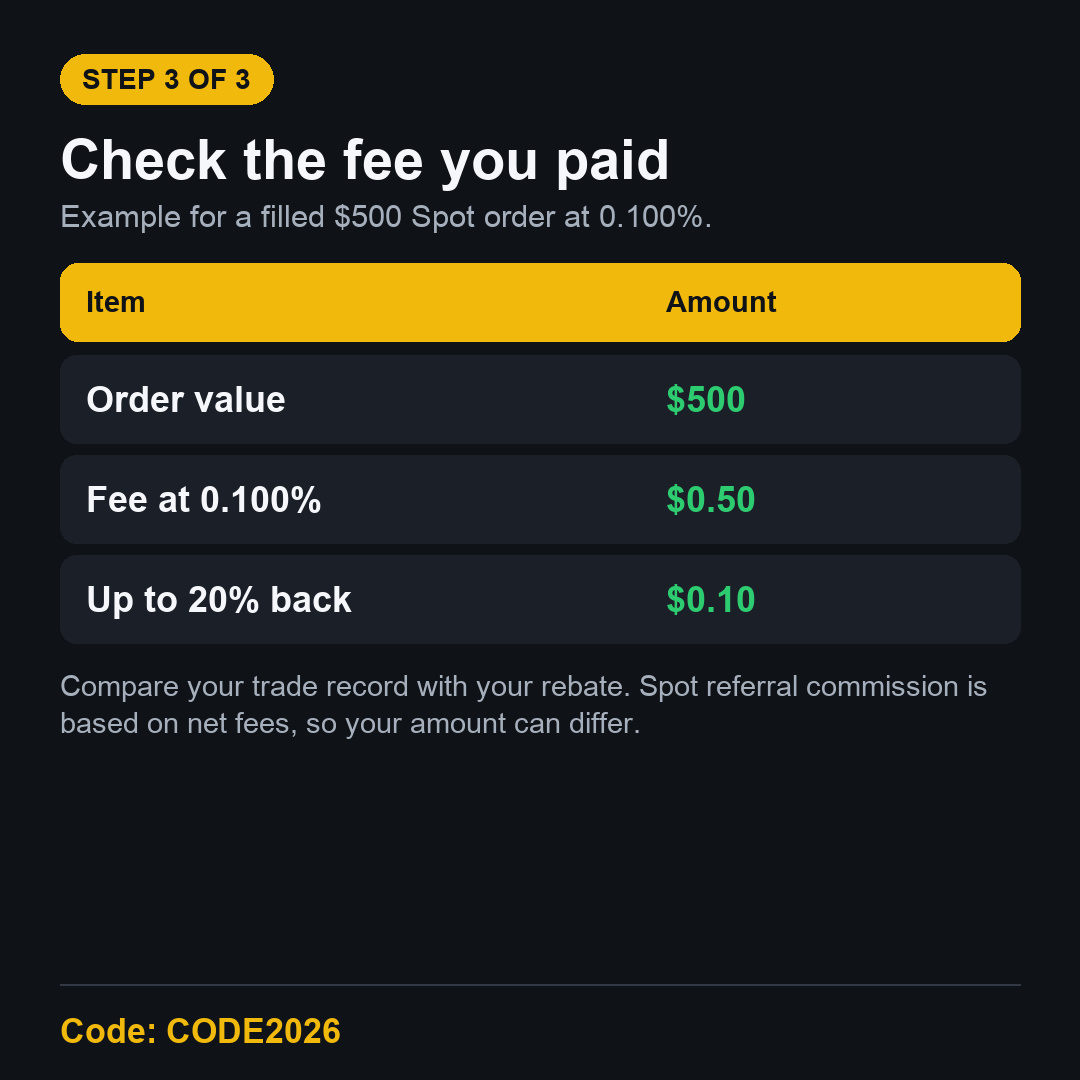
That is a simple example, not a promise. Spot referral commission is calculated on net fees, so your amount can differ.
FAQ
Do I need a big balance to start?
No. Binance sets a minimum order size for each pair, and the form shows it. Trade only what you can afford to lose.
Does every trade get a rebate?
No. Only qualifying Spot trading fees count. A trade with no fee has nothing to rebate.
Register with CODE2026 First
The code has to be in place before you trade. Use the Binance referral code CODE2026 sign-up link and confirm it on the page.
Disclosure: CODE2026 is my referral code, and I may earn commission from qualifying activity. This is an independent guide, not an official Binance post. Benefits depend on Binance's terms, your region and your eligibility. Crypto trading carries risk. Not financial advice. DYOR.