


A Binance Pix deposit in Brazil takes BRL from your own bank account and puts it in your Binance wallet, usually within minutes and at any hour. Binance lists the Pix deposit fee as zero. What makes it work is the paperwork behind it: a verified account, your CPF, and a bank account in exactly the same name.
👉 Open a Binance account with GETREWARD
Below, one R$500 deposit is followed from the first tap to the first purchase. After that come the edge cases, the fixes when the money doesn't show up, and the Brazilian rules worth knowing.
What happens when you send R$500 by Pix?
Say it's a Sunday night and you want to move R$500 from your Itaú or Nubank account into Binance. Here is the whole trip, in order.
You create an order on Binance: You choose BRL, choose Pix and type 500. Binance then gives you a one-time Pix copy-and-paste code tied to that order.
You send from your bank app: You paste the code into the Pix area of your bank app, and the app fills in the recipient and amount for you.
The bank checks the payer: The transfer leaves your bank with your name and CPF attached. That's the data Binance matches against your verified profile.
Binance credits the order: If the CPF and name match and the amount fits the order, R$500 appears in your Spot wallet. Most of the time it takes seconds to a few minutes.
If any link in that chain breaks, the money doesn't vanish. It either sits pending or goes back to the account it came from, which is where the troubleshooting section further down comes in.
Before the first deposit, three things to sort out
Most failed first deposits trace back to setup, not to Pix itself. Get these three done before you open your bank app.
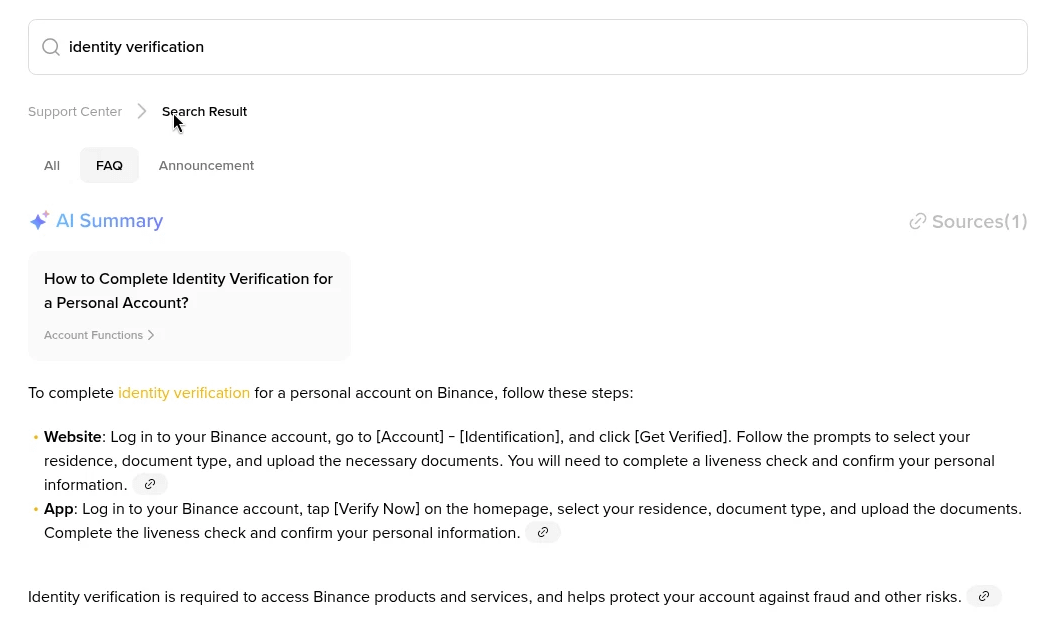
Identity verification: Binance asks you to finish verification before BRL deposits open up. You pick your country of residence, upload a document and do a short liveness check with the camera.
Your CPF: The first time you deposit BRL, Binance asks for your CPF. It must be 11 digits and registered to you. Type it without dots or the hyphen if the field rejects them.
A bank account in your own name: The payer on the Pix has to be you, a personal account under the same CPF. Your partner's account, a parent's account or a company account will not pass the match.
The name check is stricter than people expect. If your document says Maria Aparecida Souza and your bank registered you as Maria A. Souza, it usually still works because the CPF is the anchor. A different CPF never works.
If verification gets stuck, this guide on what Binance KYC needs and how to fix a rejected check covers the usual document and selfie problems.
Step by step from the app to your bank
The labels below are the ones in the Binance app at the time of writing. The website follows the same order from the Deposit page.
Open the deposit menu: Tap Add Funds on the home screen, or go to Assets and tap Deposit, then pick BRL.
Choose Pix: Pix sits in the list of BRL methods. Tap it and continue. If verification or the CPF step is missing, the app sends you there first.
Enter the amount: Type 500 in BRL. The screen shows the minimum and maximum per order for your account, so read them here rather than trusting a number from a forum post.
Confirm and copy the code: Binance shows the order with a Pix copy-and-paste code and a time limit. Tap copy.
Send from your bank: In your bank app, open Pix, choose the copy-and-paste option and paste. Check that the amount reads R$500,00 and that the recipient is the institution shown on the Binance order, then authorise with your password or biometrics.
Go back to Binance: If the order screen asks you to confirm that you've sent the transfer, do it. Then wait on the order page for a minute or two.
Check the result: The R$500 shows in your Spot wallet, and the order sits in your deposit history marked as completed.
Keep the bank receipt, the comprovante, until the BRL shows on Binance. It carries the end-to-end ID (the long code starting with E), and support asks for it first if anything goes wrong.
What does a Pix deposit cost?
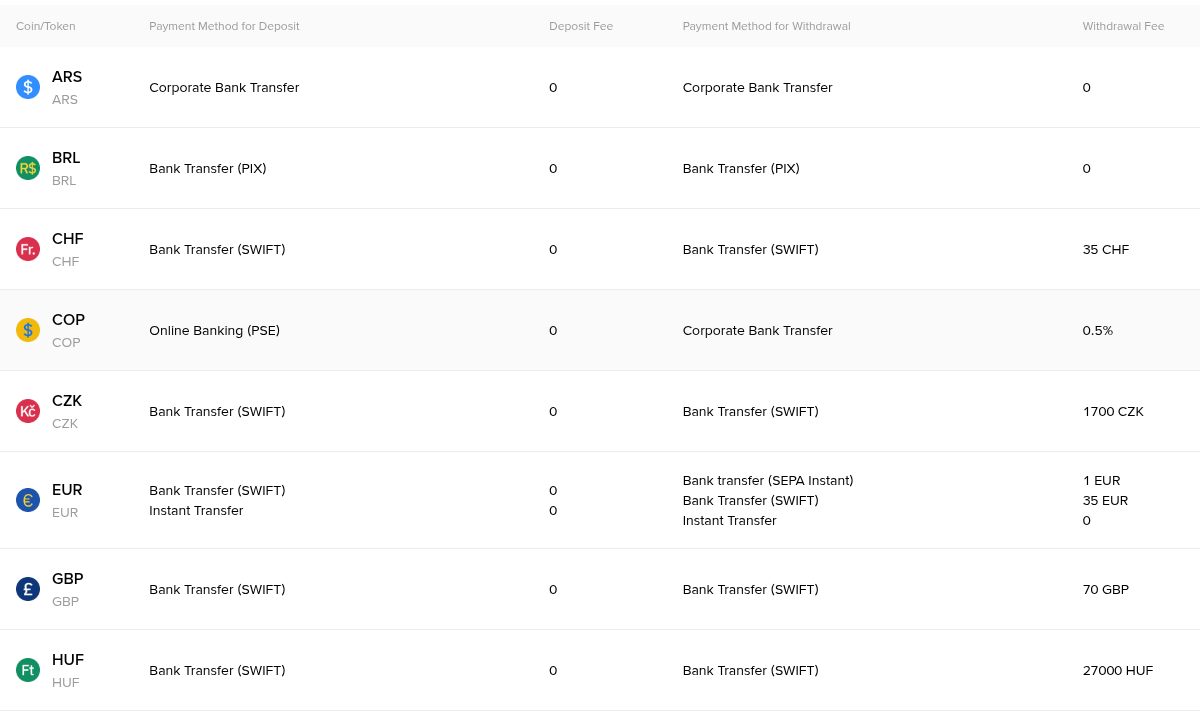
On the Binance side, nothing. The fiat fee table lists BRL Bank Transfer (PIX) with a 0 deposit fee, and Pix withdrawals back to your bank were also listed at 0 when this was checked.
Your bank shouldn't charge you either. For individuals, Pix transfers are free under Banco Central rules in most everyday cases. Business accounts are a different story, and those wouldn't pass the name match anyway.
So where does the real cost sit? In the rate you get when you turn BRL into crypto, which is the next step.
Where does the R$500 go next?
BRL sitting in your wallet does nothing on its own. Most people convert it to USDT or buy Bitcoin directly, and the route you pick changes how much you end up with.
The rates below are round illustrations so the arithmetic is easy to follow. Check the live price before you act.
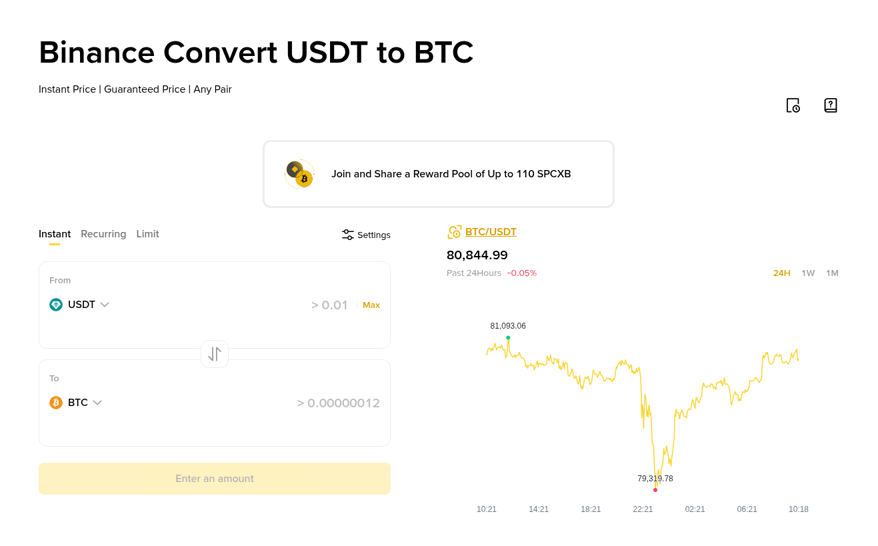
Convert, BRL to USDT: Say Convert quotes 1 USDT at R$5.53. R$500 ÷ 5.53 = 90.42 USDT. There's no separate trading fee line, because the cost is built into the quoted rate.
Spot market order on USDT/BRL: Say the order book trades at R$5.50. R$500 ÷ 5.50 = 90.91 USDT, minus the 0.1% standard Spot fee (about 0.09 USDT), leaves roughly 90.82 USDT.
Spot limit order: Same pair, but you set the price, say R$5.49, and wait for a seller. You might get about 91.0 USDT before fees, or the order might not fill if the market moves away.
In this example the gap between Convert and a Spot order is about 0.4 USDT, a little over R$2. On R$500 that barely matters. Move R$20,000 a month and the same gap becomes real money, so learning the Spot screen once is time well spent.
Convert still has a place. It's one tap, it shows the final amount before you confirm, and it's a sensible choice for your first small purchase while you get to know the app.
Pix deposit or a P2P Pix trade?
Binance also has a P2P market where other users sell USDT and accept Pix. It looks similar, but it's a different thing.
Who receives your money: With a Pix deposit you send to Binance's own collection account. With P2P you send to a private seller, and the platform holds their USDT in escrow until they confirm your payment.
What you end up holding: A deposit gives you BRL, which you then convert. P2P gives you USDT directly.
What it costs: The deposit itself is free, and the cost comes later in the conversion rate. On P2P, the seller's markup is the cost.
Run the same R$500 through a P2P ad priced at R$5.62 per USDT and you get 500 ÷ 5.62 = 88.97 USDT. Compare that with roughly 90.8 USDT through a deposit and a Spot order at R$5.50. That's about 1.8 USDT, near R$10, lost to the seller's markup.
P2P can still make sense when a deposit is held up, or when a seller's price is close to the market. If you go that way, read up on buying and selling safely on Binance P2P first, because the payment and appeal rules are different.
Night limits, big amounts and other edge cases
Pix at night: Brazilian banks cap Pix between 20:00 and 06:00, often at R$1,000 by default for individuals. A R$3,000 deposit at 22:00 may simply be refused by your own bank. You can raise the limit in the bank app, but the increase usually takes 24 to 48 hours to apply.
Large deposits: Your bank's daily Pix limit and Binance's per-order maximum both apply. If you need to move R$15,000 and your bank allows R$10,000 a day, plan two days, and create a new Binance order for each transfer.
Joint accounts: If you're the second holder on a conta conjunta, the Pix may leave under the main holder's CPF. Use an account where you're the primary holder.
MEI and CNPJ accounts: A business account is registered to a CNPJ, not your CPF, even for a one-person MEI. Expect it to be returned.
Digital wallets: Pix sent from a wallet app in your name usually carries your CPF like a bank does. If the app sends through a pooled account under its own name, the match fails.
Reusing an old code: Each copy-and-paste code belongs to one order with a time limit. Pasting yesterday's code, or a code saved in your bank's favourites, is asking for trouble. Create a fresh order every time.
The deposit did not arrive. Now what?
Work through these in order. Most cases sort themselves out at step one or two.
Check that the money left your bank: Open the Pix receipt. If the bank shows it as scheduled, in analysis or failed, the problem is on the bank side, and Binance never received anything.
Give it a little time: Pix is near instant, but crediting can lag during busy periods or maintenance. Refresh the deposit history after 10 to 15 minutes.
Compare the order with the transfer: Same amount, sent before the order expired, from your own CPF? If you sent R$505 against a R$500 order, or paid after the timer ran out, it may need manual handling.
Look for a return: A Pix from a non-matching CPF is sent back to the paying account. Check your bank statement for an incoming devolução in the following days.
Contact support with evidence: Open a chat from the deposit order and attach the comprovante with the end-to-end ID, the amount, the time and your bank's name. Never send money or codes to anyone who messages you first claiming to be support.
Five mistakes that send a Pix back
Paying from someone else's account: Even your spouse's. The CPF has to be yours.
Typing a Pix key by hand: Always paste the code from the order. A key from a video, a chat group or an old screenshot can belong to anyone.
Editing the amount in the bank app: If the bank lets you change the value after pasting, don't. Create a new order for the new amount.
Skipping the CPF step: Some people verify with a passport and never add the CPF. The deposit screen won't open fully until it's there.
Testing with a large first transfer: Send a small amount the first time, see it land, then move the rest.
Rules and reporting in Brazil worth knowing
This is background for Brazilian residents, not legal or tax guidance.
Who regulates crypto platforms: Law 14.478/2022 set up the legal framework for virtual asset service providers and named the Banco Central do Brasil as the regulator.
The 2025 rules: In November 2025 the BCB published Resolutions 519, 520 and 521, covering authorisation, how providers must operate, and how some crypto operations fall under foreign exchange rules. They took effect in February 2026, with a transition window for firms already operating. You can check any provider's status with the BCB yourself.
Reporting to the Receita Federal: Since July 2026 the DeCripto declaration (IN RFB 2.291/2025) has replaced the old IN 1.888 reporting. Individuals file monthly when operations above R$35,000 in a month run through a provider based abroad, a decentralised platform or no intermediary. Providers that serve Brazil, and offering Pix counts as one test, have their own reporting duty.
Tax is a separate question: Reporting operations isn't the same as owing tax on gains. Keep your deposit history and trade exports, and talk to a contador about your own case.
Before your first deposit
Verify the account, add the CPF, pick a personal bank account in your own name and send a small test amount first. After that, a Pix deposit takes about a minute.
If you're opening the account now, the link at the top registers it with GETREWARD. Eligible new users can also work through the welcome bonus tasks on the current event page, worth up to $19,800 in total. The tasks are the same whichever code you use, and not every task suits every user.
FAQ
Can I deposit BRL by Pix without a CPF?
No. The BRL deposit flow asks for an 11-digit CPF registered to you before it lets you create a Pix order.
Does Binance accept Pix on weekends and holidays?
Yes, Pix runs 24/7, and deposits usually credit within minutes at any hour. Your bank's night limit is the more likely obstacle.
What if I send more than the order amount?
A mismatch can stop automatic crediting. Contact support with the receipt. Next time, create a new order instead of editing the amount.
Can I withdraw BRL back to my bank by Pix?
Yes, to an account in your own name. The fee table listed 0 for BRL Pix withdrawals when this was checked, and the withdrawal screen shows the current figure.
Is my money lost if the names don't match?
Normally not. A Pix from a non-matching CPF is returned to the paying account, though it can take a few business days.
Disclosure: the sign-up link in this article carries my code GETREWARD. The rates and amounts above are illustrations, not quotes or forecasts, and limits and fees can change. This is general education, not financial or tax advice.