

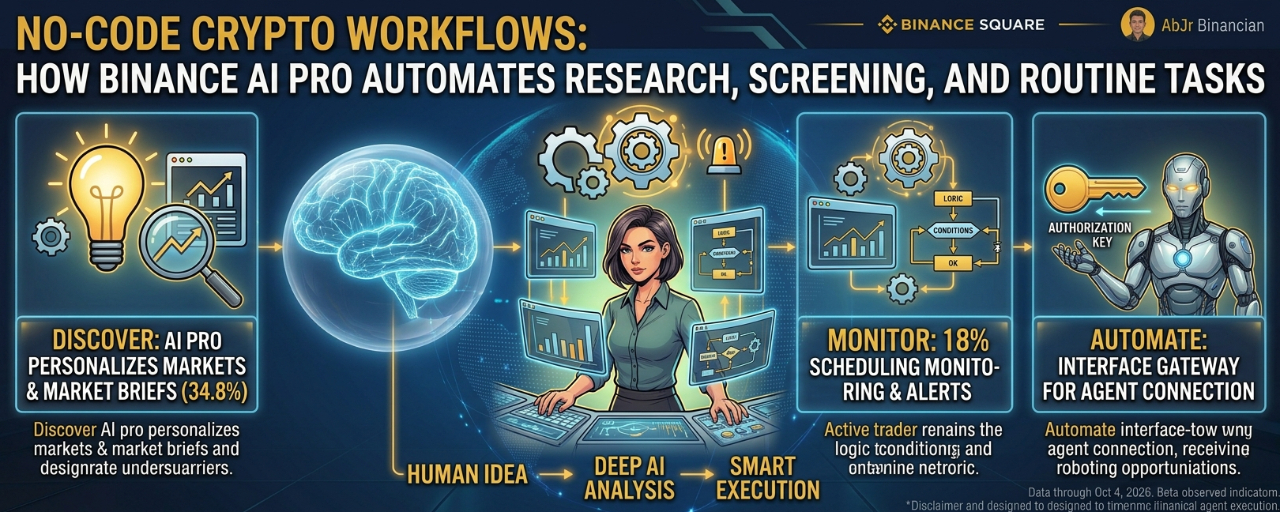
Every day, active crypto traders face a familiar problem: the same research, the same charts, the same indicators, and the same monitoring tasks—repeated across dozens of assets.
You check market rankings, compare trading volume, review funding rates, look for changes in open interest, and monitor price levels. Then you repeat the process a few hours later because the market never stops moving.
What if you could describe the process you want in plain language and let AI help organize the steps?
That is the idea behind Binance AI Pro. Rather than functioning only as a chatbot that answers questions, it is designed to help users build and run structured workflows for market research, opportunity screening, alerts, reporting and supported trading automation.
The goal is not to remove the trader from the process. It is to reduce repetitive work so that more attention can go toward evaluating the results, understanding the risks and deciding what to do next.
What Is Binance AI Pro?
Binance AI Pro is an AI-powered trading assistant that can connect conversational instructions with supported Binance tools and functions. Users can ask for market analysis, monitor assets, develop strategies and, when appropriately configured, execute supported trading actions through a dedicated AI account.
Its workflow-building experience allows users to describe an objective, refine the requirements, review the proposed process and test it before deciding whether to deploy it. Depending on the task, a workflow can focus on research and reports, monitoring, alerts and signals, or trading automation.
Read the official Binance AI Pro guide.
The no-code idea is straightforward: describe the outcome you want instead of manually building every step yourself.
That does not mean the user can ignore the underlying logic. A workflow still needs clear conditions, appropriate data, sensible limits and ongoing review. AI can help construct the process, but it cannot guarantee that the process is useful or profitable.
1. Build a Market Screening Workflow Without Coding
Screening is one of the most repetitive tasks in crypto research.
Imagine you want to identify assets showing a combination of rising trading activity, strong relative performance and increasing derivatives-market interest. You might otherwise open several pages, collect data, compare metrics and manually decide which assets deserve more attention.
With AI Pro, you can describe the screening objective and ask it to organize the analysis using the supported tools and available data.
For example, you could start with this prompt:
Example prompt: “Screen a defined list of liquid crypto assets using recent price performance, trading volume, funding rates and open-interest changes. Rank the assets that meet my criteria, explain which conditions each one satisfies, and flag missing or conflicting data. Do not place any trades.”
This is a proposed example of how to communicate a task, not a guarantee that every metric or screening configuration is currently supported. You should confirm which data and skills are available in your AI Pro environment.
The value is in making your criteria explicit. Instead of receiving a vague list of tokens that an AI considers interesting, you can request a structured result that shows why an asset passed or failed your screen.
A useful output might contain the asset, the conditions met, the relevant measurements, the reasons for further investigation and any limitations in the available data.
The result is a research shortlist, not a buy signal. An asset that passes a screen can still fall in price, and unusual volume or funding rates can reflect crowded positioning rather than an attractive opportunity.
2. Turn Daily Research Into a Repeatable Report
Screening identifies what deserves attention. Reporting helps you understand what has changed.
Many traders repeat a daily routine: review the broader market, check selected assets, compare derivatives data and summarize the most important developments. The exact information varies, but the structure often stays the same.
AI Pro can help organize that routine into a reusable research workflow.
Consider a daily market briefing that covers BTC, ETH and BNB. You might ask the workflow to summarize price changes, compare recent volume, highlight significant changes in relevant derivatives metrics and list the main questions that deserve further research.
A useful prompt could be:
Example prompt: “Prepare a daily research report for BTC, ETH and BNB. Summarize recent price and volume changes, identify notable changes in supported derivatives metrics, compare the findings with the previous report where data is available, and separate observed facts from possible interpretations. Include the data timestamp and flag anything that needs manual verification.”
Once the workflow has been configured and its data sources verified, the same structure can be reused instead of rebuilding the report from scratch each morning.
This is especially useful when you want consistency. A repeatable report makes it easier to compare today's conditions with yesterday's without changing your research method every time the market moves.
There is an important limitation: a polished report can still contain incomplete information or incorrect interpretations. Always check timestamps, verify important numbers and distinguish actual market observations from AI-generated explanations.
3. Automate Monitoring and Alerts
A screening workflow helps answer, “What deserves attention now?”
A monitoring workflow helps answer, “Has anything changed since I last checked?”
Crypto markets operate around the clock. Watching every asset continuously is impractical, even for experienced traders. Monitoring workflows can help reduce the need to manually revisit the same data throughout the day.
Suppose you want to follow BTC and ETH and receive an update when specified market conditions change. You could describe the assets, the measurements you want to monitor, the thresholds that matter and how you want the results reported.
For example:
Example prompt: “Monitor BTC and ETH for the conditions I specify. Notify me when one of those conditions is met, show the supporting market data and timestamp, and explain which rule triggered the alert. Do not execute orders.”
The precise monitoring options depend on the skills and workflow features available to your account. After defining the task, review how often it checks for changes, how alerts are triggered and what happens when data is unavailable.
The distinction between an alert and an order is important. An alert gives you information to evaluate. An order changes your market exposure.
For many users, monitoring is a sensible place to begin because it introduces workflow automation without immediately delegating trade execution.
4. Move From Screening to Strategy Testing
Once a screening process identifies an asset, the next question is whether a defined strategy would make sense under different market conditions.
AI Pro can support strategy development and testing, including backtesting or paper trading where available. This allows users to investigate a set of rules before considering live execution.
Imagine a trader wants to evaluate a simple momentum strategy. Rather than asking AI to “find a winning strategy,” the trader defines a testable hypothesis and asks for a structured evaluation.
For example:
Example prompt: “Help me evaluate a rules-based momentum strategy using the available historical data. State the entry and exit conditions explicitly, include fees and other relevant assumptions where supported, report drawdown and trade frequency alongside returns, and identify limitations in the test. Do not deploy the strategy or place live orders.”
This approach changes the question from “Can AI predict the market?” to “How would this defined set of rules have behaved under the conditions we can test?”
That is a more useful question, but the answer still has limits.
A backtest can be distorted by overfitting, incomplete data, unrealistic execution assumptions or parameters chosen because they happened to work in the past. Paper trading can help test operational behavior, but it does not fully reproduce live-market conditions.
A strategy that looks good in a test is a candidate for further evaluation, not proof of future performance.
5. What a Real Trading-Desk Workflow Looks Like
The benefits become clearer when the tasks are connected.
Imagine a trader who wants a structured process for researching a small group of assets each day.
First, a screening workflow reviews the selected market metrics and creates a shortlist. Next, a research workflow produces a report explaining why each asset met the specified conditions. A monitoring workflow then watches for changes that satisfy the trader's alert rules. Finally, the trader can review the findings and decide whether further analysis or strategy testing is appropriate.
The process can be represented as:
Screen → Analyze → Monitor → Review → Decide
Each stage has a specific job. Screening narrows the field. Analysis adds context. Monitoring tracks changes. Review checks whether the results are credible. The final decision remains grounded in the trader's objectives and risk limits.
Some tasks may be combined in a single workflow, while others may require separate configurations. The exact implementation depends on the available AI Pro tools and the requirements you define.
The benefit is not that every trade becomes automatic. It is that the research process can become more consistent and easier to inspect.
What Binance Research Found in Its AI Pro Workflow Case Study
Binance Research's April 2026 case study examined how AI Pro could support practical crypto research workflows.
One example involved combining token information and market-ranking capabilities to assemble support and resistance levels, volume profiles, funding rates and open-interest trends in a single analytical pass. The report described this as compressing a manual process that previously involved five tabs into one output.
The case study also highlighted an important operational lesson: automation makes unclear instructions more consequential.
For example, the report noted that re-entry conditions needed to be specified explicitly. If a trader expects a workflow to allow another entry on the next daily check, that rule should be stated rather than left for the AI to infer.
It also cautioned that backtests are not forward results and that automation can amplify incorrect assumptions just as easily as correct ones.
These lessons matter more than simply reducing the number of clicks. A shorter workflow is only useful if its logic remains understandable and its outputs are checked.
Read the Binance Research case study.
Staying in Control: Permissions, Accounts and Risk
No-code automation can make advanced tasks more accessible, but ease of setup should not be confused with low risk.
Binance's documentation describes AI Pro as using a dedicated virtual sub-account, separate from the main Binance account, with restricted API permissions and user-configurable trading permissions. This separation is designed to limit what the AI account can access; it does not eliminate losses within that account.
Before enabling a workflow, review what it can do. A research-only task should not need the same permissions as a workflow that can place orders. Where possible, start with analysis, monitoring and alerts before considering execution.
If you decide to test trading automation, define the strategy conditions and risk limits clearly. Review how the workflow handles missing data, repeated signals, re-entry, order failures and changing market conditions. Make sure you understand how to intervene or close positions if the system behaves unexpectedly.
Also review the current product terms before activation. Binance's AI Pro FAQ notes that available trading functions depend on jurisdiction and that strategy activity and positions can be affected by deactivation or account changes.
Review the official AI Pro FAQ.
How to Get Started Without Overcomplicating It
The most effective first workflow is usually small and easy to verify.
Choose one task you already repeat, such as screening a shortlist of assets or preparing a daily report. Describe the task in plain language, specify the data and conditions you want, and ask AI Pro to explain the steps it proposes. Review the logic, test the output against information you can verify independently and refine the instructions where needed.
Only after the workflow behaves as expected should you consider adding more assets, more conditions or scheduled execution.
There is no need to start with a complex trading bot. A consistent report that saves time and makes your research easier to compare can already be useful.
Frequently Asked Questions
Can I use Binance AI Pro without letting it trade?
Yes. Binance's FAQ says users can use AI Pro for market analysis and general conversation without linking a trading account. Trading execution requires a linked AI account and the relevant permissions.
Do I need coding skills to build a workflow?
AI Pro is designed to let users describe tasks in natural language and build workflows conversationally. You still need to specify what you want, review the proposed steps and understand the results.
Can AI Pro screen every cryptocurrency automatically?
Available screening depends on the supported tools, data and workflow configuration. Define the asset universe and metrics you want to use, then confirm that the relevant information is available before relying on the output.
Can I schedule research and monitoring tasks?
AI Pro supports workflow types that include research, reports, monitoring and alerts. The exact scheduling and deployment options depend on the available product features and your account access.
Does a successful backtest mean a strategy will make money?
No. Backtests evaluate historical conditions and depend on their assumptions. Market conditions can change, and real execution introduces costs, slippage and other risks that a test may not fully capture.
Is Binance AI Pro available in every country?
No. Product access and trading functions can depend on jurisdiction, account eligibility and applicable regulations. Check the current Binance app and official product documentation for availability.
Final Takeaway
No-code crypto workflows are not about asking AI to find a guaranteed winning trade. They are about making the research and monitoring process more structured, repeatable and easier to review.
Binance AI Pro can help users turn plain-language objectives into workflows for screening, reporting, monitoring and supported strategy automation. The most sensible starting point is a task you already understand—one where you can check the output and measure whether the workflow actually saves time.
Start with research. Add monitoring when you need it. Consider trading execution only when you understand the strategy, permissions and risks.
The goal is not to automate every decision. It is to spend less time repeating routine work and more time evaluating the decisions that matter.
Disclaimer
This article is for educational and informational purposes only and does not constitute financial or investment advice. AI-generated research can be inaccurate, and automated strategies can result in losses. Backtesting does not guarantee future performance. Product features and availability may vary by jurisdiction and account eligibility. Verify information independently and review permissions and risks before deploying any workflow.
#Binance #BinanceAI #AIPro #cryptotrading #TradingAutomation