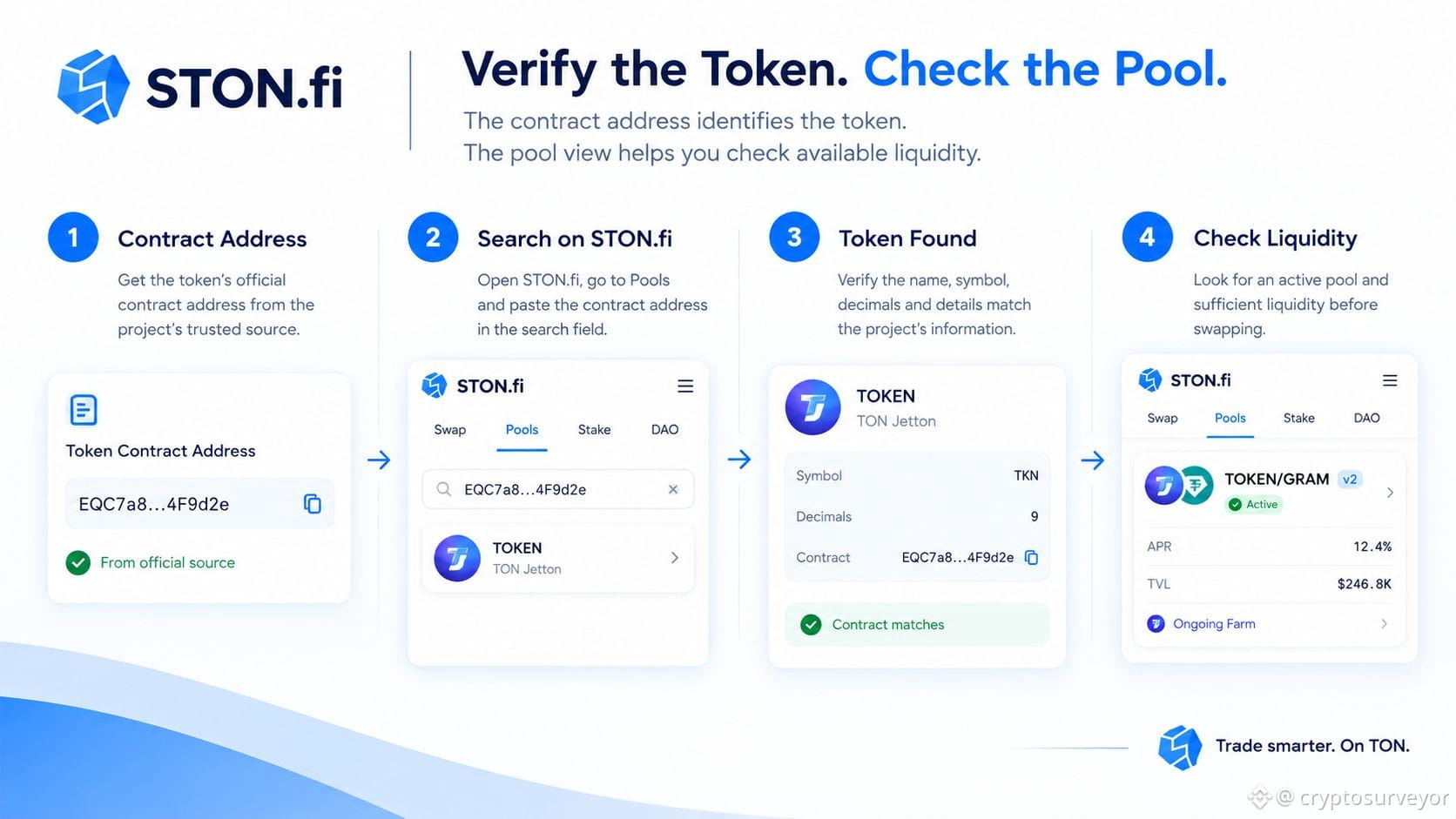
𝗛𝗼𝘄 𝗧𝗼 𝗙𝗶𝗻𝗱 𝗔 𝗧𝗢𝗡 𝗧𝗼𝗸𝗲𝗻 𝗕𝘆 𝗖𝗼𝗻𝘁𝗿𝗮𝗰𝘁 𝗔𝗱𝗱𝗿𝗲𝘀𝘀
A token’s name or logo isn’t enough to identify it.
New tokens can have little metadata, while fake or flagged tokens may deliberately copy familiar names, tickers, or branding.
The contract address is the identifier you should verify.
𝗛𝗼𝘄 𝘁𝗼 𝗰𝗵𝗲𝗰𝗸:
1️⃣ Get the token’s official contract address from the project’s verified website or official channels.
2️⃣ Open the STON.fi Swap interface and paste the address into the token search field.
3️⃣ Check that the detected name, symbol and decimals match what the project published.
4️⃣ Look for any STON.fi warnings or flags. Some flagged assets may only be discoverable through their contract address.
5️⃣ Check whether a liquidity pool exists and whether there is enough liquidity for the amount you want to trade. Low liquidity can create significant price impact.
𝗧𝗵𝗲 𝗽𝗿𝗮𝗰𝘁𝗶𝗰𝗮𝗹 𝗳𝗹𝗼𝘄:
Official contract → Paste address → Verify metadata → Check warnings → Check liquidity → Review quote → Swap
STON.fi makes address-based token import possible, but it does not mean the token is automatically legitimate or safe.
𝗪𝗵𝗲𝗻 𝗶𝗻 𝗱𝗼𝘂𝗯𝘁, 𝘃𝗲𝗿𝗶𝗳𝘆 𝘁𝗵𝗲 𝗮𝗱𝗱𝗿𝗲𝘀𝘀 — 𝗻𝗼𝘁 𝗷𝘂𝘀𝘁 𝘁𝗵𝗲 𝗹𝗼𝗴𝗼.
A token’s name or logo isn’t enough to identify it.
New tokens can have little metadata, while fake or flagged tokens may deliberately copy familiar names, tickers, or branding.
The contract address is the identifier you should verify.
𝗛𝗼𝘄 𝘁𝗼 𝗰𝗵𝗲𝗰𝗸:
1️⃣ Get the token’s official contract address from the project’s verified website or official channels.
2️⃣ Open the STON.fi Swap interface and paste the address into the token search field.
3️⃣ Check that the detected name, symbol and decimals match what the project published.
4️⃣ Look for any STON.fi warnings or flags. Some flagged assets may only be discoverable through their contract address.
5️⃣ Check whether a liquidity pool exists and whether there is enough liquidity for the amount you want to trade. Low liquidity can create significant price impact.
𝗧𝗵𝗲 𝗽𝗿𝗮𝗰𝘁𝗶𝗰𝗮𝗹 𝗳𝗹𝗼𝘄:
Official contract → Paste address → Verify metadata → Check warnings → Check liquidity → Review quote → Swap
STON.fi makes address-based token import possible, but it does not mean the token is automatically legitimate or safe.
𝗪𝗵𝗲𝗻 𝗶𝗻 𝗱𝗼𝘂𝗯𝘁, 𝘃𝗲𝗿𝗶𝗳𝘆 𝘁𝗵𝗲 𝗮𝗱𝗱𝗿𝗲𝘀𝘀 — 𝗻𝗼𝘁 𝗷𝘂𝘀𝘁 𝘁𝗵𝗲 𝗹𝗼𝗴𝗼.